change wheel OPEL CROSSLAND X 2019.75 Manual user
[x] Cancel search | Manufacturer: OPEL, Model Year: 2019.75, Model line: CROSSLAND X, Model: OPEL CROSSLAND X 2019.75Pages: 253, PDF Size: 7.76 MB
Page 206 of 253
204Vehicle careCaution
The use of a spare wheel that issmaller than the other wheels or in combination with winter tyres
could affect driveability. Have the defective tyre replaced as soon as
possible.
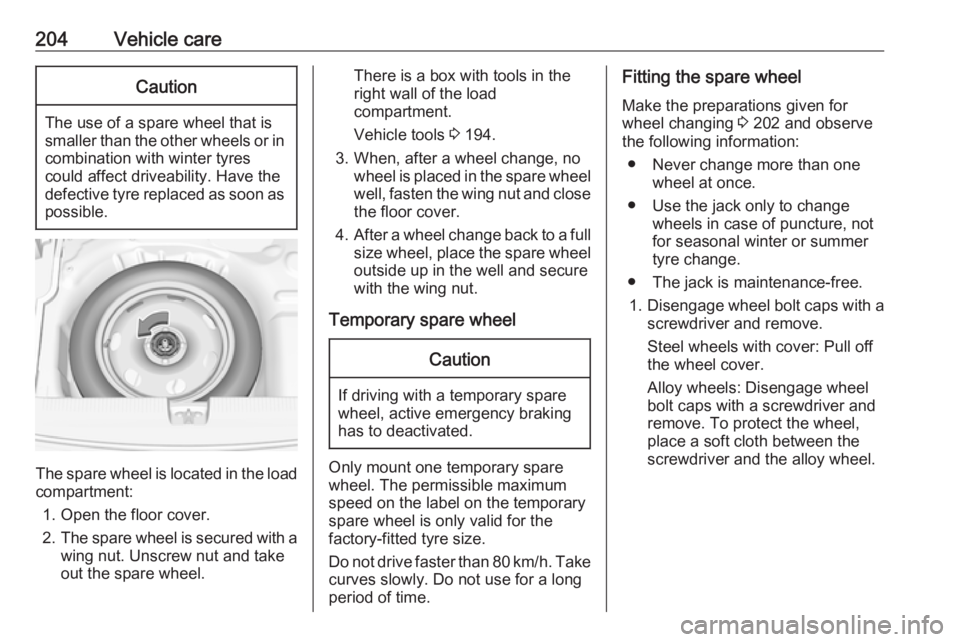
The spare wheel is located in the load
compartment:
1. Open the floor cover.
2. The spare wheel is secured with a
wing nut. Unscrew nut and take
out the spare wheel.
There is a box with tools in the
right wall of the load compartment.
Vehicle tools 3 194.
3. When, after a wheel change, no wheel is placed in the spare wheelwell, fasten the wing nut and close
the floor cover.
4. After a wheel change back to a full
size wheel, place the spare wheel
outside up in the well and secure
with the wing nut.
Temporary spare wheelCaution
If driving with a temporary spare
wheel, active emergency braking
has to deactivated.
Only mount one temporary spare
wheel. The permissible maximum
speed on the label on the temporary
spare wheel is only valid for the
factory-fitted tyre size.
Do not drive faster than 80 km/h. Take
curves slowly. Do not use for a long
period of time.
Fitting the spare wheel
Make the preparations given for
wheel changing 3 202 and observe
the following information:
● Never change more than one wheel at once.
● Use the jack only to change wheels in case of puncture, not
for seasonal winter or summer
tyre change.
● The jack is maintenance-free.
1. Disengage wheel bolt caps with a
screwdriver and remove.
Steel wheels with cover: Pull off
the wheel cover.
Alloy wheels: Disengage wheel
bolt caps with a screwdriver and
remove. To protect the wheel,
place a soft cloth between the
screwdriver and the alloy wheel.
Page 208 of 253
206Vehicle careAttach wheel wrench and with the
jack correctly aligned rotate wheel wrench until wheel is clear of the
ground.
5. Unscrew the wheel nuts. 6. Change the wheel.
7. Screw on the wheel nuts.
8. Lower the vehicle and remove jack.
9. Install the wheel wrench ensuring that it is located securely and
tighten each bolt in a crosswise
sequence. Tightening torque is
100 Nm.
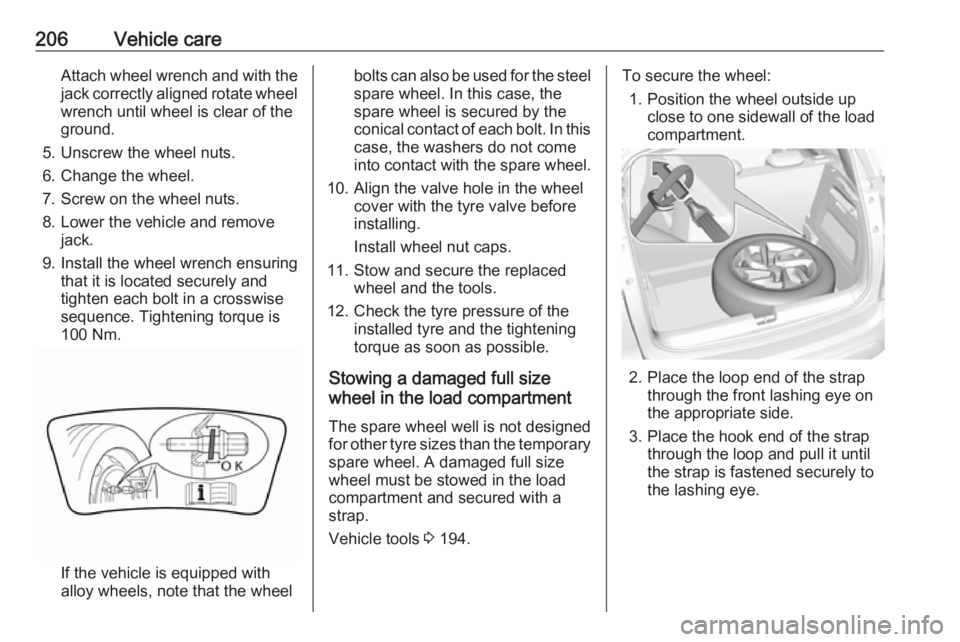
If the vehicle is equipped with
alloy wheels, note that the wheel
bolts can also be used for the steel spare wheel. In this case, the
spare wheel is secured by the
conical contact of each bolt. In this
case, the washers do not come
into contact with the spare wheel.
10. Align the valve hole in the wheel cover with the tyre valve before
installing.
Install wheel nut caps.
11. Stow and secure the replaced wheel and the tools.
12. Check the tyre pressure of the installed tyre and the tightening
torque as soon as possible.
Stowing a damaged full size
wheel in the load compartment
The spare wheel well is not designed for other tyre sizes than the temporary
spare wheel. A damaged full size
wheel must be stowed in the load
compartment and secured with a
strap.
Vehicle tools 3 194.To secure the wheel:
1. Position the wheel outside up close to one sidewall of the load
compartment.
2. Place the loop end of the strap through the front lashing eye on
the appropriate side.
3. Place the hook end of the strap through the loop and pull it until
the strap is fastened securely to
the lashing eye.
Page 244 of 253
242Customer informationindividual components and assists
with fault diagnosis, compliance with
warranty obligations and quality
improvement. This data, in particular
information on component stress,
technical events, operator errors and
other faults, is transmitted to the
manufacturer where appropriate,
together with the vehicle identification
number. The manufacturer is also
subject to product liability. The
manufacturer potentially also uses
operating data from vehicles for
product recalls. This data can also be used to check customer warranty and
guarantee claims.
Fault memories in the vehicle can be
reset by a service company when
carrying out servicing or repairs or at
your request.
Comfort and infotainment
functions
Comfort settings and custom settings can be stored in the vehicle and
changed or reset at any time.Depending on the equipment level in
question, these include
● seat and steering wheel position settings
● chassis and air conditioning settings
● custom settings such as interior lighting
You can input your own data in the
infotainment functions for your
vehicle as part of the selected
features.
Depending on the equipment level in
question, these include
● multimedia data such as music, videos or photos for playback in
an integrated multimedia system
● address book data for use with an
integrated hands-free system or
an integrated navigation system
● input destinations
● data on the use of online services
This data for comfort and
infotainment functions can be stored
locally in the vehicle or be kept on a
device that you have connected to the
vehicle ( e.g. a smartphone, USB stickor MP3 player). Data that you have
input yourself can be deleted at any
time.
This data can only be transmitted out
of the vehicle at your request,
particularly when using online
services in accordance with the
settings selected by you.
Smartphone integration, e.g.
Android Auto or Apple CarPlay
If your vehicle is equipped
accordingly, you can connect your
smartphone or another mobile device to the vehicle so that you can control
it via the controls integrated in the
vehicle. The smartphone image and
sound can be output via the
multimedia system in this case. At the
same time, specific information is
transmitted to your smartphone.
Depending on the type of integration, this includes data such as position
data, day / night mode and other
general vehicle information. For more
information, please see the operating
instructions for the vehicle /
infotainment system.