light OPEL CROSSLAND X 2019.75 Manual user
[x] Cancel search | Manufacturer: OPEL, Model Year: 2019.75, Model line: CROSSLAND X, Model: OPEL CROSSLAND X 2019.75Pages: 253, PDF Size: 7.76 MB
Page 104 of 253
102LightingActivation
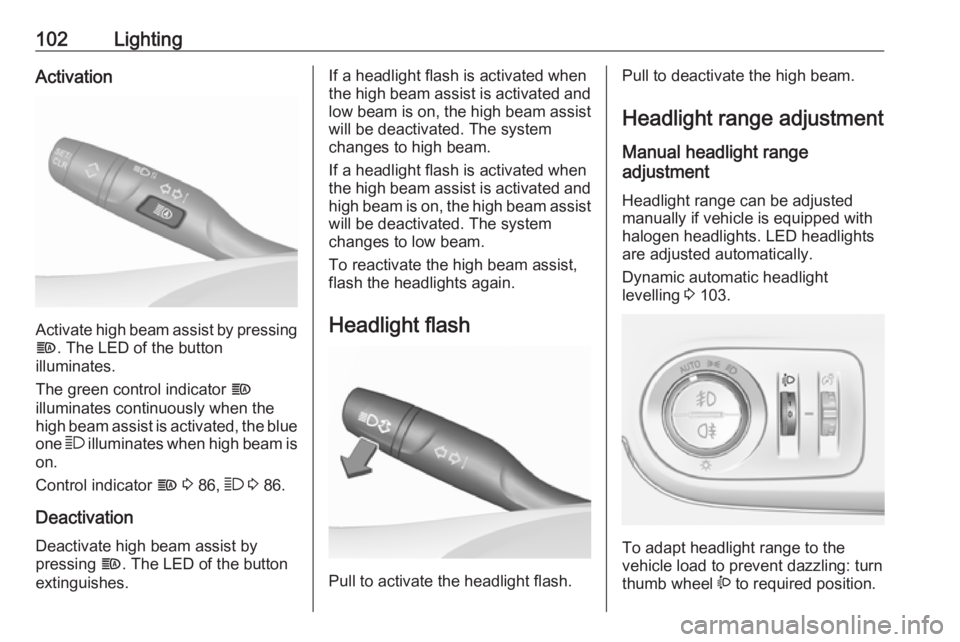
Activate high beam assist by pressingf . The LED of the button
illuminates.
The green control indicator f
illuminates continuously when the
high beam assist is activated, the blue
one 7 illuminates when high beam is
on.
Control indicator f 3 86, 7 3 86.
Deactivation
Deactivate high beam assist by
pressing f. The LED of the button
extinguishes.
If a headlight flash is activated when
the high beam assist is activated and low beam is on, the high beam assist
will be deactivated. The system
changes to high beam.
If a headlight flash is activated when
the high beam assist is activated and high beam is on, the high beam assistwill be deactivated. The system
changes to low beam.
To reactivate the high beam assist,
flash the headlights again.
Headlight flash
Pull to activate the headlight flash.
Pull to deactivate the high beam. Headlight range adjustment
Manual headlight range
adjustment
Headlight range can be adjusted
manually if vehicle is equipped with
halogen headlights. LED headlights
are adjusted automatically.
Dynamic automatic headlight
levelling 3 103.
To adapt headlight range to the
vehicle load to prevent dazzling: turn
thumb wheel ? to required position.
Page 105 of 253
Lighting1030:front seats occupied1:all seats occupied2:all seats occupied and load
compartment laden3:driver's seat occupied and load
compartment laden
Headlights when driving
abroad
When driving in countries where
traffic drives on the opposite side of
the road, the headlights do not have
to be adjusted.
Daytime running lights Daytime running lights increases
visibility of the vehicle during daylight.
They are switched on automatically
during daytime when engine is
running.
The system switches between
daytime running lights and low beam automatically, depending on the
lighting conditions.
LED headlights
LED headlights for low and high beam ensure better visibility under all
conditions. They include the following
functions:
● cornering lights
● high beam assist 3 101
● automatic headlight levelling
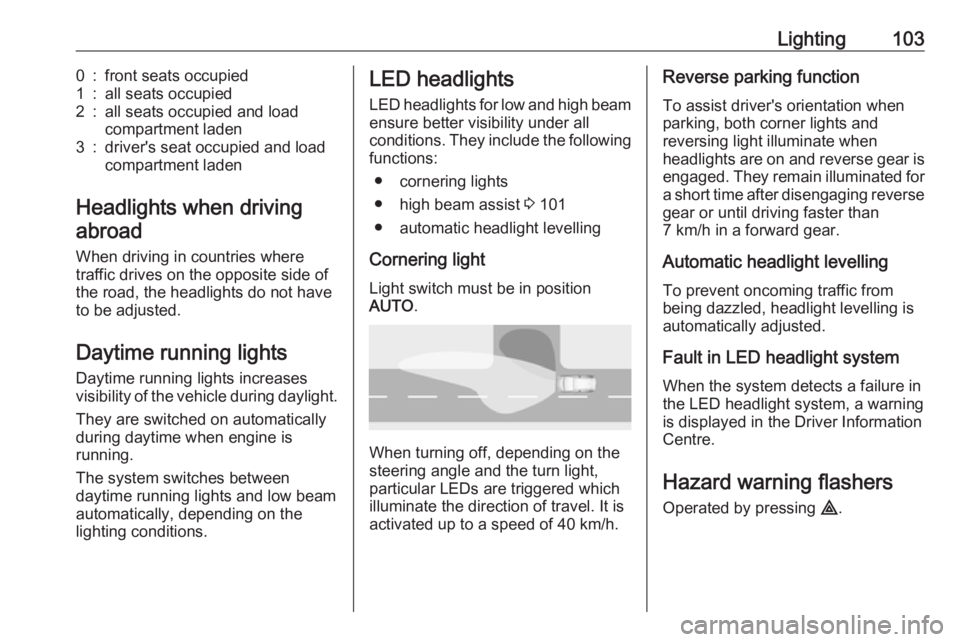
Cornering light Light switch must be in position
AUTO .
When turning off, depending on the
steering angle and the turn light, particular LEDs are triggered whichilluminate the direction of travel. It is
activated up to a speed of 40 km/h.
Reverse parking function
To assist driver's orientation when
parking, both corner lights and
reversing light illuminate when
headlights are on and reverse gear is
engaged. They remain illuminated for
a short time after disengaging reverse gear or until driving faster than
7 km/h in a forward gear.
Automatic headlight levelling
To prevent oncoming traffic from being dazzled, headlight levelling is
automatically adjusted.
Fault in LED headlight system
When the system detects a failure in
the LED headlight system, a warning
is displayed in the Driver Information Centre.
Hazard warning flashers
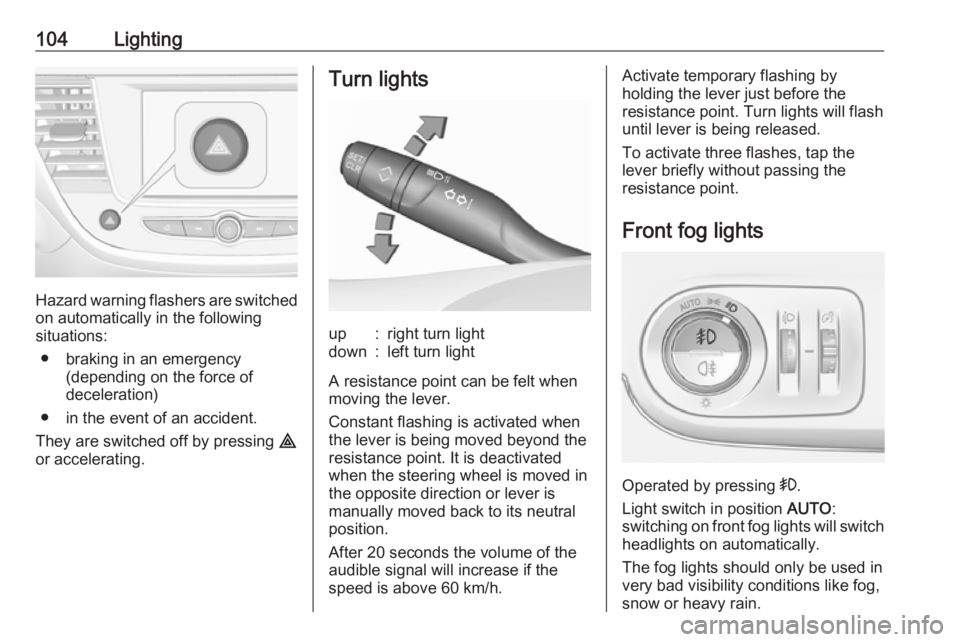
Operated by pressing ¨.
Page 106 of 253
104Lighting
Hazard warning flashers are switched
on automatically in the following
situations:
● braking in an emergency (depending on the force of
deceleration)
● in the event of an accident.
They are switched off by pressing ¨
or accelerating.
Turn lightsup:right turn lightdown:left turn light
A resistance point can be felt when
moving the lever.
Constant flashing is activated when
the lever is being moved beyond the
resistance point. It is deactivated
when the steering wheel is moved in
the opposite direction or lever is
manually moved back to its neutral
position.
After 20 seconds the volume of the audible signal will increase if the
speed is above 60 km/h.
Activate temporary flashing by
holding the lever just before the
resistance point. Turn lights will flash
until lever is being released.
To activate three flashes, tap the
lever briefly without passing the
resistance point.
Front fog lights
Operated by pressing >
.
Light switch in position AUTO:
switching on front fog lights will switch
headlights on automatically.
The fog lights should only be used in
very bad visibility conditions like fog,
snow or heavy rain.
Page 107 of 253
Lighting105Rear fog light
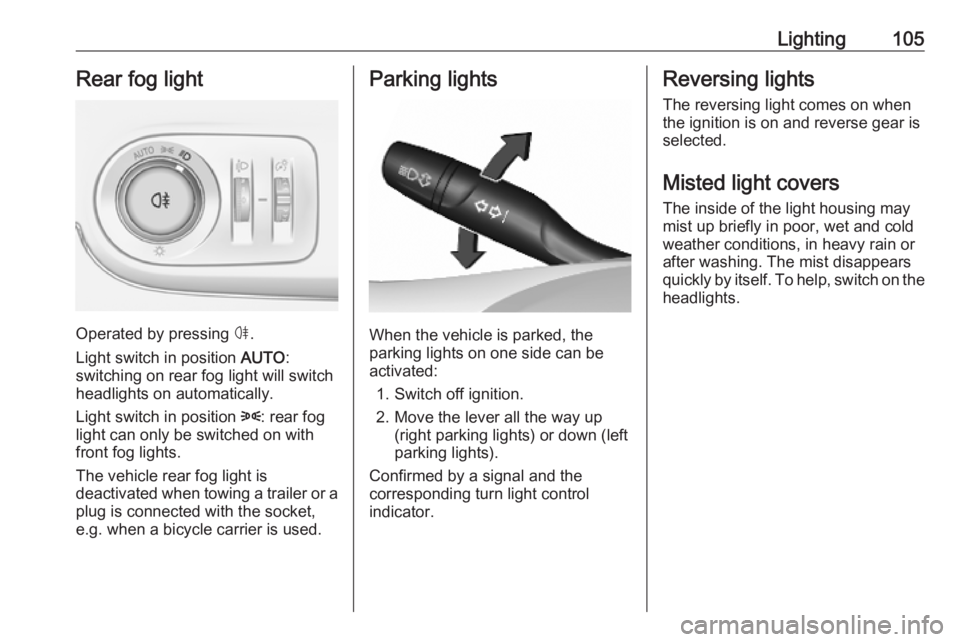
Operated by pressing ø.
Light switch in position AUTO:
switching on rear fog light will switch
headlights on automatically.
Light switch in position 8: rear fog
light can only be switched on with
front fog lights.
The vehicle rear fog light is
deactivated when towing a trailer or a
plug is connected with the socket,
e.g. when a bicycle carrier is used.
Parking lights
When the vehicle is parked, the
parking lights on one side can be
activated:
1. Switch off ignition.
2. Move the lever all the way up (right parking lights) or down (left
parking lights).
Confirmed by a signal and the
corresponding turn light control
indicator.
Reversing lights
The reversing light comes on when
the ignition is on and reverse gear is
selected.
Misted light covers
The inside of the light housing may
mist up briefly in poor, wet and cold weather conditions, in heavy rain or
after washing. The mist disappears
quickly by itself. To help, switch on the headlights.
Page 108 of 253
106LightingInterior lightingInstrument panelillumination control
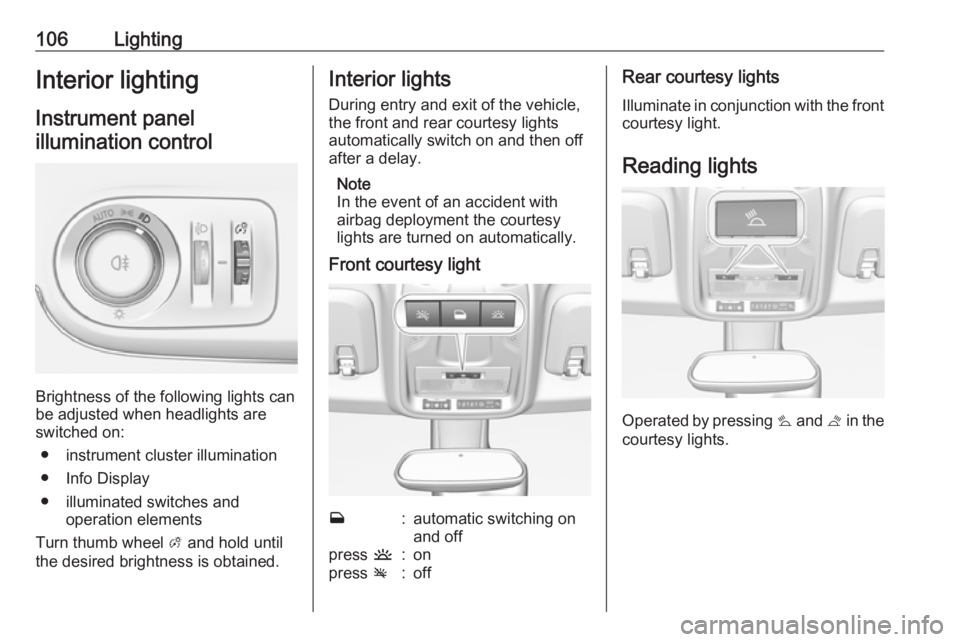
Brightness of the following lights can
be adjusted when headlights are
switched on:
● instrument cluster illumination
● Info Display
● illuminated switches and operation elements
Turn thumb wheel A and hold until
the desired brightness is obtained.
Interior lights
During entry and exit of the vehicle,
the front and rear courtesy lights
automatically switch on and then off
after a delay.
Note
In the event of an accident with
airbag deployment the courtesy
lights are turned on automatically.
Front courtesy lightw:automatic switching on
and offpress u:onpress v:offRear courtesy lights
Illuminate in conjunction with the front courtesy light.
Reading lights
Operated by pressing s and t in the
courtesy lights.
Page 109 of 253
Lighting107
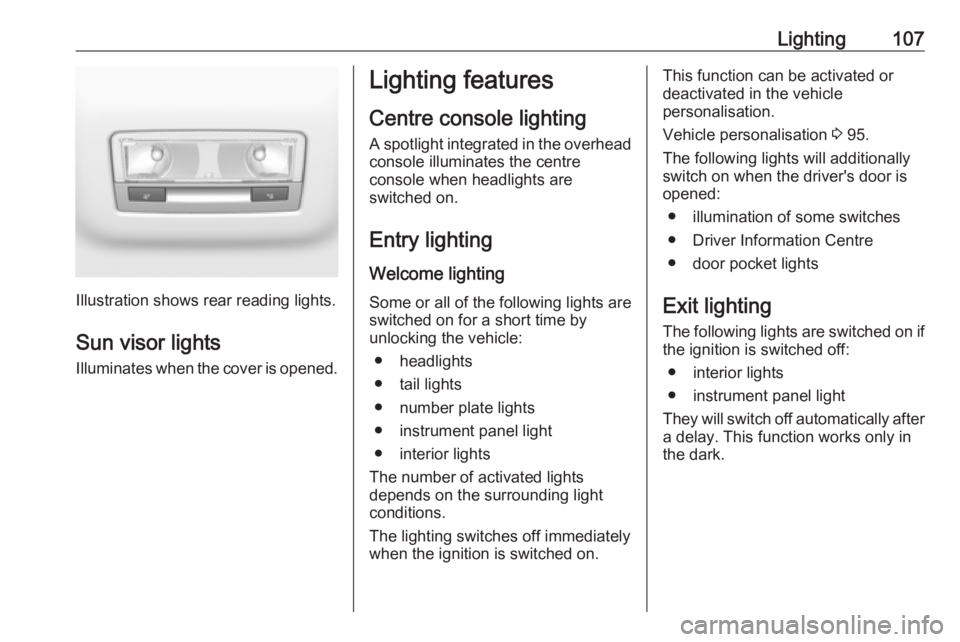
Illustration shows rear reading lights.Sun visor lights
Illuminates when the cover is opened.
Lighting features
Centre console lighting A spotlight integrated in the overheadconsole illuminates the centre
console when headlights are
switched on.
Entry lighting Welcome lighting
Some or all of the following lights are
switched on for a short time by
unlocking the vehicle:
● headlights
● tail lights
● number plate lights
● instrument panel light
● interior lights
The number of activated lights
depends on the surrounding light
conditions.
The lighting switches off immediately
when the ignition is switched on.This function can be activated or
deactivated in the vehicle
personalisation.
Vehicle personalisation 3 95.
The following lights will additionally
switch on when the driver's door is
opened:
● illumination of some switches
● Driver Information Centre
● door pocket lights
Exit lighting The following lights are switched on if
the ignition is switched off:
● interior lights
● instrument panel light
They will switch off automatically after
a delay. This function works only in
the dark.
Page 110 of 253
108LightingBattery discharge protection
Vehicle battery state of charge
function
The function guarantees longestvehicle battery life via a generator
with controllable power output and
optimised power distribution.
To prevent discharge of the vehicle
battery when driving, the following
systems are reduced automatically in two stages and finally switched off:
● auxiliary heater
● heated rear window and heated mirrors
● heated seats
● fan
In the second stage, a message
which confirms the activation of the
vehicle battery discharge protection
will be displayed in the Driver
Information Centre.Switching off interior lights
To prevent discharge of the vehicle
battery when the ignition is switched off, some interior lights are switched
off automatically after some time.
Page 113 of 253
Climate control111Air distribution l M K
Press:l:to windscreen and front door
windowsM:to head area and rear seats via
adjustable front air ventsK:to front and rear foot well and
windscreen
Combinations are possible.
Fan speed Z
Adjust the air flow by turning Z to the
desired speed.
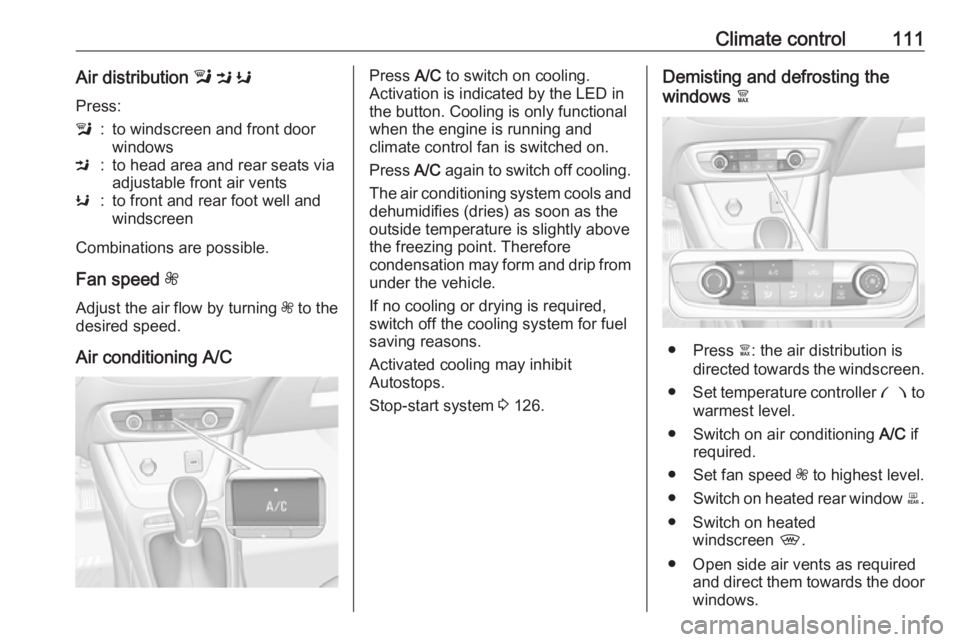
Air conditioning A/C
Press A/C to switch on cooling.
Activation is indicated by the LED in
the button. Cooling is only functional
when the engine is running and
climate control fan is switched on.
Press A/C again to switch off cooling.
The air conditioning system cools and
dehumidifies (dries) as soon as the
outside temperature is slightly above the freezing point. Therefore
condensation may form and drip from under the vehicle.
If no cooling or drying is required,
switch off the cooling system for fuel
saving reasons.
Activated cooling may inhibit
Autostops.
Stop-start system 3 126.Demisting and defrosting the
windows à
● Press à: the air distribution is
directed towards the windscreen.
● Set temperature controller £ to
warmest level.
● Switch on air conditioning A/C if
required.
● Set fan speed Z to highest level.
● Switch on heated rear window b.
● Switch on heated windscreen ,.
● Open side air vents as required and direct them towards the doorwindows.
Page 125 of 253
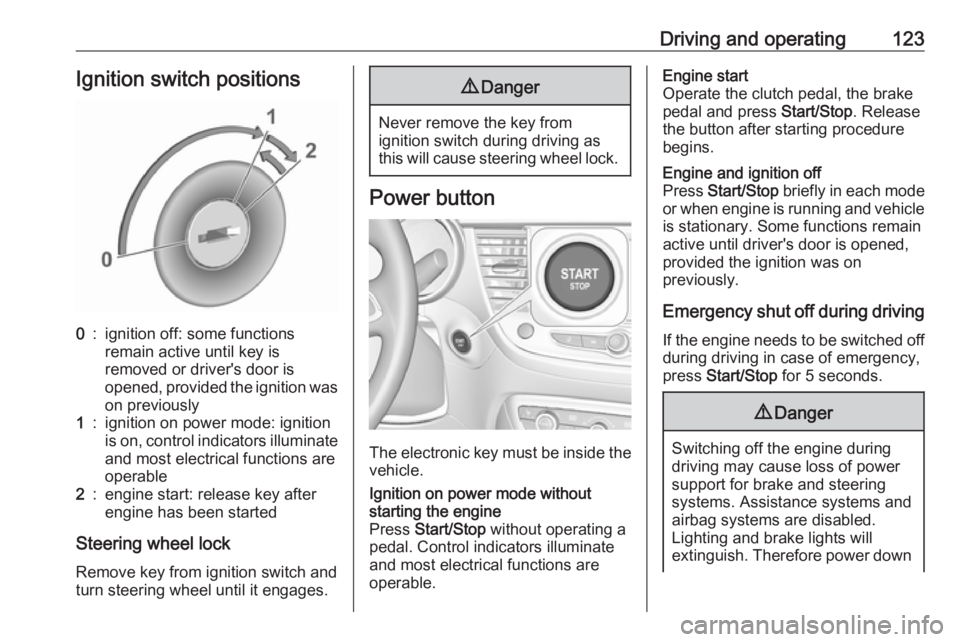
Driving and operating123Ignition switch positions0:ignition off: some functions
remain active until key is
removed or driver's door is
opened, provided the ignition was
on previously1:ignition on power mode: ignition
is on, control indicators illuminate and most electrical functions are
operable2:engine start: release key after
engine has been started
Steering wheel lock
Remove key from ignition switch and
turn steering wheel until it engages.
9 Danger
Never remove the key from
ignition switch during driving as
this will cause steering wheel lock.
Power button
The electronic key must be inside the
vehicle.
Ignition on power mode without
starting the engine
Press Start/Stop without operating a
pedal. Control indicators illuminate
and most electrical functions are
operable.Engine start
Operate the clutch pedal, the brake
pedal and press Start/Stop. Release
the button after starting procedure
begins.Engine and ignition off
Press Start/Stop briefly in each mode
or when engine is running and vehicle
is stationary. Some functions remain
active until driver's door is opened,
provided the ignition was on
previously.
Emergency shut off during driving
If the engine needs to be switched offduring driving in case of emergency,
press Start/Stop for 5 seconds.
9Danger
Switching off the engine during
driving may cause loss of power
support for brake and steering
systems. Assistance systems and
airbag systems are disabled.
Lighting and brake lights will
extinguish. Therefore power down
Page 126 of 253
124Driving and operatingthe engine and ignition while
driving only when required in case of emergency.
Steering wheel lock
The steering wheel lock activates
automatically when:
● The vehicle is stationary.
● The ignition has been switched off.
To release steering wheel lock, open
and close driver's door and switch the ignition on power mode or start the
engine directly.
9 Warning
If the vehicle battery is discharged,
the vehicle must not be towed,
tow-started or jump-started as the
steering wheel lock cannot be
disengaged.
Operation in case of failure
If either the electronic key fails or the
battery of the electronic key is weak,
the Driver Information Centre may
display No Remote Detected or
Replace Battery in Remote Key when
you try to start the vehicle.
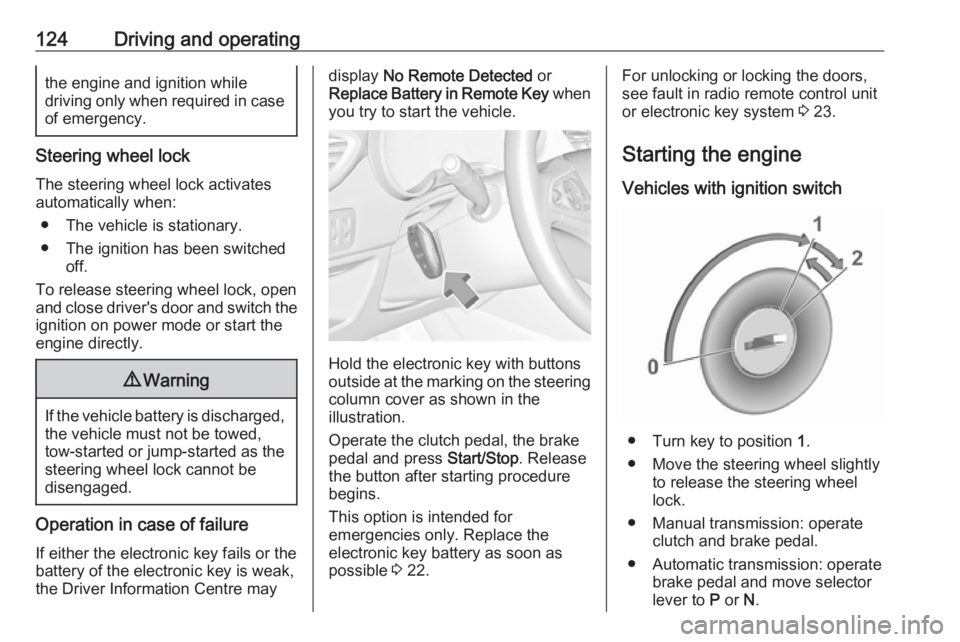
Hold the electronic key with buttons
outside at the marking on the steering column cover as shown in the
illustration.
Operate the clutch pedal, the brake
pedal and press Start/Stop. Release
the button after starting procedure begins.
This option is intended for
emergencies only. Replace the
electronic key battery as soon as
possible 3 22.
For unlocking or locking the doors,
see fault in radio remote control unit
or electronic key system 3 23.
Starting the engine
Vehicles with ignition switch
● Turn key to position 1.
● Move the steering wheel slightly to release the steering wheel
lock.
● Manual transmission: operate clutch and brake pedal.
● Automatic transmission: operate brake pedal and move selector
lever to P or N.