light OPEL CROSSLAND X 2019 Manual user
[x] Cancel search | Manufacturer: OPEL, Model Year: 2019, Model line: CROSSLAND X, Model: OPEL CROSSLAND X 2019Pages: 263, PDF Size: 8.11 MB
Page 92 of 263
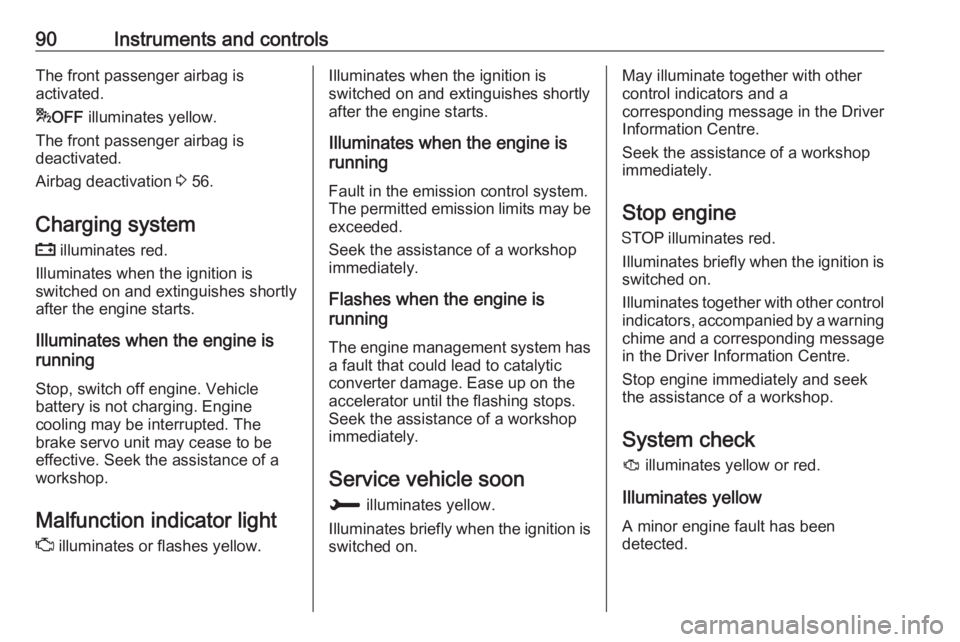
90Instruments and controlsThe front passenger airbag is
activated.
* OFF illuminates yellow.
The front passenger airbag is
deactivated.
Airbag deactivation 3 56.
Charging system
p illuminates red.
Illuminates when the ignition is
switched on and extinguishes shortly after the engine starts.
Illuminates when the engine is
running
Stop, switch off engine. Vehicle
battery is not charging. Engine
cooling may be interrupted. The
brake servo unit may cease to be effective. Seek the assistance of a
workshop.
Malfunction indicator light
Z illuminates or flashes yellow.Illuminates when the ignition is
switched on and extinguishes shortly
after the engine starts.
Illuminates when the engine is
running
Fault in the emission control system.
The permitted emission limits may be
exceeded.
Seek the assistance of a workshop
immediately.
Flashes when the engine is
running
The engine management system hasa fault that could lead to catalytic
converter damage. Ease up on the
accelerator until the flashing stops.
Seek the assistance of a workshop
immediately.
Service vehicle soon
H illuminates yellow.
Illuminates briefly when the ignition is
switched on.May illuminate together with other
control indicators and a
corresponding message in the Driver
Information Centre.
Seek the assistance of a workshop
immediately.
Stop engine
Y illuminates red.
Illuminates briefly when the ignition is switched on.
Illuminates together with other control
indicators, accompanied by a warning chime and a corresponding message
in the Driver Information Centre.
Stop engine immediately and seek
the assistance of a workshop.
System check
J illuminates yellow or red.
Illuminates yellow A minor engine fault has been
detected.
Page 95 of 263
Instruments and controls93Flashes yellowThe remaining driving range is
between 0 and 600 km.
AdBlue level is low. Refill AdBlue
soon to avoid prevention of the
engine start. Up to 10 l of AdBlue can
be added.
AdBlue 3 141.
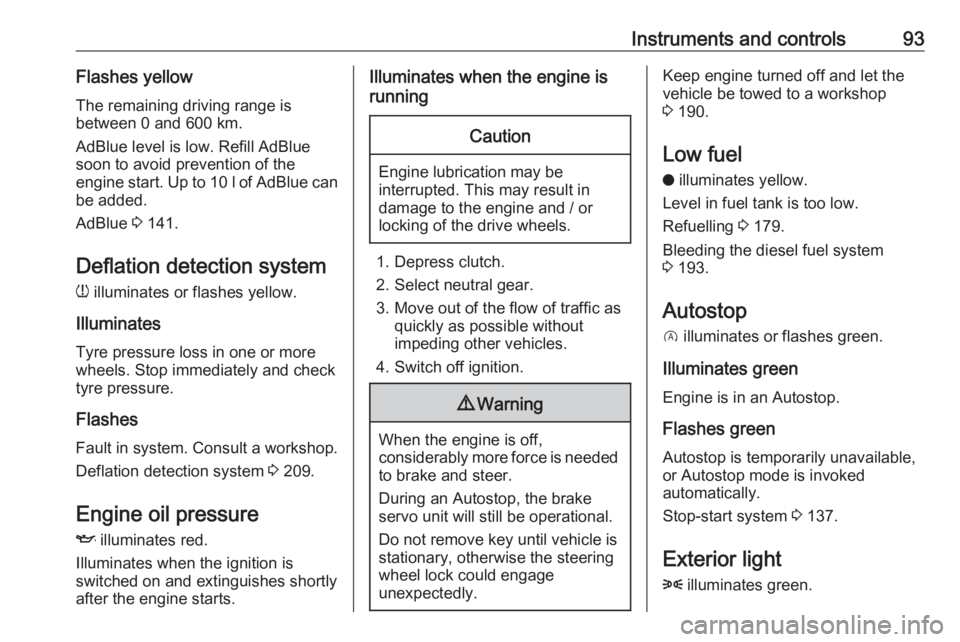
Deflation detection system w illuminates or flashes yellow.
Illuminates Tyre pressure loss in one or more
wheels. Stop immediately and check
tyre pressure.
Flashes
Fault in system. Consult a workshop.
Deflation detection system 3 209.
Engine oil pressure
I illuminates red.
Illuminates when the ignition is
switched on and extinguishes shortly
after the engine starts.Illuminates when the engine is
runningCaution
Engine lubrication may be
interrupted. This may result in
damage to the engine and / or
locking of the drive wheels.
1. Depress clutch.
2. Select neutral gear.
3. Move out of the flow of traffic as quickly as possible without
impeding other vehicles.
4. Switch off ignition.
9 Warning
When the engine is off,
considerably more force is needed
to brake and steer.
During an Autostop, the brake
servo unit will still be operational.
Do not remove key until vehicle is stationary, otherwise the steeringwheel lock could engage
unexpectedly.
Keep engine turned off and let the
vehicle be towed to a workshop
3 190.
Low fuel o illuminates yellow.
Level in fuel tank is too low.
Refuelling 3 179.
Bleeding the diesel fuel system
3 193.
Autostop D illuminates or flashes green.
Illuminates green
Engine is in an Autostop.
Flashes green
Autostop is temporarily unavailable,
or Autostop mode is invoked
automatically.
Stop-start system 3 137.
Exterior light 8 illuminates green.
Page 96 of 263
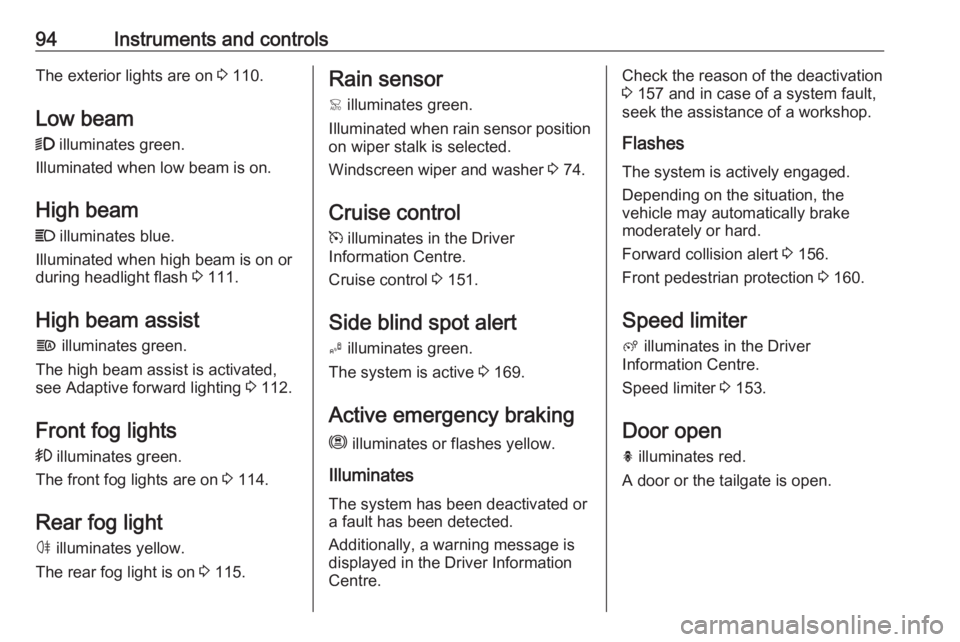
94Instruments and controlsThe exterior lights are on 3 110.
Low beam
9 illuminates green.
Illuminated when low beam is on.
High beam C illuminates blue.
Illuminated when high beam is on or
during headlight flash 3 111.
High beam assist f illuminates green.
The high beam assist is activated,
see Adaptive forward lighting 3 112.
Front fog lights
> illuminates green.
The front fog lights are on 3 114.
Rear fog light ø illuminates yellow.
The rear fog light is on 3 115.Rain sensor
< illuminates green.
Illuminated when rain sensor position on wiper stalk is selected.
Windscreen wiper and washer 3 74.
Cruise control m illuminates in the Driver
Information Centre.
Cruise control 3 151.
Side blind spot alert
B illuminates green.
The system is active 3 169.
Active emergency braking m illuminates or flashes yellow.
Illuminates
The system has been deactivated or
a fault has been detected.
Additionally, a warning message is
displayed in the Driver Information
Centre.Check the reason of the deactivation
3 157 and in case of a system fault,
seek the assistance of a workshop.
Flashes
The system is actively engaged.
Depending on the situation, the
vehicle may automatically brake
moderately or hard.
Forward collision alert 3 156.
Front pedestrian protection 3 160.
Speed limiter
ß illuminates in the Driver
Information Centre.
Speed limiter 3 153.
Door open h illuminates red.
A door or the tailgate is open.
Page 102 of 263
100Instruments and controls
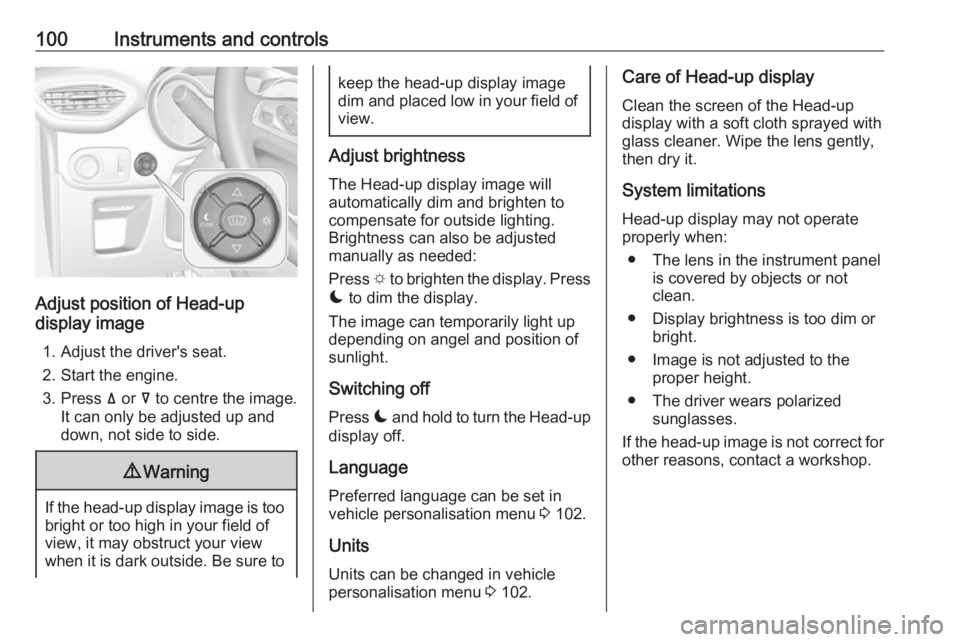
Adjust position of Head-up
display image
1. Adjust the driver's seat.
2. Start the engine.
3. Press ä or å to centre the image.
It can only be adjusted up and
down, not side to side.
9 Warning
If the head-up display image is too
bright or too high in your field of
view, it may obstruct your view
when it is dark outside. Be sure to
keep the head-up display image dim and placed low in your field of
view.
Adjust brightness
The Head-up display image will
automatically dim and brighten to
compensate for outside lighting.
Brightness can also be adjusted
manually as needed:
Press e to brighten the display. Press
æ to dim the display.
The image can temporarily light up
depending on angel and position of
sunlight.
Switching off
Press æ and hold to turn the Head-up
display off.
Language Preferred language can be set in
vehicle personalisation menu 3 102.
Units
Units can be changed in vehicle
personalisation menu 3 102.
Care of Head-up display
Clean the screen of the Head-up
display with a soft cloth sprayed with
glass cleaner. Wipe the lens gently, then dry it.
System limitations Head-up display may not operate
properly when:
● The lens in the instrument panel is covered by objects or not
clean.
● Display brightness is too dim or bright.
● Image is not adjusted to the proper height.
● The driver wears polarized sunglasses.
If the head-up image is not correct for
other reasons, contact a workshop.
Page 103 of 263
Instruments and controls101Vehicle messages
Messages are indicated in the Driver
Information Centre, in some cases
together with a warning chime.
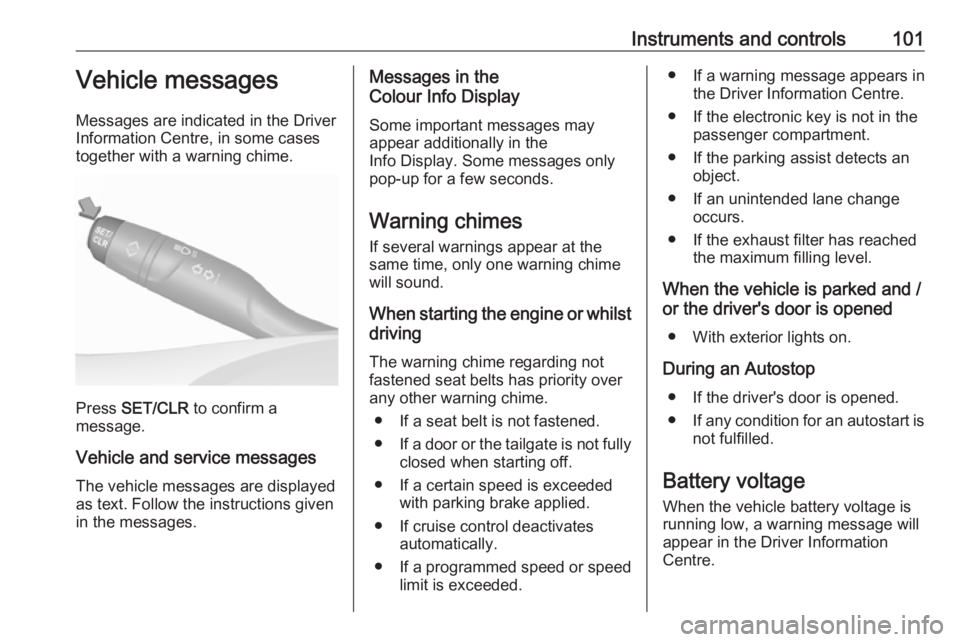
Press SET/CLR to confirm a
message.
Vehicle and service messages The vehicle messages are displayed
as text. Follow the instructions given
in the messages.
Messages in the
Colour Info Display
Some important messages may
appear additionally in the
Info Display. Some messages only
pop-up for a few seconds.
Warning chimes
If several warnings appear at the same time, only one warning chime
will sound.
When starting the engine or whilst driving
The warning chime regarding not
fastened seat belts has priority over
any other warning chime.
● If a seat belt is not fastened.
● If a door or the tailgate is not fully
closed when starting off.
● If a certain speed is exceeded with parking brake applied.
● If cruise control deactivates automatically.
● If a programmed speed or speed
limit is exceeded.● If a warning message appears in the Driver Information Centre.
● If the electronic key is not in the passenger compartment.
● If the parking assist detects an object.
● If an unintended lane change occurs.
● If the exhaust filter has reached the maximum filling level.
When the vehicle is parked and / or the driver's door is opened
● With exterior lights on.
During an Autostop ● If the driver's door is opened.● If any condition for an autostart is
not fulfilled.
Battery voltage
When the vehicle battery voltage is
running low, a warning message will
appear in the Driver Information
Centre.
Page 104 of 263
102Instruments and controlsWhen the vehicle is being driven, the
load reduction function temporarily
deactivates certain functions, such as
the air conditioning, the heated rear
screen, heated steering wheel, etc.
The deactivated functions are
reactivated automatically as soon as
conditions permit.Vehicle personalisation
The vehicle's behaviour can be
personalised by changing the settings in the Info Display.
Depending on vehicle equipment and
country-specific regulations some of
the functions described below may
not be available.
Some functions are only displayed or
active when the engine is running.
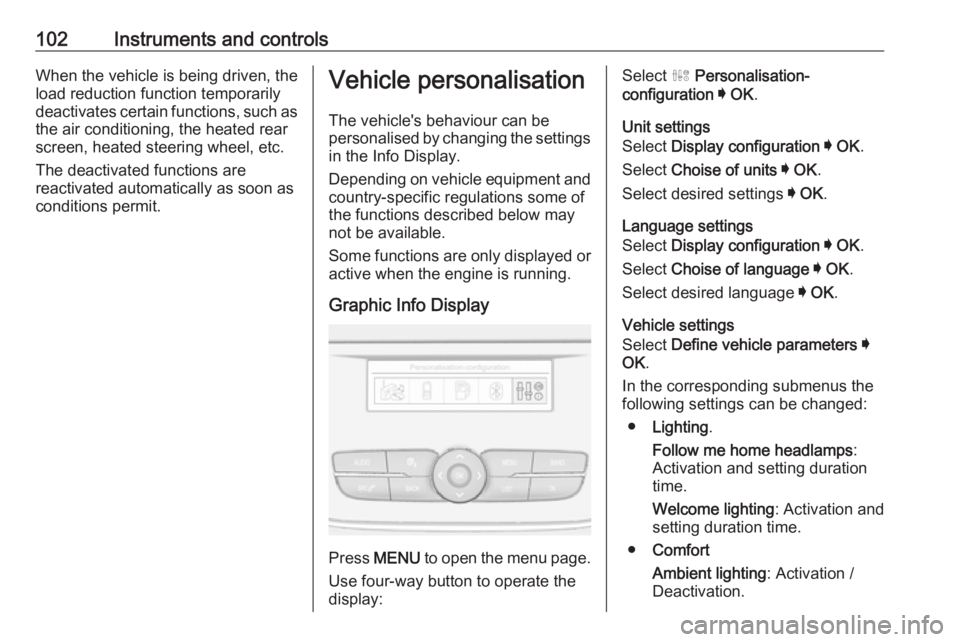
Graphic Info Display
Press MENU to open the menu page.
Use four-way button to operate the
display:
Select ˆ Personalisation-
configuration I OK .
Unit settings
Select Display configuration I OK .
Select Choise of units I OK .
Select desired settings I OK .
Language settings
Select Display configuration I OK .
Select Choise of language I OK .
Select desired language I OK .
Vehicle settings
Select Define vehicle parameters I
OK .
In the corresponding submenus the
following settings can be changed:
● Lighting .
Follow me home headlamps :
Activation and setting duration
time.
Welcome lighting : Activation and
setting duration time.
● Comfort
Ambient lighting : Activation /
Deactivation.
Page 105 of 263
Instruments and controls103Rear wiper in reverse gear:
Activation / Deactivation.
● Vehicle
Unlocking boot only : Activation /
Deactivation.
Plip action : Driver / all doors.
● Driving assistance
Fatigue Detection system :
Activation / Deactivation.
Speed recommendation :
Activation / Deactivation.
7" Colour Info Display
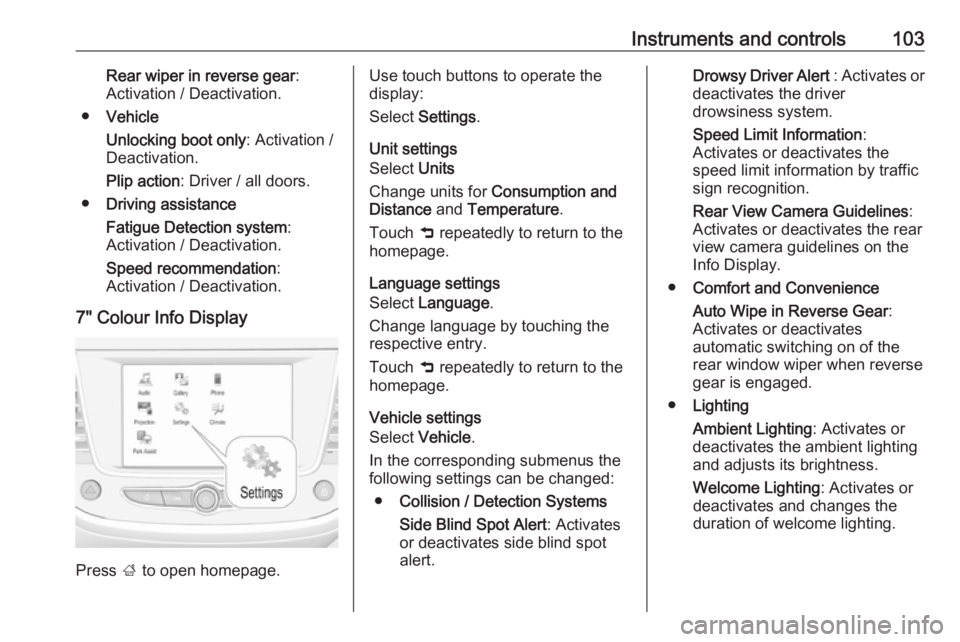
Press ; to open homepage.
Use touch buttons to operate the
display:
Select Settings .
Unit settings
Select Units
Change units for Consumption and
Distance and Temperature .
Touch 9 repeatedly to return to the
homepage.
Language settings
Select Language .
Change language by touching the respective entry.
Touch 9 repeatedly to return to the
homepage.
Vehicle settings
Select Vehicle .
In the corresponding submenus the
following settings can be changed:
● Collision / Detection Systems
Side Blind Spot Alert : Activates
or deactivates side blind spot
alert.Drowsy Driver Alert : Activates or
deactivates the driver
drowsiness system.
Speed Limit Information :
Activates or deactivates the
speed limit information by traffic sign recognition.
Rear View Camera Guidelines :
Activates or deactivates the rear
view camera guidelines on the
Info Display.
● Comfort and Convenience
Auto Wipe in Reverse Gear :
Activates or deactivates
automatic switching on of the
rear window wiper when reverse
gear is engaged.
● Lighting
Ambient Lighting : Activates or
deactivates the ambient lighting
and adjusts its brightness.
Welcome Lighting : Activates or
deactivates and changes the
duration of welcome lighting.
Page 106 of 263
104Instruments and controlsExit Lighting: Activates or
deactivates and changes the
duration of exit lighting.
● Remote Lock, Unlock, Start
Remote Door Unlock : Changes
the configuration to unlock the driver's door only or all doors
when pressing O on the remote
control.
Unlock boot only : Activates or
deactivates unlocking the tailgate
only when pressing T on the
remote control.
Touch 9 repeatedly to return to the
homepage.8" Colour Info Display
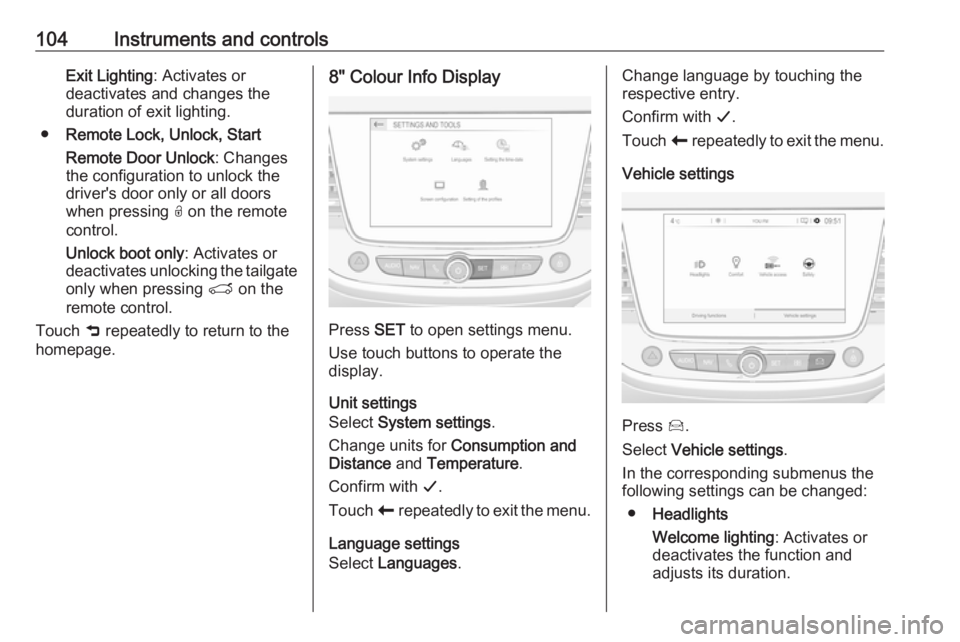
Press SET to open settings menu.
Use touch buttons to operate the
display.
Unit settings
Select System settings .
Change units for Consumption and
Distance and Temperature .
Confirm with G.
Touch r repeatedly to exit the menu.
Language settings
Select Languages .
Change language by touching the
respective entry.
Confirm with G.
Touch r repeatedly to exit the menu.
Vehicle settings
Press Í.
Select Vehicle settings .
In the corresponding submenus the
following settings can be changed:
● Headlights
Welcome lighting : Activates or
deactivates the function and
adjusts its duration.
Page 107 of 263
Instruments and controls105Guide-me-home lighting:
Activates or deactivates the
function and adjusts its duration.
● Comfort
Mood lighting : Adjusts the
brightness of the ambient
lighting.
Rear wiper in reverse : Activates
or deactivates automatic
switching on of the rear window
wiper when reverse gear is
engaged.
● Vehicle access
Door unlock: boot only : Activates
or deactivates unlocking only the tailgate when pressing T on the
remote control.
Door unlock: driver only :
Changes the configuration to
unlock only the driver's door and
fuel filler flap or all doors, load
compartment and fuel filler flap
when pressing O on the remote
control.
● Safety
Driver attention warning :
Activates or deactivates the
driver drowsiness system.Driving functions
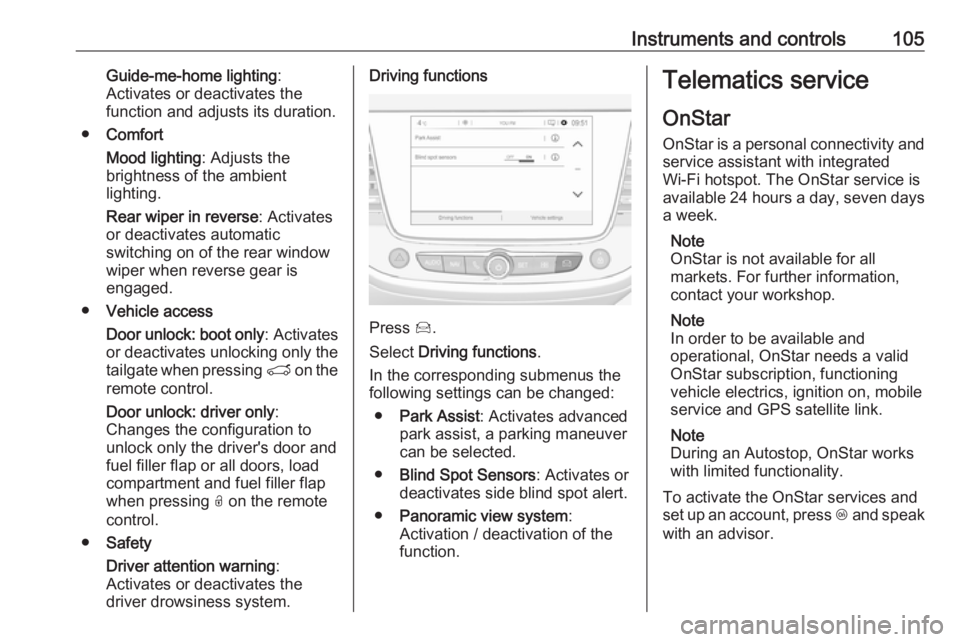
Press Í.
Select Driving functions .
In the corresponding submenus the
following settings can be changed:
● Park Assist : Activates advanced
park assist, a parking maneuver can be selected.
● Blind Spot Sensors : Activates or
deactivates side blind spot alert.
● Panoramic view system :
Activation / deactivation of the
function.
Telematics service
OnStar
OnStar is a personal connectivity and service assistant with integrated
Wi-Fi hotspot. The OnStar service is
available 24 hours a day, seven days
a week.
Note
OnStar is not available for all
markets. For further information,
contact your workshop.
Note
In order to be available and
operational, OnStar needs a valid
OnStar subscription, functioning
vehicle electrics, ignition on, mobile
service and GPS satellite link.
Note
During an Autostop, OnStar works
with limited functionality.
To activate the OnStar services and
set up an account, press Z and speak
with an advisor.
Page 108 of 263
106Instruments and controlsDepending on the equipment of the
vehicle, the following services are
available:
● Emergency services and support
in the case of a vehicle
breakdown
● Wi-Fi hotspot
● Smartphone application
● Remote control, e.g. location of the vehicle, activation of horn and
lights, control of central locking
system
● Stolen vehicle assistance
● Vehicle diagnostics
Note
The OnStar module of the vehicle is
deactivated after ten days without an
ignition cycle. Functions requiring a
data connection will be available
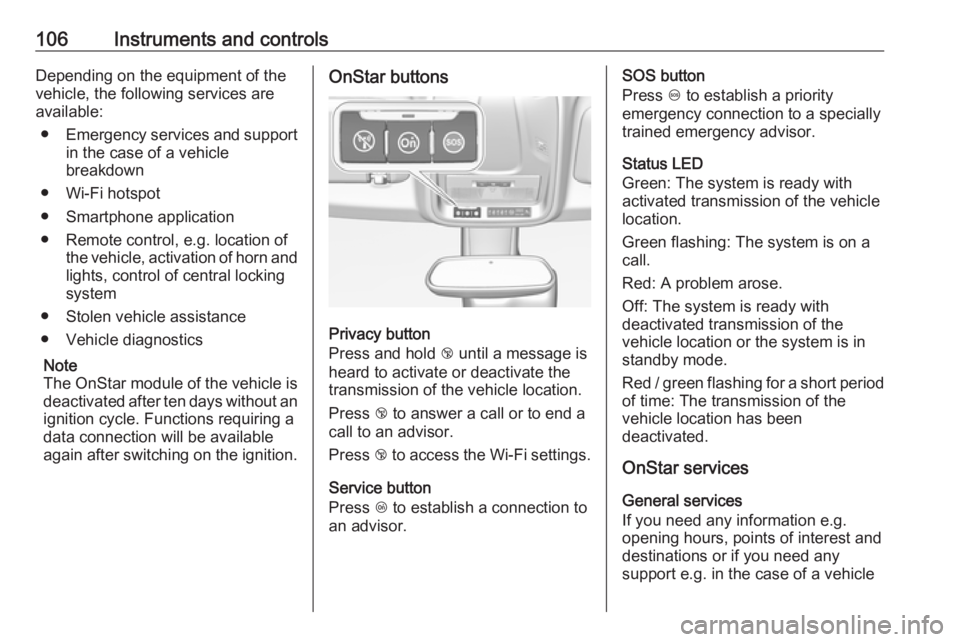
again after switching on the ignition.OnStar buttons
Privacy button
Press and hold j until a message is
heard to activate or deactivate the
transmission of the vehicle location.
Press j to answer a call or to end a
call to an advisor.
Press j to access the Wi-Fi settings.
Service button
Press Z to establish a connection to
an advisor.
SOS button
Press [ to establish a priority
emergency connection to a specially
trained emergency advisor.
Status LED
Green: The system is ready with
activated transmission of the vehicle
location.
Green flashing: The system is on a
call.
Red: A problem arose.
Off: The system is ready with
deactivated transmission of the
vehicle location or the system is in
standby mode.
Red / green flashing for a short period of time: The transmission of the
vehicle location has been
deactivated.
OnStar services
General services
If you need any information e.g.
opening hours, points of interest and
destinations or if you need any
support e.g. in the case of a vehicle