warning light OPEL CROSSLAND X 2019 Manual user
[x] Cancel search | Manufacturer: OPEL, Model Year: 2019, Model line: CROSSLAND X, Model: OPEL CROSSLAND X 2019Pages: 263, PDF Size: 8.11 MB
Page 151 of 263
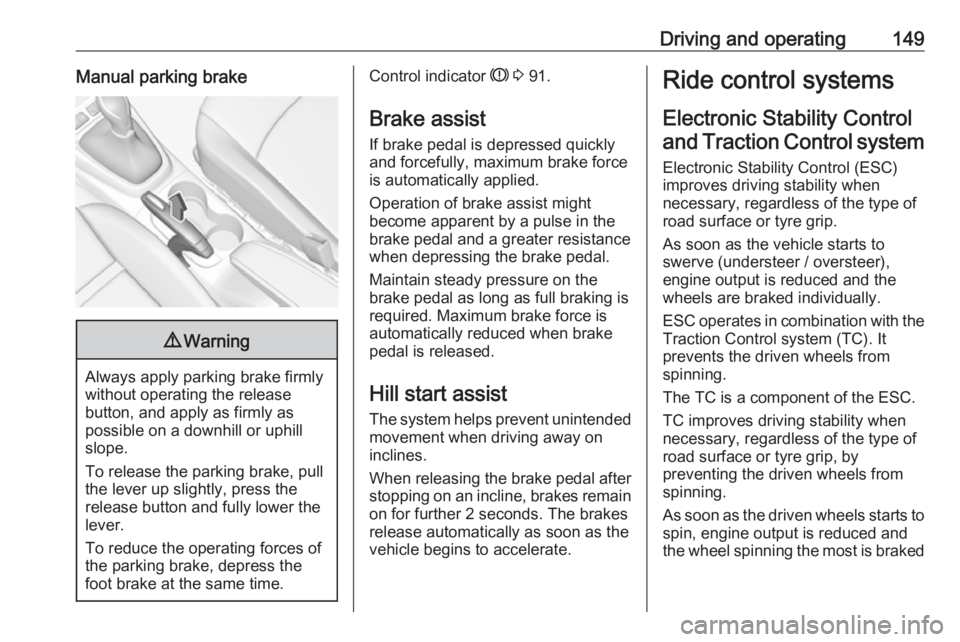
Driving and operating149Manual parking brake9Warning
Always apply parking brake firmly
without operating the release
button, and apply as firmly as
possible on a downhill or uphill
slope.
To release the parking brake, pull
the lever up slightly, press the
release button and fully lower the
lever.
To reduce the operating forces of
the parking brake, depress the
foot brake at the same time.
Control indicator R 3 91.
Brake assist
If brake pedal is depressed quickly
and forcefully, maximum brake force
is automatically applied.
Operation of brake assist might
become apparent by a pulse in the
brake pedal and a greater resistance when depressing the brake pedal.
Maintain steady pressure on the
brake pedal as long as full braking is
required. Maximum brake force is
automatically reduced when brake
pedal is released.
Hill start assist The system helps prevent unintendedmovement when driving away on
inclines.
When releasing the brake pedal after
stopping on an incline, brakes remain on for further 2 seconds. The brakes
release automatically as soon as the
vehicle begins to accelerate.Ride control systems
Electronic Stability Control and Traction Control system
Electronic Stability Control (ESC)
improves driving stability when
necessary, regardless of the type of
road surface or tyre grip.
As soon as the vehicle starts to
swerve (understeer / oversteer),
engine output is reduced and the
wheels are braked individually.
ESC operates in combination with the Traction Control system (TC). It
prevents the driven wheels from
spinning.
The TC is a component of the ESC.
TC improves driving stability when
necessary, regardless of the type of
road surface or tyre grip, by
preventing the driven wheels from
spinning.
As soon as the driven wheels starts to spin, engine output is reduced and
the wheel spinning the most is braked
Page 168 of 263
166Driving and operating
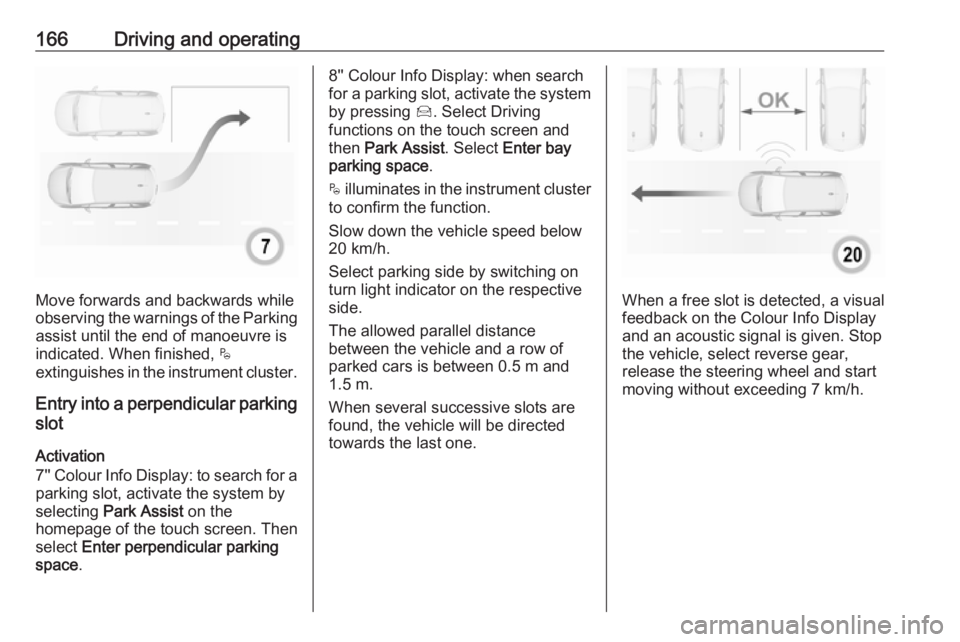
Move forwards and backwards while
observing the warnings of the Parking
assist until the end of manoeuvre is
indicated. When finished, $
extinguishes in the instrument cluster.
Entry into a perpendicular parking
slot
Activation
7'' Colour Info Display: to search for a parking slot, activate the system by
selecting Park Assist on the
homepage of the touch screen. Then
select Enter perpendicular parking
space .
8'' Colour Info Display: when search
for a parking slot, activate the system
by pressing Í. Select Driving
functions on the touch screen and
then Park Assist . Select Enter bay
parking space .
$ illuminates in the instrument cluster
to confirm the function.
Slow down the vehicle speed below
20 km/h.
Select parking side by switching on
turn light indicator on the respective
side.
The allowed parallel distance
between the vehicle and a row of
parked cars is between 0.5 m and
1.5 m.
When several successive slots are found, the vehicle will be directed
towards the last one.
When a free slot is detected, a visual
feedback on the Colour Info Display
and an acoustic signal is given. Stop
the vehicle, select reverse gear,
release the steering wheel and start
moving without exceeding 7 km/h.
Page 169 of 263
Driving and operating167
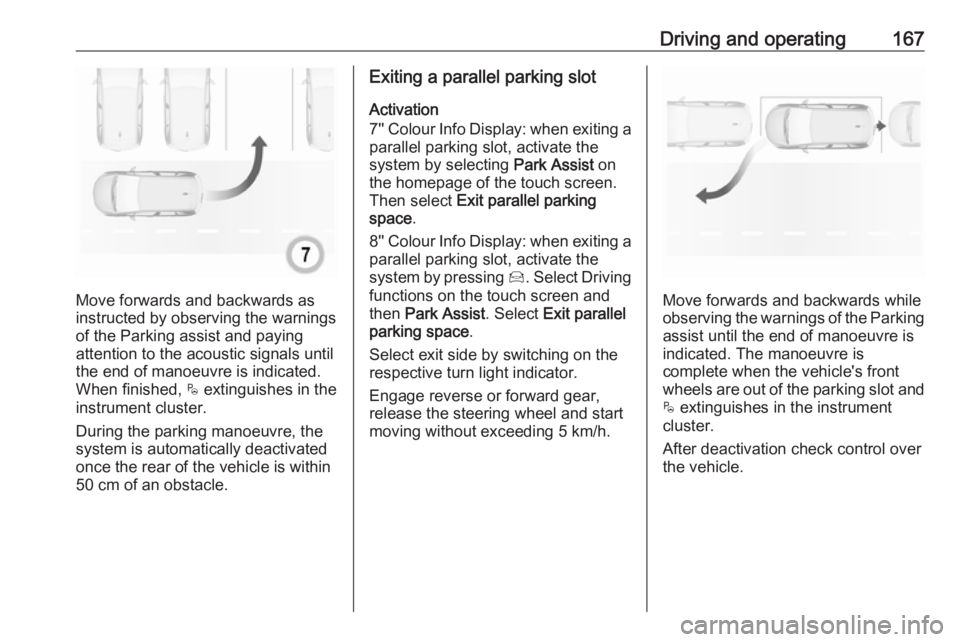
Move forwards and backwards as
instructed by observing the warnings of the Parking assist and paying
attention to the acoustic signals until
the end of manoeuvre is indicated.
When finished, $ extinguishes in the
instrument cluster.
During the parking manoeuvre, the
system is automatically deactivated
once the rear of the vehicle is within
50 cm of an obstacle.
Exiting a parallel parking slot
Activation
7'' Colour Info Display: when exiting a parallel parking slot, activate the
system by selecting Park Assist on
the homepage of the touch screen.
Then select Exit parallel parking
space .
8'' Colour Info Display: when exiting a parallel parking slot, activate the
system by pressing Í. Select Driving
functions on the touch screen and
then Park Assist . Select Exit parallel
parking space .
Select exit side by switching on the
respective turn light indicator.
Engage reverse or forward gear,
release the steering wheel and start
moving without exceeding 5 km/h.
Move forwards and backwards while
observing the warnings of the Parking
assist until the end of manoeuvre is
indicated. The manoeuvre is
complete when the vehicle's front
wheels are out of the parking slot and $ extinguishes in the instrument
cluster.
After deactivation check control over
the vehicle.
Page 171 of 263
Driving and operating169Caution
Performance of the system can bereduced when sensors are
covered, e.g. by ice or snow.
Performance of the parking assist
system can be reduced due to
heavy loading.
Special conditions apply if there
are taller vehicles in the vicinity
(e.g. off-road vehicles, mini vans,
vans). Object identification and correct distance indication in the
upper part of these vehicles
cannot be guaranteed.
Objects with a very small reflection
cross-section, e.g. objects of
narrow size or soft materials, may
not be detected by the system.
Parking assist systems do not
detect objects outside the
detection range.
Note
It is possible that the sensor detects a non-existing object caused by
echo disturbance from external
acoustic noise or mechanical
misalignments (sporadic false
warnings may occur).
Make sure that the front number
plate is properly mounted (not bent
and no gaps to the bumper on the left
or right side) and the sensors are
firmly in place.
Advanced parking assist system
may not respond to changes in the
available parking space after
initiating a parking manoeuvre. The
system may recognize an entry, a
gateway, a courtyard or even a crossing as a parking slot. After
selecting reverse gear the system
will start a parking manoeuvre. Take care regarding the availability of the
suggested parking slot.
Surface irregularities, e.g. on construction zones, are not detected
by the system. The driver accepts
responsibility.
Side blind spot alert The side blind spot alert system
detects and reports objects on either
side of the vehicle, within a specified
blind spot zone. The system displaysa visual alert in each exterior mirror,
when detecting objects that may not
be visible in the interior and exterior
mirrors.
Side blind spot alert uses some of the
advanced parking assist sensors
which are located in the front and rear bumper on both sides of the vehicle.9 Warning
Side blind spot alert does not
replace driver vision.
The system does not detect:
● vehicles outside the side blind zones which may be rapidly
approaching
● pedestrians, cyclists or animals
Before changing a lane, always
check all mirrors, look over the
shoulder and use the turn light.
Activation
7'' Colour Info Display: select Blind
spot monitoring on the Info Display
and activate the function.
Page 175 of 263
Driving and operating173DeactivationPanoramic view system is
deactivated when:
● driving faster than 10 km/h
● 7 seconds after disengaging reverse gear
● by pressing the icon q in the left
upper corner of the touch screen
● opening the tailgate
General information9 Warning
The panoramic view system does
not replace driver vision. It will not display children, pedestrians,
cyclists, crossing traffic, animals,
or any other objects outside of the camera view area, e. g. below the
bumper, or underneath the
vehicle.
Do not drive or park the vehicle
using only the panoramic view
system.
Always check the surrounding of
the vehicle before driving.
Displayed images may be further
or closer than they appear. The
area displayed is limited and
objects that are close to either
edge of the bumper or under the
bumper are not displayed on the
screen.
System limitations
Caution
For optimal operation of the
system, it is important to keep the
lense of the camera in the tailgate between the number plate lightsalways clean. Rinse the lense with water and wipe with a soft cloth.
Do not clean the lense with a
steam-jet or high-pressure jet
cleaner.
The panoramic view system may not
operate properly when:
● The surrounding is dark.
● The sun or the beam of headlights is shining directly into
the camera lenses.
● During nighttime driving.
● Weather limits visibility, such as fog, rain, or snow.
● The camera lenses are blocked by snow, ice, slush, mud, dirt.
● The vehicle is towing a trailer.
● The vehicle had an accident.
● There are extreme temperature changes.
Rear view camera The rear view camera assists the
driver when reversing by displaying a
view of the area behind the vehicle.
The view of the camera is displayed
in the Info Display.9 Warning
The rear view camera does not
replace driver vision. Note that
objects that are outside the
camera's field of view and the
Page 177 of 263
Driving and operating175● The camera lenses are blockedby snow, ice, slush, mud, dirt.
Clean the lense, rinse with water, and wipe with a soft cloth.
● The tailgate will be opened.
● The vehicle is towing an electrically connected trailer.
● The vehicle had a rear end accident.
● There are extreme temperature changes.
Lane departure warning The lane departure warning systemobserves the lane markings between
which the vehicle is driving via a front
camera. The system detects lane
changes and warns the driver in the
event of an unintended lane change
via visual and acoustic signals.
Criteria for the detection of an
unintended lane change are:
● No operation of turn lights.
● No brake pedal operation.
● No active accelerator operation or speeding-up.If the driver is active, no warning will
be issued.
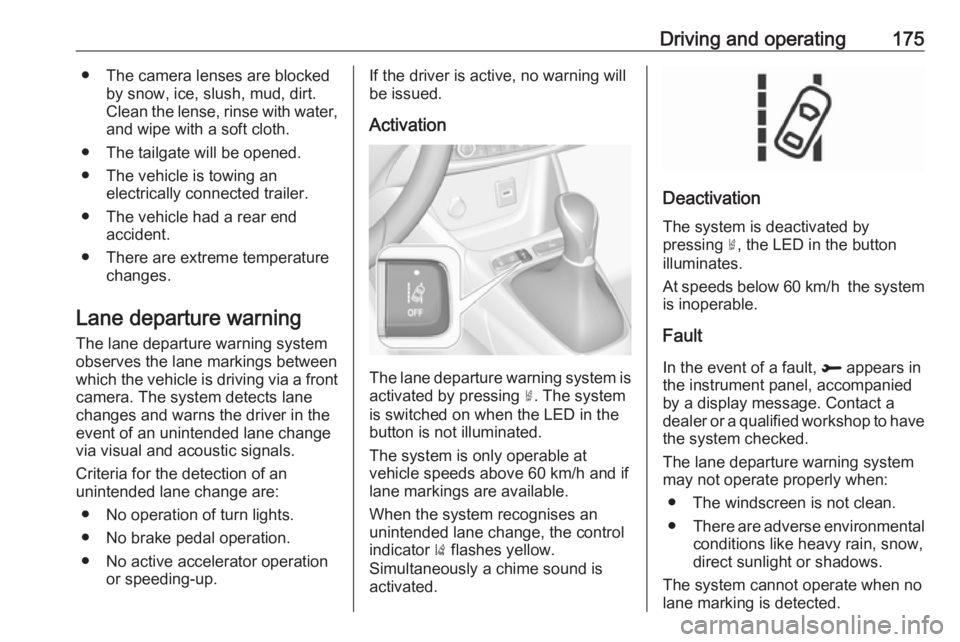
Activation
The lane departure warning system isactivated by pressing ½. The system
is switched on when the LED in the
button is not illuminated.
The system is only operable at
vehicle speeds above 60 km/h and if
lane markings are available.
When the system recognises an
unintended lane change, the control
indicator ) flashes yellow.
Simultaneously a chime sound is
activated.
Deactivation
The system is deactivated by
pressing ½, the LED in the button
illuminates.
At speeds below 60 km/h the system
is inoperable.
Fault
In the event of a fault, R appears in
the instrument panel, accompanied
by a display message. Contact a dealer or a qualified workshop to have
the system checked.
The lane departure warning system
may not operate properly when:
● The windscreen is not clean.● There are adverse environmental
conditions like heavy rain, snow,
direct sunlight or shadows.
The system cannot operate when no
lane marking is detected.
Page 178 of 263
176Driving and operatingSystem limitations
The system performance may not operate properly when:
● Vehicle speed is below 60 km/h.
● Driving on winding or hilly roads. ● During nighttime driving.
● Weather limits visibility, such as fog, rain, or snow.
● The sensor in the windscreen is blocked by snow, ice, slush, mud,dirt, windscreen damage or
affected by foreign items, e.g.
stickers.
● The sun is shining directly into the camera lens.
● Close vehicles ahead.
● Banked roads.
● Road edges.
● Roads with poor lane markings.
● Sudden lighting changes.
Driver alert
The driver alert system monitores the driving time and the vigilance of the
driver. Monitoring the vigilance of thedriver is based on the trajectory
variations of the vehicle compared to
the lane markings.
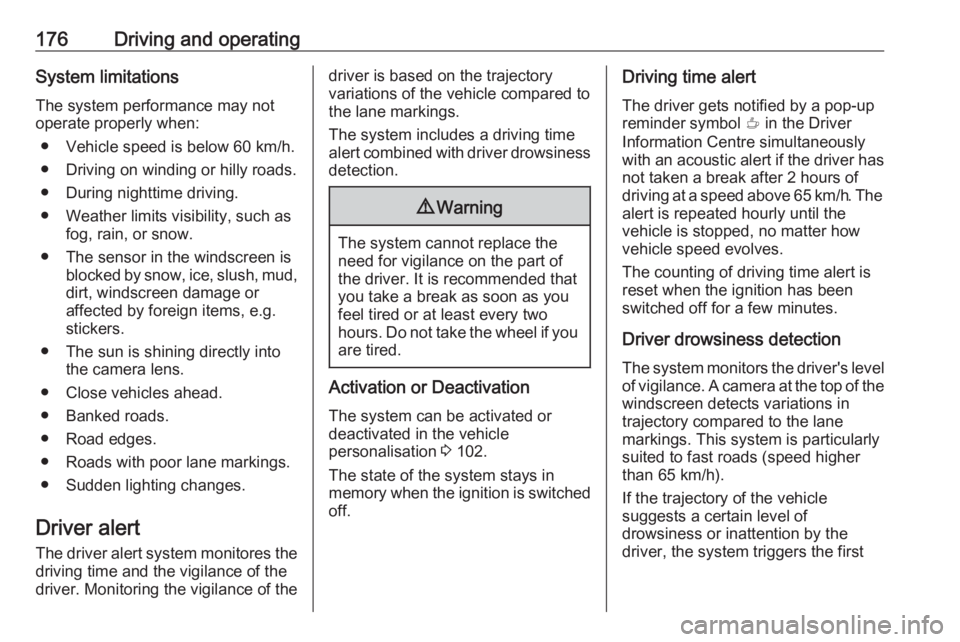
The system includes a driving time alert combined with driver drowsiness detection.9 Warning
The system cannot replace the
need for vigilance on the part of
the driver. It is recommended that
you take a break as soon as you
feel tired or at least every two
hours. Do not take the wheel if you are tired.
Activation or Deactivation
The system can be activated or
deactivated in the vehicle
personalisation 3 102.
The state of the system stays in
memory when the ignition is switched
off.
Driving time alert
The driver gets notified by a pop-upreminder symbol € in the Driver
Information Centre simultaneously with an acoustic alert if the driver has
not taken a break after 2 hours of
driving at a speed above 65 km/h. The
alert is repeated hourly until the
vehicle is stopped, no matter how
vehicle speed evolves.
The counting of driving time alert is
reset when the ignition has been
switched off for a few minutes.
Driver drowsiness detection The system monitors the driver's level
of vigilance. A camera at the top of the
windscreen detects variations in
trajectory compared to the lane
markings. This system is particularly
suited to fast roads (speed higher
than 65 km/h).
If the trajectory of the vehicle
suggests a certain level of
drowsiness or inattention by the
driver, the system triggers the first
Page 184 of 263
182Driving and operatingEURO adapter: Press the filler nozzle
onto the adapter. Engage the locking
lever of the filler nozzle.
Press the button of the liquid gas
supply point. The filling system stops
or begins to run slowly when 80% of
the tank volume is reached
(maximum fill level).
Release button on filling system to stop the filling process. Release the
locking lever and remove the filler
nozzle. A small quantity of liquid gas
can escape.
Remove adapter and stow in vehicle.
Fit protective cap to prevent the
penetration of foreign bodies into the
filler opening and the system.9 Warning
Due to the system design, an
escape of liquid gas after
releasing the locking lever is
unavoidable. Avoid inhaling.
9 Warning
The liquid gas tank may only be
filled to 80% for safety reasons.
The multivalve on the liquid gas tank
automatically limits the fill quantity. If
a larger quantity is added, we
recommend not exposing the vehicle
to the sun until the excess amount
has been used up.
12 minutes after switching off the
ignition the system of the fuel-filling
turns off. To restart it turn the ignition
on and then off again.
Fuel filler cap Only use genuine fuel filler caps.Diesel-engined vehicles have special
fuel filler caps.
Trailer hitch
General information
The factory-fitted towing equipment is
folded up under the rear bumper
fascia.
Entrust retrofitting of towing
equipment to a workshop. It may be
necessary to make changes that
affect the cooling system, heat
shields or other equipment. Only use
towing equipment that has been
approved for your vehicle.
To avoid vehicle damage, the power
tailgate cannot be operated with the
radio remote control when a trailer is
electrically connected.
The bulb outage detection function for trailer brake light cannot detect a
partial bulb outage. E.g. in case of
four bulbs with a power of 5 W each,
the function only detects lamp outage when only a single 5 W lamp remains
or none remain.
Trailers equipped with LED lights are
not suitable for the wiring harness of
this trailer hitch.
Page 259 of 263

257Clock............................................. 77
Control indicators.......................... 88
Control of the vehicle .................132
Controls ........................................ 73
Convex shape .............................. 34
Coolant and antifreeze ...............231
Cruise control ...................... 94, 151
Cupholders .................................. 63
Curtain airbag system .................. 55
D Danger, Warnings and Cautions ...4
Daytime running lights ...............112
Declaration of conformity ............245
DEF ............................................ 141
Deflation detection system ...........93
Diesel exhaust fluid ....................141
Diesel fuel system bleeding .......193
Door open .................................... 94
Doors ............................................ 30
Driver alert .................................. 176
Driver assistance systems ..........151
Driver Information Centre .............95
Driving characteristics and towing tips .............................. 183
Driving hints ................................ 132
E Electric adjustment ......................34
Electrical system......................... 202
Electronic climate control system 123Electronic driving programmes ..145
Electronic key system ...................23
Electronic Stability Control and Traction Control system ....92, 149
Electronic Stability Control and Traction Control system off .......92
End-of-life vehicle recovery .......188
Engine compartment fuse box ...203
Engine coolant ........................... 191
Engine coolant temperature ........92
Engine coolant temperature gauge ....................................... 86
Engine data ............................... 238
Engine exhaust .......................... 140
Engine identification ...................234
Engine oil ................... 190, 231, 235
Engine oil level monitor ................87
Engine oil pressure ......................93
Entry lighting .............................. 117
Event data recorders ..................251
Exhaust filter ......................... 92, 140
Exit lighting ................................ 117
Exterior care .............................. 224
Exterior light ................................. 93
Exterior lighting ....................13, 110
Exterior mirrors ............................. 34
F Fault ........................................... 146
First aid ......................................... 69First aid kit ................................... 69
Fixed air vents ........................... 129
Folding mirrors ............................. 35
Forward collision alert................. 156
Front airbag system .....................54
Front fog lights .............94, 114, 197
Front pedestrian protection ........160
Front seats.................................... 43
Fuel............................................. 177
Fuel for diesel engines ..............177
Fuel for liquid gas operation .......179
Fuel for petrol engines ...............177
Fuel gauge ................................... 85 Fuel selector ................................ 85
Fuses ......................................... 202
G
Gauges ......................................... 84
Gear shifting ................................. 91
General information ...................182
Glass panel .................................. 40
Glovebox ..................................... 63
H Halogen headlights ....................195
Hand brake ................................. 148
Hazard warning flashers ............113
Headlight flash ........................... 111
Headlight range adjustment ......112
Headlights................................... 110
Headlights when driving abroad 112
Page 260 of 263
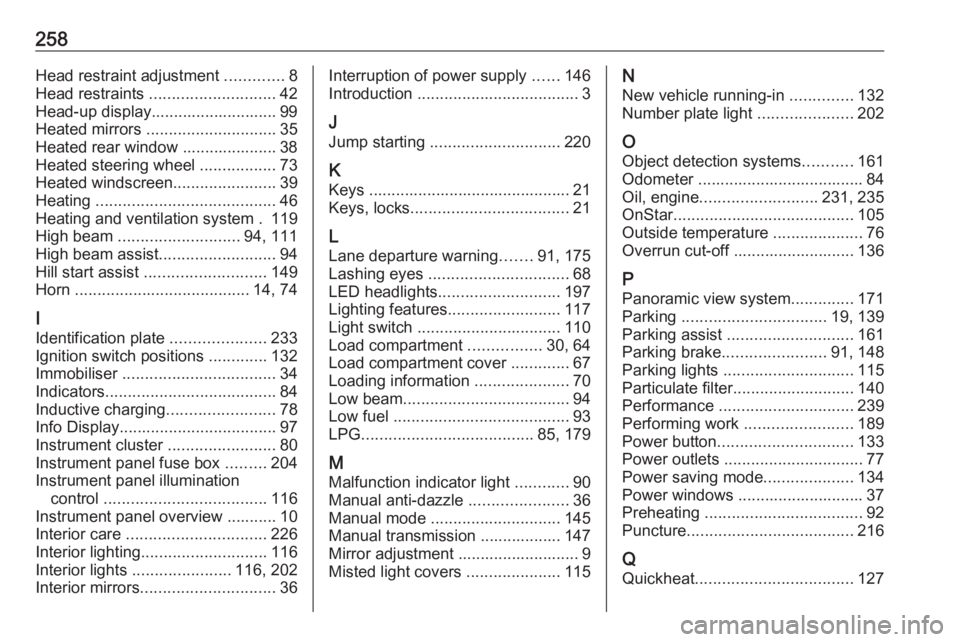
258Head restraint adjustment .............8
Head restraints ............................ 42
Head-up display............................ 99 Heated mirrors ............................. 35
Heated rear window ..................... 38
Heated steering wheel .................73
Heated windscreen .......................39
Heating ........................................ 46
Heating and ventilation system . 119
High beam ........................... 94, 111
High beam assist ..........................94
Hill start assist ........................... 149
Horn ....................................... 14, 74
I
Identification plate .....................233
Ignition switch positions .............132
Immobiliser .................................. 34
Indicators ...................................... 84
Inductive charging ........................78
Info Display ................................... 97
Instrument cluster ........................80
Instrument panel fuse box .........204
Instrument panel illumination control .................................... 116
Instrument panel overview ........... 10
Interior care ............................... 226
Interior lighting ............................ 116
Interior lights ...................... 116, 202
Interior mirrors .............................. 36Interruption of power supply ......146
Introduction .................................... 3
J Jump starting ............................. 220
K Keys ............................................. 21
Keys, locks ................................... 21
L
Lane departure warning .......91, 175
Lashing eyes ............................... 68
LED headlights ........................... 197
Lighting features .........................117
Light switch ................................ 110
Load compartment ................30, 64
Load compartment cover .............67
Loading information .....................70
Low beam ..................................... 94
Low fuel ....................................... 93
LPG ...................................... 85, 179
M
Malfunction indicator light ............90
Manual anti-dazzle ......................36
Manual mode ............................. 145
Manual transmission .................. 147
Mirror adjustment ........................... 9
Misted light covers .....................115N
New vehicle running-in ..............132
Number plate light .....................202
O
Object detection systems ...........161
Odometer ..................................... 84
Oil, engine .......................... 231, 235
OnStar ........................................ 105
Outside temperature ....................76
Overrun cut-off ........................... 136
P Panoramic view system ..............171
Parking ................................ 19, 139
Parking assist ............................ 161
Parking brake ....................... 91, 148
Parking lights ............................. 115
Particulate filter ........................... 140
Performance .............................. 239
Performing work ........................189
Power button .............................. 133
Power outlets ............................... 77
Power saving mode ....................134
Power windows ............................ 37
Preheating ................................... 92
Puncture ..................................... 216
Q
Quickheat ................................... 127