mirror OPEL GRANDLAND X 2018 Infotainment system
[x] Cancel search | Manufacturer: OPEL, Model Year: 2018, Model line: GRANDLAND X, Model: OPEL GRANDLAND X 2018Pages: 265, PDF Size: 7.5 MB
Page 46 of 265
44Keys, doors and windowsSun visors
The sun visors can be folded down or
swivelled to the side to prevent
dazzling.
If the sun visors have integral mirrors, the mirror covers should be closed
when driving.
A ticket holder is located on the
backside of the sun visor.
Roller blinds
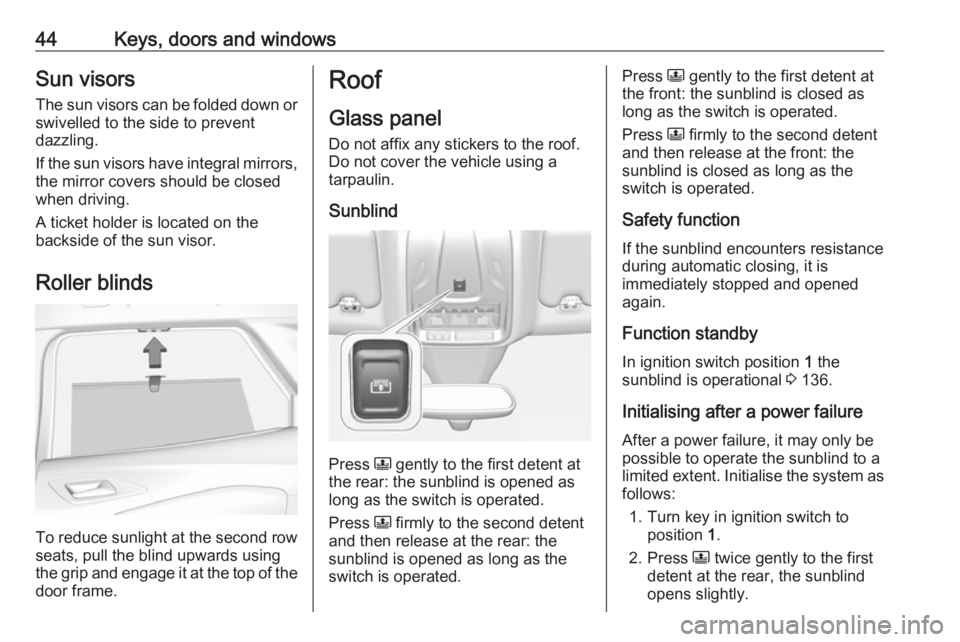
To reduce sunlight at the second row seats, pull the blind upwards using
the grip and engage it at the top of the
door frame.
Roof
Glass panel Do not affix any stickers to the roof.
Do not cover the vehicle using a
tarpaulin.
Sunblind
Press N gently to the first detent at
the rear: the sunblind is opened as long as the switch is operated.
Press N firmly to the second detent
and then release at the rear: the
sunblind is opened as long as the
switch is operated.
Press N gently to the first detent at
the front: the sunblind is closed as
long as the switch is operated.
Press N firmly to the second detent
and then release at the front: the
sunblind is closed as long as the
switch is operated.
Safety function
If the sunblind encounters resistance during automatic closing, it is
immediately stopped and opened
again.
Function standby In ignition switch position 1 the
sunblind is operational 3 136.
Initialising after a power failure
After a power failure, it may only be
possible to operate the sunblind to a limited extent. Initialise the system as follows:
1. Turn key in ignition switch to position 1.
2. Press N twice gently to the first
detent at the rear, the sunblind
opens slightly.
Page 111 of 265
Instruments and controls109Change language by touching the
respective entry.
Confirm with G
Touch r repeatedly to exit the menu.
Vehicle settings
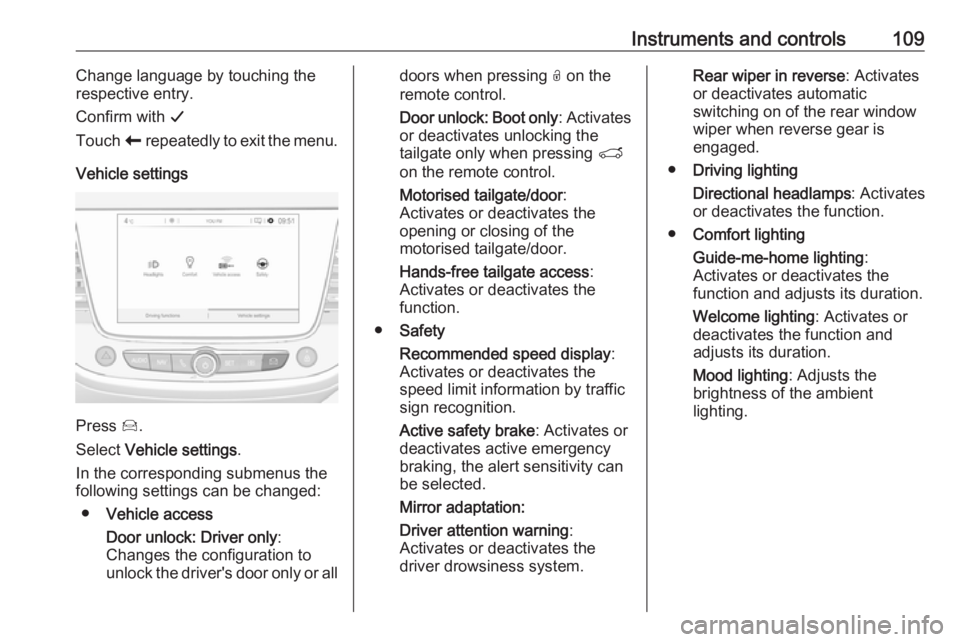
Press Í.
Select Vehicle settings .
In the corresponding submenus the
following settings can be changed:
● Vehicle access
Door unlock: Driver only :
Changes the configuration to unlock the driver's door only or all
doors when pressing O on the
remote control.
Door unlock: Boot only : Activates
or deactivates unlocking the
tailgate only when pressing T
on the remote control.
Motorised tailgate/door :
Activates or deactivates the
opening or closing of the
motorised tailgate/door.
Hands-free tailgate access :
Activates or deactivates the
function.
● Safety
Recommended speed display :
Activates or deactivates the
speed limit information by traffic
sign recognition.
Active safety brake : Activates or
deactivates active emergency
braking, the alert sensitivity can
be selected.
Mirror adaptation:
Driver attention warning :
Activates or deactivates the
driver drowsiness system.Rear wiper in reverse : Activates
or deactivates automatic
switching on of the rear window
wiper when reverse gear is
engaged.
● Driving lighting
Directional headlamps : Activates
or deactivates the function.
● Comfort lighting
Guide-me-home lighting :
Activates or deactivates the
function and adjusts its duration.
Welcome lighting : Activates or
deactivates the function and
adjusts its duration.
Mood lighting : Adjusts the
brightness of the ambient
lighting.
Page 121 of 265
Lighting119conditions. The latest setting of the
high beam assist will remain after the
ignition is switched on again.
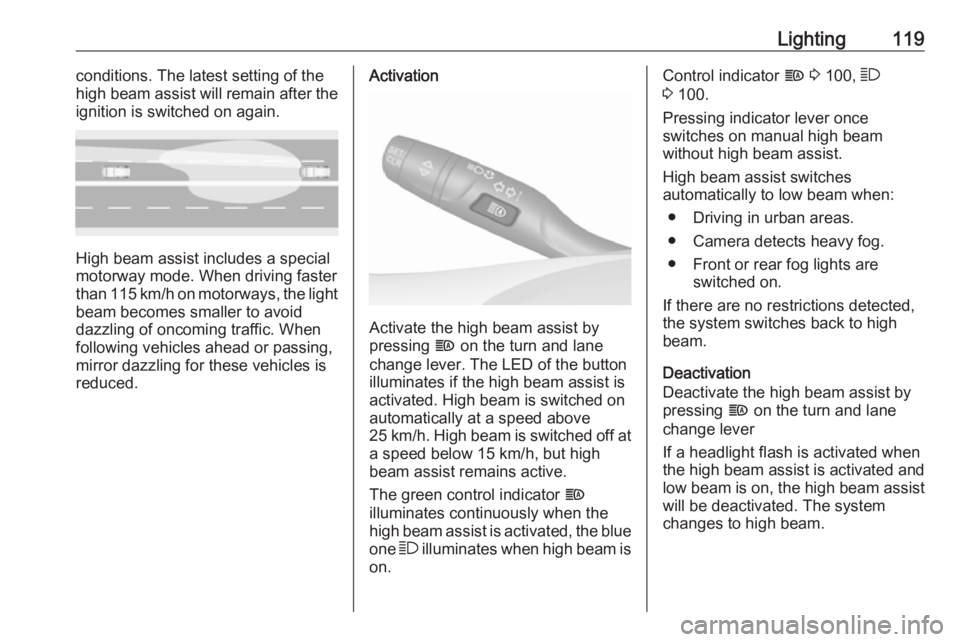
High beam assist includes a special
motorway mode. When driving faster
than 115 km/h on motorways, the light
beam becomes smaller to avoid
dazzling of oncoming traffic. When
following vehicles ahead or passing,
mirror dazzling for these vehicles is reduced.
Activation
Activate the high beam assist by
pressing f on the turn and lane
change lever. The LED of the button illuminates if the high beam assist is
activated. High beam is switched on
automatically at a speed above
25 km/h. High beam is switched off at a speed below 15 km/h, but high
beam assist remains active.
The green control indicator f
illuminates continuously when the
high beam assist is activated, the blue
one 7 illuminates when high beam is
on.
Control indicator f 3 100, 7
3 100.
Pressing indicator lever once
switches on manual high beam
without high beam assist.
High beam assist switches
automatically to low beam when:
● Driving in urban areas.
● Camera detects heavy fog.
● Front or rear fog lights are switched on.
If there are no restrictions detected, the system switches back to high
beam.
Deactivation
Deactivate the high beam assist by
pressing f on the turn and lane
change lever
If a headlight flash is activated when the high beam assist is activated and
low beam is on, the high beam assist will be deactivated. The system
changes to high beam.
Page 125 of 265
Lighting123Rear courtesy lightsIlluminate in conjunction with the front
courtesy light depending on rocker
switch position.
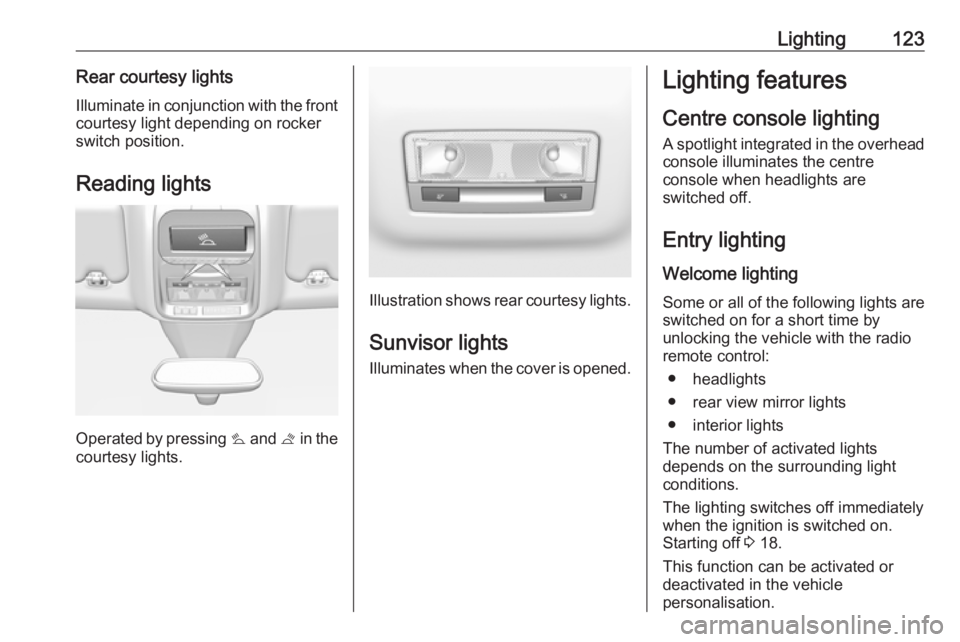
Reading lights
Operated by pressing s and t in the
courtesy lights.
Illustration shows rear courtesy lights.
Sunvisor lights
Illuminates when the cover is opened.
Lighting features
Centre console lighting A spotlight integrated in the overheadconsole illuminates the centre
console when headlights are
switched off.
Entry lighting Welcome lighting
Some or all of the following lights are
switched on for a short time by
unlocking the vehicle with the radio remote control:
● headlights
● rear view mirror lights
● interior lights
The number of activated lights
depends on the surrounding light
conditions.
The lighting switches off immediately
when the ignition is switched on.
Starting off 3 18.
This function can be activated or
deactivated in the vehicle
personalisation.
Page 127 of 265
Climate control125Climate controlClimate control systems.............125
Heating and ventilation system 125
Air conditioning system ...........126
Electronic climate control system .................................... 128
Auxiliary heater ........................133
Air vents ..................................... 133
Adjustable air vents .................133
Fixed air vents ......................... 134
Glovebox cooler ......................134
Maintenance .............................. 134
Air intake ................................. 134
Pollen filter ............................... 134
Air conditioning regular operation ................................ 134
Service .................................... 134Climate control systems
Heating and ventilation system
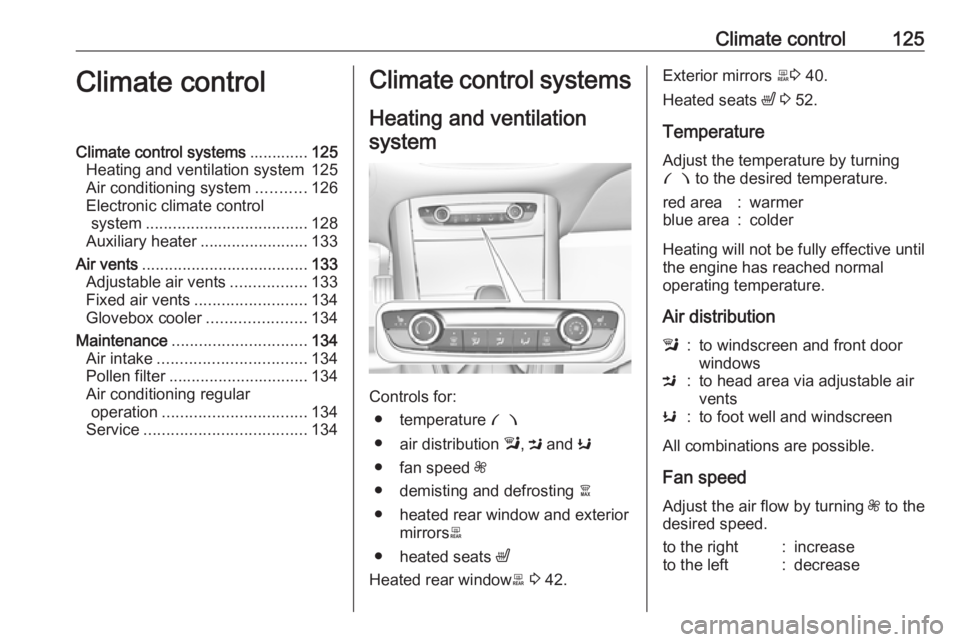
Controls for: ● temperature £
● air distribution l, M and K
● fan speed Z
● demisting and defrosting à
● heated rear window and exterior mirrors b
● heated seats ß
Heated rear window b 3 42.
Exterior mirrors b3 40.
Heated seats ß 3 52.
Temperature
Adjust the temperature by turning
£ to the desired temperature.red area:warmerblue area:colder
Heating will not be fully effective until
the engine has reached normal
operating temperature.
Air distribution
l:to windscreen and front door
windowsM:to head area via adjustable air
ventsK:to foot well and windscreen
All combinations are possible.
Fan speed
Adjust the air flow by turning Z to the
desired speed.
to the right:increaseto the left:decrease
Page 128 of 265
126Climate controlDemisting and defrosting
● Press à: the air distribution is
directed towards the windscreen.
● Set temperature controller £ to
warmest level.
● Set fan speed Z to highest level.
● Switch on heated rear window b.
● Open side air vents as required and direct them towards the doorwindows.
Air conditioning system
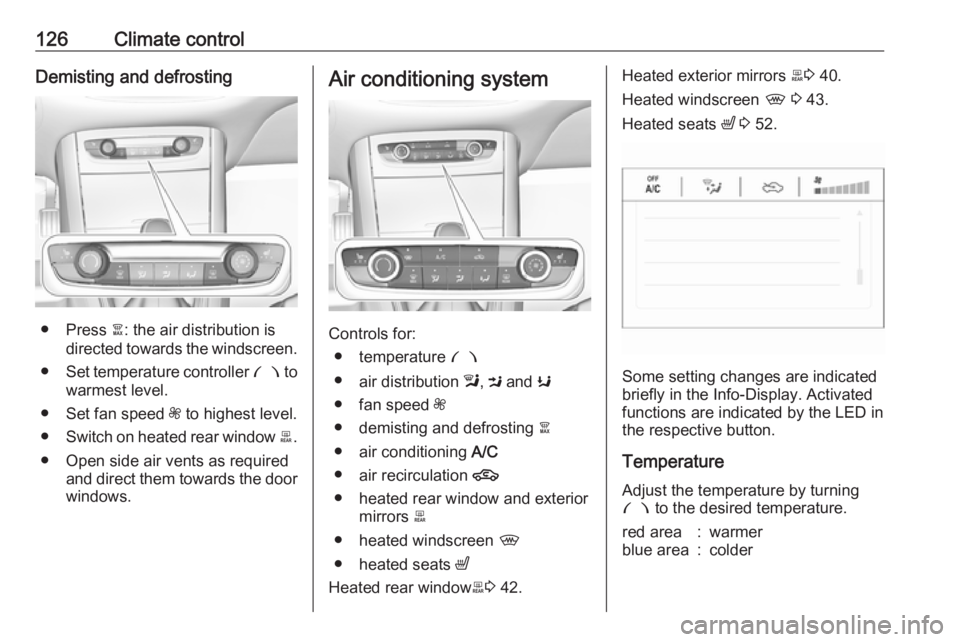
Controls for:
● temperature £
● air distribution l, M and K
● fan speed Z
● demisting and defrosting à
● air conditioning A/C
● air recirculation 4
● heated rear window and exterior mirrors b
● heated windscreen ,
● heated seats ß
Heated rear window b3 42.
Heated exterior mirrors b3 40.
Heated windscreen , 3 43.
Heated seats ß 3 52.
Some setting changes are indicated
briefly in the Info-Display. Activated
functions are indicated by the LED in
the respective button.
Temperature
Adjust the temperature by turning
£ to the desired temperature.
red area:warmerblue area:colder
Page 131 of 265
Climate control129
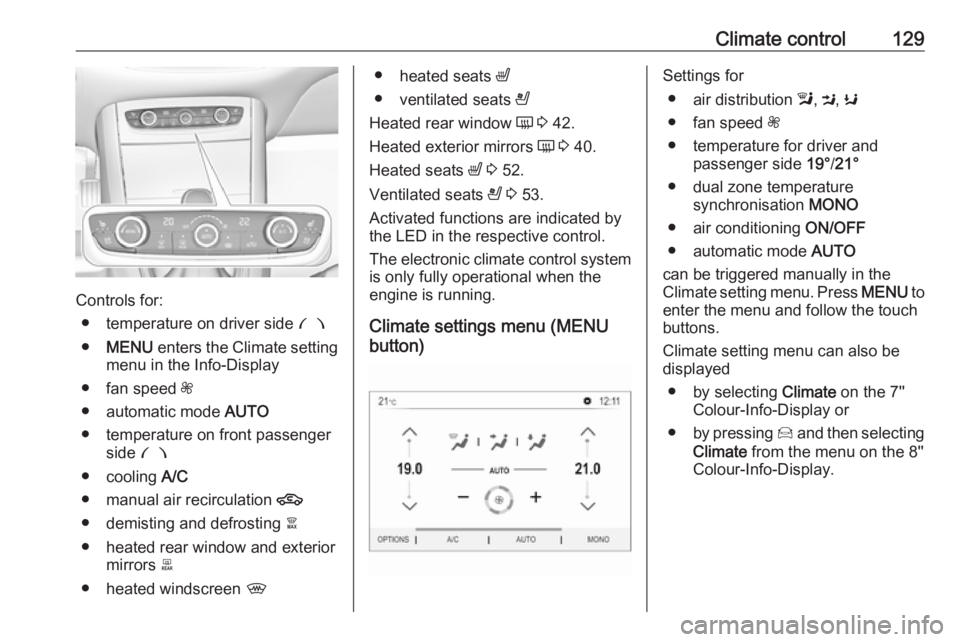
Controls for:● temperature on driver side £
● MENU enters the Climate setting
menu in the Info-Display
● fan speed Z
● automatic mode AUTO
● temperature on front passenger side £
● cooling A/C
● manual air recirculation 4
● demisting and defrosting à
● heated rear window and exterior mirrors b
● heated windscreen ,
●
heated seats ß
● ventilated seats A
Heated rear window Ü 3 42.
Heated exterior mirrors Ü 3 40.
Heated seats ß 3 52.
Ventilated seats A 3 53.
Activated functions are indicated by the LED in the respective control.
The electronic climate control system
is only fully operational when the
engine is running.
Climate settings menu (MENU
button)Settings for
● air distribution l, M , K
● fan speed Z
● temperature for driver and passenger side 19°/21°
● dual zone temperature synchronisation MONO
● air conditioning ON/OFF
● automatic mode AUTO
can be triggered manually in the
Climate setting menu. Press MENU to
enter the menu and follow the touch
buttons.
Climate setting menu can also be
displayed
● by selecting Climate on the 7''
Colour-Info-Display or
● by pressing Í and then selecting
Climate from the menu on the 8''
Colour-Info-Display.
Page 186 of 265
184Driving and operatingmirror, when detecting objects that
may not be visible in the interior and
exterior mirrors.
Side blind spot alert uses some of the
advanced parking assist sensors
which are located in the front and rear bumper on both sides of the vehicle.9 Warning
Side blind spot alert does not
replace driver vision.
The system does not detect:
● vehicles outside the side blind zones which may be rapidly
approaching
● pedestrians, cyclists or animals
Before changing a lane, always
check all mirrors, look over the
shoulder and use the turn signal.
Activation
7'' Colour-Info-Display: select Blind
spot monitoring on the homepage of
the touch screen and activate the
function.
8'' Colour-Info-Display: press Í.
Select Driving functions on the touch
screen and then Blind spot
monitoring . Activate the function.
B illuminates continously green in the
instrument cluster to confirm the
function.
Functionality
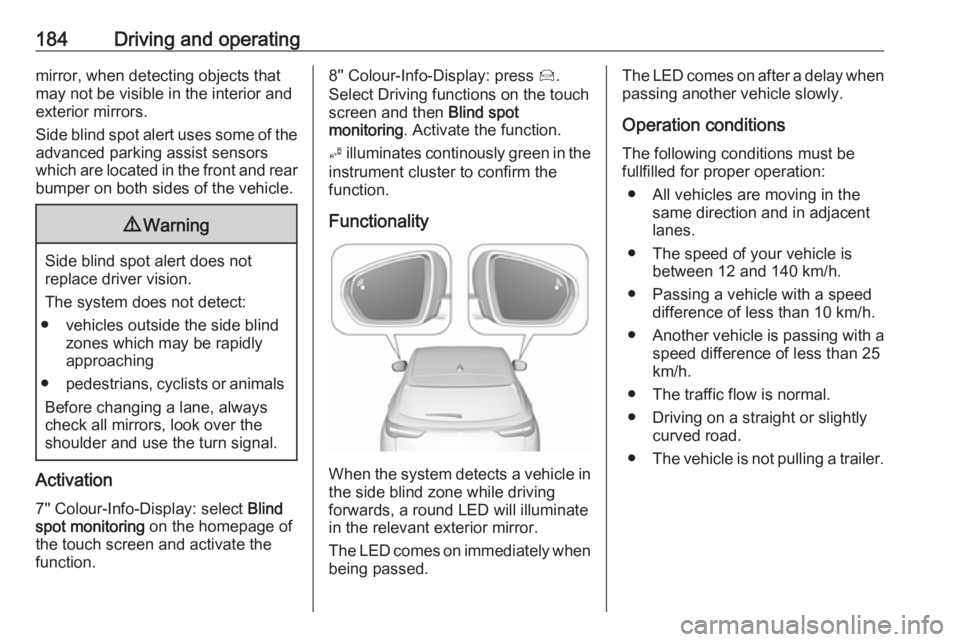
When the system detects a vehicle in the side blind zone while driving
forwards, a round LED will illuminate
in the relevant exterior mirror.
The LED comes on immediately when being passed.
The LED comes on after a delay when
passing another vehicle slowly.
Operation conditions
The following conditions must be
fullfilled for proper operation:
● All vehicles are moving in the same direction and in adjacent
lanes.
● The speed of your vehicle is between 12 and 140 km/h.
● Passing a vehicle with a speed difference of less than 10 km/h.
● Another vehicle is passing with a
speed difference of less than 25
km/h.
● The traffic flow is normal.
● Driving on a straight or slightly curved road.
● The vehicle is not pulling a trailer.
Page 188 of 265
186Driving and operatingFunctionality
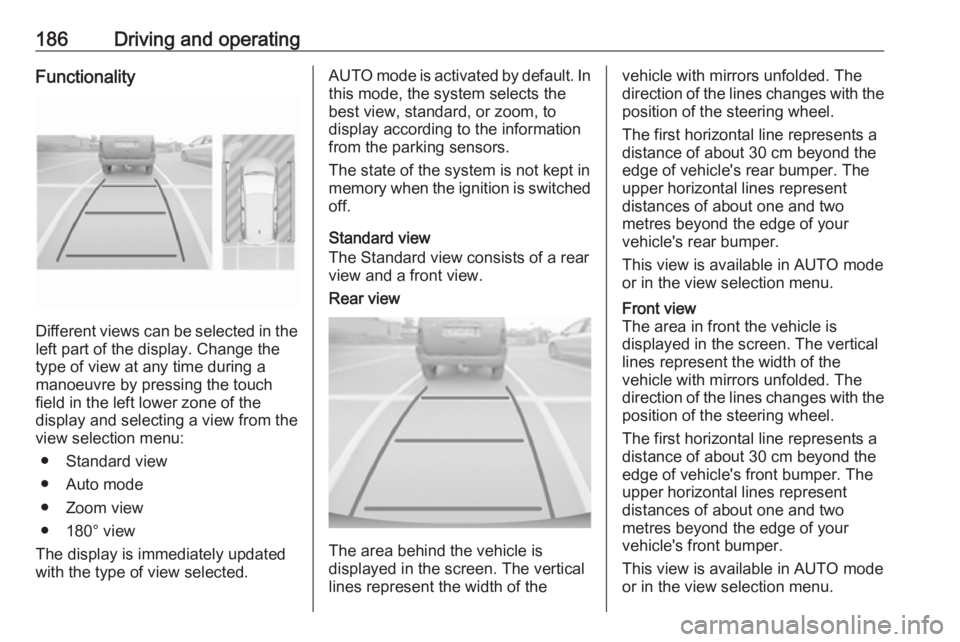
Different views can be selected in theleft part of the display. Change the
type of view at any time during a
manoeuvre by pressing the touch
field in the left lower zone of the
display and selecting a view from the
view selection menu:
● Standard view
● Auto mode
● Zoom view
● 180° view
The display is immediately updated
with the type of view selected.
AUTO mode is activated by default. In
this mode, the system selects the
best view, standard, or zoom, to
display according to the information
from the parking sensors.
The state of the system is not kept in
memory when the ignition is switched
off.
Standard view
The Standard view consists of a rear view and a front view.Rear view
The area behind the vehicle is
displayed in the screen. The vertical
lines represent the width of the
vehicle with mirrors unfolded. The
direction of the lines changes with the position of the steering wheel.
The first horizontal line represents a
distance of about 30 cm beyond the
edge of vehicle's rear bumper. The
upper horizontal lines represent
distances of about one and two
metres beyond the edge of your
vehicle's rear bumper.
This view is available in AUTO mode
or in the view selection menu.Front view
The area in front the vehicle is
displayed in the screen. The vertical
lines represent the width of the
vehicle with mirrors unfolded. The
direction of the lines changes with the position of the steering wheel.
The first horizontal line represents a
distance of about 30 cm beyond the
edge of vehicle's front bumper. The
upper horizontal lines represent
distances of about one and two
metres beyond the edge of your
vehicle's front bumper.
This view is available in AUTO mode
or in the view selection menu.
Page 191 of 265
Driving and operating189Functionality
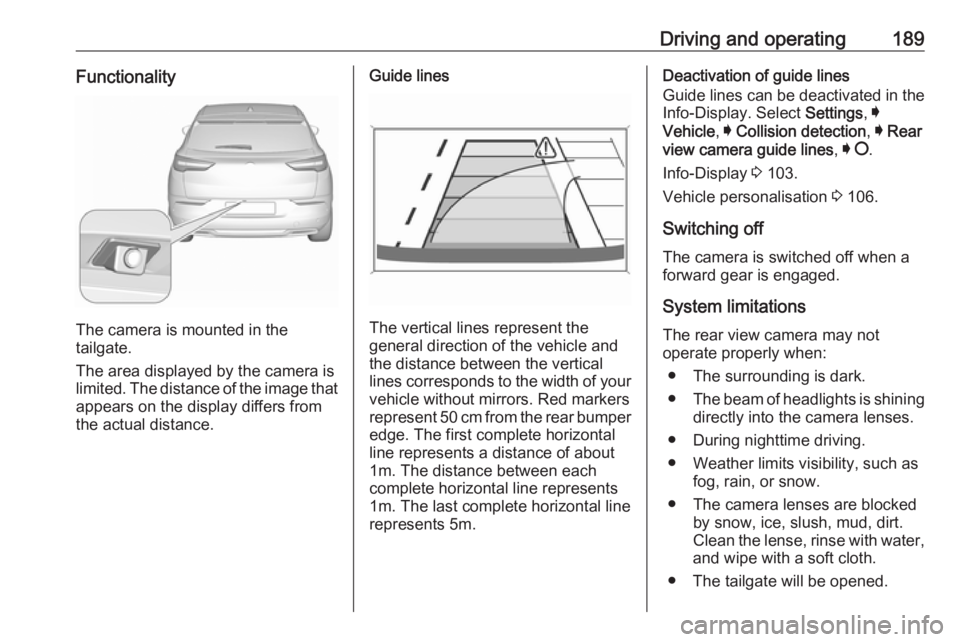
The camera is mounted in the
tailgate.
The area displayed by the camera is
limited. The distance of the image that
appears on the display differs from
the actual distance.
Guide lines
The vertical lines represent the
general direction of the vehicle and
the distance between the vertical
lines corresponds to the width of your vehicle without mirrors. Red markers
represent 50 cm from the rear bumper
edge. The first complete horizontal
line represents a distance of about
1m. The distance between each
complete horizontal line represents
1m. The last complete horizontal line
represents 5m.
Deactivation of guide lines
Guide lines can be deactivated in the Info-Display. Select Settings, I
Vehicle , I Collision detection , I Rear
view camera guide lines , I § .
Info-Display 3 103.
Vehicle personalisation 3 106.
Switching off
The camera is switched off when a
forward gear is engaged.
System limitations The rear view camera may not
operate properly when:
● The surrounding is dark.
● The beam of headlights is shining
directly into the camera lenses.
● During nighttime driving.
● Weather limits visibility, such as fog, rain, or snow.
● The camera lenses are blocked by snow, ice, slush, mud, dirt.
Clean the lense, rinse with water,
and wipe with a soft cloth.
● The tailgate will be opened.