wheel OPEL GRANDLAND X 2018 Infotainment system
[x] Cancel search | Manufacturer: OPEL, Model Year: 2018, Model line: GRANDLAND X, Model: OPEL GRANDLAND X 2018Pages: 265, PDF Size: 7.5 MB
Page 154 of 265
152Driving and operatingWhen clutch slip is detected for a
specific time, the engine power will be
reduced. A warning is displayed in the Driver Information Centre. Release
the clutch.Caution
It is not advisable to drive with the hand resting on the selector lever.
Gear shift indication 3 98.
Stop-start system 3 141.
Brakes
The brake system comprises two
independent brake circuits.
If a brake circuit fails, the vehicle can
still be braked using the other brake
circuit. However, braking effect is
achieved only when the brake pedal
is depressed firmly. Considerably
more force is needed for this. The
braking distance is extended. Seek
the assistance of a workshop before
continuing the journey.
When the engine is not running, the
support of the brake servo unit
disappears once the brake pedal has been depressed once or twice.
Braking effect is not reduced, but
braking requires significantly greater
force. It is especially important to bear this in mind when being towed.
Control indicator m 3 97.
Antilock brake system
Antilock brake system (ABS)
prevents the wheels from locking.ABS starts to regulate brake pressure as soon as a wheel shows a tendency to lock. The vehicle remains
steerable, even during hard braking.
ABS control is made apparent
through a pulse in the brake pedal
and the noise of the regulation
process.
For optimum braking, keep the brake
pedal fully depressed throughout the
braking process, despite the fact that
the pedal is pulsating. Do not reduce
the pressure on the pedal.
After starting off, the system performs
a self-test which may be audible.
Control indicator u 3 97.
Adaptive brake light
During full braking, all three brake
lights flash for the duration of ABS
control.
Page 155 of 265
Driving and operating153Fault9Warning
If there is a fault in the ABS, the
wheels may be liable to lock due
to braking that is heavier than
normal. The advantages of ABS are no longer available. During
hard braking, the vehicle can no longer be steered and may
swerve.
Have the cause of the fault remedied
by a workshop.
Parking brake
9 Warning
Before leaving the vehicle, check
parking brake status. Control
indicator m must illuminate
constantly.
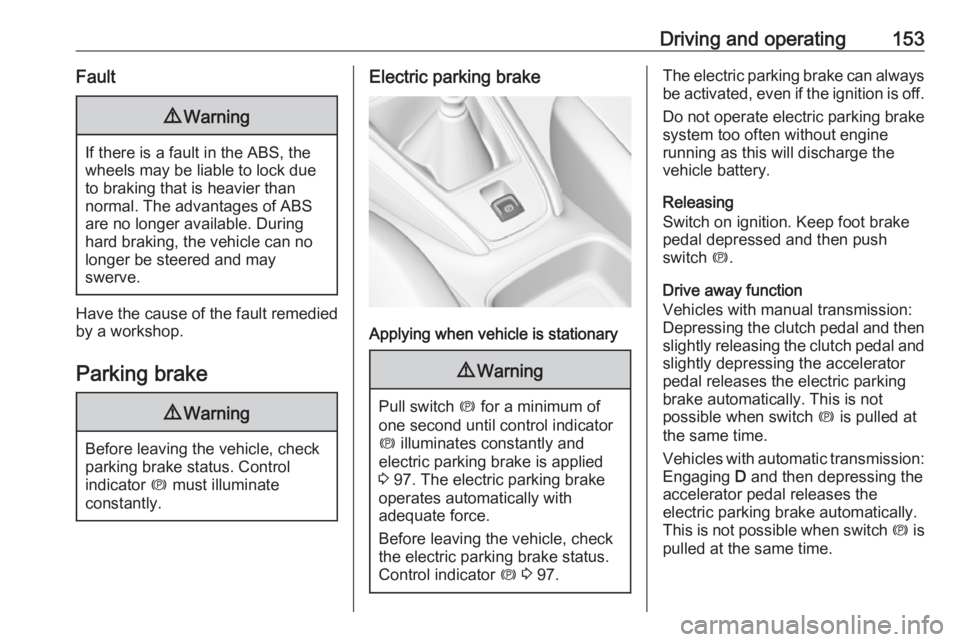
Electric parking brake
Applying when vehicle is stationary
9 Warning
Pull switch m for a minimum of
one second until control indicator
m illuminates constantly and
electric parking brake is applied
3 97. The electric parking brake
operates automatically with
adequate force.
Before leaving the vehicle, check
the electric parking brake status.
Control indicator m 3 97.
The electric parking brake can always
be activated, even if the ignition is off.
Do not operate electric parking brake
system too often without engine
running as this will discharge the vehicle battery.
Releasing
Switch on ignition. Keep foot brake
pedal depressed and then push
switch m.
Drive away function
Vehicles with manual transmission:
Depressing the clutch pedal and then
slightly releasing the clutch pedal and slightly depressing the accelerator
pedal releases the electric parking
brake automatically. This is not
possible when switch m is pulled at
the same time.
Vehicles with automatic transmission: Engaging D and then depressing the
accelerator pedal releases the
electric parking brake automatically.
This is not possible when switch m is
pulled at the same time.
Page 157 of 265
Driving and operating155Ride control systems
Electronic Stability Control and Traction Control system
Electronic Stability Control improves
driving stability when necessary, regardless of the type of road surface
or tyre grip.
As soon as the vehicle starts to
swerve (understeer/oversteer),
engine output is reduced and the wheels are braked individually.
Electronic Stability Control operates
in combination with the Traction
Control system. It prevents the driven wheels from spinning.
The Traction Control system is a
component of the Electronic Stability
Control.
Traction Control improves driving
stability when necessary, regardless
of the type of road surface or tyre grip,
by preventing the driven wheels from
spinning.
As soon as the driven wheels starts to spin, engine output is reduced and
the wheel spinning the most is brakedindividually. This considerably
improves the driving stability of the
vehicle on slippery road surfaces.
Electronic Stability Control and
Traction Control are operational after
each engine start as soon as the
control indicator b extinguishes.
When Electronic Stability Control and Traction Control operate, b flashes.
9 Warning
Do not let this special safety
feature tempt you into taking risks
when driving.
Adapt speed to the road
conditions.
Control indicator b 3 98.
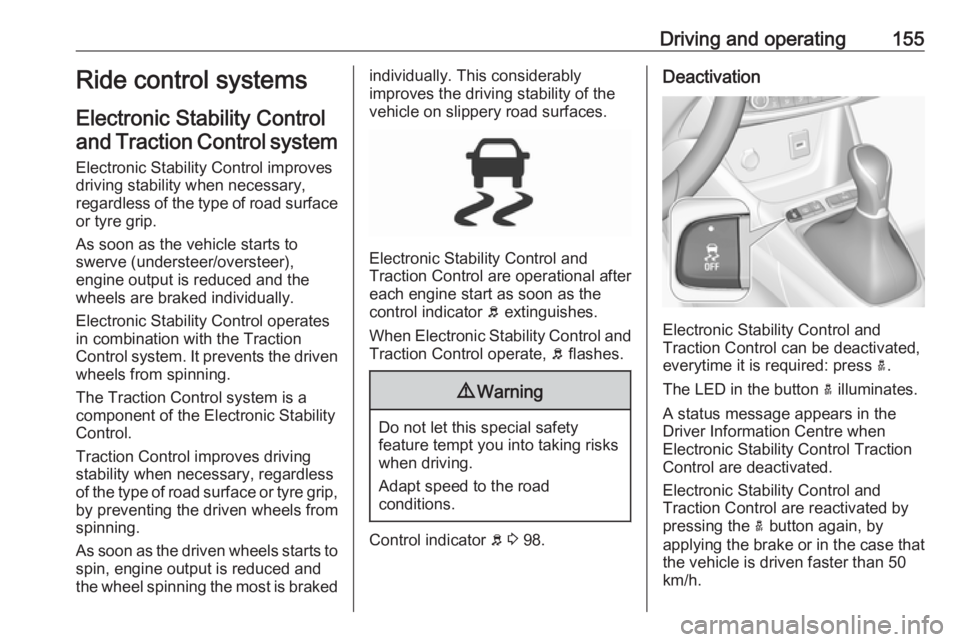
Deactivation
Electronic Stability Control and
Traction Control can be deactivated,
everytime it is required: press a.
The LED in the button a illuminates.
A status message appears in the
Driver Information Centre when
Electronic Stability Control Traction
Control are deactivated.
Electronic Stability Control and
Traction Control are reactivated by
pressing the a button again, by
applying the brake or in the case that
the vehicle is driven faster than 50
km/h.
Page 158 of 265
156Driving and operatingThe LED in the button a extinguishes
when Electronic Stability Control and
Traction Control are reactivated.
Electronic Stability Control and
Traction Control are also reactivated
the next time the ignition is switched
on.
Fault
If there is a fault in the system, the
control indicator b illuminates
continuously and a message appears in the Driver Information Centre. The
system is not operational.
Have the cause of the fault remedied
by a workshop.
Selective ride controlCaution
The vehicle is designed to drive
principally on tarmac roads, but it also enables driving off-road
occasionally.
However, do not drive on terrain
where your vehicle could be
damaged due to obstacles, such
as stones among others and on
terrain with steep inclines and
poor grip.
Do not cross streams.Caution
When driving off-road, sudden
motion and manoeuvres can make you lose of the steering. This could
cause a collision. Therefore, when driving on-road and off-road, you
and your passengers should wear
seat belts.
Selective ride control is designed to
optimise traction in low-grip
conditions (snow, mud and sand).
It adapts to the terrain by acting on the
front wheels, in doing so this saves the weight normally associated with a
more conventional four wheel drive
system.
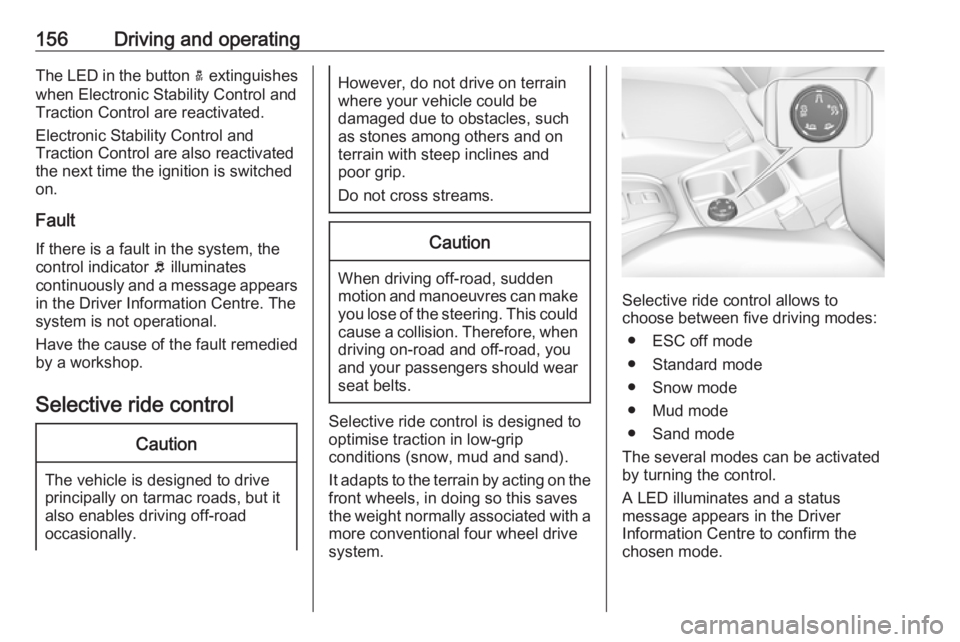
Selective ride control allows to
choose between five driving modes:
● ESC off mode
● Standard mode
● Snow mode
● Mud mode
● Sand mode
The several modes can be activated
by turning the control.
A LED illuminates and a status
message appears in the Driver
Information Centre to confirm the
chosen mode.
Page 159 of 265
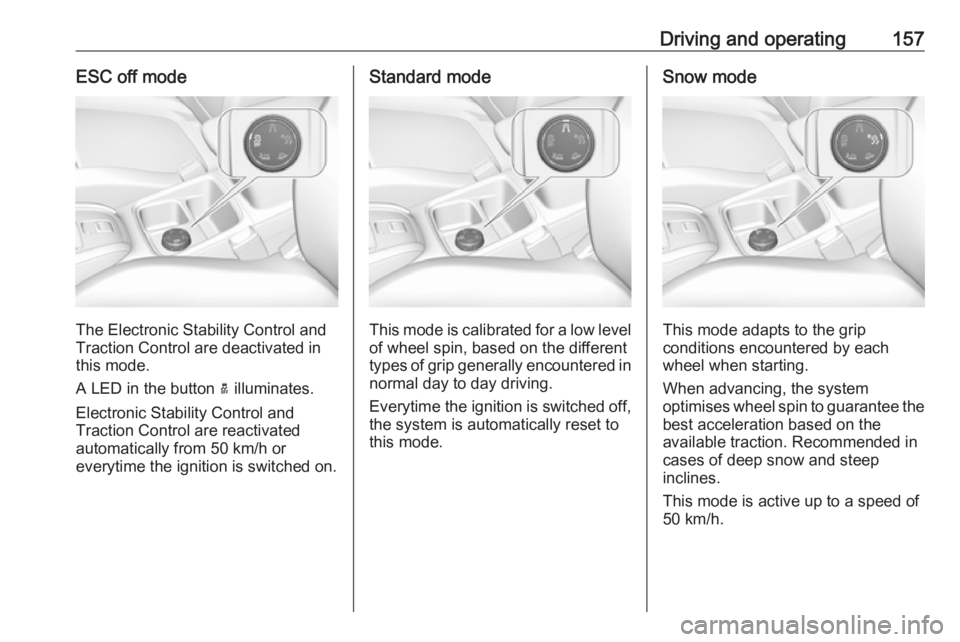
Driving and operating157ESC off mode
The Electronic Stability Control and
Traction Control are deactivated in
this mode.
A LED in the button a illuminates.
Electronic Stability Control and
Traction Control are reactivated
automatically from 50 km/h or
everytime the ignition is switched on.
Standard mode
This mode is calibrated for a low level of wheel spin, based on the different
types of grip generally encountered in
normal day to day driving.
Everytime the ignition is switched off,
the system is automatically reset to
this mode.
Snow mode
This mode adapts to the grip
conditions encountered by each
wheel when starting.
When advancing, the system
optimises wheel spin to guarantee the
best acceleration based on the
available traction. Recommended in
cases of deep snow and steep
inclines.
This mode is active up to a speed of
50 km/h.
Page 160 of 265
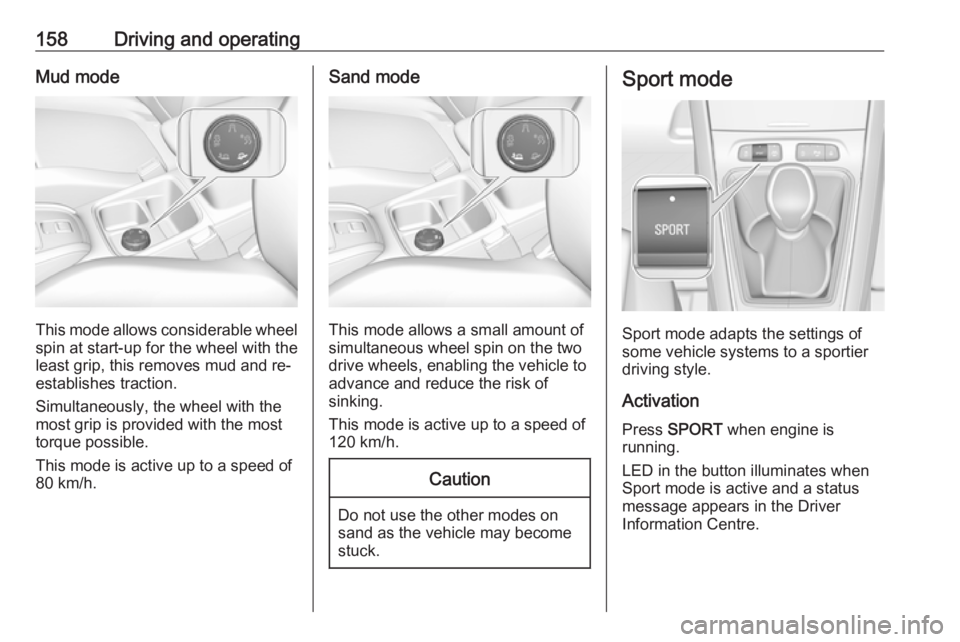
158Driving and operatingMud mode
This mode allows considerable wheel
spin at start-up for the wheel with the
least grip, this removes mud and re-
establishes traction.
Simultaneously, the wheel with the
most grip is provided with the most
torque possible.
This mode is active up to a speed of
80 km/h.
Sand mode
This mode allows a small amount of
simultaneous wheel spin on the two drive wheels, enabling the vehicle to
advance and reduce the risk of
sinking.
This mode is active up to a speed of
120 km/h.
Caution
Do not use the other modes on
sand as the vehicle may become
stuck.
Sport mode
Sport mode adapts the settings of
some vehicle systems to a sportier
driving style.
Activation
Press SPORT when engine is
running.
LED in the button illuminates when
Sport mode is active and a status
message appears in the Driver
Information Centre.
Page 162 of 265
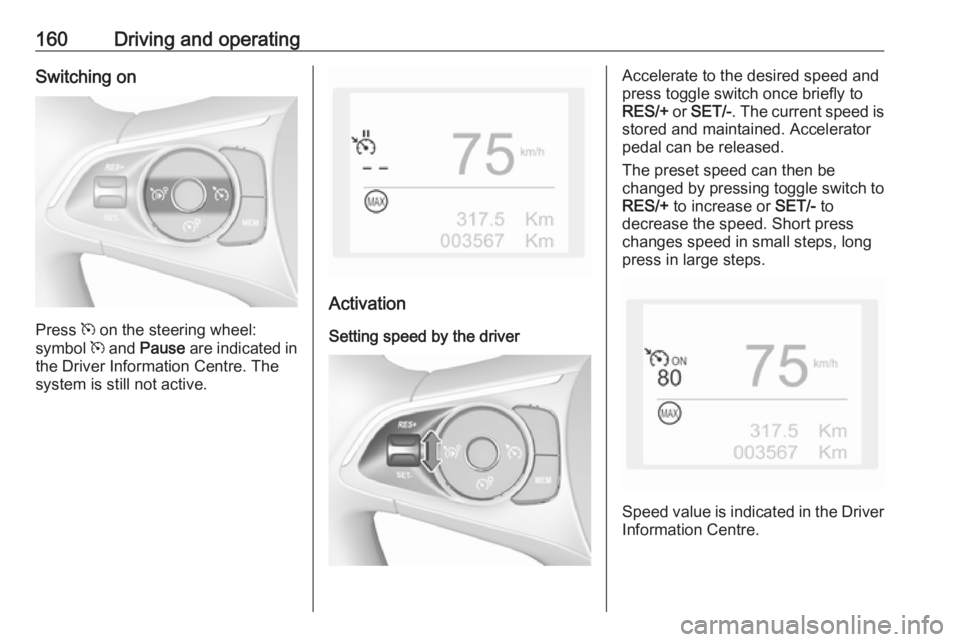
160Driving and operatingSwitching on
Press m on the steering wheel:
symbol m and Pause are indicated in
the Driver Information Centre. The
system is still not active.
Activation
Setting speed by the driver
Accelerate to the desired speed and
press toggle switch once briefly to
RES/+ or SET/- . The current speed is
stored and maintained. Accelerator
pedal can be released.
The preset speed can then be
changed by pressing toggle switch to
RES/+ to increase or SET/- to
decrease the speed. Short press
changes speed in small steps, long
press in large steps.
Speed value is indicated in the Driver
Information Centre.
Page 163 of 265
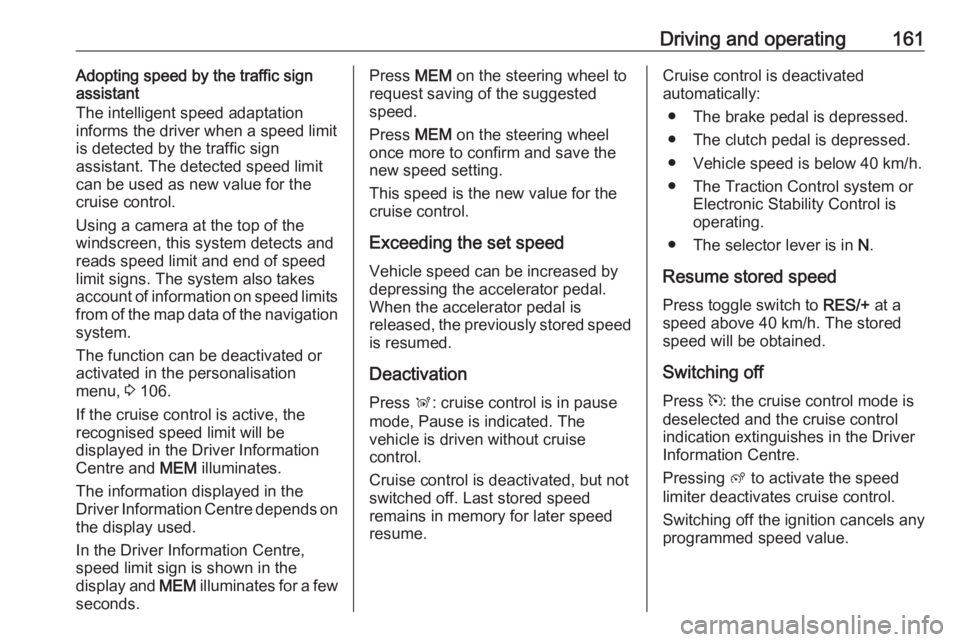
Driving and operating161Adopting speed by the traffic sign
assistant
The intelligent speed adaptation
informs the driver when a speed limit
is detected by the traffic sign
assistant. The detected speed limit
can be used as new value for the
cruise control.
Using a camera at the top of the
windscreen, this system detects and
reads speed limit and end of speed
limit signs. The system also takes
account of information on speed limits
from of the map data of the navigation system.
The function can be deactivated or
activated in the personalisation
menu, 3 106.
If the cruise control is active, the recognised speed limit will be
displayed in the Driver Information
Centre and MEM illuminates.
The information displayed in the
Driver Information Centre depends on
the display used.
In the Driver Information Centre,
speed limit sign is shown in the
display and MEM illuminates for a few
seconds.Press MEM on the steering wheel to
request saving of the suggested
speed.
Press MEM on the steering wheel
once more to confirm and save the
new speed setting.
This speed is the new value for the
cruise control.
Exceeding the set speed Vehicle speed can be increased bydepressing the accelerator pedal.
When the accelerator pedal is
released, the previously stored speed
is resumed.
Deactivation
Press Ñ: cruise control is in pause
mode, Pause is indicated. The
vehicle is driven without cruise
control.
Cruise control is deactivated, but not
switched off. Last stored speed
remains in memory for later speed
resume.Cruise control is deactivated
automatically:
● The brake pedal is depressed.
● The clutch pedal is depressed.
● Vehicle speed is below 40 km/h.
● The Traction Control system or Electronic Stability Control is
operating.
● The selector lever is in N.
Resume stored speed
Press toggle switch to RES/+ at a
speed above 40 km/h. The stored
speed will be obtained.
Switching off
Press m: the cruise control mode is
deselected and the cruise control
indication extinguishes in the Driver
Information Centre.
Pressing ß to activate the speed
limiter deactivates cruise control.
Switching off the ignition cancels any
programmed speed value.
Page 165 of 265
Driving and operating163
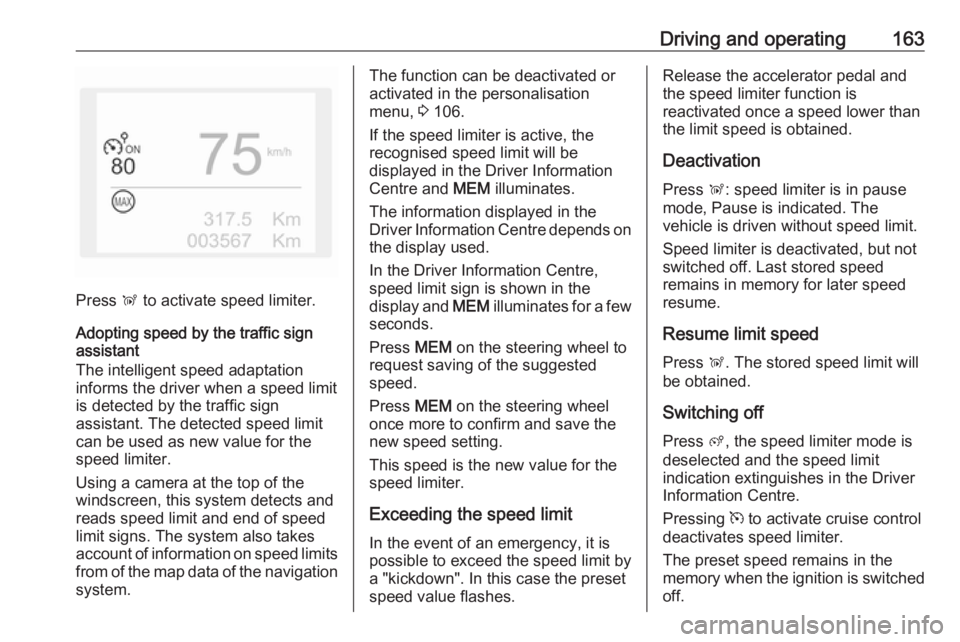
Press Ñ to activate speed limiter.
Adopting speed by the traffic sign assistant
The intelligent speed adaptation
informs the driver when a speed limit
is detected by the traffic sign
assistant. The detected speed limit
can be used as new value for the
speed limiter.
Using a camera at the top of the
windscreen, this system detects and
reads speed limit and end of speed
limit signs. The system also takes
account of information on speed limits from of the map data of the navigationsystem.
The function can be deactivated or
activated in the personalisation
menu, 3 106.
If the speed limiter is active, the
recognised speed limit will be
displayed in the Driver Information
Centre and MEM illuminates.
The information displayed in the
Driver Information Centre depends on
the display used.
In the Driver Information Centre,
speed limit sign is shown in the
display and MEM illuminates for a few
seconds.
Press MEM on the steering wheel to
request saving of the suggested
speed.
Press MEM on the steering wheel
once more to confirm and save the
new speed setting.
This speed is the new value for the
speed limiter.
Exceeding the speed limit
In the event of an emergency, it is
possible to exceed the speed limit by
a "kickdown". In this case the preset
speed value flashes.Release the accelerator pedal and
the speed limiter function is
reactivated once a speed lower than
the limit speed is obtained.
Deactivation
Press Ñ: speed limiter is in pause
mode, Pause is indicated. The
vehicle is driven without speed limit.
Speed limiter is deactivated, but not
switched off. Last stored speed
remains in memory for later speed
resume.
Resume limit speed
Press Ñ. The stored speed limit will
be obtained.
Switching off Press ß, the speed limiter mode is
deselected and the speed limit
indication extinguishes in the Driver Information Centre.
Pressing m to activate cruise control
deactivates speed limiter.
The preset speed remains in the
memory when the ignition is switched
off.
Page 166 of 265
164Driving and operatingFault
In the event of a speed limiter fault, the speed is cleared resulting in
flashing of the dashes.
The speed limiter may not operate correctly if traffic signs do not comply
with the Vienna Convention on Road
Signs and Signals (Wiener
Übereinkommen über
Straßenverkehrszeichen).
Adaptive cruise control
Adaptive cruise control is an
enhancement to conventional cruise
control with the additional feature of
maintaining a certain distance behind the vehicle ahead. It uses radar and
camera sensors to detect the vehicles ahead. If no vehicle is detected in the
driving path, the adaptive cruise
control will behave like a conventional
cruise control.
Adaptive cruise control automatically
decelerates the vehicle when
approaching a slower moving vehicle. It then adjusts the vehicle speed to
follow the vehicle ahead at the
selected following distance. Thevehicle speed increases or decreases
to follow the vehicle in front, but will
not exceed the set speed. It may
apply limited braking with activated
brake lights.
If the vehicle in front accelerates or changes lane, the adaptive cruise
control progressively accelerates
your vehicle to return to the
programmed speed. If the driver
operates a direction indicator to
overtake a slower vehicle, the
adaptive cruise control allows your
vehicle to temporarily approach the
vehicle in front to assist the
overtaking manoeuvre, though never
exceeding the programmed speed.9 Warning
The complete driver attention is
always required while driving with adaptive cruise control. The driver stays fully in control of the vehicle
because the brake pedal, the
accelerator pedal and the cancel
switch have priority over any
adaptive cruise control operation.
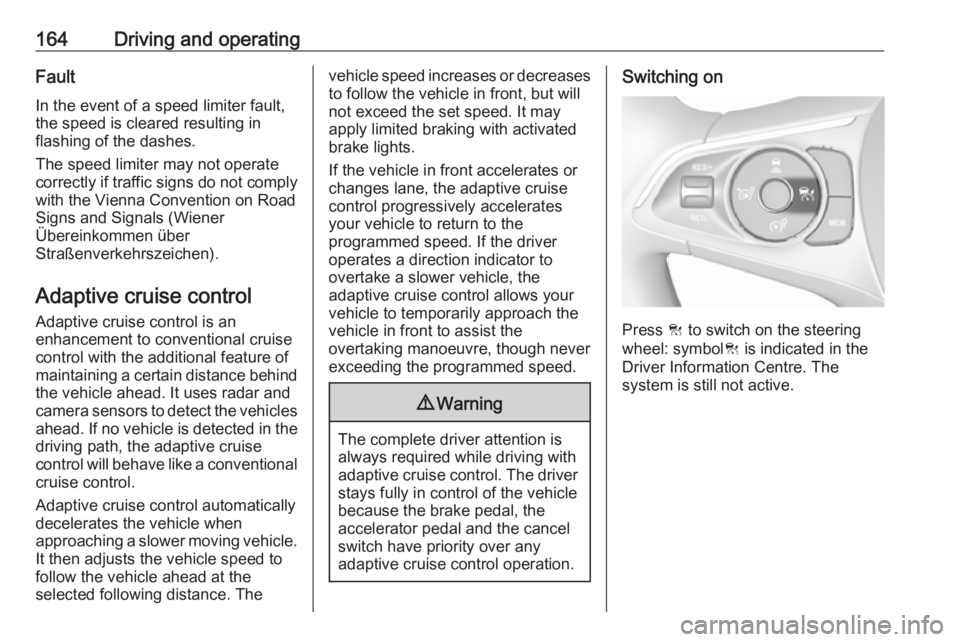
Switching on
Press C to switch on the steering
wheel: symbol C is indicated in the
Driver Information Centre. The
system is still not active.