wheel OPEL GRANDLAND X 2018 Infotainment system
[x] Cancel search | Manufacturer: OPEL, Model Year: 2018, Model line: GRANDLAND X, Model: OPEL GRANDLAND X 2018Pages: 265, PDF Size: 7.5 MB
Page 167 of 265
Driving and operating165
Activation
Adaptive cruise control is switched on manually at a speed between 40 and
180 km/h. For vehicles with automatic
transmission, the automatic selector
lever must be in position D or M.
Setting the speed by the driver
Accelerate to the desired speed and
press toggle switch once briefly to
RES/+ or SET/- . The current speed is
stored and maintained. Accelerator
pedal can be released.
The preset speed can then be
changed by pressing toggle switch to
RES/+ to increase or SET/- to
decrease the speed. Short press
changes speed in small steps, long
press in large steps.
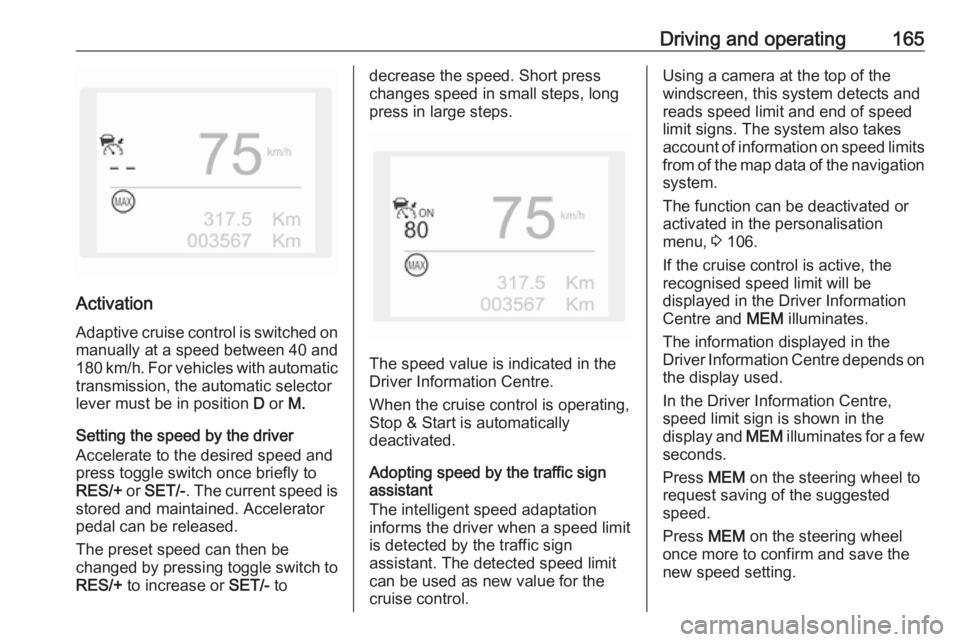
The speed value is indicated in the
Driver Information Centre.
When the cruise control is operating,
Stop & Start is automatically
deactivated.
Adopting speed by the traffic sign assistant
The intelligent speed adaptation
informs the driver when a speed limit
is detected by the traffic sign
assistant. The detected speed limit
can be used as new value for the
cruise control.
Using a camera at the top of the
windscreen, this system detects and
reads speed limit and end of speed
limit signs. The system also takes
account of information on speed limits from of the map data of the navigationsystem.
The function can be deactivated or
activated in the personalisation
menu, 3 106.
If the cruise control is active, the
recognised speed limit will be
displayed in the Driver Information
Centre and MEM illuminates.
The information displayed in the
Driver Information Centre depends on
the display used.
In the Driver Information Centre,
speed limit sign is shown in the
display and MEM illuminates for a few
seconds.
Press MEM on the steering wheel to
request saving of the suggested
speed.
Press MEM on the steering wheel
once more to confirm and save the
new speed setting.
Page 170 of 265
168Driving and operatingPressing ß to activate the speed
limiter deactivates cruise control.
Switching off the ignition cancels any
programmed speed value.
Driver's attention ● Use adaptive cruise control carefully on bends or mountain
roads, as it can lose the vehicle
ahead and needs time to detect it again.
● Do not use the system on slippery roads as it can create
rapid changes in tyre traction
(wheel spinning), so that you
could lose control of the vehicle.
● Do not use adaptive cruise control during rain, snow or
heavy dirt, as the radar sensor
can be covered by a water film,
dust, ice or snow. This reduces or suppresses completely the
visibility. In case of sensor
blockage, clean the sensor
cover.
● Do not use the system when the spare wheel is in use.System limits9Warning
The system's automatic brake
force does not permit hard braking and the braking level may not be
sufficient to avoid a collision.
● After a sudden lane change, the system needs a certain time to
detect the next preceding
vehicle. So if a new vehicle is
detected, the system may
accelerate instead of braking.
● Adaptive cruise control does ignore the oncoming traffic.
● Adaptive cruise control does not consider pedestrians and
animals for braking and driving
off.
● Adaptive cruise control considers
stopped vehicles only at low
speed.
● Do not use adaptive cruise control when towing a trailer.
● Do not use adaptive cruise control on roads with an incline ofmore than 10%.
As the radar's field of detection is
quite narrow, it is possible that the
system may not detect:
● Vehicles of reduced width (motorcycles, scooters...).
● Vehicles not running in the middle of the lane,
● Vehicles entering a corner.
● Vehicles suddenly pulling out.
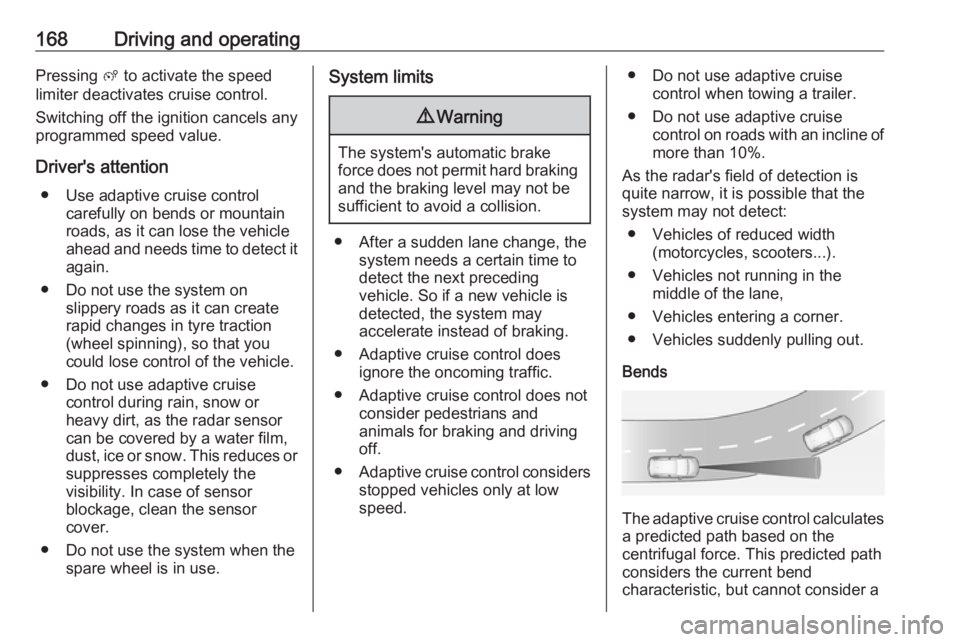
Bends
The adaptive cruise control calculates
a predicted path based on the
centrifugal force. This predicted path
considers the current bend
characteristic, but cannot consider a
Page 181 of 265
Driving and operating179Parking assist systems do not
detect objects outside the
detection range.
Advanced parking assist
9 Warning
The driver bears full responsibility
for accepting the parking slot
suggested by the system and the
parking manoeuvre.
Always check the surrounding
area in all directions when using
the advanced parking assist.
The advanced parking assist
measures a suitable parking slot
while passing, calculates the
trajectory and automatically steers
the vehicle while parking.
Advanced parking assist provides
assistance for the following
manoeuvres:
● Entry into a parallel parking slot.
● Entry into a perpendicular parking slot.
● Exit from a parallel parking slot.
The driver must control acceleration,
braking and gear shifting, while
steering is done automatically. The
driver can take control at any time by
gripping the steering wheel.
It may be necessary to move forwards and backwards more than once.
Instructions are given in the Info-
Display 3 103.
Advanced parking assist can only be activated when driving forwards.
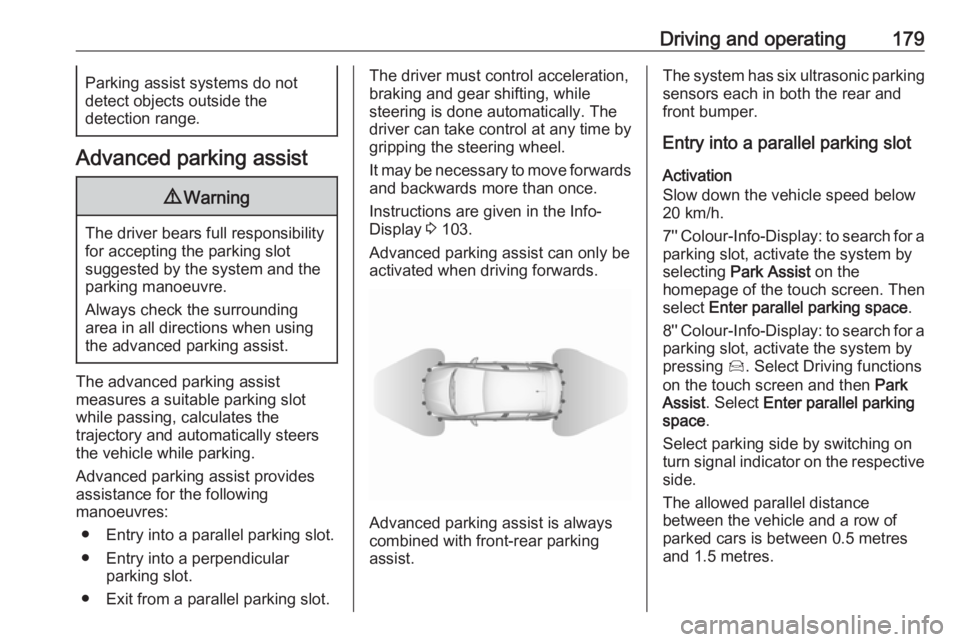
Advanced parking assist is always
combined with front-rear parking assist.
The system has six ultrasonic parking
sensors each in both the rear and
front bumper.
Entry into a parallel parking slot
Activation
Slow down the vehicle speed below
20 km/h.
7'' Colour-Info-Display: to search for a
parking slot, activate the system by
selecting Park Assist on the
homepage of the touch screen. Then
select Enter parallel parking space .
8'' Colour-Info-Display: to search for a parking slot, activate the system by
pressing Í. Select Driving functions
on the touch screen and then Park
Assist . Select Enter parallel parking
space .
Select parking side by switching on
turn signal indicator on the respective
side.
The allowed parallel distance
between the vehicle and a row of
parked cars is between 0.5 metres
and 1.5 metres.
Page 182 of 265
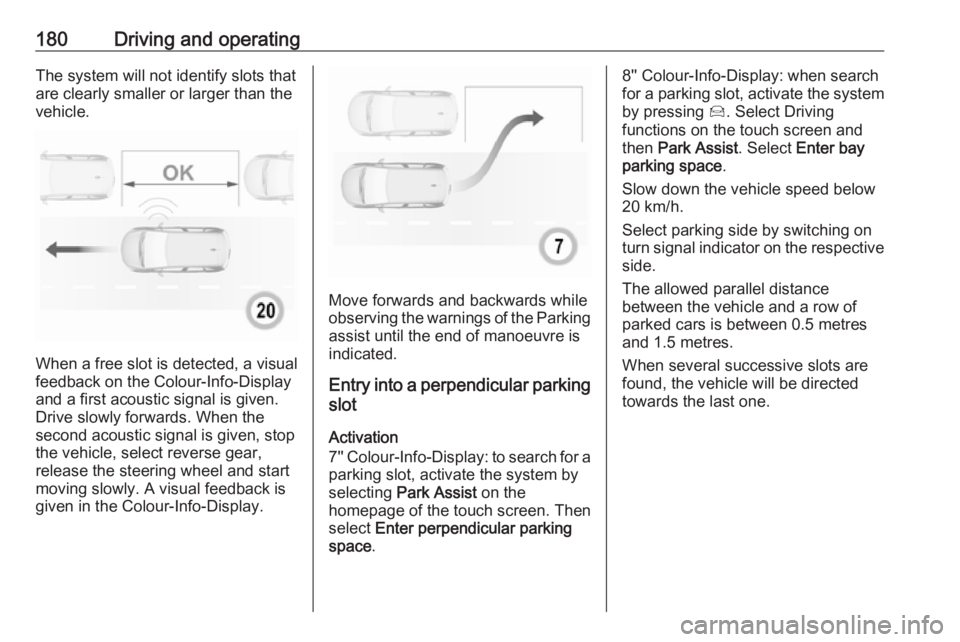
180Driving and operatingThe system will not identify slots that
are clearly smaller or larger than the
vehicle.
When a free slot is detected, a visual
feedback on the Colour-Info-Display and a first acoustic signal is given.Drive slowly forwards. When the
second acoustic signal is given, stop
the vehicle, select reverse gear,
release the steering wheel and start
moving slowly. A visual feedback is
given in the Colour-Info-Display.
Move forwards and backwards while
observing the warnings of the Parking
assist until the end of manoeuvre is
indicated.
Entry into a perpendicular parking
slot
Activation
7'' Colour-Info-Display: to search for a parking slot, activate the system by
selecting Park Assist on the
homepage of the touch screen. Then select Enter perpendicular parking
space .
8'' Colour-Info-Display: when search
for a parking slot, activate the system
by pressing Í. Select Driving
functions on the touch screen and
then Park Assist . Select Enter bay
parking space .
Slow down the vehicle speed below
20 km/h.
Select parking side by switching on
turn signal indicator on the respective
side.
The allowed parallel distance
between the vehicle and a row of
parked cars is between 0.5 metres
and 1.5 metres.
When several successive slots are found, the vehicle will be directed towards the last one.
Page 183 of 265
Driving and operating181
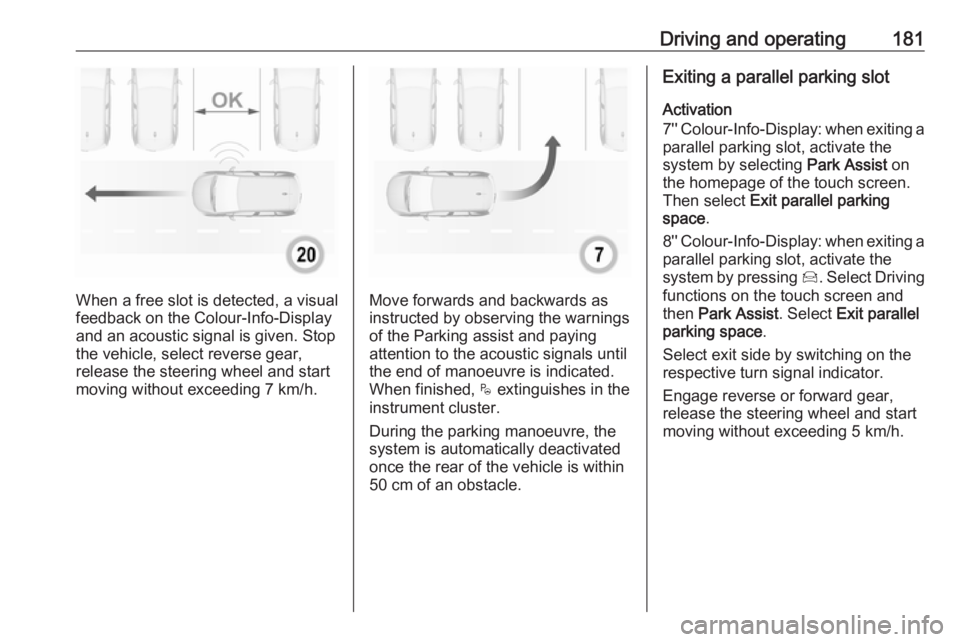
When a free slot is detected, a visual
feedback on the Colour-Info-Display and an acoustic signal is given. Stop
the vehicle, select reverse gear,
release the steering wheel and start
moving without exceeding 7 km/h.Move forwards and backwards as
instructed by observing the warnings
of the Parking assist and paying
attention to the acoustic signals until
the end of manoeuvre is indicated. When finished, $ extinguishes in the
instrument cluster.
During the parking manoeuvre, the
system is automatically deactivated
once the rear of the vehicle is within
50 cm of an obstacle.
Exiting a parallel parking slot
Activation
7'' Colour-Info-Display: when exiting a parallel parking slot, activate the
system by selecting Park Assist on
the homepage of the touch screen.
Then select Exit parallel parking
space .
8'' Colour-Info-Display: when exiting a
parallel parking slot, activate the
system by pressing Í. Select Driving
functions on the touch screen and
then Park Assist . Select Exit parallel
parking space .
Select exit side by switching on the
respective turn signal indicator.
Engage reverse or forward gear,
release the steering wheel and start
moving without exceeding 5 km/h.
Page 184 of 265
182Driving and operating
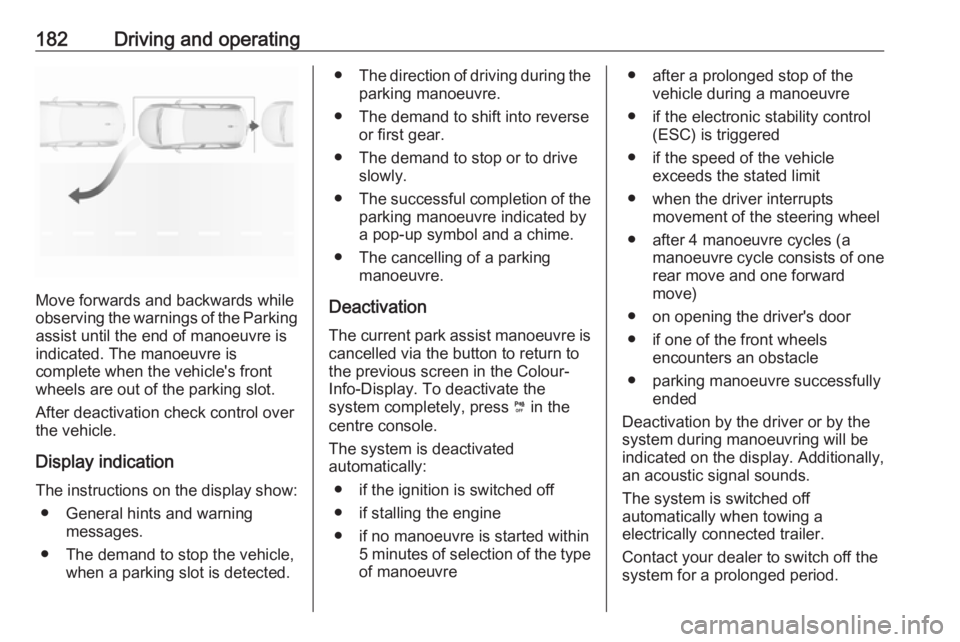
Move forwards and backwards while
observing the warnings of the Parking
assist until the end of manoeuvre is
indicated. The manoeuvre is
complete when the vehicle's front
wheels are out of the parking slot.
After deactivation check control over
the vehicle.
Display indication
The instructions on the display show: ● General hints and warning messages.
● The demand to stop the vehicle, when a parking slot is detected.
●The direction of driving during the
parking manoeuvre.
● The demand to shift into reverse or first gear.
● The demand to stop or to drive slowly.
● The successful completion of the
parking manoeuvre indicated by
a pop-up symbol and a chime.
● The cancelling of a parking manoeuvre.
Deactivation The current park assist manoeuvre is
cancelled via the button to return to
the previous screen in the Colour-
Info-Display. To deactivate the
system completely, press ¼ in the
centre console.
The system is deactivated
automatically:
● if the ignition is switched off
● if stalling the engine
● if no manoeuvre is started within 5 minutes of selection of the typeof manoeuvre● after a prolonged stop of the vehicle during a manoeuvre
● if the electronic stability control (ESC) is triggered
● if the speed of the vehicle exceeds the stated limit
● when the driver interrupts movement of the steering wheel
● after 4 manoeuvre cycles (a manoeuvre cycle consists of one
rear move and one forward
move)
● on opening the driver's door ● if one of the front wheels encounters an obstacle
● parking manoeuvre successfully ended
Deactivation by the driver or by the
system during manoeuvring will be
indicated on the display. Additionally,
an acoustic signal sounds.
The system is switched off
automatically when towing a
electrically connected trailer.
Contact your dealer to switch off the
system for a prolonged period.
Page 188 of 265
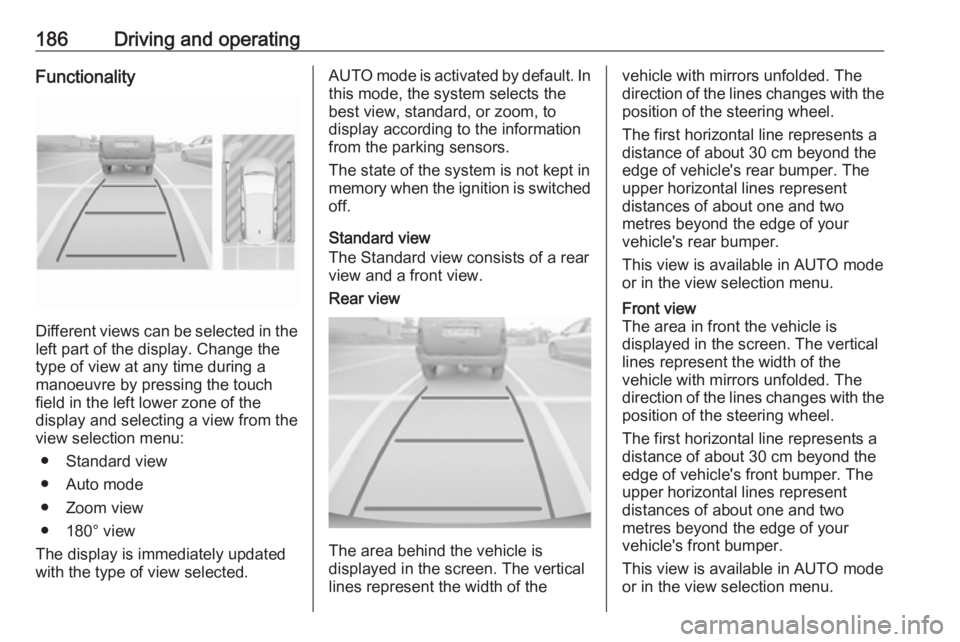
186Driving and operatingFunctionality
Different views can be selected in theleft part of the display. Change the
type of view at any time during a
manoeuvre by pressing the touch
field in the left lower zone of the
display and selecting a view from the
view selection menu:
● Standard view
● Auto mode
● Zoom view
● 180° view
The display is immediately updated
with the type of view selected.
AUTO mode is activated by default. In
this mode, the system selects the
best view, standard, or zoom, to
display according to the information
from the parking sensors.
The state of the system is not kept in
memory when the ignition is switched
off.
Standard view
The Standard view consists of a rear view and a front view.Rear view
The area behind the vehicle is
displayed in the screen. The vertical
lines represent the width of the
vehicle with mirrors unfolded. The
direction of the lines changes with the position of the steering wheel.
The first horizontal line represents a
distance of about 30 cm beyond the
edge of vehicle's rear bumper. The
upper horizontal lines represent
distances of about one and two
metres beyond the edge of your
vehicle's rear bumper.
This view is available in AUTO mode
or in the view selection menu.Front view
The area in front the vehicle is
displayed in the screen. The vertical
lines represent the width of the
vehicle with mirrors unfolded. The
direction of the lines changes with the position of the steering wheel.
The first horizontal line represents a
distance of about 30 cm beyond the
edge of vehicle's front bumper. The
upper horizontal lines represent
distances of about one and two
metres beyond the edge of your
vehicle's front bumper.
This view is available in AUTO mode
or in the view selection menu.
Page 193 of 265
Driving and operating191Fault
In the event of a fault, H appears
in the instrument panel, accompanied by a display message. Contact adealer or a qualified workshop to have
the system checked.
System limitations
The system performance may not
operate properly when:
● Vehicle speed is below 60 km/h.
● Windscreen is not clean or affected by foreign items, e.g.
stickers
● Driving on winding or hilly roads.
● During nighttime driving.
● Adverse environmental conditions like heavy rain, snow,
direct sunlight or shadows.
● The sensor in the windscreen is blocked by snow, ice, slush, mud,dirt, windscreen damage or
affected by foreign items, e.g.
stickers.
● The sun is shining directly into the camera lens.
● Close vehicles ahead.● Driving on banked roads.
● Driving on road edges.
● Driving on roads with poor lane markings.
● Sudden lighting changes.
The system can not operate when no
lane marking is detected.
Lane keep assist Lane keep assist helps to avoid
crashes due to unintentional lane
departures. The front camera
observes the lane markings between
which the vehicle is driving. If the
vehicle approaches a lane marking,
the steering wheel is gently turned to
position the vehicle back into the lane. Turn steering wheel in same
direction, if system steers not
sufficient. Turn steering wheel gently
into opposite direction, if lane change
is intended.
When crossing a lane marking
significantly, lane keep assist starts a
visual and acoustic warning.Unintended lane departure is
assumed
● without using turn signal
● without braking
● without acceleration
● without active steering.
Note
The system is switched off during
detection of ambiguous lane
markings, e.g. in construction areas.
Note
The system may be switched off if it
detects lanes which are too narrow,
too wide or too curved.
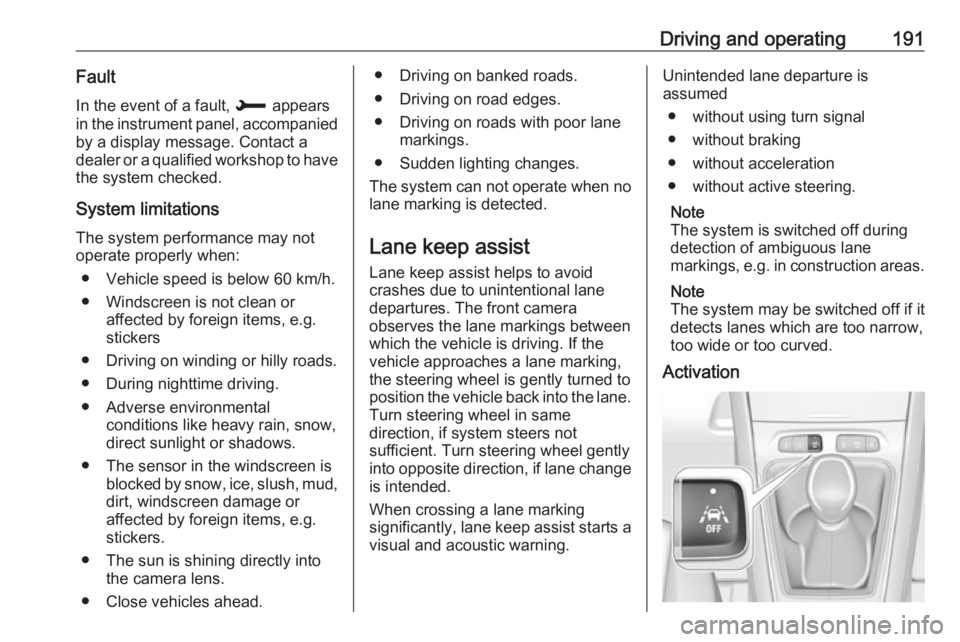
Activation
Page 194 of 265
192Driving and operatingAfter ignition is switched on, lane
keep assist is activated. If the system is activated, the LED in the button Ó
is not illuminated . To activate the
system when the system is
deactivated, press Ó.
When the control indicator a in the
instrument cluster illuminates green,
the system is ready to assist.
The system is operational at vehicle
speeds between 65 km/h and
180 km/h and if lane markings are
available. The driver must hold the
wheel with both hands. The change of trajectory is not accompanied by
operation of the direction indicators.
The ESC system must be activated.
The system makes the correction to
the trajectory necessary to return the
vehicle to its initial path if it identifies
a risk of the vehicle involuntarily
crossing one of the lane markings
detected. The driver will then notice a
turning movement of the steering
wheel.The control indicator a flashes
during trajectory correction. In the
Driver Information Centre, the line of
the corrected side will be displayed in orange.
If the driver wishes to maintain the
trajectory of the vehicle, he can
prevent the correction by keeping a
firm grip on the wheel (during an
avoiding manoeuvre, for example).
The correction is interrupted if the
direction indicators are operated.
While the direction indicators are on
and for a few seconds after switching
them off, the system considers that
any change of trajectory is voluntary
and no correction is triggered during
this period.
If the system detects that the driver is not holding the wheel firmly enoughduring an automatic correction of
trajectory, it interrupts the correction.
An alert is triggered to encourage the
driver to take back control of the
vehicle.Deactivation
The system is deactivated by
pressing Ó during a few seconds; the
LED in the button illuminates. In the
Driver Information Centre, solid grey
lines are displayed.
Fault
The system performance may be affected by:
● Windscreen not clean or affected
by foreign items, e.g. stickers
● Close vehicles ahead
● Banked roads
● Winding or hilly roads
● Road edges
● Roads with poor lane markings
● Sudden lighting changes
● Adverse environmental conditions e.g. heavy rain or
snow
● Vehicle modifications, e.g. tyres.
Page 195 of 265
Driving and operating193Switch off the system if the system is
disturbed by tar marks, shadows,
road cracks, temporary or
construction lane markings, or other
road imperfections.9 Warning
Always keep your attention on the
road and maintain proper vehicle
position within the lane, otherwise
vehicle damage, injury or death
could occur.
Lane keep assist does not
continuously steer the vehicle.
The system may not keep the
vehicle in the lane or give an alert,
even if a lane marking is detected.
The steering of the lane keep
assist may not be sufficient to
avoid a lane departure.
The system may not detect hands-
off driving due to external
influences (road condition and
surface, weather etc). The driver
has full responsibility to control the
vehicle and is always required to keep the hands on the steeringwheel while driving.
Using the system while towing a
trailer or on slippery roads could
cause loss of control of the vehicle
and a crash. Switch the system off.
Driver alert
The driver alert system monitores the driving time and the vigilance of the
driver. Monitoring the vigilance of the
driver is based on the trajectory
variations of the vehicle compared to
the lane markings.
The system includes a driving time
alert combined with driver drowsiness detection.
9 Warning
The system cannot replace the
need for vigilance on the part of
the driver. It is recommended that
you take a break as soon as you
feel tired or at least every two
hours. Do not take the wheel if you are tired.
Activation or Deactivation
The system can be activated or
deactivated in the vehicle
personalisation 3 106
The state of the system stays in
memory when the ignition is switched
off.
Driving time alert The driver gets notified by a pop-upreminder symbol € in the Driver
Information Centre simultaneously with a acoustic alert if the driver has
not taken a break after two hours of
driving at a speed above 65 km/h. The
alert is repeated hourly until the
vehicle is stopped, no matter how
vehicle speed evolves.
The counting of driving time alert is
reset when the ignition has been
switched off for a few minutes.
Driver drowsiness detection The system monitors the driver's level
of vigilance. A camera at the top of the
windscreen detects variations in
trajectory compared to the lane