display OPEL GRANDLAND X 2019.75 Manual user
[x] Cancel search | Manufacturer: OPEL, Model Year: 2019.75, Model line: GRANDLAND X, Model: OPEL GRANDLAND X 2019.75Pages: 273, PDF Size: 7.85 MB
Page 85 of 273
Instruments and controls83Rear window wiper and
washer
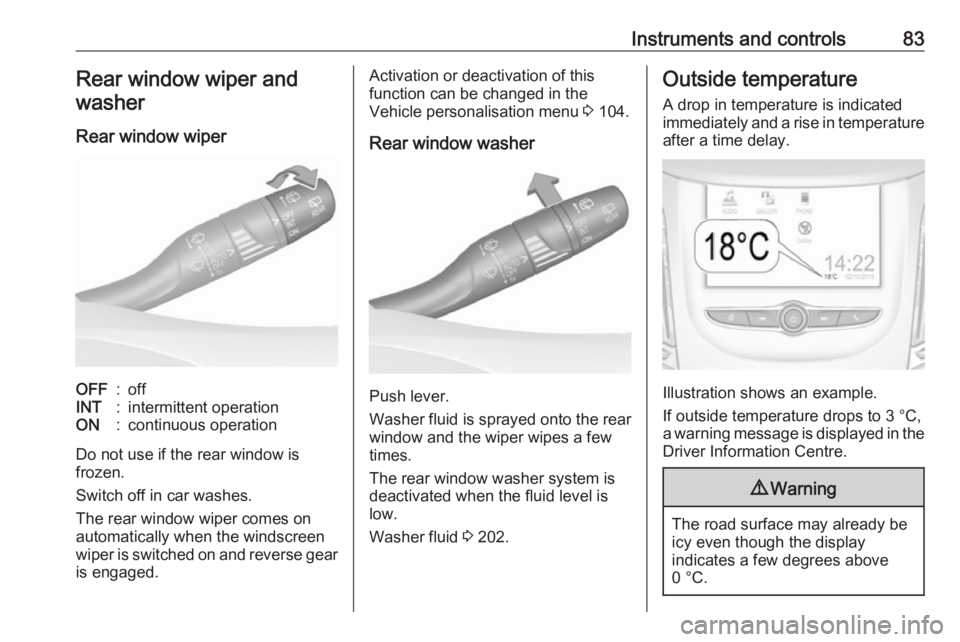
Rear window wiperOFF:offINT:intermittent operationON:continuous operation
Do not use if the rear window is
frozen.
Switch off in car washes.
The rear window wiper comes on
automatically when the windscreen
wiper is switched on and reverse gear
is engaged.
Activation or deactivation of this
function can be changed in the
Vehicle personalisation menu 3 104.
Rear window washer
Push lever.
Washer fluid is sprayed onto the rear
window and the wiper wipes a few
times.
The rear window washer system is
deactivated when the fluid level is
low.
Washer fluid 3 202.
Outside temperature
A drop in temperature is indicated
immediately and a rise in temperature
after a time delay.
Illustration shows an example.
If outside temperature drops to 3 °C,
a warning message is displayed in the Driver Information Centre.
9 Warning
The road surface may already be
icy even though the display
indicates a few degrees above
0 °C.
Page 86 of 273
84Instruments and controlsClockDate and time are shown in the Info
Display.
Info Display 3 101.
Graphic Info Display
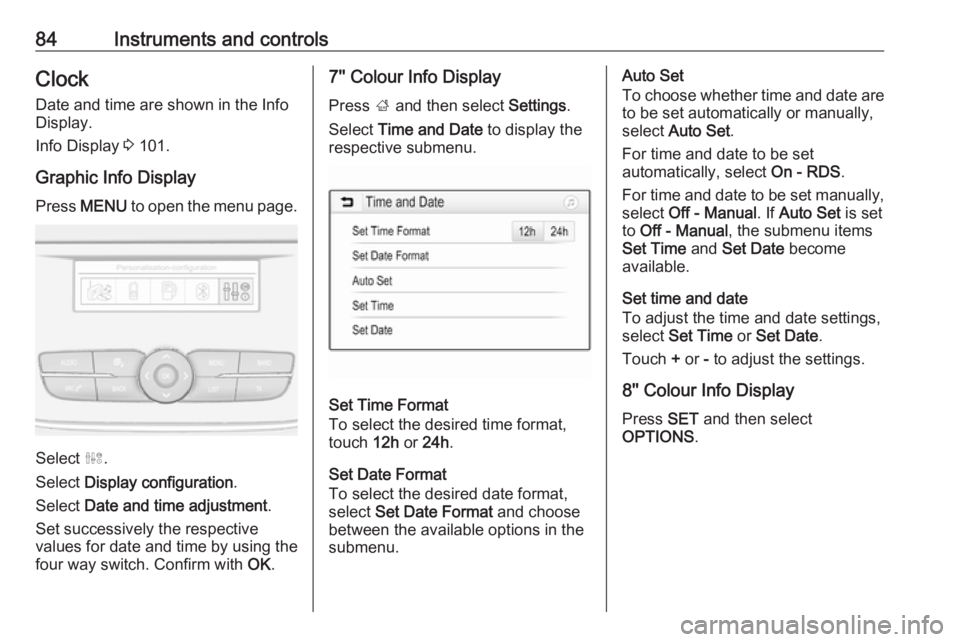
Press MENU to open the menu page.
Select ˆ.
Select Display configuration .
Select Date and time adjustment .
Set successively the respective
values for date and time by using the
four way switch. Confirm with OK.
7'' Colour Info Display
Press ; and then select Settings.
Select Time and Date to display the
respective submenu.
Set Time Format
To select the desired time format,
touch 12h or 24h .
Set Date Format
To select the desired date format,
select Set Date Format and choose
between the available options in the
submenu.
Auto Set
To choose whether time and date are to be set automatically or manually,
select Auto Set .
For time and date to be set
automatically, select On - RDS.
For time and date to be set manually,
select Off - Manual . If Auto Set is set
to Off - Manual , the submenu items
Set Time and Set Date become
available.
Set time and date
To adjust the time and date settings,
select Set Time or Set Date .
Touch + or - to adjust the settings.
8'' Colour Info Display
Press SET and then select
OPTIONS .
Page 87 of 273
Instruments and controls85
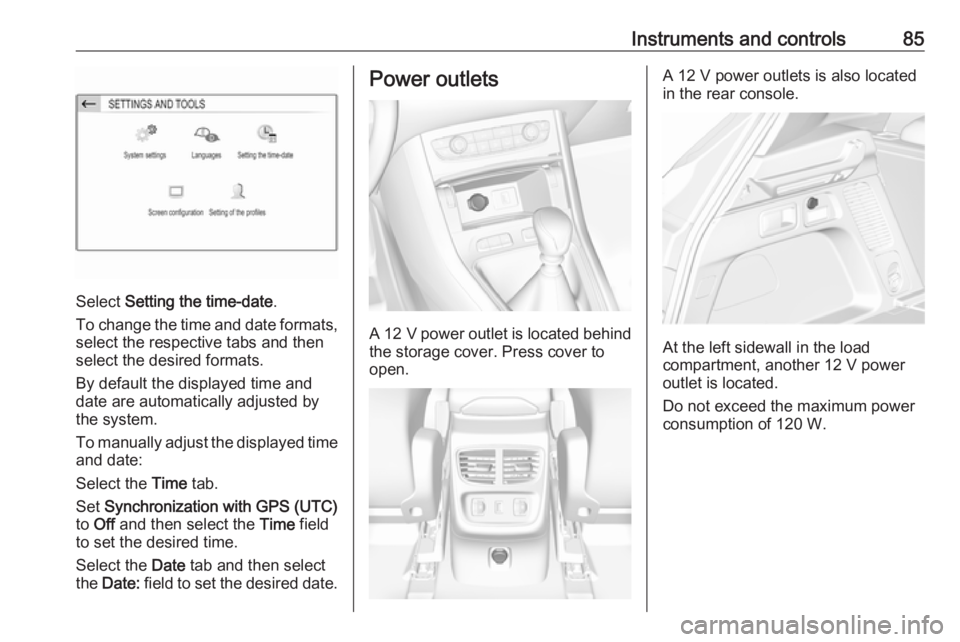
Select Setting the time-date .
To change the time and date formats, select the respective tabs and then
select the desired formats.
By default the displayed time and
date are automatically adjusted by
the system.
To manually adjust the displayed time
and date:
Select the Time tab.
Set Synchronization with GPS (UTC)
to Off and then select the Time field
to set the desired time.
Select the Date tab and then select
the Date: field to set the desired date.
Power outlets
A 12 V power outlet is located behind
the storage cover. Press cover to
open.
A 12 V power outlets is also located
in the rear console.
At the left sidewall in the load
compartment, another 12 V power
outlet is located.
Do not exceed the maximum power
consumption of 120 W.
Page 89 of 273
Instruments and controls87Inductive charging9Warning
Inductive charging can affect the
operation of implanted
pacemakers or other medical
devices. If applicable, seek
medical advice before using the
inductive charging device.
9 Warning
Remove any metal objects from
the charging device before
charging a mobile device, as these objects could become very hot.
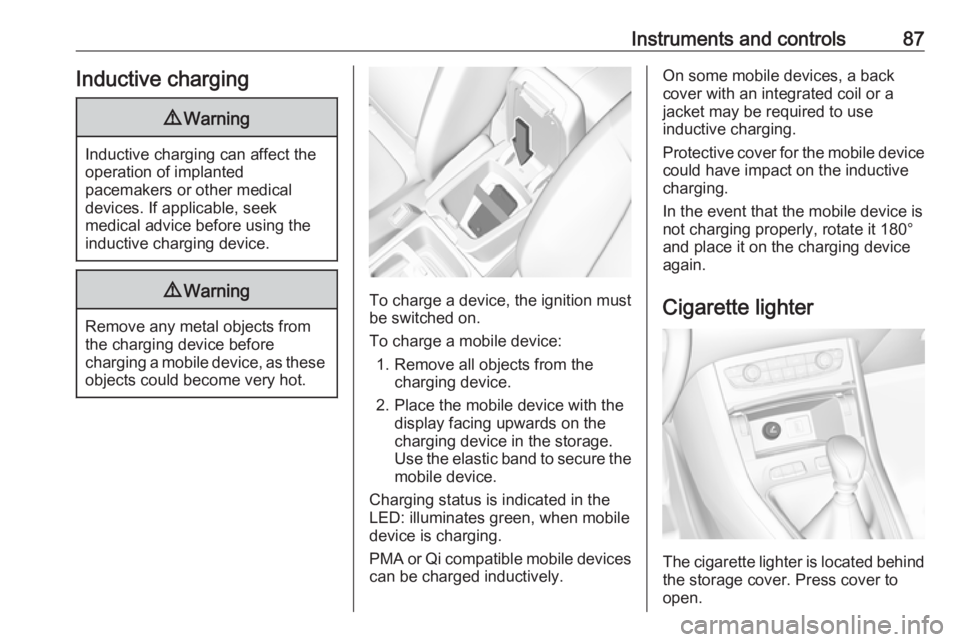
To charge a device, the ignition must
be switched on.
To charge a mobile device: 1. Remove all objects from the charging device.
2. Place the mobile device with the display facing upwards on the
charging device in the storage.
Use the elastic band to secure the
mobile device.
Charging status is indicated in the
LED: illuminates green, when mobile
device is charging.
PMA or Qi compatible mobile devices can be charged inductively.
On some mobile devices, a back
cover with an integrated coil or a
jacket may be required to use
inductive charging.
Protective cover for the mobile device
could have impact on the inductive
charging.
In the event that the mobile device is
not charging properly, rotate it 180°
and place it on the charging device
again.
Cigarette lighter
The cigarette lighter is located behind
the storage cover. Press cover to open.
Page 91 of 273
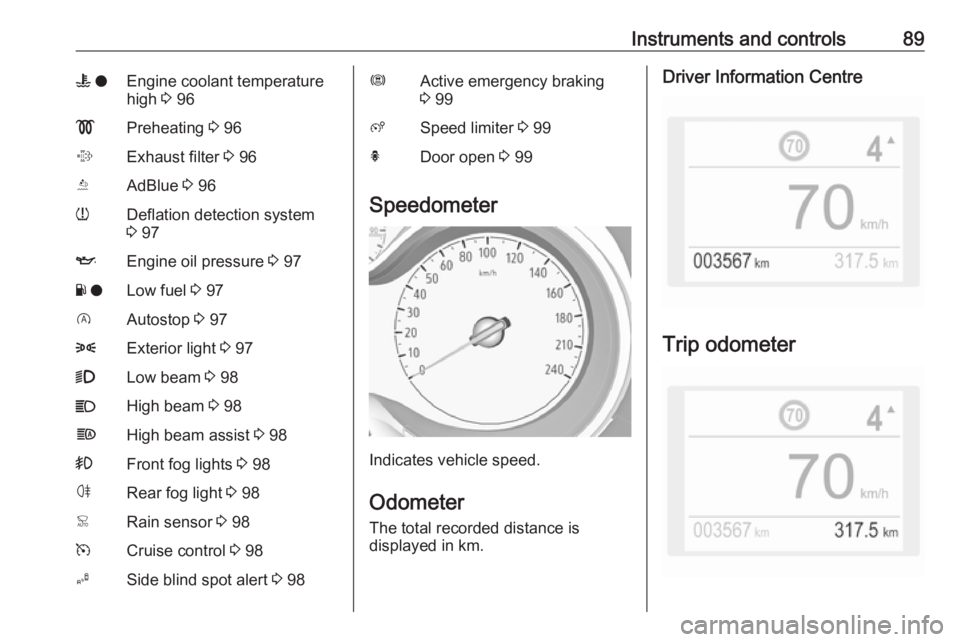
Instruments and controls89W oEngine coolant temperature
high 3 96!Preheating 3 96%Exhaust filter 3 96YAdBlue 3 96wDeflation detection system
3 97IEngine oil pressure 3 97Y oLow fuel 3 97DAutostop 3 978Exterior light 3 979Low beam 3 98CHigh beam 3 98fHigh beam assist 3 98>Front fog lights 3 98øRear fog light 3 98
Speedometer
Indicates vehicle speed.
Odometer
The total recorded distance is
displayed in km.
Driver Information Centre
Trip odometer
Page 92 of 273
90Instruments and controlsThe recorded distance since the last
reset is displayed in the Driver
Information Centre.
Trip odometer counts up to
9,999 km.
Press L for 2 seconds to reset trip
odometer.
Two trip odometer pages are
selectable in the trip / fuel information
menu for different trips 3 99.
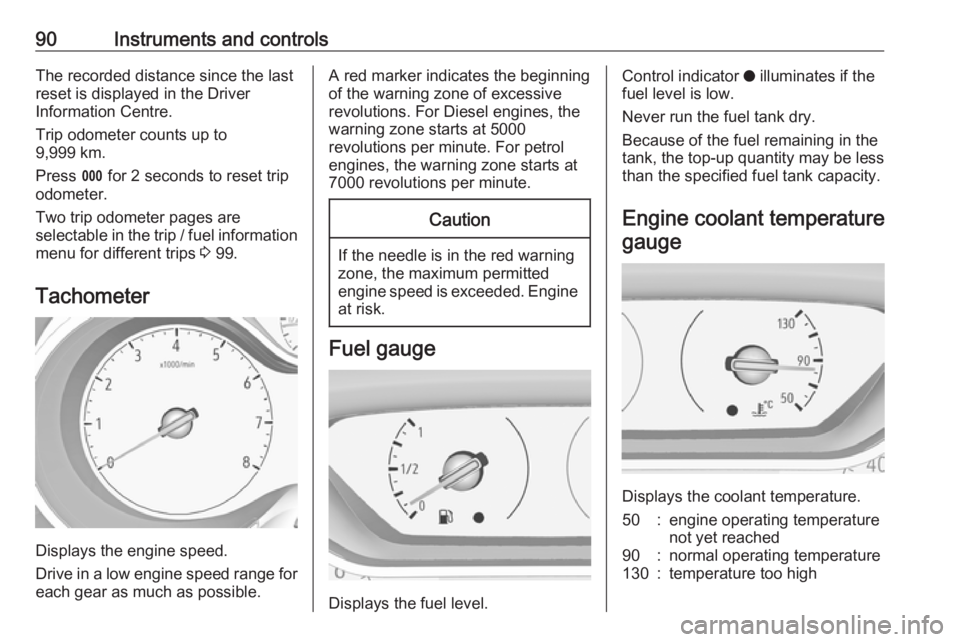
Tachometer
Displays the engine speed.
Drive in a low engine speed range for each gear as much as possible.
A red marker indicates the beginning
of the warning zone of excessive revolutions. For Diesel engines, thewarning zone starts at 5000
revolutions per minute. For petrol
engines, the warning zone starts at
7000 revolutions per minute.Caution
If the needle is in the red warning
zone, the maximum permitted
engine speed is exceeded. Engine at risk.
Fuel gauge
Displays the fuel level.
Control indicator o illuminates if the
fuel level is low.
Never run the fuel tank dry. Because of the fuel remaining in the
tank, the top-up quantity may be less
than the specified fuel tank capacity.
Engine coolant temperature gauge
Displays the coolant temperature.
50:engine operating temperature
not yet reached90:normal operating temperature130:temperature too high
Page 93 of 273
Instruments and controls91Control indicator o illuminates if
coolant temperature is too high. Switch off engine immediately.Caution
If engine coolant temperature is
too high, stop vehicle, switch off
engine. Danger to engine. Check
coolant level.
Engine oil level monitor
The state of the engine oil level is
displayed in the Driver Information
Centre for a few seconds following
the service information after switching on the ignition.
A proper state of engine oil level is
indicated by a message.
If engine oil level is low, I flashes
and a message is indicated,
accompanied by the C indicator.
Confirm engine oil level by using the
dipstick and top up engine oil
respectively.
Engine oil 3 201.
A fault of measurement is indicated
by a message. Check engine oil level
manually by using the dipstick.
Service display The service system informs when to
change the engine oil and filter or a vehicle service is required. Based on
driving conditions, the interval at
which an engine oil and filter change
is required can vary considerably.
Service information 3 238.
A required service due is displayed in
the Driver Information Centre for
7 seconds after switching on the
ignition.
If no service is required for the next
3000 km or more no service
information appears in the display.
If service is required within the next
3000 km, the remaining distance or
time duration is indicated for several
seconds. Simultaneously C lights
up permanently as reminder.If service is required in less than
1000 km, C flashes and then lights
up permanently. Remaining distance
or time duration is indicated for
several seconds.
Overdued service is indicated by a
message in the Driver Information
Centre which indicates the overdued
distance. C flashes and then lights
up permanently until service is
executed.
Reset of service interval
After each service, the service
indicator must be reset to ensure
proper functionality. It is
recommended to seek the assistance of a workshop.
If service is executed by yourself,
operate as following:
● switch off ignition
● press and hold button CHECK
● switch on ignition, the distance indication begins a countdown
● when the display indicates =0,
release the button
The symbol C disappears.
Page 94 of 273
92Instruments and controlsRetrieving service information
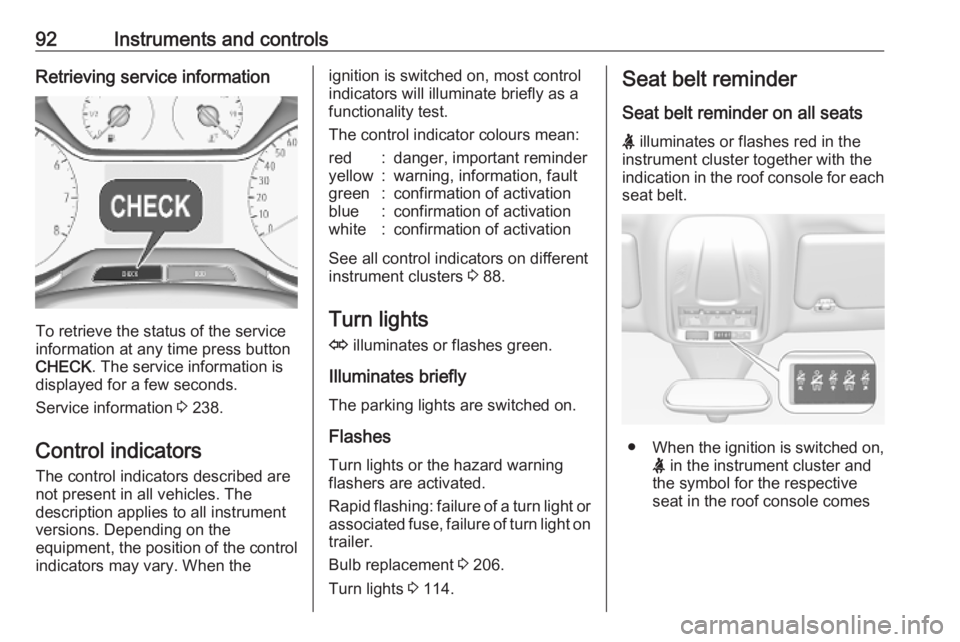
To retrieve the status of the service
information at any time press button
CHECK . The service information is
displayed for a few seconds.
Service information 3 238.
Control indicators The control indicators described are
not present in all vehicles. The
description applies to all instrument
versions. Depending on the
equipment, the position of the control indicators may vary. When the
ignition is switched on, most controlindicators will illuminate briefly as afunctionality test.
The control indicator colours mean:red:danger, important reminderyellow:warning, information, faultgreen:confirmation of activationblue:confirmation of activationwhite:confirmation of activation
See all control indicators on different
instrument clusters 3 88.
Turn lights
O illuminates or flashes green.
Illuminates briefly The parking lights are switched on.
Flashes
Turn lights or the hazard warning
flashers are activated.
Rapid flashing: failure of a turn light or associated fuse, failure of turn light on
trailer.
Bulb replacement 3 206.
Turn lights 3 114.
Seat belt reminder
Seat belt reminder on all seats
X illuminates or flashes red in the
instrument cluster together with the
indication in the roof console for each
seat belt.
● When the ignition is switched on,
X in the instrument cluster and
the symbol for the respective
seat in the roof console comes
Page 100 of 273
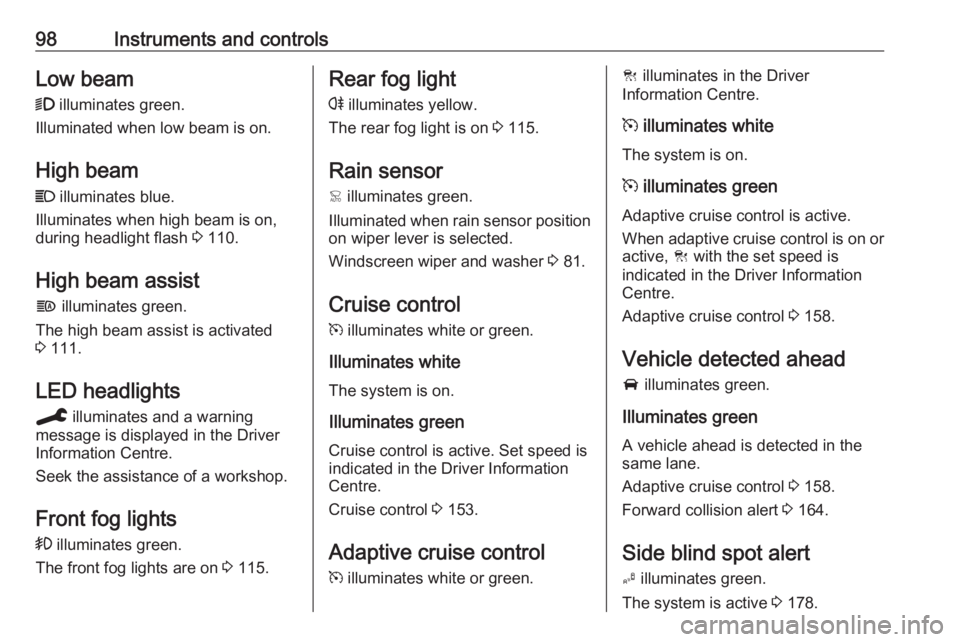
98Instruments and controlsLow beam9 illuminates green.
Illuminated when low beam is on.
High beam
C illuminates blue.
Illuminates when high beam is on,
during headlight flash 3 110.
High beam assist
f illuminates green.
The high beam assist is activated
3 111.
LED headlights
C illuminates and a warning
message is displayed in the Driver
Information Centre.
Seek the assistance of a workshop.
Front fog lights
> illuminates green.
The front fog lights are on 3 115.Rear fog light
r illuminates yellow.
The rear fog light is on 3 115.
Rain sensor < illuminates green.
Illuminated when rain sensor position on wiper lever is selected.
Windscreen wiper and washer 3 81.
Cruise control m illuminates white or green.
Illuminates white The system is on.
Illuminates green
Cruise control is active. Set speed is
indicated in the Driver Information
Centre.
Cruise control 3 153.
Adaptive cruise control
m illuminates white or green.C illuminates in the Driver
Information Centre.
m illuminates white
The system is on.
m illuminates green
Adaptive cruise control is active.
When adaptive cruise control is on or active, C with the set speed is
indicated in the Driver Information
Centre.
Adaptive cruise control 3 158.
Vehicle detected ahead
A illuminates green.
Illuminates green
A vehicle ahead is detected in the
same lane.
Adaptive cruise control 3 158.
Forward collision alert 3 164.
Side blind spot alert B illuminates green.
The system is active 3 178.
Page 101 of 273
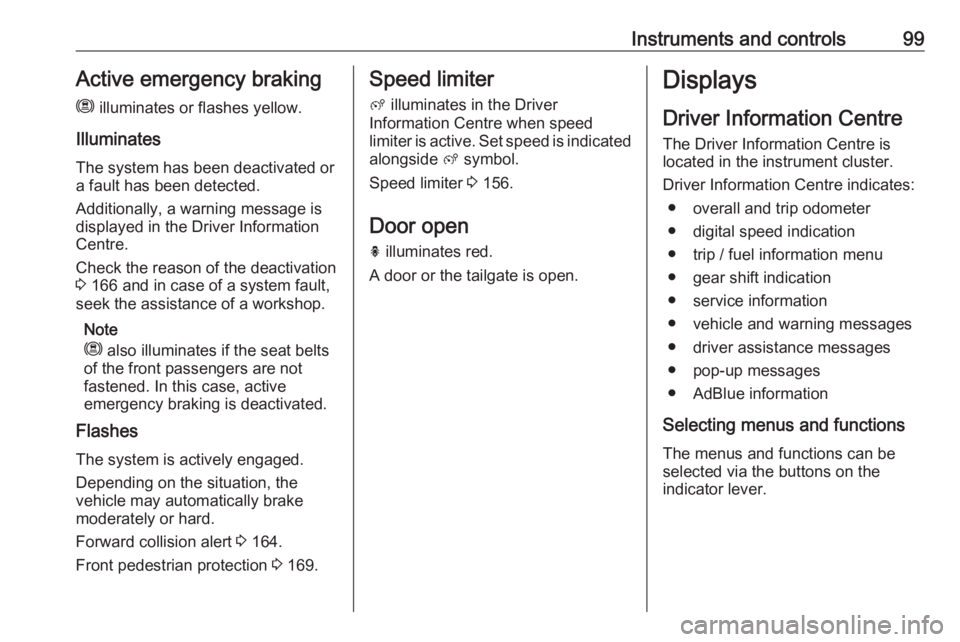
Instruments and controls99Active emergency braking
m illuminates or flashes yellow.
Illuminates
The system has been deactivated or
a fault has been detected.
Additionally, a warning message is
displayed in the Driver Information
Centre.
Check the reason of the deactivation
3 166 and in case of a system fault,
seek the assistance of a workshop.
Note
m also illuminates if the seat belts
of the front passengers are not
fastened. In this case, active
emergency braking is deactivated.
Flashes
The system is actively engaged. Depending on the situation, the
vehicle may automatically brake
moderately or hard.
Forward collision alert 3 164.
Front pedestrian protection 3 169.Speed limiter
ß illuminates in the Driver
Information Centre when speed
limiter is active. Set speed is indicated
alongside ß symbol.
Speed limiter 3 156.
Door open h illuminates red.
A door or the tailgate is open.Displays
Driver Information Centre The Driver Information Centre is
located in the instrument cluster.
Driver Information Centre indicates: ● overall and trip odometer
● digital speed indication
● trip / fuel information menu
● gear shift indication
● service information
● vehicle and warning messages
● driver assistance messages
● pop-up messages
● AdBlue information
Selecting menus and functions The menus and functions can be
selected via the buttons on the
indicator lever.