lights OPEL GRANDLAND X 2019.75 Manual user
[x] Cancel search | Manufacturer: OPEL, Model Year: 2019.75, Model line: GRANDLAND X, Model: OPEL GRANDLAND X 2019.75Pages: 273, PDF Size: 7.85 MB
Page 94 of 273
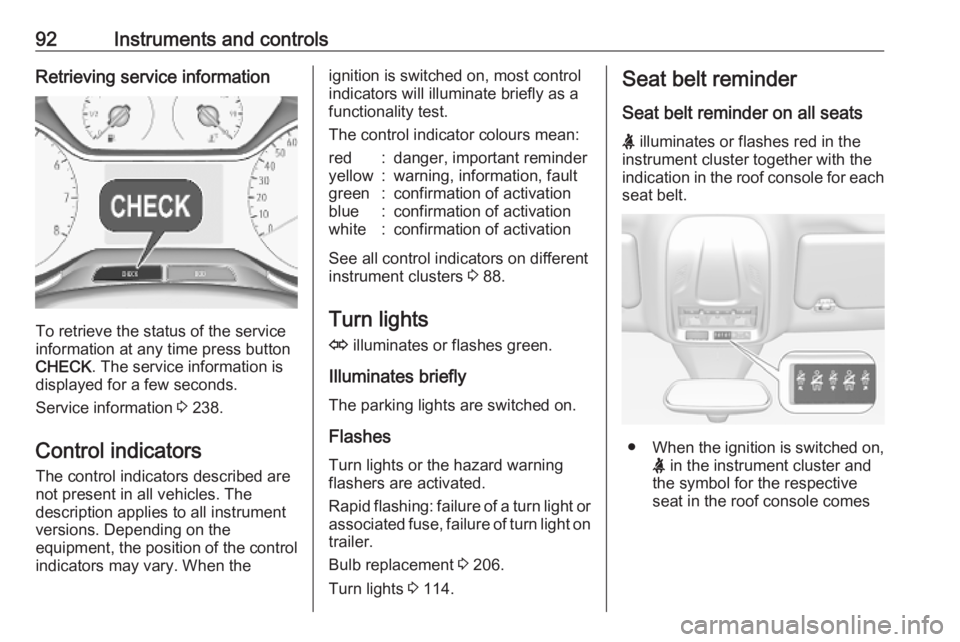
92Instruments and controlsRetrieving service information
To retrieve the status of the service
information at any time press button
CHECK . The service information is
displayed for a few seconds.
Service information 3 238.
Control indicators The control indicators described are
not present in all vehicles. The
description applies to all instrument
versions. Depending on the
equipment, the position of the control indicators may vary. When the
ignition is switched on, most controlindicators will illuminate briefly as afunctionality test.
The control indicator colours mean:red:danger, important reminderyellow:warning, information, faultgreen:confirmation of activationblue:confirmation of activationwhite:confirmation of activation
See all control indicators on different
instrument clusters 3 88.
Turn lights
O illuminates or flashes green.
Illuminates briefly The parking lights are switched on.
Flashes
Turn lights or the hazard warning
flashers are activated.
Rapid flashing: failure of a turn light or associated fuse, failure of turn light on
trailer.
Bulb replacement 3 206.
Turn lights 3 114.
Seat belt reminder
Seat belt reminder on all seats
X illuminates or flashes red in the
instrument cluster together with the
indication in the roof console for each
seat belt.
● When the ignition is switched on,
X in the instrument cluster and
the symbol for the respective
seat in the roof console comes
Page 99 of 273
Instruments and controls97AdBlue level is low. Refill AdBlue
soon to avoid prevention of the
engine start. Up to 10 l of AdBlue can
be added.
AdBlue 3 139.
Deflation detection system
w illuminates or flashes yellow.
Illuminates
Tyre pressure loss in one or more
wheels. Stop immediately and check
tyre pressure.
Flashes Fault in system. Consult a workshop.
Deflation detection system 3 219.
Engine oil pressure I illuminates red.
Illuminates when the ignition is
switched on and extinguishes shortly
after the engine starts.Illuminates when the engine is
runningCaution
Engine lubrication may be
interrupted. This may result in
damage to the engine and / or
locking of the drive wheels.
1. Select neutral gear.
2. Move out of the flow of traffic as quickly as possible without
impeding other vehicles.
3. Switch off ignition.
9 Warning
When the engine is off,
considerably more force is needed
to brake and steer. During an
Autostop the brake servo unit will still be operational.
Do not remove key until vehicle is stationary, otherwise the steering
wheel lock could engage
unexpectedly.
Keep engine turned off and let the
vehicle be towed to a workshop.
Low fuel o illuminates yellow.
Level in fuel tank is too low.
Refuelling 3 190.
Bleeding the diesel fuel system
3 205.
Autostop D illuminates or flashes green.
Illuminates green
Engine is in an Autostop.
Flashes green
Autostop is temporarily unavailable,
or Autostop mode is invoked
automatically.
Stop-start system 3 135.
Exterior light 8 illuminates green.
The exterior lights are on 3 109.
Page 100 of 273
98Instruments and controlsLow beam9 illuminates green.
Illuminated when low beam is on.
High beam
C illuminates blue.
Illuminates when high beam is on,
during headlight flash 3 110.
High beam assist
f illuminates green.
The high beam assist is activated
3 111.
LED headlights
C illuminates and a warning
message is displayed in the Driver
Information Centre.
Seek the assistance of a workshop.
Front fog lights
> illuminates green.
The front fog lights are on 3 115.Rear fog light
r illuminates yellow.
The rear fog light is on 3 115.
Rain sensor < illuminates green.
Illuminated when rain sensor position on wiper lever is selected.
Windscreen wiper and washer 3 81.
Cruise control m illuminates white or green.
Illuminates white The system is on.
Illuminates green
Cruise control is active. Set speed is
indicated in the Driver Information
Centre.
Cruise control 3 153.
Adaptive cruise control
m illuminates white or green.C illuminates in the Driver
Information Centre.
m illuminates white
The system is on.
m illuminates green
Adaptive cruise control is active.
When adaptive cruise control is on or active, C with the set speed is
indicated in the Driver Information
Centre.
Adaptive cruise control 3 158.
Vehicle detected ahead
A illuminates green.
Illuminates green
A vehicle ahead is detected in the
same lane.
Adaptive cruise control 3 158.
Forward collision alert 3 164.
Side blind spot alert B illuminates green.
The system is active 3 178.
Page 106 of 273
104Instruments and controls● the electronic key is not in thepassenger compartment
● the parking assist detects an object
● an unintended lane change occurs
● the exhaust filter has reached the
maximum filling level
If several warnings appear at the
same time, only one warning chime
will sound
When the vehicle is parked and /
or the driver's door is opened
● With exterior lights on.
During an Autostop ● If the driver's door is opened.
● If any condition for a restart of the
engine is not fulfilled.Vehicle personalisation
The vehicle's behaviour can be
personalised by changing the settings
in the Info Display.
Depending on vehicle equipment and country-specific regulations some of
the functions described below may
not be available.
Some functions are only displayed or
active when the engine is running.
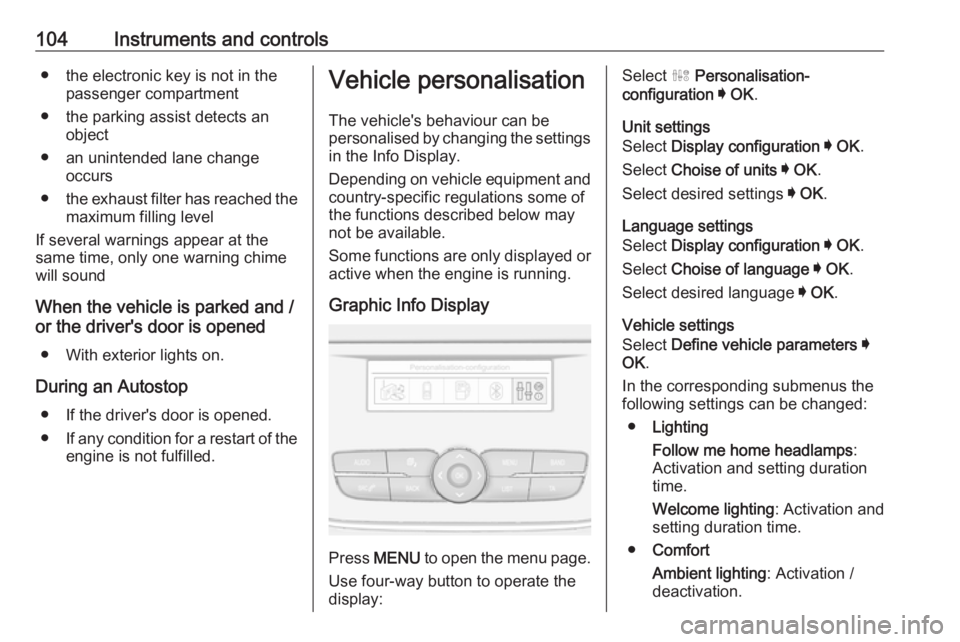
Graphic Info Display
Press MENU to open the menu page.
Use four-way button to operate the
display:
Select ˆ Personalisation-
configuration I OK .
Unit settings
Select Display configuration I OK .
Select Choise of units I OK .
Select desired settings I OK .
Language settings
Select Display configuration I OK .
Select Choise of language I OK .
Select desired language I OK .
Vehicle settings
Select Define vehicle parameters I
OK .
In the corresponding submenus the
following settings can be changed:
● Lighting
Follow me home headlamps :
Activation and setting duration
time.
Welcome lighting : Activation and
setting duration time.
● Comfort
Ambient lighting : Activation /
deactivation.
Page 111 of 273
Lighting109LightingExterior lighting.......................... 109
Light switch .............................. 109
Automatic light control .............110
High beam ............................... 110
Headlight flash ......................... 110
Headlight range adjustment ....110
Headlights when driving abroad .................................... 111
Daytime running lights .............111
LED headlights ........................ 111
Hazard warning flashers ..........114
Turn lights ................................ 114
Front fog lights ......................... 115
Rear fog light ........................... 115
Parking lights ........................... 116
Reversing lights .......................116
Misted light covers ...................116
Interior lighting ........................... 116
Instrument panel illumination control ..................................... 116
Interior lights ............................ 117
Reading lights .......................... 117
Sunvisor lights ......................... 117
Lighting features ........................118
Centre console lighting ............118Entry lighting ............................ 118
Exit lighting .............................. 118
Battery discharge protection ....118Exterior lighting
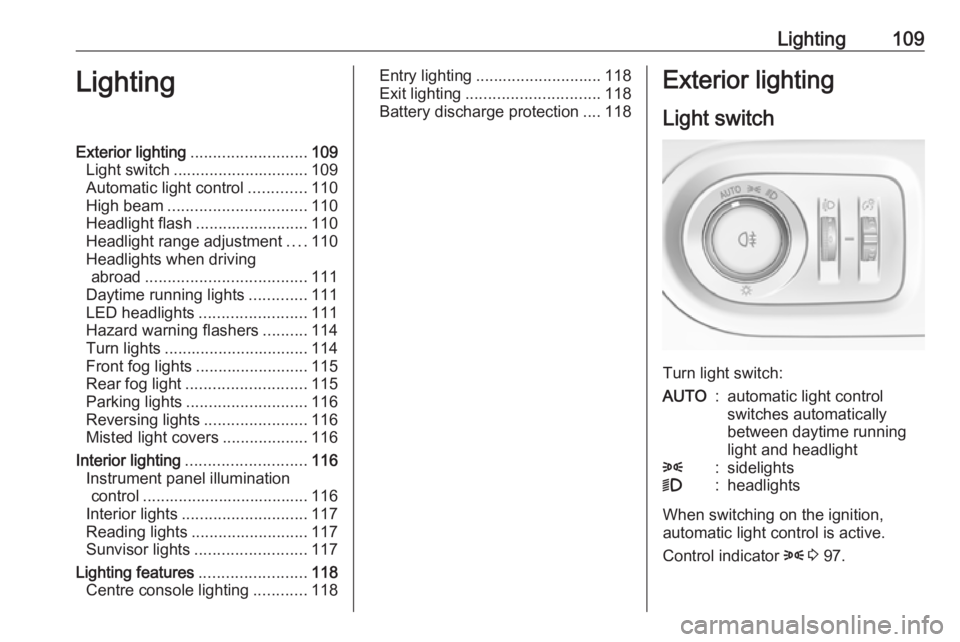
Light switch
Turn light switch:
AUTO:automatic light control
switches automatically
between daytime running
light and headlight8:sidelights9:headlights
When switching on the ignition,
automatic light control is active.
Control indicator 8 3 97.
Page 112 of 273
110LightingTail lightsTail lights are illuminated together
with low / high beam and sidelights.
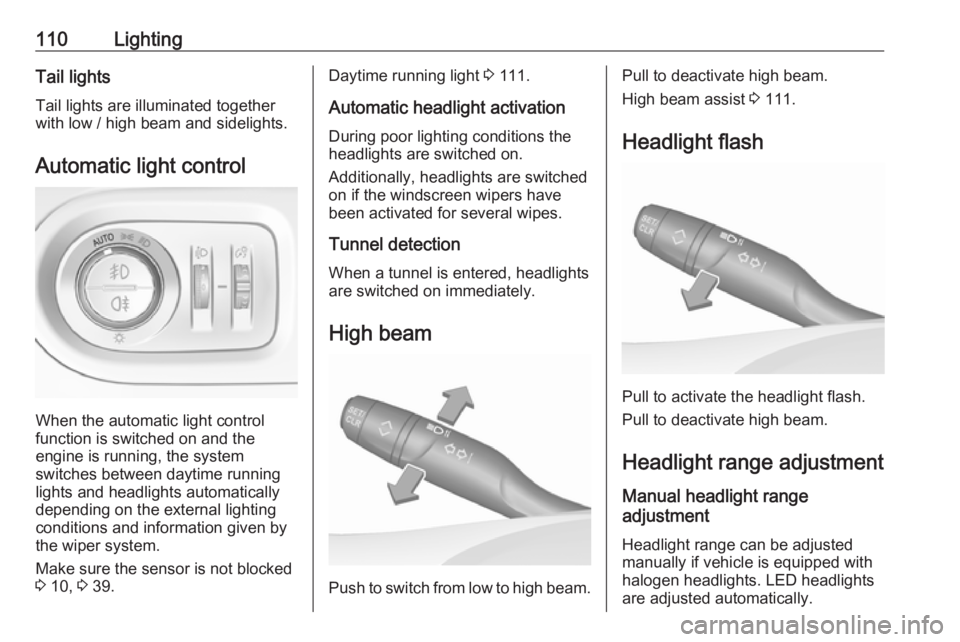
Automatic light control
When the automatic light control
function is switched on and the
engine is running, the system
switches between daytime running
lights and headlights automatically
depending on the external lighting
conditions and information given by
the wiper system.
Make sure the sensor is not blocked
3 10, 3 39.
Daytime running light 3 111.
Automatic headlight activation During poor lighting conditions the
headlights are switched on.
Additionally, headlights are switched
on if the windscreen wipers have
been activated for several wipes.
Tunnel detection
When a tunnel is entered, headlights
are switched on immediately.
High beam
Push to switch from low to high beam.
Pull to deactivate high beam.
High beam assist 3 111.
Headlight flash
Pull to activate the headlight flash.
Pull to deactivate high beam.
Headlight range adjustment
Manual headlight range
adjustment
Headlight range can be adjusted
manually if vehicle is equipped with
halogen headlights. LED headlights
are adjusted automatically.
Page 113 of 273
Lighting111
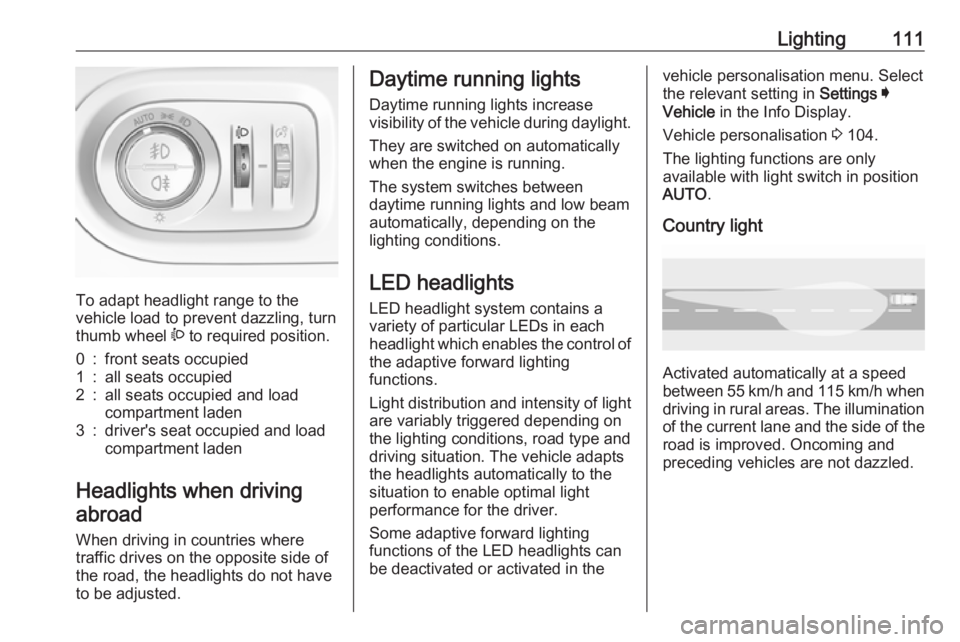
To adapt headlight range to the
vehicle load to prevent dazzling, turn
thumb wheel ? to required position.
0:front seats occupied1:all seats occupied2:all seats occupied and load
compartment laden3:driver's seat occupied and load
compartment laden
Headlights when driving
abroad
When driving in countries where
traffic drives on the opposite side of
the road, the headlights do not have
to be adjusted.
Daytime running lights
Daytime running lights increase
visibility of the vehicle during daylight.
They are switched on automatically
when the engine is running.
The system switches between
daytime running lights and low beam automatically, depending on the
lighting conditions.
LED headlights
LED headlight system contains a
variety of particular LEDs in each
headlight which enables the control of the adaptive forward lighting
functions.
Light distribution and intensity of light
are variably triggered depending on the lighting conditions, road type and
driving situation. The vehicle adapts
the headlights automatically to the
situation to enable optimal light
performance for the driver.
Some adaptive forward lighting
functions of the LED headlights can
be deactivated or activated in thevehicle personalisation menu. Select
the relevant setting in Settings I
Vehicle in the Info Display.
Vehicle personalisation 3 104.
The lighting functions are only
available with light switch in position
AUTO .
Country light
Activated automatically at a speed
between 55 km/h and 115 km/h when driving in rural areas. The illumination
of the current lane and the side of the road is improved. Oncoming and
preceding vehicles are not dazzled.
Page 114 of 273
112LightingMotorway light
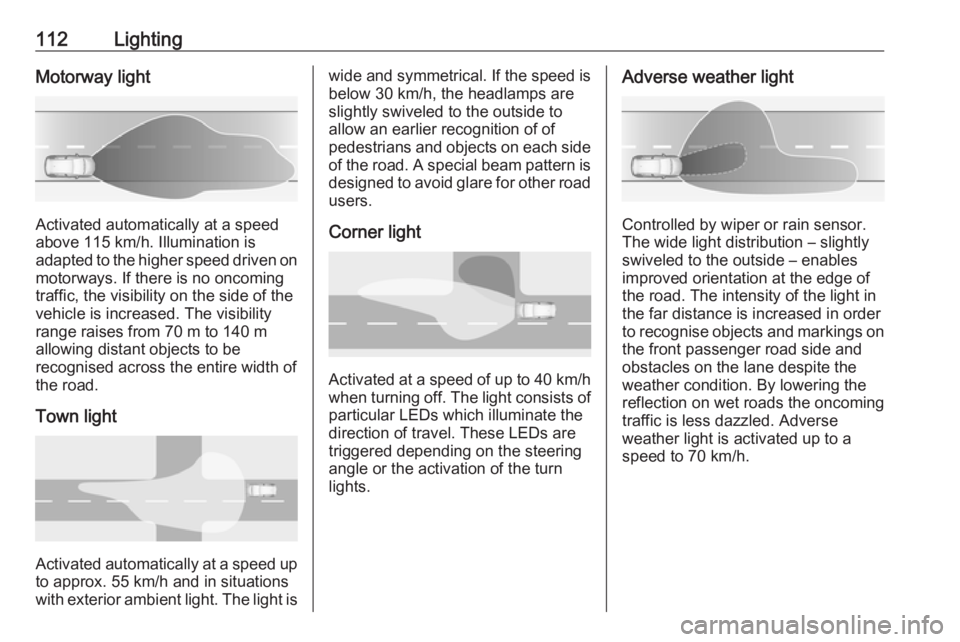
Activated automatically at a speed
above 115 km/h. Illumination is
adapted to the higher speed driven on
motorways. If there is no oncoming
traffic, the visibility on the side of the
vehicle is increased. The visibility
range raises from 70 m to 140 m
allowing distant objects to be
recognised across the entire width of
the road.
Town light
Activated automatically at a speed up to approx. 55 km/h and in situations
with exterior ambient light. The light is
wide and symmetrical. If the speed is
below 30 km/h, the headlamps are
slightly swiveled to the outside to
allow an earlier recognition of of
pedestrians and objects on each side
of the road. A special beam pattern is
designed to avoid glare for other road users.
Corner light
Activated at a speed of up to 40 km/h
when turning off. The light consists of particular LEDs which illuminate the
direction of travel. These LEDs are
triggered depending on the steering
angle or the activation of the turn
lights.
Adverse weather light
Controlled by wiper or rain sensor.
The wide light distribution – slightly
swiveled to the outside – enables
improved orientation at the edge of
the road. The intensity of the light in
the far distance is increased in order
to recognise objects and markings on
the front passenger road side and
obstacles on the lane despite the
weather condition. By lowering the
reflection on wet roads the oncoming
traffic is less dazzled. Adverse
weather light is activated up to a
speed to 70 km/h.
Page 115 of 273
Lighting113Curve light
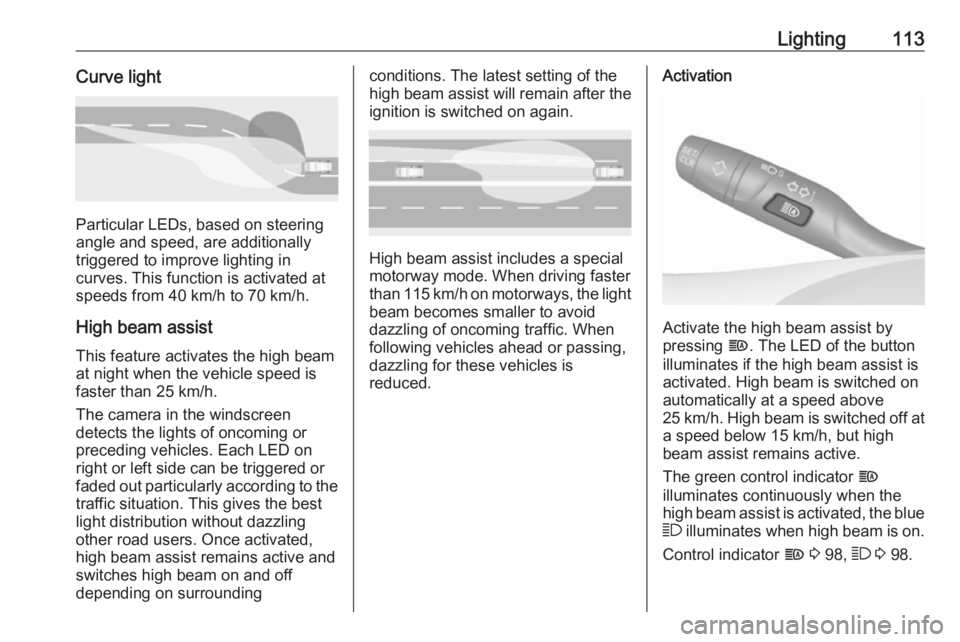
Particular LEDs, based on steering
angle and speed, are additionally
triggered to improve lighting in
curves. This function is activated at
speeds from 40 km/h to 70 km/h.
High beam assist This feature activates the high beam
at night when the vehicle speed is
faster than 25 km/h.
The camera in the windscreen
detects the lights of oncoming or
preceding vehicles. Each LED on
right or left side can be triggered or
faded out particularly according to the traffic situation. This gives the best
light distribution without dazzling
other road users. Once activated,
high beam assist remains active and
switches high beam on and off
depending on surrounding
conditions. The latest setting of the
high beam assist will remain after the ignition is switched on again.
High beam assist includes a special
motorway mode. When driving faster
than 115 km/h on motorways, the light
beam becomes smaller to avoid
dazzling of oncoming traffic. When
following vehicles ahead or passing,
dazzling for these vehicles is
reduced.
Activation
Activate the high beam assist by
pressing f. The LED of the button
illuminates if the high beam assist is
activated. High beam is switched on automatically at a speed above
25 km/h. High beam is switched off at a speed below 15 km/h, but high
beam assist remains active.
The green control indicator f
illuminates continuously when the
high beam assist is activated, the blue
7 illuminates when high beam is on.
Control indicator f 3 98, 7 3 98.
Page 116 of 273
114LightingPushing left indicator lever once
switches on manual high beam
without high beam assist.
High beam assist switches
automatically to low beam when:
● Driving in urban areas.
● Camera detects heavy fog.
● Front or rear fog lights are switched on.
If there are no restrictions detected,
the system switches back to high
beam.
Deactivation
Deactivate the high beam assist by pressing f.
If a headlight flash is activated when
the high beam assist is activated and
low beam is on, the high beam assist will be deactivated. The system
changes to high beam.
If a headlight flash is activated when
the high beam assist is activated and
high beam is on, the high beam assist will be deactivated. The system
changes to low beam.
To reactivate the high beam assist,
flash the headlights again.Fault in LED headlight system
When the system detects a failure in
the LED headlight system, it selects a preset position to avoid dazzling of
oncoming traffic. A warning is
displayed in the Driver Information
Centre.
Hazard warning flashers
Operated by pressing ¨.
When braking in an emergency, the
hazard warning flashers are switched
on automatically depending on the
force of deceleration. They are
switched off automatically the first
time you accelerate.
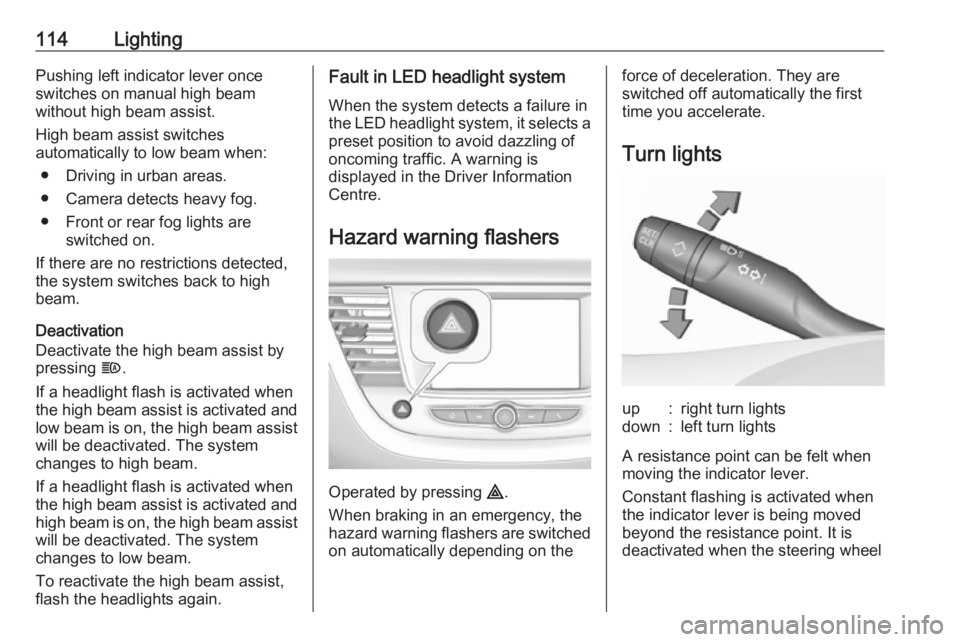
Turn lightsup:right turn lightsdown:left turn lights
A resistance point can be felt when
moving the indicator lever.
Constant flashing is activated when
the indicator lever is being moved
beyond the resistance point. It is
deactivated when the steering wheel