battery OPEL GRANDLAND X 2020 Manual user
[x] Cancel search | Manufacturer: OPEL, Model Year: 2020, Model line: GRANDLAND X, Model: OPEL GRANDLAND X 2020Pages: 283, PDF Size: 22.19 MB
Page 97 of 283
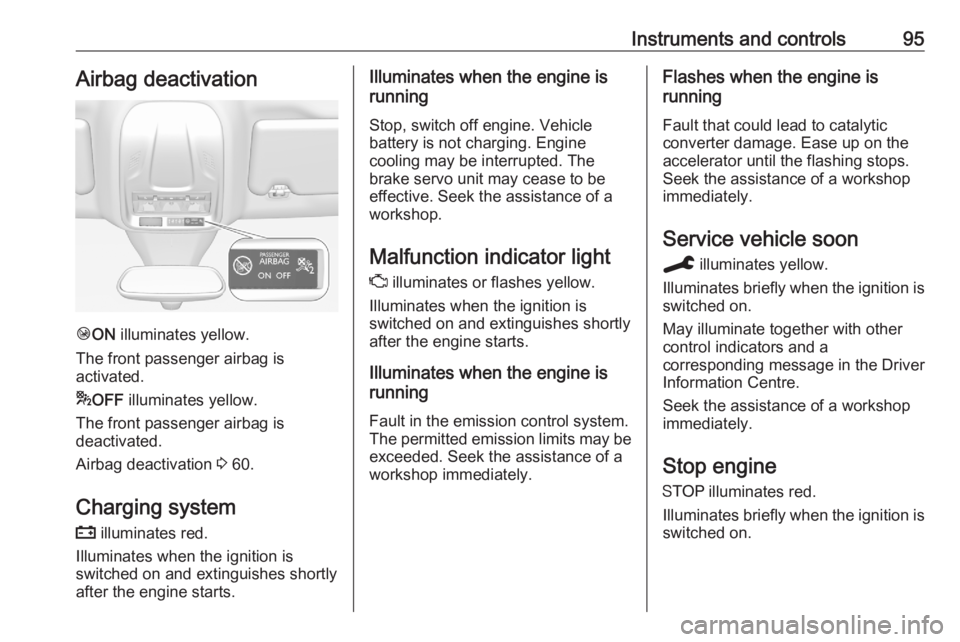
Instruments and controls95Airbag deactivation
ÓON illuminates yellow.
The front passenger airbag is
activated.
* OFF illuminates yellow.
The front passenger airbag is
deactivated.
Airbag deactivation 3 60.
Charging system
p illuminates red.
Illuminates when the ignition is
switched on and extinguishes shortly
after the engine starts.
Illuminates when the engine is
running
Stop, switch off engine. Vehicle
battery is not charging. Engine
cooling may be interrupted. The
brake servo unit may cease to be
effective. Seek the assistance of a
workshop.
Malfunction indicator light
Z illuminates or flashes yellow.
Illuminates when the ignition is
switched on and extinguishes shortly
after the engine starts.
Illuminates when the engine is
running
Fault in the emission control system.The permitted emission limits may be
exceeded. Seek the assistance of a
workshop immediately.Flashes when the engine is
running
Fault that could lead to catalytic
converter damage. Ease up on the
accelerator until the flashing stops.
Seek the assistance of a workshop
immediately.
Service vehicle soon
C illuminates yellow.
Illuminates briefly when the ignition is
switched on.
May illuminate together with other
control indicators and a
corresponding message in the Driver
Information Centre.
Seek the assistance of a workshop
immediately.
Stop engine
Y illuminates red.
Illuminates briefly when the ignition is switched on.
Page 105 of 283
Instruments and controls103Display of average consumption. The
measurement can be reset at any
time and starts with a default value.
Distance travelled
Displays the current distance for trip
1 since the reset.
The values of trip 1 page can be reset by pressing SET / CLR for a few
seconds.
Trip 2 page:
Average speed
Display of average speed. The
measurement can be reset at any
time.
Average fuel consumption
Display of average consumption. The
measurement can be reset at any
time and starts with a default value.
Distance travelled
Displays the current distance for trip
2 since a certain reset.
The values of trip 2 page can be reset by pressing SET / CLR for a few
seconds.Digital speed page
Digital display of the instantaneous
speed.
Autostop time counter
A time counter calculates the time
spent in Autostop during a journey. It
resets to zero every time the ignition
is switched on.
Compass page
Displays the geographic direction of
driving.
Blank page
No trip / fuel information is displayed.
AdBlue Press CHECK repeatedly until the
AdBlue menu is shown.
AdBlue range
Indicates an estimate of the AdBlue
level. A message indicates whether the level is sufficient or low.
3 143.Powerflow
Displays the current powerflow in the
hybrid system, e.g., when the vehicle
is operating in electric mode or when
energy is regenerated.
Range autonomy Displays the selected drive mode, the range of the high voltage battery and
the combined range, i.e., the range of
the high voltage battery and the fuel
tank.
Info Display The Info Display is located in the
instrument panel near the instrument
cluster.
Depending on the vehicle
configuration the vehicle has a
● Graphic Info Display
or
● 7'' Colour Info Display with
touchscreen functionality
or
● 8'' Colour Info Display with
touchscreen functionality
Page 108 of 283
106Instruments and controlstime step, the average consumption
is displayed. The time steps can be
modified.
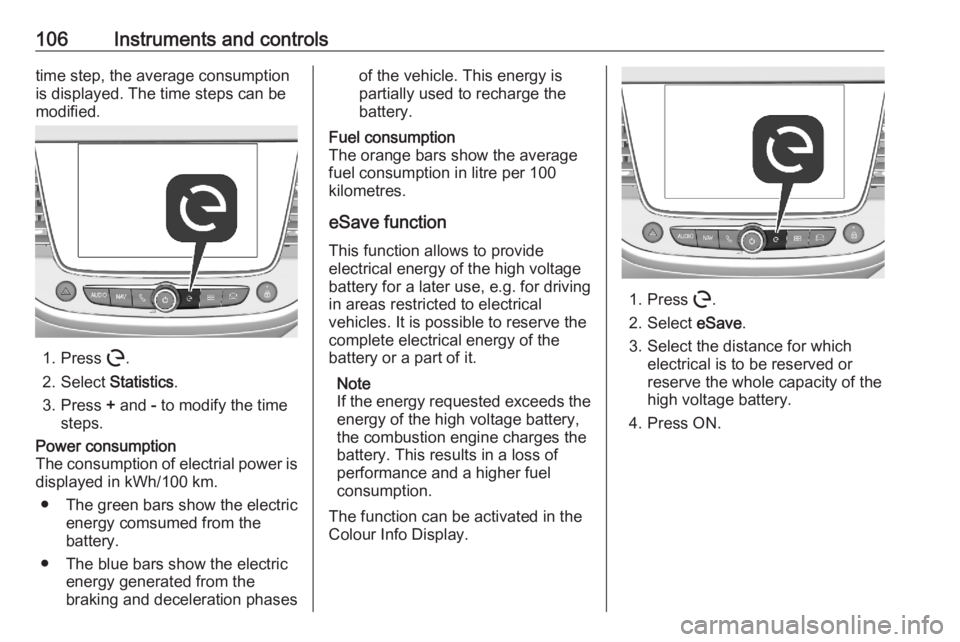
1. Press m.
2. Select Statistics.
3. Press + and - to modify the time
steps.
Power consumption
The consumption of electrial power is displayed in kWh/100 km.
● The green bars show the electric
energy comsumed from the
battery.
● The blue bars show the electric energy generated from the
braking and deceleration phasesof the vehicle. This energy is
partially used to recharge the
battery.Fuel consumption
The orange bars show the average fuel consumption in litre per 100
kilometres.
eSave function
This function allows to provide
electrical energy of the high voltage
battery for a later use, e.g. for driving
in areas restricted to electrical
vehicles. It is possible to reserve the
complete electrical energy of the
battery or a part of it.
Note
If the energy requested exceeds the energy of the high voltage battery,
the combustion engine charges the
battery. This results in a loss of
performance and a higher fuel
consumption.
The function can be activated in the
Colour Info Display.
1. Press m.
2. Select eSave.
3. Select the distance for which electrical is to be reserved or
reserve the whole capacity of the
high voltage battery.
4. Press ON.
Page 114 of 283
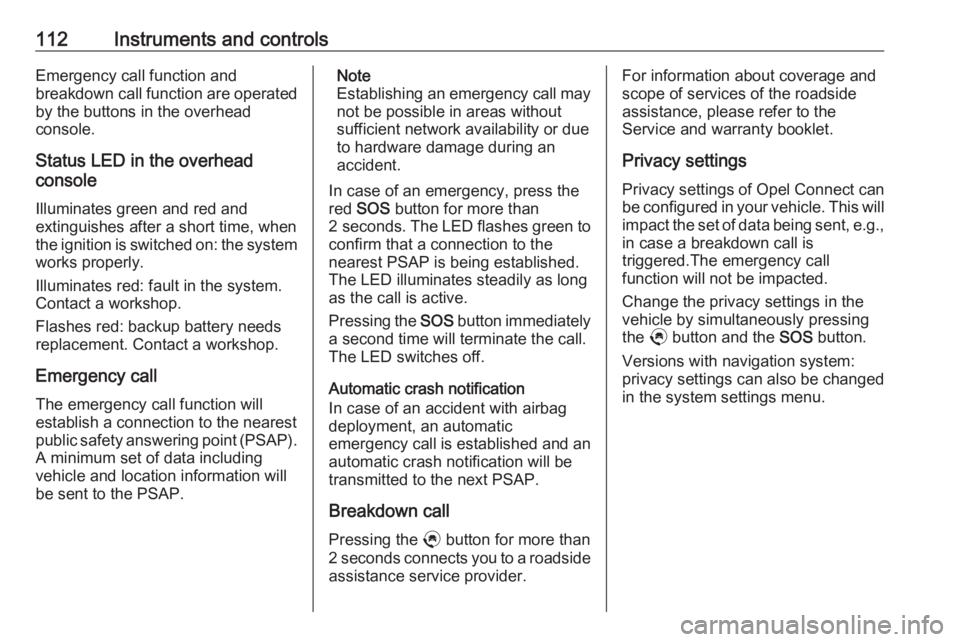
112Instruments and controlsEmergency call function and
breakdown call function are operated
by the buttons in the overhead
console.
Status LED in the overhead
console
Illuminates green and red and
extinguishes after a short time, when
the ignition is switched on: the system
works properly.
Illuminates red: fault in the system.
Contact a workshop.
Flashes red: backup battery needs
replacement. Contact a workshop.
Emergency call The emergency call function will
establish a connection to the nearest
public safety answering point (PSAP).
A minimum set of data including
vehicle and location information will
be sent to the PSAP.Note
Establishing an emergency call may not be possible in areas without
sufficient network availability or due
to hardware damage during an
accident.
In case of an emergency, press the
red SOS button for more than
2 seconds . The LED flashes green to
confirm that a connection to the
nearest PSAP is being established.
The LED illuminates steadily as long
as the call is active.
Pressing the SOS button immediately
a second time will terminate the call.
The LED switches off.
Automatic crash notification
In case of an accident with airbag
deployment, an automatic
emergency call is established and an automatic crash notification will be
transmitted to the next PSAP.
Breakdown call
Pressing the . button for more than
2 seconds connects you to a roadside assistance service provider.For information about coverage and
scope of services of the roadside
assistance, please refer to the
Service and warranty booklet.
Privacy settings
Privacy settings of Opel Connect can
be configured in your vehicle. This will
impact the set of data being sent, e.g.,
in case a breakdown call is
triggered.The emergency call
function will not be impacted.
Change the privacy settings in the
vehicle by simultaneously pressing
the . button and the SOS button.
Versions with navigation system:
privacy settings can also be changed
in the system settings menu.
Page 115 of 283
Lighting113LightingExterior lighting.......................... 113
Light switch .............................. 113
Automatic light control .............114
High beam ............................... 114
Headlight flash ......................... 114
Headlight range adjustment ....115
Headlights when driving abroad .................................... 115
Daytime running lights .............115
LED headlights ........................ 115
Hazard warning flashers ..........118
Turn lights ................................ 118
Front fog lights ......................... 119
Rear fog light ........................... 119
Parking lights ........................... 120
Reversing lights .......................120
Misted light covers ...................120
Interior lighting ........................... 120
Instrument panel illumination control ..................................... 120
Interior lights ............................ 121
Reading lights .......................... 121
Sunvisor lights ......................... 121
Lighting features ........................122
Centre console lighting ............122Entry lighting ............................ 122
Exit lighting .............................. 122
Battery discharge protection ....122Exterior lighting
Light switch
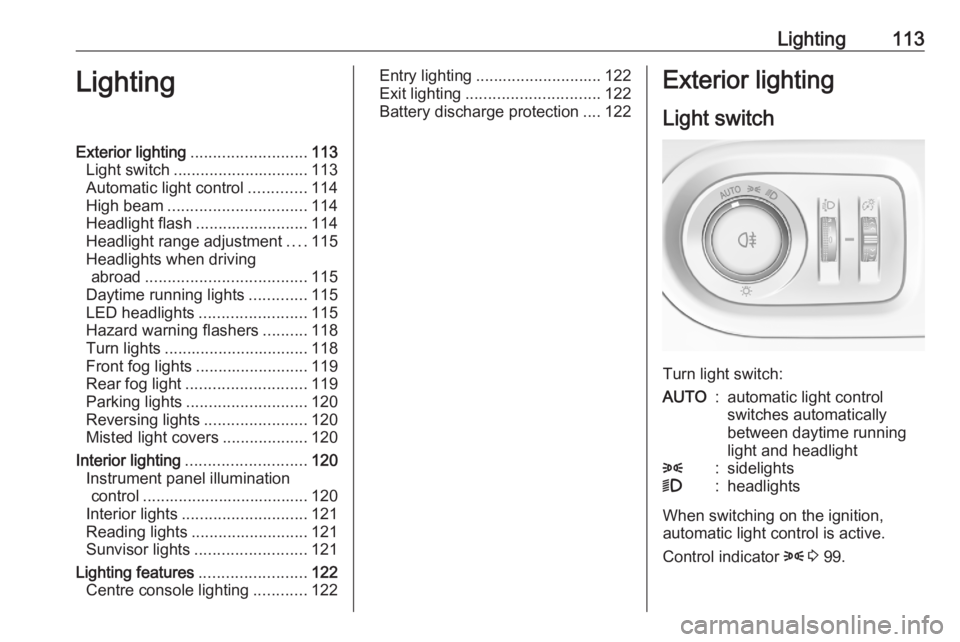
Turn light switch:
AUTO:automatic light control
switches automatically
between daytime running
light and headlight8:sidelights9:headlights
When switching on the ignition,
automatic light control is active.
Control indicator 8 3 99.
Page 124 of 283

122LightingLighting featuresCentre console lighting A spotlight integrated in the overheadconsole illuminates the centre
console when headlights are
switched on.
Entry lighting
Welcome lighting Some or all of the following lights are
switched on for a short time by
unlocking the vehicle with the radio
remote control:
● headlights
● puddle lights
● interior lights
The number of activated lights
depends on the surrounding light
conditions.
The lighting switches off immediately
when the ignition is switched on.
Starting off 3 18.This function can be activated or
deactivated in the vehicle
personalisation.
Vehicle personalisation 3 108.
The following lights will additionally
switch on when the driver's door is
opened:
● illumination of some switches
● Driver Information Centre
● door pocket lights
Exit lighting The following lights are switched on
when the ignition is switched off:
● headlights
● interior lights
● centre console lighting
They will switch off automatically after
a delay. This function works only in
the dark.
Battery discharge protection
To prevent discharge of the vehicle
battery when the ignition is switched
off, some interior lights are switched
off automatically after some time.
Page 133 of 283

Climate control131Note
If à is pressed while the engine is
running, an Autostop will be inhibited
until à is pressed again.
If à is pressed while the engine is in
an Autostop, the engine will restart
automatically.
Stop-start system 3 139.
Deactivation of electronic climate control system
Cooling, fan and automatic mode can
be switched off by turning the rotary
ring around the AUTO button
anticlockwise.
Activation by switching on the fan or
pressing AUTO.
Heated rear window, windscreen and exterior mirrors b 3 41.
Heated seats ß 3 51.Auxiliary heater
Air heater
Quickheat is an electric auxiliary air
heater which automatically warms up
the passenger compartment more
quickly.
Parking heater
The parking heater allows to heat the vehicle's interior and to ventilate the
vehicle's interior with ambient air.
The operating status of the parking
heater is shown by an indicator with a LED.
● LED illuminates: A timer has been set.
● LED flashes: The system is operating.
The LED is extinguished at the end of
the heating operation or when the
parking heater is stopped using the
remote control.
The parking heater can be
programmed using the Graphic Info
Display / Colour Info Display.
Additionally, the parking heater can
be switched on and off using a remote control.
Note
The programmed heating /
ventilation is only activated if the
ignition is off and the vehicle is
locked.
If the charging level of the high
voltage battery is below 50%, the
programmed heating / ventilation is
not activated.
If a recurrent heating / ventilation is
programmed and two heating /
ventilation procedures are carried
out without operating the vehicle, the
programmation is deactivated.
Page 139 of 283
Driving and operating1379Warning
If the vehicle battery is discharged,
the vehicle must not be towed,
tow-started or jump-started as the
steering wheel lock cannot be
disengaged.
Operation on vehicles with
electronic key system in case of
failure
If either the electronic key fails or the
battery of the electronic key is weak,
a message may be displayed in the
Driver Information Centre.
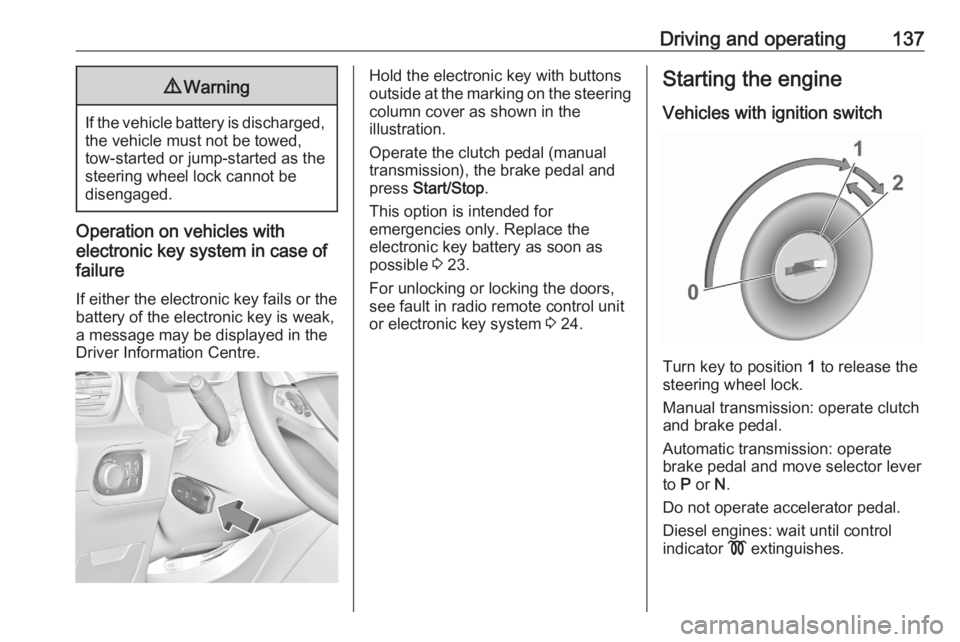
Hold the electronic key with buttons
outside at the marking on the steering column cover as shown in the
illustration.
Operate the clutch pedal (manual
transmission), the brake pedal and
press Start/Stop .
This option is intended for
emergencies only. Replace the
electronic key battery as soon as
possible 3 23.
For unlocking or locking the doors,
see fault in radio remote control unit
or electronic key system 3 24.Starting the engine
Vehicles with ignition switch
Turn key to position 1 to release the
steering wheel lock.
Manual transmission: operate clutch
and brake pedal.
Automatic transmission: operate
brake pedal and move selector lever
to P or N.
Do not operate accelerator pedal.
Diesel engines: wait until control
indicator ! extinguishes.
Page 141 of 283
Driving and operating139Starting the vehicle at lowtemperatures
Starting the engine without additional
heaters is possible down to -25 °С for diesel engines and -30 °C for petrol
engines. Required is an engine oil
with the correct viscosity, the correct fuel, performed services and a
sufficiently charged vehicle battery.
With temperatures below -30 °C the
automatic transmission requires a
warming phase of approx. 5 minutes.
The selector lever must be in position
P .
Turbo engine warm-up
Upon start-up, engine available
torque may be limited for a short time, especially when the engine
temperature is cold. The limitation is
to allow the lubrication system to fully
protect the engine.
Overrun cut-off
The fuel supply is automatically cut off
during overrun, i.e. when the vehicle
is driven with a gear engaged but accelerator pedal is released.Depending on driving conditions, the
overrun cut-off may be deactivated.
Stop-start system
The stop-start system helps to save
fuel and to reduce the exhaust
emissions. When conditions allow, it
switches off the engine as soon as the
vehicle is at a low speed or at a
standstill, e.g. at a traffic light or in a
traffic jam.
Activation The stop-start system is available as
soon as the engine is started, the
vehicle starts-off and the conditions
as stated below in this section are
fulfilled.
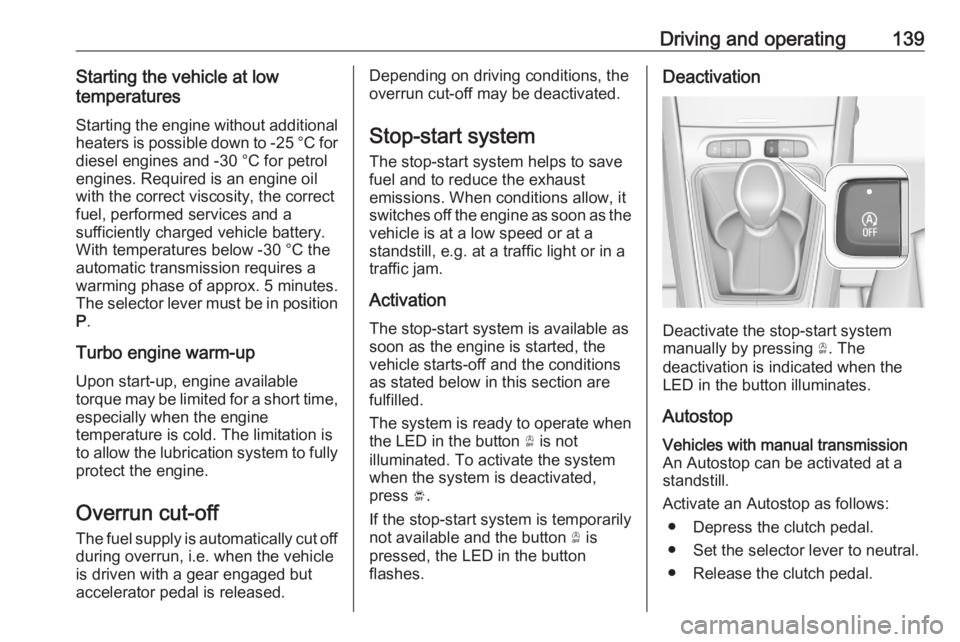
The system is ready to operate when
the LED in the button Ò is not
illuminated. To activate the system
when the system is deactivated,
press Ó.
If the stop-start system is temporarily
not available and the button Ò is
pressed, the LED in the button
flashes.Deactivation
Deactivate the stop-start system
manually by pressing Ò. The
deactivation is indicated when the
LED in the button illuminates.
Autostop
Vehicles with manual transmission
An Autostop can be activated at a
standstill.
Activate an Autostop as follows: ● Depress the clutch pedal.
● Set the selector lever to neutral.
● Release the clutch pedal.
Page 142 of 283
140Driving and operatingThe engine will be switched off while
the ignition stays on.Vehicles with automatic transmission If the vehicle is at a standstill with
depressed brake pedal, Autostop is
activated automatically.
The engine will be switched off while
the ignition stays on.
The stop-start system will be disabled
on inclines of 12% or more.
Indication
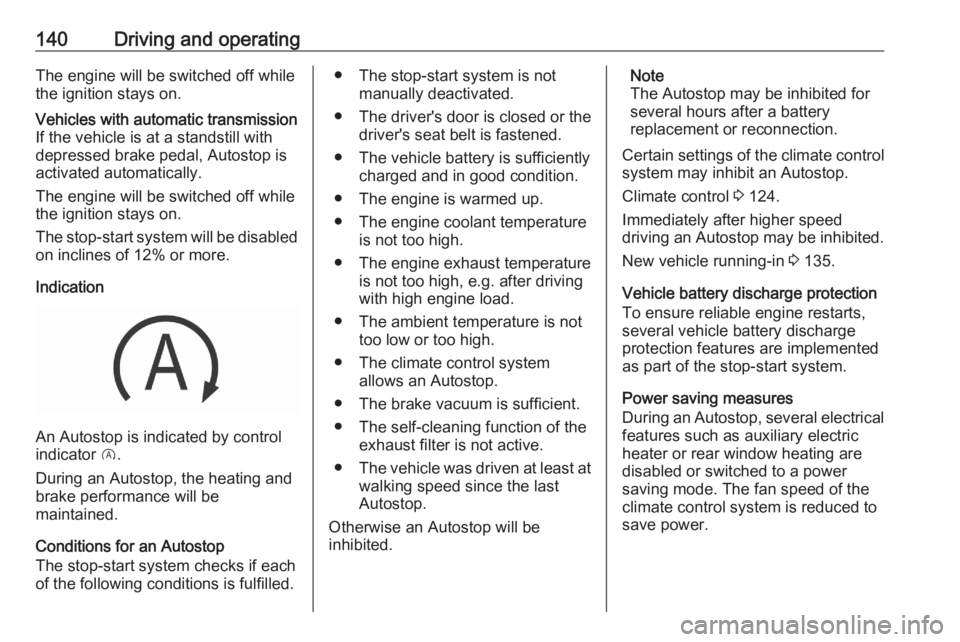
An Autostop is indicated by control
indicator D.
During an Autostop, the heating and
brake performance will be
maintained.
Conditions for an Autostop
The stop-start system checks if each
of the following conditions is fulfilled.
● The stop-start system is not manually deactivated.
● The driver's door is closed or the driver's seat belt is fastened.
● The vehicle battery is sufficiently charged and in good condition.
● The engine is warmed up.
● The engine coolant temperature is not too high.
● The engine exhaust temperature is not too high, e.g. after driving
with high engine load.
● The ambient temperature is not too low or too high.
● The climate control system allows an Autostop.
● The brake vacuum is sufficient.
● The self-cleaning function of the exhaust filter is not active.
● The vehicle was driven at least at
walking speed since the last
Autostop.
Otherwise an Autostop will be
inhibited.Note
The Autostop may be inhibited for
several hours after a battery
replacement or reconnection.
Certain settings of the climate control
system may inhibit an Autostop.
Climate control 3 124.
Immediately after higher speed
driving an Autostop may be inhibited.
New vehicle running-in 3 135.
Vehicle battery discharge protection
To ensure reliable engine restarts,
several vehicle battery discharge
protection features are implemented
as part of the stop-start system.
Power saving measures
During an Autostop, several electrical
features such as auxiliary electric
heater or rear window heating are
disabled or switched to a power
saving mode. The fan speed of the
climate control system is reduced to
save power.