warning OPEL GT 2011 Owner's Manual
[x] Cancel search | Manufacturer: OPEL, Model Year: 2011, Model line: GT, Model: OPEL GT 2011Pages: 190, PDF Size: 2.46 MB
Page 61 of 190
61Instru men ts, c ontrols
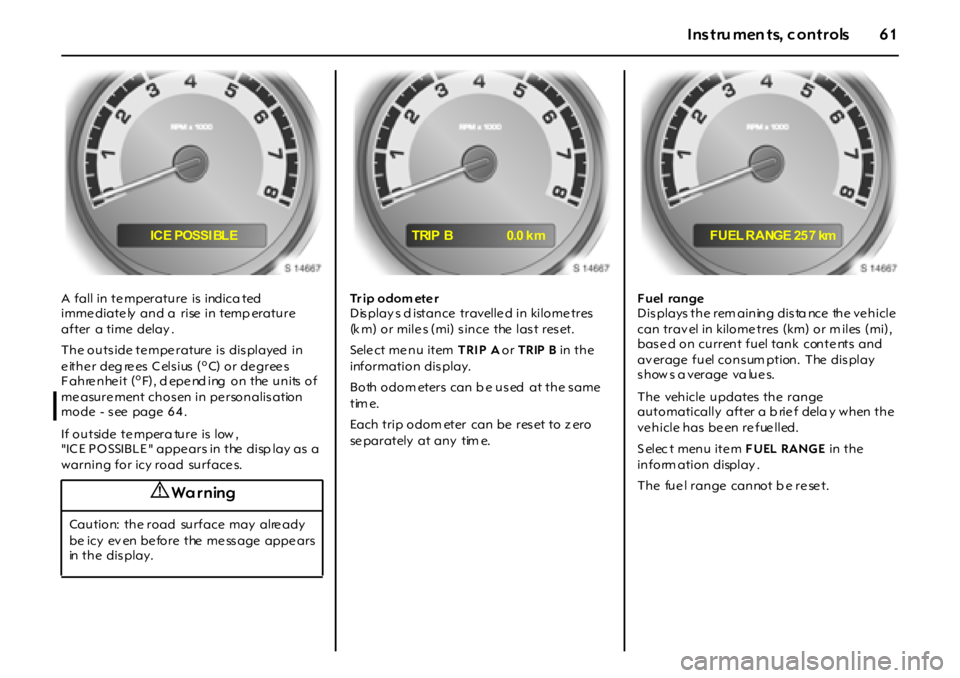
A fall in te mperature is indica ted
imme diate ly and a rise in temp erature
after a time delay .
The outs ide te mpe rature is dis played in
either deg rees Celsius (
oC) o r de gree s
Fahrenheit (oF), d epe nd ing on the units of
me asure ment chos en in pe rsonalis ation
mode - s ee page 6 4 .
If outside te mpera ture is low ,
"IC E PO SSIBL E " appe ars in the disp lay as a
warning for icy road surface s. Tr ip odom eter
Dis play s d istance travelle d in kilome tres
(k m) or mile s (mi) s ince the las t res et.
Sele ct me nu item TRI P A or TRIP B in the
information dis play.
B o th o do m et er s ca n b e u s ed a t t h e s a m e
tim e.
Each trip odom eter can be reset to z ero
se parately at any tim e.Fuel range
Dis plays the rem aining dis ta nce the ve hicle
can trav el in kilome tres (km) or m iles (mi),
based on current fuel tank contents and
av erage fuel cons um ption. The dis play
s how s a verage va lue s.
The vehicle updates the range
automatically after a b rie f dela y when the
vehicle has been refuelled.
S elec t menu ite m FUEL RANGE in the
inform ation display .
T h e fu e l r a n g e ca n no t b e r e se t .
9 Wa r ning
Caution: the road surface may alre ady
be icy ev en be fore the me ss age appe ars
in t h e d i s p l a y .
IC E POSSI BL ETRIP B 0.0 k m F U EL R A NGE 25 7 km
Page 62 of 190
62 In struments, controls
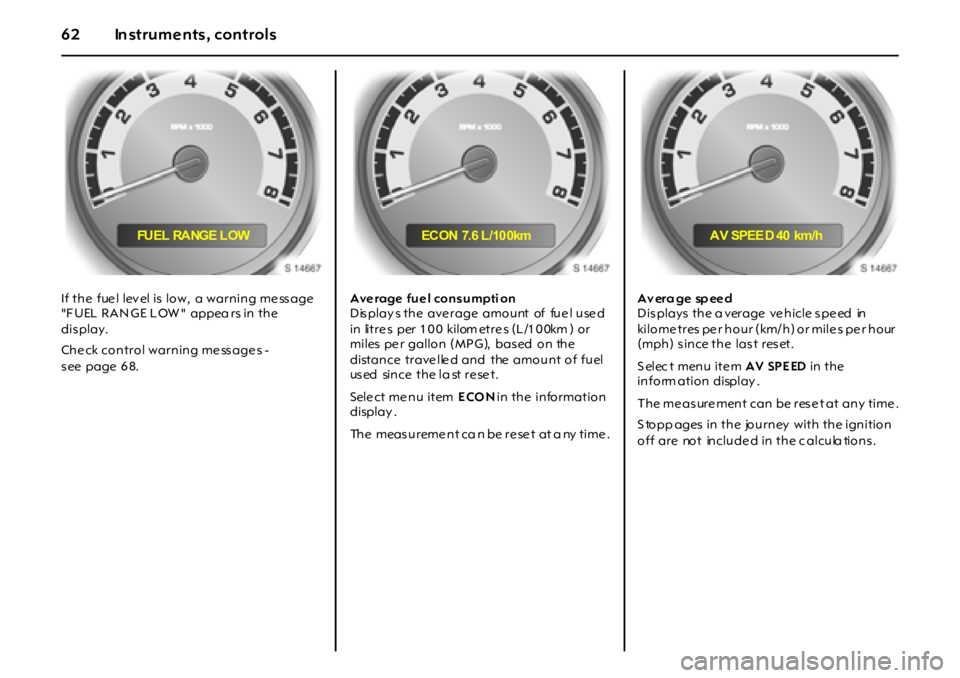
If the fue l lev el is low, a warning me ss age
"F UEL RAN GE L OW " appea rs in the
dis play.
Che ck control warning me ss age s -
s ee page 6 8.Average fuel consumpti on
Displays the average amount of fuel used
in litres per 100 kilom etres (L/100km ) or
miles pe r gallon (MPG), bas ed on the
distance trave lle d and the amount of fuel
us ed si n c e t h e l a st r e se t .
Sele ct me nu item ECON in the information
display .
The measureme nt ca n be re se t at a ny time .A v er a g e sp ee d
D i s p l a ys t h e a ver a g e ve h i cl e s p e ed in
kilometres per hour (km/h) or miles per hour
(mph) since the last reset.
S elec t menu ite m AV SPE ED in the
inform ation display .
The me as ure ment can be res e t at any time .
S topp ages in the journey with the ignition
off are not include d in the c alcula tions .
FU E L RA NG E L O W EC ON 7.6 L /10 0km AV SPEE D 40 km/h
Page 66 of 190
66 In struments, controls
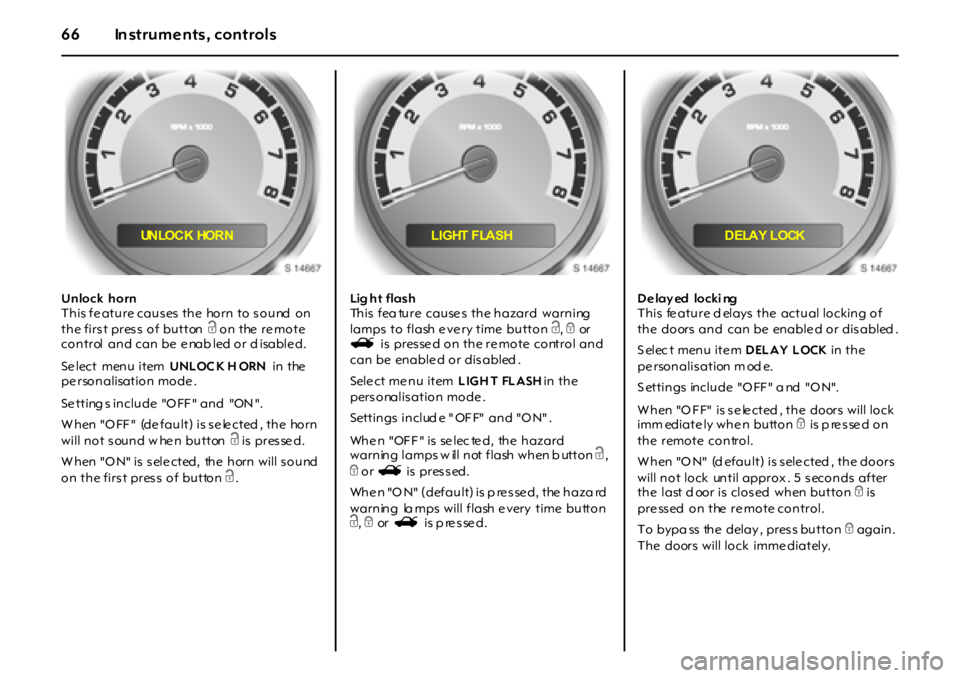
Unlock horn
T h i s f e a t u r e ca u s es t h e ho r n t o s o u nd o n
the first press of button c on the re mote
control and can be e nab led or d isable d.
Se lect menu item UNLOC K H ORN in the
pe rsonalisation mode .
Se tting s in clu de "O FF " an d "ON ".
W h en "O FF " (de f a u l t ) i s s e le ct ed , t h e ho r n
will not sound w hen button c is pres se d.
W hen "O N" is s ele cted, the horn will s ound
on the first press of button c.Lig h t f la s h
This fea ture causes the hazard warning
lamps to flash e ve ry time button c, e or
s i s p r es se d o n t h e r e m o t e co nt r o l a n d
can be enable d or dis abled .
Sele ct me nu item LIGH T FLASH in the
pers onalis ation mode .
Settings include "OFF" and "ON".
When "OFF" is selected, the hazard
warning lamps w ill not flash when b utton c,
e or s is pressed.
When "ON" (default) is p ressed, the haza rd
warning la mps will flash e very time button
c, e or s is p re s se d.D e lay ed locki ng
This fe ature d elays the actual locking of
the doors and can be enable d or dis abled .
S elec t menu ite m DELAY LOCK in the
pe rsonalis ation m od e.
S ettin gs in clu de "O FF " a nd "O N".
W h en "O F F" i s s e le ct ed , t h e do or s w i l l l o ck
imm ediately when button e is p re s se d on
the remote control.
W h en "O N" (d ef a u l t ) i s s el e ct ed , t h e do o r s
will not lock until approx . 5 s econds after
t h e l a st d oo r i s cl o s ed w h en bu t t o n e is
pressed on the remote control.
To bypa ss the delay , pres s button e again.
The doors will lock imme diately.
UN LO C K HO R N LIGHT FLASH DELAY LOCK
Page 68 of 190
68 In struments, controls
The p ers onalis ation mode ends after
mak ing your language selection and the
display g oes back to the previously
dis playe d me nu ite m in the informa tion
dis play - se e page 60 .
Alternative ly, pre ss and hold buttons S
and T at the sam e time to e xit the
pe rsonalisation mode .
Re mote control - s ee page 2 2,
Ce ntral locking - s ee page 2 4 ,
Dela yed locking - s ee page 2 4,
Autom atic locking - s e e pa ge 2 5 ,
Autom atic unlock ing - s ee page 2 5.Che ck co ntro l w ar ni ng me ss ag e s
Check control monitors s e veral fluid le vels ,
the remote control batte ry , the e ng ine , the
fue l fille r cap and the s tatus of se veral
vehicle features including cruise control,
tra ction control, the Ele ctronic S tability
Program (ESP) and the airbag sy ste ms.
"ES C" ap pears in some warning mes s ages .
Elec tronic S tability C ontrol (ES C) is a
component part of the Ele ctronic S tability
Program (ESP), im proving driving s tability.
Warning me s sage s appe ar in the driv er
information ce ntre and a chime may s ound
w h en th e m es sa g e i s di s p l a ye d. If t he r e a r e
se veral warning mes s ages , the y are
display ed one after the other.
Some of the warning me ss age s ap pear on
the dis play in a bbrevia te d form.
Exa mples of warning me ss ages are shown
on the following pages .
Ac know le dge warning me ss age s as
des cribed on page 60 . The me ss age s will
clear from the display when the condition
no longe r ex ists .
Una cknowledge d warning me s sage s will
be re dis playe d later if the condition still
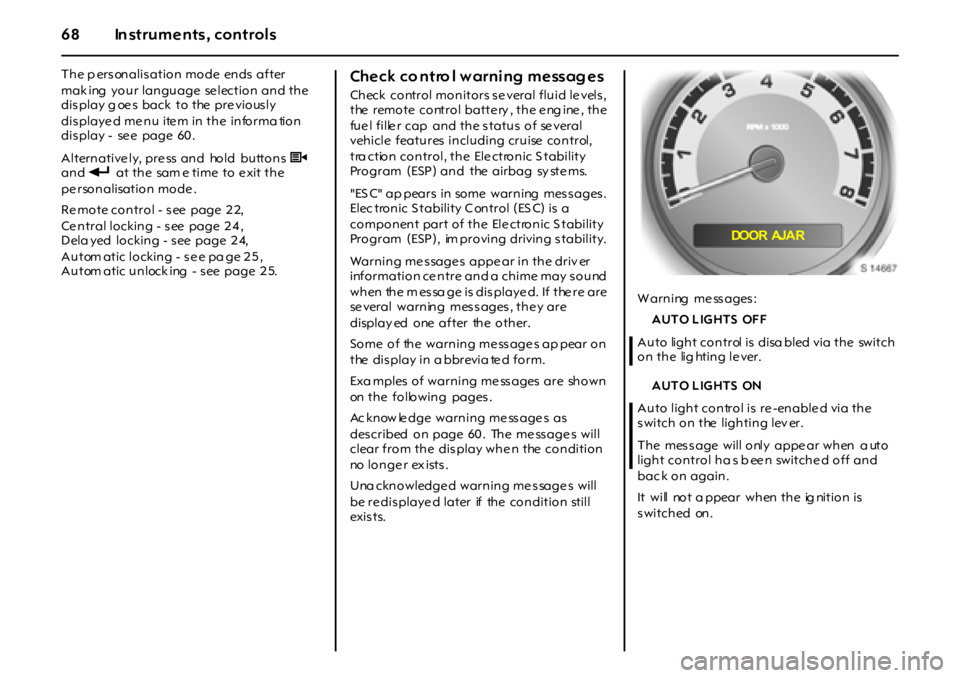
exi s t s.W arning me ss ages :
AUTO LIGHTS OFF
Auto light control is disa bled via the switch
on the lig hting le ver.
AUTO LIGHTS ON
Auto light control is re -enable d via the
switch on the lighting lev er.
The mes s age will only appe ar when a uto
light control ha s b een switched off and
bac k on again.
It will not a ppear when the ig nition is
switched on.
DOOR AJA R
Page 71 of 190
71Instru men ts, c ontrols
Warning buzzers
W hen s tarting the e ngine or while d riv ing:
zif d r iv e r ’ s s e a t b e l t i s n o t f a s t e n e d ,
zif passenger’s seat belt is not fa stened
whe n the s e at occupancy re cognition
system d etec ts tha t the passe nger’s se at
is occupie d,
zif the doors or the luggage comp artment
ha v e n o t be en p ro p e r l y cl o s ed w h en
st a r t i n g - o ff ,
zif the hand brake is applie d at s pee ds
ov er 8 km /h ( 5 mph ) ,
zwhile opera ting the indicators.
When the vehicle is parked and the driver’s
door is opened:
zif the head la mps or parking lam ps a re
sw i t c h ed o n ,
zwhe n the k ey is in the ignition switch,
zif any door remains open when the doors
are locke d with the remote control 3.
Driving hints - se e p age 11 0 ,
Saving fuel, protecting the environment -
s ee page 1 12 .
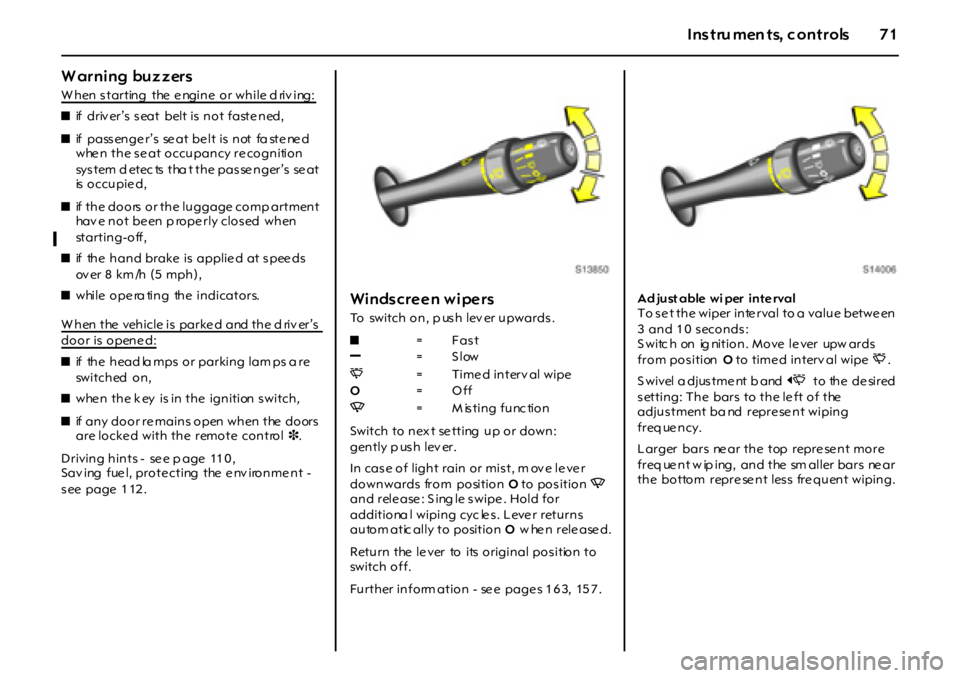
Windscreen wipers
To switch on, p us h lev er upwards .
Switch to n ex t se tting u p o r do wn :
gently p us h lev er.
In cas e o f ligh t rain o r mis t, m ov e le ve r
downwards from position O to position Q
and rele ase : S ing le s wipe . Hold for
additiona l wiping cyc le s. Leve r returns
autom atic ally to position O w hen released.
Return the le ver to its original pos ition to
switch off.
Further inform ation - se e page s 1 6 3, 15 7 .Ad just able wi per inte rval
To s e t the wiper inte rval to a value betwe en
3 and 10 seconds:
S witc h on ig nition. Move le ver upw ards
from positionO to time d interv al wipeP.
S w i v el a d j us t m e nt b a nd O to the de sired
setting: The bars to the le ft of the
adjus tment ba nd repre se nt wiping
freq ue ncy.
Larger bars ne ar the top repre se nt more
f r eq ue n t w ip i ng , a n d t he sm a l l er b a r s ne a r
the bottom repre se nt less fre quent wiping. z=Fast
]=Slow
P= Time d interv al wipe
O=Off
Q=Misting function
Page 73 of 190
73Lightin g
Lighting
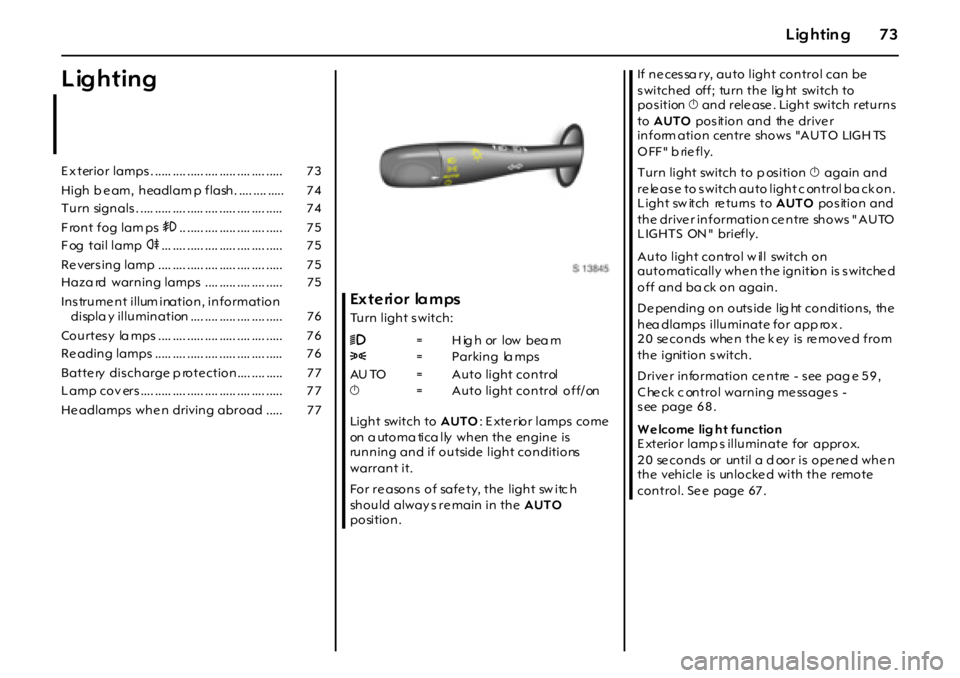
Ex t e ri or la m ps
Turn light s witch:
Light switch to AUTO: E xte rior lamps come
on a utoma tica lly when the engine is
running and if outside light conditions
warrant it.
For re asons of safe ty, the light sw itc h
should alway s re main in the AUTO
position.If necessa ry, auto light control can be
s witched off; turn the lig ht switch to
pos ition X and rele ase . Light switch returns
to AUTO pos ition and the drive r
i n f o rm a t i o n c en t r e sh o w s "A U T O LIG H TS
OFF" briefly.
Turn light switch to p os ition X again and
re le as e to s witch auto light c ontrol ba ck on.
Light sw itch re turns to AUTO pos ition and
the drive r information ce ntre shows " AUTO
LIGHTS ON" briefly.
Auto light control w ill switch on
automatically whe n the ignition is s witche d
off and ba ck on again.
De pending on outs ide lig ht conditions, the
hea dlamps illuminate for app rox .
2 0 se c o n d s w he n t h e k ey i s re m o ve d f r o m
the ignition switch.
Drive r information ce ntre - s ee pag e 5 9 ,
C he ck c ontrol warning me ss age s -
s ee page 6 8 .
W e lcome lig ht function
E xterior lamp s illuminate for approx.
20 seconds or until a door is opened when
the vehicle is unlocke d with the remote
control. Se e page 67 . E x terio r lamps . ..... .... ..... .... ..... .... .... ..... 7 3
High b e am, h eadlam p f lash . .... .... ..... 7 4
T u rn sign als . .... ..... .... ..... .... ..... .... .... ..... 7 4
Front fog lam ps >.. ..... .... ..... .... .... ..... 7 5
F og tail lamp r... .... ..... .... ..... .... .... ..... 7 5
Re vers in g lamp .... .... ..... .... ..... .... .... ..... 7 5
Haza rd warn in g lamps .... ..... .... .... ..... 7 5
Ins trume nt illum ination, information
displa y illu min ation .... .... ..... .... .... ..... 7 6
Co u rtes y la mps .... .... ..... .... ..... .... .... ..... 7 6
Re adin g lamps ..... .... ..... .... ..... .... .... ..... 7 6
Batte ry dis ch arge p ro te ctio n .... .... ..... 7 7
L amp co v ers .... ..... .... ..... .... ..... .... .... ..... 7 7
He adlamps wh e n drivin g abro ad ..... 7 79=High or low beam
8=Parking lamps
AU TO = Auto light control
X= Auto light control off/on
Page 75 of 190
75Lightin g
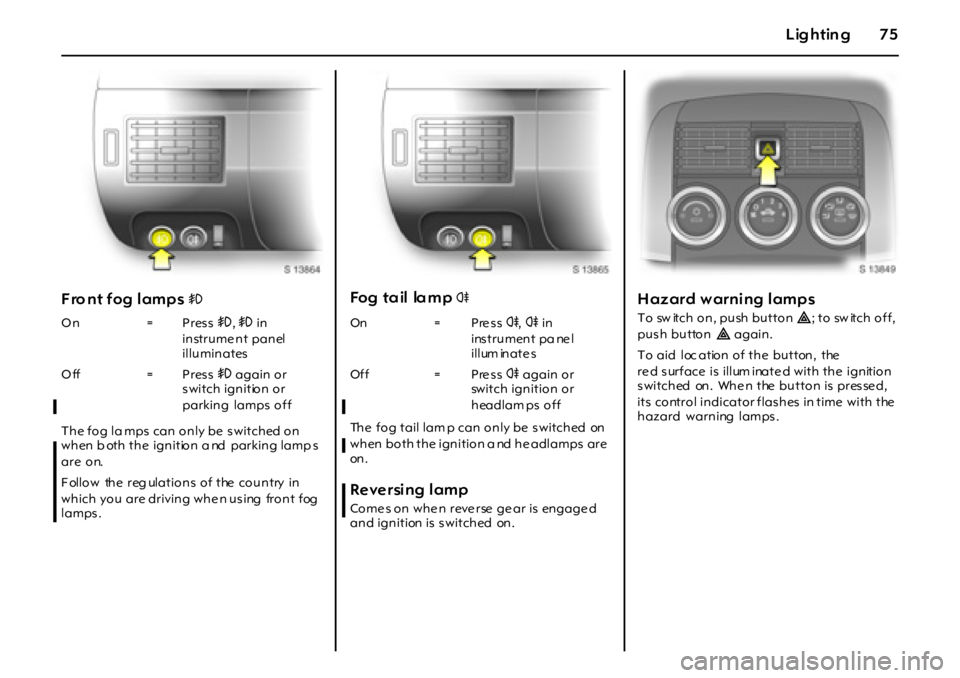
Fro nt fog lamps >
The fog la mps can only be s witched on
when b oth the ignition a nd parking lamp s
are on.
Follow the reg ulations of the country in
which you are driving when using front fog
lamps .
Fo g t a il la m p r
The fog tail lam p can only be s witched on
when both the ignition a nd he adlamps are
on .
Reversing lamp
Come s on whe n reve rse ge ar is engage d
and ignition is s witched on.
Hazard warning lamps
T o sw it c h o n , p u sh b u t t o n¨; to sw itch off,
pus h button¨ again.
To aid loc ation of the button, the
re d surface is illum inate d with the ignition
switched on. Whe n the button is presse d,
its control indicator flashes in time with the
hazard warning lamps. On = Press>,> in
instrume nt panel
illuminates
Off = Press> again or
s witch ignition or
parking lamps offOn = P re s sr,r in
ins trument pa ne l
illum inate s
Of f = P re s sr again or
switch ignition or
headlam ps off
Page 106 of 190

106 Climate c ontrol
He ating the foot we ll
zSet air distribution rota ry switch toK.
zTe mpe rature rotary switch in right zone.
zSwitch o n f an .De m ist ing and defr ost ing wind ow s
To clear w indow fogg ing or icing , e. g. in
damp weather, b ecause of wet clothing or
due to low outside te mpe rature s:
zC oolingn on - se e p age 10 7 .
zMove air distribution rotary switch to
J or V.
zTurn the te mperature rota ry switch
clockwis e as far as it will go (warm).zSe t fa n to 3 or 4.
zSwitch on heate d re ar windowÜ.
zOpe n s id e air vents as required and
direct them towards door windows.
F or simultaneous warming of the foot we ll,
set a ir distribution rota ry switch toJ.
9 Warning
F ailure to follow the instructions can lead
to window fogg ing or icing and the refore
accide nts due to lack of vis ib ility .
Page 121 of 190
12 1Dr i vi ng and o pe r ati on
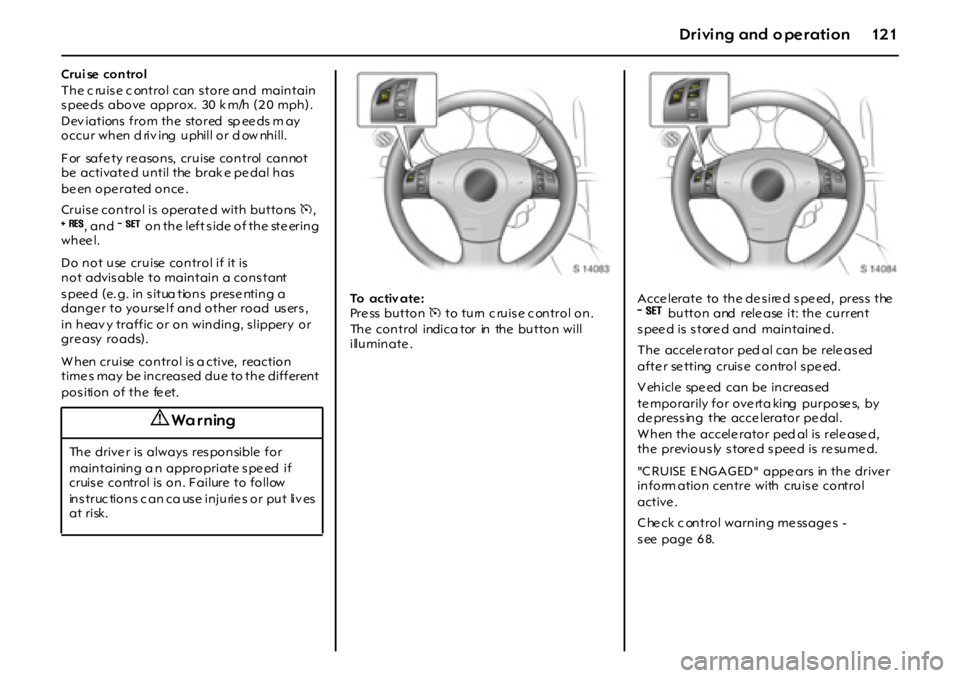
Crui se control
The c ruise c ontrol can store and maintain
s pee ds above approx. 30 k m/h (2 0 mph).
D ev i a t i on s f r o m t h e st o r ed sp ee ds m a y
occur when d riv ing uphill or d ow nhill.
F or sa f e t y r e a so n s, c r u i se c o n t r ol c a n no t
be activate d until the brak e pe dal has
be en o p e r a t ed o n ce .
Cruise control is operate d with buttonsm,
8, an d9 on the left side of the steering
whee l.
Do not use cruise control if it is
not advisable to maintain a constant
s p ee d ( e. g . i n s i t ua t io n s p r es e nt i n g a
danger to yourself and other road users,
in heav y traffic or on winding, s lippery or
gre asy roads).
W hen cruise control is a ctive, reaction
time s may be increased due to the different
position of the feet.To activ ate :
Pre ss button m to turn c ruise c ontrol on.
The control indica tor in the button will
illuminate .Acce lerate to the de sire d spe ed, press the
9button and rele ase it: the current
speed is stored and maintained.
The accele rator ped al can be rele ased
afte r se tting cruise control spe ed.
V ehicle spe ed can be increas ed
temporarily for overta king purposes, by
de pres s ing the acce lerator pe dal.
W hen the accele rator ped al is rele ase d,
the previously stored speed is resumed.
"C RUISE E NGAGED" appe ars in the drive r
inform ation centre with cruis e control
active .
C he ck c ontrol warning me ss age s -
s ee page 6 8.
9 Wa r ning
The driver is always responsible for
maintaining a n appropriate s pe ed if
cruis e control is on. F ailure to follow
instructions can cause injuries or put lives
at risk.
Page 122 of 190

1 2 2 D r iv in g an d o p e ra t io n
Incr ease speed :
W i t h c r ui s e c o nt r o l a c t i v e, ho l d d o w n
button
8 or briefly pres s it repe atedly :
s pee d is incre as ed continuous ly or in ste ps
of 1.6 km/h (1 m ph) without using the
acce lerator pe dal.
W hen button
8 is released, the current
speed is stored and m aintained.
Alternative ly, use the acce lerator pe dal to
increase vehicle speed, press button
9
and rele ase it, then rele ase the acce lerator
pe dal.
W hen button
9 and the acce lerator
pe dal are rele ase d, the current s pee d is
s tore d and m ainta ine d.
Decrease speed:
W i t h c r ui s e c o nt r o l a c t i v e, ho l d d o w n
button
9 or brie fly pres s it rep eate dly:
s pee d is reduce d continuous ly or in s teps
of 1.6 km/h (1 m ph).
W hen button
9 is rele ased, the current
speed is stored and m aintained.
To dea ctiv ate :
Switch off cruis e control whe n not nee de d,
to avoid accid ental activa tion.
Pre ss button m: cruise control is s witched
off, the control indicator in the button goe s
out a nd the ve hicle s lowly d ece lerates .
To continue driv ing , de pres s the
accele rator ped al in the us ua l manner.
For re asons of safe ty, c ruise control
deactiv ates under ce rtain driving
conditions . F or exa mple:
zi f t h e veh i c l e ’s sp e ed d r o p s b el o w
approx . 3 0 km/ h (2 0 mph) or
zif the brake peda l is depre ss ed or
zif the clutch p edal is de pres s ed or
zif the Elec tronic S tability Program (E SP)
come s into a ction, to improve driving
s tability and lim it whee l spin.
Deactivating cruise control does not switch
of f t h e sy st e m .
Resumi ng the stored speed:
Brie fly pre ss button
8 at a spe ed above
30 k m /h ( 2 0 m p h ): s p ee d s el e c t ed b ef o r e
cruis e c ontrol was de activated is re sume d.
The value of the stored speed is deleted
w h en c r u i se c o n t r o l ha s b ee n sw i t c h e d o f f
by pre ss ing button m, and when the
ignition is turne d off.
Brake system
The effectiveness of the brakes is an
important factor for traffic sa fe ty.
To improve effectiveness, do not brake
unnecessarily hard for the first 200 k m
(120 mile s) a fte r new brake pads have
be en fitted .
Brake pad wea r must not e xce ed a
s pec ifie d limit. R egular ma inte na nce as
detailed in the chapter "Service,
Maintenance" on pag e 165 is therefore of
the utm os t importance for traffic safe ty.
Hav e w orn b ra ke p ads replace d by a
workshop. Pads which have be en te ste d
a n d a p p r o ved en s ur e o p t i m u m b ra ke
pe rforma nc e.
Brake pad s that hav e worn to their
minimum thickne ss ge nerate a grinding
noise . C ontinued driving is poss ible.
Hav e the brake pads re placed as soon
as pos sible by a works hop.
9 Warning
Disre gard of thes e ins truc tions may lead
to injuries or e ndanger live s .