remote control OPEL GT 2012 Owners Manual
[x] Cancel search | Manufacturer: OPEL, Model Year: 2012, Model line: GT, Model: OPEL GT 2012Pages: 190, PDF Size: 2.46 MB
Page 6 of 190
6In brief
In b rie f
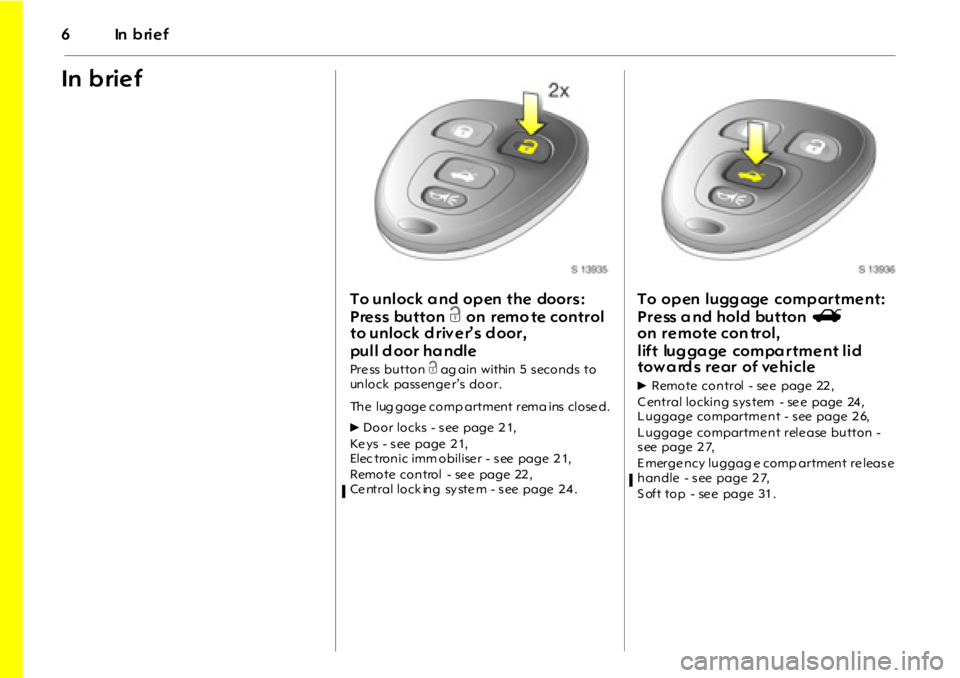
To unlock a nd op en the doors:
Press button c on remo te control
to unlock d riv er’s d oor,
pull d oor ha ndle
Pre ss button c ag ain within 5 s econds to
unlock pass enge r’s door.
The lug gage comp artment rema ins close d.
6Door locks - s ee page 2 1,
Ke ys - s ee page 2 1,
Elec tronic imm obilise r - s ee page 2 1,
Remote control - se e page 22 ,
Ce ntral lock ing sy ste m - s ee page 2 4 .
To op en l ugg age comp ar tme nt:
P r e ss a nd hol d button s
on remote con trol,
lift luggage compartment lid
towa rd s rear of vehicle
6Remote control - se e page 22 ,
C entral locking s ys tem - se e page 24,
L uggage compartme nt - s ee page 2 6,
L uggage compartme nt rele ase button -
s ee page 2 7,
E merge ncy luggag e comp artment re leas e
handle - s ee page 2 7,
S oft top - se e page 31 .
Page 14 of 190
14 In brief
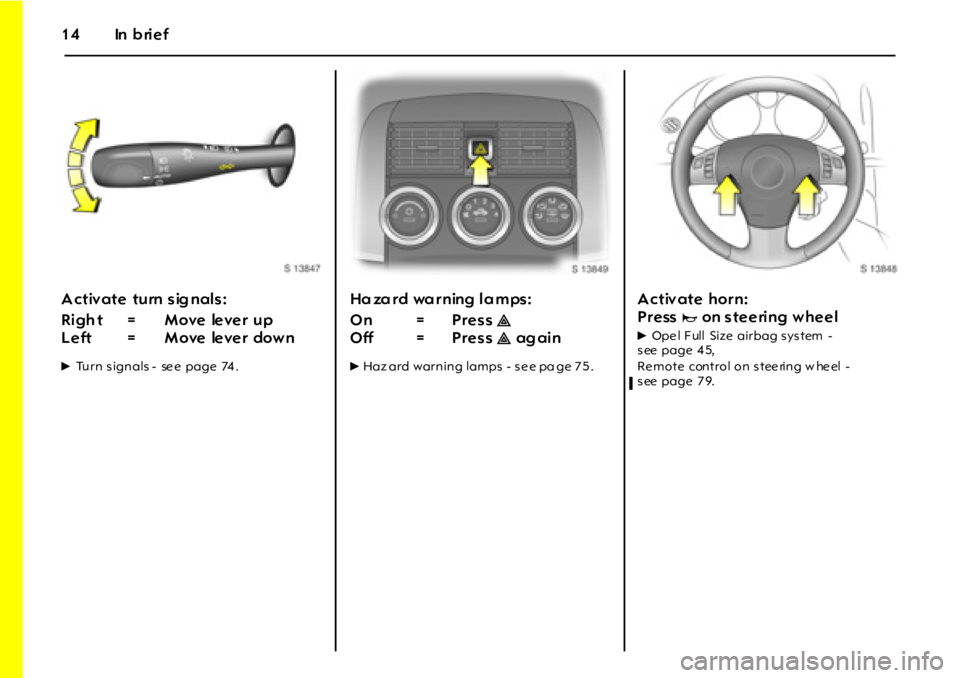
A ctiv ate turn sig nals:
6Turn s ignals - se e page 74 .
Hazard warning lamps:
6Haz ard warning lamps - s e e pa ge 7 5 .
A ctiv ate horn:
Press
jon steering wheel
6Ope l F ull Size airbag s ys tem -
s ee page 4 5,
Remote control on steering w heel -
s ee page 7 9.Ri gh t = M ove le ve r up
Left = Move lever downOn = Press ¨
Off = Press ¨ ag ai n
Page 19 of 190
In brief19
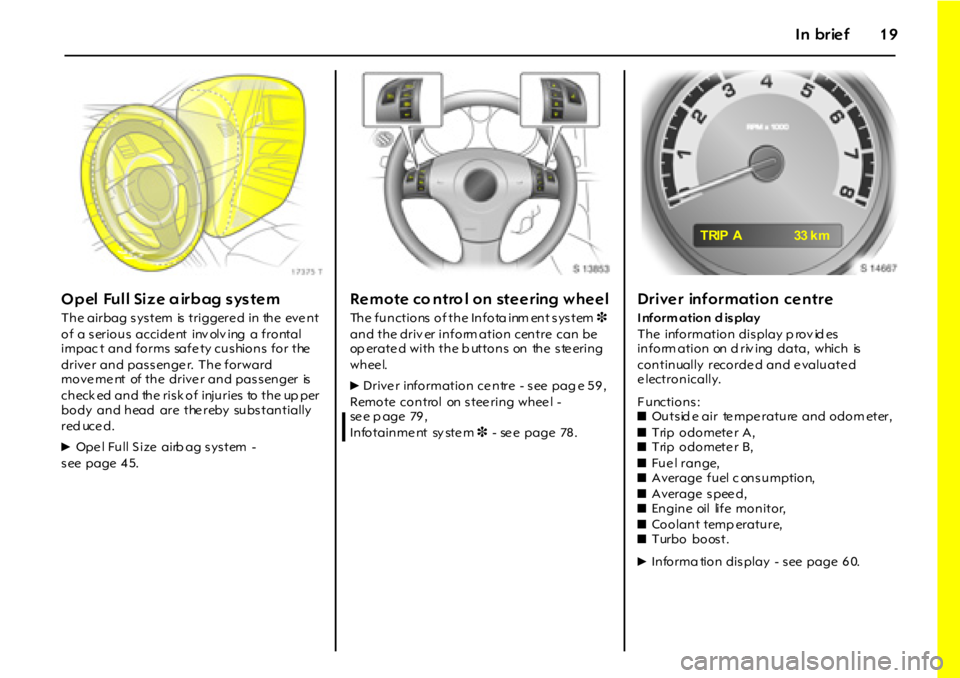
Opel Full Size airbag system
The airbag s ys tem is triggere d in the eve nt
of a s erious accide nt inv olv ing a frontal
impac t and forms safe ty cushions for the
drive r and pas s enge r. The forward
move me nt of the drive r and pas s enger is
ch eck ed a n d th e r i s k o f i nj u r i es to t h e up p er
body and head are the reby subs tantially
red uce d.
6Ope l Full S ize airb ag s ys tem -
s ee page 4 5.
Remote co ntro l on steering wheel
The functions of the Infota inm ent system 3
and the driv er inform ation centre can be
op erate d with the b uttons on the ste ering
whee l.
6Drive r information ce ntre - s ee pag e 5 9 ,
Remote control on steering wheel -
se e p age 79 ,
In fo t a i n m e nt sy st e m 3 - se e page 78 .
Driver information centre
I nform ation d is play
The information dis play p rov id es
inform ation on d riv ing data, which is
continually recorde d and e valuate d
e lectronically.
Functions:
zOuts id e air te mpe rature and odom eter,
zTrip odometer A,
zTrip odometer B,
zFu e l r a n g e,
zAverage fuel c ons umption,
zA ver a g e s p ee d,
zEngine oil life monitor,
zCoolant temp erature,
zTurbo boost.
6Informa tion dis play - s ee page 6 0.
T RIP A 33 k m
Page 20 of 190
20 In brief
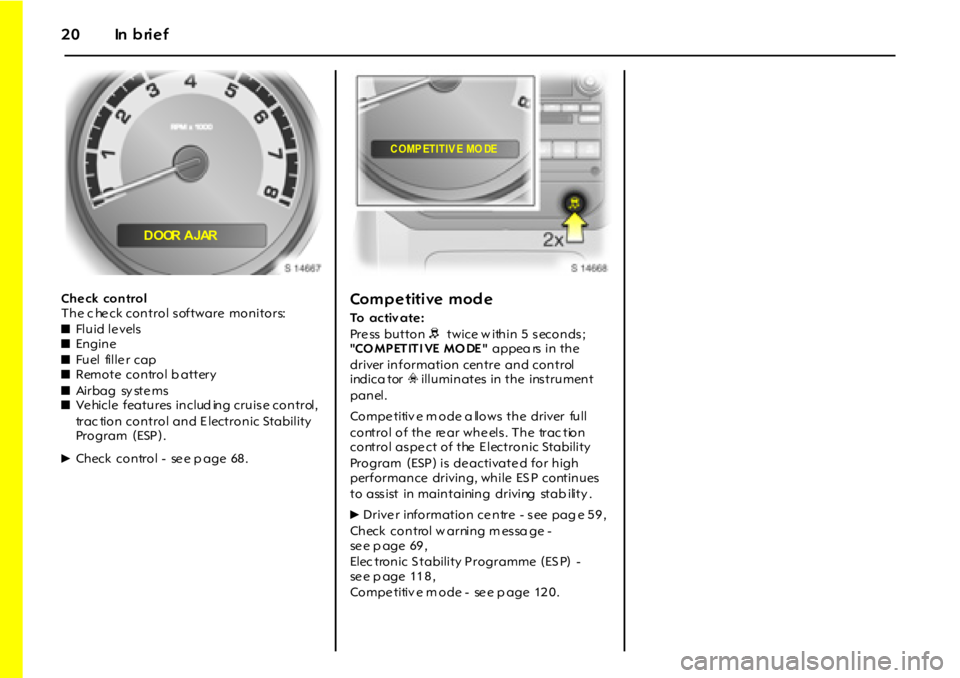
Ch e ck con trol
The c he ck control software monitors:
zFl u i d l e vel s
zEn gin e
zFuel fille r cap
zRemote control b attery
zAi r b a g sy st e m s
zVe hicle features includ ing cruis e control,
trac tion control and E lectronic Stability
Program (ESP).
6Ch eck co n tr o l - se e p a g e 68 .Competitive mode
To activ ate :
Pre ss button R twice w ithin 5 s econds ;
"CO MPETITI VE MO DE" appea rs in the
driver information centre and control
indica tor v illuminates in the ins trument
panel.
Compe titiv e m ode a llows the driver full
control of the re ar whe els . The trac tion
control as pe ct of the E lectronic Stability
Program (ESP) is de activate d for high
performance driving, while ES P continues
to ass ist in maintaining driving stab ility .
6Drive r information ce ntre - s ee pag e 5 9 ,
Check control w arning m es sa ge -
se e p age 69 ,
Elec tronic S tability Programme (ES P) -
se e p age 11 8 ,
Compe titiv e m ode - se e p age 12 0 .
DOOR AJAR
COMP ETITIV E MO DE
Page 22 of 190
22 Lo cks, d oors, wind ows
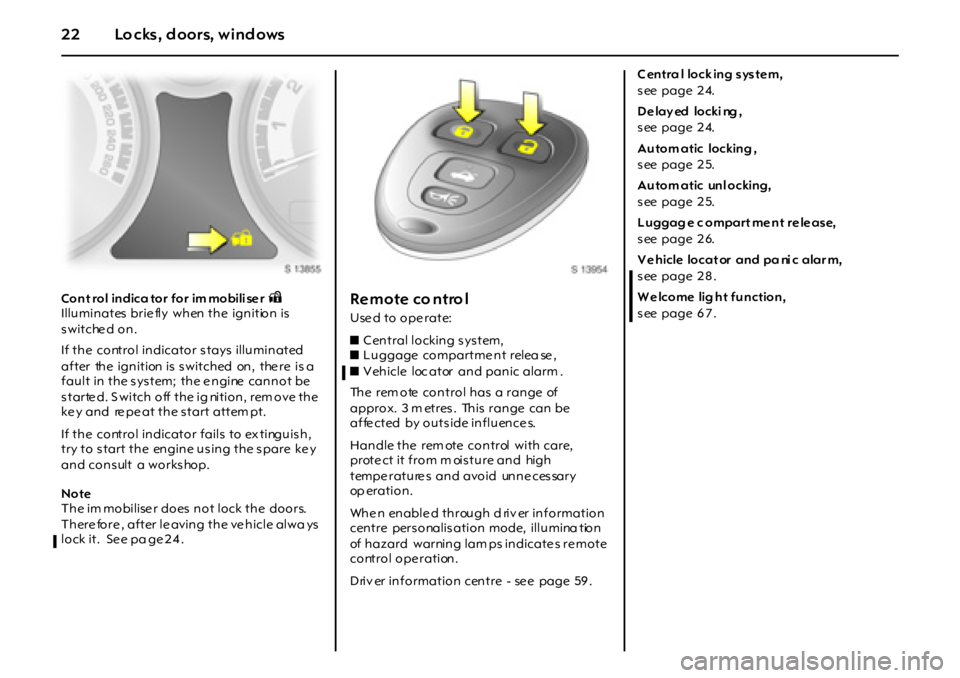
Cont rol indica tor for im mobili se r oIlluminates brie fly when the ignition is
switched on.
If the control indicator s tays illuminated
after the ignition is s witched on, the re is a
fault in the system; the e ngine cannot be
starte d. S witch off the ig nition, rem ove the
ke y and re pe at the s tart attem pt.
If the control indicator fails to ex tinguish,
try to start the engine using the spare ke y
and cons ult a works hop.
Note
The im mobilise r does not lock the doors.
There fore , after le aving the ve hicle alwa ys
lock it. See pa ge 24.Remote co ntro l
Used to operate:
zC entral locking s ys tem,
zL uggage compartme nt relea se ,
zV ehicle loc ator and panic alarm .
The rem ote control has a range of
approx. 3 m etres . This range can be
a f fe ct ed by o u t s i de i n f l u en ce s.
Handle the rem ote control with care,
prote ct it from m ois ture and high
tempe rature s and avoid unne ces sary
op er a t i o n .
Whe n enable d through d riv er information
centre pers onalis ation mode, illumina tion
of hazard warning lam ps indicate s re mote
control ope ration.
Driv er information centre - se e page 59 .C entra l lock ing s ys te m,
s ee page 2 4.
D e lay ed locki ng ,
s ee page 2 4.
Autom atic locking ,
s ee page 2 5.
Autom atic unl ocking,
s ee page 2 5.
L uggag e c ompart me nt re le ase,
s ee page 2 6.
V e hicle locat or and pa ni c alar m,
s ee page 2 8 .
W e lcome lig ht function,
s ee page 6 7 .
Page 23 of 190
23Loc ks, do ors, windo ws
Fault
If the remote control d oe s not op erate
correctly , it may be due to the follow ing:
zThe range of the rem ote control has
been exceeded.
zRemote control b attery v olta ge is too
lo w . Se e " R em ot e co n t r ol ba t t er y
re place ment".
zFrequent, rep eated opera tion of the
re mote control outside the rece ption
ra nge of the vehicle (e .g. too far from the
vehicle, rem ote control is then no longer
recognised). See "Radio remote control
synchronisation".
zOve rloa ding the ce ntra l locking s yste m
by ope rating at freque nt inte rvals . The
power s upply m ay be interrupted for a
short time. The system is p rote cted by a
fus e in the fuse box – s ee page 1 41 .
zInt e r f er en ce f r o m h i g h er - p o w e r r a di o
waves from other sources.
To eliminate the cause of the fault, consult
a w orks hop.
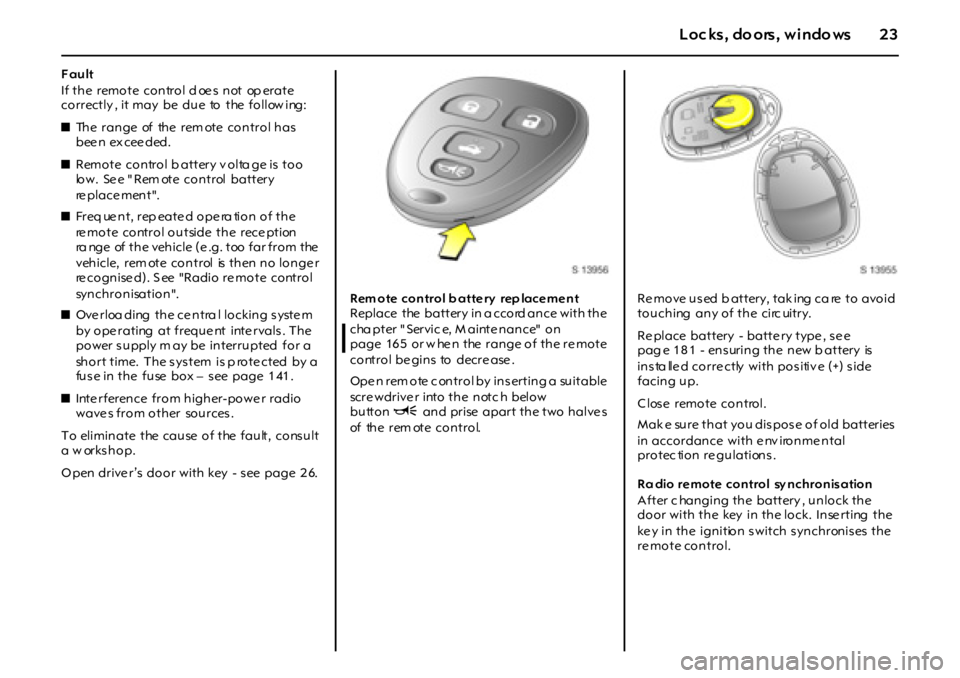
O pen drive r’s door with key - s ee page 2 6. Rem ote control b atte ry rep lace me nt
Replace the battery in a ccord ance with the
cha pter " Servic e, M ainte nance" on
page 16 5 or w he n the range of the re mote
control be gins to decre ase .
Ope n rem ote c ontrol by ins erting a suitable
scre wdrive r into the notc h below
buttonU and prise apart the two halve s
of the rem ote control.Re move used b attery, tak ing ca re to avoid
touching any of the circ uitry.
Re place battery - batte ry type , se e
pag e 181 - ensuring the new b attery is
insta lled correctly with positive (+) side
facing up.
Close remote control.
Mak e sure that you dispose of old batteries
in accordance with e nv ironme ntal
protec tion regulations.
Ra dio remote control sy nchronisation
After c hanging the battery , unlock the
door with the key in the lock. Inse rting the
key in the ignition switch synchronises the
re mote control.
Page 24 of 190
24 Lo cks, d oors, wind ows
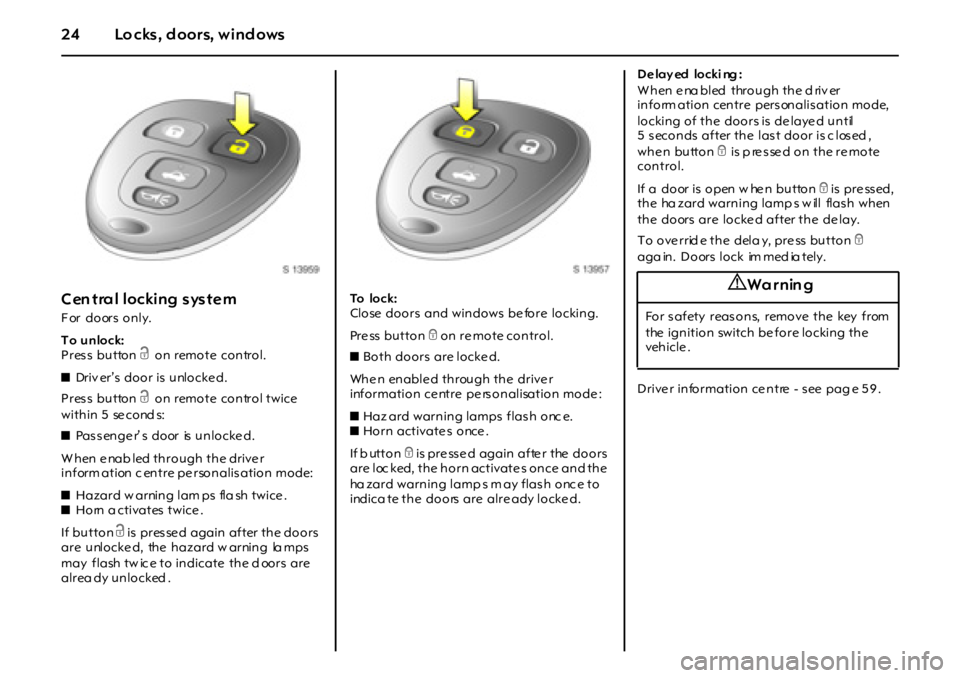
Cen tral locking system
For doors only.
To unlock:
Press button c on remote control.
zDriv er’s door is unlocke d.
Press button c on remote control twice
w i t h i n 5 se c o nd s:
zPassenger’ s door is unlocked.
When enab led through the driver
inform ation c entre pe rsonalis ation mode:
zHazard w arning lam ps fla sh twice .
zHorn a ctivates twice .
If button c is pres se d again after the doors
are unlocked, the hazard w arning la mps
may flash tw ic e to indicate the d oors are
alrea dy unlocked .To l o c k :
Close doors and windows before locking.
Pre ss button e on re mote control.
zBoth doors are locke d.
When enabled through the driver
information ce ntre pe rs onalisation mode :
zHaz ard warning lamps flash onc e.
zHorn activate s once .
If b utton e is pre ss e d again afte r the doors
are loc ked, the horn activate s once and the
ha zard warning lamp s m ay flash onc e to
indica te the doors are alre ady locke d. D e lay ed locki ng :
W h en e na bl ed t hr o u g h t h e d ri v er
inform ation centre pers onalis ation mode,
locking of the doors is de laye d until
5 seconds after the last door is c losed ,
whe n button e is p re sse d on the re mote
control.
If a do or is o pen w he n bu tto n e is pre ss ed,
the ha zard warning lamp s w ill flas h when
the doors are locke d after the de lay.
To override the dela y, press button e
a g a in . D o or s l o c k im m e d ia t e l y .
Drive r information ce ntre - s ee pag e 5 9 .
9 Wa r nin g
For safety reasons, remove the key from
the ignition switch be fore locking the
veh icle .
Page 65 of 190
65Instru men ts, c ontrols
T h e m en u i t em s a re di s p l a ye d i n t h e
follow ing ord er:
zOIL LIFE RESET,
zUNITS,
zLO CK H O R N,
zUNLOCK HO RN,
zLIG H T FL A SH ,
zDELAY LOCK,
zAU T O U N LK ( U n lo c k ),
zEXT LI GHTS (E xterior lamps),
zLA NG U A G E .
The d efault settings for the se me nu ite ms
we re set during v ehicle produc tion.
Scroll through the av aila ble s e ttings and
sele ct the de sire d se tting to progress to the
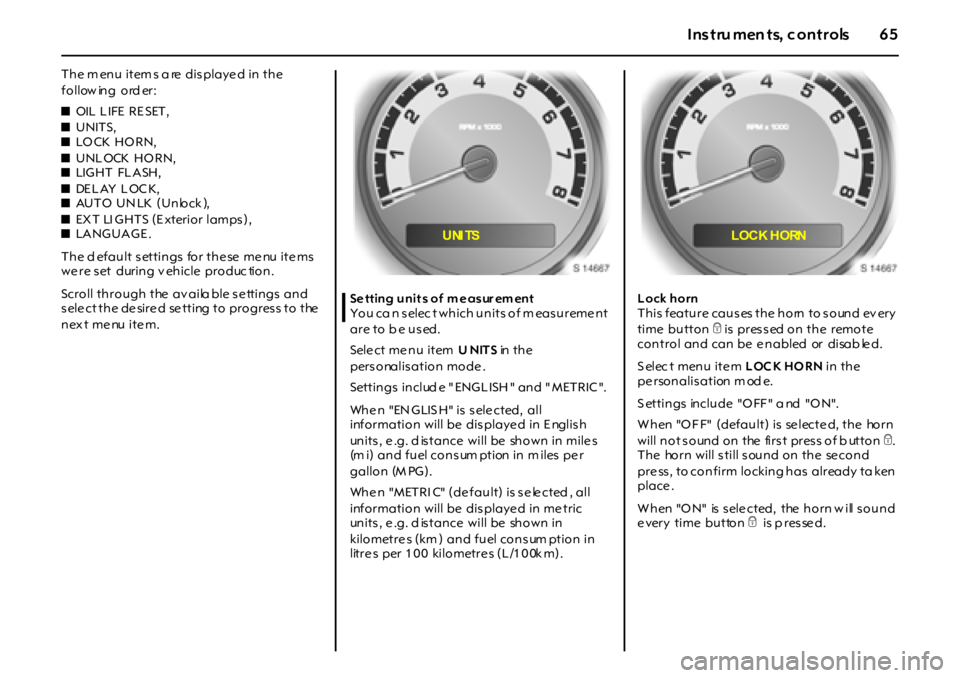
nex t menu item.Setting unit s of m easur em ent
You ca n selec t which units of m easurement
a r e t o b e u s ed.
Sele ct me nu item UNITS in t h e
pers onalis ation mode .
Settin gs in clud e " ENG L ISH " an d " MET RIC ".
Whe n "EN GLIS H" is s ele cted, all
information will be dis playe d in E nglis h
units , e .g. d is tance will be shown in mile s
(m i) and fuel cons um ption in m iles pe r
gallon (M PG).
Whe n "METRI C" (de fault) is s e le cted , all
information will be dis playe d in me tric
units , e .g. d is tance will be shown in
kilometre s (km ) and fuel cons um ption in
litres per 100 kilometres (L/100k m).Lock horn
T h i s f ea t u r e ca u s es t h e h o rn t o s o un d ev er y
time button e is pressed on the remote
control and can be e nabled or disab le d.
S elec t menu ite m LOCK HORN in the
pe rsonalis ation m od e.
S ettin gs in clu de "O FF " a nd "O N".
W hen "O F F" (default) is se lecte d, the horn
will not s ound on the firs t pres s of b utton e.
The horn will s till s ound on the se cond
pre ss , to confirm locking has already ta ken
place .
When "ON" is selected, the horn w ill sound
e very time button e is p res se d.
UNI TS LOCK HORN
Page 66 of 190
66 In struments, controls
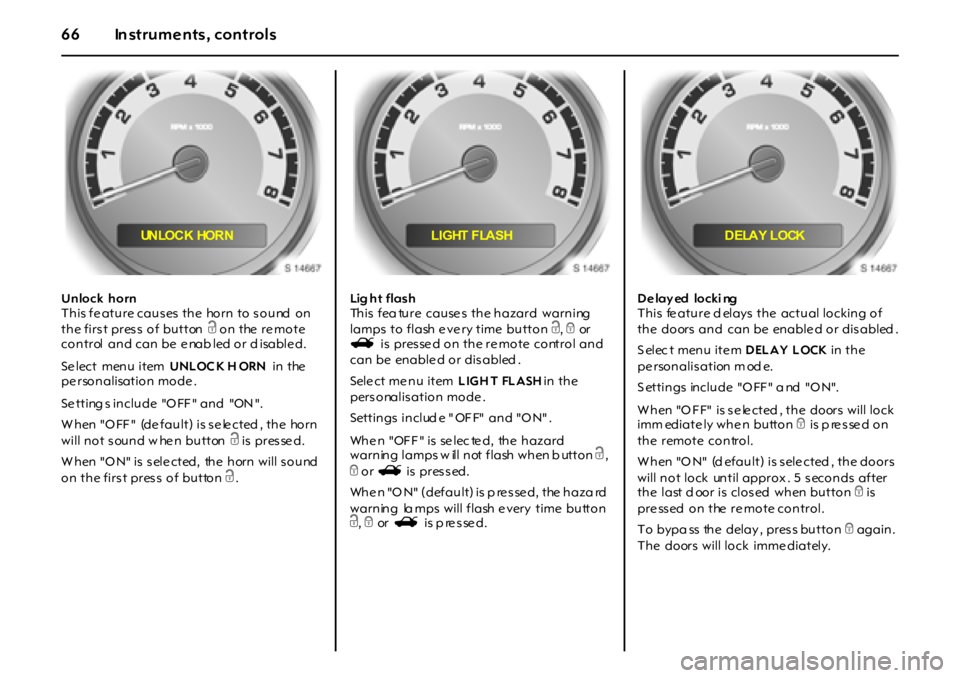
Unlock horn
T h i s f e a t u r e ca u s es t h e ho r n t o s o u nd o n
the first press of button c on the re mote
control and can be e nab led or d isable d.
Se lect menu item UNLOC K H ORN in the
pe rsonalisation mode .
Se tting s in clu de "O FF " an d "ON ".
W h en "O FF " (de f a u l t ) i s s e le ct ed , t h e ho r n
will not sound w hen button c is pres se d.
W hen "O N" is s ele cted, the horn will s ound
on the first press of button c.Lig h t f la s h
This fea ture causes the hazard warning
lamps to flash e ve ry time button c, e or
s i s p r es se d o n t h e r e m o t e co nt r o l a n d
can be enable d or dis abled .
Sele ct me nu item LIGH T FLASH in the
pers onalis ation mode .
Settings include "OFF" and "ON".
When "OFF" is selected, the hazard
warning lamps w ill not flash when b utton c,
e or s is pressed.
When "ON" (default) is p ressed, the haza rd
warning la mps will flash e very time button
c, e or s is p re s se d.D e lay ed locki ng
This fe ature d elays the actual locking of
the doors and can be enable d or dis abled .
S elec t menu ite m DELAY LOCK in the
pe rsonalis ation m od e.
S ettin gs in clu de "O FF " a nd "O N".
W h en "O F F" i s s e le ct ed , t h e do or s w i l l l o ck
imm ediately when button e is p re s se d on
the remote control.
W h en "O N" (d ef a u l t ) i s s el e ct ed , t h e do o r s
will not lock until approx . 5 s econds after
t h e l a st d oo r i s cl o s ed w h en bu t t o n e is
pressed on the remote control.
To bypa ss the delay , pres s button e again.
The doors will lock imme diately.
UN LO C K HO R N LIGHT FLASH DELAY LOCK
Page 67 of 190
67Instru men ts, c ontrols
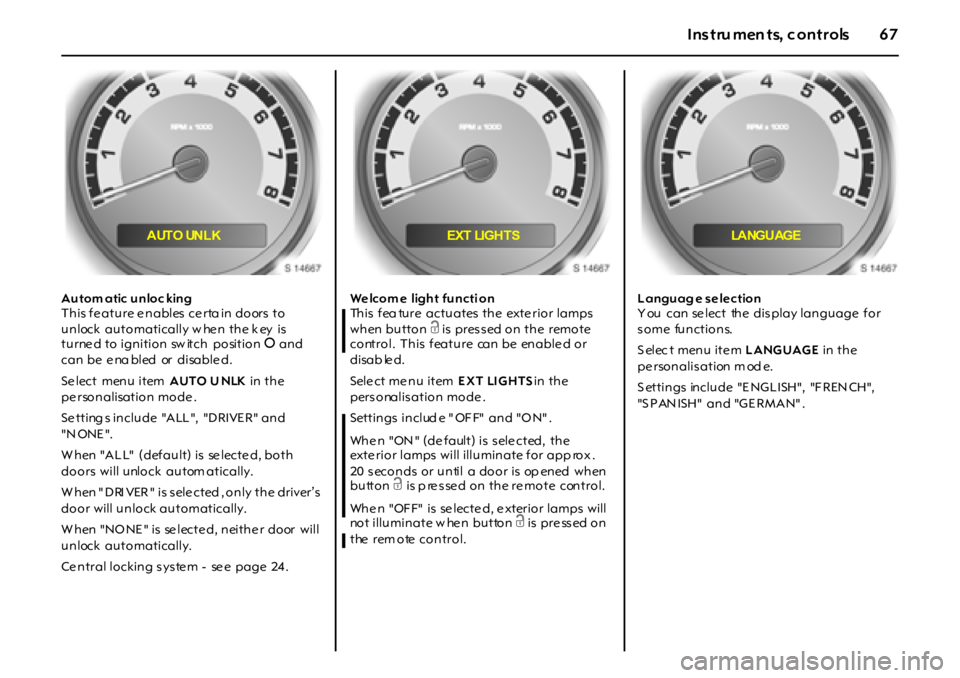
Autom atic unloc king
This fe ature e nables ce rta in doors to
unlock automatically w he n the k ey is
turne d to ignition sw itch position J and
can be e na bled or disable d.
Se lect menu item AUTO U NLK in the
pe rsonalisation mode .
Se tting s in clu de "A LL ", "D RIVE R" an d
"N ONE ".
W h en "A L L" (defau lt) is se lecte d, bo th
doors will unlock autom atically.
W h en " D RI VER " i s s el e ct ed , o n l y t h e dr i ver ’s
door will unlock automatically.
W hen "NO NE " is se lecte d, neithe r door will
unlock automatically.
Ce ntral locking s ys te m - se e page 24 .We lcom e light functi on
Th i s f ea tu r e a ct u a t es t h e ext e r i o r l a m p s
when button c is pressed on the remote
control. This feature can be enable d or
disab le d.
Sele ct me nu item EXT LI GHTS in the
pers onalis ation mode .
Settings include "OFF" and "ON".
Whe n "ON " (de fault) is s ele cted, the
exte rior lamps will illuminate for app rox .
20 s eco n ds o r u n ti l a do o r i s op en ed w h en
buttonc is p re sse d on the re mote control.
Whe n "OF F" is se lecte d, e xterior lamps will
not illuminate w he n button c is pre ss ed on
the rem ote control.Languag e selection
You can select the display language for
some functions.
S elec t menu ite m LANGUAGE in the
pe rsonalis ation m od e.
S ettin gs in clu de "E NG L ISH", "F REN CH",
"S P AN ISH" an d "G E RMA N" .
AUTO UNLK EXT LIGHTS LANGUAGE