buttons OPEL INSIGNIA 2014 User Guide
[x] Cancel search | Manufacturer: OPEL, Model Year: 2014, Model line: INSIGNIA, Model: OPEL INSIGNIA 2014Pages: 321, PDF Size: 8.95 MB
Page 136 of 321
134Climate controlClimate controlClimate control systems ............. 134
Air vents ..................................... 145
Maintenance .............................. 146Climate control systems
Air conditioning system
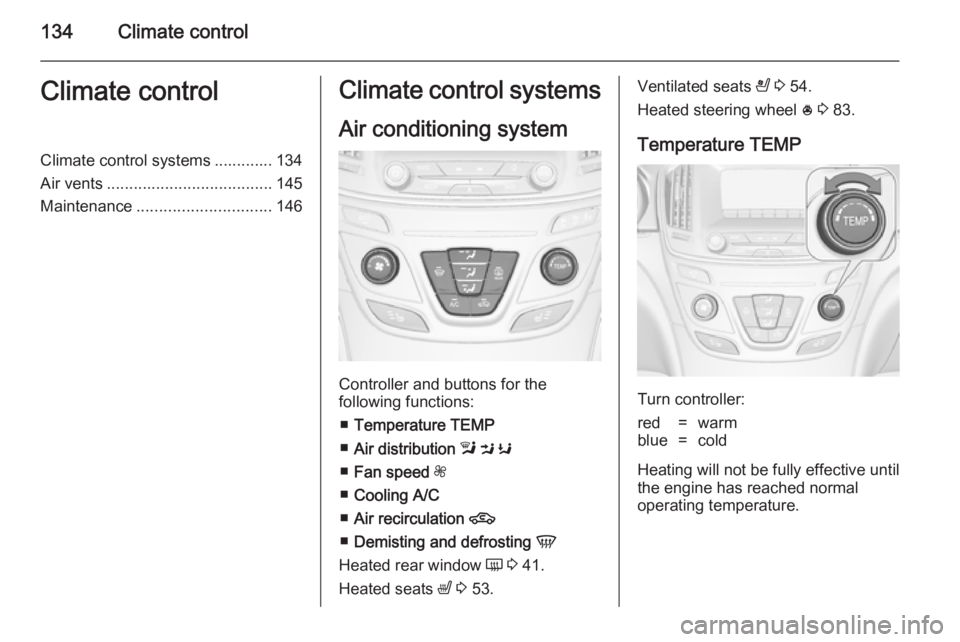
Controller and buttons for the
following functions:
■ Temperature TEMP
■ Air distribution l M K
■ Fan speed Z
■ Cooling A/C
■ Air recirculation 4
■ Demisting and defrosting V
Heated rear window Ü 3 41.
Heated seats ß 3 53.
Ventilated seats
A 3 54.
Heated steering wheel * 3 83.
Temperature TEMP
Turn controller:
red=warmblue=cold
Heating will not be fully effective until
the engine has reached normal
operating temperature.
Page 139 of 321
Climate control137
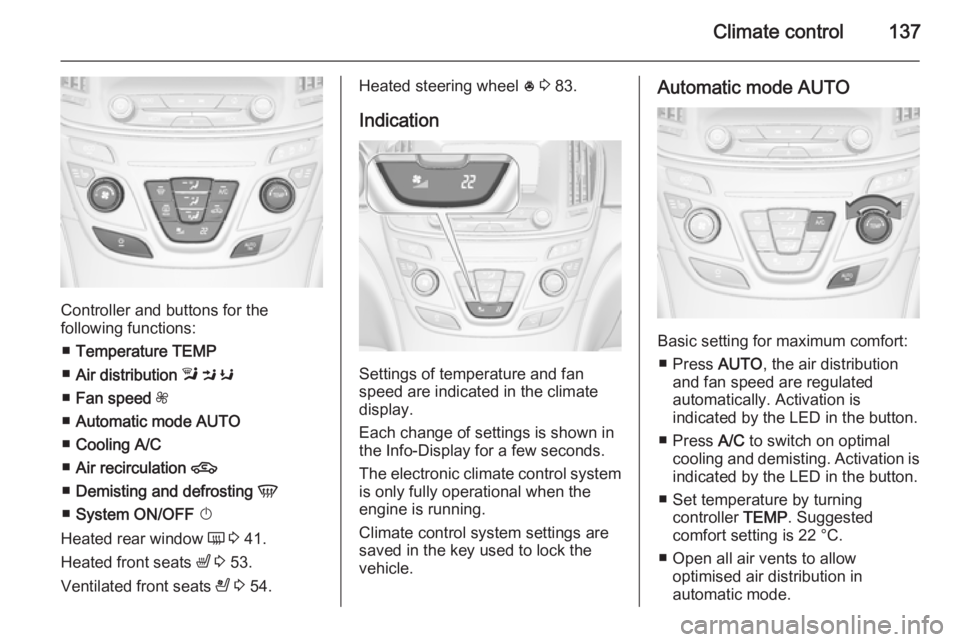
Controller and buttons for the
following functions:
■ Temperature TEMP
■ Air distribution l M K
■ Fan speed Z
■ Automatic mode AUTO
■ Cooling A/C
■ Air recirculation 4
■ Demisting and defrosting V
■ System ON/OFF X
Heated rear window Ü 3 41.
Heated front seats ß 3 53.
Ventilated front seats A 3 54.
Heated steering wheel * 3 83.
Indication
Settings of temperature and fan
speed are indicated in the climate
display.
Each change of settings is shown in
the Info-Display for a few seconds.
The electronic climate control system
is only fully operational when the
engine is running.
Climate control system settings are
saved in the key used to lock the vehicle.
Automatic mode AUTO
Basic setting for maximum comfort:
■ Press AUTO, the air distribution
and fan speed are regulated
automatically. Activation is
indicated by the LED in the button.
■ Press A/C to switch on optimal
cooling and demisting. Activation is indicated by the LED in the button.
■ Set temperature by turning controller TEMP. Suggested
comfort setting is 22 °C.
■ Open all air vents to allow optimised air distribution in
automatic mode.
Page 141 of 321
Climate control139
Manual settingsClimate control system settings can
be manually adapted by using the air
distribution buttons and the fan speed controller as follows. Manual
changing of settings will deactivate
the automatic mode.
Fan speed Z
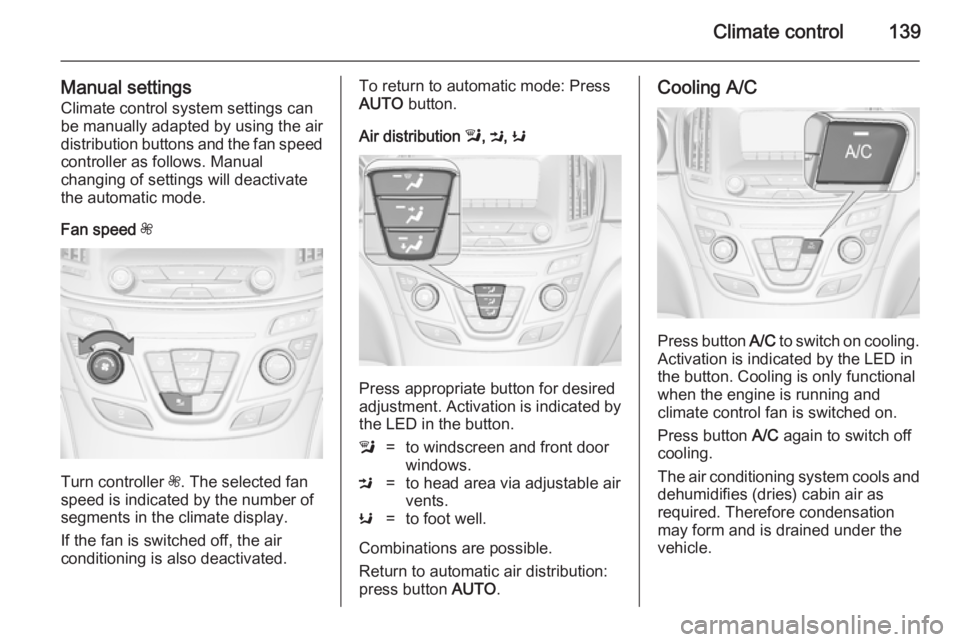
Turn controller Z. The selected fan
speed is indicated by the number of segments in the climate display.
If the fan is switched off, the air
conditioning is also deactivated.
To return to automatic mode: Press AUTO button.
Air distribution l, M , K
Press appropriate button for desired
adjustment. Activation is indicated by the LED in the button.
l=to windscreen and front door
windows.M=to head area via adjustable air
vents.K=to foot well.
Combinations are possible.
Return to automatic air distribution:
press button AUTO.
Cooling A/C
Press button A/C to switch on cooling.
Activation is indicated by the LED in
the button. Cooling is only functional
when the engine is running and
climate control fan is switched on.
Press button A/C again to switch off
cooling.
The air conditioning system cools and
dehumidifies (dries) cabin air as
required. Therefore condensation
may form and is drained under the
vehicle.
Page 142 of 321
140Climate control
If no cooling or drying is required,
switch off the cooling system for fuel
saving reasons.
System ON/OFF X
Cooling, fan and automatic mode can
be switched off by pressing button X.
When the system is deactivated, the
LED in the button X is off.
Activation by pressing button X or
cooling button A/C or automatic mode
button AUTO. Activation is indicated
by the LED in the button.
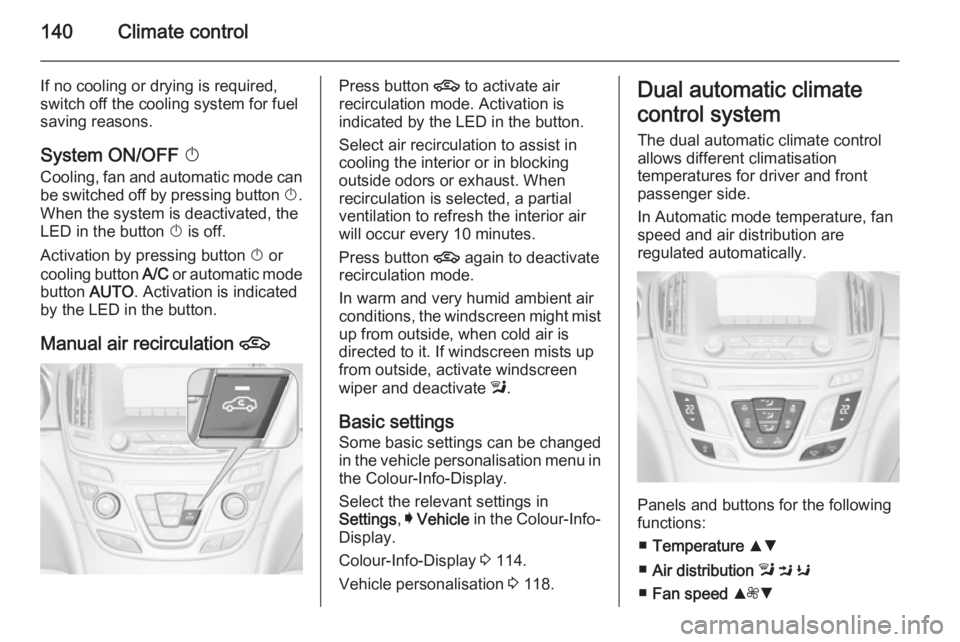
Manual air recirculation 4Press button 4 to activate air
recirculation mode. Activation is
indicated by the LED in the button.
Select air recirculation to assist in cooling the interior or in blocking
outside odors or exhaust. When
recirculation is selected, a partial
ventilation to refresh the interior air
will occur every 10 minutes.
Press button 4 again to deactivate
recirculation mode.
In warm and very humid ambient air
conditions, the windscreen might mist up from outside, when cold air is
directed to it. If windscreen mists up
from outside, activate windscreen
wiper and deactivate l.
Basic settings Some basic settings can be changedin the vehicle personalisation menu in the Colour-Info-Display.
Select the relevant settings in
Settings , I Vehicle in the Colour-Info-
Display.
Colour-Info-Display 3 114.
Vehicle personalisation 3 118.Dual automatic climate
control system
The dual automatic climate control
allows different climatisation
temperatures for driver and front
passenger side.
In Automatic mode temperature, fan
speed and air distribution are
regulated automatically.
Panels and buttons for the following
functions:
■ Temperature RS
■ Air distribution l M K
■ Fan speed R ZS
Page 145 of 321
Climate control143
Setting of automatic rear window
heating based on cool outside
temperatures can be changed in the
vehicle personalisation menu in the
Colour-Info-Display.
Select the relevant setting in Settings,
I Vehicle in the Colour-Info-Display.
Colour-Info-Display 3 114.
Vehicle personalisation 3 118.
Note
If the V button is pressed while the
engine is running, an Autostop will
be inhibited until the V button is
pressed again.
If the V button is pressed while the
engine is in an Autostop, the engine will restart automatically.
Stop-start system 3 153.
Manual settings
Climate control system settings can
be manually adapted by using the air
distribution buttons and the fan speed
controller as follows. Manual
changing of settings will deactivate
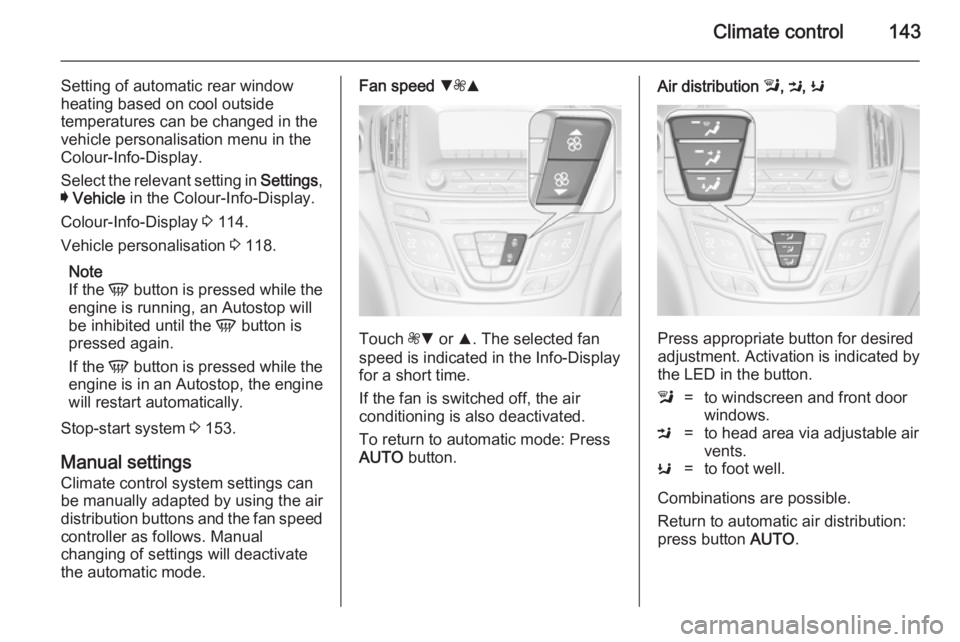
the automatic mode.Fan speed S
ZR
Touch ZS or R. The selected fan
speed is indicated in the Info-Display for a short time.
If the fan is switched off, the air
conditioning is also deactivated.
To return to automatic mode: Press AUTO button.
Air distribution l, M , K
Press appropriate button for desired
adjustment. Activation is indicated by the LED in the button.
l=to windscreen and front door
windows.M=to head area via adjustable air
vents.K=to foot well.
Combinations are possible.
Return to automatic air distribution:
press button AUTO.