door lock OPEL KARL 2019 Manual user
[x] Cancel search | Manufacturer: OPEL, Model Year: 2019, Model line: KARL, Model: OPEL KARL 2019Pages: 191, PDF Size: 5.51 MB
Page 61 of 191

Instruments and controls59Instruments and
controlsControls ....................................... 60
Steering wheel adjustment ........60
Steering wheel controls .............60
Heated steering wheel ...............60
Horn ........................................... 61
Windscreen wiper and washer ..61
Rear window wiper and washer ...................................... 62
Outside temperature ..................62
Clock ......................................... 62
Power outlets ............................. 64
Cigarette lighter ......................... 64
Ashtrays .................................... 64
Warning lights, gauges and indi‐ cators ........................................... 64
Instrument cluster ......................64
Speedometer ............................. 64
Odometer .................................. 65
Trip odometer ............................ 65
Tachometer ............................... 65
Fuel gauge ................................ 65
Engine coolant temperature gauge ....................................... 66
Service display .......................... 66Control indicators ......................67
Turn lights .................................. 69
Seat belt reminder .....................70
Airbag and belt tensioners .........70
Airbag deactivation ....................70
Charging system .......................71
Malfunction indicator light ..........71
Service vehicle soon .................71
Brake and clutch system ...........71
Operate pedal ............................ 71
Antilock brake system (ABS) .....72
Gear shifting .............................. 72
Power steering .......................... 72
Lane departure warning ............72
Parking assist ............................ 72
Electronic Stability Control off ...72
Electronic Stability Control and Traction Control system ...........72
Traction Control system off .......73
Engine coolant temperature ......73
Tyre pressure monitoring system ...................................... 73
Engine oil pressure ....................73
Low fuel ..................................... 74
Immobiliser ................................ 74
Reduced engine power .............74
Exterior light .............................. 74
High beam ................................. 74
Front fog lights ........................... 74
Rear fog light ............................. 74Cruise control............................ 74
Speed limiter ............................. 74
Bonnet open .............................. 74
Door open .................................. 75
Displays ....................................... 75
Driver Information Centre ..........75
Info Display ................................ 80
Vehicle messages ........................81
Warning chimes .........................83
Battery voltage .......................... 83
Vehicle personalisation ................83
Telematics service .......................86
OnStar ....................................... 86
Page 71 of 191
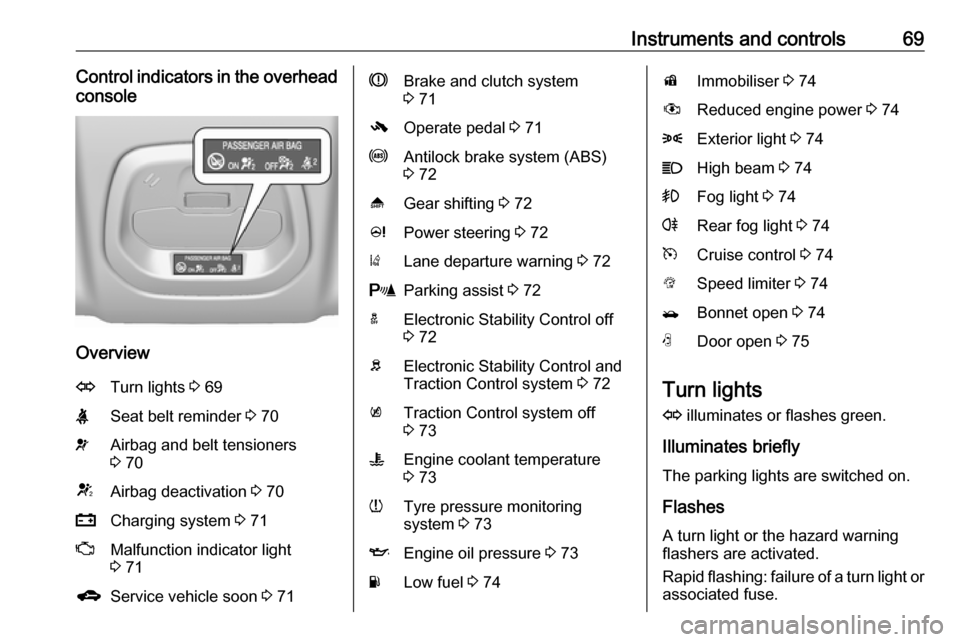
Instruments and controls69Control indicators in the overheadconsole
Overview
OTurn lights 3 69XSeat belt reminder 3 70vAirbag and belt tensioners
3 70VAirbag deactivation 3 70pCharging system 3 71ZMalfunction indicator light
3 71gService vehicle soon 3 71RBrake and clutch system
3 71-Operate pedal 3 71uAntilock brake system (ABS)
3 72[Gear shifting 3 72cPower steering 3 72)Lane departure warning 3 72rParking assist 3 72aElectronic Stability Control off
3 72bElectronic Stability Control and
Traction Control system 3 72kTraction Control system off
3 73WEngine coolant temperature
3 73wTyre pressure monitoring
system 3 73IEngine oil pressure 3 73YLow fuel 3 74dImmobiliser 3 74#Reduced engine power 3 748Exterior light 3 74CHigh beam 3 74>Fog light 3 74rRear fog light 3 74mCruise control 3 74LSpeed limiter 3 74/Bonnet open 3 74NDoor open 3 75
Turn lights
O illuminates or flashes green.
Illuminates briefly The parking lights are switched on.
Flashes
A turn light or the hazard warning flashers are activated.
Rapid flashing: failure of a turn light or associated fuse.
Page 85 of 191

Instruments and controls83Warning chimesIf several warnings appear at the
same time, only one warning chime will sound.
When starting the engine or whilst driving
The warning chime regarding
unfastened seat belts has priority
over any other warning chime.
● If seat belt is not fastened.
● If a door or the tailgate is not fully
closed when starting off.
● If a certain speed is exceeded with parking brake applied.
● If a programmed speed is exceeded.
● If a warning message appears in the Driver Information Centre orInfo Display.
● If the parking assist detects an object.
● If unintended lane change occurs.
● If a fault in the automatic locking system is detected.When the vehicle is parked and/or
the driver's door is opened
● With exterior lights on.
During an Autostop ● If the driver's door is opened.
Battery voltage
When the vehicle battery voltage is
running low, the warning code 174 will
appear in the Driver Information
Centre.
1. Switch off immediately any electrical consumers which are
not required for a safe drive, e.g.
seat heating, heated windscreen
and heated rear window or other
main consumers.
2. Charge the vehicle battery by driving continuously for a while or
by using a charging device.
The warning code will disappear after the engine has been started twice
consecutively without a voltage drop.
If the vehicle battery cannot be
recharged, have the cause of the fault
remedied by a workshop.Vehicle personalisation
The vehicle's behaviour can be
personalised by changing the settings in the Info Display.
Some of the personal settings for
different drivers can be memorised
individually for each vehicle key.
Memorised settings 3 22.
Depending on vehicle equipment and
country-specific regulations some of
the functions described below may
not be available.
Some functions are only displayed or
active when the engine is running.
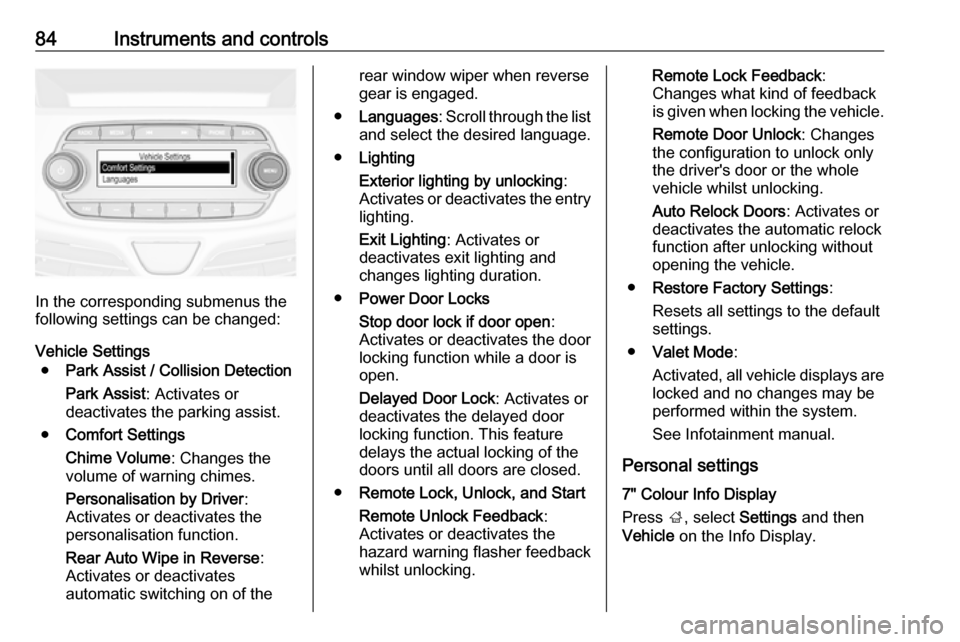
Personal settings Graphic Info Display
Press MENU , when ignition is on and
infotainment system is activated.
Turn the MENU button to scroll
through the menu list. Press MENU to
select the respective menu. To close a menu or to go back to previous
page, press BACK.
Select Settings , scroll through the list
and select Vehicle Settings
Page 86 of 191
84Instruments and controls
In the corresponding submenus the
following settings can be changed:
Vehicle Settings ● Park Assist / Collision Detection
Park Assist : Activates or
deactivates the parking assist.
● Comfort Settings
Chime Volume : Changes the
volume of warning chimes.
Personalisation by Driver :
Activates or deactivates the
personalisation function.
Rear Auto Wipe in Reverse :
Activates or deactivates
automatic switching on of the
rear window wiper when reverse gear is engaged.
● Languages : Scroll through the list
and select the desired language.
● Lighting
Exterior lighting by unlocking :
Activates or deactivates the entry lighting.
Exit Lighting : Activates or
deactivates exit lighting and
changes lighting duration.
● Power Door Locks
Stop door lock if door open :
Activates or deactivates the door
locking function while a door is open.
Delayed Door Lock : Activates or
deactivates the delayed door
locking function. This feature
delays the actual locking of the
doors until all doors are closed.
● Remote Lock, Unlock, and Start
Remote Unlock Feedback :
Activates or deactivates the
hazard warning flasher feedback
whilst unlocking.Remote Lock Feedback :
Changes what kind of feedback
is given when locking the vehicle.
Remote Door Unlock : Changes
the configuration to unlock only
the driver's door or the whole
vehicle whilst unlocking.
Auto Relock Doors : Activates or
deactivates the automatic relock
function after unlocking without
opening the vehicle.
● Restore Factory Settings :
Resets all settings to the default settings.
● Valet Mode :
Activated, all vehicle displays are locked and no changes may be
performed within the system.
See Infotainment manual.
Personal settings
7" Colour Info Display
Press ;, select Settings and then
Vehicle on the Info Display.
Page 87 of 191
Instruments and controls85
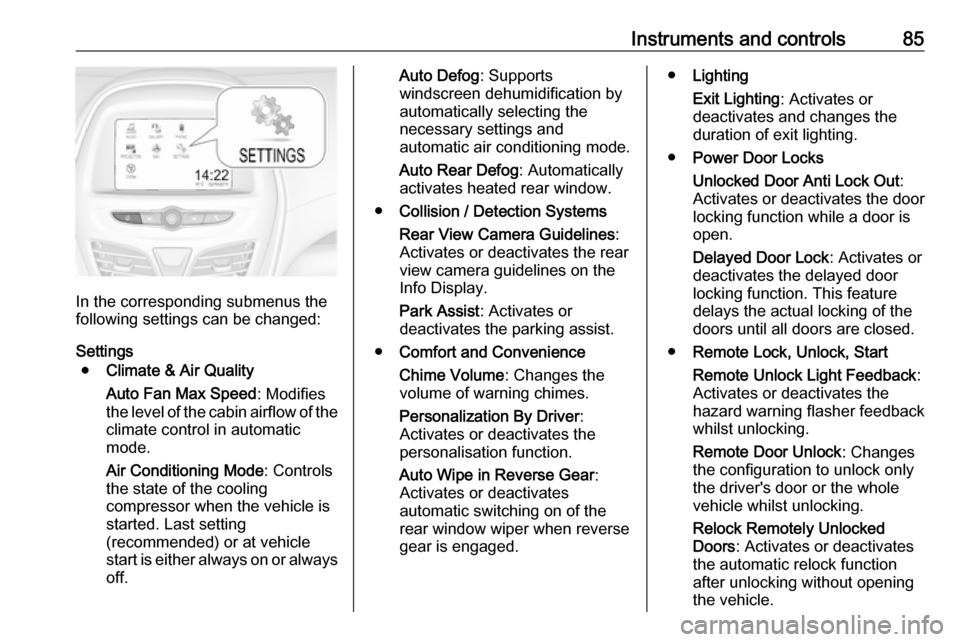
In the corresponding submenus the
following settings can be changed:
Settings ● Climate & Air Quality
Auto Fan Max Speed : Modifies
the level of the cabin airflow of the climate control in automatic
mode.
Air Conditioning Mode : Controls
the state of the cooling
compressor when the vehicle is
started. Last setting
(recommended) or at vehicle
start is either always on or always
off.
Auto Defog : Supports
windscreen dehumidification by
automatically selecting the
necessary settings and
automatic air conditioning mode.
Auto Rear Defog : Automatically
activates heated rear window.
● Collision / Detection Systems
Rear View Camera Guidelines :
Activates or deactivates the rear
view camera guidelines on the
Info Display.
Park Assist : Activates or
deactivates the parking assist.
● Comfort and Convenience
Chime Volume : Changes the
volume of warning chimes.
Personalization By Driver :
Activates or deactivates the
personalisation function.
Auto Wipe in Reverse Gear :
Activates or deactivates
automatic switching on of the
rear window wiper when reverse gear is engaged.● Lighting
Exit Lighting : Activates or
deactivates and changes the
duration of exit lighting.
● Power Door Locks
Unlocked Door Anti Lock Out :
Activates or deactivates the door
locking function while a door is open.
Delayed Door Lock : Activates or
deactivates the delayed door
locking function. This feature
delays the actual locking of the
doors until all doors are closed.
● Remote Lock, Unlock, Start
Remote Unlock Light Feedback :
Activates or deactivates the
hazard warning flasher feedback whilst unlocking.
Remote Door Unlock : Changes
the configuration to unlock only
the driver's door or the whole
vehicle whilst unlocking.
Relock Remotely Unlocked
Doors : Activates or deactivates
the automatic relock function
after unlocking without opening the vehicle.
Page 108 of 191
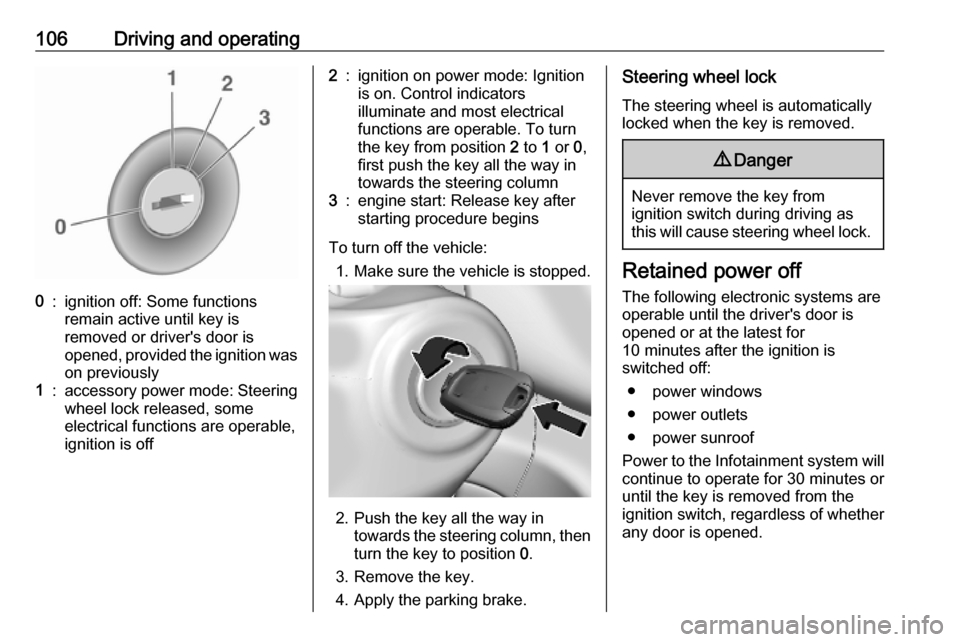
106Driving and operating0:ignition off: Some functions
remain active until key is
removed or driver's door is
opened, provided the ignition was
on previously1:accessory power mode: Steering wheel lock released, some
electrical functions are operable,
ignition is off2:ignition on power mode: Ignition
is on. Control indicators
illuminate and most electrical
functions are operable. To turn
the key from position 2 to 1 or 0,
first push the key all the way in
towards the steering column3:engine start: Release key after
starting procedure begins
To turn off the vehicle:
1. Make sure the vehicle is stopped.
2. Push the key all the way in
towards the steering column, then
turn the key to position 0.
3. Remove the key.
4. Apply the parking brake.
Steering wheel lock
The steering wheel is automatically
locked when the key is removed.9 Danger
Never remove the key from
ignition switch during driving as
this will cause steering wheel lock.
Retained power off
The following electronic systems are
operable until the driver's door is
opened or at the latest for
10 minutes after the ignition is
switched off:
● power windows
● power outlets
● power sunroof
Power to the Infotainment system will continue to operate for 30 minutes oruntil the key is removed from theignition switch, regardless of whether
any door is opened.
Page 129 of 191

Vehicle care127Caution
When transporting the vehicle on
a train or on a recovery vehicle, the
mud flaps might be damaged.
Vehicle storage
Storage for a long period of time
If the vehicle is to be stored for several months:
● Wash and wax the vehicle.
● Have the wax in the engine compartment and underbody
checked.
● Clean and preserve the rubber seals.
● Fill up fuel tank completely.
● Change the engine oil.
● Drain the washer fluid reservoir.
● Check the coolant antifreeze and
corrosion protection.
● Adjust tyre pressure to the value specified for full load.
● Park the vehicle in a dry, wellventilated place. Engage first or
reverse gear. Prevent the vehicle from rolling.
● Do not apply the parking brake.
● Open the bonnet, close all doors and lock the vehicle.
● Disconnect the clamp from the negative terminal of the vehicle
battery. Beware that all systems are not functional, e.g. anti-theft
alarm system.
Putting back into operation When the vehicle is to be put back into
operation:
● Connect the clamp to the negative terminal of the vehicle
battery. Activate the electronics
of the power windows.
● Check tyre pressure.
● Fill up the washer fluid reservoir.
● Check the engine oil level.
● Check the coolant level.
● Fit the number plate if necessary.End-of-life vehicle recovery
Information on end-of-life vehicle
recovery centres and the recycling of
end-of-life vehicles is available on our
website. Only entrust this work to an
authorised recycling centre.
Gas vehicles must be recycled by a
service centre authorised for gas
vehicles.
Page 185 of 191

Customer information183processing and use of personal data
for the purposes of preparation of services take place solely on the
basis of legal permission, e.g. in the
case of a legally prescribed
emergency communication system or
a contractual agreement, or by virtue
of consent.
You can activate or deactivate the services and functions (which are
subject to charges to some extent)
and, in some cases, the vehicle's
entire radio network connection. This
does not include statutory functions
and services such as an emergency
communication system.
Third party services
If you make use of online services
from other providers (third parties),
these services are subject to the
liability and data protection and usage conditions of the provider in question.
The manufacturer frequently has no
influence over the content exchanged
in this regard.Therefore, please note the nature,
scope and purpose of the collection
and use of personal data within the
scope of third party services provided by the service provider in question.
Radio Frequency
Identification (RFID)
RFID technology is used in some
vehicles for functions such as tyre
pressure monitoring and immobiliser.
It is also used in connection with
conveniences such as radio remote
controls for door locking / unlocking
and starting. RFID technology in Opel vehicles does not use or record
personal information or link with any other Opel system containing
personal information.
Page 188 of 191

186Interior mirrors.............................. 29
Introduction .................................... 3
J
Jump starting ............................. 159
K Key, memorised settings ..............22
Keys ............................................. 20
Keys, locks ................................... 20
L
Lane departure warning .......72, 121
Light switch .................................. 90
Load compartment ................25, 53
Load compartment cover .............55
Loading information .....................58
Low fuel ....................................... 74
M Malfunction indicator light ............71
Manual adjustment ......................28
Manual anti-dazzle ......................29
Manual transmission .................. 111
Manual windows ..........................30
Memorised settings ......................22
Mirror adjustment ........................... 8
Mirrors ......................................... 28
Misted light covers .......................93N
New vehicle running-in ..............105
Number plate light .....................139
O Object detection systems ...........119
Odometer ..................................... 65
Oil, engine .......................... 165, 169
OnStar .......................................... 86
Operate pedal ............................... 71
Outside temperature ....................62
Overrun cut-off ........................... 107
P Parking ................................ 19, 109
Parking assist ...................... 72, 119
Parking brake ............................ 113
Parking lights ............................... 93
Performing work ........................128
Power outlets ............................... 64
Power steering.............................. 72
Power windows ............................ 30
Puncture ..................................... 155
R Radio Frequency Identification (RFID) ..................................... 183
Radio remote control ...................21
REACH ....................................... 178
Reading lights .............................. 94
Rear doors ................................... 25Rear floor storage cover ..............56
Rear fog light .................74, 92, 137
Rear window wiper and washer ..62
Recommended fluids and lubricants ........................ 165, 169
Reduced engine power ................74
Refuelling ................................... 123 Registered trademarks ...............179
Retained power off .....................106
Reversing lights ........................... 93
Ride control systems ..................114
Roof .............................................. 32
Roof load ...................................... 58
Roof rack ..................................... 57
S Safety belts ................................... 38
Seat adjustment ....................... 7, 36
Seat belt ........................................ 8
Seat belt reminder .......................70
Seat belts ..................................... 38
Seat heating ................................. 37
Seat position ................................ 35
Service ....................................... 103 Service display ............................ 66
Service information ....................164
Service vehicle soon .................... 71
Side airbag system ......................44
Sidelights ...................................... 90
Side turn lights ........................... 138