key OPEL MERIVA 2009 Owners Manual
[x] Cancel search | Manufacturer: OPEL, Model Year: 2009, Model line: MERIVA, Model: OPEL MERIVA 2009Pages: 248, PDF Size: 4.46 MB
Page 7 of 248
Contents
In Brief ....................................................... 2
Keys, doors, windows, slide and tilt sunroof .......................... 26
Seats, Interior .......................................... 44
Instruments, Cont rols ............................. 82
Lighting ................................................. 102
Infotainment system ........................... 111
Climate control ..................................... 114
Driving and operation ......................... 129
Self-help, vehicle care .......................... 165
Service and maintenance ................... 199
Technical Data .................................... 218
Index ...................................................... 234
Page 8 of 248
2In BriefIn Brief
Picture no: 15335T.tif
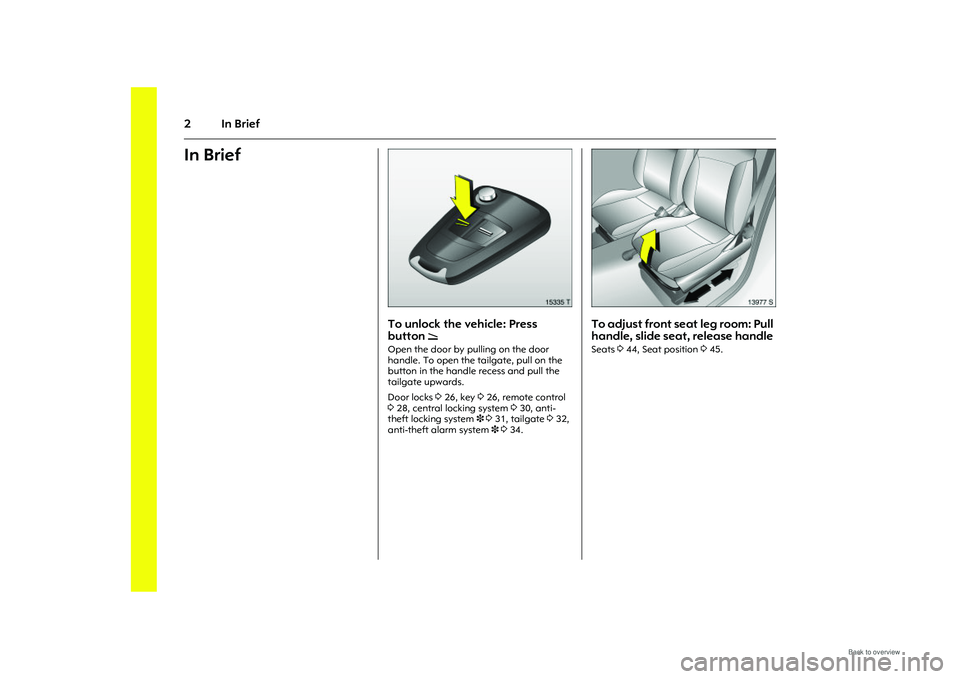
To unlock the vehicle: Press
button
q
Open the door by pulling on the door
handle. To open the tailgate, pull on the
button in the handle recess and pull the
tailgate upwards.
Door locks 326, key 326, remote control
3 28, central locking system 330, anti-
theft locking system 3 331, tailgate 332,
anti-theft alarm system 3 334.
Picture no: 13977s.tif
To adjust front se at leg room: Pull
handle, slide seat, release handle Seats 344, Seat position 345.
Page 21 of 248
15
In Brief
Picture no: 14175s.tif
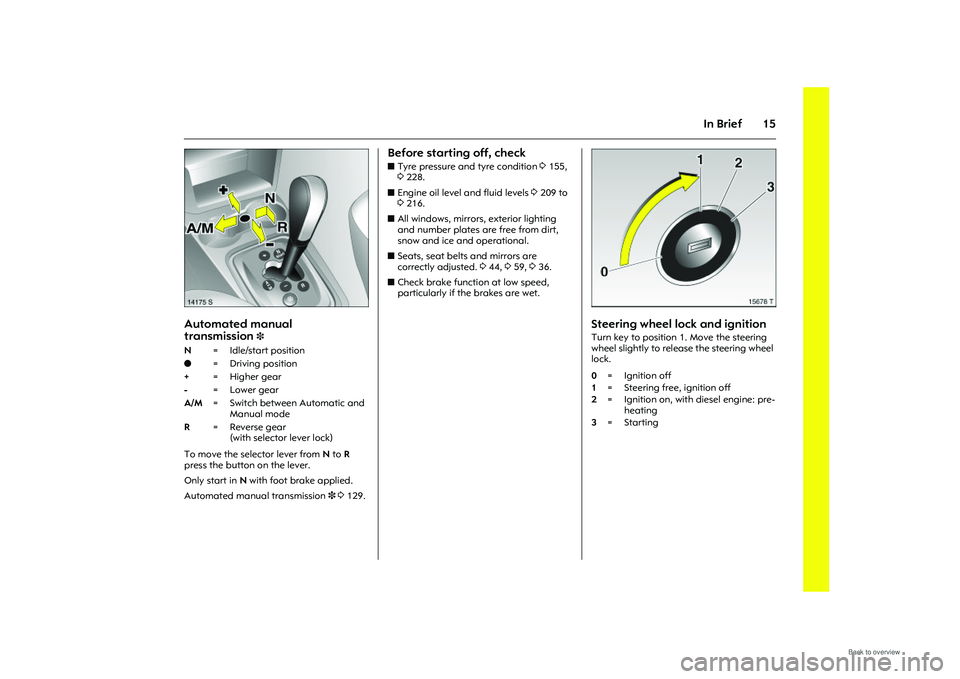
Automated manual
transmission
3
To move the selector lever from N to R
press the button on the lever.
Only start in N with foot brake applied.
Automated manual transmission 3 3 129.
Before starting off, checkz Tyre pressure and tyre condition 3155,
3 228.
z Engine oil level and fluid levels 3209 to
3 216.
z All windows, mirrors, exterior lighting
and number plates are free from dirt,
snow and ice and operational.
z Seats, seat belts and mirrors are
correctly adjusted. 344, 359, 336.
z Check brake function at low speed,
particularly if the brakes are wet.
Picture no: 15678t.tif
Steering wheel lock and ignitionTurn key to position 1. Move the steering
wheel slightly to release the steering wheel
lock.
N
=Idle/start position
o =Driving position
+ = Higher gear
- = Lower gear
A/M = Switch between Automatic and
Manual mode
R = Reverse gear
(with selector lever lock) 0=Ignition off
1 = Steering free, ignition off
2 =Ignition on, with diesel engine: pre-
heating
3 =Starting
Page 22 of 248
16 In Brief
Picture no: 15582a.tif
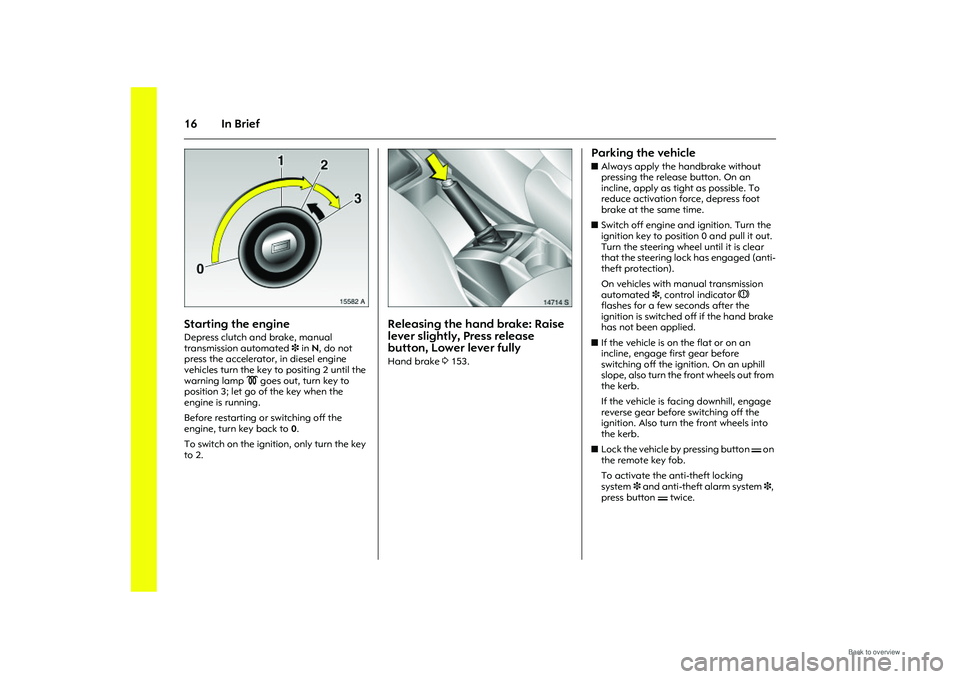
Starting the engine Depress clutch and brake, manual
transmission automated 3 in N, do not
press the accelerator, in diesel engine
vehicles turn the key to positing 2 until the
warning lamp ! goes out, turn key to
position 3; let go of the key when the
engine is running.
Before restarting or switching off the
engine, turn key back to 0.
To switch on the ignition, only turn the key
to 2.
Picture no: 14714s.tif
Releasing the hand brake: Raise
lever slightly, Press release
button, Lower lever fully Hand brake 3153.
Parking the vehicle z Always apply the handbrake without
pressing the release button. On an
incline, apply as tight as possible. To
reduce activation force, depress foot
brake at the same time.
z Switch off engine and ignition. Turn the
ignition key to position 0 and pull it out.
Turn the steering wheel until it is clear
that the steering lock has engaged (anti-
theft protection).
On vehicles with manual transmission
automated 3, control indicator R
flashes for a few seconds after the
ignition is switched off if the hand brake
has not been applied.
z If the vehicle is on the flat or on an
incline, engage first gear before
switching off the ignition. On an uphill
slope, also turn the front wheels out from
the kerb.
If the vehicle is facing downhill, engage
reverse gear before switching off the
ignition. Also turn the front wheels into
the kerb.
z Lock the vehicle by pressing button p on
the remote key fob.
To activate the anti-theft locking
system 3 and anti-theft alarm system 3,
press button p twice.
Page 32 of 248
26 Keys, doors, windows, slide and tilt sunroofKeys, doors, windows,
slide and tilt sunroof
Replacement keys The key number is specified in the
Car Pass3.
The key is part of the electronic
immobiliser.
Locks 3198.
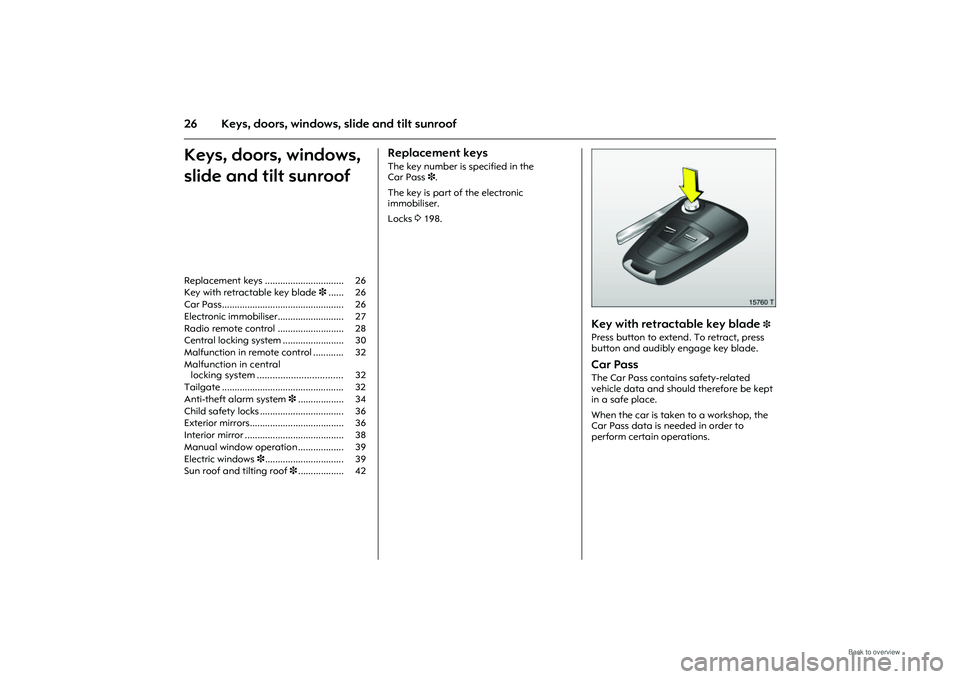
Picture no: 15760t.tif
Key with retractable key blade
3
Press button to extend. To retract, press
button and audibly engage key blade. Car Pass The Car Pass contains safety-related
vehicle data and should therefore be kept
in a safe place.
When the car is taken to a workshop, the
Car Pass data is needed in order to
perform certain operations.
Replacement keys ............................... 26
Key with retractable key blade
3...... 26
Car Pass................................................ 26
Electronic immobiliser.......................... 27
Radio remote control .......................... 28
Central locking system ........................ 30
Malfunction in remote control ............ 32
Malfunction in central locking system ................................. 32
Tailgate ................................................ 32
Anti-theft alarm system 3.................. 34
Child safety locks ................................. 36
Exterior mirrors..................................... 36
Interior mirror ....................................... 38
Manual window operation .................. 39
Electric windows 3............................... 39
Sun roof and tilting roof 3.................. 42
Page 33 of 248
27
Keys, doors, windows, slide and tilt sunroof
Picture no: 15761t.tif
Electronic immobiliser The system checks whether the vehicle is
allowed to start with the key used. Once
the transponder in the key is recognised,
the vehicle can be started.
The electronic immobiliser activates
automatically when the key is removed
from the ignition switch.
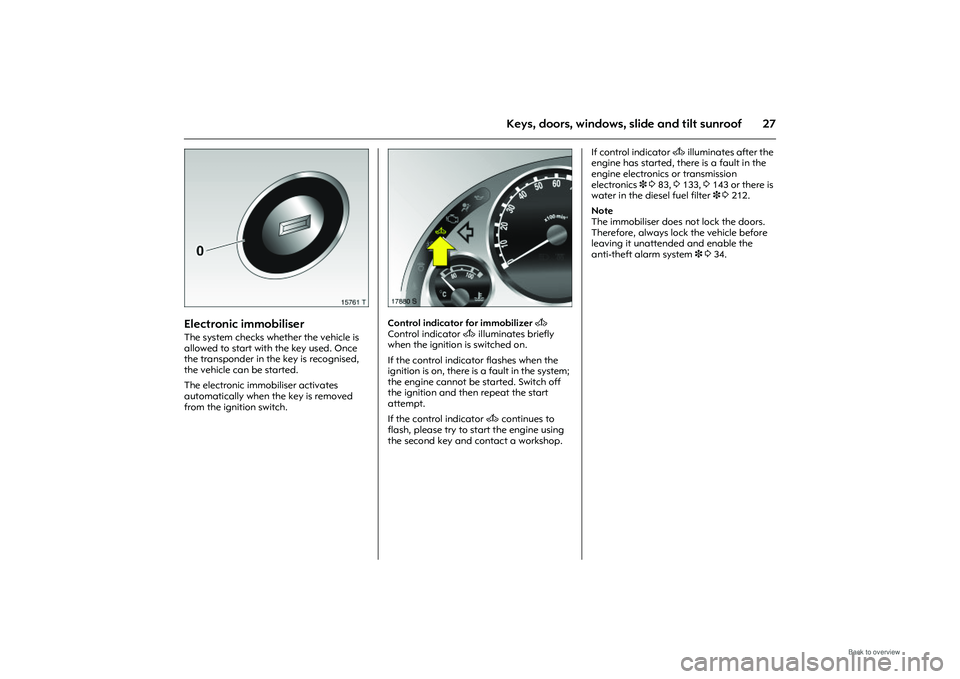
Picture no: 17880s.tif
Control indicator for immobilizer A
Control indicator A illuminates briefly
when the ignition is switched on.
If the control indicator flashes when the
ignition is on, there is a fault in the system;
the engine cannot be started. Switch off
the ignition and then repeat the start
attempt.
If the control indicator A continues to
flash, please try to start the engine using
the second key and contact a workshop. If control indicator
A illuminates after the
engine has started, there is a fault in the
engine electronics or transmission
electronics 3 3 83, 3133, 3143 or there is
water in the diesel fuel filter 3 3212.
Note
The immobiliser does not lock the doors.
Therefore, always lock the vehicle before
leaving it unattended and enable the
anti-theft alarm system 3 3 34.
Page 34 of 248
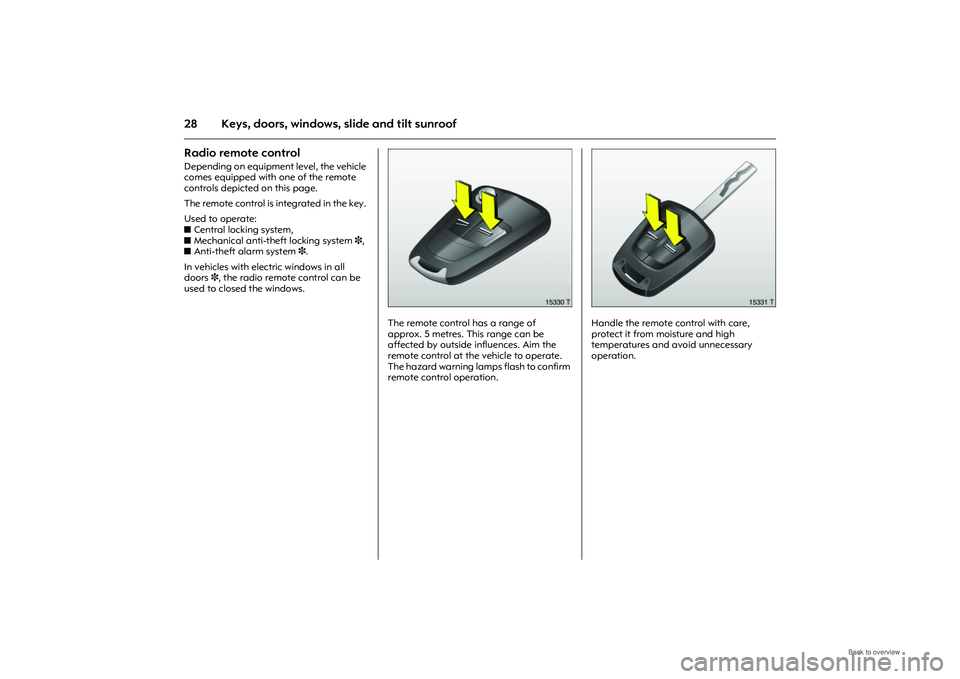
28 Keys, doors, windows, slide and tilt sunroofRadio remote control Depending on equipment level, the vehicle
comes equipped with one of the remote
controls depicted on this page.
The remote control is integrated in the key.
Used to operate:
zCentral locking system,
z Mechanical anti-the ft locking system 3,
z Anti-theft alarm system 3.
In vehicles with electric windows in all
doors 3, the radio remote control can be
used to closed the windows.
Picture no: 15330t.tif
The remote control has a range of
approx. 5 metres. This range can be
affected by outside influences. Aim the
remote control at the vehicle to operate.
The hazard warning lamps flash to confirm
remote control operation.
Picture no: 15331t.tif
Handle the remote control with care,
protect it from moisture and high
temperatures and avoid unnecessary
operation.
Page 35 of 248
29
Keys, doors, windows, slide and tilt sunroof
Fault
If the central locking system cannot be
operated with the remote control, it may be
due to the following:
zRange exceeded.
z Remote control battery voltage too low.
Change battery.
z Operating the remote control several
times in quick succession outside the
range of the vehicle can result in the
remote control no longer being
recognised so that it has to be re-
synchronised.
z If the central locking system is
overloaded as a result of repeated
operation at short intervals. The power
supply is cut off for a brief period.
z Interference from higher-power radio
waves from other sources.
Opening the vehicle 332.
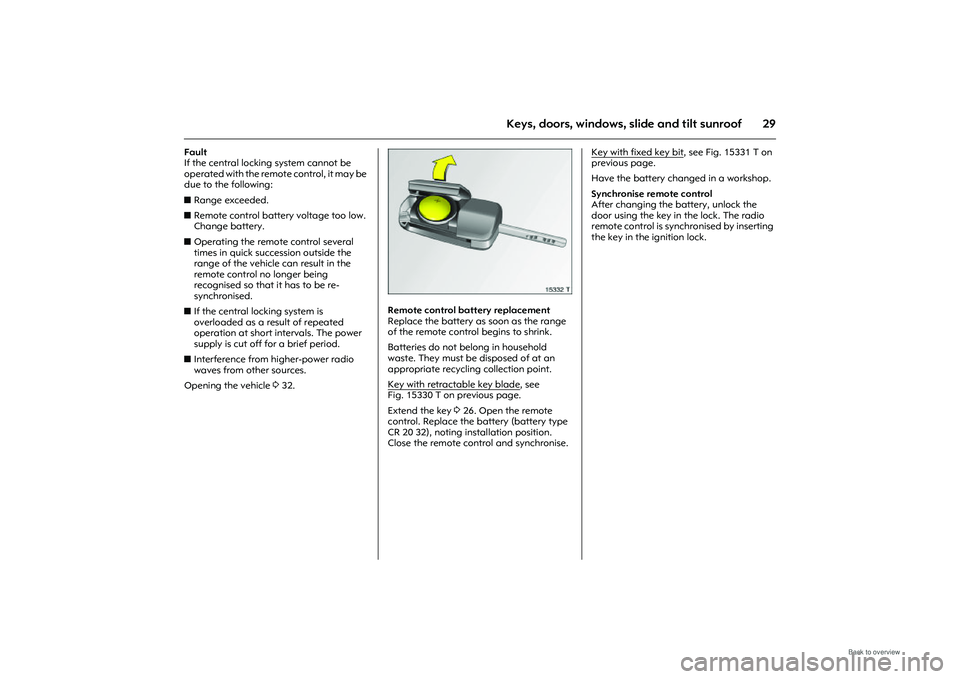
Picture no: 15332t.tif
Remote control battery replacement
Replace the battery as soon as the range
of the remote control begins to shrink.
Batteries do not belong in household
waste. They must be disposed of at an
appropriate recycling collection point.
Key with retractable key blade
, see
Fig. 15330 T on previous page.
Extend the key 3 26. Open the remote
control. Replace the battery (battery type
CR 20 32), noting installation position.
Close the remote control and synchronise. Key with fixed key bit
, see Fig. 15331 T on
previous page.
Have the battery chan ged in a workshop.
Synchronise remote control
After changing the battery, unlock the
door using the key in the lock. The radio
remote control is sync hronised by inserting
the key in the ignition lock.
Page 36 of 248
30 Keys, doors, windows, slide and tilt sunroof
Picture no: 15335t.tif
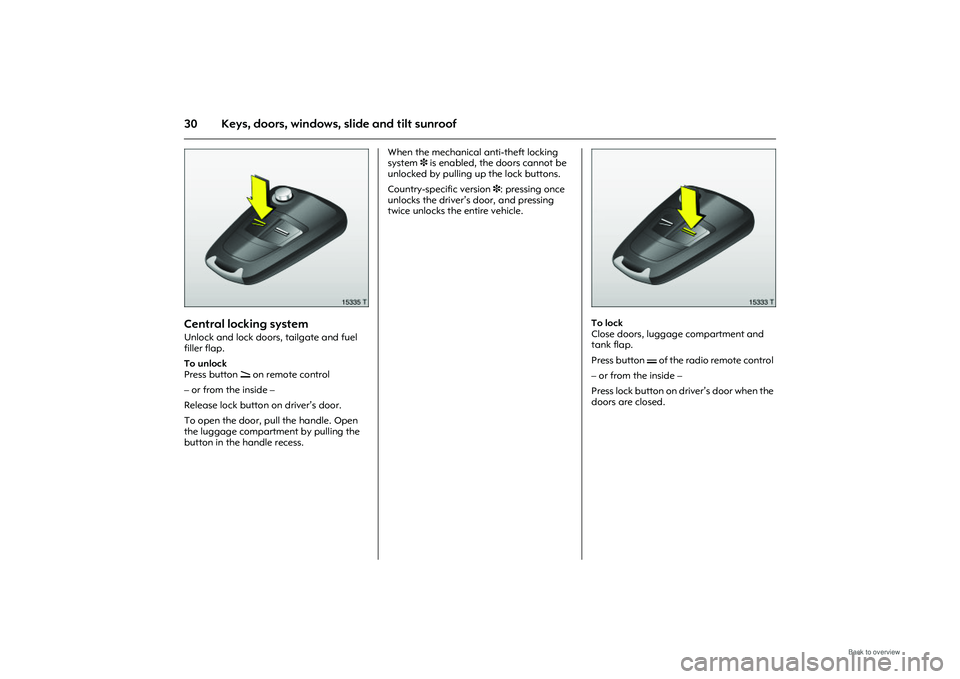
Central locking system Unlock and lock doors, tailgate and fuel
filler flap.
To unlock
Press button q on remote control
– or from the inside –
Release lock button on driver’s door.
To open the door, pull the handle. Open
the luggage compartment by pulling the
button in the handle recess. When the mechanical anti-theft locking
system
3 is enabled, the doors cannot be
unlocked by pulling up the lock buttons.
Country-specific version 3: pressing once
unlocks the driver’s door, and pressing
twice unlocks the entire vehicle.
Picture no: 15333t.tif
To lock
Close doors, luggage compartment and
tank flap.
Press button p of the radio remote control
– or from the inside –
Press lock button on driver’s door when the
doors are closed.
Page 37 of 248
31
Keys, doors, windows, slide and tilt sunroof
Picture no: 15334t.tif
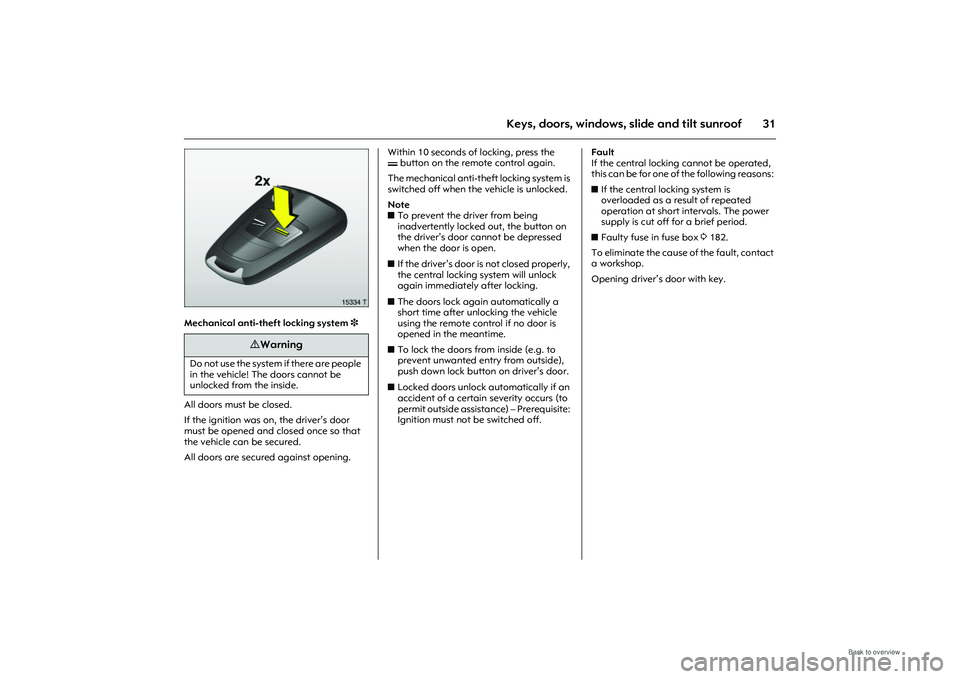
Mechanical anti-theft locking system 3
All doors must be closed.
If the ignition was on, the driver’s door
must be opened and closed once so that
the vehicle can be secured.
All doors are secured against opening. Within 10 seconds of
locking, press the
p button on the remote control again.
The mechanical anti-theft locking system is
switched off when the vehicle is unlocked.
Note
z To prevent the driver from being
inadvertently locked out, the button on
the driver’s door cannot be depressed
when the door is open.
z If the driver’s door is not closed properly,
the central locking system will unlock
again immediately after locking.
z The doors lock again automatically a
short time after unlocking the vehicle
using the remote control if no door is
opened in the meantime.
z To lock the doors from inside (e.g. to
prevent unwanted entry from outside),
push down lock button on driver’s door.
z Locked doors unlock automatically if an
accident of a certain severity occurs (to
permit outside assistance) – Prerequisite:
Ignition must not be switched off. Fault
If the central locking cannot be operated,
this can be for one of the following reasons:
z
If the central locking system is
overloaded as a result of repeated
operation at short intervals. The power
supply is cut off for a brief period.
z Faulty fuse in fuse box 3182.
To eliminate the cause of the fault, contact
a workshop.
Opening driver’s door with key.
9 Warning
Do not use the system if there are people
in the vehicle! The doors cannot be
unlocked from the inside.