ECU OPEL MERIVA 2017 User Guide
[x] Cancel search | Manufacturer: OPEL, Model Year: 2017, Model line: MERIVA, Model: OPEL MERIVA 2017Pages: 251, PDF Size: 8.14 MB
Page 66 of 251
64StorageRear carrier system
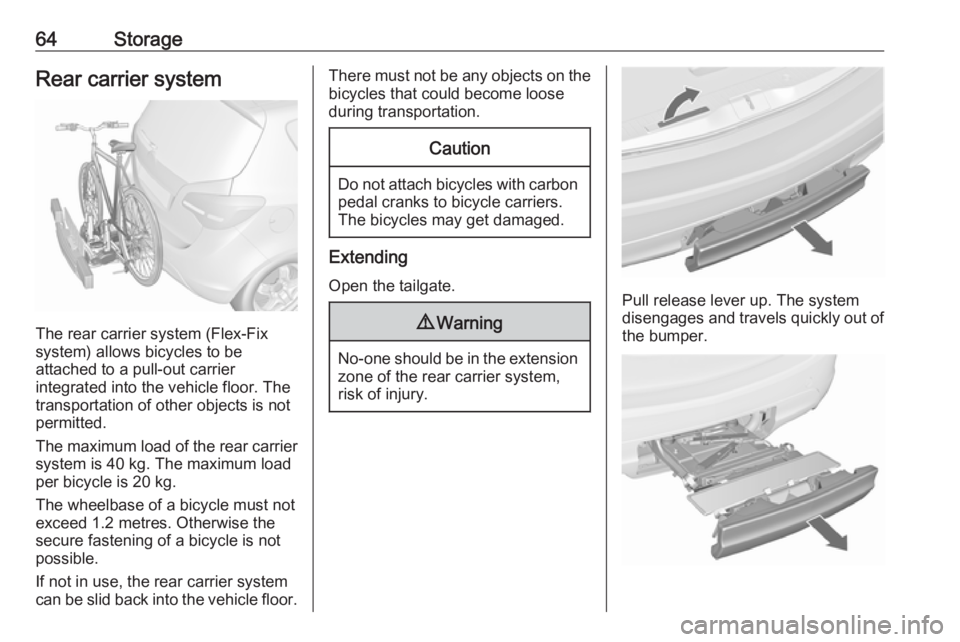
The rear carrier system (Flex-Fix
system) allows bicycles to be
attached to a pull-out carrier
integrated into the vehicle floor. The
transportation of other objects is not
permitted.
The maximum load of the rear carrier
system is 40 kg. The maximum load
per bicycle is 20 kg.
The wheelbase of a bicycle must not
exceed 1.2 metres. Otherwise the
secure fastening of a bicycle is not possible.
If not in use, the rear carrier system
can be slid back into the vehicle floor.
There must not be any objects on the bicycles that could become loose
during transportation.Caution
Do not attach bicycles with carbon pedal cranks to bicycle carriers.
The bicycles may get damaged.
Extending
Open the tailgate.
9 Warning
No-one should be in the extension
zone of the rear carrier system,
risk of injury.
Pull release lever up. The system
disengages and travels quickly out of
the bumper.
Page 68 of 251
66Storage
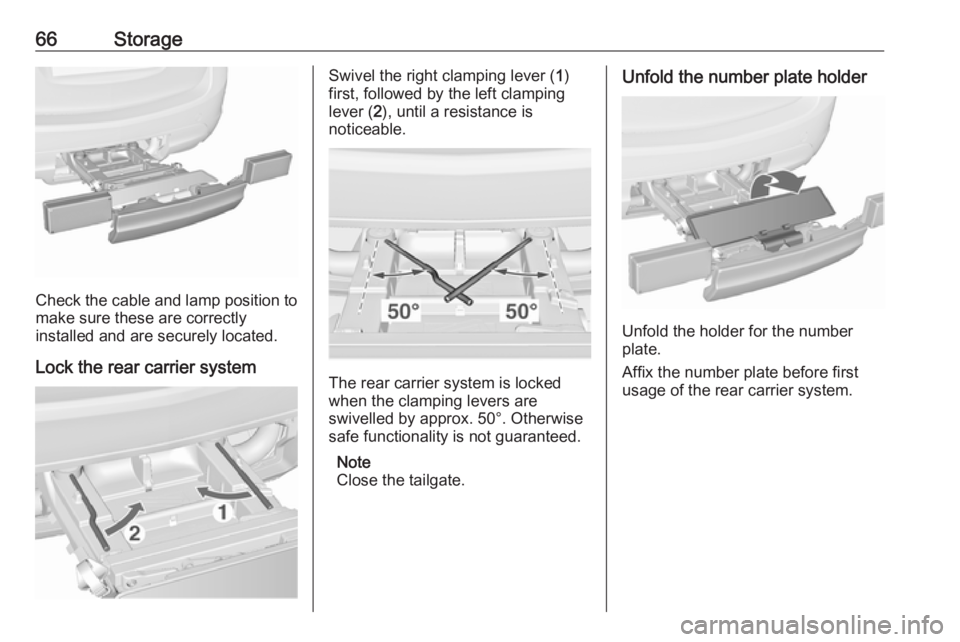
Check the cable and lamp position to
make sure these are correctly
installed and are securely located.
Lock the rear carrier system
Swivel the right clamping lever ( 1)
first, followed by the left clamping
lever ( 2), until a resistance is
noticeable.
The rear carrier system is locked
when the clamping levers are
swivelled by approx. 50°. Otherwise
safe functionality is not guaranteed.
Note
Close the tailgate.
Unfold the number plate holder
Unfold the holder for the number
plate.
Affix the number plate before first
usage of the rear carrier system.
Page 72 of 251
70Storage
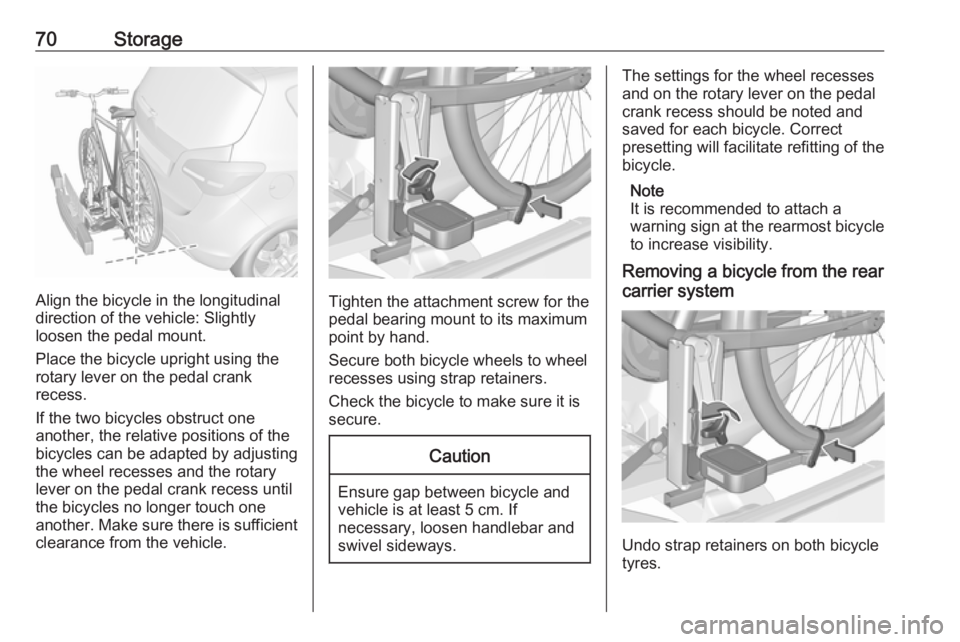
Align the bicycle in the longitudinal
direction of the vehicle: Slightly
loosen the pedal mount.
Place the bicycle upright using the
rotary lever on the pedal crank
recess.
If the two bicycles obstruct one
another, the relative positions of the
bicycles can be adapted by adjusting
the wheel recesses and the rotary
lever on the pedal crank recess until
the bicycles no longer touch one
another. Make sure there is sufficient
clearance from the vehicle.Tighten the attachment screw for the
pedal bearing mount to its maximum
point by hand.
Secure both bicycle wheels to wheel
recesses using strap retainers.
Check the bicycle to make sure it is
secure.
Caution
Ensure gap between bicycle and
vehicle is at least 5 cm. If
necessary, loosen handlebar and swivel sideways.
The settings for the wheel recesses
and on the rotary lever on the pedal
crank recess should be noted and saved for each bicycle. Correct
presetting will facilitate refitting of the
bicycle.
Note
It is recommended to attach a
warning sign at the rearmost bicycle to increase visibility.
Removing a bicycle from the rear
carrier system
Undo strap retainers on both bicycle
tyres.
Page 76 of 251
74Storage
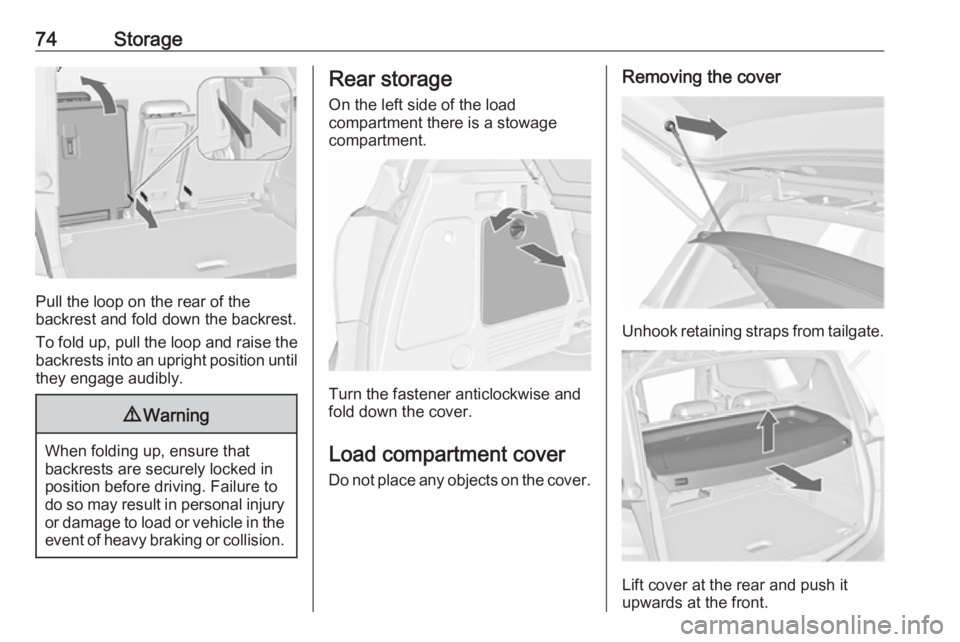
Pull the loop on the rear of the
backrest and fold down the backrest.
To fold up, pull the loop and raise the backrests into an upright position until
they engage audibly.
9 Warning
When folding up, ensure that
backrests are securely locked in
position before driving. Failure to
do so may result in personal injury or damage to load or vehicle in the event of heavy braking or collision.
Rear storage
On the left side of the load
compartment there is a stowage
compartment.
Turn the fastener anticlockwise and
fold down the cover.
Load compartment cover Do not place any objects on the cover.
Removing the cover
Unhook retaining straps from tailgate.
Lift cover at the rear and push it
upwards at the front.
Page 78 of 251
76StorageIf mounted in the upper position, the
space between the load-bay floor and
the spare wheel well cover can be
used as a stowage compartment.
In this position, if the rear seat
backrests are folded forwards, an
almost completely flat load bay is
created.
In the upper position, the double load-
bay floor is able to withstand a
maximum load of 100 kg. In the lower
position, the double load-bay floor is able to withstand the maximum
permissible load.
In models with a tyre repair kit, the
spare wheel well may be used as an
additional storage compartment. Tyre repair kit 3 202.
Liquid gas shut-off valve 3 160.Lashing eyes
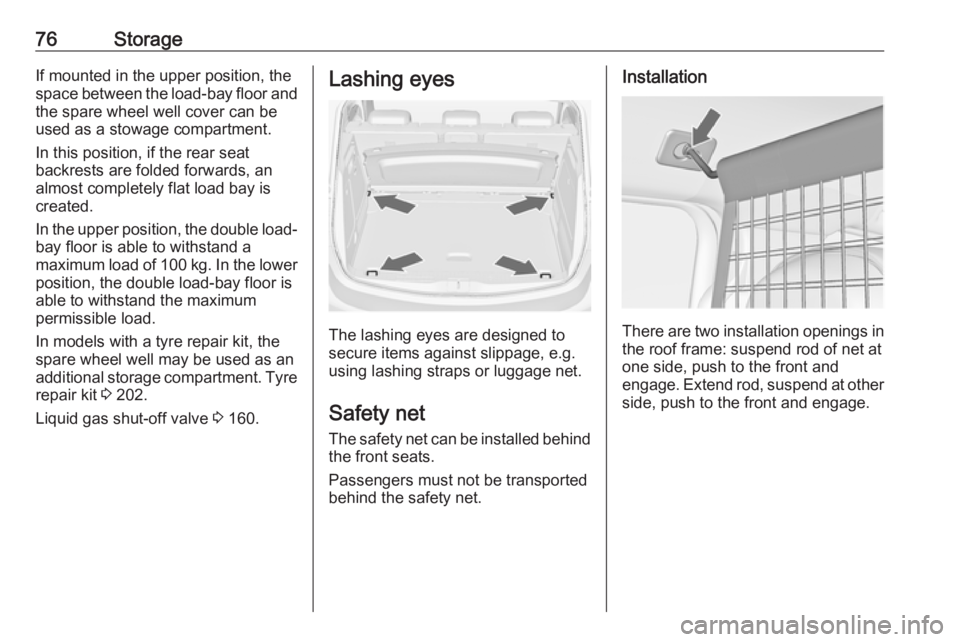
The lashing eyes are designed to
secure items against slippage, e.g.
using lashing straps or luggage net.
Safety net The safety net can be installed behind
the front seats.
Passengers must not be transported
behind the safety net.
Installation
There are two installation openings in the roof frame: suspend rod of net at
one side, push to the front and
engage. Extend rod, suspend at other
side, push to the front and engage.
Page 81 of 251
Storage79Roof rack system
Roof rack For safety reasons and to avoiddamage to the roof, the vehicle
approved roof rack system is
recommended. For further
information contact your workshop.
Follow the installation instructions
and remove the roof rack when not in
use.
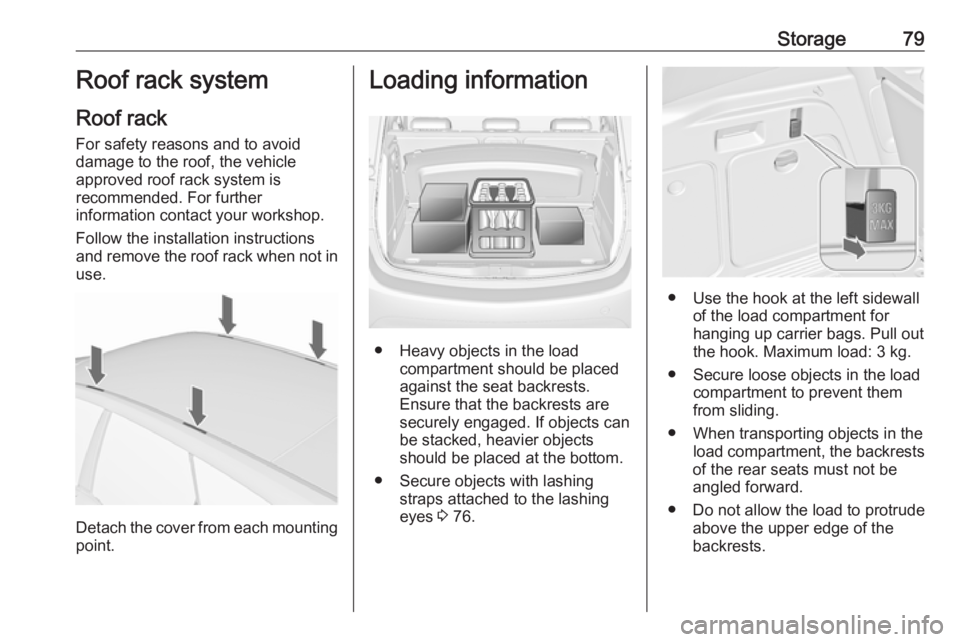
Detach the cover from each mounting
point.
Loading information
● Heavy objects in the load compartment should be placed
against the seat backrests.
Ensure that the backrests are
securely engaged. If objects can
be stacked, heavier objects
should be placed at the bottom.
● Secure objects with lashing straps attached to the lashing
eyes 3 76.
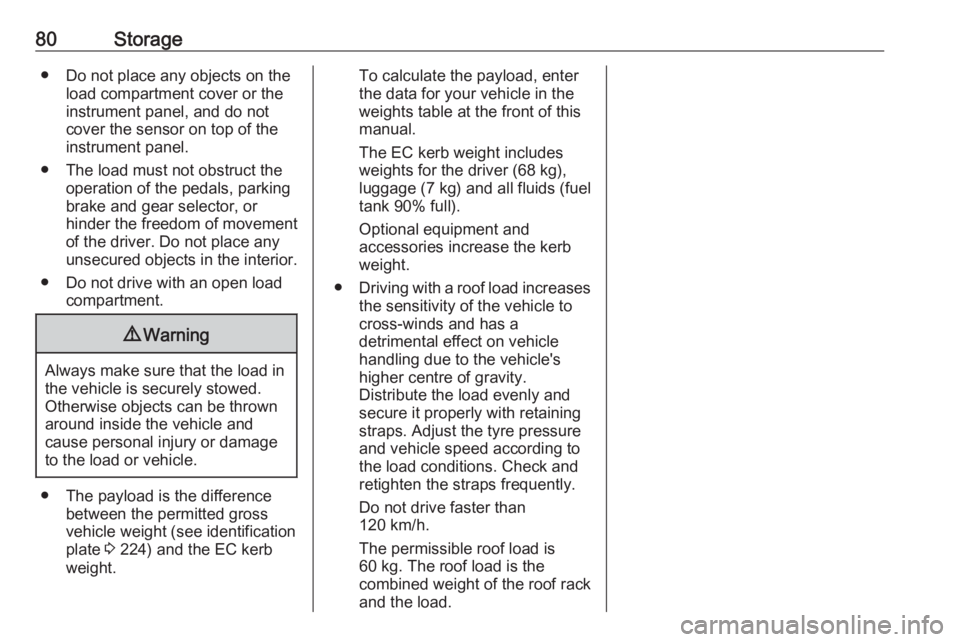
● Use the hook at the left sidewall
of the load compartment for
hanging up carrier bags. Pull out
the hook. Maximum load: 3 kg.
● Secure loose objects in the load compartment to prevent themfrom sliding.
● When transporting objects in the load compartment, the backrests
of the rear seats must not be
angled forward.
● Do not allow the load to protrude above the upper edge of the
backrests.
Page 82 of 251
80Storage● Do not place any objects on theload compartment cover or theinstrument panel, and do notcover the sensor on top of the
instrument panel.
● The load must not obstruct the operation of the pedals, parking
brake and gear selector, or
hinder the freedom of movement
of the driver. Do not place any
unsecured objects in the interior.
● Do not drive with an open load compartment.9Warning
Always make sure that the load in
the vehicle is securely stowed.
Otherwise objects can be thrown
around inside the vehicle and
cause personal injury or damage
to the load or vehicle.
● The payload is the difference between the permitted gross
vehicle weight (see identification
plate 3 224) and the EC kerb
weight.
To calculate the payload, enter
the data for your vehicle in the
weights table at the front of this
manual.
The EC kerb weight includes
weights for the driver (68 kg),
luggage (7 kg) and all fluids (fuel
tank 90% full).
Optional equipment and
accessories increase the kerb
weight.
● Driving with a roof load increases
the sensitivity of the vehicle to
cross-winds and has a
detrimental effect on vehicle
handling due to the vehicle's
higher centre of gravity.
Distribute the load evenly and
secure it properly with retaining
straps. Adjust the tyre pressure
and vehicle speed according to
the load conditions. Check and
retighten the straps frequently.
Do not drive faster than
120 km/h.
The permissible roof load is
60 kg. The roof load is the
combined weight of the roof rack and the load.
Page 102 of 251
100Instruments and controlsHigh beamC illuminates blue.
Illuminated when high beam is on and during headlight flash 3 122.
Adaptive forward lighting f illuminates or flashes yellow.
Illuminates
Fault in system.
Seek the assistance of a workshop.
Flashes
System switched to symmetrical low
beam.
Control indicator f flashes for approx.
4 seconds after the ignition is
switched on as a reminder that the
system has been activated 3 122.
Automatic light control 3 121.
Fog light > illuminates green.
The front fog lights are on 3 124.Rear fog light
r illuminates yellow.
The rear fog light is on 3 125.
Cruise control m illuminates white or green.
Illuminates white The system is on.
Illuminates green
A certain speed is stored.
Cruise control 3 154.
Door open
h illuminates red.
A door or the tailgate is open.
Automatic locking
^ illuminates amber.
Fault in the automatic locking system. The rear doors are possibly not
secured against opening.9 Warning
Stop your journey immediately!
Follow the instructions as
described in paragraph "Fault in
the automatic locking system"
before continuing your journey
3 25.
Consult a workshop.
Page 111 of 251
Instruments and controls109● If a fault in the automatic lockingsystem is detected.
● If the diesel particle filter has reached the maximum filling
level.
When the vehicle is parked and/or the driver's door is opened
● With exterior lights on.
During an Autostop ● If the driver's door is opened.
Battery voltage
When the vehicle battery voltage is
running low, a warning message or
warning code 174 will appear in the
Driver Information Centre.
1. Switch off immediately any electrical consumers which are
not required for a safe ride, e.g.
seat heating, heated rear window or other main consumers.
2. Charge the vehicle battery by driving continuously for a while or
by using a charging device.The warning message or warning
code will disappear after the engine
has been started twice consecutively
without a voltage drop.
If the vehicle battery cannot be
recharged, have the cause of the fault
remedied by a workshop.Trip computer
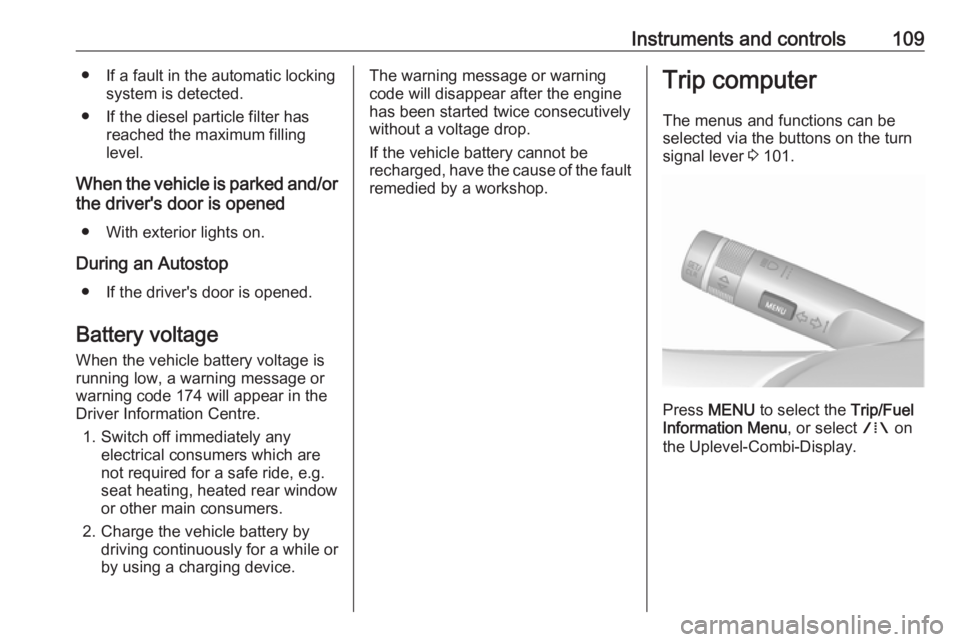
The menus and functions can be
selected via the buttons on the turn
signal lever 3 101.
Press MENU to select the Trip/Fuel
Information Menu , or select W on
the Uplevel-Combi-Display.
Page 121 of 251
Instruments and controls119OnStar settingsOnStar PIN
To have full access to all OnStar
services, a four-digit PIN is required.
The PIN has to be personalised when
first talking to an advisor.
To change the PIN, press Z to call an
advisor.
Account data
An OnStar subscriber has an account
where all the data is stored. To
request a change of the account
information, press Z and talk to an
advisor or log in to your account.
If the OnStar service is used on
another vehicle, press Z and request
that the account be transferred to the
new vehicle.
Note
In any case, if the vehicle is disposed
of, sold or otherwise transferred,
immediately inform OnStar about
the changes and terminate the
OnStar service on this vehicle.Vehicle location
The vehicle location is transmitted to OnStar when service is requested or triggered. A message on the Info-
Display informs about this
transmission.
To activate or deactivate the
transmission of the vehicle location,
press and hold j until an audio
message is heard.
The deactivation is indicated by the
status light flashing red and green for a short period of time and each time
the vehicle is started.
Note
If the transmission of the vehicle
location is deactivated, some
services are no longer available.
Note
The vehicle location always remains accessible to OnStar in the case of
an emergency.
Find the privacy policy in your
account.Software updates
OnStar may remotely carry out
software updates without further
notice or consent. These updates are
to enhance or maintain safety and
security or the operation of the
vehicle.
These updates may concern privacy
issues. Find the privacy policy in your
account.