door lock OPEL MERIVA 2017 User Guide
[x] Cancel search | Manufacturer: OPEL, Model Year: 2017, Model line: MERIVA, Model: OPEL MERIVA 2017Pages: 251, PDF Size: 8.14 MB
Page 31 of 251
Keys, doors and windows29AlarmWhen triggered, the alarm hornsounds and the hazard warning lights flash simultaneously. The number
and duration of alarm signals are
stipulated by legislation.
The alarm can be silenced by
pressing any button of the radio
remote control or by switching on the
ignition.
The anti-theft alarm system can be
deactivated only by pressing c or by
switching on the ignition.
A triggered alarm, which has not been interrupted by the driver, will be
indicated by a warning message or a
warning code in the Driver
Information Centre after switching on
the ignition.
Vehicle messages 3 106.
Immobiliser The system is part of the ignition
switch and checks whether the
vehicle is allowed to be started with
the key being used.The immobiliser is activated
automatically after the key has been
removed from the ignition switch.
If control indicator d flashes when the
ignition is on, there is a fault in the
system; the engine cannot be started. Switch off the ignition and then repeat
the start attempt.
If control indicator d continues
flashing, attempt to start the engine using the spare key and seek the
assistance of a workshop.
Note
The immobiliser does not lock the
doors. You should always lock the
vehicle after leaving it and switch on the anti-theft alarm system 3 22,
3 28.
Control indicator d 3 99.Exterior mirrors
Convex shape The convex exterior mirror contains
an aspherical area and reduces blind spots. The shape of the mirror makes
objects appear smaller, which will affect the ability to estimate
distances.
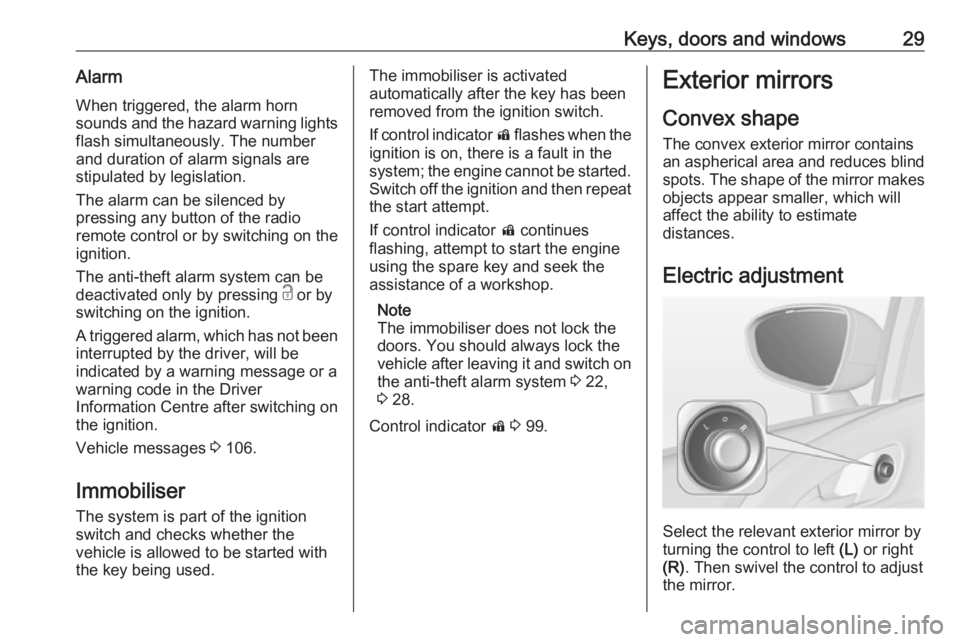
Electric adjustment
Select the relevant exterior mirror by
turning the control to left (L) or right
(R) . Then swivel the control to adjust
the mirror.
Page 34 of 251
32Keys, doors and windowsPower windows can be operated:● with ignition on
● within ten minutes of switching ignition off
● within five minutes of opening or closing a door
After switching off the ignition,
window operation is disabled as soon
as the vehicle is locked with the radio remote control.
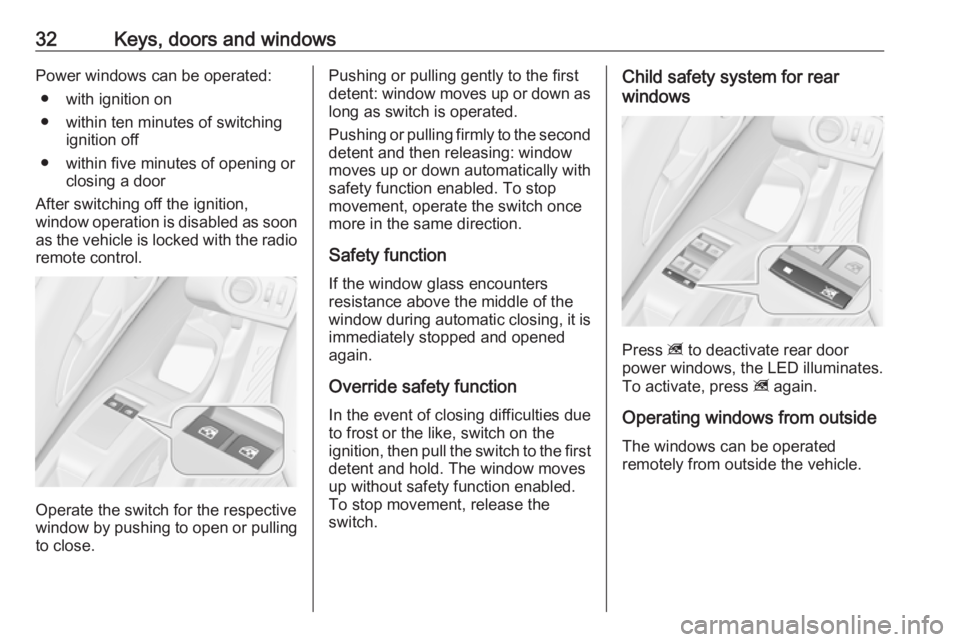
Operate the switch for the respective
window by pushing to open or pulling to close.
Pushing or pulling gently to the first
detent: window moves up or down as long as switch is operated.
Pushing or pulling firmly to the second
detent and then releasing: window
moves up or down automatically with
safety function enabled. To stop
movement, operate the switch once
more in the same direction.
Safety function
If the window glass encounters
resistance above the middle of the
window during automatic closing, it is
immediately stopped and opened
again.
Override safety function In the event of closing difficulties due
to frost or the like, switch on the
ignition, then pull the switch to the first
detent and hold. The window moves
up without safety function enabled.
To stop movement, release the
switch.Child safety system for rear
windows
Press z to deactivate rear door
power windows, the LED illuminates.
To activate, press z again.
Operating windows from outside
The windows can be operated
remotely from outside the vehicle.
Page 83 of 251
Instruments and controls81Instruments and
controlsControls ....................................... 82
Steering wheel adjustment ........82
Steering wheel controls .............82
Heated steering wheel ...............82
Horn ........................................... 83
Windscreen wiper/washer .........83
Rear window wiper/washer .......85
Outside temperature ..................85
Clock ......................................... 86
Power outlets ............................. 87
Cigarette lighter ......................... 88
Ashtrays .................................... 88
Warning lights, gauges and indi‐ cators ........................................... 89
Instrument cluster ......................89
Speedometer ............................. 89
Odometer .................................. 89
Trip odometer ............................ 89
Tachometer ............................... 89
Fuel gauge ................................ 90
Fuel selector .............................. 90
Engine coolant temperature gauge ....................................... 90
Service display .......................... 91Control indicators ......................92
Turn signal ................................. 94
Seat belt reminder .....................95
Airbag and belt tensioners .........95
Airbag deactivation ....................95
Charging system .......................96
Malfunction indicator light ..........96
Service vehicle soon .................96
Brake and clutch system ...........96
Operate pedal ............................ 96
Electric parking brake ................97
Electric parking brake fault ........97
Antilock brake system (ABS) .....97
Upshift ....................................... 97
Variable effort steering ..............97
Ultrasonic parking assist ...........97
Electronic Stability Control off ...98
Electronic Stability Control and Traction Control system ...........98
Traction Control system off .......98
Preheating ................................. 98
Diesel particle filter ....................98
Tyre pressure monitoring system ...................................... 98
Engine oil pressure ....................99
Low fuel ..................................... 99
Immobiliser ................................ 99
Reduced engine power .............99
Exterior light .............................. 99
High beam ............................... 100Adaptive forward lighting .........100
Fog light ................................... 100
Rear fog light ........................... 100
Cruise control .......................... 100
Door open ................................ 100
Automatic locking ....................100
Information displays ...................101
Driver Information Centre ........101
Graphic-Info-Display, Colour- Info-Display ............................ 104
Vehicle messages ......................106
Warning chimes .......................108
Battery voltage ........................ 109
Trip computer ............................. 109
Vehicle personalisation ..............112
OnStar ....................................... 116
Page 96 of 251
94Instruments and controlsControl indicators in the centre
console
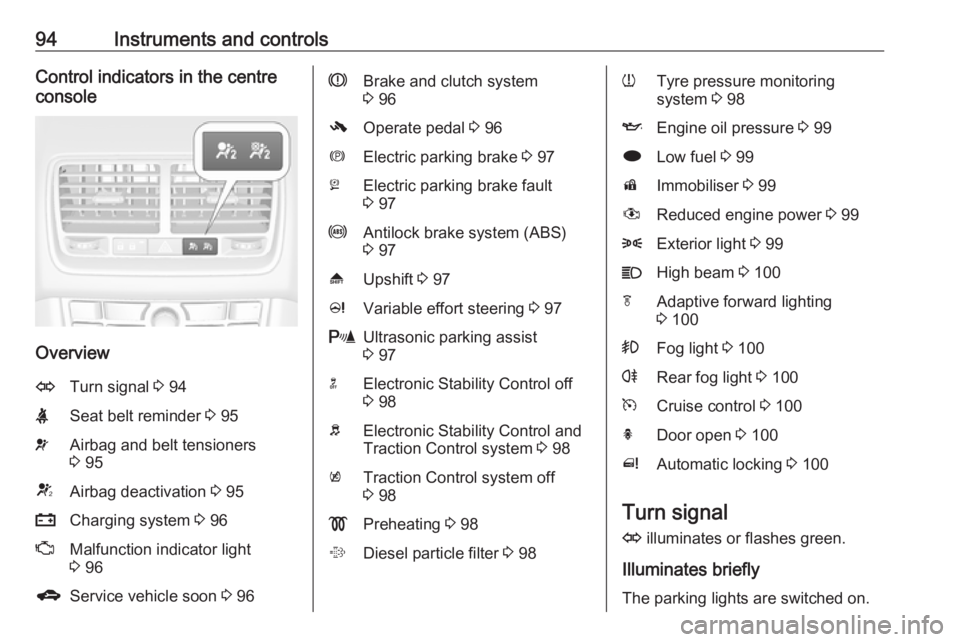
Overview
OTurn signal 3 94XSeat belt reminder 3 95vAirbag and belt tensioners
3 95VAirbag deactivation 3 95pCharging system 3 96ZMalfunction indicator light
3 96gService vehicle soon 3 96RBrake and clutch system
3 96-Operate pedal 3 96mElectric parking brake 3 97jElectric parking brake fault
3 97uAntilock brake system (ABS)
3 97[Upshift 3 97cVariable effort steering 3 97rUltrasonic parking assist
3 97nElectronic Stability Control off
3 98bElectronic Stability Control and
Traction Control system 3 98kTraction Control system off
3 98!Preheating 3 98%Diesel particle filter 3 98wTyre pressure monitoring
system 3 98IEngine oil pressure 3 99iLow fuel 3 99dImmobiliser 3 99#Reduced engine power 3 998Exterior light 3 99CHigh beam 3 100fAdaptive forward lighting
3 100>Fog light 3 100rRear fog light 3 100mCruise control 3 100hDoor open 3 100^Automatic locking 3 100
Turn signal
O illuminates or flashes green.
Illuminates briefly
The parking lights are switched on.
Page 102 of 251
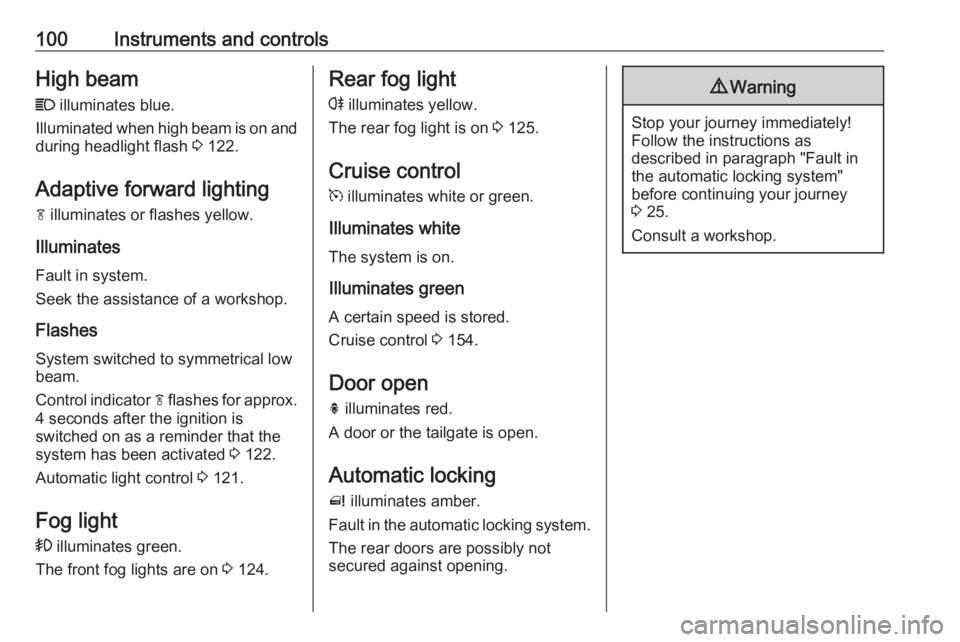
100Instruments and controlsHigh beamC illuminates blue.
Illuminated when high beam is on and during headlight flash 3 122.
Adaptive forward lighting f illuminates or flashes yellow.
Illuminates
Fault in system.
Seek the assistance of a workshop.
Flashes
System switched to symmetrical low
beam.
Control indicator f flashes for approx.
4 seconds after the ignition is
switched on as a reminder that the
system has been activated 3 122.
Automatic light control 3 121.
Fog light > illuminates green.
The front fog lights are on 3 124.Rear fog light
r illuminates yellow.
The rear fog light is on 3 125.
Cruise control m illuminates white or green.
Illuminates white The system is on.
Illuminates green
A certain speed is stored.
Cruise control 3 154.
Door open
h illuminates red.
A door or the tailgate is open.
Automatic locking
^ illuminates amber.
Fault in the automatic locking system. The rear doors are possibly not
secured against opening.9 Warning
Stop your journey immediately!
Follow the instructions as
described in paragraph "Fault in
the automatic locking system"
before continuing your journey
3 25.
Consult a workshop.
Page 111 of 251
Instruments and controls109● If a fault in the automatic lockingsystem is detected.
● If the diesel particle filter has reached the maximum filling
level.
When the vehicle is parked and/or the driver's door is opened
● With exterior lights on.
During an Autostop ● If the driver's door is opened.
Battery voltage
When the vehicle battery voltage is
running low, a warning message or
warning code 174 will appear in the
Driver Information Centre.
1. Switch off immediately any electrical consumers which are
not required for a safe ride, e.g.
seat heating, heated rear window or other main consumers.
2. Charge the vehicle battery by driving continuously for a while or
by using a charging device.The warning message or warning
code will disappear after the engine
has been started twice consecutively
without a voltage drop.
If the vehicle battery cannot be
recharged, have the cause of the fault
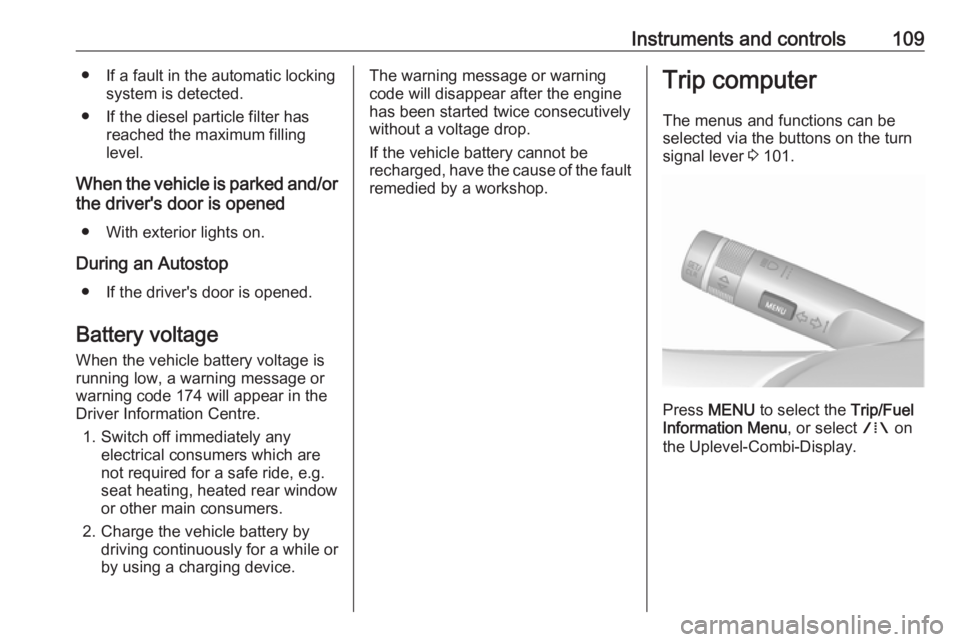
remedied by a workshop.Trip computer
The menus and functions can be
selected via the buttons on the turn
signal lever 3 101.
Press MENU to select the Trip/Fuel
Information Menu , or select W on
the Uplevel-Combi-Display.
Page 116 of 251
114Instruments and controls
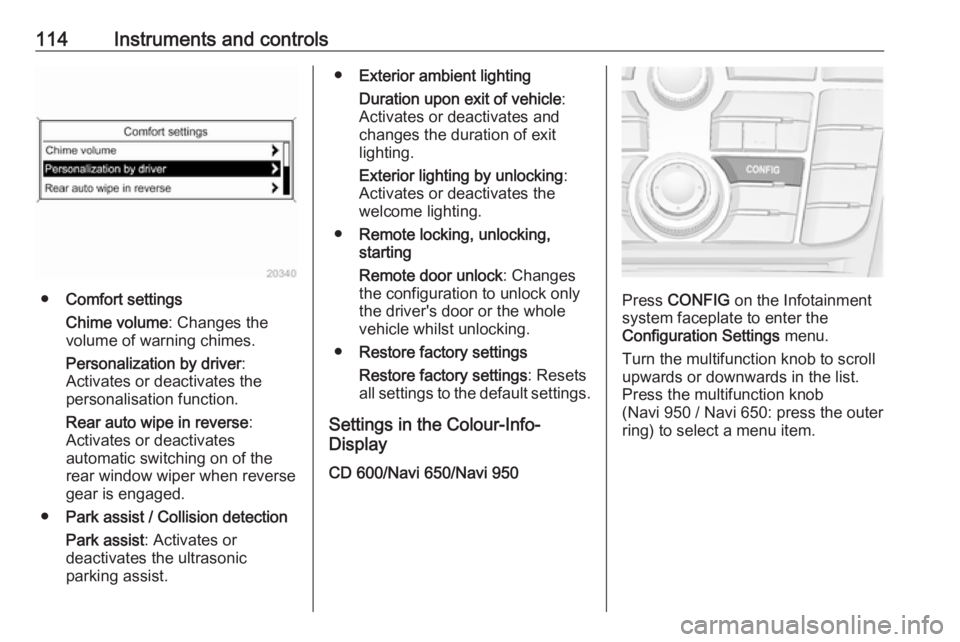
●Comfort settings
Chime volume : Changes the
volume of warning chimes.
Personalization by driver :
Activates or deactivates the
personalisation function.
Rear auto wipe in reverse :
Activates or deactivates
automatic switching on of the
rear window wiper when reverse gear is engaged.
● Park assist / Collision detection
Park assist : Activates or
deactivates the ultrasonic
parking assist.
● Exterior ambient lighting
Duration upon exit of vehicle :
Activates or deactivates and
changes the duration of exit
lighting.
Exterior lighting by unlocking :
Activates or deactivates the
welcome lighting.
● Remote locking, unlocking,
starting
Remote door unlock : Changes
the configuration to unlock only
the driver's door or the whole
vehicle whilst unlocking.
● Restore factory settings
Restore factory settings : Resets
all settings to the default settings.
Settings in the Colour-Info-
Display
CD 600/Navi 650/Navi 950
Press CONFIG on the Infotainment
system faceplate to enter the
Configuration Settings menu.
Turn the multifunction knob to scroll
upwards or downwards in the list.
Press the multifunction knob
(Navi 950 / Navi 650: press the outer
ring) to select a menu item.
Page 118 of 251
116Instruments and controls●Collision Detection Systems
Park Assist : Activates or
deactivates the ultrasonic
sensors.
● Lighting
Vehicle Locator Lights : Activates
or deactivates the entry lighting.
Exit Lighting : Activates or
deactivates and changes the
duration of exit lighting.
● Remote Lock/Unlock/Start
Remote Door Unlock : Changes
the configuration to unlock only
the driver's door or the whole
vehicle whilst unlocking.
● Return to Factory Settings? :
Resets all settings to the default settings.OnStar
OnStar is a personal connectivity and
service assistant with integrated
Wi-Fi hotspot. The OnStar service is
available 24 hours a day, seven days a week.
Note
OnStar is not available for all
markets. For further information,
contact your workshop.
Note
In order to be available and
operational, OnStar needs a valid
OnStar subscription, functioning
vehicle electrics, mobile service and
GPS satellite link.
To activate the OnStar services and
set up an account, press Z and speak
with an advisor.
Depending on the equipment of the
vehicle, the following services are available:
● Emergency services and support
in the case of a vehicle
breakdown
● Wi-Fi hotspot● Smartphone application
● Remote control, e.g. location of the vehicle, activation of horn and
lights
● Stolen vehicle assistance
● Vehicle diagnostics
● Destination download
Note
The OnStar module of the vehicle is
deactivated after ten days without an ignition cycle. Functions requiring a
data connection will be available
again after switching on the ignition.
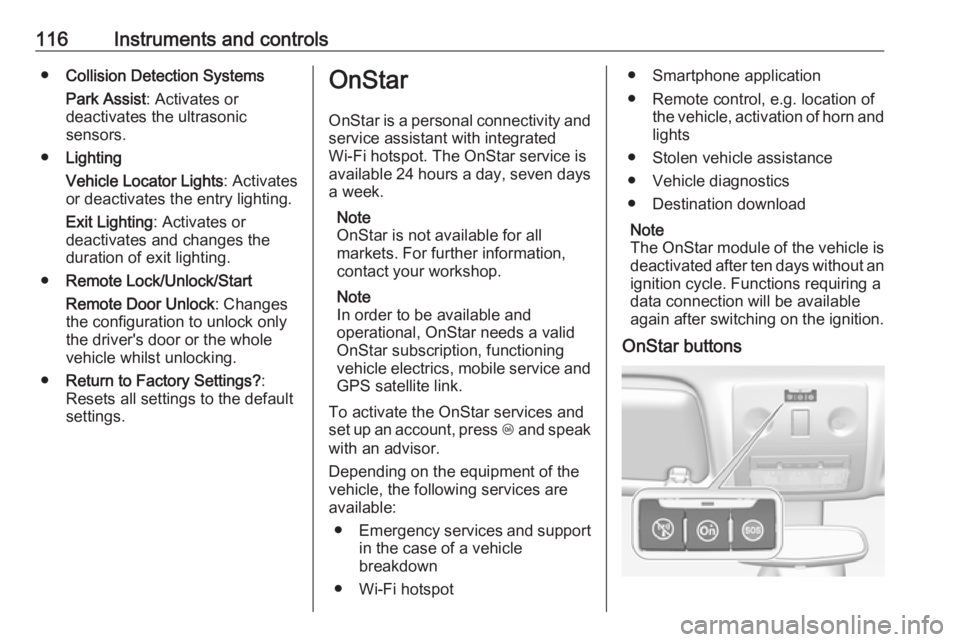
OnStar buttons
Page 129 of 251
Lighting127Reading lights
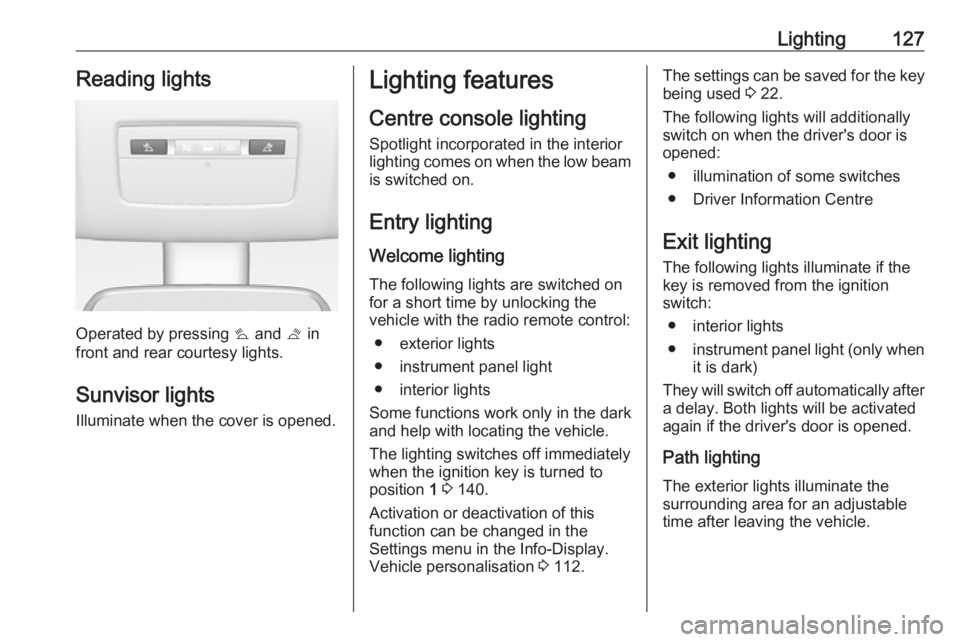
Operated by pressing s and t in
front and rear courtesy lights.
Sunvisor lights Illuminate when the cover is opened.
Lighting features
Centre console lighting Spotlight incorporated in the interiorlighting comes on when the low beam is switched on.
Entry lighting
Welcome lighting
The following lights are switched on
for a short time by unlocking the
vehicle with the radio remote control:
● exterior lights
● instrument panel light
● interior lights
Some functions work only in the dark
and help with locating the vehicle.
The lighting switches off immediately
when the ignition key is turned to
position 1 3 140.
Activation or deactivation of this
function can be changed in the
Settings menu in the Info-Display.
Vehicle personalisation 3 112.The settings can be saved for the key
being used 3 22.
The following lights will additionally
switch on when the driver's door is
opened:
● illumination of some switches
● Driver Information Centre
Exit lighting
The following lights illuminate if the
key is removed from the ignition
switch:
● interior lights
● instrument panel light (only when
it is dark)
They will switch off automatically after
a delay. Both lights will be activated
again if the driver's door is opened.
Path lighting
The exterior lights illuminate the
surrounding area for an adjustable
time after leaving the vehicle.
Page 142 of 251
140Driving and operatingPedals
To ensure the pedal travel is
uninhibited, there must be no mats in
the area of the pedals.
Use only floor mats, which fit properly and are fixed by the retainers on the
driver side.
Steering If power steering assist is lost
because the engine stops or due to a system malfunction, the vehicle can
be steered but may require a higher
or lower steering effort.
Control indicator c 3 97.Caution
Vehicles equipped with hydraulic
power steering:
If the steering wheel is turned until it reaches the end of its travel, and
is held in that position for more
than 15 seconds, damage may
occur to the power steering
system and there may be loss of
power steering assist.
Starting and operating
New vehicle running-in
Do not brake unnecessarily hard for
the first few journeys.
During the first drive, smoke may
occur because of wax and oil
evaporating off the exhaust system.
Park the vehicle in the open for a
while after the first drive and avoid
inhaling the fumes.
During the running-in period fuel and engine oil consumption may be
higher and the cleaning process of the diesel particle filter may take
place more often. Autostop may be
inhibited to allow for charging the
vehicle battery.
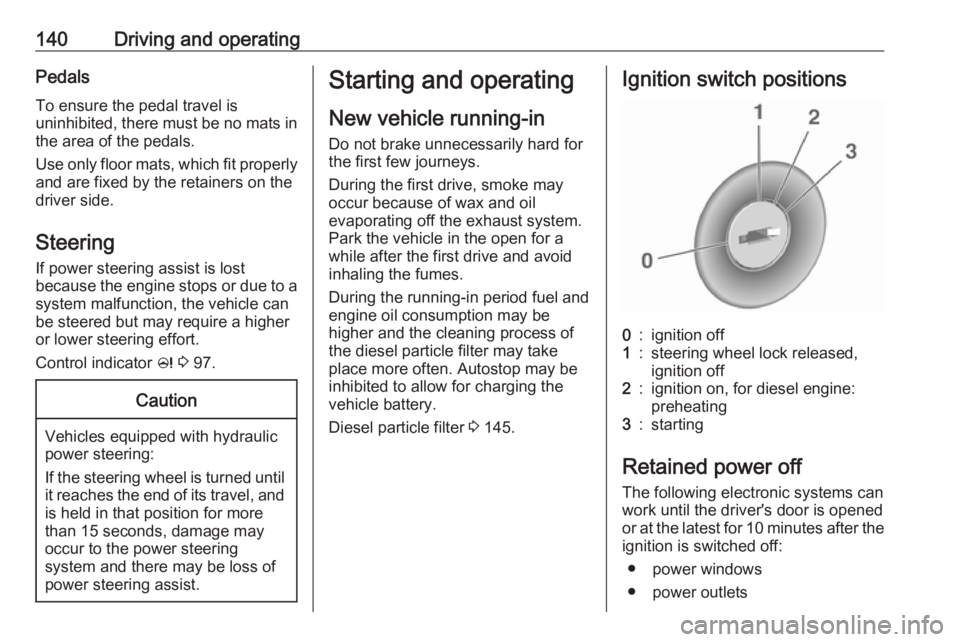
Diesel particle filter 3 145.Ignition switch positions0:ignition off1:steering wheel lock released,
ignition off2:ignition on, for diesel engine:
preheating3:starting
Retained power off
The following electronic systems can
work until the driver's door is opened
or at the latest for 10 minutes after the
ignition is switched off:
● power windows
● power outlets