radio OPEL MERIVA 2017 User Guide
[x] Cancel search | Manufacturer: OPEL, Model Year: 2017, Model line: MERIVA, Model: OPEL MERIVA 2017Pages: 251, PDF Size: 8.14 MB
Page 108 of 251
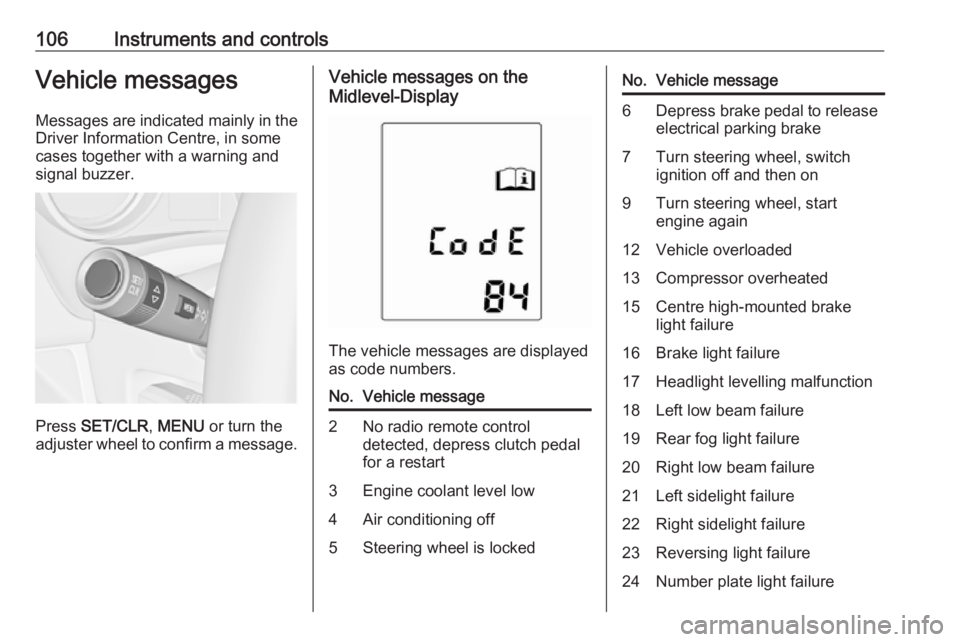
106Instruments and controlsVehicle messagesMessages are indicated mainly in the
Driver Information Centre, in some
cases together with a warning and
signal buzzer.
Press SET/CLR , MENU or turn the
adjuster wheel to confirm a message.
Vehicle messages on the
Midlevel-Display
The vehicle messages are displayed
as code numbers.
No.Vehicle message2No radio remote control
detected, depress clutch pedal
for a restart3Engine coolant level low4Air conditioning off5Steering wheel is lockedNo.Vehicle message6Depress brake pedal to release
electrical parking brake7Turn steering wheel, switch
ignition off and then on9Turn steering wheel, start
engine again12Vehicle overloaded13Compressor overheated15Centre high-mounted brake
light failure16Brake light failure17Headlight levelling malfunction18Left low beam failure19Rear fog light failure20Right low beam failure21Left sidelight failure22Right sidelight failure23Reversing light failure24Number plate light failure
Page 109 of 251
Instruments and controls107No.Vehicle message25Left front turn signal failure26Left rear turn signal failure27Right front turn signal failure28Right rear turn signal failure29Check trailer brake light30Check trailer reversing light31Check left trailer turn signal32Check right trailer turn signal33Check trailer rear fog light34Check trailer rear light35Replace battery in radio remote
control48Clean side blind zone alert
system53Tighten gas cap54Water in diesel fuel filter55Diesel particle filter is full
3 145No.Vehicle message56Tyre pressure imbalance on
front axle57Tyre pressure imbalance on
rear axle58Tyres without TPMS sensors
detected59Open and then close driver
window60Open and then close front
passenger window61Open and then close rear left
window62Open and then close rear right
window65Theft attempted66Service theft alarm system67Service steering wheel lock68Service power steering69Service suspension system70Service level control systemNo.Vehicle message71Service rear axle74Service AFL75Service air conditioning76Service side blind zone alert
system79Top up engine oil81Service transmission82Change engine oil soon83Service adaptive cruise control84Engine power is reduced89Service vehicle soon94Shift to park before exiting95Service airbag128Bonnet open134Park assist fault, clean bumper136Service parking assist
Page 110 of 251
108Instruments and controlsNo.Vehicle message174Low vehicle battery258Park assist off
Vehicle messages on the
Uplevel-Display or
Uplevel-Combi-Display
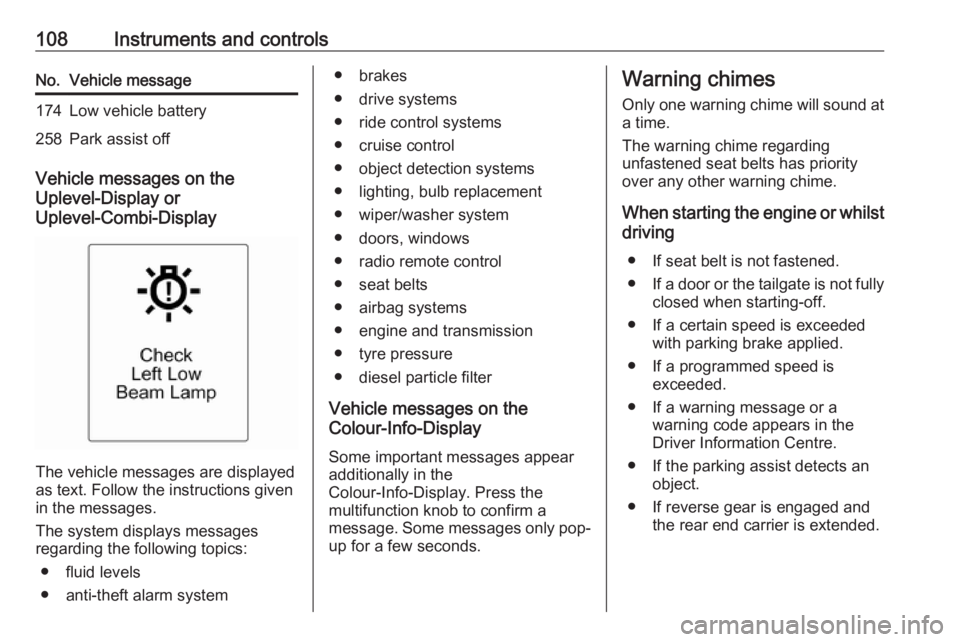
The vehicle messages are displayed
as text. Follow the instructions given
in the messages.
The system displays messages
regarding the following topics:
● fluid levels
● anti-theft alarm system
● brakes
● drive systems
● ride control systems
● cruise control
● object detection systems
● lighting, bulb replacement
● wiper/washer system
● doors, windows
● radio remote control
● seat belts
● airbag systems
● engine and transmission
● tyre pressure
● diesel particle filter
Vehicle messages on the
Colour-Info-Display
Some important messages appear
additionally in the
Colour-Info-Display. Press the
multifunction knob to confirm a
message. Some messages only pop- up for a few seconds.Warning chimes
Only one warning chime will sound at
a time.
The warning chime regarding
unfastened seat belts has priority
over any other warning chime.
When starting the engine or whilst
driving
● If seat belt is not fastened.
● If a door or the tailgate is not fully
closed when starting-off.
● If a certain speed is exceeded with parking brake applied.
● If a programmed speed is exceeded.
● If a warning message or a warning code appears in the
Driver Information Centre.
● If the parking assist detects an object.
● If reverse gear is engaged and the rear end carrier is extended.
Page 115 of 251
Instruments and controls113
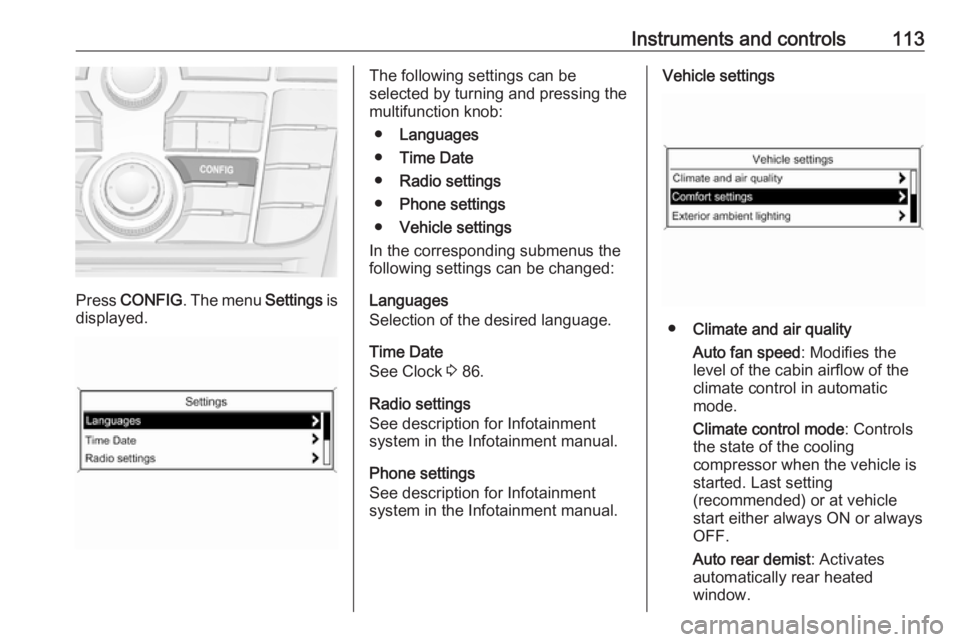
Press CONFIG . The menu Settings is
displayed.
The following settings can be
selected by turning and pressing the
multifunction knob:
● Languages
● Time Date
● Radio settings
● Phone settings
● Vehicle settings
In the corresponding submenus the
following settings can be changed:
Languages
Selection of the desired language.
Time Date
See Clock 3 86.
Radio settings
See description for Infotainment
system in the Infotainment manual.
Phone settings
See description for Infotainment
system in the Infotainment manual.Vehicle settings
● Climate and air quality
Auto fan speed : Modifies the
level of the cabin airflow of the
climate control in automatic
mode.
Climate control mode : Controls
the state of the cooling
compressor when the vehicle is
started. Last setting
(recommended) or at vehicle
start either always ON or always
OFF.
Auto rear demist : Activates
automatically rear heated
window.
Page 117 of 251
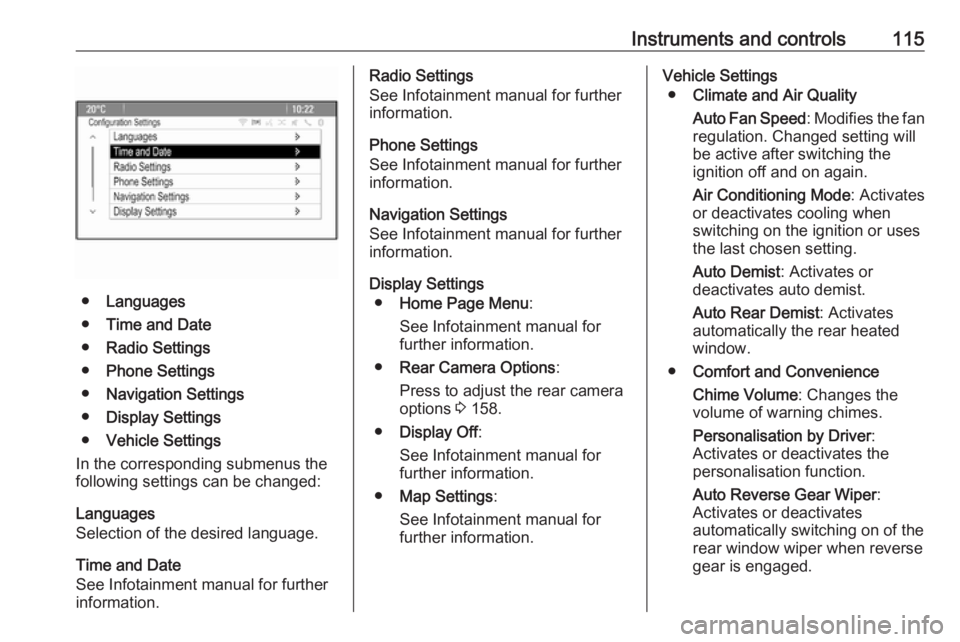
Instruments and controls115
●Languages
● Time and Date
● Radio Settings
● Phone Settings
● Navigation Settings
● Display Settings
● Vehicle Settings
In the corresponding submenus the
following settings can be changed:
Languages
Selection of the desired language.
Time and Date
See Infotainment manual for further
information.
Radio Settings
See Infotainment manual for further
information.
Phone Settings
See Infotainment manual for further information.
Navigation Settings
See Infotainment manual for further
information.
Display Settings ● Home Page Menu :
See Infotainment manual for
further information.
● Rear Camera Options :
Press to adjust the rear camera
options 3 158.
● Display Off :
See Infotainment manual for
further information.
● Map Settings :
See Infotainment manual for
further information.Vehicle Settings
● Climate and Air Quality
Auto Fan Speed : Modifies the fan
regulation. Changed setting will
be active after switching the
ignition off and on again.
Air Conditioning Mode : Activates
or deactivates cooling when
switching on the ignition or uses
the last chosen setting.
Auto Demist : Activates or
deactivates auto demist.
Auto Rear Demist : Activates
automatically the rear heated
window.
● Comfort and Convenience
Chime Volume : Changes the
volume of warning chimes.
Personalisation by Driver :
Activates or deactivates the personalisation function.
Auto Reverse Gear Wiper :
Activates or deactivates
automatically switching on of the
rear window wiper when reverse
gear is engaged.
Page 129 of 251
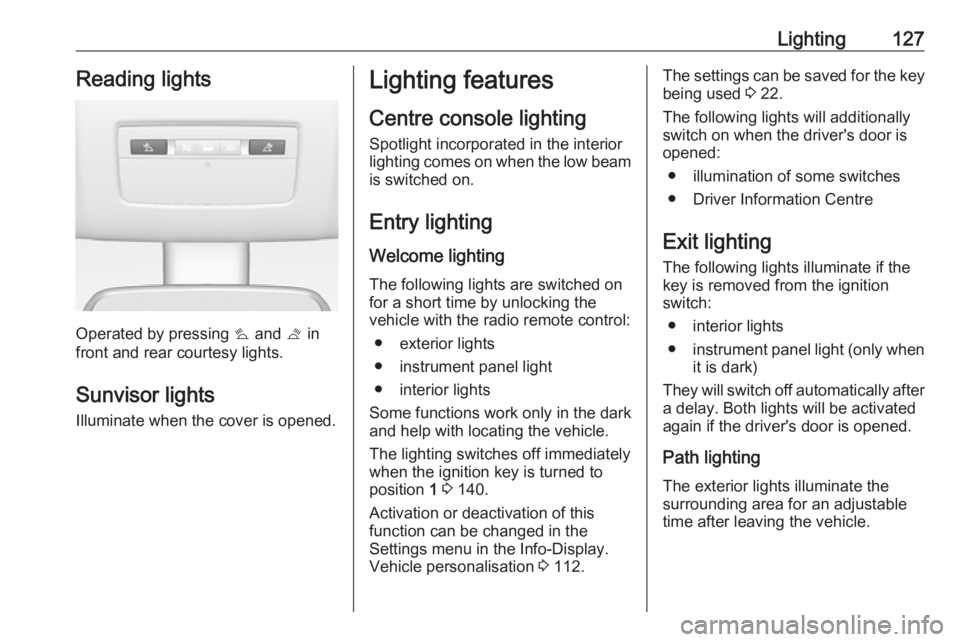
Lighting127Reading lights
Operated by pressing s and t in
front and rear courtesy lights.
Sunvisor lights Illuminate when the cover is opened.
Lighting features
Centre console lighting Spotlight incorporated in the interiorlighting comes on when the low beam is switched on.
Entry lighting
Welcome lighting
The following lights are switched on
for a short time by unlocking the
vehicle with the radio remote control:
● exterior lights
● instrument panel light
● interior lights
Some functions work only in the dark
and help with locating the vehicle.
The lighting switches off immediately
when the ignition key is turned to
position 1 3 140.
Activation or deactivation of this
function can be changed in the
Settings menu in the Info-Display.
Vehicle personalisation 3 112.The settings can be saved for the key
being used 3 22.
The following lights will additionally
switch on when the driver's door is
opened:
● illumination of some switches
● Driver Information Centre
Exit lighting
The following lights illuminate if the
key is removed from the ignition
switch:
● interior lights
● instrument panel light (only when
it is dark)
They will switch off automatically after
a delay. Both lights will be activated
again if the driver's door is opened.
Path lighting
The exterior lights illuminate the
surrounding area for an adjustable
time after leaving the vehicle.
Page 195 of 251
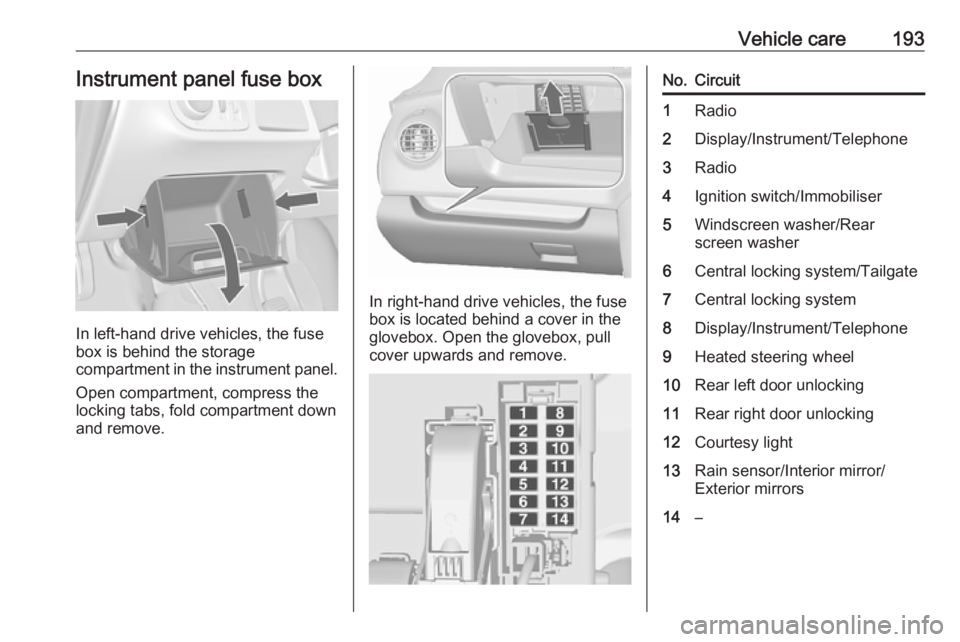
Vehicle care193Instrument panel fuse box
In left-hand drive vehicles, the fuse
box is behind the storage
compartment in the instrument panel.
Open compartment, compress the
locking tabs, fold compartment down and remove.
In right-hand drive vehicles, the fuse
box is located behind a cover in the
glovebox. Open the glovebox, pull
cover upwards and remove.
No.Circuit1Radio2Display/Instrument/Telephone3Radio4Ignition switch/Immobiliser5Windscreen washer/Rear
screen washer6Central locking system/Tailgate7Central locking system8Display/Instrument/Telephone9Heated steering wheel10Rear left door unlocking11Rear right door unlocking12Courtesy light13Rain sensor/Interior mirror/
Exterior mirrors14–
Page 240 of 251
238Customer informationCustomer
informationCustomer information ................238
Declaration of conformity .........238
Collision damage repair ...........240
Software acknowledgement ....240
Vehicle data recording and pri‐ vacy ........................................... 242
Event data recorders ...............242
Radio Frequency Identification (RFID) ..................................... 243Customer information
Declaration of conformity
Transmission systems
This vehicle has systems that
transmit and/or receive radio waves
subject to Directive 1999/5/EC.
These systems are in compliance
with the essential requirements and
other relevant provisions of
Directive 1999/5/EC. Copies of the
original Declarations of Conformity
can be obtained on our website.
Page 245 of 251
Customer information243When using the vehicle, situations
may occur in which these technical
data related to other information
(accident report, damages on the
vehicle, witness statements etc.) may
be associated with a specific person - possibly, with the assistance of an
expert.
Additional functions contractually
agreed upon with the client (e.g.
vehicle location in emergency cases)
allow the transmission of particular vehicle data from the vehicle.
Radio Frequency Identification (RFID)
RFID technology is used in some
vehicles for functions such as tyre
deflation detection and ignition
system security. It is also used in
connection with conveniences such
as radio remote controls for door
locking/unlocking and starting, and in-
vehicle transmitters for garage door
openers. RFID technology in Opel
vehicles does not use or record
personal information or link with any
other Opel system containing
personal information.
Page 249 of 251
247OnStar........................................ 116
Operate pedal ............................... 96
Outside temperature ....................85
Overrun cut-off ........................... 142
P
Parking ................................ 18, 144
Parking assist ............................ 156
Parking brake ............................ 151
Parking lights ............................. 125
Particulate filter ........................... 145
Performance .............................. 230
Performing work ........................173
Personalisation ........................... 112
Pollen filter ................................. 137
Power outlets ............................... 87
Power steering fluid ....................176
Power windows ............................ 31
Preheating ................................... 98
Puncture ..................................... 207
Q
Quickheat ................................... 136
R Radio Frequency Identification (RFID) ..................................... 243
Radio remote control ...................21
Reading lights ............................ 127
Rear carrier system ......................64
Rear doors ................................... 26Rear floor storage cover ..............75
Rear fog light ............................. 100
Rear fog lights ........................... 125
Rear seats .................................... 42
Rear storage ................................. 74
Rear view camera ...................... 158
Rear window wiper/washer .......... 85 Recommended fluids and lubricants ........................ 221, 225
Reduced engine power ................99
Refuelling ................................... 162
Remote control ............................. 21
Retained power off .....................140
Reversing lights .........................125
Ride control systems ..................153
Roof .............................................. 34
Roof load ...................................... 79
Roof rack ..................................... 79
S Safety belts ................................... 45
Safety net .................................... 76
Seat adjustment ....................... 6, 38
Seat belt ........................................ 8
Seat belt reminder .......................95
Seat belts ..................................... 45
Seat heating ................................. 41
Seat position ................................ 37
Selector lever ............................. 147
Service ............................... 137, 220Service display ............................ 91
Service information ....................220
Service vehicle soon .................... 96
Side airbag system ......................52
Sidelights .................................... 120
Side turn signal lights ................188
Software acknowledgement .......240
Spare wheel ............................... 210
Speedometer ............................... 89
Starting and operating ................140
Starting off ................................... 17
Starting the engine ....................141
Steering ...................................... 140
Steering wheel adjustment ......9, 82
Steering wheel controls ...............82
Steering wheel, heated .................82
Stop-start system........................ 142
Storage ......................................... 61
Storage compartments .................61
Sunvisor lights ........................... 127
Sun visors .................................... 33
Symbols ......................................... 4
T
Tachometer ................................. 89
Tailgate ......................................... 27
Tail lights ................................... 185
Technical data ............................ 228
Three-point seat belt .................... 46
Tools .......................................... 195