turn signal OPEL MERIVA 2017 User Guide
[x] Cancel search | Manufacturer: OPEL, Model Year: 2017, Model line: MERIVA, Model: OPEL MERIVA 2017Pages: 251, PDF Size: 8.14 MB
Page 105 of 251
Instruments and controls103
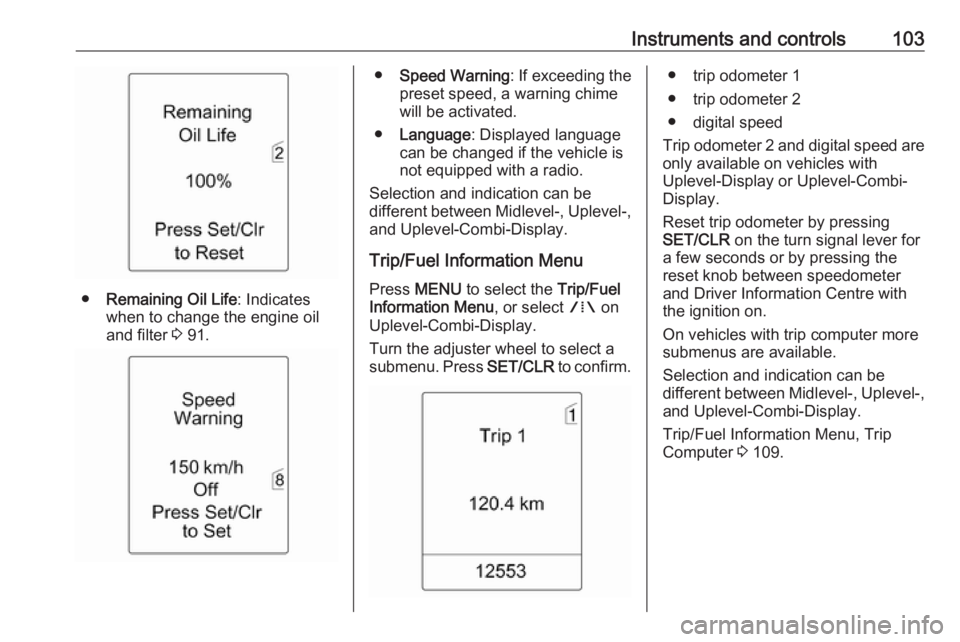
●Remaining Oil Life : Indicates
when to change the engine oil and filter 3 91.
● Speed Warning : If exceeding the
preset speed, a warning chime will be activated.
● Language : Displayed language
can be changed if the vehicle is
not equipped with a radio.
Selection and indication can be
different between Midlevel-, Uplevel-,
and Uplevel-Combi-Display.
Trip/Fuel Information Menu
Press MENU to select the Trip/Fuel
Information Menu , or select W on
Uplevel-Combi-Display.
Turn the adjuster wheel to select a
submenu. Press SET/CLR to confirm.● trip odometer 1
● trip odometer 2
● digital speed
Trip odometer 2 and digital speed are
only available on vehicles with
Uplevel-Display or Uplevel-Combi-
Display.
Reset trip odometer by pressing
SET/CLR on the turn signal lever for
a few seconds or by pressing the
reset knob between speedometer
and Driver Information Centre with
the ignition on.
On vehicles with trip computer more
submenus are available.
Selection and indication can be
different between Midlevel-, Uplevel-,
and Uplevel-Combi-Display.
Trip/Fuel Information Menu, Trip
Computer 3 109.
Page 108 of 251
106Instruments and controlsVehicle messagesMessages are indicated mainly in the
Driver Information Centre, in some
cases together with a warning and
signal buzzer.
Press SET/CLR , MENU or turn the
adjuster wheel to confirm a message.
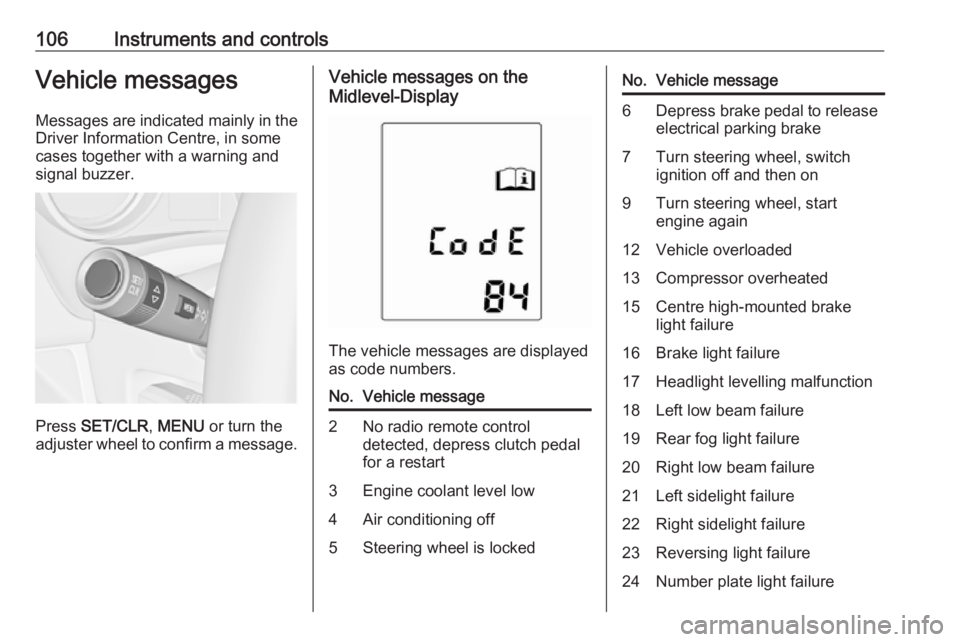
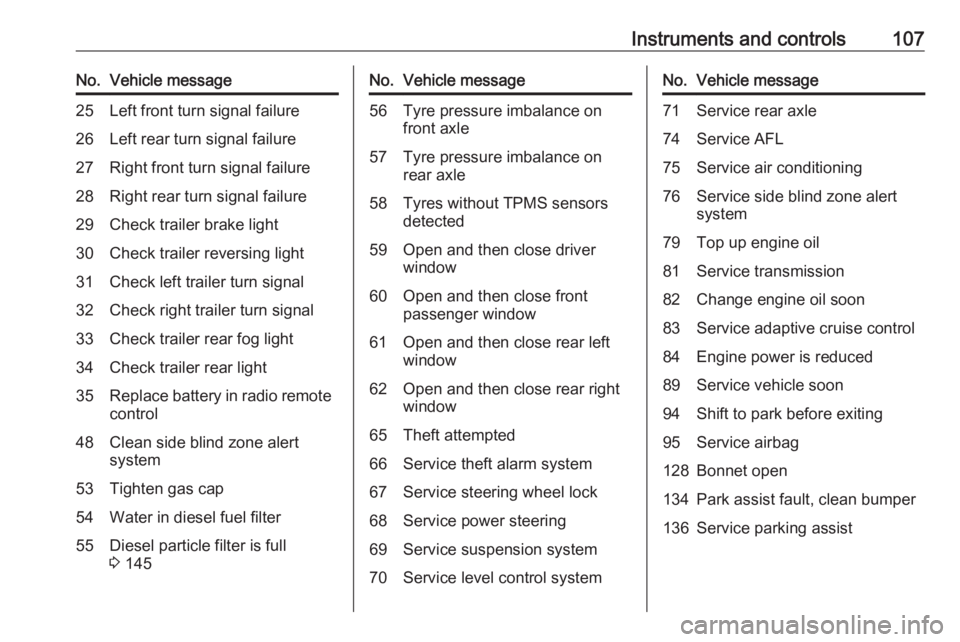
Vehicle messages on the
Midlevel-Display
The vehicle messages are displayed
as code numbers.
No.Vehicle message2No radio remote control
detected, depress clutch pedal
for a restart3Engine coolant level low4Air conditioning off5Steering wheel is lockedNo.Vehicle message6Depress brake pedal to release
electrical parking brake7Turn steering wheel, switch
ignition off and then on9Turn steering wheel, start
engine again12Vehicle overloaded13Compressor overheated15Centre high-mounted brake
light failure16Brake light failure17Headlight levelling malfunction18Left low beam failure19Rear fog light failure20Right low beam failure21Left sidelight failure22Right sidelight failure23Reversing light failure24Number plate light failure
Page 109 of 251
Instruments and controls107No.Vehicle message25Left front turn signal failure26Left rear turn signal failure27Right front turn signal failure28Right rear turn signal failure29Check trailer brake light30Check trailer reversing light31Check left trailer turn signal32Check right trailer turn signal33Check trailer rear fog light34Check trailer rear light35Replace battery in radio remote
control48Clean side blind zone alert
system53Tighten gas cap54Water in diesel fuel filter55Diesel particle filter is full
3 145No.Vehicle message56Tyre pressure imbalance on
front axle57Tyre pressure imbalance on
rear axle58Tyres without TPMS sensors
detected59Open and then close driver
window60Open and then close front
passenger window61Open and then close rear left
window62Open and then close rear right
window65Theft attempted66Service theft alarm system67Service steering wheel lock68Service power steering69Service suspension system70Service level control systemNo.Vehicle message71Service rear axle74Service AFL75Service air conditioning76Service side blind zone alert
system79Top up engine oil81Service transmission82Change engine oil soon83Service adaptive cruise control84Engine power is reduced89Service vehicle soon94Shift to park before exiting95Service airbag128Bonnet open134Park assist fault, clean bumper136Service parking assist
Page 111 of 251
Instruments and controls109● If a fault in the automatic lockingsystem is detected.
● If the diesel particle filter has reached the maximum filling
level.
When the vehicle is parked and/or the driver's door is opened
● With exterior lights on.
During an Autostop ● If the driver's door is opened.
Battery voltage
When the vehicle battery voltage is
running low, a warning message or
warning code 174 will appear in the
Driver Information Centre.
1. Switch off immediately any electrical consumers which are
not required for a safe ride, e.g.
seat heating, heated rear window or other main consumers.
2. Charge the vehicle battery by driving continuously for a while or
by using a charging device.The warning message or warning
code will disappear after the engine
has been started twice consecutively
without a voltage drop.
If the vehicle battery cannot be
recharged, have the cause of the fault
remedied by a workshop.Trip computer
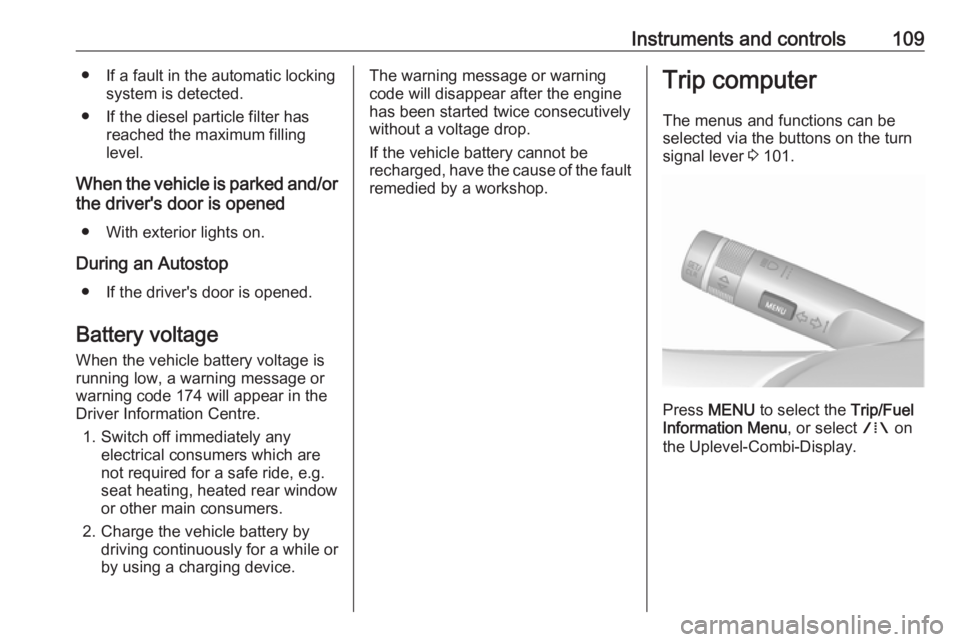
The menus and functions can be
selected via the buttons on the turn
signal lever 3 101.
Press MENU to select the Trip/Fuel
Information Menu , or select W on
the Uplevel-Combi-Display.
Page 113 of 251
Instruments and controls111
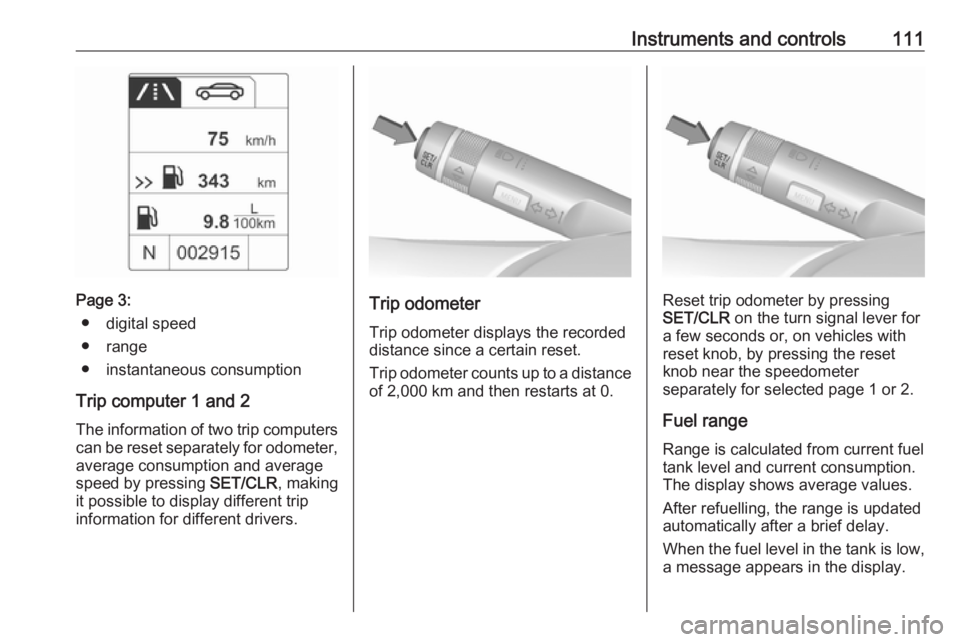
Page 3:● digital speed
● range
● instantaneous consumption
Trip computer 1 and 2
The information of two trip computers can be reset separately for odometer, average consumption and average
speed by pressing SET/CLR, making
it possible to display different trip
information for different drivers.Trip odometer
Trip odometer displays the recorded
distance since a certain reset.
Trip odometer counts up to a distance of 2,000 km and then restarts at 0.Reset trip odometer by pressing
SET/CLR on the turn signal lever for
a few seconds or, on vehicles with
reset knob, by pressing the reset knob near the speedometer
separately for selected page 1 or 2.
Fuel range Range is calculated from current fuel
tank level and current consumption.
The display shows average values.
After refuelling, the range is updated
automatically after a brief delay.
When the fuel level in the tank is low,
a message appears in the display.
Page 122 of 251
120LightingLightingExterior lighting.......................... 120
Light switch .............................. 120
Automatic light control .............121
High beam ............................... 122
Headlight flash ......................... 122
Headlight range adjustment ....122
Headlights when driving abroad .................................... 122
Daytime running lights .............123
Adaptive forward lighting .........123
Hazard warning flashers ..........124
Turn and lane-change signals . 124
Front fog lights ......................... 124
Rear fog lights ......................... 125
Parking lights ........................... 125
Reversing lights .......................125
Misted light covers ...................125
Interior lighting ........................... 126
Instrument panel illumination control ..................................... 126
Interior lights ............................ 126
Reading lights .......................... 127
Sunvisor lights ......................... 127
Lighting features ........................127
Centre console lighting ............127Entry lighting ............................ 127
Exit lighting .............................. 127
Battery discharge protection ....128Exterior lighting
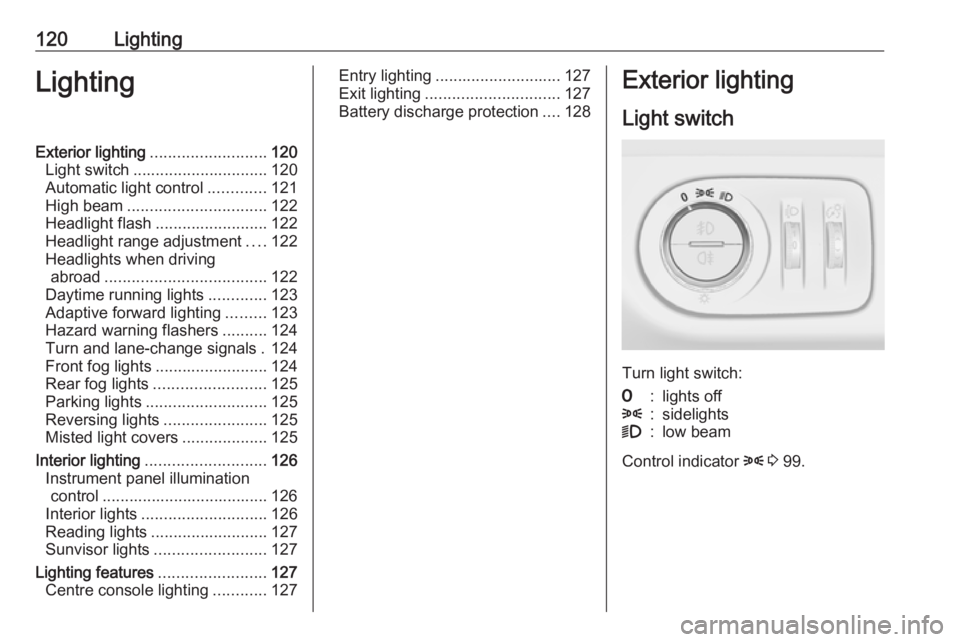
Light switch
Turn light switch:
7:lights off8:sidelights9:low beam
Control indicator 8 3 99.
Page 125 of 251
Lighting123The adjusting screws are located at
the headlights above the low beam
caps 3 180.
For deactivation, turn the adjusting
screws anticlockwise for half a turn.Caution
Have the adjustment of the
headlights checked after
deactivation.
We recommend consulting a
workshop.
Vehicles with Adaptive Forward
Lighting
1. Key in ignition switch.
2. Pull turn signal lever and hold (headlight flash).
3. Switch on ignition.
4. After approx. five seconds the control indicator f starts flashing
and an acoustic signal sounds.
Control indicator f 3 100.
Every time the ignition is switched on,
control indicator f flashes as a
reminder for approx. four seconds.
For deactivation, operate the same
procedure as described above.
Control indicator f will not flash when
function is deactivated.
Daytime running lights
Daytime running light increases
visibility of the vehicle during daylight.
They are switched on automatically
when ignition is on.
Adaptive forward lighting
Adaptive forward lighting ensures
better illumination of bends, crossings
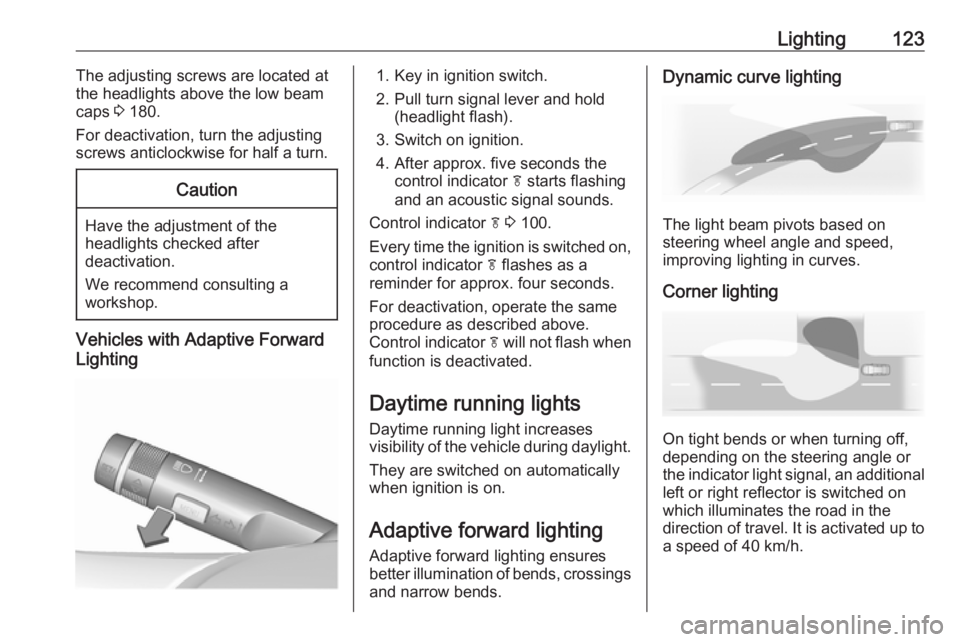
and narrow bends.Dynamic curve lighting
The light beam pivots based on
steering wheel angle and speed,
improving lighting in curves.
Corner lighting
On tight bends or when turning off,
depending on the steering angle or
the indicator light signal, an additional left or right reflector is switched on
which illuminates the road in the
direction of travel. It is activated up to
a speed of 40 km/h.
Page 126 of 251
124LightingReversing functionIf the low beam is on and reverse gear
is engaged, both corner lights are
switched on. They remain illuminated
for 20 seconds after disengaging
reverse gear or until driving faster
than 17 km/h in a forward gear.
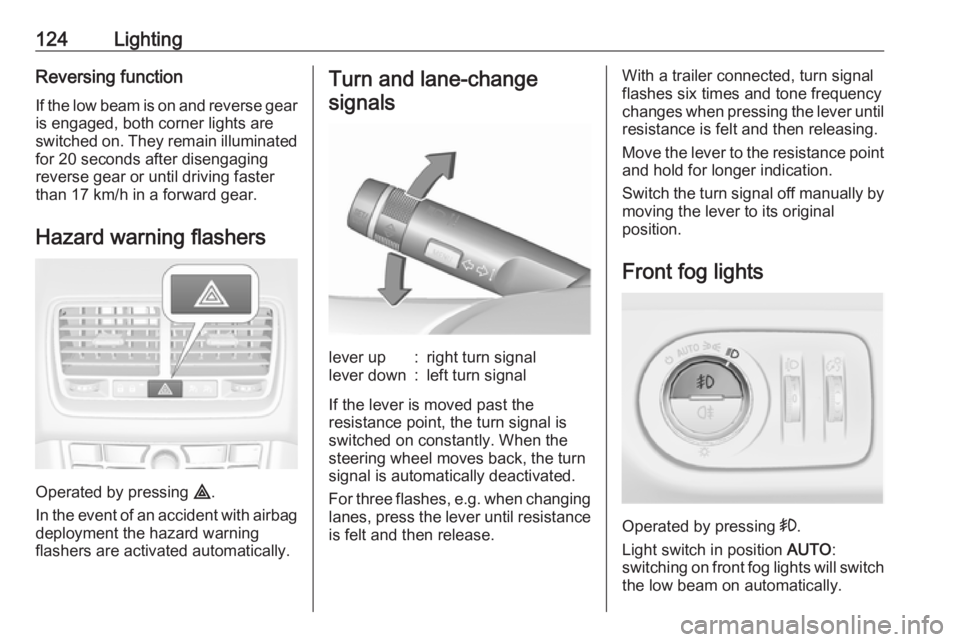
Hazard warning flashers
Operated by pressing ¨.
In the event of an accident with airbag
deployment the hazard warning
flashers are activated automatically.
Turn and lane-change
signalslever up:right turn signallever down:left turn signal
If the lever is moved past the
resistance point, the turn signal is
switched on constantly. When the
steering wheel moves back, the turn
signal is automatically deactivated.
For three flashes, e.g. when changing lanes, press the lever until resistance
is felt and then release.
With a trailer connected, turn signal
flashes six times and tone frequency
changes when pressing the lever until resistance is felt and then releasing.
Move the lever to the resistance point
and hold for longer indication.
Switch the turn signal off manually by
moving the lever to its original
position.
Front fog lights
Operated by pressing >.
Light switch in position AUTO:
switching on front fog lights will switch the low beam on automatically.
Page 127 of 251
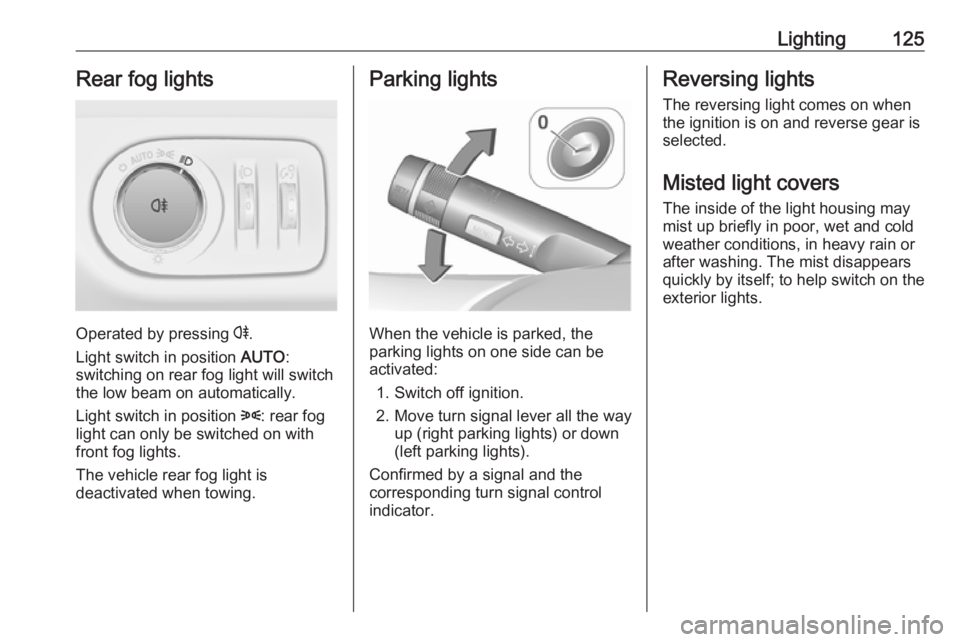
Lighting125Rear fog lights
Operated by pressing r.
Light switch in position AUTO:
switching on rear fog light will switch
the low beam on automatically.
Light switch in position 8: rear fog
light can only be switched on with
front fog lights.
The vehicle rear fog light is
deactivated when towing.
Parking lights
When the vehicle is parked, the
parking lights on one side can be
activated:
1. Switch off ignition.
2. Move turn signal lever all the way up (right parking lights) or down
(left parking lights).
Confirmed by a signal and the
corresponding turn signal control
indicator.
Reversing lights
The reversing light comes on when
the ignition is on and reverse gear is
selected.
Misted light covers
The inside of the light housing may
mist up briefly in poor, wet and cold weather conditions, in heavy rain or
after washing. The mist disappears
quickly by itself; to help switch on the
exterior lights.
Page 130 of 251
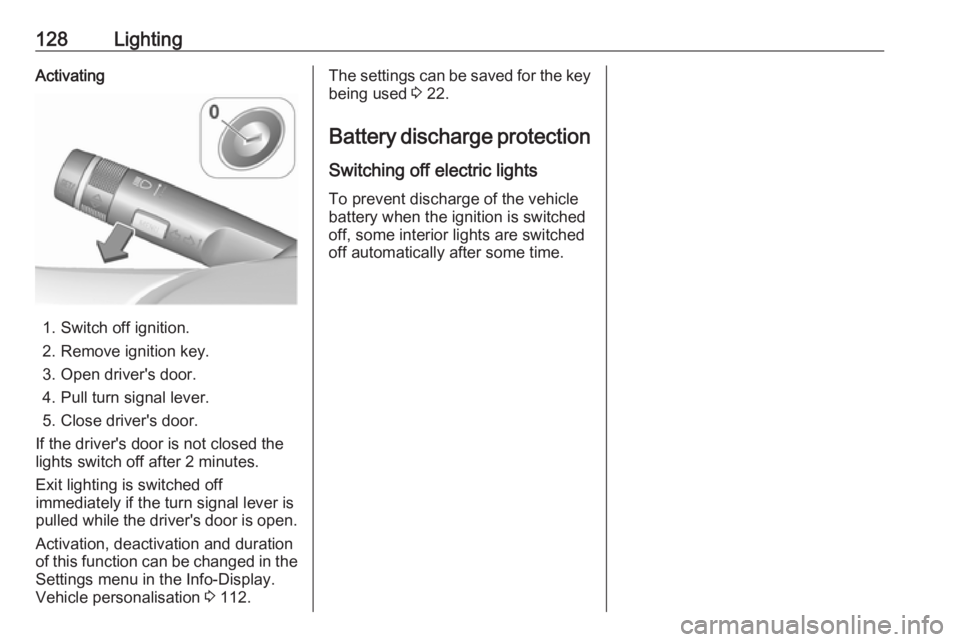
128LightingActivating
1. Switch off ignition.
2. Remove ignition key.
3. Open driver's door.
4. Pull turn signal lever.
5. Close driver's door.
If the driver's door is not closed the
lights switch off after 2 minutes.
Exit lighting is switched off
immediately if the turn signal lever is pulled while the driver's door is open.
Activation, deactivation and duration
of this function can be changed in the Settings menu in the Info-Display.
Vehicle personalisation 3 112.
The settings can be saved for the key
being used 3 22.
Battery discharge protection
Switching off electric lights
To prevent discharge of the vehicle
battery when the ignition is switched
off, some interior lights are switched
off automatically after some time.