turn signal OPEL MOKKA 2017 User Guide
[x] Cancel search | Manufacturer: OPEL, Model Year: 2017, Model line: MOKKA, Model: OPEL MOKKA 2017Pages: 233, PDF Size: 6.69 MB
Page 97 of 233
Instruments and controls95Vehicle messages on the
Midlevel-Display
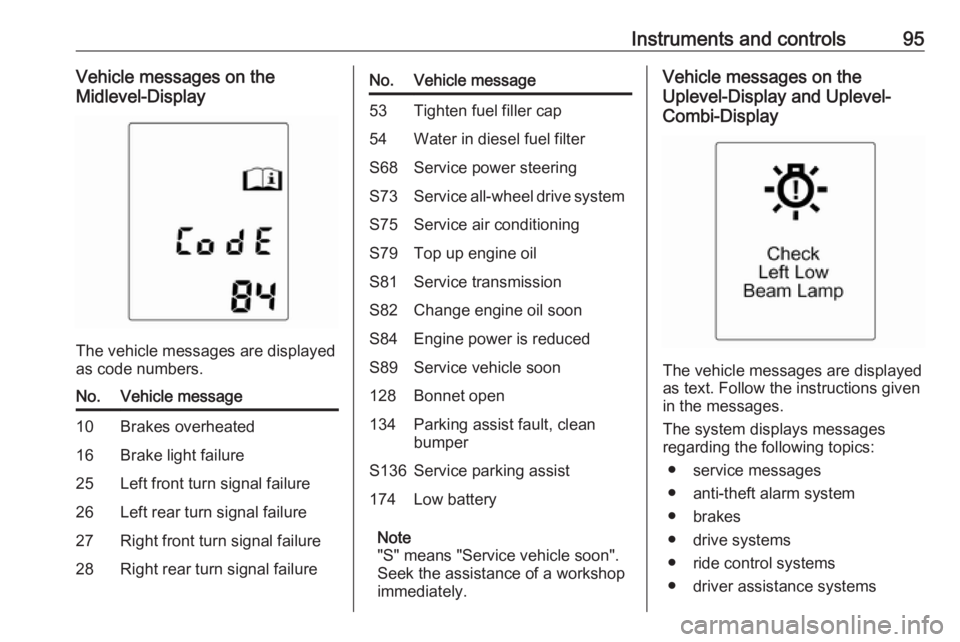
The vehicle messages are displayed
as code numbers.
No.Vehicle message10Brakes overheated16Brake light failure25Left front turn signal failure26Left rear turn signal failure27Right front turn signal failure28Right rear turn signal failureNo.Vehicle message53Tighten fuel filler cap54Water in diesel fuel filterS68Service power steeringS73Service all-wheel drive systemS75Service air conditioningS79Top up engine oilS81Service transmissionS82Change engine oil soonS84Engine power is reducedS89Service vehicle soon128Bonnet open134Parking assist fault, clean
bumperS136Service parking assist174Low battery
Note
"S" means "Service vehicle soon".
Seek the assistance of a workshop
immediately.
Vehicle messages on the
Uplevel-Display and Uplevel-
Combi-Display
The vehicle messages are displayed
as text. Follow the instructions given
in the messages.
The system displays messages
regarding the following topics:
● service messages
● anti-theft alarm system
● brakes
● drive systems
● ride control systems
● driver assistance systems
Page 99 of 233
Instruments and controls97Trip computer
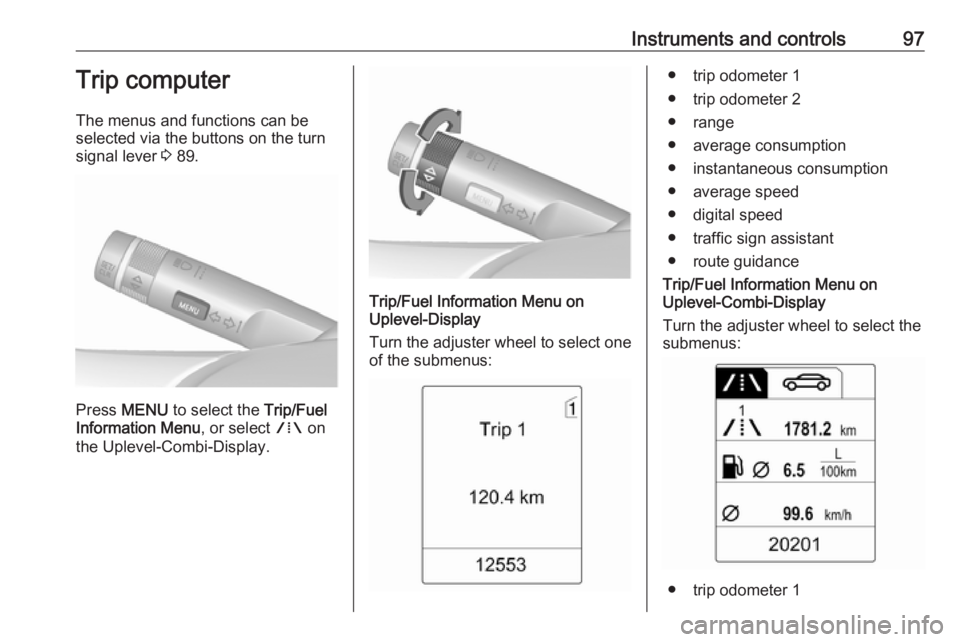
The menus and functions can be
selected via the buttons on the turn signal lever 3 89.
Press MENU to select the Trip/Fuel
Information Menu , or select W on
the Uplevel-Combi-Display.
Trip/Fuel Information Menu on
Uplevel-Display
Turn the adjuster wheel to select one of the submenus:
● trip odometer 1
● trip odometer 2
● range
● average consumption
● instantaneous consumption
● average speed
● digital speed
● traffic sign assistant
● route guidance
Trip/Fuel Information Menu on
Uplevel-Combi-Display
Turn the adjuster wheel to select the
submenus:
● trip odometer 1
Page 107 of 233
Instruments and controls105Note
To change the SSID or password,
press Z and talk to an advisor or log
in to your account.
To switch off the Wi-Fi hotspot
functionality, press Z to call an
advisor.
Smartphone app
With the myOpel smartphone app,
some vehicle functions can be
operated remotely.
The following functions are available: ● Lock or unlock vehicle.
● Honk horn or flash lights.
● Check fuel level, engine oil life and tyre pressure (only with tyre
pressure monitoring system).
● Send navigation destination to the vehicle, if equipped with a
built-in navigation system.
● Locate vehicle on a map.
● Manage Wi-Fi settings.
To operate these functions, download the app from Apple's App Store or
Google Play Store.Remote control
If desired, use any phone to call an
advisor, who can remotely operate
specific vehicle functions. Find the respective OnStar phone number on
our country-specific website.
The following functions are available: ● Lock or unlock vehicle.
● Provide information on the vehicle location.
● Honk horn or flash lights.
Stolen vehicle assistance
If the vehicle is stolen, report the theft
to the authorities and request OnStar
stolen vehicle assistance. Use any
phone to call an advisor. Find the
respective OnStar phone number on
our country-specific website.
OnStar can provide support in
locating and recovering the vehicle.Theft alert
When the anti-theft alarm system is
triggered, a notification is sent to
OnStar. You are then informed about
this event by text message or email.Restart prevention
By sending remote signals, OnStar
can prevent the vehicle from
restarting once it has been turned off.
On-demand diagnostics
At any time e.g. if the vehicle displays a vehicle message, press Z to
contact an advisor and ask to
complete a real-time diagnostic check
to directly determine the issue.
Depending on the results, the advisor
will provide further support.
Diagnostic report
The vehicle automatically transmits
diagnostic data to OnStar which
sends a monthly email report to you
and your preferred workshop.
Note
The workshop notification function
can be disabled in your account.
The report contains the status of key
operating systems of the vehicle like
engine, transmission, airbags, ABS,
and other major systems. It also
provides information on possible
Page 109 of 233

Lighting107LightingExterior lighting.......................... 107
Light switch .............................. 107
Automatic light control .............108
High beam ............................... 108
Headlight flash ......................... 109
Headlight range adjustment ....109
Headlights when driving abroad .................................... 109
Daytime running lights .............110
Adaptive forward lighting .........110
Hazard warning flashers ..........112
Turn and lane-change signals . 113
Front fog lights ......................... 113
Rear fog light ........................... 113
Reversing lights .......................113
Misted light covers ...................114
Interior lighting ........................... 114
Instrument panel illumination control ..................................... 114
Interior lights ............................ 114
Reading lights .......................... 115
Glove box lighting ....................115
Sunvisor lights ......................... 115
Lighting features ........................115
Entry lighting ............................ 115Exit lighting.............................. 116
Battery discharge protection ....116Exterior lighting
Light switch
Turn light switch:
7:lights off8:sidelights9:low beam
Control indicator 8 3 88.
Page 112 of 233

110LightingCaution
Have the adjustment of the
headlights checked after
deactivation.
We recommend consulting a
workshop.
Vehicles with adaptive forward
lighting system
1. Key in ignition switch.
2. Pull turn signal lever and hold (headlight flash).
3. Switch on ignition.
4. After approx. three seconds, an acoustic signal sounds.
The headlights are aimed
automatically.
Every time the ignition is switched on,
control indicator f flashes as a
reminder for approx. four seconds.
For deactivation, operate the same
procedure as described above.
Control indicator f will not flash when
function is deactivated.
Control indicator f 3 88.
Daytime running lights
Daytime running lights increase
visibility of the vehicle during daylight.
They are switched on automatically
when ignition is on.Adaptive forward lighting
The Adaptive forward lighting
functions are only available with Bi-
Xenon headlights. Light range, light
distribution and intensity of light are
variably triggered depending on the
light conditions, weather and road
type.
Playstreet lighting
Activated automatically at low speed
up to approx. 30 km/h. The light beam is turned at an angle of -5°/3° to the
roadside.
Town lighting
Activated automatically at a speed up to approx. 50 km/h and when street
lights are detected by the light sensor.
The light range is reduced by an
extended light distribution.
Country lighting
Activated automatically at a speed
range between approx. 50 and
115 km/h. The beam of light and the brightness is different between the
left and the right side.
Page 113 of 233

Lighting111Motorway lightingActivated automatically at a speed
above approx. 115 km/h and minimal
steering movements. It switches on
after a delay or directly when the
vehicle is powerfully accelerated. The
light beam is longer and brighter.
Adverse weather lighting Activated automatically up to a speed
of approx. 70 km/h, when the rain
sensor recognises condensation or the wiper operates continuously. The
range, distribution and light intensity
is regulated variably depending on visibility.Dynamic curve lighting
The light beam pivots based on
steering wheel angle and speed,
improving lighting in curves.
Control indicator f 3 88.
Corner lighting On tight bends or when turning off,
depending on the steering angle or
the turn signal light, an additional left
or right reflector is switched on which illuminates the road at an right angle
to the direction of travel. It is activated
up to a speed of 40 km/h.
Control indicator f 3 88.
Reversing function
If the headlights are on and reverse
gear is engaged, both corner lights
are switched on. They remain
illuminated for 20 seconds after
disengaging reverse gear or until
driving faster than 17 km/h in a
forward gear.
High beam assist This feature allows high beam as
main driving light by night and when
vehicle speed is faster than 40 km/h.
It switches to low beam when: ● The camera in the windscreen detects the lights of oncoming or
preceding vehicles.
● The vehicle speed is slower than
20 km/h.
● It is foggy or snowy.
● Driving in urban areas.
Page 115 of 233

Lighting113Turn and lane-changesignalslever up:right turn signallever down:left turn signal
If the lever is moved past the
resistance point, the turn signal is
switched on constantly. When the
steering wheel moves back, the turn
signal is automatically deactivated.
For three flashes, e.g. when changing
lanes, press the lever until resistance
is felt and then release.
With a trailer connected, turn signal
flashes six times and tone frequency
changes when pressing the lever until resistance is felt and then releasing.
Move the lever to the resistance point
and hold for longer indication.
Switch the turn signal off manually by
moving the lever to its original
position.
Front fog lights
Operated by pressing >.
Rear fog light
Operated by pressing r.
Light switch in position AUTO:
switching on rear fog light will switch
headlights on automatically.
Light switch in position 8: rear fog
light can only be switched on with
front fog lights.
Reversing lights
The reversing light comes on when
the ignition is on and reverse gear is
selected.
Page 118 of 233

116LightingExit lighting
Low beam, sidelights and tail lights
illuminate the surrounding area for an adjustable time after leaving the
vehicle.
Switching on
Activation, deactivation and duration of lighting of this function can be
changed in the vehicle settings.
Vehicle personalisation 3 100.
1. Switch off ignition.
2. Remove ignition key.
3. Open driver's door.
4. Pull turn signal lever.
5. Close driver's door.
If the driver's door is not closed the
lights switch off after a few seconds.
The lighting is switched off
immediately if the turn signal lever is pulled while the driver's door is open.
Battery discharge protection To prevent discharge of the battery
when the ignition is switched off,
some interior lights are switched off
automatically after some time.
Page 151 of 233

Driving and operating149An exclamation mark in a frame
indicates that there is an add-on sign
detected which cannot be recognised
by the system.
The system is active up to a speed of
200 km/h depending on the lighting
conditions. At night the system is
active up to a speed of 160 km/h.
As soon as the speed becomes
slower than 55 km/h the display will
be reset and the content of the traffic
sign page will be cleared. The next
recognised speed indication will be
displayed.
Display indicationTraffic signs are displayed on the
page Traffic sign detection in the
Driver Information Centre, chosen via the adjuster wheel on the turn signal
lever 3 89.
When another function in the Driver Information Centre was selected and
then Traffic sign detection page is
chosen again, the last recognised
traffic sign will be displayed.
After the traffic sign page is cleared
by the system, the following symbol is
indicated:The content of the traffic sign page is also cleared during driving by
pressing SET/CLR on the turn signal
lever for a longer time.
Pop-up function
Speed limits and no passing signs are
displayed as pop-ups on each page
of the Driver Information Centre.
Page 152 of 233

150Driving and operating
The pop-up function can be
deactivated on the traffic sign page by
pressing SET/CLR on the turn signal
lever.
Once setting page is displayed, select Off to deactivate pop-up function.
Reactivated by selecting On. When
switching on the ignition, pop-up function is deactivated.
Pop-up indication is displayed for approx. eight seconds in the Driver
Information Centre.
Fault
The traffic sign assistant system may
not operate correctly when:
● The area of the windscreen, where the front camera is
located, is not clean.
● Traffic signs are completely or partially covered or difficult to
discern.
● There are adverse environmental
conditions, e.g. heavy rain, snow,
direct sunlight or shadows. In this
case No Traffic Sign Detection
due to Weather is indicated on
the display.● Traffic signs are incorrectly mounted or damaged.
● Traffic signs do not comply with the Vienna Convention on trafficsigns (Wiener Übereinkommen
über Straßenverkehrszeichen).Caution
The system is intended to help the driver within a defined speed
range to recognise certain traffic
signs. Do not ignore traffic signs
which are not displayed by the
system.
The system does not recognise
any other than the conventional
traffic signs that might give or end
a speed limit.
Do not let this special feature
tempt you into taking risks when
driving.
Always adapt speed to the road
conditions.
The driver assistance systems do not relieve the driver from full
responsibility for vehicle
operation.