instrument panel OPEL MOVANO_B 2017.5 Manual user
[x] Cancel search | Manufacturer: OPEL, Model Year: 2017.5, Model line: MOVANO_B, Model: OPEL MOVANO_B 2017.5Pages: 261, PDF Size: 6.26 MB
Page 89 of 261
Instruments and controls879Warning
The road surface may already be
icy even though the display
indicates a few degrees above
0 °C.
Clock
Depending on vehicle, the current
time and/or date may appear in the information display 3 102 or the
Driver Information Centre 3 102.
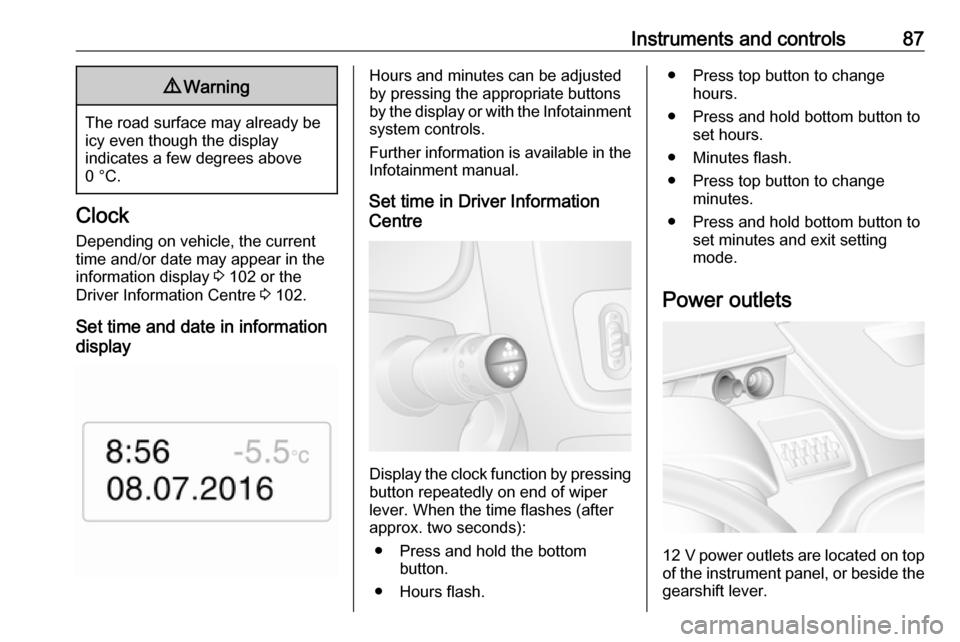
Set time and date in information
display
Hours and minutes can be adjusted
by pressing the appropriate buttons
by the display or with the Infotainment
system controls.
Further information is available in the
Infotainment manual.
Set time in Driver Information
Centre
Display the clock function by pressing button repeatedly on end of wiper
lever. When the time flashes (after
approx. two seconds):
● Press and hold the bottom button.
● Hours flash.
● Press top button to change hours.
● Press and hold bottom button to set hours.
● Minutes flash.
● Press top button to change minutes.
● Press and hold bottom button to set minutes and exit setting
mode.
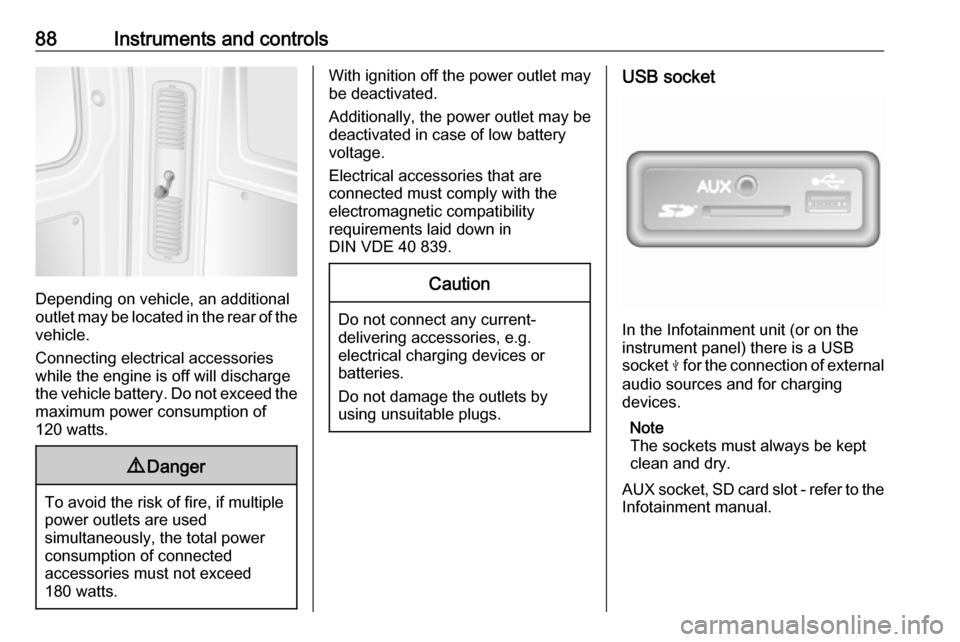
Power outlets
12 V power outlets are located on top
of the instrument panel, or beside the gearshift lever.
Page 90 of 261
88Instruments and controls
Depending on vehicle, an additional
outlet may be located in the rear of the
vehicle.
Connecting electrical accessories
while the engine is off will discharge
the vehicle battery. Do not exceed the
maximum power consumption of
120 watts.
9 Danger
To avoid the risk of fire, if multiple
power outlets are used
simultaneously, the total power
consumption of connected
accessories must not exceed
180 watts.
With ignition off the power outlet may
be deactivated.
Additionally, the power outlet may be
deactivated in case of low battery
voltage.
Electrical accessories that are
connected must comply with the
electromagnetic compatibility
requirements laid down in
DIN VDE 40 839.Caution
Do not connect any current- delivering accessories, e.g.
electrical charging devices or
batteries.
Do not damage the outlets by
using unsuitable plugs.
USB socket
In the Infotainment unit (or on the
instrument panel) there is a USB
socket M for the connection of external
audio sources and for charging
devices.
Note
The sockets must always be kept
clean and dry.
AUX socket, SD card slot - refer to the
Infotainment manual.
Page 92 of 261
90Instruments and controlsSpeed limiterMaximum speed may be restricted by
a speed limiter. As a visible indication
of this, a warning label is located on
the instrument panel.
A warning buzzer will sound for
ten seconds if the vehicle briefly
exceeds the set limit.
Note
Under certain conditions (e.g. steep
inclines) the vehicle speed may
exceed the set limit.
Speed limiter 3 163, cruise control
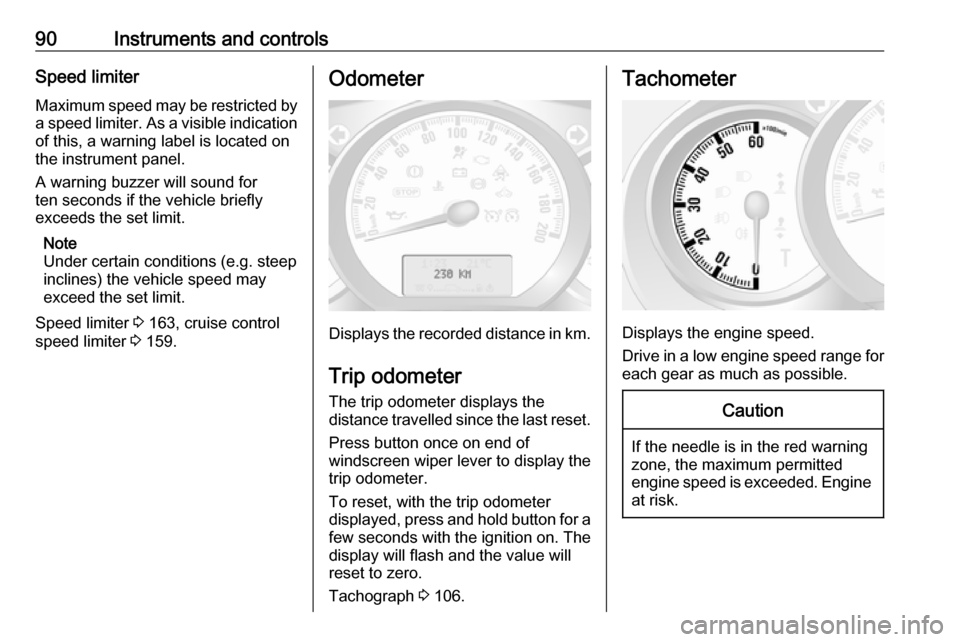
speed limiter 3 159.Odometer
Displays the recorded distance in km.
Trip odometer
The trip odometer displays the
distance travelled since the last reset.
Press button once on end of
windscreen wiper lever to display the
trip odometer.
To reset, with the trip odometer
displayed, press and hold button for a few seconds with the ignition on. The
display will flash and the value will
reset to zero.
Tachograph 3 106.
Tachometer
Displays the engine speed.
Drive in a low engine speed range for each gear as much as possible.
Caution
If the needle is in the red warning
zone, the maximum permitted
engine speed is exceeded. Engine at risk.
Page 97 of 261
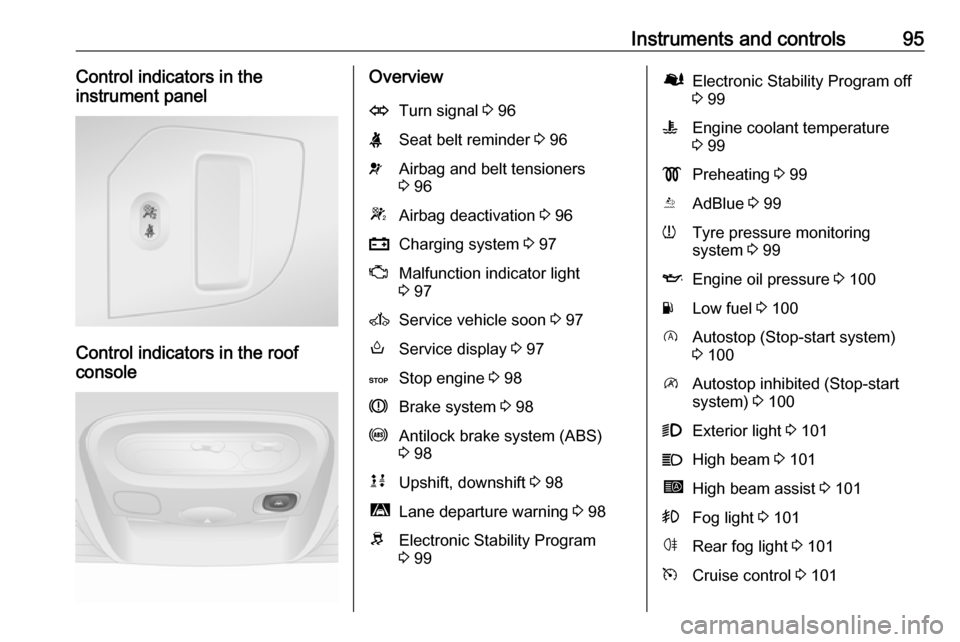
Instruments and controls95Control indicators in the
instrument panel
Control indicators in the roof
console
OverviewOTurn signal 3 96XSeat belt reminder 3 96vAirbag and belt tensioners
3 96WAirbag deactivation 3 96pCharging system 3 97ZMalfunction indicator light
3 97AService vehicle soon 3 97oService display 3 97CStop engine 3 98RBrake system 3 98uAntilock brake system (ABS)
3 98kjUpshift, downshift 3 98ìLane departure warning 3 98RElectronic Stability Program
3 99ØElectronic Stability Program off
3 99WEngine coolant temperature
3 99!Preheating 3 99YAdBlue 3 99wTyre pressure monitoring
system 3 99IEngine oil pressure 3 100YLow fuel 3 100DAutostop (Stop-start system)
3 100\Autostop inhibited (Stop-start
system) 3 1009Exterior light 3 101CHigh beam 3 101íHigh beam assist 3 101>Fog light 3 101øRear fog light 3 101mCruise control 3 101
Page 101 of 261
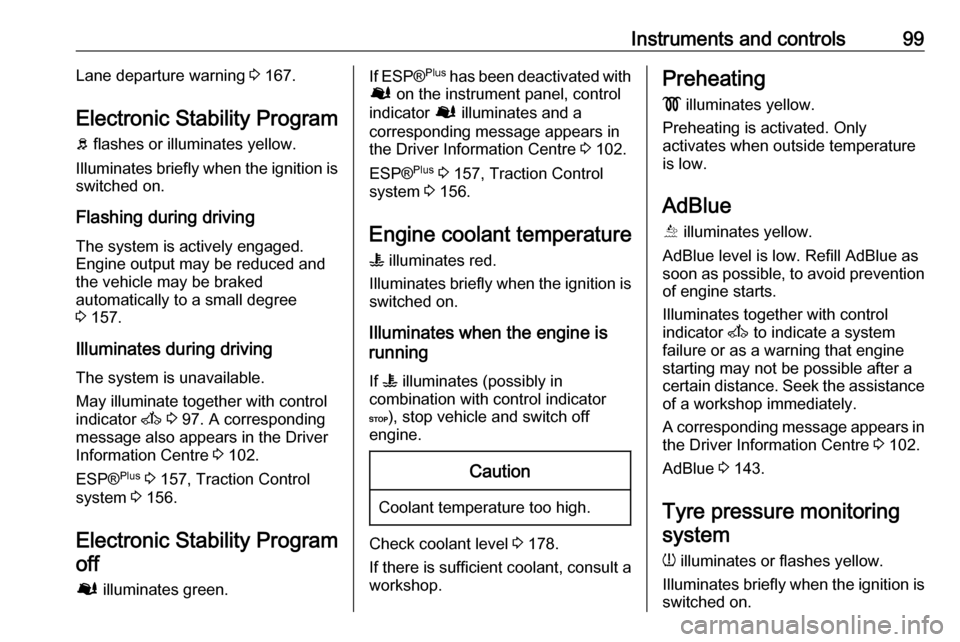
Instruments and controls99Lane departure warning 3 167.
Electronic Stability Program b flashes or illuminates yellow.
Illuminates briefly when the ignition is
switched on.
Flashing during driving
The system is actively engaged.
Engine output may be reduced and the vehicle may be braked
automatically to a small degree
3 157.
Illuminates during driving The system is unavailable.
May illuminate together with control
indicator A 3 97. A corresponding
message also appears in the Driver Information Centre 3 102.
ESP® Plus
3 157, Traction Control
system 3 156.
Electronic Stability Program
off
Ø illuminates green.If ESP ®Plus
has been deactivated with
Ø on the instrument panel, control
indicator Ø illuminates and a
corresponding message appears in
the Driver Information Centre 3 102.
ESP® Plus
3 157, Traction Control
system 3 156.
Engine coolant temperature
W illuminates red.
Illuminates briefly when the ignition is
switched on.
Illuminates when the engine is
running
If W illuminates (possibly in
combination with control indicator
C ), stop vehicle and switch off
engine.Caution
Coolant temperature too high.
Check coolant level 3 178.
If there is sufficient coolant, consult a workshop.
Preheating
! illuminates yellow.
Preheating is activated. Only
activates when outside temperature
is low.
AdBlue Õ illuminates yellow.
AdBlue level is low. Refill AdBlue as
soon as possible, to avoid prevention
of engine starts.
Illuminates together with control
indicator A to indicate a system
failure or as a warning that engine starting may not be possible after a
certain distance. Seek the assistance
of a workshop immediately.
A corresponding message appears in the Driver Information Centre 3 102.
AdBlue 3 143.
Tyre pressure monitoring system
w illuminates or flashes yellow.
Illuminates briefly when the ignition is switched on.
Page 115 of 261
Lighting113Interior lighting
Interior lights
Courtesy lights illuminate when the vehicle is unlocked with the remote
control or the front doors are opened.
When the doors are closed, the
courtesy light extinguishes after a
delay or immediately after the ignition
is switched on.
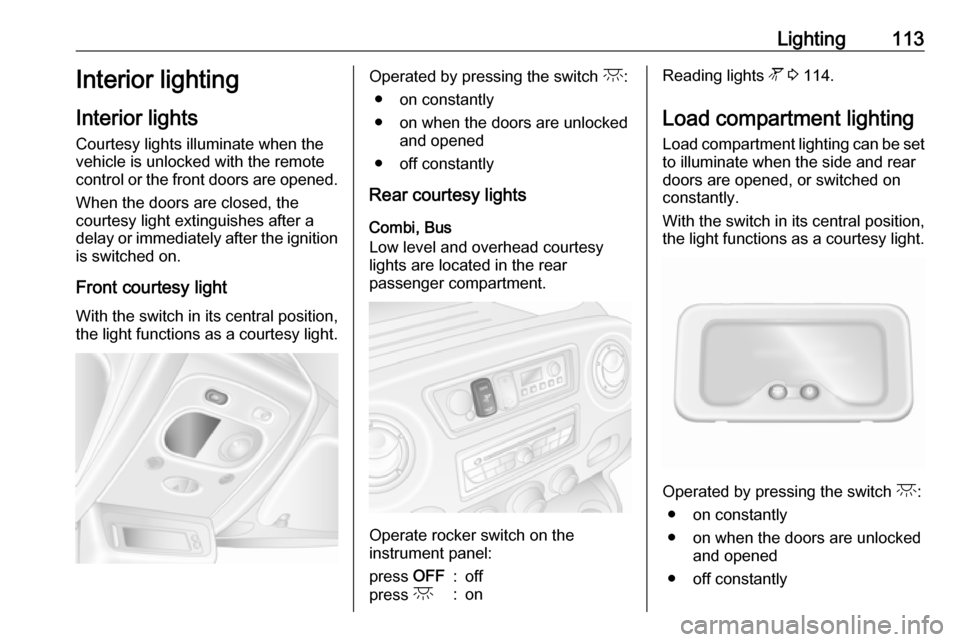
Front courtesy light
With the switch in its central position,
the light functions as a courtesy light.Operated by pressing the switch c:
● on constantly
● on when the doors are unlocked and opened
● off constantly
Rear courtesy lights
Combi, Bus
Low level and overhead courtesy
lights are located in the rear
passenger compartment.
Operate rocker switch on the
instrument panel:
press OFF:offpress c:onReading lights l 3 114.
Load compartment lighting Load compartment lighting can be setto illuminate when the side and rear
doors are opened, or switched on
constantly.
With the switch in its central position,
the light functions as a courtesy light.
Operated by pressing the switch c:
● on constantly
● on when the doors are unlocked and opened
● off constantly
Page 116 of 261
114LightingWhen the doors are closed, the
courtesy light extinguishes after a
delay or immediately after the ignition
is switched on.
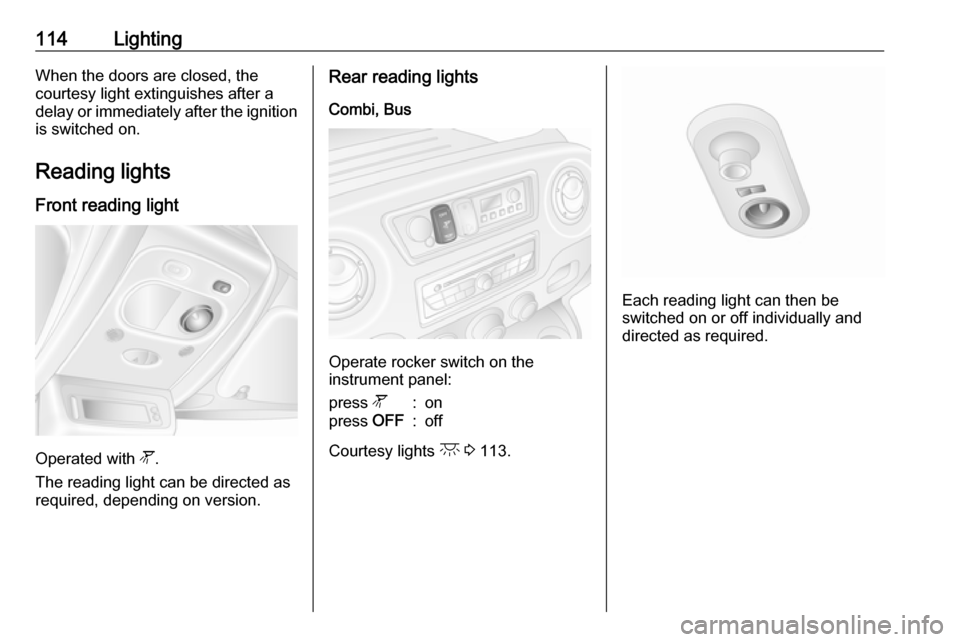
Reading lights Front reading light
Operated with l.
The reading light can be directed as
required, depending on version.
Rear reading lights
Combi, Bus
Operate rocker switch on the
instrument panel:
press l:onpress OFF:off
Courtesy lights c 3 113.
Each reading light can then be
switched on or off individually and
directed as required.
Page 120 of 261
118Climate control● Cooling A/C on.
● Air recirculation system u on.
● Set air distribution control to M.
● Set temperature control to coldest level.
● Set fan speed to highest level.
● Open all air vents.
Demisting and defrosting the
windows
● Switch cooling A/C on.
● Set temperature control to warmest level.
● Set fan speed to highest level.
● Set air distribution control to V.
● Switch on heated rear window Ü.
● Open side air vents as required and direct them towards door
windows.
● For simultaneous warming of the
foot well, set air distribution
control to J.Note
If V is pressed while the engine is
running, an Autostop will be inhibited
until V is pressed again.
If V is pressed while the engine is
in an Autostop, the engine will restart automatically.
Stop-start system 3 136.
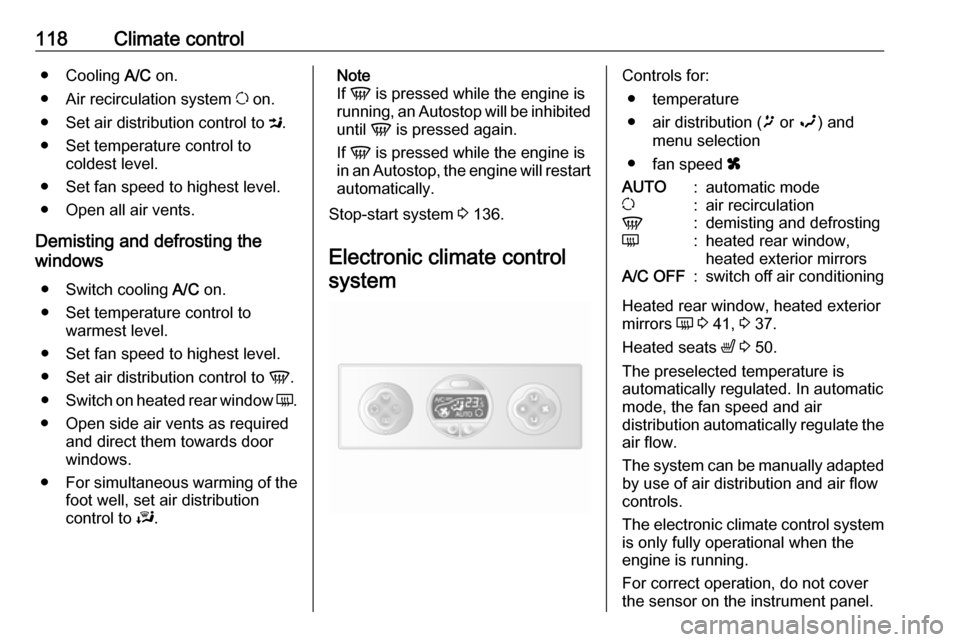
Electronic climate control systemControls for: ● temperature
● air distribution ( ï or î) and
menu selection
● fan speed xAUTO:automatic modeu:air recirculationV:demisting and defrostingÜ:heated rear window,
heated exterior mirrorsA/C OFF:switch off air conditioning
Heated rear window, heated exterior
mirrors Ü 3 41, 3 37.
Heated seats ß 3 50.
The preselected temperature is
automatically regulated. In automatic
mode, the fan speed and air
distribution automatically regulate the
air flow.
The system can be manually adapted by use of air distribution and air flowcontrols.
The electronic climate control system
is only fully operational when the
engine is running.
For correct operation, do not cover
the sensor on the instrument panel.
Page 126 of 261
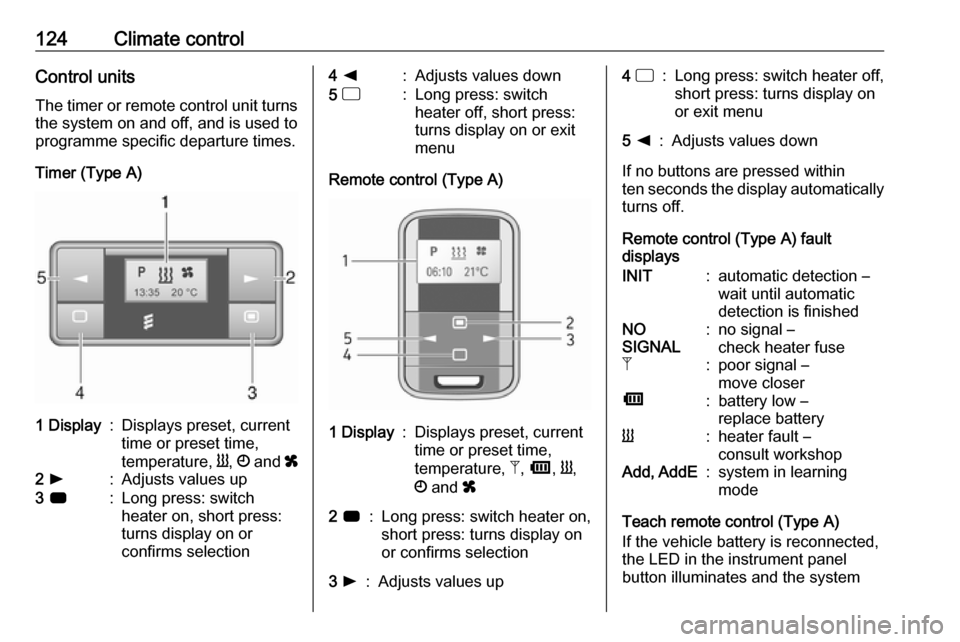
124Climate controlControl unitsThe timer or remote control unit turns
the system on and off, and is used to
programme specific departure times.
Timer (Type A)1 Display:Displays preset, current
time or preset time,
temperature, Y, Ö and x2 l:Adjusts values up3 7:Long press: switch
heater on, short press:
turns display on or
confirms selection4 k:Adjusts values down5 d:Long press: switch
heater off, short press:
turns display on or exit
menu
Remote control (Type A)
1 Display:Displays preset, current
time or preset time,
temperature, Z, Ü , Y ,
Ö and x2 7:Long press: switch heater on,
short press: turns display on
or confirms selection3 l:Adjusts values up4 d:Long press: switch heater off,
short press: turns display on
or exit menu5 k:Adjusts values down
If no buttons are pressed within
ten seconds the display automatically
turns off.
Remote control (Type A) fault
displays
INIT:automatic detection –
wait until automatic
detection is finishedNO
SIGNAL:no signal –
check heater fuseZ:poor signal –
move closerÜ:battery low –
replace batteryY:heater fault –
consult workshopAdd, AddE:system in learning
mode
Teach remote control (Type A)
If the vehicle battery is reconnected,
the LED in the instrument panel
button illuminates and the system
Page 128 of 261
126Climate controlManual control
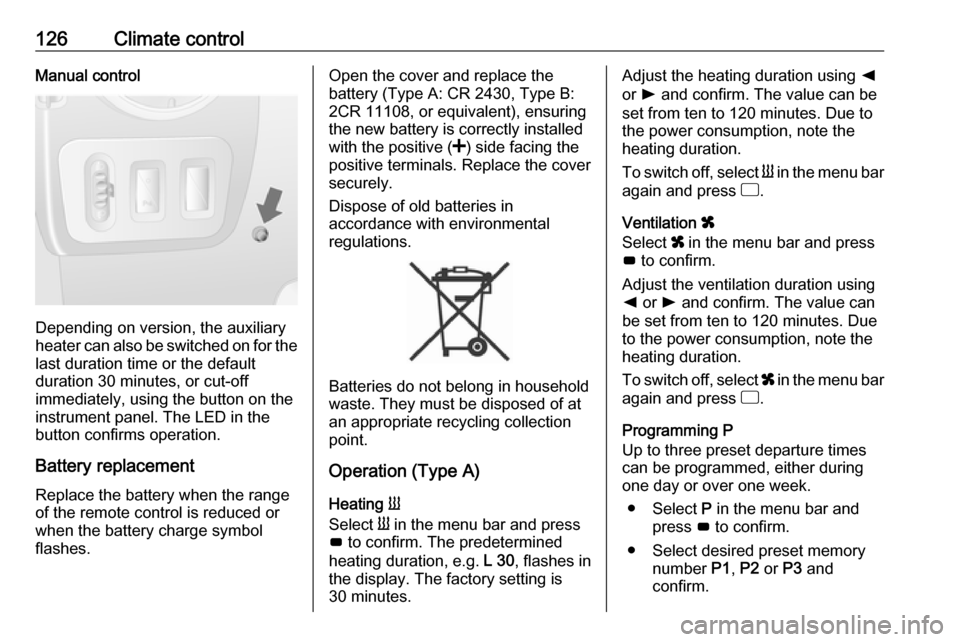
Depending on version, the auxiliary
heater can also be switched on for the
last duration time or the default
duration 30 minutes, or cut-off
immediately, using the button on the
instrument panel. The LED in the
button confirms operation.
Battery replacement
Replace the battery when the range
of the remote control is reduced or
when the battery charge symbol
flashes.
Open the cover and replace the
battery (Type A: CR 2430, Type B:
2CR 11108, or equivalent), ensuring
the new battery is correctly installed
with the positive ( <) side facing the
positive terminals. Replace the cover
securely.
Dispose of old batteries in
accordance with environmental
regulations.
Batteries do not belong in household
waste. They must be disposed of at
an appropriate recycling collection
point.
Operation (Type A)
Heating Y
Select Y in the menu bar and press
G to confirm. The predetermined
heating duration, e.g. L 30, flashes in
the display. The factory setting is 30 minutes.
Adjust the heating duration using k
or l and confirm. The value can be
set from ten to 120 minutes. Due to
the power consumption, note the
heating duration.
To switch off, select Y in the menu bar
again and press d.
Ventilation x
Select x in the menu bar and press
G to confirm.
Adjust the ventilation duration using k or l and confirm. The value can
be set from ten to 120 minutes. Due
to the power consumption, note the
heating duration.
To switch off, select x in the menu bar
again and press d.
Programming P
Up to three preset departure times
can be programmed, either during
one day or over one week.
● Select P in the menu bar and
press G to confirm.
● Select desired preset memory number P1, P2 or P3 and
confirm.