display OPEL MOVANO_B 2020 Manual user
[x] Cancel search | Manufacturer: OPEL, Model Year: 2020, Model line: MOVANO_B, Model: OPEL MOVANO_B 2020Pages: 353, PDF Size: 9.4 MB
Page 92 of 353
90Instruments and controls
Note
The sockets must always be kept
clean and dry.
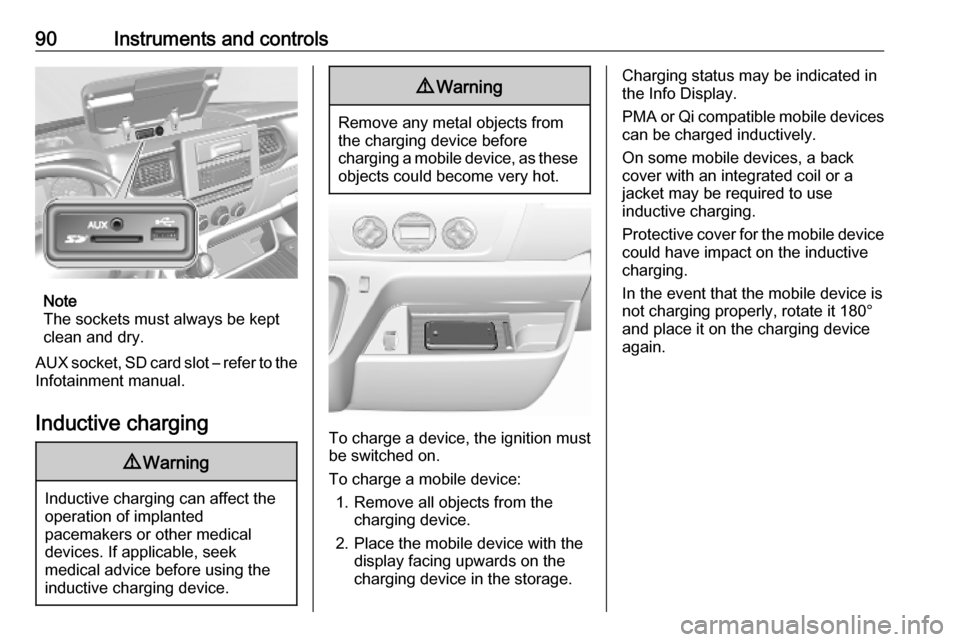
AUX socket, SD card slot – refer to the Infotainment manual.
Inductive charging
9 Warning
Inductive charging can affect the
operation of implanted
pacemakers or other medical
devices. If applicable, seek
medical advice before using the
inductive charging device.
9 Warning
Remove any metal objects from
the charging device before
charging a mobile device, as these objects could become very hot.
To charge a device, the ignition must
be switched on.
To charge a mobile device: 1. Remove all objects from the charging device.
2. Place the mobile device with the display facing upwards on the
charging device in the storage.
Charging status may be indicated in
the Info Display.
PMA or Qi compatible mobile devices can be charged inductively.
On some mobile devices, a back
cover with an integrated coil or a
jacket may be required to use
inductive charging.
Protective cover for the mobile device
could have impact on the inductive
charging.
In the event that the mobile device is
not charging properly, rotate it 180°
and place it on the charging device
again.
Page 94 of 353
92Instruments and controlsOdometer
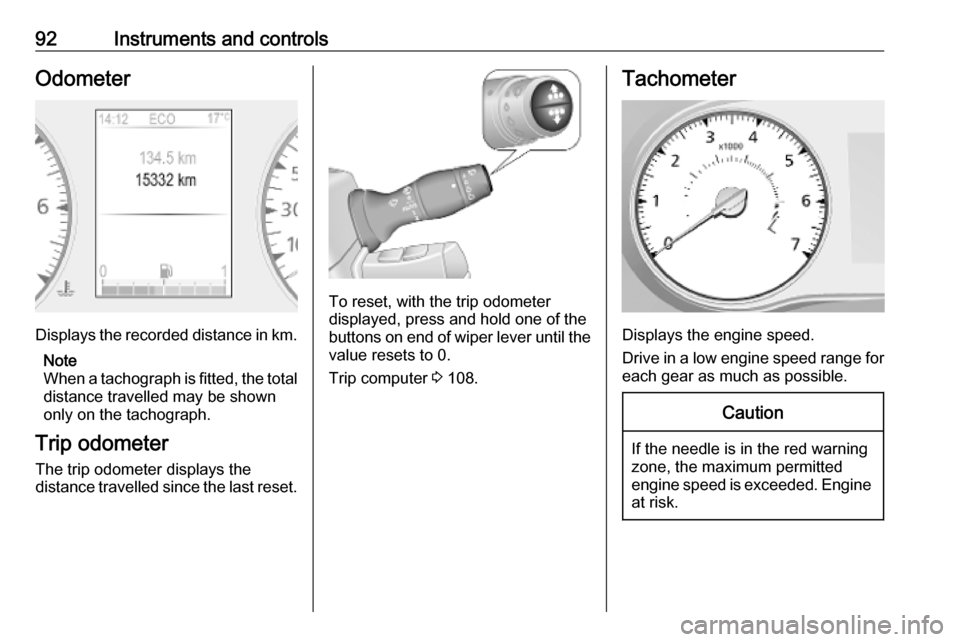
Displays the recorded distance in km.Note
When a tachograph is fitted, the total
distance travelled may be shown
only on the tachograph.
Trip odometer
The trip odometer displays the
distance travelled since the last reset.
To reset, with the trip odometer
displayed, press and hold one of the buttons on end of wiper lever until the
value resets to 0.
Trip computer 3 108.
Tachometer
Displays the engine speed.
Drive in a low engine speed range for each gear as much as possible.
Caution
If the needle is in the red warning
zone, the maximum permitted
engine speed is exceeded. Engine at risk.
Page 95 of 353
Instruments and controls93Fuel gauge
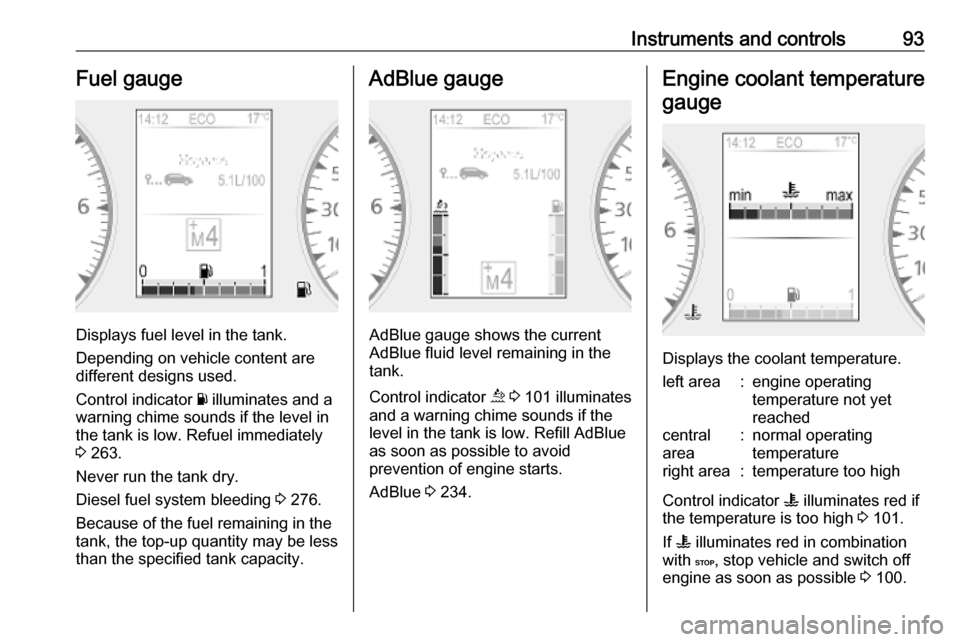
Displays fuel level in the tank.
Depending on vehicle content are
different designs used.
Control indicator Y illuminates and a
warning chime sounds if the level in
the tank is low. Refuel immediately
3 263.
Never run the tank dry.
Diesel fuel system bleeding 3 276.
Because of the fuel remaining in the
tank, the top-up quantity may be less
than the specified tank capacity.
AdBlue gauge
AdBlue gauge shows the current
AdBlue fluid level remaining in the
tank.
Control indicator ú 3 101 illuminates
and a warning chime sounds if the
level in the tank is low. Refill AdBlue
as soon as possible to avoid
prevention of engine starts.
AdBlue 3 234.
Engine coolant temperature
gauge
Displays the coolant temperature.
left area:engine operating
temperature not yet
reachedcentral
area:normal operating
temperatureright area:temperature too high
Control indicator W illuminates red if
the temperature is too high 3 101.
If W illuminates red in combination
with C, stop vehicle and switch off
engine as soon as possible 3 100.
Page 96 of 353
94Instruments and controlsCaution
If engine coolant temperature is
too high, stop vehicle, switch off
engine. Danger to engine. Check
coolant level.
For physical reasons, the coolant temperature gauge shows the coolant temperature only if the coolant level is adequate.
Service display
Select the service page in the Driver
Information Centre, when the ignition
is switched on without running
engine. Press and hold one of the
buttons on end of wiper lever for
approx. 5 seconds 3 108. The
distance and time to the next service are displayed. Pressing then lower
botton, shows the information for the
next engine oil change.
When the ignition is switched on, the
remaining distance or time before the next service is due may be shown
briefly in the Driver Information
Centre. Based on driving conditions,
the interval at which a service will be
indicated can vary considerably.
When the remaining distance before
the next service is less than
1500 km or 1 month, a message
appears in the Driver Information
Centre.
When the distance reaches 0 km or
the service date is due, control
indicator j illuminates and a
message appears in the Driver
Information Centre.
The vehicle needs a service. Seek the assistance of a workshop.
Resetting the service display After a service or an engine oil
change, the values must be reset:
select the relevant information in the
Driver Information Centre, then press
and hold one of the buttons on end of wiper lever for approx. 10 seconds
until the distance is displayed
continuously.
Trip computer 3 108.
Driver Information Centre 3 105.
Service information 3 311.Transmission display
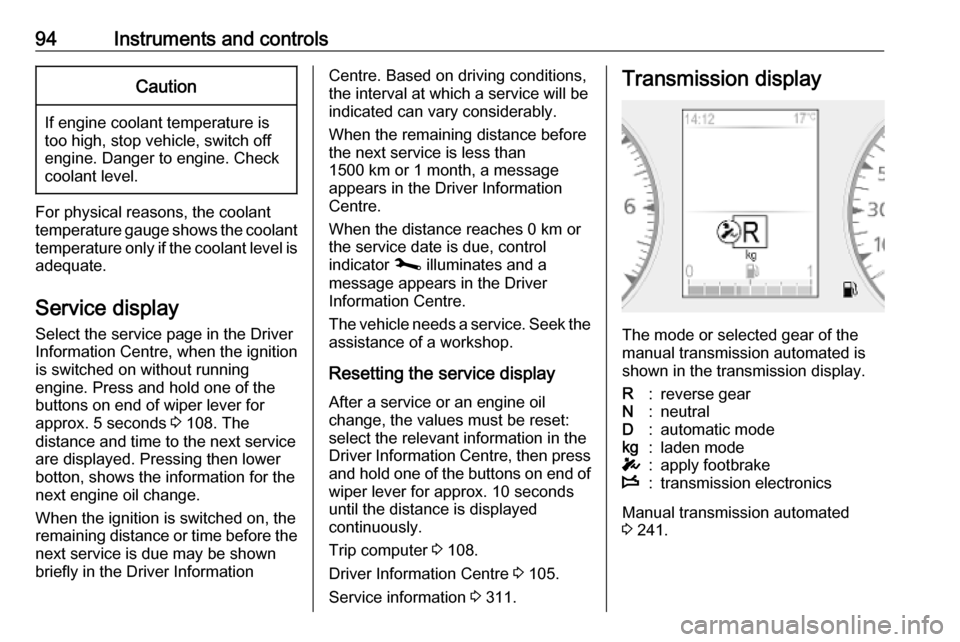
The mode or selected gear of the
manual transmission automated is shown in the transmission display.
R:reverse gearN:neutralD:automatic modekg:laden modeT:apply footbrakeW:transmission electronics
Manual transmission automated
3 241.
Page 106 of 353

104Instruments and controlsU illuminates green when the system
is on.
m illuminates green when a certain
speed is stored.
Cruise control 3 249.
Active emergency braking
l illuminates or flashes red.
Illuminates
The system has been deactivated or
a fault has been detected.
Additionally, a warning message is
displayed in the Driver Information
Centre.
In case of a system fault, seek the
assistance of a workshop.
Flashes The system is actively engaged.
Depending on the situation, the
vehicle may automatically brake
moderately or hard.
Active emergency braking 3 253.Speed warning
Depending on vehicle and country,
$ is displayed as long as the speed
is over a set value.
Limited speed
Depending on version and country, the maximum speed is set by default.
A warning chime will sound for
10 seconds if the vehicle briefly
exceeds the set limit.
Note
Under certain conditions (e.g. steep inclines) the vehicle speed may
exceed the set limit.
Speed limiter 3 251.
Speed limiter
U illuminates yellow.
Illuminates when the system is on.
Speed limiter 3 251.
Tachograph & illuminates when there is a fault in
the system.Tachograph 3 109.
Door open y illuminates yellow.
Illuminates with the ignition switched
on when a door or the load
compartment is open.
Page 107 of 353
Instruments and controls105Displays
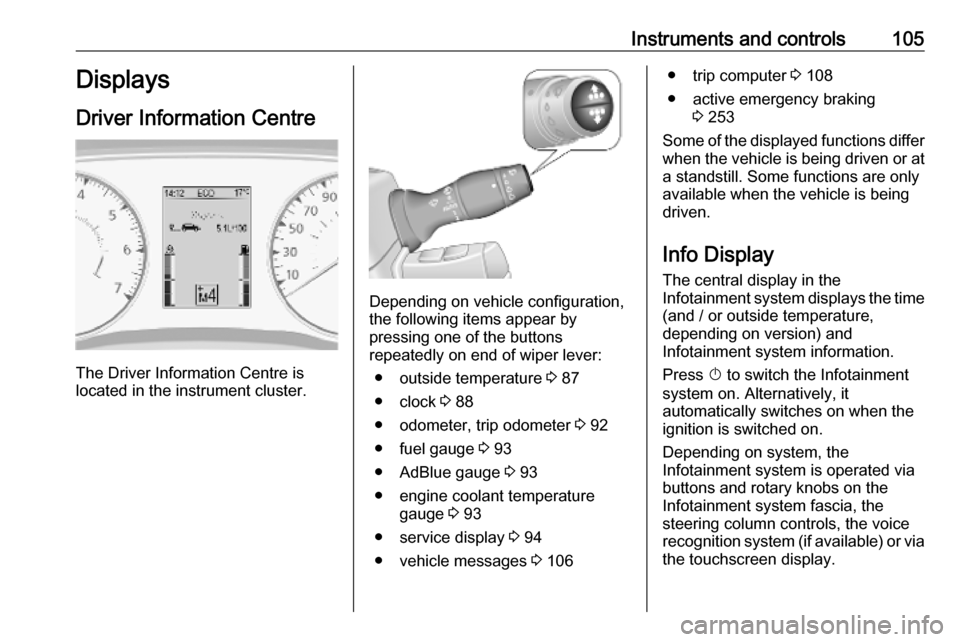
Driver Information Centre
The Driver Information Centre is
located in the instrument cluster.
Depending on vehicle configuration,
the following items appear by
pressing one of the buttons
repeatedly on end of wiper lever:
● outside temperature 3 87
● clock 3 88
● odometer, trip odometer 3 92
● fuel gauge 3 93
● AdBlue gauge 3 93
● engine coolant temperature gauge 3 93
● service display 3 94
● vehicle messages 3 106
● trip computer 3 108
● active emergency braking 3 253
Some of the displayed functions differ
when the vehicle is being driven or at a standstill. Some functions are only
available when the vehicle is being
driven.
Info Display The central display in the
Infotainment system displays the time
(and / or outside temperature,
depending on version) and
Infotainment system information.
Press X to switch the Infotainment
system on. Alternatively, it automatically switches on when the
ignition is switched on.
Depending on system, the
Infotainment system is operated via buttons and rotary knobs on the
Infotainment system fascia, the
steering column controls, the voice
recognition system (if available) or via the touchscreen display.
Page 108 of 353

106Instruments and controlsTouchscreen operationMake the appropriate selection from
the available menus and options by
touching the display screen with the
finger.
For further information, refer to the
Infotainment system manual.
Journey record
When the engine is switched off, a
record of the last journey may be
shown in the Info Display.
The following information is
displayed:
● average fuel consumption
● trip odometer
● fuel saved in km
If equipped, a rating of 0 to 100 is
shown in the Info Display, to help
evaluate fuel efficiency, based on
driving style. Higher ratings indicate
better fuel economy.
Tips to improve fuel economy are also given in the display. Journeys can be
saved in the system memory,enabling to compare performances. Refer to Infotainment manual for
further information.Vehicle messages
Messages are indicated in the Driver
Information Centre, in some cases
together with a warning chime. The
vehicle messages are displayed as
text. Follow the instructions given in
the messages.
Fault messages Displayed in combination with control indicator j. Drive with caution and
seek the assistance of a workshop.
To remove fault message, press a
button on end of wiper lever. After a
few seconds the message may
disappear automatically and j
remains illuminated. The fault will
then be stored in the on board
system.
Warning messages These may appear with control
indicator C or in combination with
other warning messages, control
indicators or an audible warning. Stop
engine immediately and seek the
assistance of a workshop.
Page 110 of 353

108Instruments and controlsTrip computerThe trip computer provides
information on driving data, which is
continually recorded and evaluated electronically.
Depending on vehicle, the following functions can be selected by pressing one of the buttons repeatedly on end
of wiper lever 3 105:
● odometer 3 92
● trip odometer 3 92
● average fuel consumption
● instantaneous fuel consumption
● fuel range
● distance travelled
● average speed
● digital speed
● engine coolent temperature 3 93
● clock 3 88
● distance before service 3 94
● tyre pressure reset 3 292
● settings● fault and information messages 3 106
● AdBlue range
Average fuel consumption The value is displayed after driving a
distance of 400 m.
Average fuel consumption is displayed, taking into consideration
the distance travelled and the fuel
used since the last reset.
Instantaneous fuel consumption
The value is displayed after reaching
a speed of 20 km/h.
Fuel range
The value is displayed after driving a distance of 400 m.
The fuel range is calculated from the
current contents of the fuel tank and
the average fuel consumption since
the last reset.
The fuel range will not display if control indicator Y is illuminated
3 103.Distance travelled
Displays the distance driven since the
last reset.
Average speed The value is displayed after driving a
distance of 400 m.
The average speed since the last
reset is displayed.
Interruptions in the journey with the
ignition off are not included in the
calculations.
Reset trip computer information
To reset the trip computer, select one of its functions then press and hold
one of the buttons on end of wiper
lever.
The following trip computer
information can be reset:
● average fuel consumption
● distance travelled
● average speed
The trip computer will reset
automatically when the maximum
value of any of the parameters is
exceeded.
Page 111 of 353
Instruments and controls109Digital speedDigital display of the instantaneous
speed.
Settings Press and hold one of the buttons on
end of wiper lever for approx.
5 seconds to select the display
language.
AdBlue range The AdBlue range is calculated from
the current contents of the AdBlue
tank and the average AdBlue
consumption 3 234.
Interruption of power supply
If the power supply has been
interrupted or if the vehicle battery
voltage has dropped too low, the
values stored in the trip computer will be lost.Tachograph
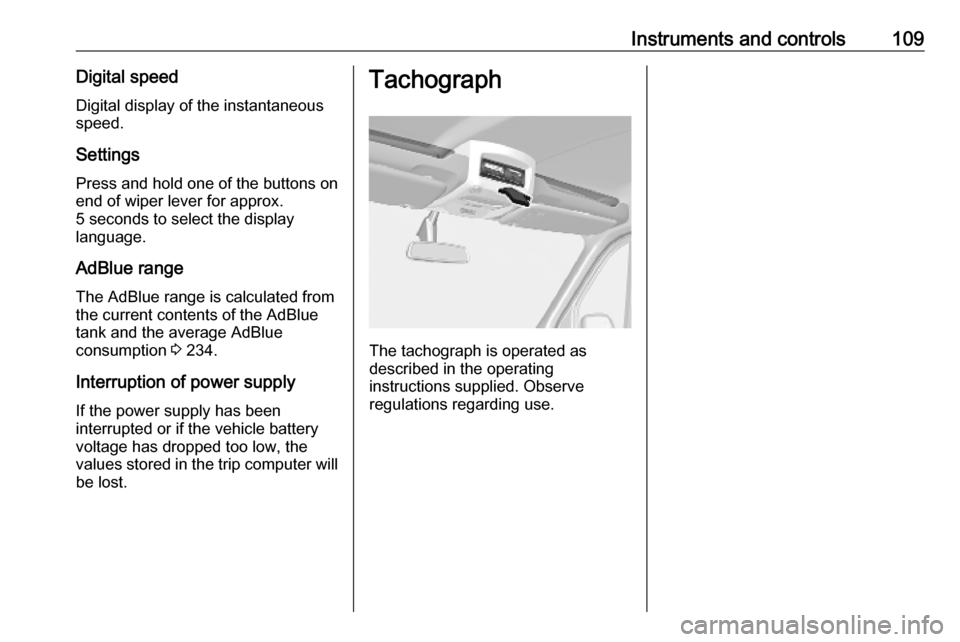
The tachograph is operated as
described in the operating
instructions supplied. Observe
regulations regarding use.
Page 120 of 353

118Infotainment systemInfotainment systemIntroduction................................ 118
General information .................118
Theft-deterrent feature ............120
Control elements overview ......122
Usage ...................................... 129
Touch operation overview .......136
Tone settings ........................... 137
Volume settings .......................138
System settings .......................139
Radio ......................................... 144
Usage ...................................... 144
Station search ......................... 145
Autostore lists .......................... 147
Radio data system (RDS) ........148
Digital audio broadcasting .......151
AUX input ................................... 151
General information .................151
Usage ...................................... 152
USB port .................................... 153
General information .................153
Playing saved audio files .........154
Bluetooth music .........................156
General information .................156
Operation ................................. 156External devices........................161
Displaying pictures ..................161
Playing movies ........................ 162
Using smartphone applications ............................ 163
Navigation .................................. 164
General information .................164
Usage ...................................... 166
Destination input ......................177
Guidance ................................. 183
Symbols overview ...................190
Voice recognition .......................191
General information .................191
Navigation control ....................192
Phone control .......................... 193
Phone ........................................ 193
General information .................193
Connection .............................. 195
Bluetooth connection ...............197
Emergency call ........................200
Operation ................................. 201
Mobile phones and CB radio equipment ............................... 207Introduction
General information
The Infotainment system provides
state-of-the-art in-car information and
entertainment.
The radio is equipped with assignable channel presets for FM, AM and also
DAB wavebands (depending on
version).
External data storage devices, e.g.
iPod, MP3 player or USB stick, or a
portable player can be connected to
the Infotainment system. External
audio sources can also be connected
via Bluetooth.
The digital sound processor provides
several preset equalizer modes for
sound optimisation.
The navigation system's dynamic
route planning will reliably guide to
the chosen destination and can help
avoid traffic jams and other traffic
problems.
Optionally, the Infotainment system
can be operated using controls on the steering column or via the voice
recognition system.