instrument cluster OPEL MOVANO_B 2020 Manual user
[x] Cancel search | Manufacturer: OPEL, Model Year: 2020, Model line: MOVANO_B, Model: OPEL MOVANO_B 2020Pages: 353, PDF Size: 9.4 MB
Page 86 of 353

84Instruments and controlsInstruments and
controlsControls ....................................... 85
Steering wheel adjustment ........85
Steering wheel controls .............85
Horn ........................................... 85
Steering column controls ...........85
Windscreen wiper and washer ..86
Outside temperature ..................87
Clock ......................................... 88
Power outlets ............................. 88
Inductive charging .....................90
Cigarette lighter ......................... 91
Ashtrays .................................... 91
Warning lights, gauges and indi‐ cators ........................................... 91
Instrument cluster ......................91
Speedometer ............................. 91
Odometer .................................. 92
Trip odometer ............................ 92
Tachometer ............................... 92
Fuel gauge ................................ 93
AdBlue gauge ............................ 93
Engine coolant temperature gauge ....................................... 93
Service display .......................... 94Transmission display .................94
Control indicators ......................95
Turn lights .................................. 98
Seat belt reminder .....................98
Airbag and belt tensioners .........98
Airbag deactivation ....................98
Charging system .......................99
Malfunction indicator light ..........99
Service vehicle soon .................99
Stop engine ............................. 100
Brake system ........................... 100
Parking brake .......................... 100
Antilock brake system (ABS) ...100
Gear shifting ............................ 100
Variable effort steering ............100
Lane departure warning ..........101
Electronic Stability Control ......101
Engine coolant temperature ....101
Preheating ............................... 101
AdBlue ..................................... 101
Tyre pressure monitoring system .................................... 102
Engine oil pressure ..................102
Low fuel ................................... 103
Stop-start system ....................103
Exterior light ............................ 103
Low beam ................................ 103
High beam ............................... 103
High beam assist .....................103
Front fog lights ......................... 103Rear fog light........................... 103
Cruise control .......................... 103
Active emergency braking .......104
Speed warning ........................ 104
Speed limiter ........................... 104
Tachograph ............................. 104
Door open ................................ 104
Displays ..................................... 105
Driver Information Centre ........105
Info Display .............................. 105
Vehicle messages ......................106
Warning chimes .......................107
Trip computer ............................. 108
Tachograph ................................ 109
Page 93 of 353
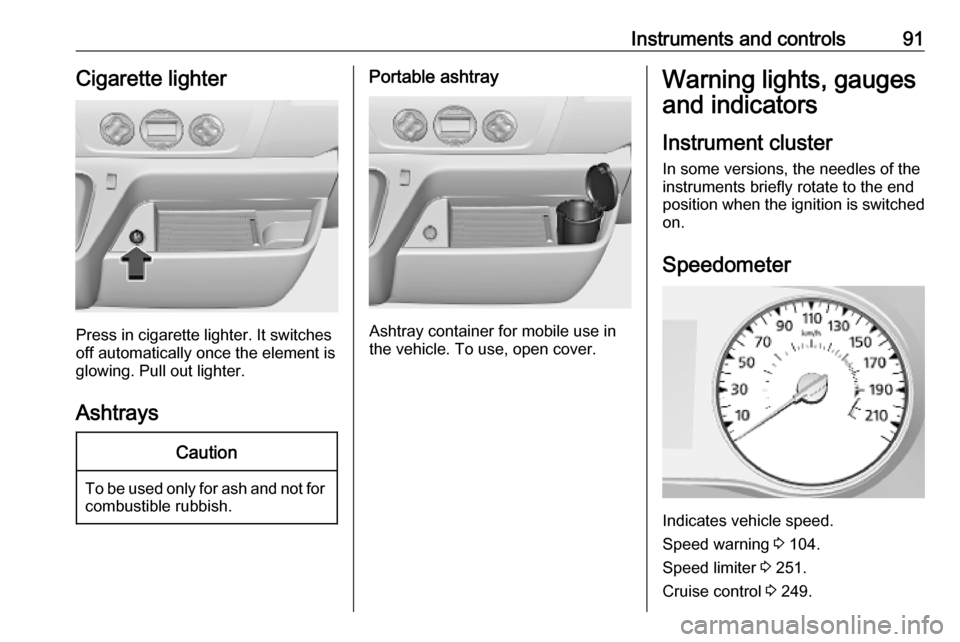
Instruments and controls91Cigarette lighter
Press in cigarette lighter. It switches
off automatically once the element is
glowing. Pull out lighter.
Ashtrays
Caution
To be used only for ash and not for combustible rubbish.
Portable ashtray
Ashtray container for mobile use in
the vehicle. To use, open cover.
Warning lights, gauges
and indicators
Instrument cluster
In some versions, the needles of the
instruments briefly rotate to the end
position when the ignition is switched
on.
Speedometer
Indicates vehicle speed.
Speed warning 3 104.
Speed limiter 3 251.
Cruise control 3 249.
Page 98 of 353
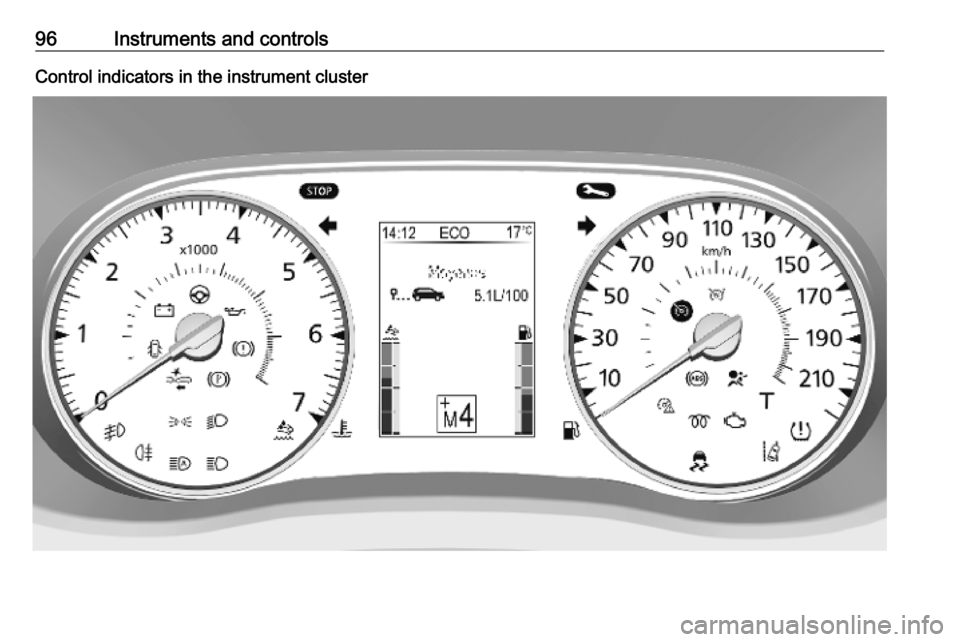
96Instruments and controlsControl indicators in the instrument cluster
Page 107 of 353
Instruments and controls105Displays
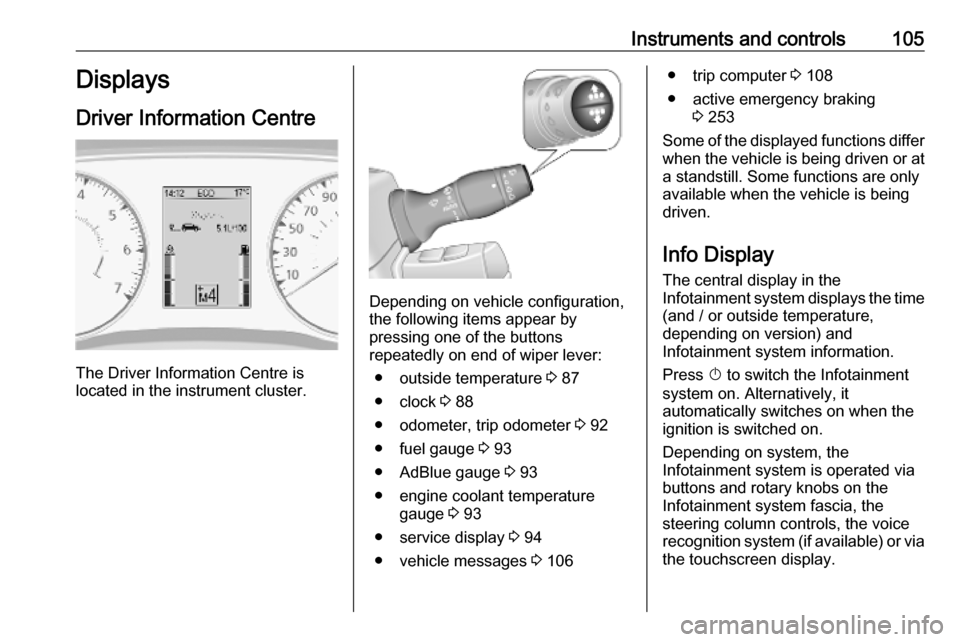
Driver Information Centre
The Driver Information Centre is
located in the instrument cluster.
Depending on vehicle configuration,
the following items appear by
pressing one of the buttons
repeatedly on end of wiper lever:
● outside temperature 3 87
● clock 3 88
● odometer, trip odometer 3 92
● fuel gauge 3 93
● AdBlue gauge 3 93
● engine coolant temperature gauge 3 93
● service display 3 94
● vehicle messages 3 106
● trip computer 3 108
● active emergency braking 3 253
Some of the displayed functions differ
when the vehicle is being driven or at a standstill. Some functions are only
available when the vehicle is being
driven.
Info Display The central display in the
Infotainment system displays the time
(and / or outside temperature,
depending on version) and
Infotainment system information.
Press X to switch the Infotainment
system on. Alternatively, it automatically switches on when the
ignition is switched on.
Depending on system, the
Infotainment system is operated via buttons and rotary knobs on the
Infotainment system fascia, the
steering column controls, the voice
recognition system (if available) or via the touchscreen display.
Page 113 of 353
Lighting111Automatic headlight activation
During poor lighting conditions the
headlights are switched on.
Additionally, headlights are switched
on if the windscreen wiper has been
activated for several wipes.
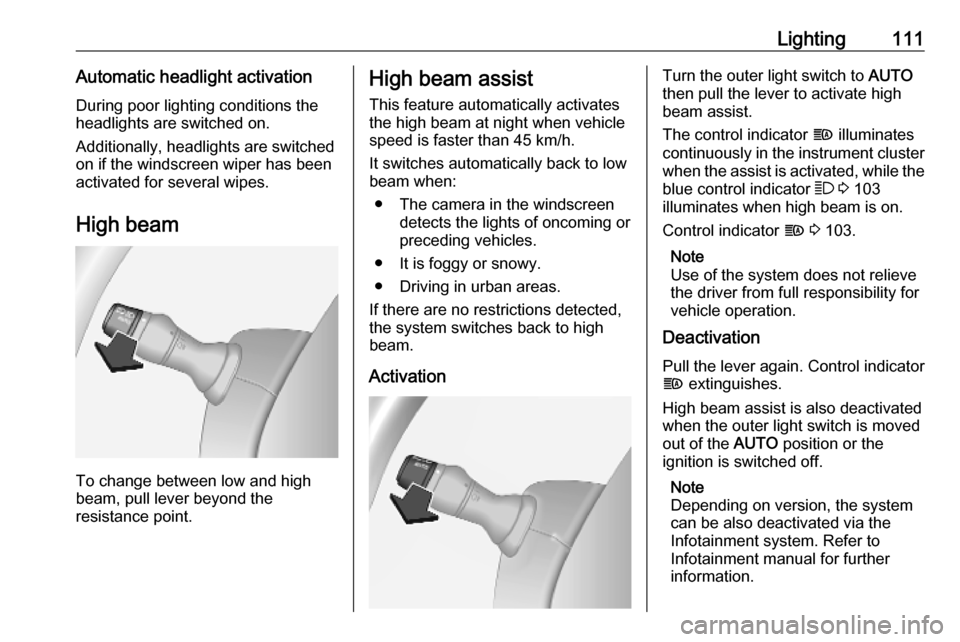
High beam
To change between low and high
beam, pull lever beyond the
resistance point.
High beam assist
This feature automatically activates
the high beam at night when vehicle
speed is faster than 45 km/h.
It switches automatically back to low
beam when:
● The camera in the windscreen detects the lights of oncoming or
preceding vehicles.
● It is foggy or snowy.
● Driving in urban areas.
If there are no restrictions detected, the system switches back to high
beam.
ActivationTurn the outer light switch to AUTO
then pull the lever to activate high
beam assist.
The control indicator f illuminates
continuously in the instrument cluster when the assist is activated, while the
blue control indicator 7 3 103
illuminates when high beam is on.
Control indicator f 3 103.
Note
Use of the system does not relieve
the driver from full responsibility for
vehicle operation.
Deactivation
Pull the lever again. Control indicator
f extinguishes.
High beam assist is also deactivated when the outer light switch is moved
out of the AUTO position or the
ignition is switched off.
Note
Depending on version, the system
can be also deactivated via the
Infotainment system. Refer to
Infotainment manual for further
information.
Page 155 of 353
Infotainment system153Touch < to open a pop-up menu
(depending on version). The following
options are available:
● Auxiliary socket : Change the
audio source to AUX mode, then
switch on the auxiliary device.
● USB : Refer to
(NAVI 80 IntelliLink) "USB port"
3 153.
● Bluetooth connection : Refer to
(NAVI 80 IntelliLink) "Bluetooth music" 3 156USB port
General information
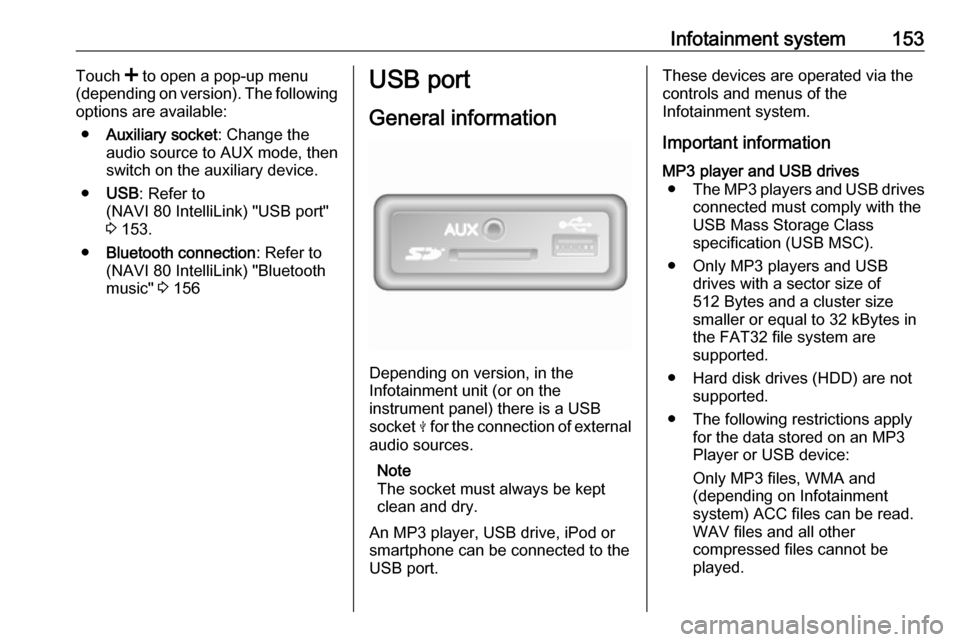
Depending on version, in the
Infotainment unit (or on the
instrument panel) there is a USB
socket M for the connection of external
audio sources.
Note
The socket must always be kept
clean and dry.
An MP3 player, USB drive, iPod or
smartphone can be connected to the
USB port.
These devices are operated via the
controls and menus of the
Infotainment system.
Important informationMP3 player and USB drives ● The MP3 players and USB drives
connected must comply with the
USB Mass Storage Class
specification (USB MSC).
● Only MP3 players and USB drives with a sector size of
512 Bytes and a cluster size smaller or equal to 32 kBytes in
the FAT32 file system are
supported.
● Hard disk drives (HDD) are not supported.
● The following restrictions apply for the data stored on an MP3
Player or USB device:
Only MP3 files, WMA and
(depending on Infotainment
system) ACC files can be read.
WAV files and all other
compressed files cannot be
played.
Page 230 of 353
228Driving and operatingIdle speed control
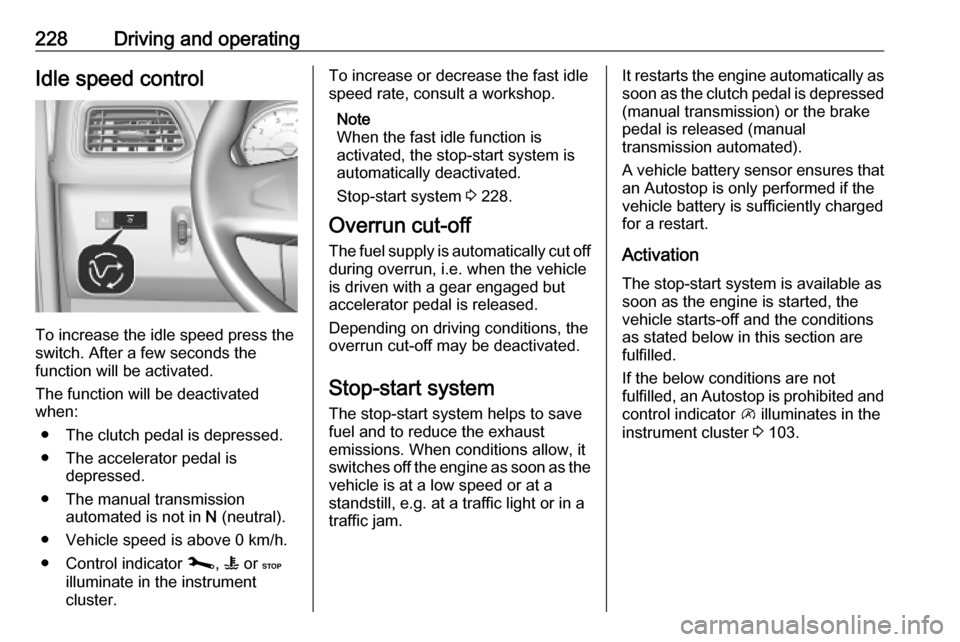
To increase the idle speed press the
switch. After a few seconds the
function will be activated.
The function will be deactivated
when:
● The clutch pedal is depressed.
● The accelerator pedal is depressed.
● The manual transmission automated is not in N (neutral).
● Vehicle speed is above 0 km/h. ● Control indicator j, W or C
illuminate in the instrument
cluster.
To increase or decrease the fast idle
speed rate, consult a workshop.
Note
When the fast idle function is
activated, the stop-start system is
automatically deactivated.
Stop-start system 3 228.
Overrun cut-off
The fuel supply is automatically cut off
during overrun, i.e. when the vehicle
is driven with a gear engaged but accelerator pedal is released.
Depending on driving conditions, the
overrun cut-off may be deactivated.
Stop-start system The stop-start system helps to save
fuel and to reduce the exhaust
emissions. When conditions allow, it
switches off the engine as soon as the
vehicle is at a low speed or at a
standstill, e.g. at a traffic light or in a
traffic jam.It restarts the engine automatically as
soon as the clutch pedal is depressed (manual transmission) or the brake
pedal is released (manual
transmission automated).
A vehicle battery sensor ensures that
an Autostop is only performed if the vehicle battery is sufficiently charged
for a restart.
Activation
The stop-start system is available as
soon as the engine is started, the
vehicle starts-off and the conditions
as stated below in this section are
fulfilled.
If the below conditions are not
fulfilled, an Autostop is prohibited and
control indicator \ illuminates in the
instrument cluster 3 103.
Page 232 of 353

230Driving and operating● the vehicle battery is sufficientlycharged and in good condition
● the engine is warmed up
● the engine coolant temperature is
not too high
● the ambient temperature is not too low
● the altitude is not too high
● the slope is not too steep
● the defrosting function is not activated
● the parking assist is not in operation
● the climate control system does not inhibit an Autostop
● the rear air conditioning system is
not activated
● the brake vacuum is sufficient
● the self-cleaning function of the diesel particle filter is not active
3 233
● the vehicle has moved since the last Autostop
Otherwise an Autostop will be
inhibited.An Autostop may become
unavailable as the ambient
temperature approaches freezing
point.
Certain settings of the climate control
system may also inhibit an Autostop.
See "Climate control" chapter for
further information 3 208.
Immediately after motorway driving
an Autostop may be inhibited.
New vehicle running-in 3 226.
Vehicle battery discharge protection
To ensure reliable engine restarts, several vehicle battery discharge
protection features are implemented
as part of the stop-start system.
Restart of the engine by the driverManual transmission
With the selector lever in neutral,
depress the clutch pedal to restart the
engine.
Note
If any gear is selected, the clutch
pedal must be fully depressed to
restart the engine.If the engine does not restart first
time, depress clutch pedal fully again.Manual transmission automated
With the selector lever in position D,
M or N and the parking brake
released, release the brake pedal to
restart the engine.
Engaging reverse gear or depressing the accelerator pedal may also restart
the engine.
The control indicator Ï will extinguish
in the instrument cluster when the
engine is restarted. If certain
conditions are not fulfilled, a restart will not take place. Start using the
ignition key.
Starting the engine 3 227.
Bus
The engine is restarted automatically
when operating the power sliding
door switch on the instrument panel
during an Autostop.
Sliding door 3 30.
Page 249 of 353
Driving and operating247Ride control systems
Traction Control system The traction control system is a
component part of the Electronic
Stability Control (ESC) which
improves driving stability when
necessary, regardless of the type of
road surface or tyre grip, by
preventing the drive wheels from
spinning.
As soon as the drive wheels start to
spin, engine output is reduced and
the wheel spinning the most is braked
individually. This considerably
improves the driving stability of the
vehicle on slippery road surfaces.
Traction control system is operational
as soon as the ignition is switched on and control indicator b extinguishes
in the instrument cluster.
When traction control system is active b flashes.9 Warning
Do not let this special safety
feature tempt you into taking risks
when driving.
Adapt speed to the road
conditions.
Control indicator b 3 101.
Trailer stability assist 3 266.
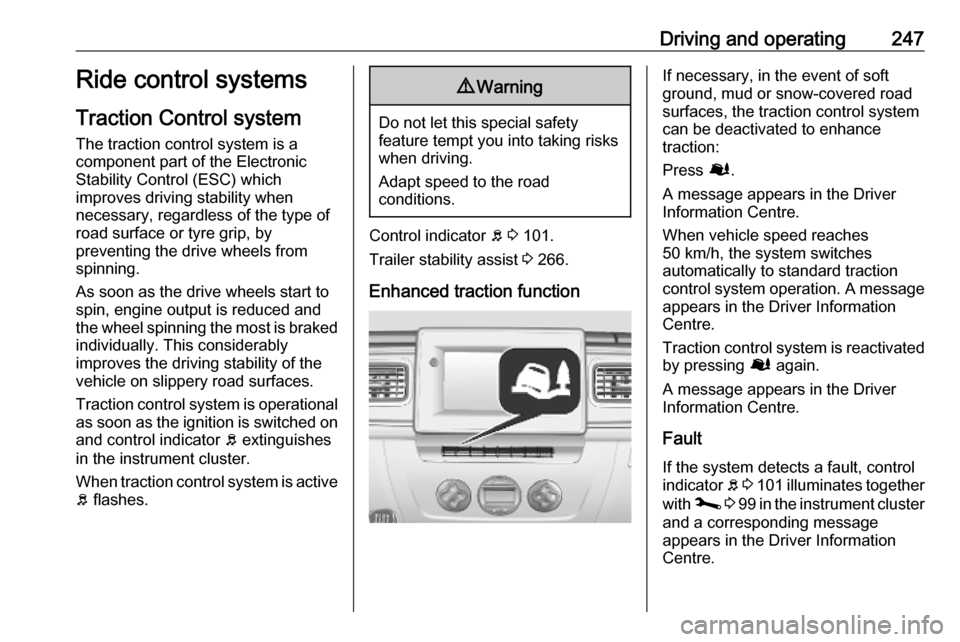
Enhanced traction function
If necessary, in the event of soft
ground, mud or snow-covered road
surfaces, the traction control system
can be deactivated to enhance
traction:
Press Ø.
A message appears in the Driver
Information Centre.
When vehicle speed reaches
50 km/h, the system switches
automatically to standard traction control system operation. A message
appears in the Driver Information
Centre.
Traction control system is reactivated by pressing Ø again.
A message appears in the Driver
Information Centre.
Fault
If the system detects a fault, control
indicator b 3 101 illuminates together
with j 3 99 in the instrument cluster
and a corresponding message
appears in the Driver Information
Centre.
Page 250 of 353
248Driving and operatingThe traction control system is not
operational. Have the cause of the
fault remedied by a workshop.
Vehicle messages 3 106.
Driver Information Centre 3 105.
Electronic Stability Control
The Electronic Stability Control (ESC) improves driving stability when
necessary, regardless of the type of
road surface or tyre grip. It also
prevents the drive wheels from
spinning.
As soon as the vehicle starts to
swerve (understeer / oversteer),
engine output is reduced and the wheels are braked individually. This
considerably improves the driving
stability of the vehicle on slippery road
surfaces.
ESC is operational as soon as the
ignition is switched on and control indicator b extinguishes in the
instrument cluster.
When ESC comes into action b
flashes.9 Warning
Do not let this special safety
feature tempt you into taking risks
when driving.
Adapt speed to the road
conditions.
Control indicator b 3 101.
Trailer stability assist 3 266.
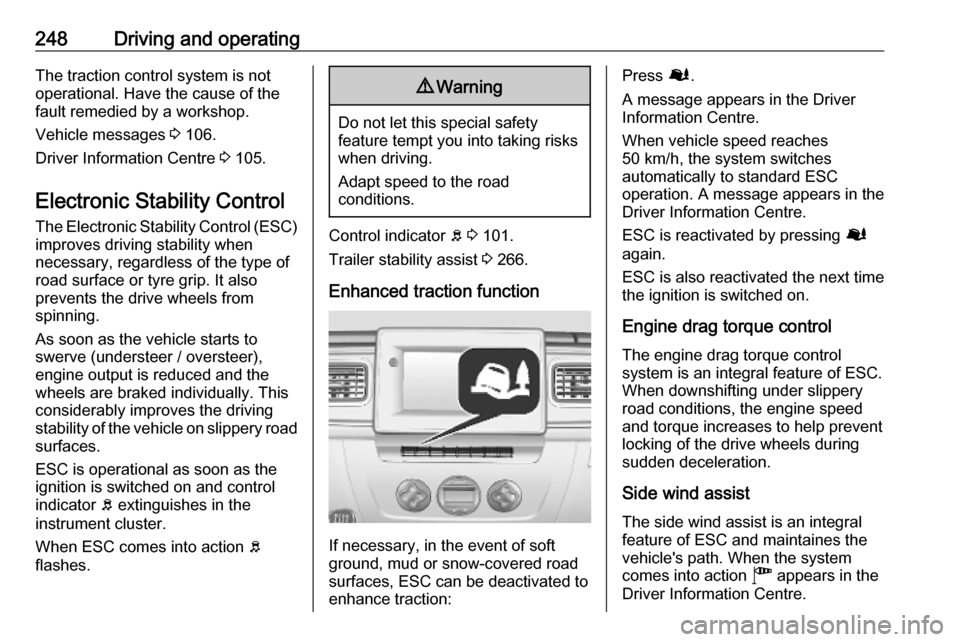
Enhanced traction function
If necessary, in the event of soft
ground, mud or snow-covered road
surfaces, ESC can be deactivated to
enhance traction:
Press Ø.
A message appears in the Driver
Information Centre.
When vehicle speed reaches
50 km/h, the system switches
automatically to standard ESC
operation. A message appears in the
Driver Information Centre.
ESC is reactivated by pressing Ø
again.
ESC is also reactivated the next time
the ignition is switched on.
Engine drag torque control The engine drag torque control
system is an integral feature of ESC. When downshifting under slippery
road conditions, the engine speed
and torque increases to help prevent
locking of the drive wheels during
sudden deceleration.
Side wind assist The side wind assist is an integralfeature of ESC and maintaines the
vehicle's path. When the system
comes into action " appears in the
Driver Information Centre.