light OPEL VIVARO 2015 User Guide
[x] Cancel search | Manufacturer: OPEL, Model Year: 2015, Model line: VIVARO, Model: OPEL VIVARO 2015Pages: 205, PDF Size: 4.47 MB
Page 37 of 205

Keys, doors and windows35
Deactivation
Unlock the doors by pressing button
c on the remote control or by turning
the manual key in driver's door lock
towards front of vehicle.
Electronic key system operation
Operation is confirmed by the hazard warning flashers.
Activation
For handsfree operation, the
electronic key must be outside the
vehicle, within a range of approx.
one metre of the front doors or load
compartment.Press the button twice on any exterior
door handle.
- or -
Press electronic key button e twice.
Deactivation
Unlock the doors by pressing the
button on any exterior door handle or
press electronic key button c.
Handsfree operation is automatically
disabled when the electronic key
buttons have been operated (or the
central locking switch e is pressed).
To re-enable handsfree operation,
restart the engine.
Central locking system 3 25.
Electronic key system 3 23.
Anti-theft alarm system
The anti-theft alarm system is
operated in conjunction with the
central locking system 3 25.
It monitors: ■ Doors, tailgate, bonnet
■ Passenger compartment
■ Load compartment
■ Ignition
■ Interruption of alarm siren power supply
Activation
All doors and the bonnet must be
closed.
Hazard warning lights flash to confirm activation. If the hazard warning lights do not flash upon activation, a door or
the bonnet is not fully closed.
Page 38 of 205

36Keys, doors and windows
2-button and 3-button remote control
Press button e to activate the anti-
theft alarm system.
Electronic key
For handsfree operation, the
electronic key must be outside the
vehicle, within a range of approx.
one metre of the front doors or load
compartment.
Press the button on any exterior door
handle.
- or -
Press electronic key button e to
activate the anti-theft alarm system.
Electronic key system 3 23.
Deactivation
Unlocking the vehicle (with button c
or the button on any exterior door
handle) or switching on the ignition
deactivates the anti-theft alarm
system. Hazard warning lights flash to
confirm deactivation.
The system is not deactivated when
unlocking the driver's door with the
key or with the central locking switch in the passenger compartment.
Note
If the alarm has been triggered,
unlocking the vehicle with the key
will not stop the alarm siren. To stop the siren, switch on the ignition. The
hazard warning lights will not flash
upon deactivation if the alarm has
been triggered.
Page 39 of 205
Keys, doors and windows37
Activation without monitoring of
passenger compartment
Disable monitoring of the passenger
compartment, e.g. when animals are
being left in the vehicle, or if the
auxiliary heater has been set for a
timed or remote controlled start
3 106.
Press and hold button e on the
remote control or electronic key; an
audible signal will sound as
confirmation.
The status will remain until the doors
are unlocked.
AlarmWhen triggered, the alarm sounds via
a separate battery-backed power
sounder, and the hazard warning
lights flash simultaneously. The
number and duration of alarm signals are stipulated by legislation.
If the vehicle battery is disconnected
or its power supply is interrupted, the
alarm siren will be triggered. First
deactivate the anti-theft alarm system
if the vehicle battery must be
disconnected.To silence the alarm siren (if
triggered) and therefore deactivate
the anti-theft alarm system, reconnect vehicle battery and unlock the vehicle
or switch on the ignition.
Immobiliser
The immobiliser is part of the ignition
switch and checks whether the
vehicle is allowed to be started with
the key being used.
The immobiliser is activated
automatically after the key has been
removed from the ignition switch and
also if the key is left in the ignition
switch when the engine is turned off.
If the engine cannot be started, switch off the ignition and remove key, wait
approx. 2 seconds and then repeat
the start attempt. If start attempt is
unsuccessful, attempt to start the
engine using the spare key and seek
the assistance of a workshop.Note
The immobiliser does not lock the doors. You should always lock the
vehicle after leaving it and switch on the anti-theft alarm system 3 25,
3 35.
Page 40 of 205

38Keys, doors and windowsExterior mirrors
Convex shape
The convex exterior mirror contains
an aspherical area and reduces blind spots. The shape of the mirror makes
objects appear smaller, which will
affect the ability to estimate
distances.
Manual adjustment
Adjust mirrors by swivelling in
required direction.
The lower mirrors are not adjustable.
Electric adjustment
Select the relevant exterior mirror by
switching the control to the left or
right, then swivel the control to adjust
the mirror.
No mirror is selected when the control is in the centre position.
The lower mirrors are not adjustable.
Folding mirrors
For pedestrian safety, the exterior
mirrors will swing out of their normal
mounting position if they are struck
with sufficient force. Reposition the mirror by applying slight pressure tothe mirror housing.
Parking position
The exterior mirrors can be folded in
by pressing gently on the outer edge
of the housing, e.g. when in a
confined parking situation.
Page 43 of 205

Keys, doors and windows41
Operate the switch for the respective
window by pushing to open or pulling to close.
For incremental operation: Push or
pull switch briefly.
For automatic opening or closing:
Push or pull switch for longer.
Window moves up or down
automatically with safety function
enabled. To stop movement, operate
the switch once more in the same
direction.
In the event of closing difficulties due to frost or the like, operate the switch
several times to close the window in
stages.
Safety function
If the window glass encounters
resistance during automatic closing, it is immediately stopped and opened
again.
Overload If the windows are repeatedly
operated within short intervals, the
window operation is disabled for
some time.
Rear windows
Sliding side windowsTo open or close, raise the handle
and slide window.
Sun blind
Depending on vehicle, a sunblind is
integrated into the window cover.
To close, pull handle downwards and engage the locks at the bottom.
To open, disengage the locks by
pulling sunblind towards you slightly
and guide it upwards.
Page 46 of 205
44Seats, restraints
Stow head restraints securely in load
compartment. Do not drive with head
restraints removed if the seat is
occupied.Front seats
Seat position9 Warning
Only drive with the seat correctly
adjusted.
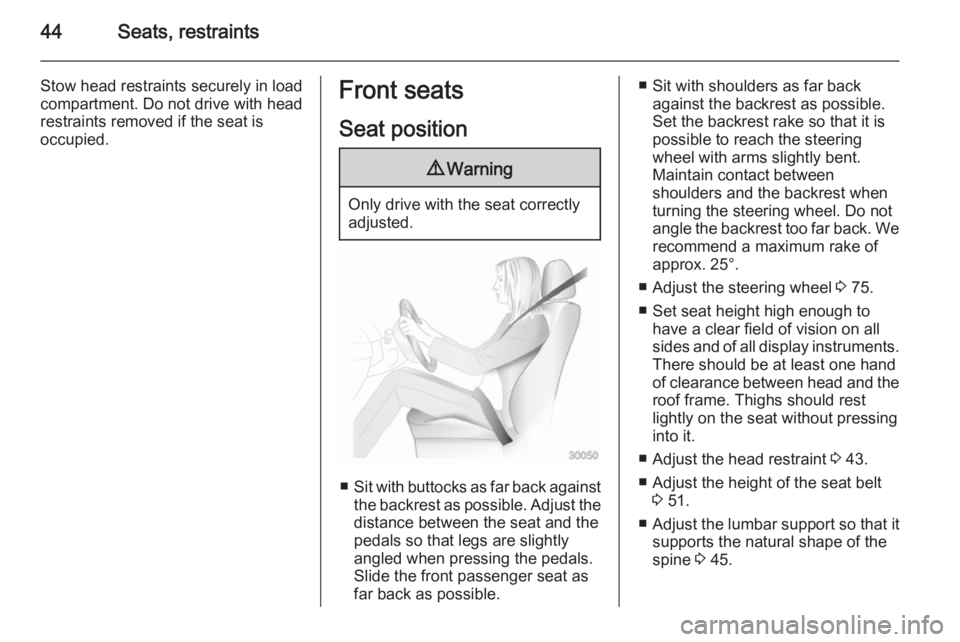
■ Sit with buttocks as far back against
the backrest as possible. Adjust the distance between the seat and the
pedals so that legs are slightly
angled when pressing the pedals.
Slide the front passenger seat as
far back as possible.
■ Sit with shoulders as far back against the backrest as possible.
Set the backrest rake so that it is possible to reach the steering
wheel with arms slightly bent.
Maintain contact between
shoulders and the backrest when
turning the steering wheel. Do not
angle the backrest too far back. We recommend a maximum rake of
approx. 25°.
■ Adjust the steering wheel 3 75.
■ Set seat height high enough to have a clear field of vision on allsides and of all display instruments.
There should be at least one hand
of clearance between head and the
roof frame. Thighs should rest
lightly on the seat without pressing
into it.
■ Adjust the head restraint 3 43.
■ Adjust the height of the seat belt 3 51.
■ Adjust the lumbar support so that it
supports the natural shape of the
spine 3 45.
Page 69 of 205

Storage67StorageStorage compartments................67
Load compartment .......................70
Roof rack system .........................73
Loading information .....................73Storage compartments9Warning
Do not store heavy or sharp
objects in the storage
compartments. Otherwise vehicle
occupants could be injured by
objects being thrown around in the
event of hard braking, a sudden
change in direction or an accident.
Instrument panel storage
Storage compartments, pockets and
trays are located in the instrument
panel.
A coin holder, a phone holder, and a
tablet holder may be located on the
instrument panel.
The tray located on top of the
instrument panel has a lid.
Glovebox
To open, pull the handle.
Depending on version, the glovebox
may feature a light that comes on
when the glovebox is opened, and
may also be lockable.
The glovebox should be closed while
driving.
Page 71 of 205
Storage69
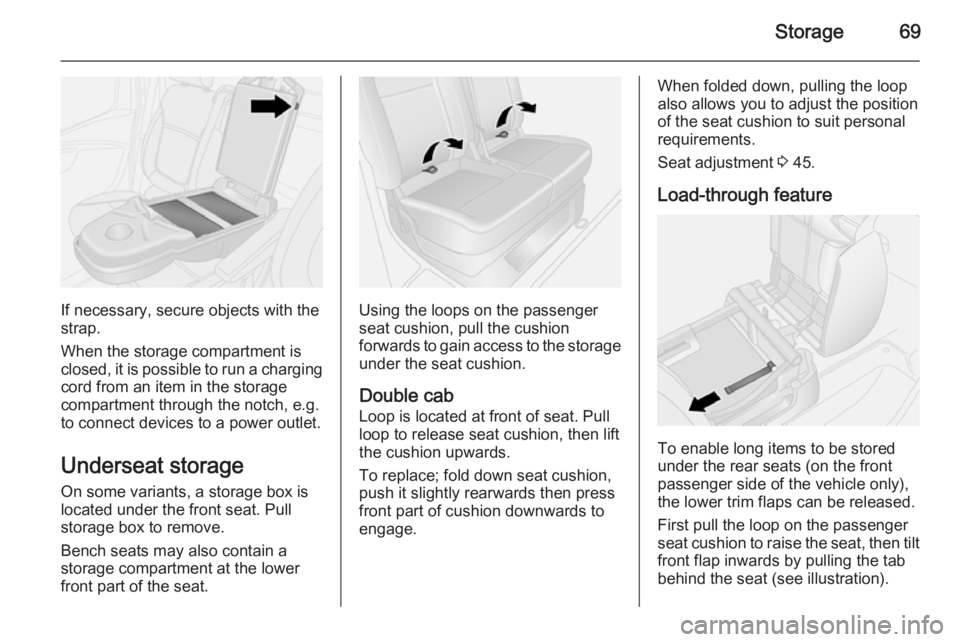
If necessary, secure objects with the
strap.
When the storage compartment is
closed, it is possible to run a charging cord from an item in the storage
compartment through the notch, e.g.
to connect devices to a power outlet.
Underseat storage
On some variants, a storage box is
located under the front seat. Pull
storage box to remove.
Bench seats may also contain a
storage compartment at the lower
front part of the seat.Using the loops on the passenger
seat cushion, pull the cushion
forwards to gain access to the storage
under the seat cushion.
Double cab
Loop is located at front of seat. Pull
loop to release seat cushion, then lift
the cushion upwards.
To replace; fold down seat cushion,
push it slightly rearwards then press
front part of cushion downwards to
engage.
When folded down, pulling the loop
also allows you to adjust the position of the seat cushion to suit personal
requirements.
Seat adjustment 3 45.
Load-through feature
To enable long items to be stored
under the rear seats (on the front
passenger side of the vehicle only),
the lower trim flaps can be released.
First pull the loop on the passenger
seat cushion to raise the seat, then tilt
front flap inwards by pulling the tab
behind the seat (see illustration).
Page 77 of 205
Instruments and controls75Instruments and
controlsControls ....................................... 75
Warning lights, gauges and indi‐ cators ........................................... 80
Information displays .....................90
Vehicle messages ........................ 91
Trip computer ............................... 92
Tachograph .................................. 94Controls
Steering wheel adjustment
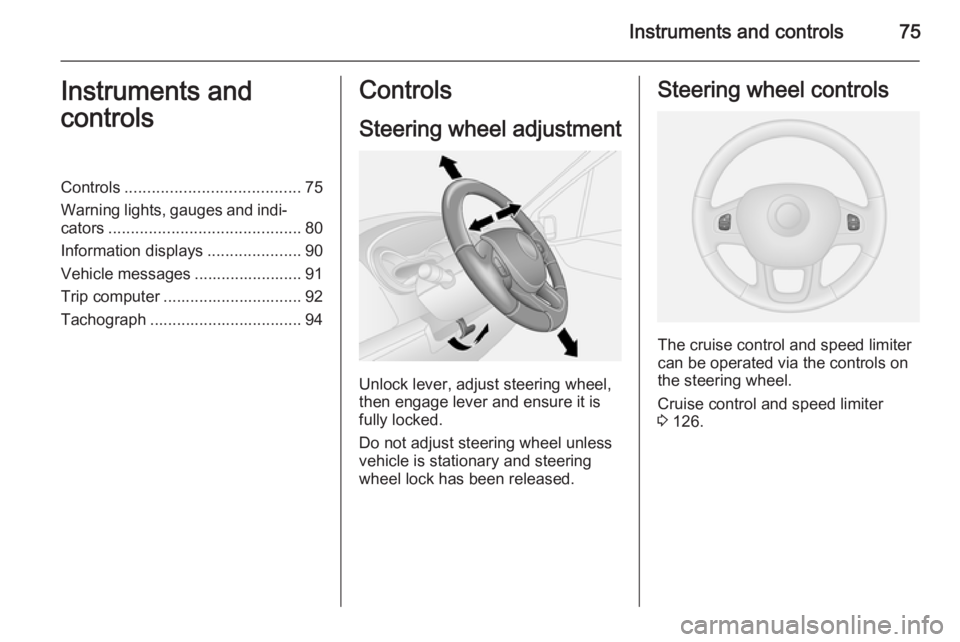
Unlock lever, adjust steering wheel,
then engage lever and ensure it is fully locked.
Do not adjust steering wheel unless
vehicle is stationary and steering
wheel lock has been released.
Steering wheel controls
The cruise control and speed limiter
can be operated via the controls on
the steering wheel.
Cruise control and speed limiter
3 126.
Page 81 of 205
Instruments and controls79
Press and hold the button for approx.
5 seconds:
■ Hours flash
■ Press button repeatedly to change hours
■ Wait for approx. 5 seconds to set hours
■ Minutes flash
■ Press button repeatedly to change minutes
■ Wait for approx. 5 seconds to set minutes.
Driver Information Centre 3 90.Power outlets
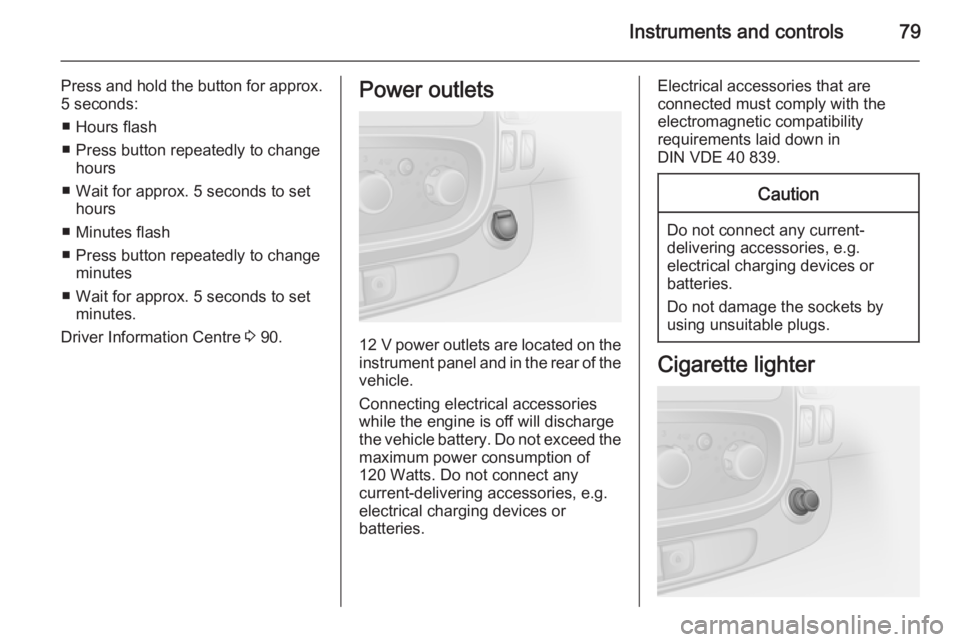
12 V power outlets are located on the
instrument panel and in the rear of the vehicle.
Connecting electrical accessories while the engine is off will discharge
the vehicle battery. Do not exceed the
maximum power consumption of
120 Watts. Do not connect any
current-delivering accessories, e.g.
electrical charging devices or
batteries.
Electrical accessories that are
connected must comply with the
electromagnetic compatibility
requirements laid down in
DIN VDE 40 839.Caution
Do not connect any current- delivering accessories, e.g.
electrical charging devices or
batteries.
Do not damage the sockets by
using unsuitable plugs.
Cigarette lighter