display OPEL ZAFIRA 2009 User Guide
[x] Cancel search | Manufacturer: OPEL, Model Year: 2009, Model line: ZAFIRA, Model: OPEL ZAFIRA 2009Pages: 228, PDF Size: 7.3 MB
Page 81 of 228
Instruments and controls
81
adjusted using the ; button. The Ö
button is used to switch to the next
mode and to exit setting mode.
Automatic time synchronisation
The RDS signal of most VHF
transmitters automatically sets the
time, identified by } in the display.
Some transmitters do not send
a correct time signal. In such cases,
we recommend to switch off
automatic time synchronisation.
Activate setting mode and set it to
year setting. Hold the Ö button
depressed about 3 seconds until }
flashes in the display and “RDS
TIME" appears. The function is
activated (RDS TIME 1) or
deactivated (RDS TIME 0) with
the ; button. Exit setting mode using
the Ö button.
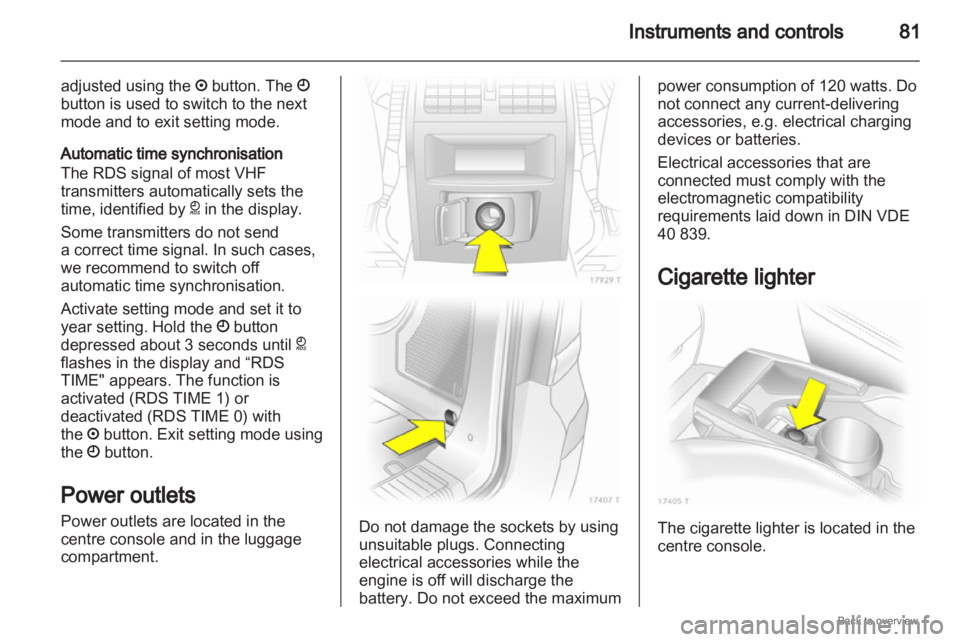
Power outlets
Power outlets are located in the
centre console and in the luggage
compartment. Do not damage the sockets by using
unsuitable plugs. Connecting
electrical accessories while the
engine is off will discharge the
battery. Do not exceed the maximum power consumption of 120 watts. Do
not connect any current-delivering
accessories, e.g. electrical charging
devices or batteries.
Electrical accessories that are
connected must comply with the
electromagnetic compatibility
requirements laid down in DIN VDE
40 839.
Cigarette lighter
The cigarette lighter is located in the
centre console.
Page 83 of 228
Instruments and controls
83
Warning lights, gauges
and indicators
Instrument cluster
In some versions, the needles of the
instruments briefly rotate to the end
position
when the ignition is switched
on.
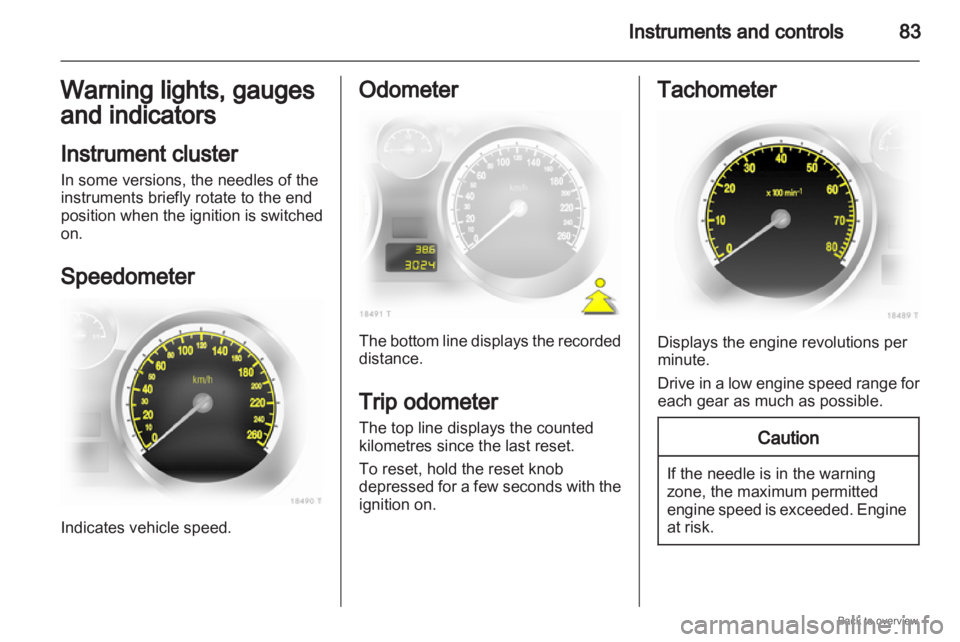
Speedometer Indicates vehicle speed. Odometer
The bottom line displays the recorded
distance.
Trip odometer
The top line displays the counted
kilometres since the last reset.
To reset, hold the reset knob
depressed
for a few seconds with the
ignition on. Tachometer
Displays the engine revolutions per
minute.
Drive
in a low engine speed range for
each gear as much as possible. Caution
If the needle is in the warning
zone, the maximum permitted
engine
speed is exceeded. Engine
at risk.
Page 84 of 228
84
Instruments and controls
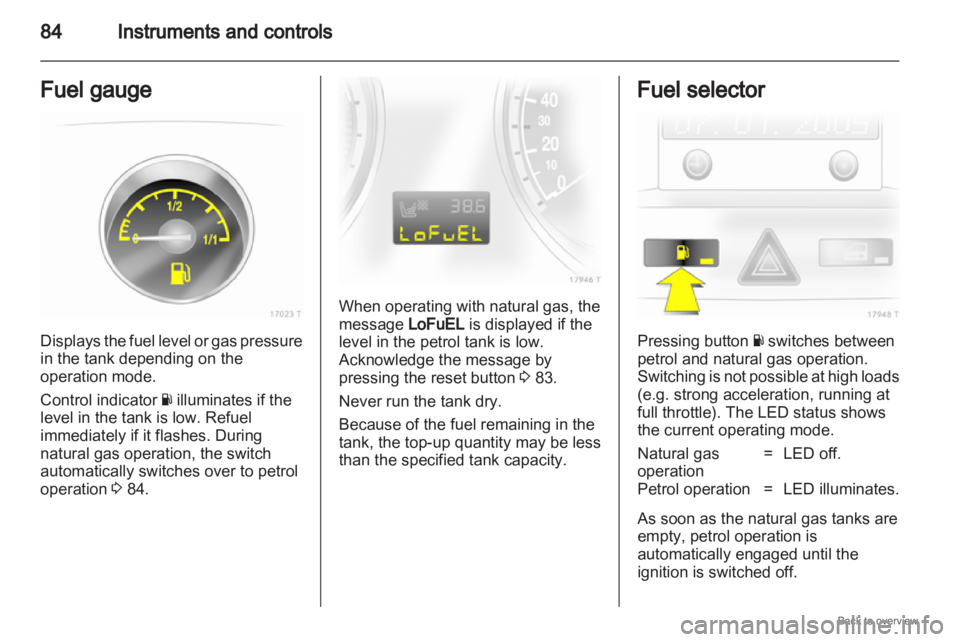
Fuel gauge Displays the fuel level or gas pressure
in the tank depending on the
operation mode.
Control indicator
Y illuminates if the
level in the tank is low. Refuel
immediately if it flashes. During
natural gas operation, the switch
automatically switches over to petrol
operation 3 84. When operating with natural gas, the
message LoFuEL is displayed if the
level in the petrol tank is low.
Acknowledge the message by
pressing the reset button
3 83.
Never run the tank dry.
Because of the fuel remaining in the
tank, the top-up quantity may be less
than the specified tank capacity. Fuel selector
Pressing button
Y switches between
petrol and natural gas operation.
Switching
is not possible at high loads
(e.g. strong acceleration, running at
full throttle). The LED status shows
the current operating mode.
Natural gas
operation = LED off.
Petrol operation = LED illuminates.
As soon as the natural gas tanks are
empty, petrol operation is
automatically engaged until the
ignition is switched off.
Page 85 of 228
Instruments and controls
85
If the natural gas tanks are not
refuelled, the system must be
manually switched to petrol operation
before the engine is started up again.
This will prevent damage to the
catalytic converter (overheating
caused by irregular fuel supply).
If the selector switch is operated
several times within a short time
a switchover block is activated. The
engine remains in the current
operating mode. The block remains
active until the ignition is switched off.
A slight loss of power and torque can
be expected in petrol operation. You
must therefore adapt your driving
style (e.g. during overtaking
manoeuvres) and vehicle loads (e.g.
towing loads) accordingly.
Every six months run the petrol tank
down until control indicator Y
illuminates and refuel. This is
necessary to maintain fuel quality as
well as system function necessary for
petrol operation.
Fill the tank completely at regular
intervals to prevent corrosion in the
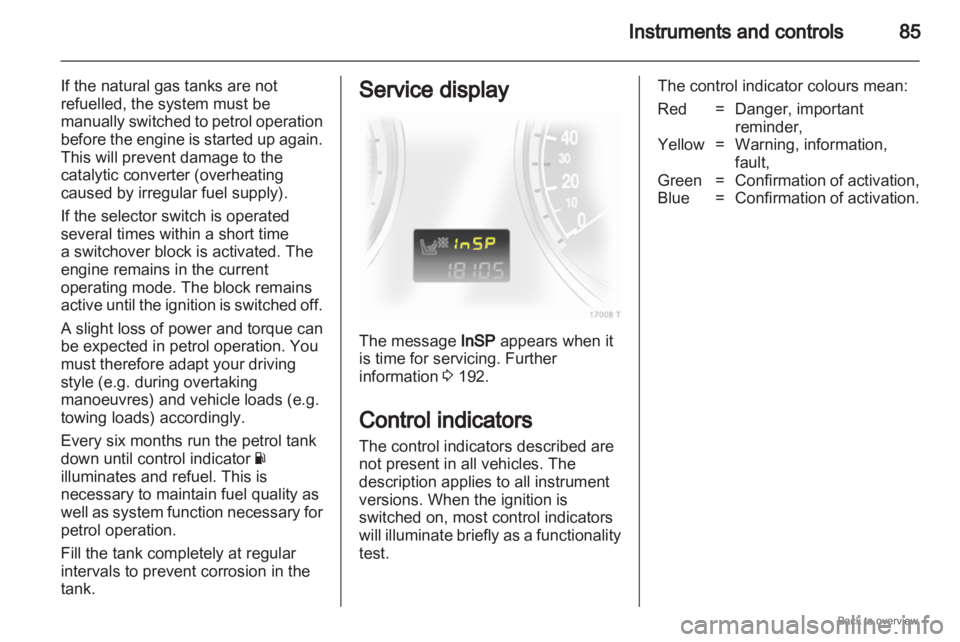
tank. Service display
The message InSP appears when it
is time for servicing. Further
information
3 192.
Control indicators
The control indicators described are
not present in all vehicles. The
description applies to all instrument
versions. When the ignition is
switched on, most control indicators
will
illuminate briefly as a functionality
test. The control indicator colours mean:
Red = Danger, important
reminder,
Yellow = Warning, information, fault,
Green = Confirmation of activation,
Blue = Confirmation of activation.
Page 88 of 228
88
Instruments and controls 9
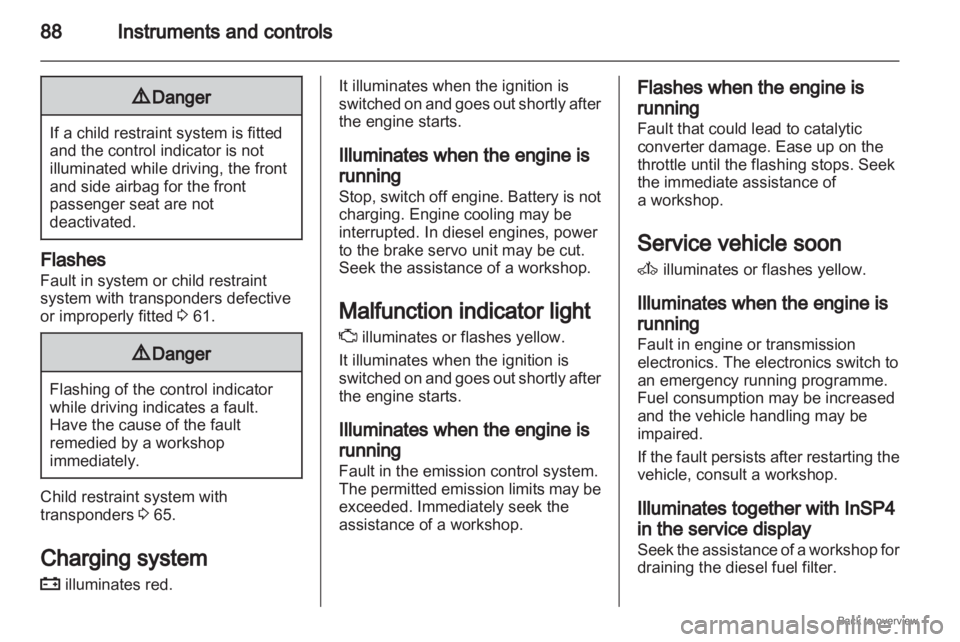
Danger If a child restraint system is fitted
and the control indicator is not
illuminated while driving, the front
and side airbag for the front
passenger seat are not
deactivated.
Flashes
Fault in system or child restraint
system with transponders defective
or improperly fitted
3 61.9
Danger Flashing of the control indicator
while driving indicates a fault.
Have the cause of the fault
remedied by a workshop
immediately.
Child restraint system with
transponders
3 65.
Charging system
p illuminates red. It illuminates when the ignition is
switched
on and goes out shortly after
the engine starts.
Illuminates when the engine is
running
Stop, switch off engine. Battery is not
charging. Engine cooling may be
interrupted. In diesel engines, power
to the brake servo unit may be cut.
Seek the assistance of a workshop.
Malfunction indicator light
Z illuminates or flashes yellow.
It illuminates when the ignition is
switched on and goes out shortly after
the engine starts.
Illuminates when the engine is
running
Fault in the emission control system.
The permitted emission limits may be
exceeded. Immediately seek the
assistance of a workshop. Flashes when the engine is
running
Fault that could lead to catalytic
converter damage. Ease up on the
throttle until the flashing stops. Seek
the immediate assistance of
a workshop.
Service vehicle soon
A
illuminates or flashes yellow.
Illuminates when the engine is
running
Fault in engine or transmission
electronics. The electronics switch to
an emergency running programme.
Fuel consumption may be increased
and the vehicle handling may be
impaired.
If
the fault persists after restarting the
vehicle, consult a workshop.
Illuminates together with InSP4
in the service display
Seek the assistance of a workshop for
draining the diesel fuel filter.
Page 93 of 228

Instruments and controls
93
Rear fog light
r illuminates yellow.
Illuminated when the fog tail lamp is
on 3 112.
Cruise control
m illuminates green.
Illuminated when the system is on
3 144.
Door open
Q illuminates red.
It illuminates when a door or the
tailgate is open. Information displays
Triple-Info-Display
Display of time, outside temperature
and date or /infotainment system
when it is on.
When
the ignition is off, the time, date
and outside temperature can be
presented by briefly pressing one of
the two buttons below the display. Board-Info-Display
Display of time, outside temperature
and date or infotainment system
information.
Selecting functions
Functions and settings of the
infotainment
system can be accessed
via the board information display.
This is done using the menus and
buttons of the infotainment system.
If nothing is operated within
5 seconds, the menus are
automatically exited.
Page 95 of 228
Instruments and controls
95
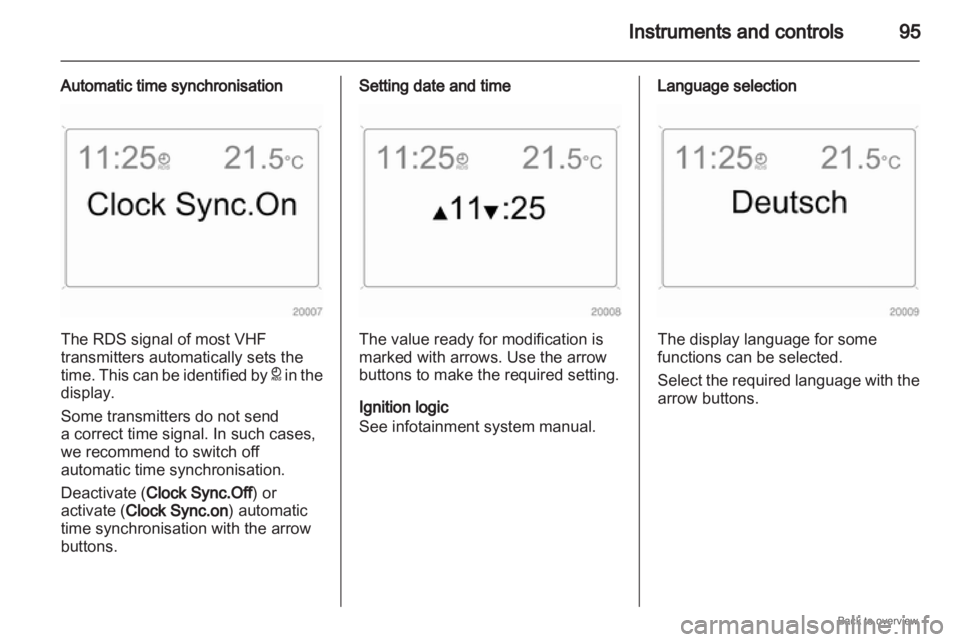
Automatic time synchronisation The RDS signal of most VHF
transmitters automatically sets the
time.
This can be identified by } in the
display.
Some transmitters do not send
a correct time signal. In such cases,
we recommend to switch off
automatic time synchronisation.
Deactivate (Clock Sync.Off) or
activate (Clock Sync.on) automatic
time synchronisation with the arrow
buttons. Setting date and time
The value ready for modification is
marked with arrows. Use the arrow
buttons to make the required setting.
Ignition logic
See infotainment system manual. Language selection
The display language for some
functions can be selected.
Select
the required language with the
arrow buttons.
Page 96 of 228
96
Instruments and controls
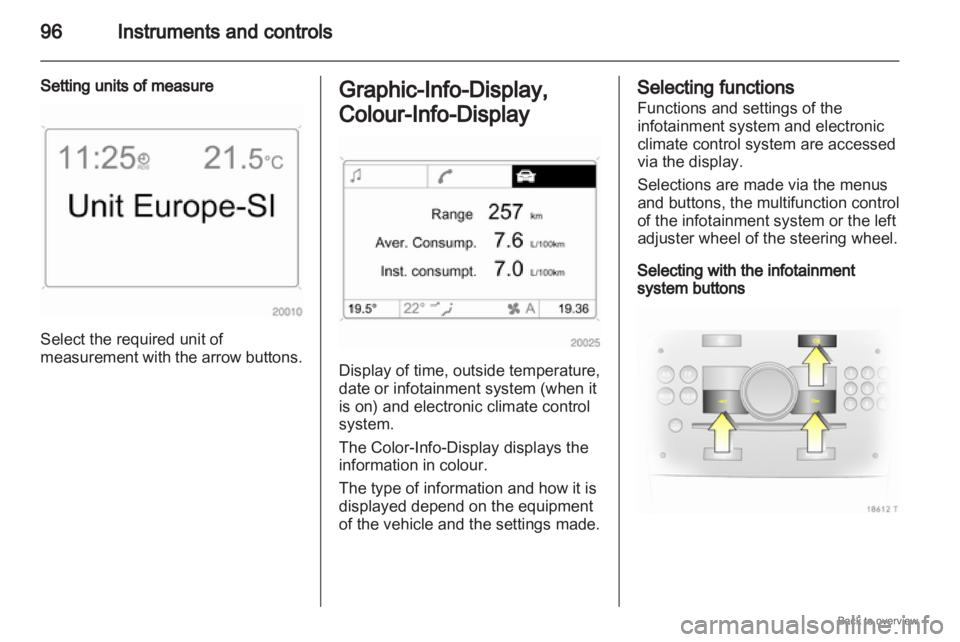
Setting units of measure Select the required unit of
measurement
with the arrow buttons. Graphic-Info-Display,
Colour-Info-Display
Display of time, outside temperature,
date or infotainment system (when it
is on) and electronic climate control
system.
The Color-Info-Display
displays the
information in colour.
The type of information and how it is
displayed depend on the equipment
of the vehicle and the settings made. Selecting functions
Functions and settings of the
infotainment system and electronic
climate control system are accessed
via the display.
Selections are made via the menus
and buttons, the multifunction control
of the infotainment system or the left
adjuster wheel of the steering wheel.
Selecting with the infotainment
system buttons
Page 97 of 228
Instruments and controls
97
Select menu items via the menus and
using the infotainment system
buttons. The OK button is used to
select the highlighted item or confirm
a command.
To exit a menu, press the right or left
arrow button until Return or Main
appear and select.
Selecting with the multifunction
control Turn the multifunction control to
highlight menu items or commands
and to select function areas. Press the multifunction control to
select the highlighted item or confirm
a command.
To
exit a menu, turn the multifunction
control until Return or Main appear
and select.
Selecting with the left adjuster wheel
on the steering wheel Turn to select a menu item.
Press
the adjuster wheel to select the
highlighted item or confirm
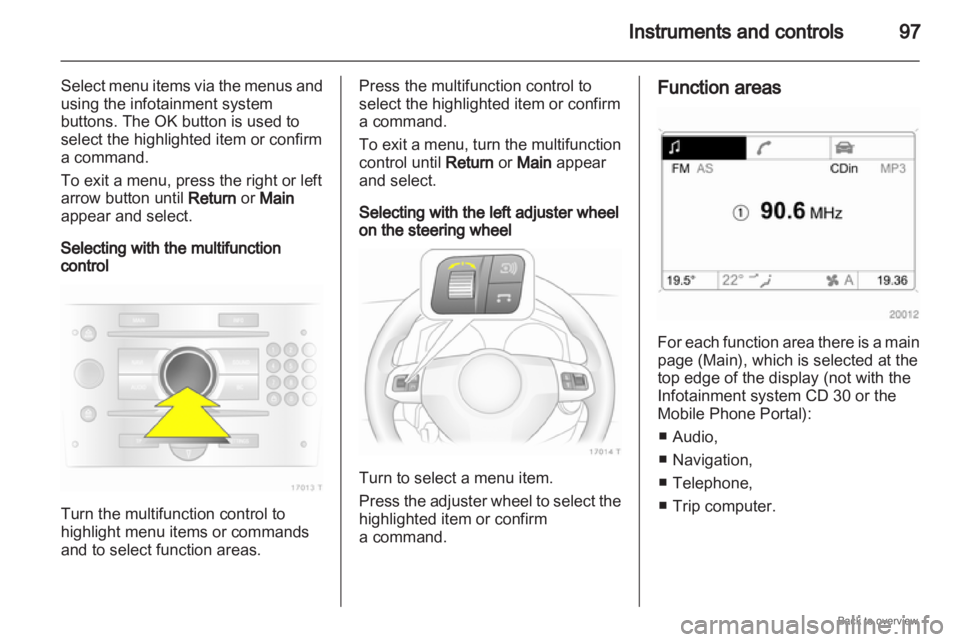
a command. Function areas
For each function area there is a main
page (Main), which is selected at the
top edge of the display (not with the
Infotainment system CD 30 or the
Mobile Phone Portal):
■
Audio,
■ Navigation,
■ Telephone,
■ Trip computer.
Page 98 of 228
98
Instruments and controls
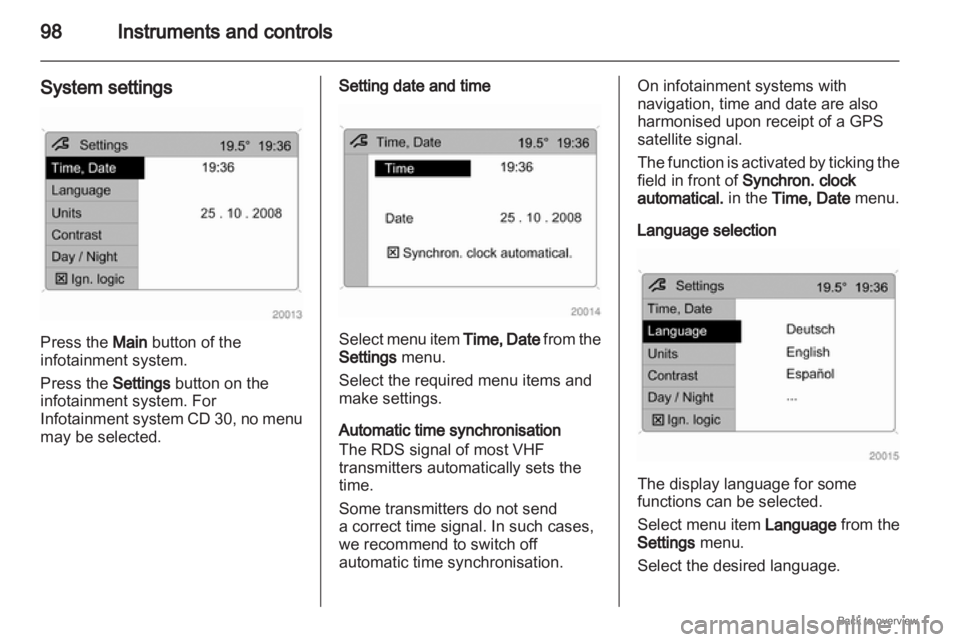
System settings Press the Main button of the
infotainment system.
Press the Settings button on the
infotainment system. For
Infotainment
system CD 30, no menu
may be selected. Setting date and time
Select menu item
Time, Date from the
Settings menu.
Select the required menu items and
make settings.
Automatic time synchronisation
The RDS signal of most VHF
transmitters automatically sets the
time.
Some transmitters do not send
a correct time signal. In such cases,
we recommend to switch off
automatic time synchronisation. On infotainment systems with
navigation, time and date are also
harmonised upon receipt of a GPS
satellite signal.
The
function is activated by ticking the
field in front of Synchron. clock
automatical. in the Time, Date menu.
Language selection The display language for some
functions can be selected.
Select
menu item Language from the
Settings menu.
Select the desired language.