display OPEL ZAFIRA 2009 Owner's Manual
[x] Cancel search | Manufacturer: OPEL, Model Year: 2009, Model line: ZAFIRA, Model: OPEL ZAFIRA 2009Pages: 228, PDF Size: 7.3 MB
Page 99 of 228
Instruments and controls
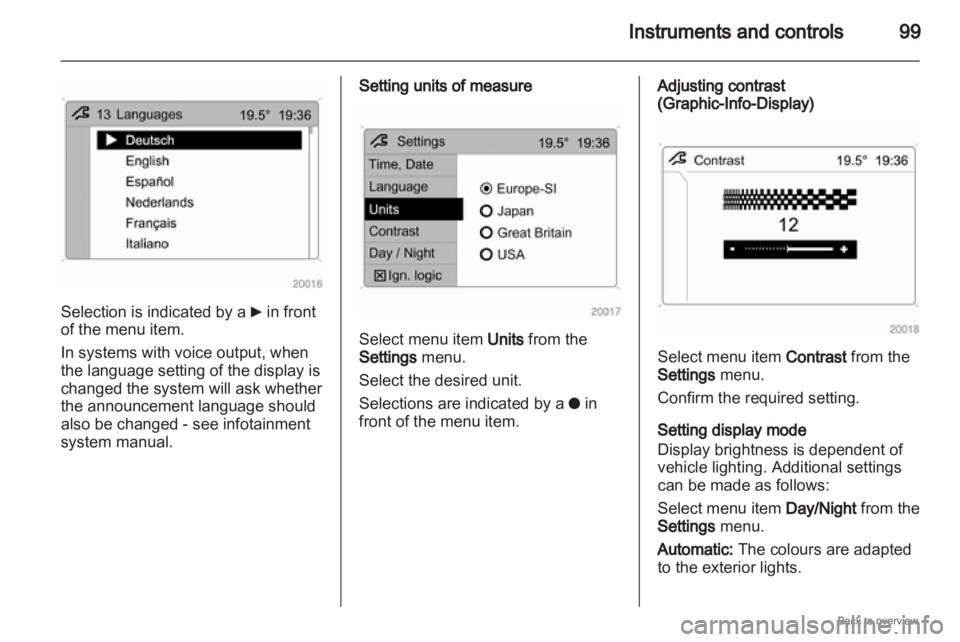
99Selection is indicated by a
6 in front
of the menu item.
In systems with voice output, when
the language setting of the display is
changed the system will ask whether
the announcement language should
also be changed - see infotainment
system manual. Setting units of measure
Select menu item Units from the
Settings menu.
Select the desired unit.
Selections are indicated by a
o in
front of the menu item. Adjusting contrast
(Graphic-Info-Display)
Select menu item Contrast from the
Settings menu.
Confirm the required setting.
Setting display mode
Display brightness is dependent of
vehicle lighting. Additional settings
can be made as follows:
Select menu item
Day/Night from the
Settings menu.
Automatic: The colours are adapted
to the exterior lights.
Page 100 of 228
100
Instruments and controls
Always day design: black or coloured
text on light background.
Always night design: white or
coloured text on dark background.
Selection is indicated by a o in front
of the menu item.
Ignition logic
See infotainment system manual. Vehicle messages
Messages are given via the
instrument panel display or as
warning and signal buzzers. Check
control messages appear on the
Info-Display. Some appear in an
abbreviated form. Confirm warning
messages 3 93, 3 96.
Warning chimes
When starting the engine or
whilst driving
■
If the electronic key is not presentor is not recognised.
■ If seat belt is not fastened.
■ If a door or the tailgate is not fully closed when starting off.
■ If a certain speed is exceeded with the hand brake applied.
■ If the speed programmed at the factory is exceeded.
■ If the vehicle has automated manual transmission and the
driver's door is opened when the engine is running, a gear is
engaged and the foot brake is not
depressed.
When the vehicle is parked and
the driver's door is opened ■
When the key is in the ignition switch.
■ With exterior lights on.
■ With Open&Start system and automatic transmission, if the
selector lever is not in P.
■ For automated manual transmission, if the hand brake is
not applied and no gear is engaged
when the engine is switched off.
Battery voltage
Low battery voltage in remote control
or electronic key. On vehicles without
check control, the message InSP3
appears in the instrument panel
display. Replace the battery 3 28,
3 29.
Page 101 of 228
Instruments and controls
101
Brake light switch
Brake light does not come on during
braking. Have the cause of the fault
remedied immediately by
a workshop.
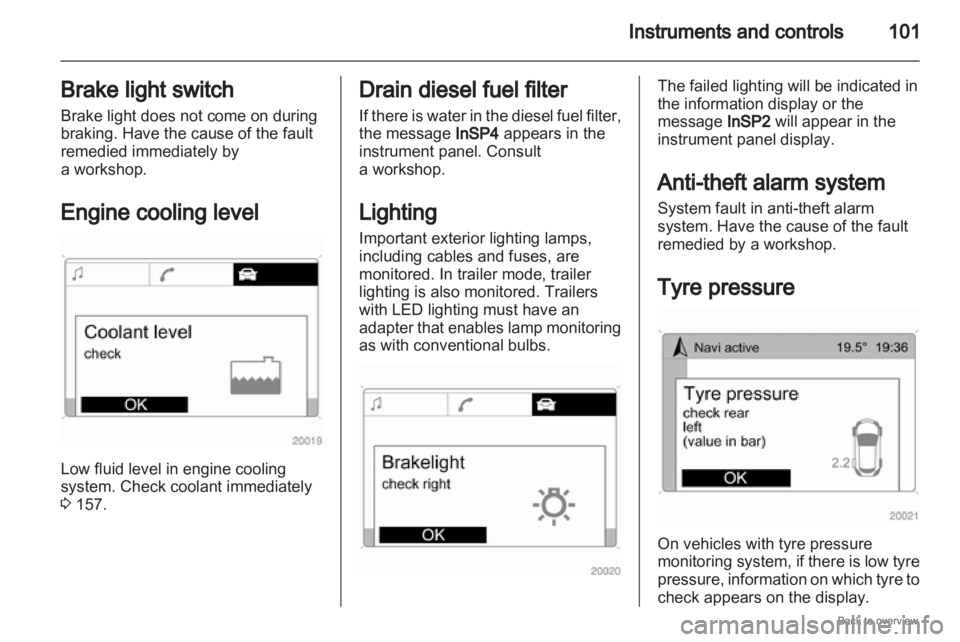
Engine cooling level Low fluid level in engine cooling
system. Check coolant immediately
3 157. Drain diesel fuel filter
If
there is water in the diesel fuel filter,
the message InSP4 appears in the
instrument panel. Consult
a workshop.
Lighting
Important exterior lighting lamps,
including cables and fuses, are
monitored. In trailer mode, trailer
lighting is also monitored. Trailers
with LED lighting must have an
adapter that enables lamp monitoring
as with conventional bulbs. The failed lighting will be indicated in
the information display or the
message InSP2 will appear in the
instrument panel display.
Anti-theft alarm system
System fault in anti-theft alarm
system. Have the cause of the fault
remedied by a workshop.
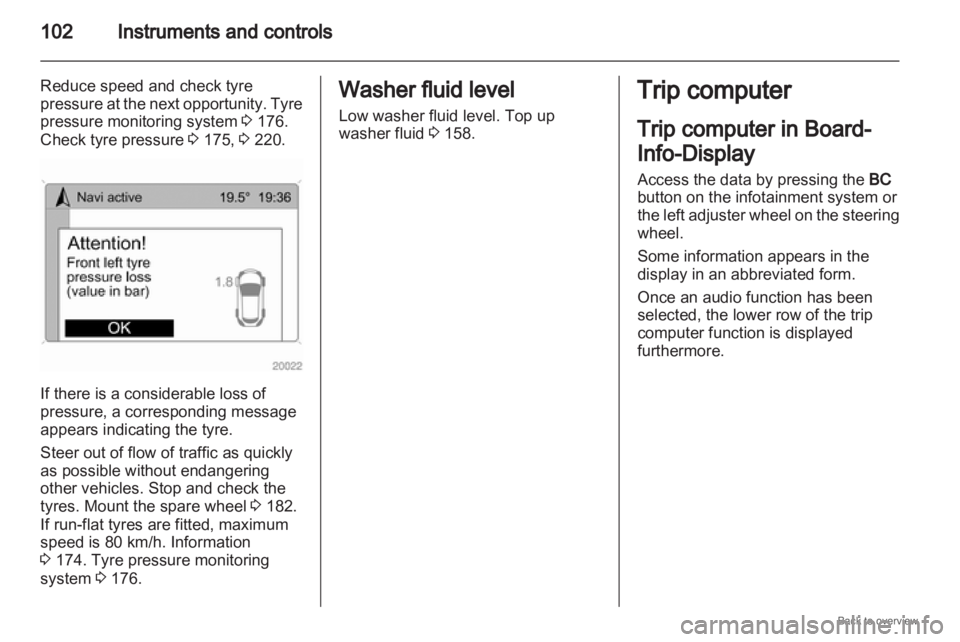
Tyre pressure On vehicles with tyre pressure
monitoring
system, if there is low tyre
pressure, information on which tyre to
check appears on the display.
Page 102 of 228
102
Instruments and controls
Reduce speed and check tyre
pressure at the next opportunity. Tyre
pressure monitoring system 3 176.
Check tyre pressure 3 175, 3 220.If there is a considerable loss of
pressure, a corresponding message
appears indicating the tyre.
Steer out of flow of traffic as quickly
as possible without endangering
other vehicles. Stop and check the
tyres. Mount the spare wheel
3 182.
If run-flat tyres are fitted, maximum
speed is 80 km/h. Information
3 174. Tyre pressure monitoring
system 3 176. Washer fluid level
Low washer fluid level. Top up
washer fluid
3 158. Trip computer
Trip computer in Board-
Info-Display
Access the data by pressing the
BC
button on the infotainment system or
the
left adjuster wheel on the steering
wheel.
Some information appears in the
display in an abbreviated form.
Once an audio function has been
selected, the lower row of the trip
computer function is displayed
furthermore.
Page 103 of 228
Instruments and controls
103
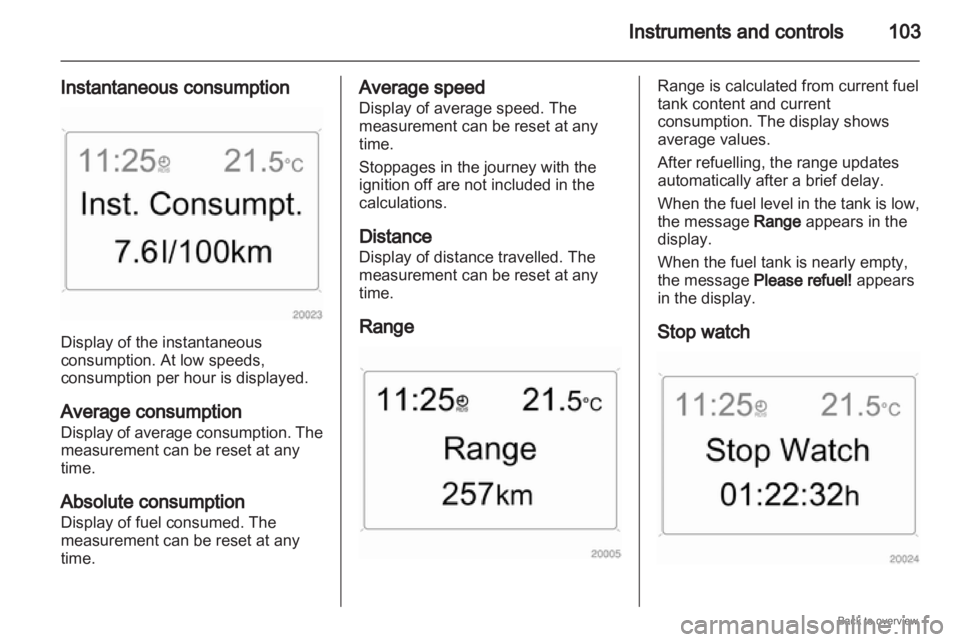
Instantaneous consumption Display of the instantaneous
consumption. At low speeds,
consumption per hour is displayed.
Average consumption
Display
of average consumption. The
measurement can be reset at any
time.
Absolute consumption
Display of fuel consumed. The
measurement can be reset at any
time. Average speed
Display of average speed. The
measurement can be reset at any
time.
Stoppages in the journey with the
ignition off are not included in the
calculations.
Distance
Display of distance travelled. The
measurement can be reset at any
time.
Range Range is calculated from current fuel
tank content and current
consumption. The display shows
average values.
After refuelling, the range updates
automatically after a brief delay.
When
the fuel level in the tank is low,
the message Range appears in the
display.
When the fuel tank is nearly empty,
the message Please refuel! appears
in the display.
Stop watch
Page 104 of 228
104
Instruments and controls
Select the function. Press the OK
button or the left adjuster wheel on the
steering wheel to start or stop the stop
watch.
Restart trip computer
The measurement or calculation of
the following trip computer
information can be restarted:
■ Average consumption,
■ Absolute consumption,
■ Average speed,
■ Distance,
■ Stop watch.
Select the desired trip computer
information 3 93. To restart, press the
OK button or the left adjuster wheel
on the steering wheel for approx.
2 seconds. Trip computer in Graphic-
Info-Display or Colour-
Info-Display
The main page of the trip computer
provides information on range,
current consumption and average
consumption of
BC 1.
To display other trip computer data,
press the BC button on the
infotainment system, select the trip
computer menu from the display or
press the left adjuster wheel on the
steering wheel.
Select BC 1 or BC 2 from the trip
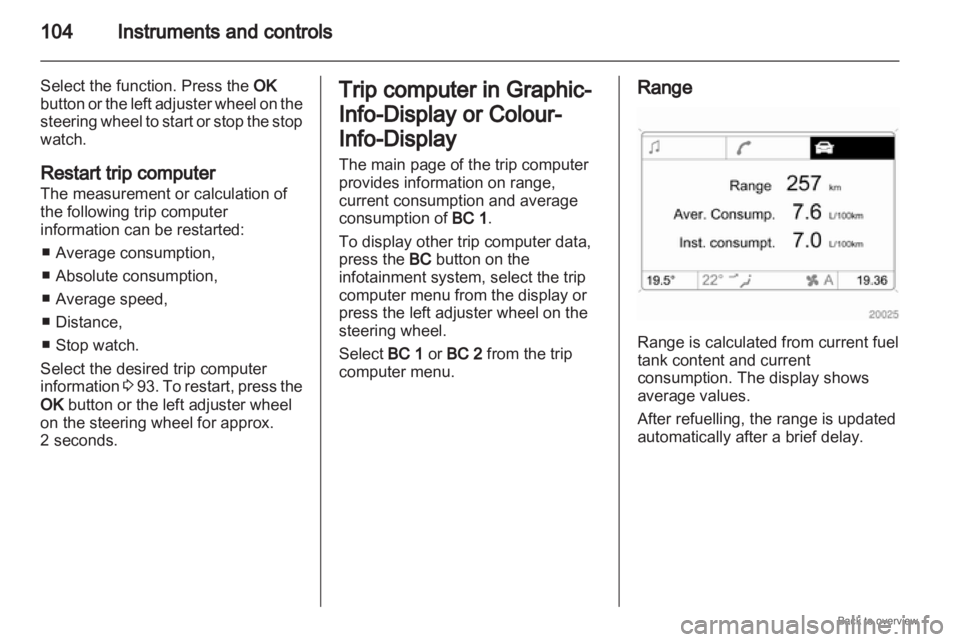
computer menu. Range
Range is calculated from current fuel
tank content and current
consumption. The display shows
average values.
After refuelling, the range is updated
automatically after a brief delay.
Page 105 of 228
Instruments and controls
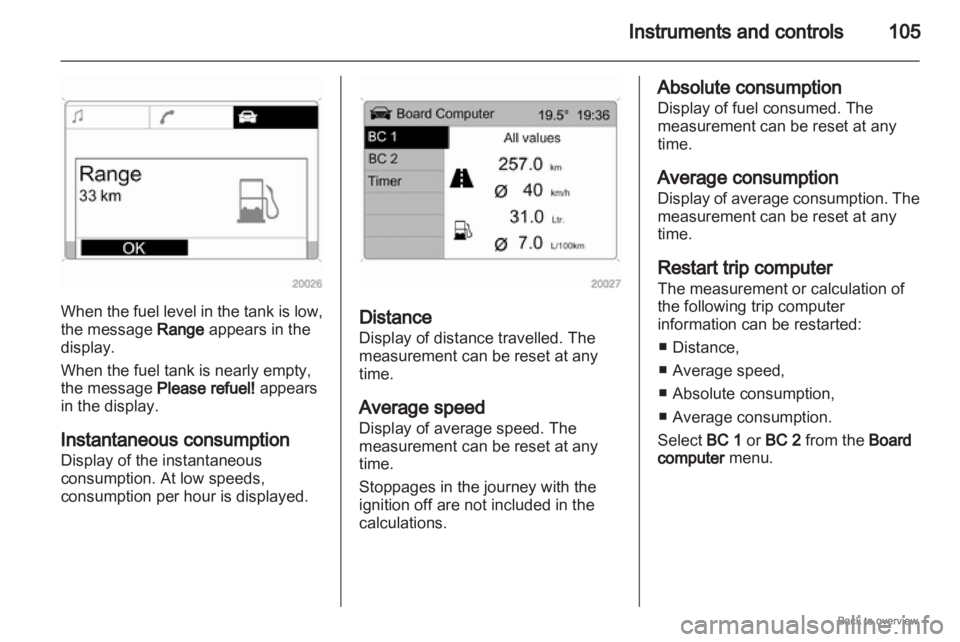
105When the fuel level in the tank is low,
the message Range appears in the
display.
When the fuel tank is nearly empty,
the message Please refuel! appears
in the display.
Instantaneous consumption
Display of the instantaneous
consumption. At low speeds,
consumption per hour is displayed.
Distance
Display of distance travelled. The
measurement can be reset at any
time.
Average speed
Display of average speed. The
measurement can be reset at any
time.
Stoppages in the journey with the
ignition off are not included in the
calculations. Absolute consumption
Display of fuel consumed. The
measurement can be reset at any
time.
Average consumption
Display
of average consumption. The
measurement can be reset at any
time.
Restart trip computer
The measurement or calculation of
the following trip computer
information can be restarted:
■ Distance,
■ Average speed,
■ Absolute consumption,
■ Average consumption.
Select BC 1 or BC 2 from the Board
computer menu.
Page 106 of 228
106
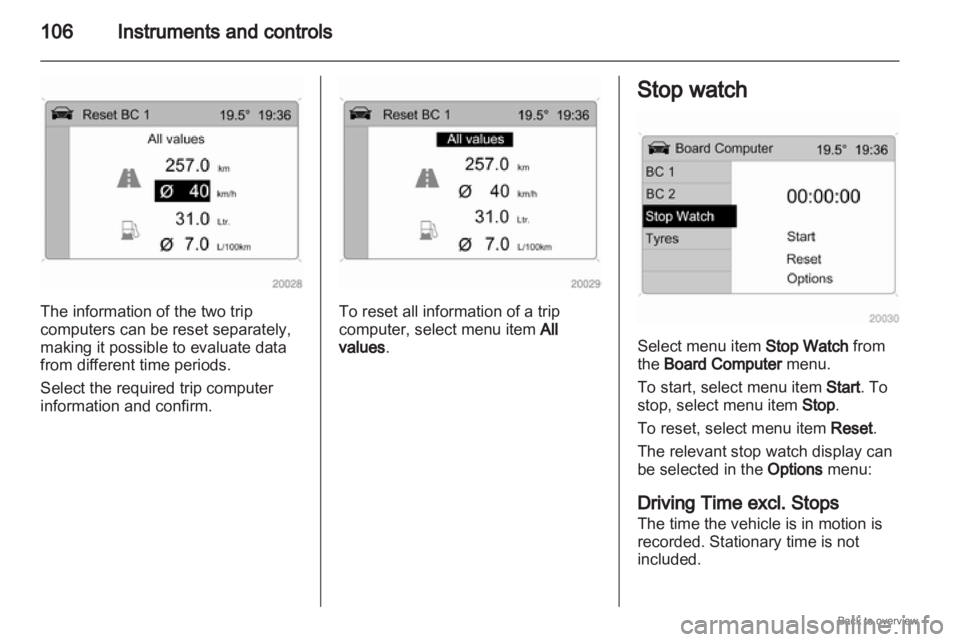
Instruments and controlsThe information of the two trip
computers can be reset separately,
making it possible to evaluate data
from different time periods.
Select the required trip computer
information and confirm. To reset all information of a trip
computer, select menu item
All
values. Stop watch
Select menu item Stop Watch from
the Board Computer menu.
To start, select menu item Start. To
stop, select menu item Stop.
To reset, select menu item Reset.
The relevant stop watch display can
be selected in the
Options menu:
Driving Time excl. Stops
The time the vehicle is in motion is
recorded. Stationary time is not
included.
Page 107 of 228
Instruments and controls
107
Driving Time incl Stops
The time the vehicle is in motion is
recorded. The time the vehicle is
stationary with the ignition switched
on is included.
Travel Time
Measurement of the time from
manual
activation via Start to manual
deactivation via Reset.
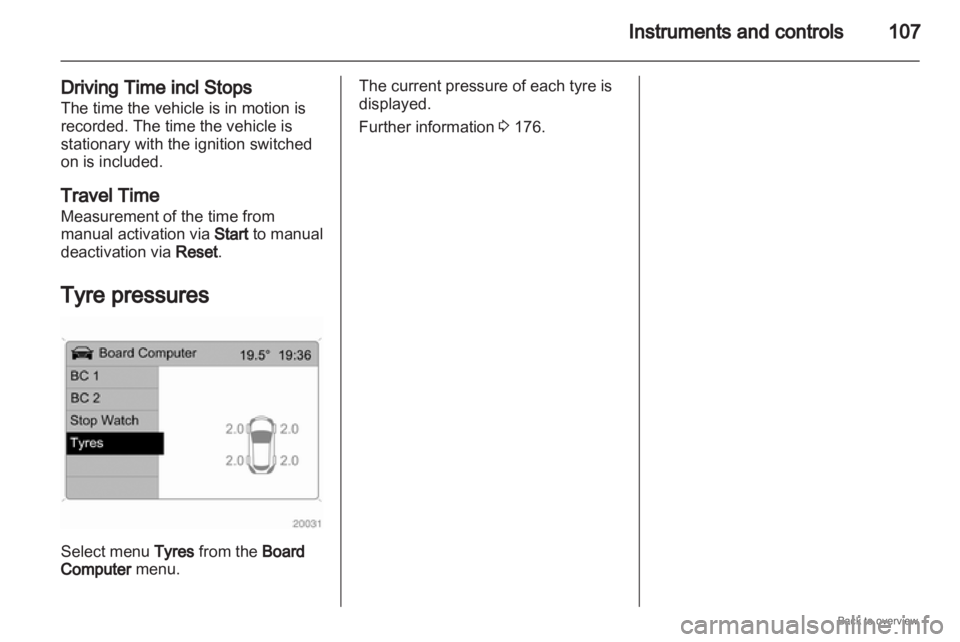
Tyre pressures Select menu Tyres from the Board
Computer menu. The current pressure of each tyre is
displayed.
Further information
3 176.
Page 122 of 228
122
Climate control
Heated rear window Ü 3 42.
The preselected temperature is
automatically regulated. In the
automatic
mode the fan speed and air
distribution automatically regulate the
air flow.
The system can be manually adapted
by use of air distribution and air flow
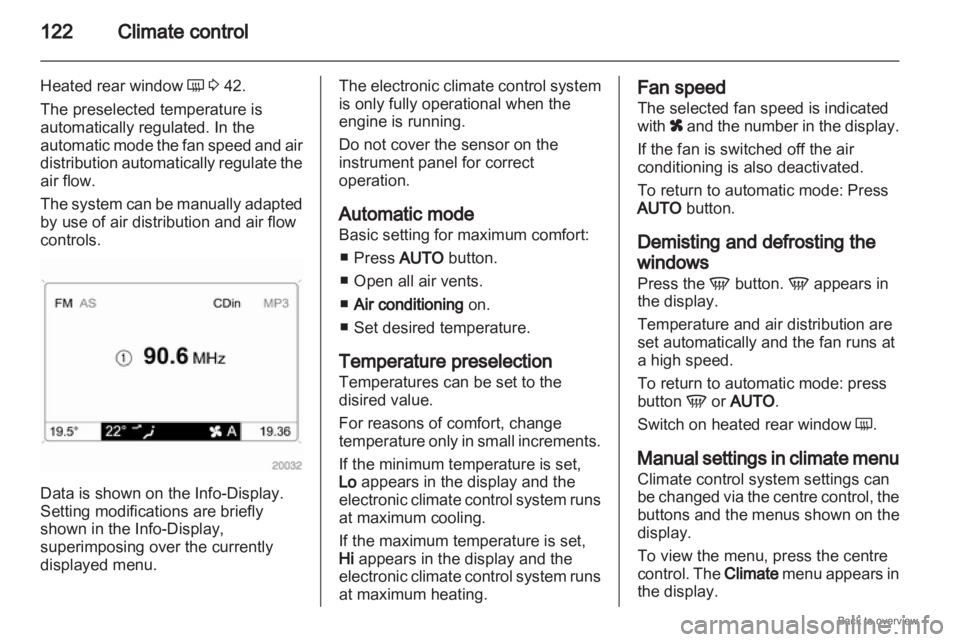
controls. Data is shown on the Info-Display.
Setting modifications are briefly
shown in the Info-Display
,
superimposing over the currently
displayed menu. The electronic climate control system
is only fully operational when the
engine is running.
Do not cover the sensor on the
instrument panel for correct
operation.
Automatic mode
Basic setting for maximum comfort:
■
Press AUTO button.
■ Open all air vents.
■ Air conditioning on.
■ Set desired temperature.
Temperature preselection
Temperatures can be set to the
disired value.
For reasons of comfort, change
temperature only in small increments.
If the minimum temperature is set,
Lo appears in the display and the
electronic climate control system runs
at maximum cooling.
If the maximum temperature is set,
Hi appears in the display and the
electronic climate control system runs
at maximum heating. Fan speed
The selected fan speed is indicated
with
x
and the number in the display.
If the fan is switched off the air
conditioning is also deactivated.
To return to automatic mode: Press
AUTO button.
Demisting and defrosting the
windows
Press the V button. V appears in
the display.
Temperature and air distribution are
set automatically and the fan runs at
a high speed.
To return to automatic mode: press
button V or AUTO.
Switch on heated rear window Ü.
Manual settings in climate menu
Climate control system settings can
be changed via the centre control, the
buttons and the menus shown on the
display.
To view the menu, press the centre
control. The Climate menu appears in
the display.