fuel consumption OPEL ZAFIRA 2009 Owners Manual
[x] Cancel search | Manufacturer: OPEL, Model Year: 2009, Model line: ZAFIRA, Model: OPEL ZAFIRA 2009Pages: 228, PDF Size: 7.3 MB
Page 26 of 228
26
In brief
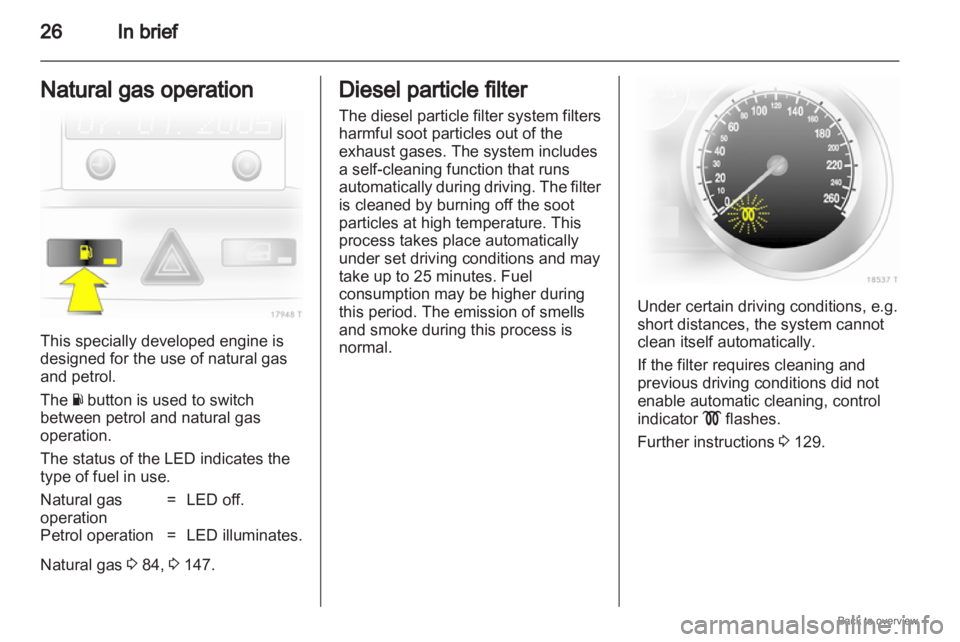
Natural gas operation This specially developed engine is
designed for the use of natural gas
and petrol.
The Y button is used to switch
between petrol and natural gas
operation.
The status of the LED indicates the
type of fuel in use.
Natural gas
operation
= LED off.
Petrol operation = LED illuminates.
Natural gas 3 84, 3 147. Diesel particle filter
The
diesel particle filter system filters
harmful soot particles out of the
exhaust gases. The system includes
a self-cleaning function that runs
automatically during driving. The filter
is cleaned by burning off the soot
particles at high temperature. This
process takes place automatically
under set driving conditions and may
take up to 25 minutes. Fuel
consumption may be higher during
this period. The emission of smells
and smoke during this process is
normal. Under certain driving conditions, e.g.
short distances, the system cannot
clean itself automatically.
If the filter requires cleaning and
previous driving conditions did not
enable automatic cleaning, control
indicator
! flashes.
Further instructions 3 129.
Page 88 of 228
88
Instruments and controls 9
Danger If a child restraint system is fitted
and the control indicator is not
illuminated while driving, the front
and side airbag for the front
passenger seat are not
deactivated.
Flashes
Fault in system or child restraint
system with transponders defective
or improperly fitted
3 61.9
Danger Flashing of the control indicator
while driving indicates a fault.
Have the cause of the fault
remedied by a workshop
immediately.
Child restraint system with
transponders
3 65.
Charging system
p illuminates red. It illuminates when the ignition is
switched
on and goes out shortly after
the engine starts.
Illuminates when the engine is
running
Stop, switch off engine. Battery is not
charging. Engine cooling may be
interrupted. In diesel engines, power
to the brake servo unit may be cut.
Seek the assistance of a workshop.
Malfunction indicator light
Z illuminates or flashes yellow.
It illuminates when the ignition is
switched on and goes out shortly after
the engine starts.
Illuminates when the engine is
running
Fault in the emission control system.
The permitted emission limits may be
exceeded. Immediately seek the
assistance of a workshop. Flashes when the engine is
running
Fault that could lead to catalytic
converter damage. Ease up on the
throttle until the flashing stops. Seek
the immediate assistance of
a workshop.
Service vehicle soon
A
illuminates or flashes yellow.
Illuminates when the engine is
running
Fault in engine or transmission
electronics. The electronics switch to
an emergency running programme.
Fuel consumption may be increased
and the vehicle handling may be
impaired.
If
the fault persists after restarting the
vehicle, consult a workshop.
Illuminates together with InSP4
in the service display
Seek the assistance of a workshop for
draining the diesel fuel filter.
Page 103 of 228
Instruments and controls
103
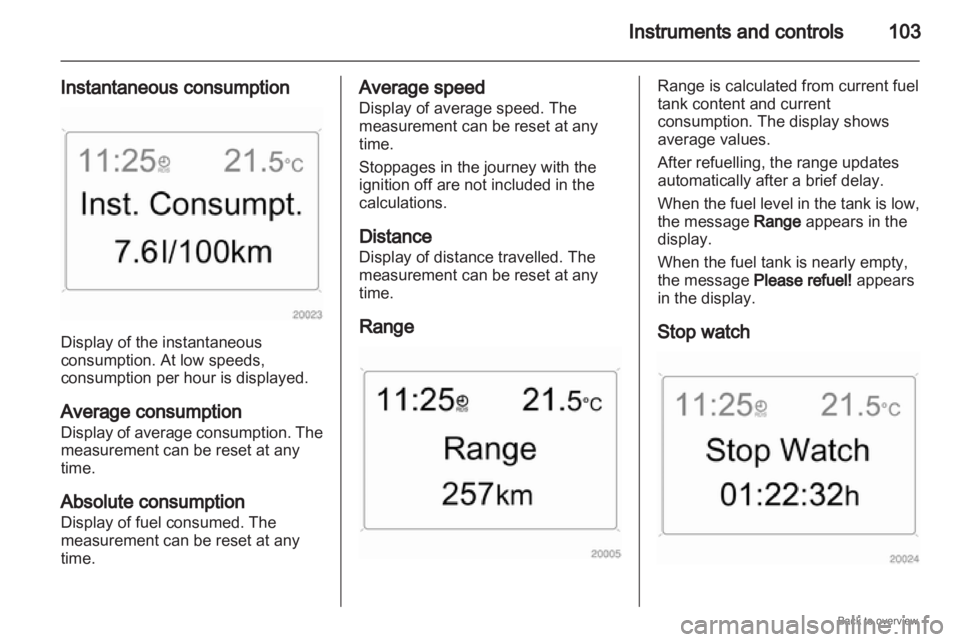
Instantaneous consumption Display of the instantaneous
consumption. At low speeds,
consumption per hour is displayed.
Average consumption
Display
of average consumption. The
measurement can be reset at any
time.
Absolute consumption
Display of fuel consumed. The
measurement can be reset at any
time. Average speed
Display of average speed. The
measurement can be reset at any
time.
Stoppages in the journey with the
ignition off are not included in the
calculations.
Distance
Display of distance travelled. The
measurement can be reset at any
time.
Range Range is calculated from current fuel
tank content and current
consumption. The display shows
average values.
After refuelling, the range updates
automatically after a brief delay.
When
the fuel level in the tank is low,
the message Range appears in the
display.
When the fuel tank is nearly empty,
the message Please refuel! appears
in the display.
Stop watch
Page 104 of 228
104
Instruments and controls
Select the function. Press the OK
button or the left adjuster wheel on the
steering wheel to start or stop the stop
watch.
Restart trip computer
The measurement or calculation of
the following trip computer
information can be restarted:
■ Average consumption,
■ Absolute consumption,
■ Average speed,
■ Distance,
■ Stop watch.
Select the desired trip computer
information 3 93. To restart, press the
OK button or the left adjuster wheel
on the steering wheel for approx.
2 seconds. Trip computer in Graphic-
Info-Display or Colour-
Info-Display
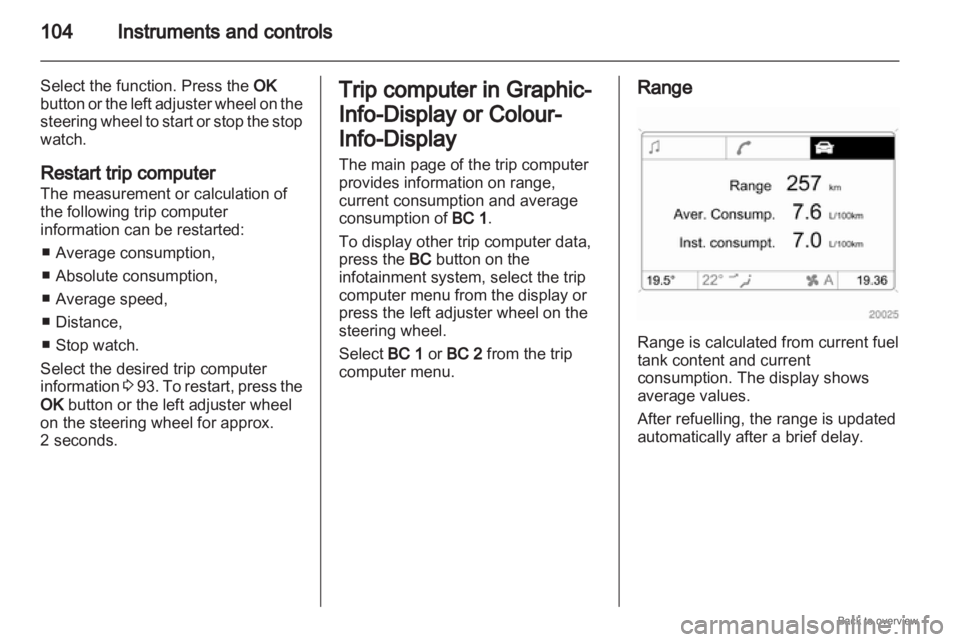
The main page of the trip computer
provides information on range,
current consumption and average
consumption of
BC 1.
To display other trip computer data,
press the BC button on the
infotainment system, select the trip
computer menu from the display or
press the left adjuster wheel on the
steering wheel.
Select BC 1 or BC 2 from the trip
computer menu. Range
Range is calculated from current fuel
tank content and current
consumption. The display shows
average values.
After refuelling, the range is updated
automatically after a brief delay.
Page 105 of 228
Instruments and controls
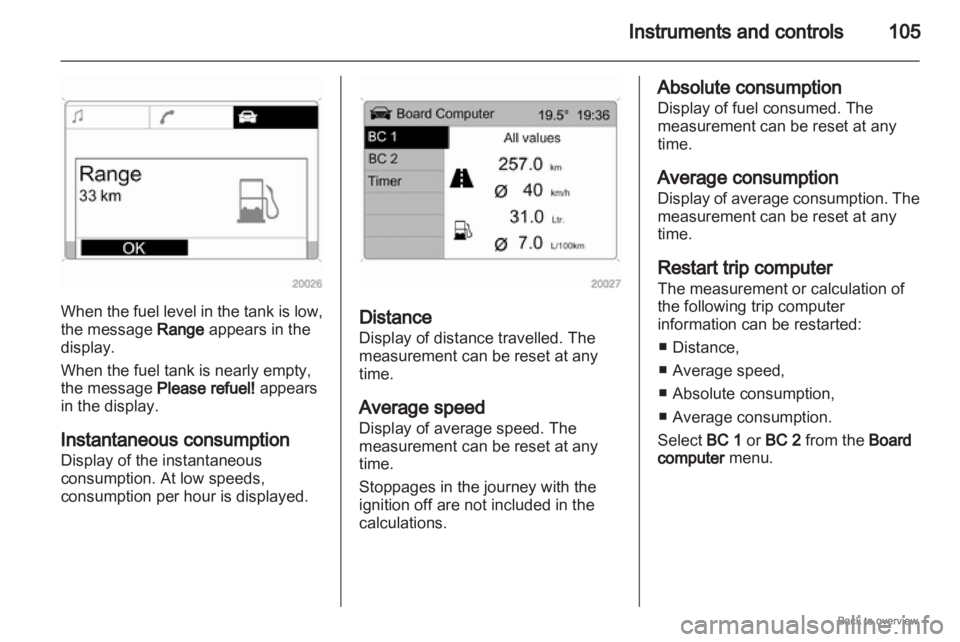
105When the fuel level in the tank is low,
the message Range appears in the
display.
When the fuel tank is nearly empty,
the message Please refuel! appears
in the display.
Instantaneous consumption
Display of the instantaneous
consumption. At low speeds,
consumption per hour is displayed.
Distance
Display of distance travelled. The
measurement can be reset at any
time.
Average speed
Display of average speed. The
measurement can be reset at any
time.
Stoppages in the journey with the
ignition off are not included in the
calculations. Absolute consumption
Display of fuel consumed. The
measurement can be reset at any
time.
Average consumption
Display
of average consumption. The
measurement can be reset at any
time.
Restart trip computer
The measurement or calculation of
the following trip computer
information can be restarted:
■ Distance,
■ Average speed,
■ Absolute consumption,
■ Average consumption.
Select BC 1 or BC 2 from the Board
computer menu.
Page 127 of 228
Driving and operating
127
Driving and operating
Driving hints ............................... 127
Starting and operating ...............127
Engine exhaust .......................... 129
Automatic transmission
.............. 131
Manual transmission ..................136
Manual transmission
automated .................................. 136
Brakes ........................................ 140
Ride control systems .................142
Cruise control ............................. 144
Object detection systems ........... 145
Fuel ............................................ 146
Towing ....................................... 149 Driving hints
Control of the vehicle
Never coast with engine not
running
Many
systems will not function in this
situation (e.g. brake servo unit, power
steering). Driving in this manner is
a danger to yourself and others.
Pedals
To ensure the pedal travel is
uninhibited, there must be no mats in
the area of the pedals. Starting and operating
New vehicle running-in
Do not brake unnecessarily hard for
the first few journeys.
During the first drive, smoke may
occur because of wax and oil
evaporating off the exhaust system.
Park the vehicle in the open for
a while after the first drive and avoid
inhaling the fumes.
Fuel
and engine oil consumption may
be higher during the running-in
period.
Page 130 of 228

130
Driving and operating
consumption may be higher during
this period. The emission of smells
and smoke during this process is
normal. Under certain driving conditions, e.g.
short distances, the system cannot
clean itself automatically.
If the filter requires cleaning and
previous driving conditions did not
enable automatic cleaning, control
indicator
!
flashes. Continue driving,
keeping engine speed above 2000
revolutions per minute. Shift down if
necessary. Diesel particle filter
cleaning is then started. Stopping the journey or switching off
the engine during cleaning is not
recommended. Cleaning takes place
quickest at high engine speeds and
loads. The control indicator ! extinguishes
as soon as the self-cleaning
operation is complete.
Catalytic converter
The catalytic converter reduces the
amount of harmful substances in the
exhaust gas.
Caution
Fuel grades other than those listed
on pages
3 146, 3 209 could
damage the catalytic converter or
electronic components.
Unburnt petrol will overheat and
damage the catalytic converter.
Therefore avoid excessive use of
the starter, running the fuel tank
dry and starting the engine by
pushing or towing. In the event of misfiring, uneven
engine
running, a reduction in engine
performance or other unusual
problems, have the cause of the fault
rectified by a workshop as soon as
possible. In an emergency, driving
Page 146 of 228
146
Driving and operating
The system can also be activated at
low speed by pressing the r button.
An obstacle is indicated by buzzers.
The interval between the buzzers
becomes shorter as the vehicle gets
closer to the obstacle. When the
distance is less than 30 cm, the
buzzer is continuous. 9
Warning Under certain circumstances,
various reflective surfaces on
objects or clothing as well as
external
noise sources may cause
the system to fail to detect
obstacles. Deactivation
Deactivate the system by pressing
the r button.
The system automatically switches
itself off when the vehicle is driven
above a certain speed.
Towing equipment
The system automatically considers
a factory-fitted towing equipment. The rear parking sensors are
deactivated when towing.
Fuel
Fuel for petrol engines
Only
use unleaded fuel that complies
with DIN EN 228.
Fuels with ethanol content greater
than 5% may only be used if the
vehicle has been specifically
developed and approved for these
fuels.
Use fuel with the recommended
octane rating 3 209. Use of fuel with
too low an octane rating can reduce
engine power and torque and slightly
increases fuel consumption. Caution
Use of fuel with too low an octane
rating could lead to uncontrolled
combustion and engine damage.
Fuel for diesel engines
Only use diesel fuel that complies
with
DIN EN 590. The fuel must have
low sulphur content (max. 50 ppm).
Page 148 of 228
148
Driving and operating
The fuel filler cap can be retained in
the bracket on the fuel filler flap. Caution
Wipe off any overflowing fuel
immediately.
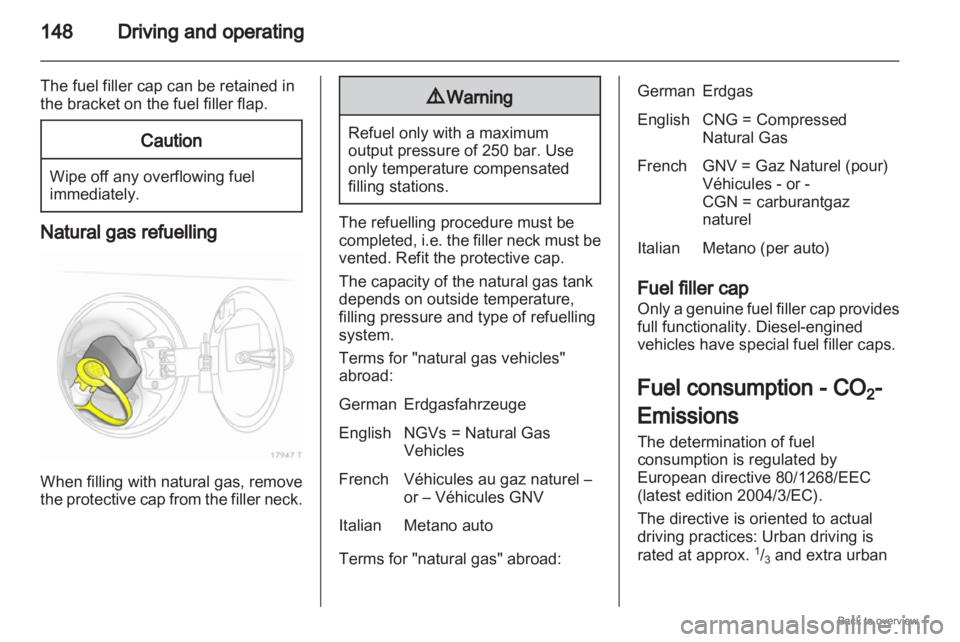
Natural gas refuelling
When filling with natural gas, remove
the
protective cap from the filler neck. 9
Warning Refuel only with a maximum
output pressure of 250 bar. Use
only temperature compensated
filling stations.
The refuelling procedure must be
completed,
i.e. the filler neck must be
vented. Refit the protective cap.
The capacity of the natural gas tank
depends on outside temperature,
filling pressure and type of refuelling
system.
Terms for "natural gas vehicles"
abroad:
German Erdgasfahrzeuge
English NGVs = Natural Gas Vehicles
French Véhicules au gaz naturel – or – Véhicules GNV
Italian Metano auto
Terms for "natural gas" abroad: German Erdgas
English CNG = Compressed
Natural Gas
French GNV = Gaz Naturel (pour) Véhicules - or -
CGN = carburantgaz
naturel
Italian Metano (per auto)
Fuel filler cap
Only
a genuine fuel filler cap provides
full functionality. Diesel-engined
vehicles have special fuel filler caps.
Fuel consumption - CO 2-
Emissions
The determination of fuel
consumption is regulated by
European directive 80/1268/EEC
(latest edition 2004/3/EC).
The directive is oriented to actual
driving practices: Urban driving is
rated at approx. 1
/3 and extra urban
Page 149 of 228
Driving and operating
149
driving with approx. 2
/3 . Cold starts
and acceleration phases are also
taken into consideration.
The specification of CO 2 emission is
also a constituent of the directive.
The figures given must not be taken
as a guarantee for the actual fuel
consumption of a particular vehicle.
Furthermore, fuel consumption is
dependent on personal driving style
as
well as road and traffic conditions.
All values are based on the EU base
model with standard equipment.
The calculation of fuel consumption
takes account of the vehicle’s kerb
weight, ascertained in accordance
with the regulations. Options may
result in slightly higher fuel
consumption and CO 2 emission
levels and a lower top speed.
Fuel consumption, CO 2 emissions
3 213. Natural gas
The fuel consumption information
was obtained using reference fuel
G20 (methane proportion 99 - 100
mol%) under prescribed driving
conditions. When using natural gas
with a lower proportion of methane,
the fuel consumption can differ from
the specified values.
Towing
General information
Only use towing equipment that has
been approved for your vehicle.
Entrust retrofitting of towing
equipment to a workshop. It may be
necessary to make changes that
affect the cooling system, heat
shields or other equipment.
Installation dimensions of factory-
fitted towing equipment
3 223.
Driving characteristics and
towing tips
Before attaching a trailer, lubricate
the
coupling ball. However, do not do
so if a stabiliser, which acts on the
coupling ball, is being used to reduce
snaking movements.
For trailers with low driving stability
and trailers with a permitted gross
vehicle weight of more than 1300 kg
a speed of 80 km/h must not be
exceeded; the use of a stabiliser is
recommended.