service PEUGEOT 106 2001 User Guide
[x] Cancel search | Manufacturer: PEUGEOT, Model Year: 2001, Model line: 106, Model: PEUGEOT 106 2001Pages: 107, PDF Size: 2.92 MB
Page 22 of 107
INSTRUMENTS AND CONTROLS24
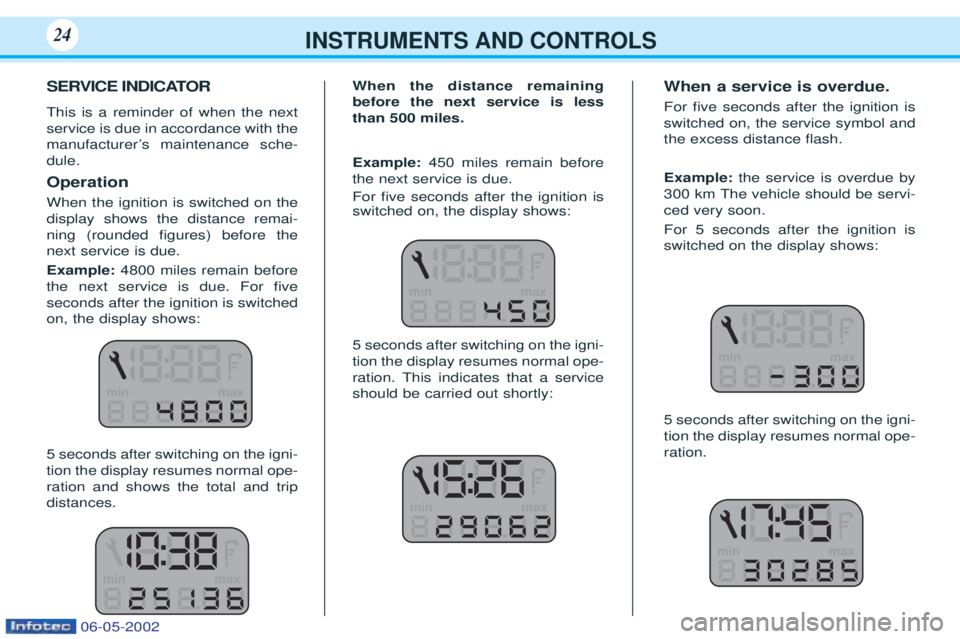
SERVICE INDICATOR This is a reminder of when the next service is due in accordance with the
manufacturerÕs maintenance sche-dule. Operation When the ignition is switched on the display shows the distance remai-ning (rounded Þgures) before thenext service is due. Example:4800 miles remain before
the next service is due. For Þve seconds after the ignition is switchedon, the display shows: 5 seconds after switching on the igni- tion the display resumes normal ope-ration and shows the total and tripdistances. When the distance remainingbefore the next service is lessthan 500 miles. Example:
450 miles remain before
the next service is due. For Þve seconds after the ignition is switched on, the display shows: 5 seconds after switching on the igni- tion the display resumes normal ope-ration. This indicates that a serviceshould be carried out shortly: When a service is overdue. For Þve seconds after the ignition is switched on, the service symbol andthe excess distance ßash. Example:
the service is overdue by
300 km The vehicle should be servi- ced very soon. For 5 seconds after the ignition is switched on the display shows: 5 seconds after switching on the igni- tion the display resumes normal ope-ration.
06-05-2002
Page 23 of 107
INSTRUMENTS AND CONTROLS25
Service intervals If your vehicle is used in certain par-
ticularly difficult conditions it isnecessary to follow the "Arduousconditions" servicing schedule,which involves shorter intervals bet-
ween services (see the Warrantyand Maintenance Record booklet). Comment:If the time limit between
two services is reached before the relevant mileage limit, the servicespanner symbol will light up and thedisplay will show 0.
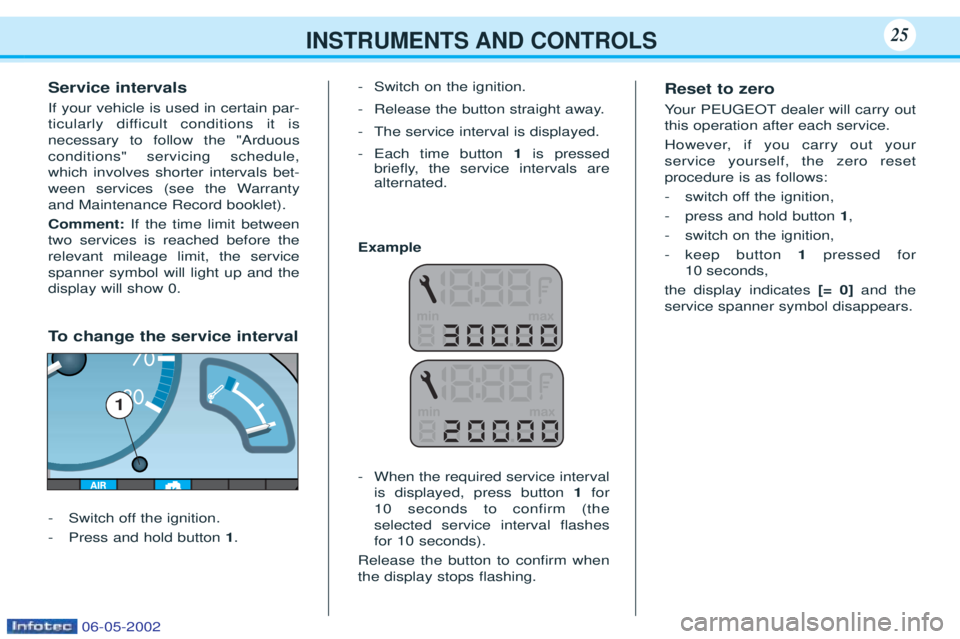
To change the service interval
- Switch off the ignition.
- Press and hold button 1. -
Switch on the ignition.
- Release the button straight away.
- The service interval is displayed.
- Each time button 1is pressed
brießy, the service intervals are alternated.
Example - When the required service interval is displayed, press button 1for
10 seconds to confirm (theselected service interval ßashes
for 10 seconds).
Release the button to conÞrm whenthe display stops ßashing. Reset to zero Y
our PEUGEOT dealer will carry out
this operation after each service.
However, if you carry out your service yourself, the zero resetprocedure is as follows:
- switch off the ignition,
- press and hold button 1,
- switch on the ignition,- keep button 1pressed for
10 seconds,
the display indicates [= 0]and the
service spanner symbol disappears.
1
06-05-2002
Page 24 of 107
INSTRUMENTS AND CONTROLS25
Service intervals If your vehicle is used in certain par-
ticularly difficult conditions it isnecessary to follow the "Arduousconditions" servicing schedule,which involves shorter intervals bet-
ween services (see the Warrantyand Maintenance Record booklet). Comment:If the time limit between
two services is reached before the relevant mileage limit, the servicespanner symbol will light up and thedisplay will show 0.
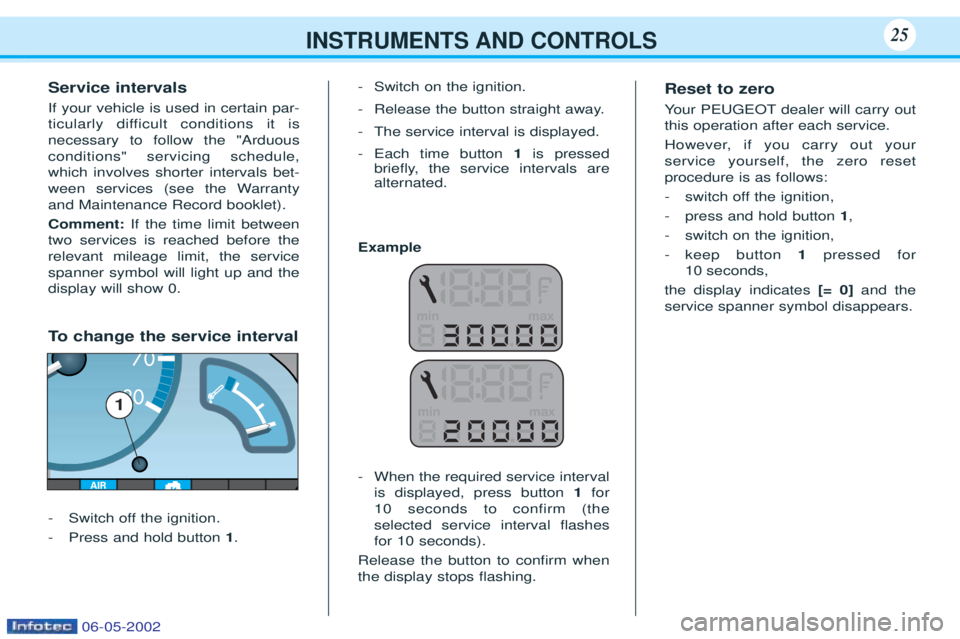
To change the service interval
- Switch off the ignition.
- Press and hold button 1. -
Switch on the ignition.
- Release the button straight away.
- The service interval is displayed.
- Each time button 1is pressed
brießy, the service intervals are alternated.
Example - When the required service interval is displayed, press button 1for
10 seconds to confirm (theselected service interval ßashes
for 10 seconds).
Release the button to conÞrm whenthe display stops ßashing. Reset to zero Y
our PEUGEOT dealer will carry out
this operation after each service.
However, if you carry out your service yourself, the zero resetprocedure is as follows:
- switch off the ignition,
- press and hold button 1,
- switch on the ignition,- keep button 1pressed for
10 seconds,
the display indicates [= 0]and the
service spanner symbol disappears.
1
06-05-2002
Page 41 of 107
YOUR 106 IN DETAIL43
EON system
This connects stations which are part of the same network. It enables broadcasting of traffic information or a PTY programme from a station which is part of the same network as the station to which you are listening.
This service is available when you have selected the TA traffic information programme or the PTY function.
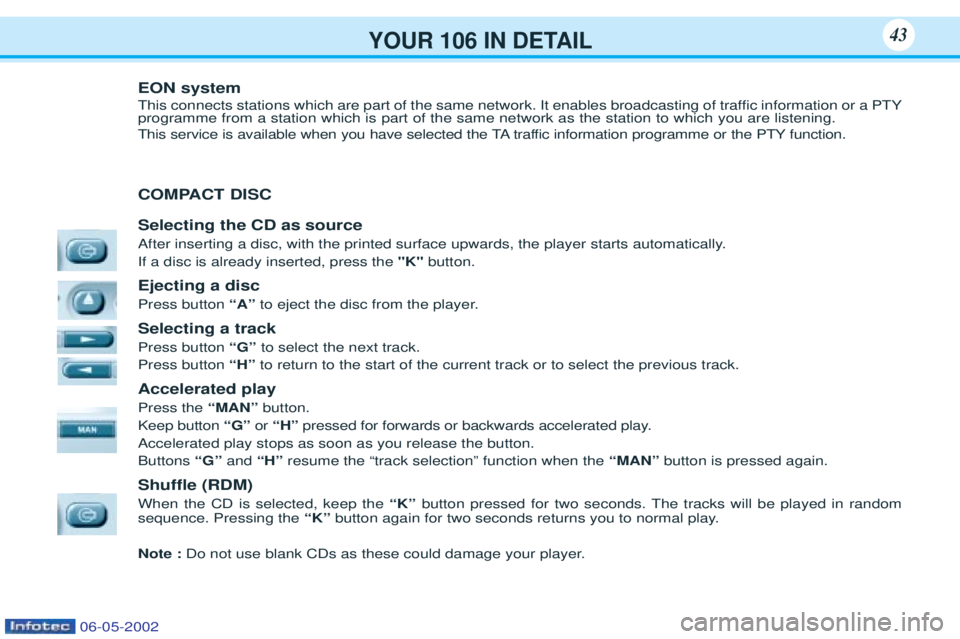
COMPACT DISC Selecting the CD as source
After inserting a disc, with the printed surface upwards, the player starts automatically. If a disc is already inserted, press the"K"button.
Ejecting a disc Press button “A”to eject the disc from the player.
Selecting a trackPress button “G” to select the next track.
Press button “H”to return to the start of the current track or to select the previous track.
Accelerated playPress the “MAN”button.
Keep button “G” or “H” pressed for forwards or backwards accelerated play.
Accelerated play stops as soon as you release the button. Buttons “G”and“H” resume the Òtrack selectionÓ function when the “MAN”button is pressed again.
Shuffle (RDM) When the CD is selected, keep the “K”button pressed for two seconds. The tracks will be played in random
sequence. Pressing the “K”button again for two seconds returns you to normal play.
Note : Do not use blank CDs as these could damage your player.
06-05-2002
Page 42 of 107
YOUR 106 IN DETAIL43
EON system
This connects stations which are part of the same network. It enables broadcasting of traffic information or a PTY programme from a station which is part of the same network as the station to which you are listening.
This service is available when you have selected the TA traffic information programme or the PTY function.
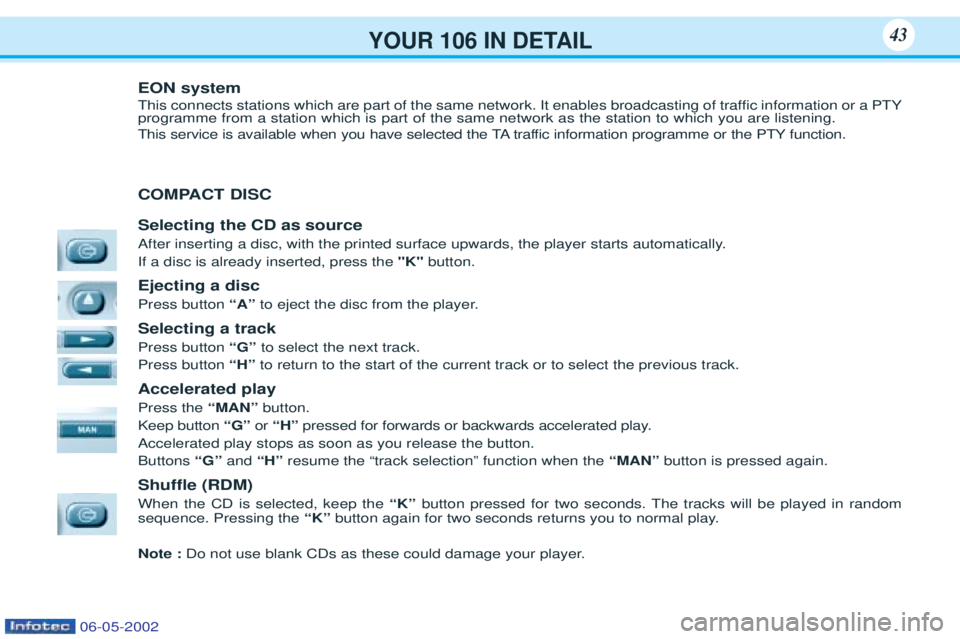
COMPACT DISC Selecting the CD as source
After inserting a disc, with the printed surface upwards, the player starts automatically. If a disc is already inserted, press the"K"button.
Ejecting a disc Press button “A”to eject the disc from the player.
Selecting a trackPress button “G” to select the next track.
Press button “H”to return to the start of the current track or to select the previous track.
Accelerated playPress the “MAN”button.
Keep button “G” or “H” pressed for forwards or backwards accelerated play.
Accelerated play stops as soon as you release the button. Buttons “G”and“H” resume the Òtrack selectionÓ function when the “MAN”button is pressed again.
Shuffle (RDM) When the CD is selected, keep the “K”button pressed for two seconds. The tracks will be played in random
sequence. Pressing the “K”button again for two seconds returns you to normal play.
Note : Do not use blank CDs as these could damage your player.
06-05-2002