light PEUGEOT 108 2014 User Guide
[x] Cancel search | Manufacturer: PEUGEOT, Model Year: 2014, Model line: 108, Model: PEUGEOT 108 2014Pages: 256, PDF Size: 5.88 MB
Page 58 of 256
56
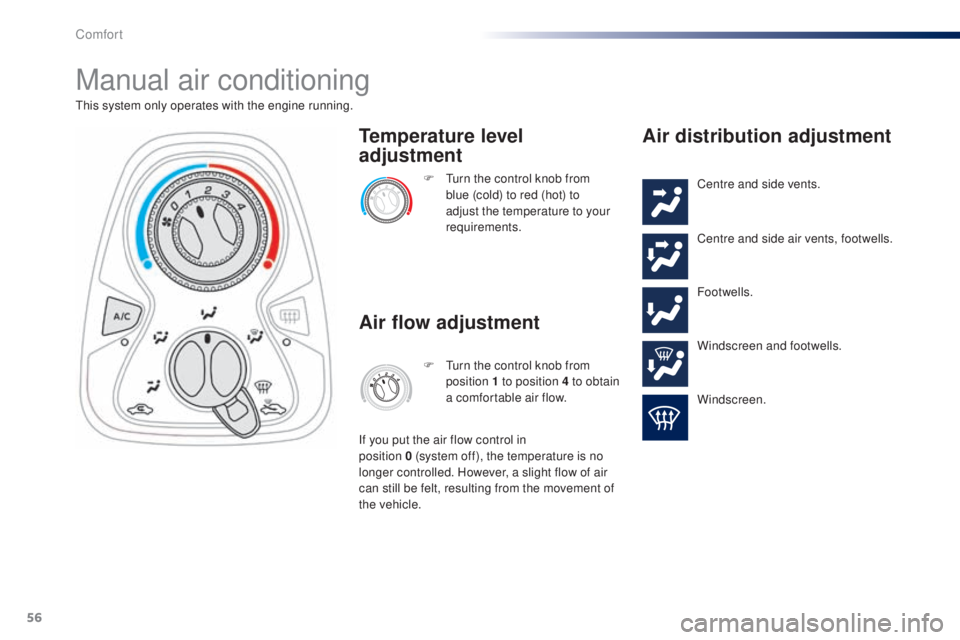
Manual air conditioning
this system only operates with the engine running.F t
u
rn the control knob from
blue (cold) to red (hot) to
adjust the temperature to your
requirements.
Temperature level
adjustment
Air flow adjustment
F turn the control knob from position 1 to position 4 to obtain
a comfortable air flow.
If you put the air flow control in
position
0
(system off), the temperature is no
longer controlled. However, a slight flow of air
can still be felt, resulting from the movement of
the vehicle.
Air distribution adjustment
Centre and side vents.
Centre and side air vents, footwells.
Footwells.
Windscreen and footwells.
Windscreen.
Comfort
Page 63 of 256
61
Avoid driving for long periods with the air
conditioning switched off (risk of misting
and reduction of the air quality in the cabin).
th
is action switches off all of the functions of
the air conditioning system.
th
ermal comfort is no longer controlled. A
slight flow of air resulting from the movement of
the vehicle, remains perceptible however.
Pressing the "AUTO" button again reactivates
the system with the values set before it was
switched off.
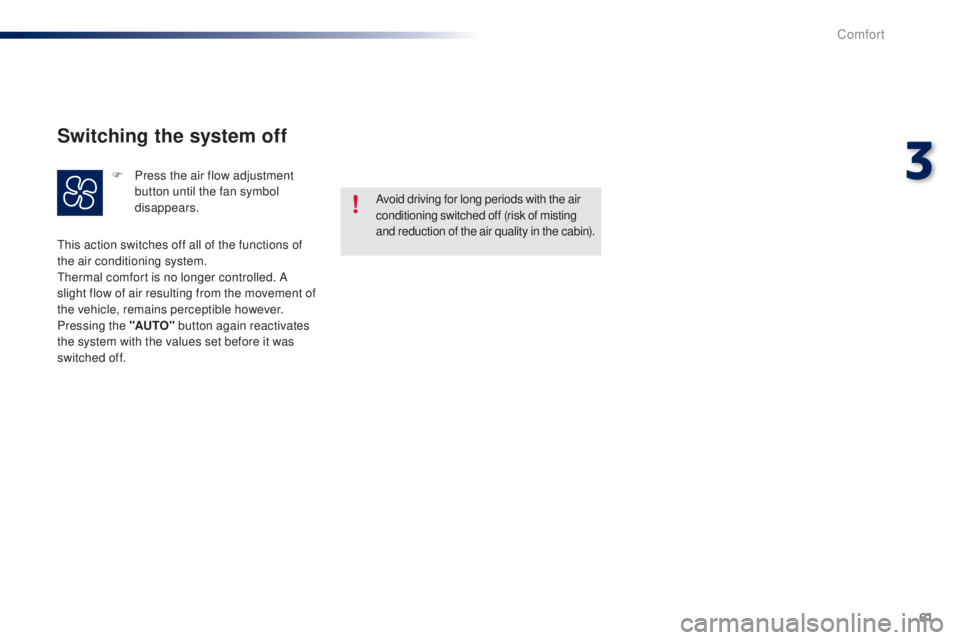
Switching the system off
F Press the air flow adjustment button until the fan symbol
disappears.
3
Comfort
Page 67 of 256
65
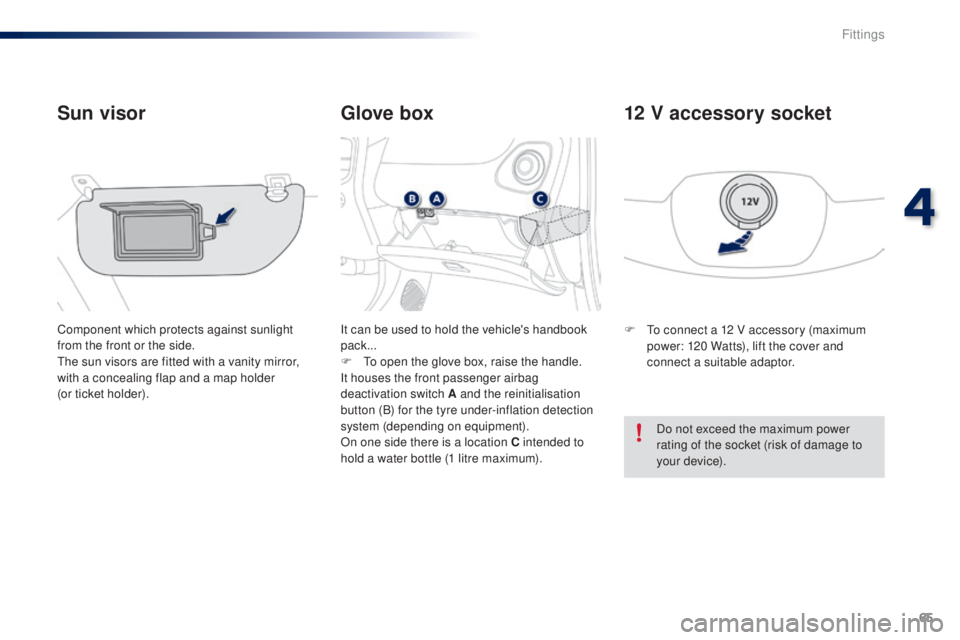
Glove box
Sun visor
Component which protects against sunlight
from the front or the side.
th
e sun visors are fitted with a vanity mirror,
with a concealing flap and a map holder
(or ticket holder). It can be used to hold the vehicle's handbook
pack...
F
t
o o
pen the glove box, raise the handle.
It houses the front passenger airbag
deactivation switch A and the reinitialisation
button (B) for the tyre under-inflation detection
system (depending on equipment).
On one side there is a location C
intended to
hold a water bottle (1 litre maximum). F
to c onnect a 12 V accessory (maximum
power: 120 Watts), lift the cover and
connect a suitable adaptor.
12 V accessory socket
Do not exceed the maximum power
rating of the socket (risk of damage to
your device).
4
Fittings
Page 73 of 256
71
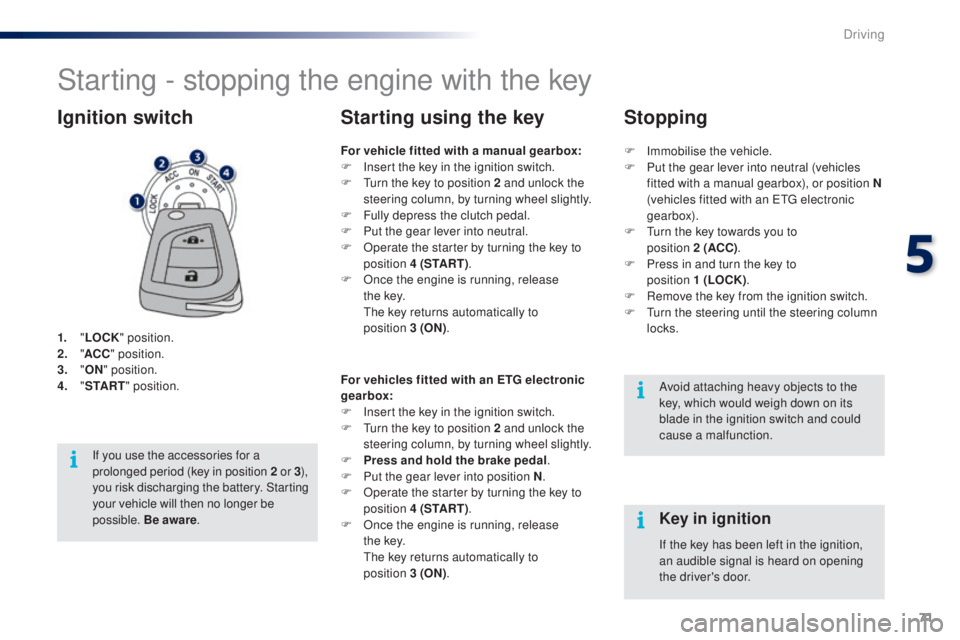
Starting - stopping the engine with the key
1. "LOCK " position.
2. " AC
C" position.
3.
"ON " position.
4.
" S
TA R T" position.
Ignition switch
Avoid attaching heavy objects to the
key, which would weigh down on its
blade in the ignition switch and could
cause a malfunction.
Key in ignition
For vehicle fitted with a manual gearbox:
F
I nsert the key in the ignition switch.
F
t
u
rn the key to position 2 and unlock the
steering column, by turning wheel slightly.
F
F
ully depress the clutch pedal.
F
P
ut the gear lever into neutral.
F
O
perate the starter by turning the key to
position 4 (S TA R T ) .
F
O
nce the engine is running, release
t h e
key.
t
h
e key returns automatically to
position
3
(ON).
Starting using the key
If the key has been left in the ignition,
an audible signal is heard on opening
the driver's door.
For vehicles fitted with an ETG electronic
gearbox:
F
I
nsert the key in the ignition switch.
F
t
u
rn the key to position 2 and unlock the
steering column, by turning wheel slightly.
F
P
ress and hold the brake pedal
.
F
P
ut the gear lever into position N
.
F
O
perate the starter by turning the key to
position 4 (S TA R T ) .
F
O
nce the engine is running, release
t h e
key.
th
e key returns automatically to
position
3
(ON) .
If you use the accessories for a
prolonged period (key in position 2
or 3),
you risk discharging the battery. Starting
your vehicle will then no longer be
possible. Be aware . F
Imm
obilise the vehicle.
F
P
ut the gear lever into neutral (vehicles
fitted with a manual gearbox), or position N
(vehicles fitted with an etg electronic
gearbox).
F
t
u
rn the key towards you to
position
2
(ACC)
.
F
P
ress in and turn the key to
position
1 (LOCK)
.
F
R
emove the key from the ignition switch.
F
t
u
rn the steering until the steering column
locks.
Stopping
5
Driving
Page 75 of 256
73
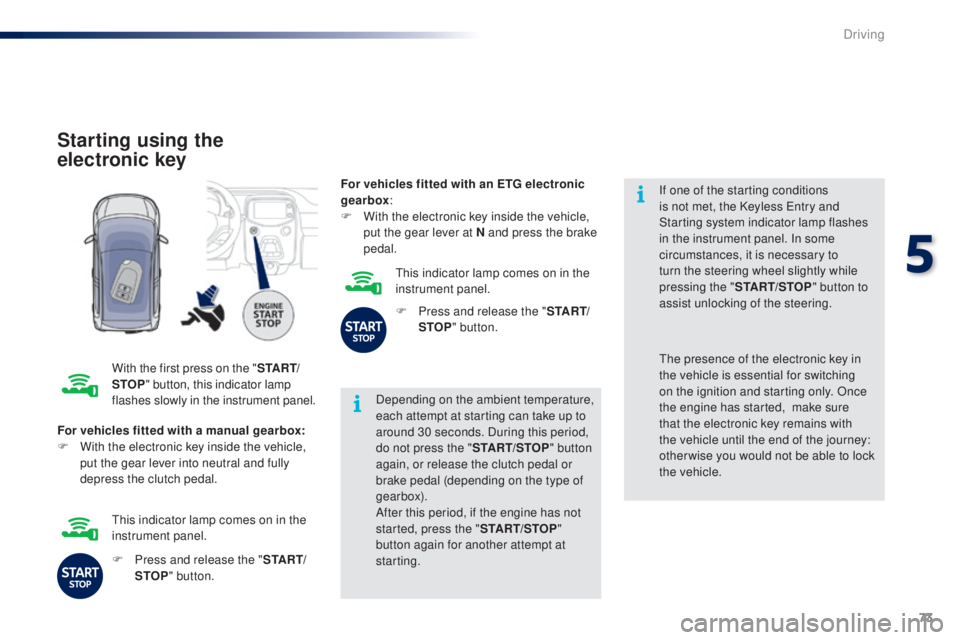
Starting using the
electronic key
With the first press on the "S TA R T/
STOP " button, this indicator lamp
flashes slowly in the instrument panel. Depending on the ambient temperature,
each attempt at starting can take up to
around 30 seconds. During this period,
do not press the "
START/STOP" button
again, or release the clutch pedal or
brake pedal (depending on the type of
gearbox).
After this period, if the engine has not
started, press the " START/STOP"
button again for another attempt at
starting. If one of the starting conditions
is not met, the Keyless
e
n
try and
Starting system indicator lamp flashes
in the instrument panel. In some
circumstances, it is necessary to
turn the steering wheel slightly while
pressing the " START/STOP " button to
assist unlocking of the steering.
For vehicles fitted with a manual gearbox:
F
W
ith the electronic key inside the vehicle,
put the gear lever into neutral and fully
depress the clutch pedal.th e presence of the electronic key in
the vehicle is essential for switching
on the ignition and starting only. Once
the engine has started,
make sure
that the electronic key remains with
the vehicle until the end of the journey:
other wise you would not be able to lock
the vehicle.
F
P
ress and release the " S TA R T/
STOP " button.
th
is indicator lamp comes on in the
instrument panel. For vehicles fitted with an ETG electronic
gearbox
:
F
W
ith the electronic key inside the vehicle,
put the gear lever at N and press the brake
pedal.
th
is indicator lamp comes on in the
instrument panel.
F
P
ress and release the "
S TA R T/
STOP " button.
5
Driving
Page 85 of 256
83
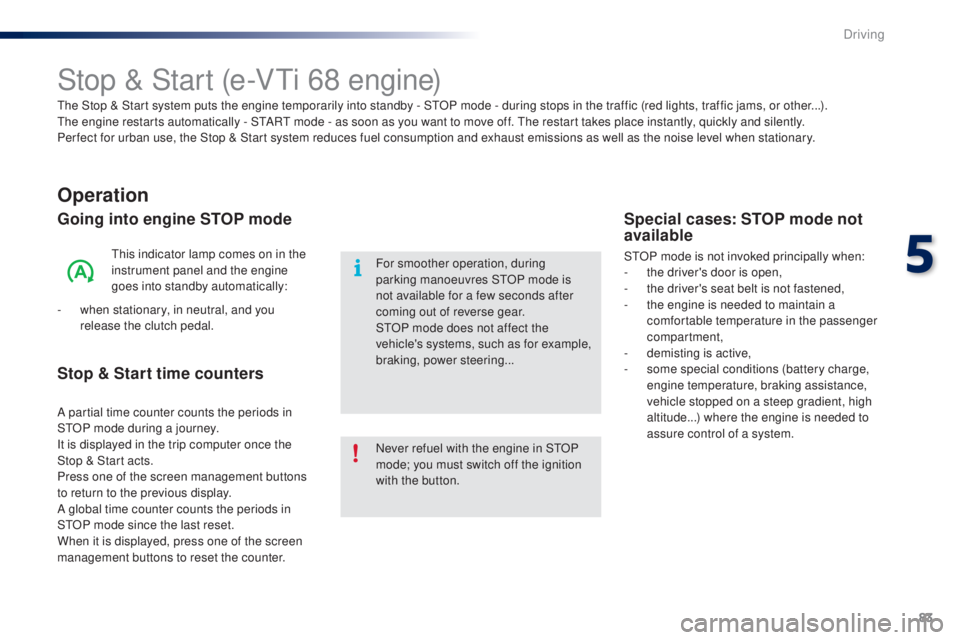
Stop & Start (e-Vti 68 engine)
Operation
Going into engine STOP mode
this indicator lamp comes on in the
instrument panel and the engine
goes into standby automatically:
-
w
hen stationary, in neutral, and you
release the clutch pedal.
Never refuel with the engine in S
tO
P
mode; you must switch off the ignition
with the button. For smoother operation, during
parking manoeuvres S
tO
P mode is
not available for a few seconds after
coming out of reverse gear.
S
tO
P mode does not affect the
vehicle's systems, such as for example,
braking, power steering...
Special cases: STOP mode not
available
StOP mode is not invoked principally when:
- t he driver's door is open,
-
t
he driver's seat belt is not fastened,
-
t
he engine is needed to maintain a
comfortable temperature in the passenger
compartment,
-
d
emisting is active,
-
s
ome special conditions (battery charge,
engine temperature, braking assistance,
vehicle stopped on a steep gradient, high
altitude...) where the engine is needed to
assure control of a system.
th
e Stop & Start
system puts the engine temporarily into standby - S
tO
P mode - during stops in the traffic (red lights, traffic jams, or other...).
th
e
engine restarts automatically - S
tA
R
t
mode - as soon as you want to move off.
t
h
e restart takes place instantly, quickly and silently.
Per fect for urban use, the Stop & Start system reduces fuel consumption and exhaust emissions as well as the noise level when stationary.
Stop & Start time counters
A partial time counter counts the periods in
StO P mode during a journey.
It is displayed in the trip computer once the
Stop & Start acts.
Press one of the screen management buttons
to return to the previous display.
A global time counter counts the periods in
S
tO
P mode since the last reset.
When it is displayed, press one of the screen
management buttons to reset the counter.
5
Driving
Page 95 of 256
93
Lighting control stalk
Main lighting
the various front and rear lamps of the vehicle
are designed to adapt the driver's visibility
progressively according to the climatic
conditions:
-
s
idelamps, to be seen,
-
d
ipped beam headlamps to see without
dazzling other drivers,
-
m
ain beam headlamps to see clearly when
the road is clear.
Additional lighting
Other lamps are provided to meet the
requirements of particular driving conditions:
-
a
rear foglamp,
-
f
ront foglamps,
-
d
aytime running lamps to be more visible
during the day.
Control stalk for the selection and operation of the various front and rear lamps providing the vehicle's lighting.
In some weather conditions (e.g. low
temperature or humidity), the presence
of misting on the internal sur face of the
glass of the headlamps and rear lamps
is normal; it disappears after the lamps
have been on for a few minutes.
6
Visibility
Page 96 of 256
94
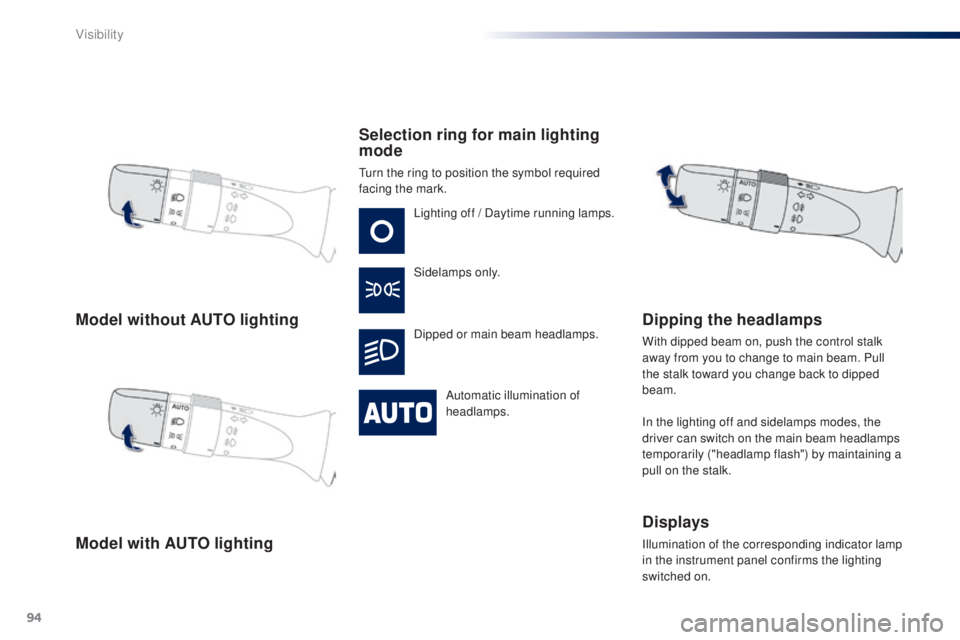
Model without AUTO lighting
Model with AUTO lightingSelection ring for main lighting
mode
turn the ring to position the symbol required
facing the mark.
Lighting off / Daytime running lamps.
Sidelamps only.
Dipped or main beam headlamps.
Automatic illumination of
headlamps.
Dipping the headlamps
With dipped beam on, push the control stalk
away from you to change to main beam. Pull
the stalk toward you change back to dipped
beam.
In the lighting off and sidelamps modes, the
driver can switch on the main beam headlamps
temporarily ("headlamp flash") by maintaining a
pull on the stalk.
Displays
Illumination of the corresponding indicator lamp
in the instrument panel confirms the lighting
switched on.
Visibility
Page 97 of 256
95
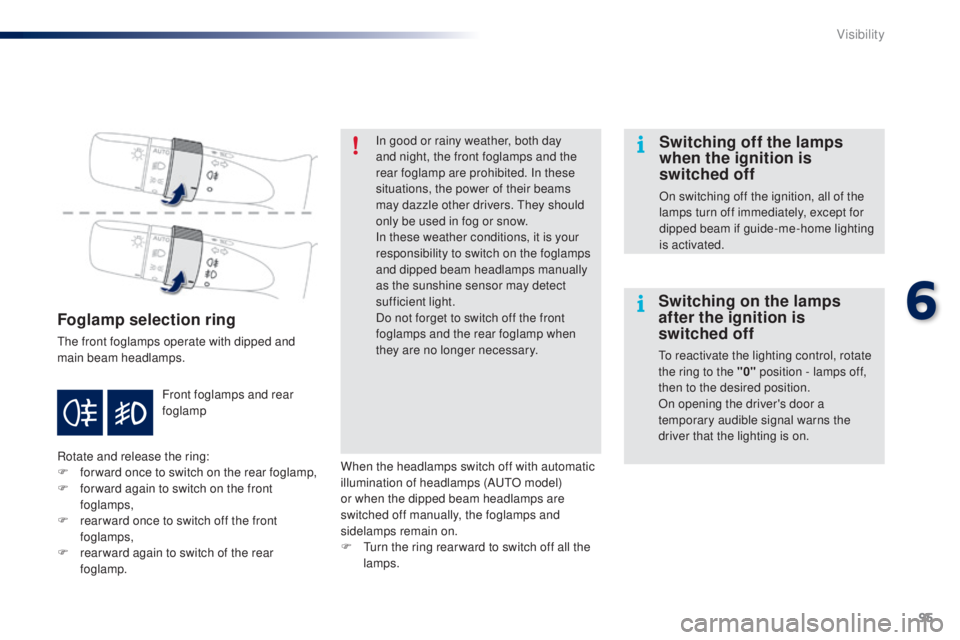
Foglamp selection ring
the front foglamps operate with dipped and
main beam headlamps.
Rotate and release the ring:
F
fo
rward once to switch on the rear foglamp,
F
f
or ward again to switch on the front
foglamps,
F
r
ear ward once to switch off the front
foglamps,
F
r
ear ward again to switch of the rear
foglamp. Front foglamps and rear
foglamp In good or rainy weather, both day
and night, the front foglamps and the
rear foglamp are prohibited. In these
situations, the power of their beams
may dazzle other drivers.
t
he
y should
only be used in fog or snow.
In these weather conditions, it is your
responsibility to switch on the foglamps
and dipped beam headlamps manually
as the sunshine sensor may detect
sufficient light.
Do not forget to switch off the front
foglamps and the rear foglamp when
they are no longer necessary.
Switching off the lamps
when the ignition is
switched off
On switching off the ignition, all of the
lamps turn off immediately, except for
dipped beam if guide-me-home lighting
is activated.
Switching on the lamps
after the ignition is
switched off
to reactivate the lighting control, rotate
the ring to the "0" position - lamps off,
then to the desired position.
On opening the driver's door a
temporary audible signal warns the
driver that the lighting is on.
When the headlamps switch off with automatic
illumination of headlamps (A
u
t
O m
odel)
or when the dipped beam headlamps are
switched off manually, the foglamps and
sidelamps remain on.
F
t
u
rn the ring rear ward to switch off all the
lamps.
6
Visibility
Page 98 of 256
96
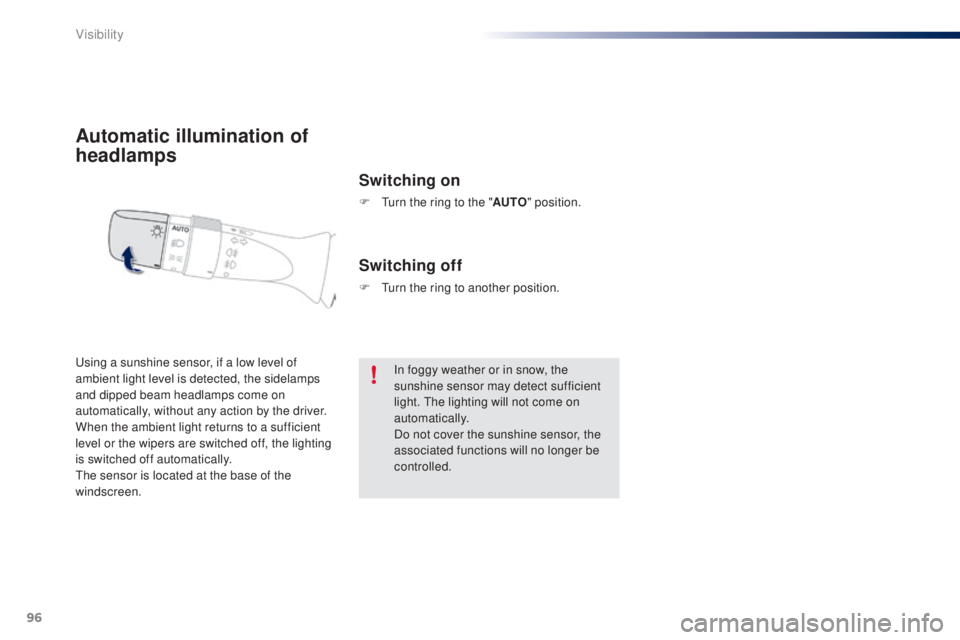
Automatic illumination of
headlamps
Switching on
F turn the ring to the "AUTO" position.
us
ing a sunshine sensor, if a low level of
ambient light level is detected, the sidelamps
and dipped beam headlamps come on
automatically, without any action by the driver.
When the ambient light returns to a sufficient
level or the wipers are switched off, the lighting
is switched off automatically.
th
e sensor is located at the base of the
windscreen.
Switching off
F turn the ring to another position.
In foggy weather or in snow, the
sunshine sensor may detect sufficient
light.
t
h
e lighting will not come on
automatically.
Do not cover the sunshine sensor, the
associated functions will no longer be
controlled.
Visibility