radio PEUGEOT 108 2016 User Guide
[x] Cancel search | Manufacturer: PEUGEOT, Model Year: 2016, Model line: 108, Model: PEUGEOT 108 2016Pages: 268, PDF Size: 6.17 MB
Page 189 of 268
187
108_en_Chap10a_Autoradio-toyota-tactile-1_ed01-2016
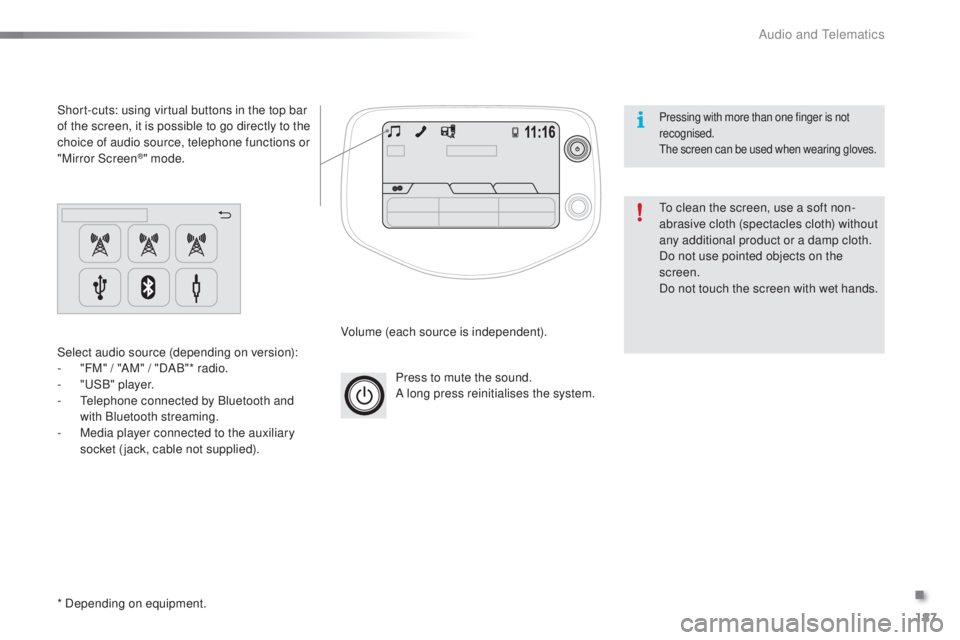
Press to mute the sound.
A long press reinitialises the system.
Volume (each source is independent).
Select audio source (depending on version):
-
"
FM" / "AM" / "DAB"* radio.
-
"uS
B" player.
-
t
e
lephone connected by Bluetooth and
with Bluetooth streaming.
-
M
edia player connected to the auxiliary
socket (jack, cable not supplied).
Short-cuts: using virtual buttons in the top bar
of the screen, it is possible to go directly to the
choice of audio source, telephone functions or
"Mirror Screen
®" mode.
* Depending on equipment.
to c
lean the screen, use a soft non-
abrasive cloth (spectacles cloth) without
any additional product or a damp cloth.
Do not use pointed objects on the
screen.
Do not touch the screen with wet hands.
Pressing with more than one finger is not
recognised.
th
e screen can be used when wearing gloves.
.
Audio and telematics
Page 190 of 268
188
108_en_Chap10a_Autoradio-toyota-tactile-1_ed01-2016
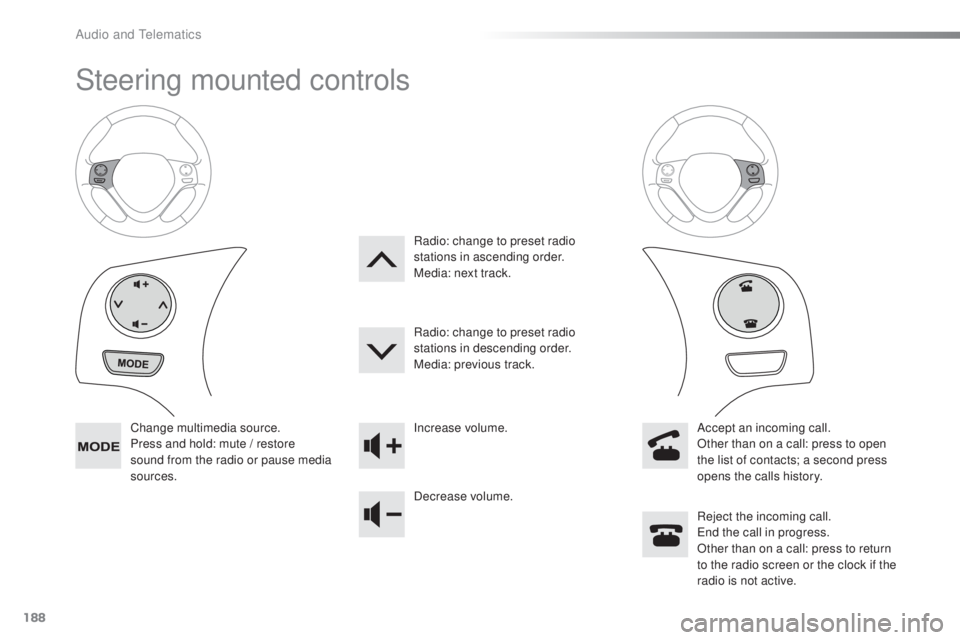
Steering mounted controls
Change multimedia source.
Press and hold: mute / restore
sound from the radio or pause media
sources. Increase volume.
Decrease volume.
Reject the incoming call.
en
d the call in progress.
Other than on a call: press to return
to the radio screen or the clock if the
radio is not active.
Radio: change to preset radio
stations in ascending order.
Media: next track.
Radio: change to preset radio
stations in descending order.
Media: previous track.
Accept an incoming call.
Other than on a call: press to open
the list of contacts; a second press
opens the calls history.
Audio and telematics
Page 191 of 268
189
108_en_Chap10a_Autoradio-toyota-tactile-1_ed01-2016
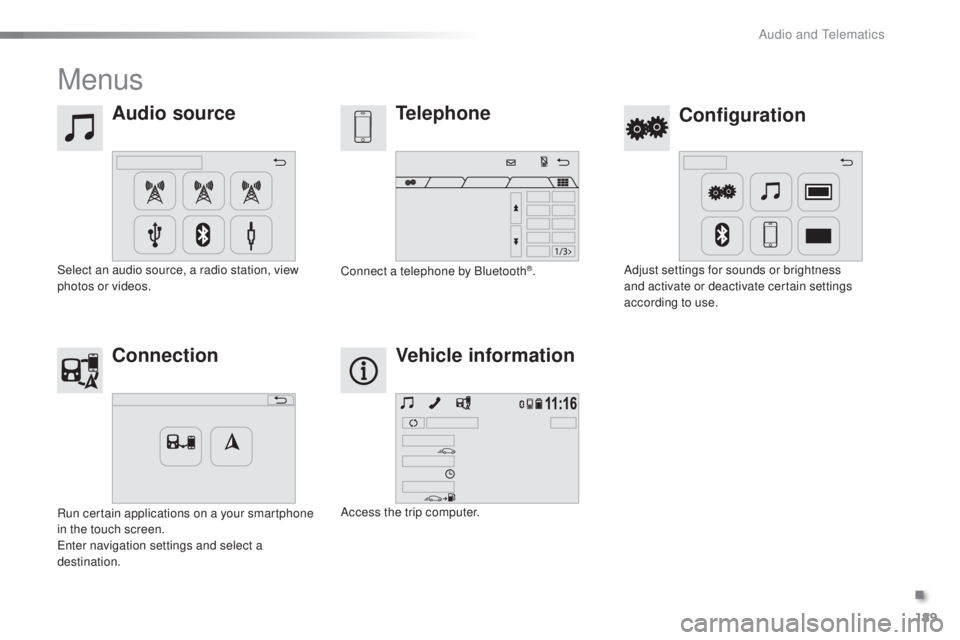
Menus
Audio source
Configurationtelephone
Connection Vehicle information
Select an audio source, a radio station, view
photos or videos. Adjust settings for sounds or brightness
and activate or deactivate certain settings
according to use.
Connect a telephone by Bluetooth®.
Run certain applications on a your smartphone
in the touch screen.
en
ter navigation settings and select a
destination. Access the trip computer.
.
Audio and telematics
Page 192 of 268
190
108_en_Chap10a_Autoradio-toyota-tactile-1_ed01-2016
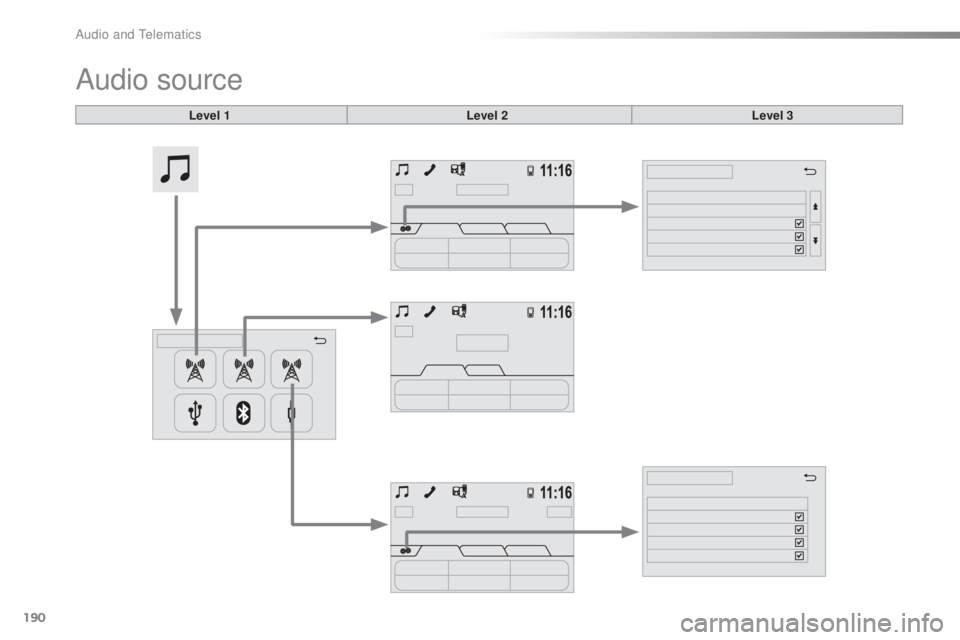
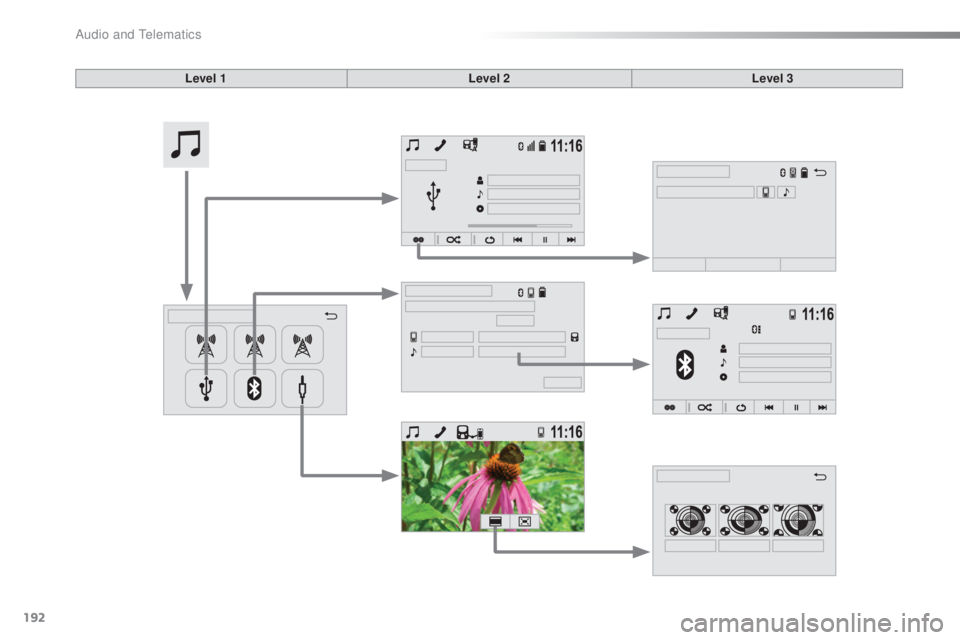
Audio source
Level 1 Level 2 Level 3
Audio and telematics
Page 193 of 268
191
108_en_Chap10a_Autoradio-toyota-tactile-1_ed01-2016
Level 1 Level 2 Level 3 Comment
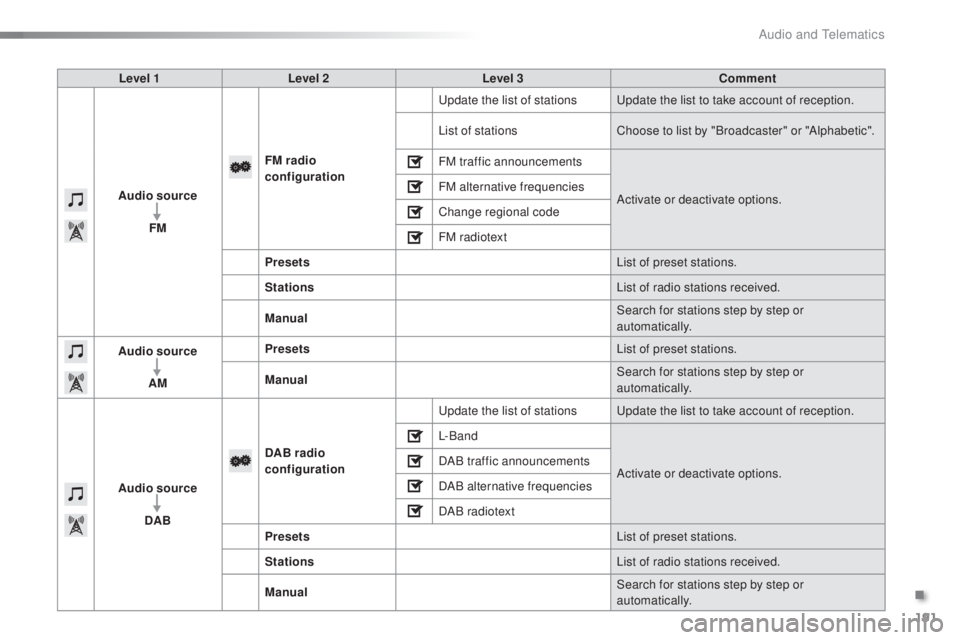
Audio source FM FM
radio
configuration
up
date the list of stations
up
date the list to take account of reception.
List of stations Choose to list by "Broadcaster" or "Alphabetic".
FM traffic announcements
Activate or deactivate options.
FM alternative frequencies
Change regional code
FM radiotext
Presets List of preset stations.
Stations List of radio stations received.
Manual Search for stations step by step or
automatically.
Audio source
AM Presets
List of preset stations.
Manual Search for stations step by step or
automatically.
Audio source DAB DAB radio
configuration
up
date the list of stations
up
date the list to take account of reception.
L- B a n d
Activate or deactivate options.
DAB traffic announcements
DAB alternative frequencies
DAB radiotext
Presets List of preset stations.
Stations List of radio stations received.
Manual Search for stations step by step or
automatically.
.
Audio and telematics
Page 194 of 268
192
108_en_Chap10a_Autoradio-toyota-tactile-1_ed01-2016
Level 1 Level 2Level 3
Audio and telematics
Page 195 of 268
193
108_en_Chap10a_Autoradio-toyota-tactile-1_ed01-2016
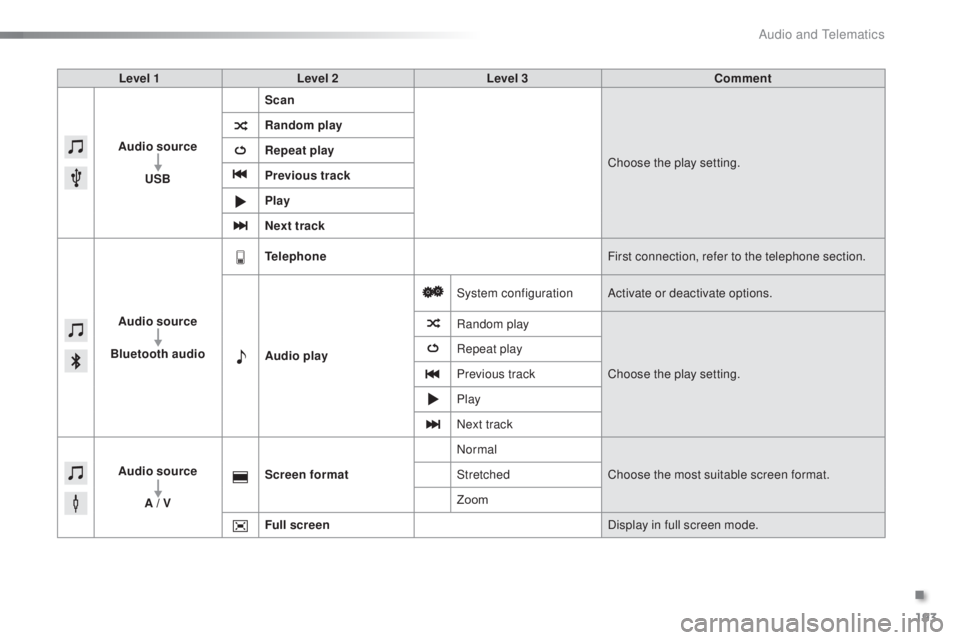
Level 1 Level 2 Level 3 Comment
Audio source
u
SB Scan
Choose the play setting.
Random play
Repeat play
Previous track
Play
Next track
Audio source
Bluetooth audio
tel
ephone First connection, refer to the telephone section.
Audio play System configuration
Activate or deactivate options.
Random play
Choose the play setting.
Repeat play
Previous track
Play
Next track
Audio source A / V Screen format
Normal
Choose the most suitable screen format.
Stretched
Zoom
Full screen Display in full screen mode.
.
Audio and telematics
Page 196 of 268
194
108_en_Chap10a_Autoradio-toyota-tactile-1_ed01-2016
Radio
* Depending on equipment.
Selecting a station
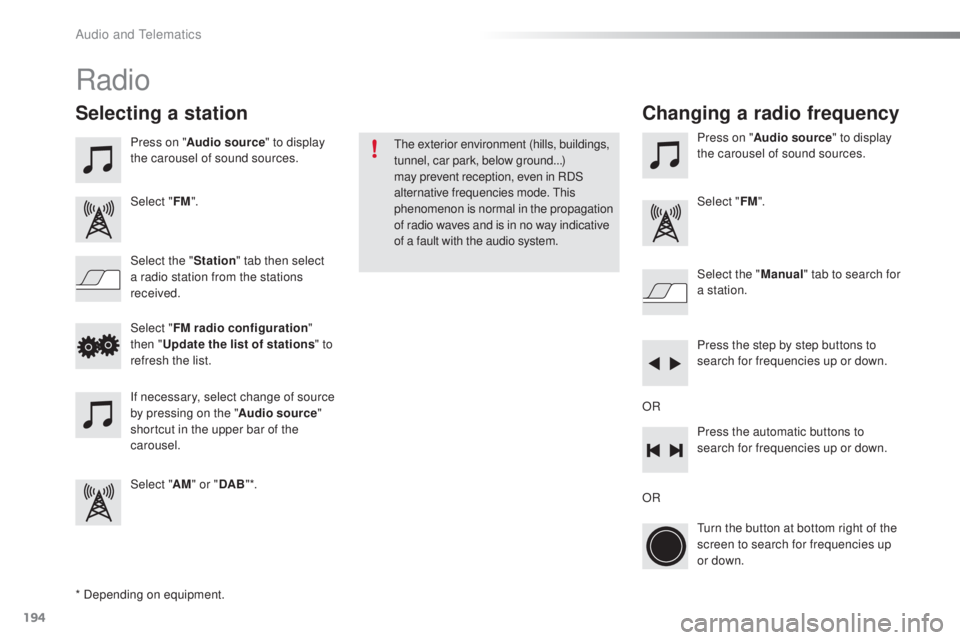
Press on "Audio source " to display
the carousel of sound sources.
Select " FM".
Select the " Station" tab then select
a radio station from the stations
received. Select the "
Manual" tab to search for
a station.
Select " FM radio configuration "
then "
up
date the list of stations " to
refresh the list.
If necessary, select change of source
by pressing on the " Audio source"
shortcut in the upper bar of the
carousel.
Select " AM" or " DAB" *. Press on "
Audio source " to display
the carousel of sound sources.
Select " FM".
Press the step by step buttons to
search for frequencies up or down.
Press the automatic buttons to
search for frequencies up or down.
tu
rn the button at bottom right of the
screen to search for frequencies up
or down.
OR ORthe
exterior environment (hills, buildings,
tunnel, car park, below ground...)
may prevent reception, even in RDS
alternative frequencies mode.
t
h
is
phenomenon is normal in the propagation
of radio waves and is in no way indicative
of a fault with the audio system.
Changing a radio frequency
Audio and telematics
Page 197 of 268
195
108_en_Chap10a_Autoradio-toyota-tactile-1_ed01-2016
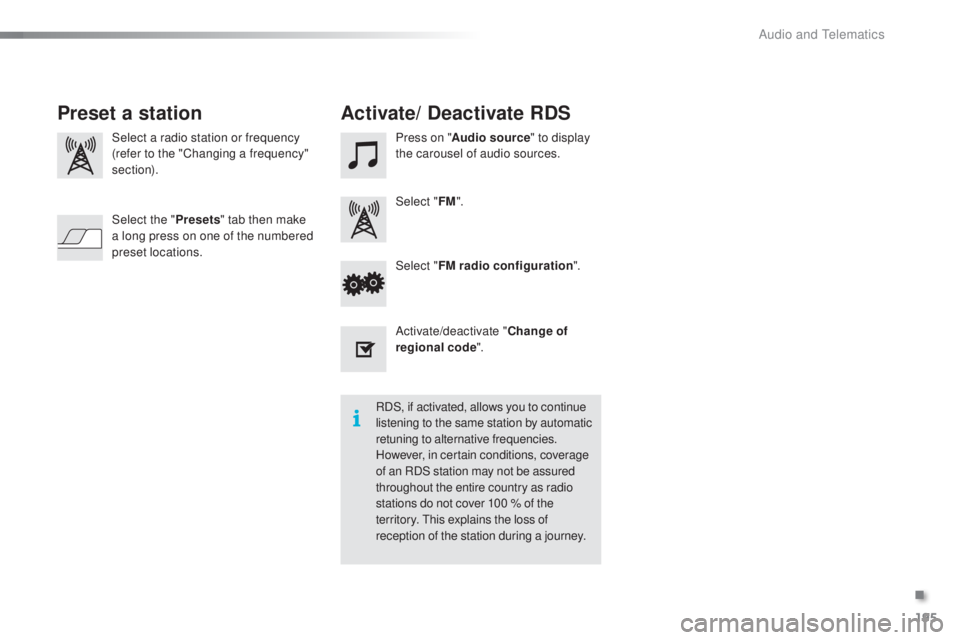
Select a radio station or frequency
(refer to the "Changing a frequency"
section). Press on "
Audio source " to display
the carousel of audio sources.
Select " FM".
Select " FM radio configuration ".
Activate/deactivate " Change of
regional code ".
Select the "
Presets" tab then make
a long press on one of the numbered
preset locations.
Preset a station Activate/ Deactivate RDS
RDS, if activated, allows you to continue
listening to the same station by automatic
retuning to alternative frequencies.
However, in certain conditions, coverage
of an RDS station may not be assured
throughout the entire country as radio
stations do not cover 100 % of the
territory.
t
h
is explains the loss of
reception of the station during a journey.
.
Audio and telematics
Page 198 of 268
196
108_en_Chap10a_Autoradio-toyota-tactile-1_ed01-2016
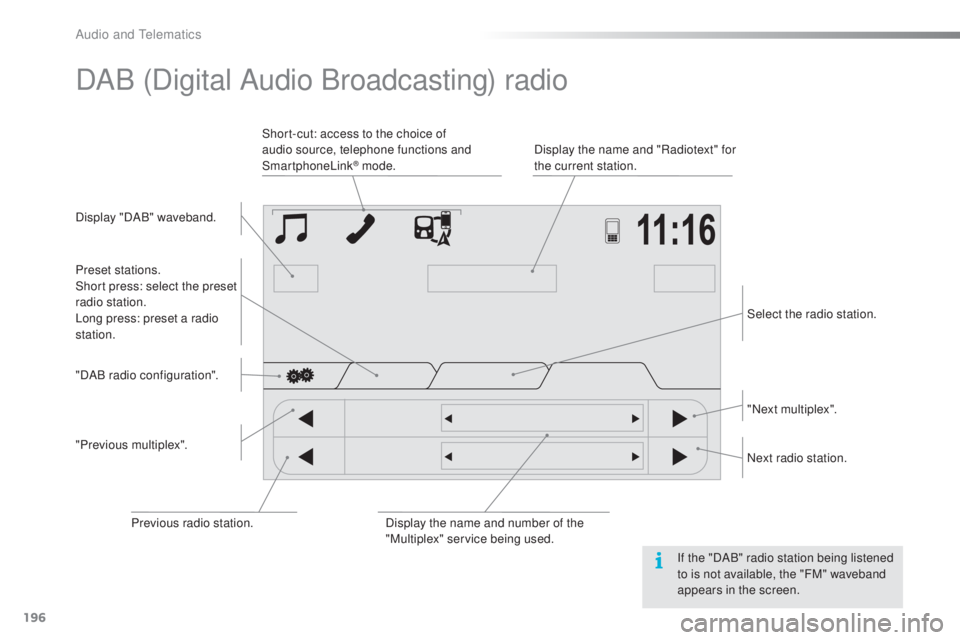
DAB (Digital Audio Broadcasting) radio
Display "DAB" waveband. Display the name and "Radiotext" for
the current station.
Short-cut: access to the choice of
audio source, telephone functions and
SmartphoneLink
® mode.
Select the radio station.
Preset stations.
Short press: select the preset
radio station.
Long press: preset a radio
station.
"Next multiplex".
Next radio station.
Display the name and number of the
"Multiplex" service being used.
"Previous multiplex". "DAB radio configuration".
Previous radio station. If the "DAB" radio station being listened
to is not available, the "FM" waveband
appears in the screen.
Audio and telematics