wheel PEUGEOT 108 2016 User Guide
[x] Cancel search | Manufacturer: PEUGEOT, Model Year: 2016, Model line: 108, Model: PEUGEOT 108 2016Pages: 268, PDF Size: 6.17 MB
Page 73 of 268
71
108_en_Chap04_conduite_ed01-2016
Starting - switching off the engine with the key
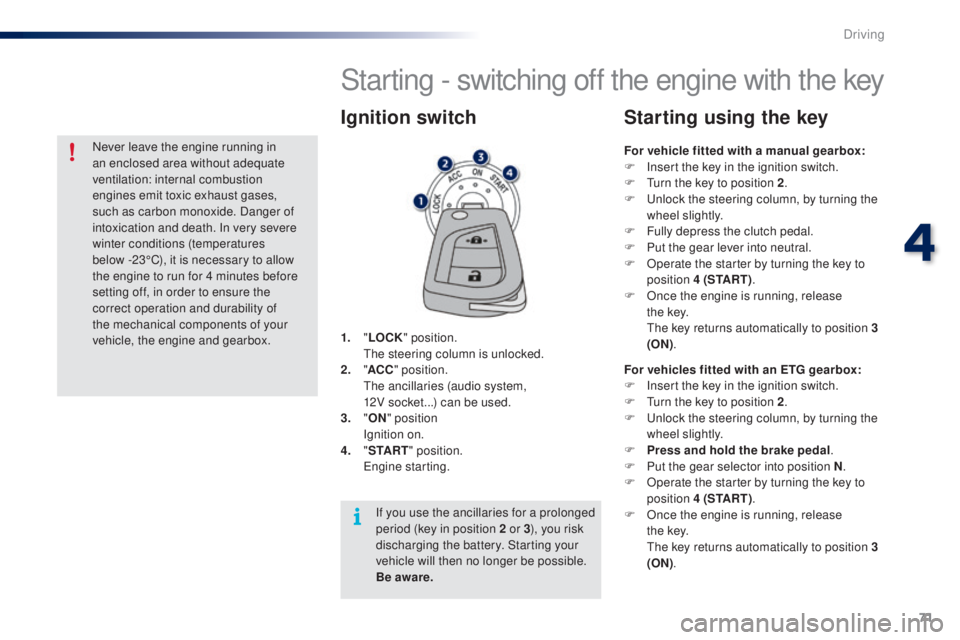
1. "L oCK " position.
th e steering column is unlocked.
2.
" AC
C" position.
t
h
e ancillaries (audio system,
12V
socket...) can be used.
3.
"
oN"
position
I
gnition on.
4.
" St
A R
t"
position.
e
n
gine starting.
Ignition switch
For vehicle fitted with a manual gearbox:
F I nsert the key in the ignition switch.
F
t
u
rn the key to position 2 .
F
u
n
lock the steering column, by turning the
wheel slightly.
F
F
ully depress the clutch pedal.
F
P
ut the gear lever into neutral.
F
O
perate the starter by turning the key to
position 4 (S
t
A R
t).
F
O
nce the engine is running, release
t h e
key.
t
h
e key returns automatically to position 3
(
o
N
).
Starting using the key
For vehicles fitted with an etg gearbox:
F I nsert the key in the ignition switch.
F
t
u
rn the key to position 2 .
F
u
n
lock the steering column, by turning the
wheel slightly.
F
P
ress and hold the brake pedal .
F
P
ut the gear selector into position N .
F
O
perate the starter by turning the key to
position 4 (S
t
A R
t).
F
O
nce the engine is running, release
t h e
key.
t
h
e key returns automatically to position 3
(
o
N
)
.
If you use the ancillaries for a prolonged
period (key in position 2 or 3 ), you risk
discharging the battery. Starting your
vehicle will then no longer be possible.
Be aware.
Never leave the engine running in
an enclosed area without adequate
ventilation: internal combustion
engines emit toxic exhaust gases,
such as carbon monoxide. Danger of
intoxication and death. In very severe
winter conditions (temperatures
below
-23°C), it is necessary to allow
the engine to run for 4 minutes before
setting off, in order to ensure the
correct operation and durability of
the mechanical components of your
vehicle, the engine and gearbox.
4
Driving
Page 75 of 268
73
108_en_Chap04_conduite_ed01-2016
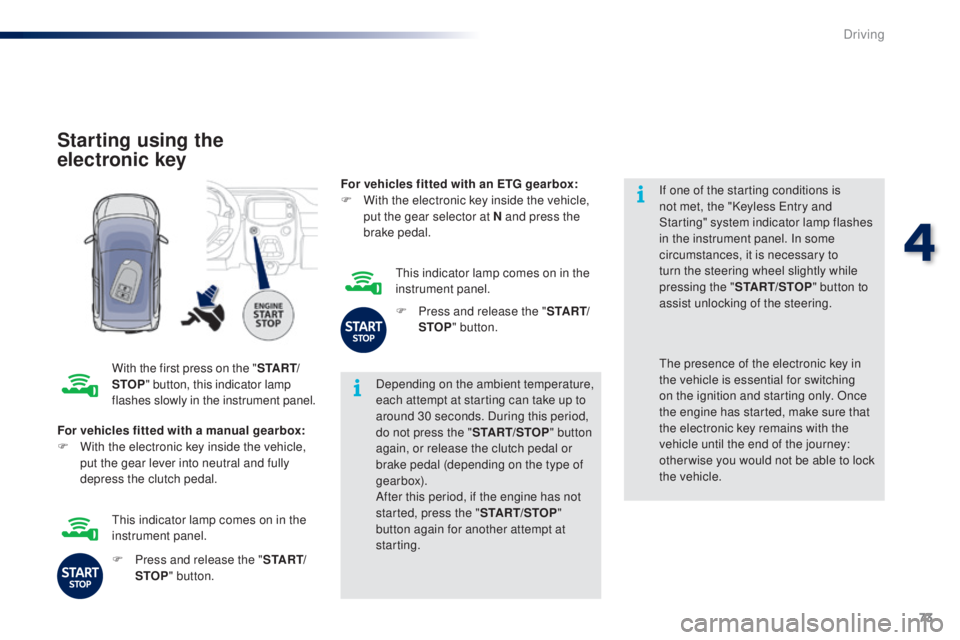
Starting using the
electronic key
With the first press on the "St A Rt/
StoP " b
utton, this indicator lamp
flashes slowly in the instrument panel. Depending on the ambient temperature,
each attempt at starting can take up to
around 30 seconds. During this period,
do not press the "
S
t
A
R
t/
S to
P" b
utton
again, or release the clutch pedal or
brake pedal (depending on the type of
gearbox).
After this period, if the engine has not
started, press the " S
t
A
R
t/
S to
P"
b
utton again for another attempt at
starting. If one of the starting conditions is
not met, the "Keyless
e
n
try and
Starting" system indicator lamp flashes
in the instrument panel. In some
circumstances, it is necessary to
turn the steering wheel slightly while
pressing the " S t
A
R
t/
S to
P
" b
utton to
assist unlocking of the steering.
For vehicles fitted with a manual gearbox:
F
W
ith the electronic key inside the vehicle,
put the gear lever into neutral and fully
depress the clutch pedal.th e presence of the electronic key in
the vehicle is essential for switching
on the ignition and starting only. Once
the engine has started, make sure that
the electronic key remains with the
vehicle until the end of the journey:
other wise you would not be able to lock
the
vehicle.
F
P
ress and release the " S
t
A R
t/
StoP " b
utton.
th
is indicator lamp comes on in the
instrument panel. For vehicles fitted with an
etg gearbox:
F
W
ith the electronic key inside the vehicle,
put the gear selector at N and press the
brake pedal.
th
is indicator lamp comes on in the
instrument panel.
F
P
ress and release the "
S
t
A R
t/
StoP " b
utton.
4
Driving
Page 78 of 268
76
108_en_Chap04_conduite_ed01-2016
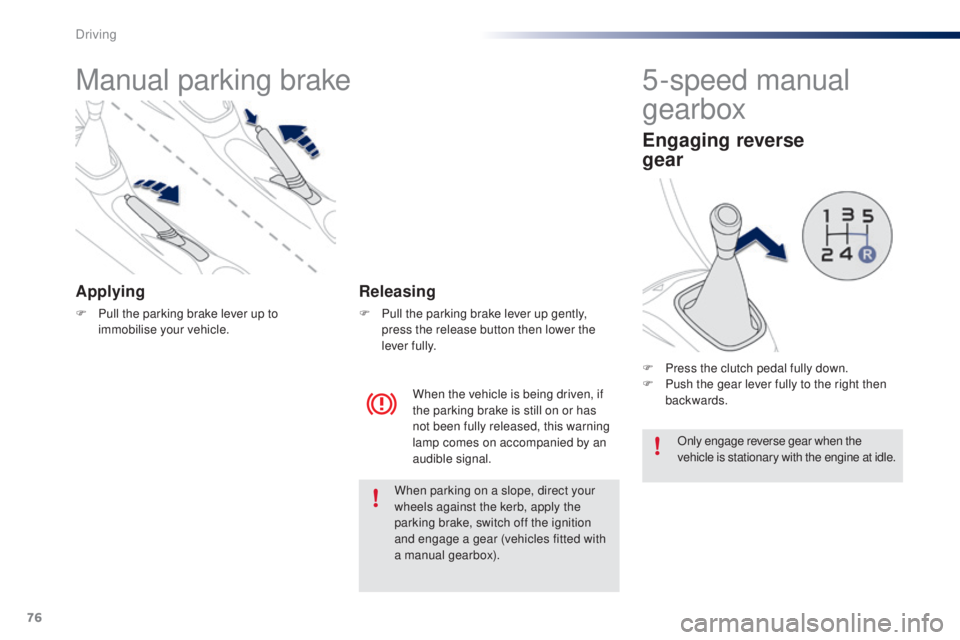
Manual parking brake
Applying
F Pull the parking brake lever up to immobilise your vehicle.
When the vehicle is being driven, if
the parking brake is still on or has
not been fully released, this warning
lamp comes on accompanied by an
audible signal.
Releasing
F Pull the parking brake lever up gently, press the release button then lower the
lever fully.
5-speed manual
gearbox
engaging reverse
gear
F Press the clutch pedal fully down.
F P ush the gear lever fully to the right then
backwards.
Only engage reverse gear when the
vehicle is stationary with the engine at idle.
When parking on a slope, direct your
wheels against the kerb, apply the
parking brake, switch off the ignition
and engage a gear (vehicles fitted with
a manual gearbox).
Driving
Page 88 of 268
86
108_en_Chap04_conduite_ed01-2016
the speed limiter cannot, in any
circumstances, replace the need to
observe speed limits, nor can it replace the
need for vigilance on the part of the driver.
Speed limiter (Puretech 82 engine)
the speed limiter is switched on manually:
this can be done whatever the speed of the
vehicle. However, if you are driving at less than
20 mph (30 km/h), the programmed speed will
be fixed at 20 mph (30 km/h).
th
e speed limiter is paused by operation of the
control.
th
e programmed speed can be exceeded
temporarily by pressing the accelerator firmly
beyond the point of resistance.
to r
eturn to the programmed speed, simply
release the accelerator pedal until the vehicle
returns to the programmed speed limit. System which prevents the vehicle from exceeding the speed programmed by the driver.Steering mounted controls
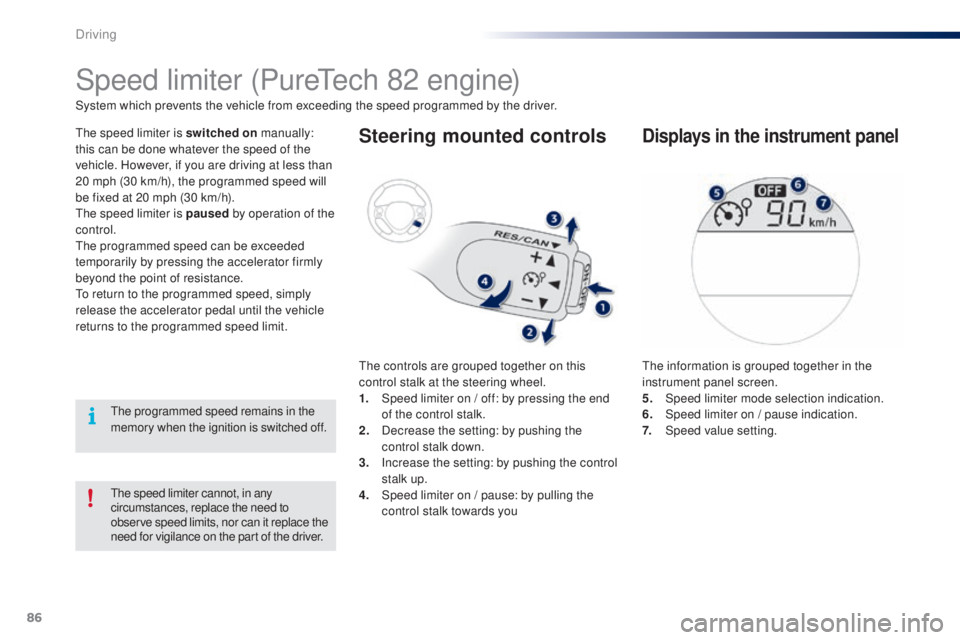
the controls are grouped together on this
control stalk at the steering wheel.
1.
S
peed limiter on / off: by pressing the end
of the control stalk.
2.
D
ecrease the setting: by pushing the
control stalk down.
3.
I
ncrease the setting: by pushing the control
stalk up.
4.
S
peed limiter on / pause: by pulling the
control stalk towards you
Displays in the instrument panel
the information is grouped together in the
instrument panel screen.
5.
Spe
ed limiter mode selection indication.
6.
S
peed limiter on / pause indication.
7.
Spe
ed value setting.
th
e programmed speed remains in the
memory when the ignition is switched off.
Driving
Page 91 of 268
89
108_en_Chap04_conduite_ed01-2016
Speed limiter (Vti 68 engine)
System which prevents the vehicle from exceeding the speed programmed by the driver.
th
e speed limiter is switched on manually:
this can be done whatever the speed of the
vehicle. However, if you are driving at less than
20 mph (30 km/h), the programmed speed will
be fixed at 20 mph (30 km/h).
th
e speed limiter is paused by operation of the
control.
th
e programmed speed can be exceeded
temporarily by pressing the accelerator firmly
beyond the point of resistance.
to r
eturn to the programmed speed, simply
release the accelerator pedal until the vehicle
returns to the programmed speed limit.
th
e programmed limit speed is erased
when switching off the ignition.
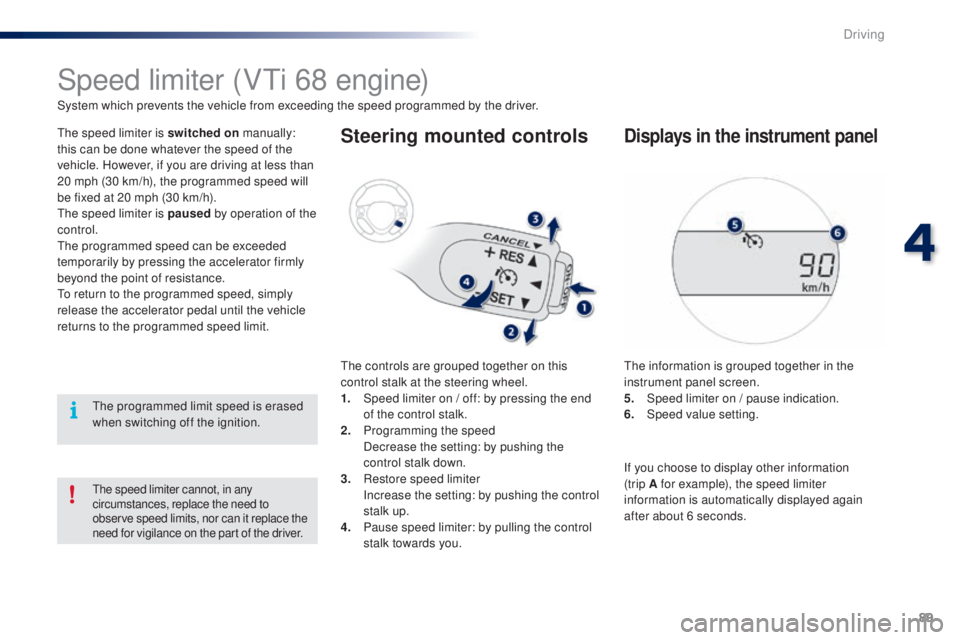
Steering mounted controls
the controls are grouped together on this
control stalk at the steering wheel.
1.
S
peed limiter on / off: by pressing the end
of the control stalk.
2.
P
rogramming the speed
D
ecrease the setting: by pushing the
control stalk down.
3.
R
estore speed limiter
I
ncrease the setting: by pushing the control
stalk up.
4.
P
ause speed limiter: by pulling the control
stalk towards you.
Displays in the instrument panel
the information is grouped together in the
instrument panel screen.
5.
S
peed limiter on / pause indication.
6.
Spe
ed value setting.
the speed limiter cannot, in any
circumstances, replace the need to
observe speed limits, nor can it replace the
need for vigilance on the part of the driver.
If you choose to display other information
(trip A for example), the speed limiter
information is automatically displayed again
after about 6 seconds.
4
Driving
Page 95 of 268
93
108_en_Chap04_conduite_ed01-2016
Lane departure warning system
System which detects the unintended crossing of longitudinal traffic lane markings on the ground, using a camera that recognises both solid and
broken lines.
to i
mprove your safety, the camera analyses the image and then triggers a warning if the vehicle wanders over a lane marking (speed higher than
30
mph (50 km/h)).
th
is system is particularly suitable for motorways and dual carriageways.
th
e lane departure warning system
cannot in any circumstances replace
the need for vigilance on the part of
the
driver.
It is necessary to observe driving
regulations and take a break every
two
hours.
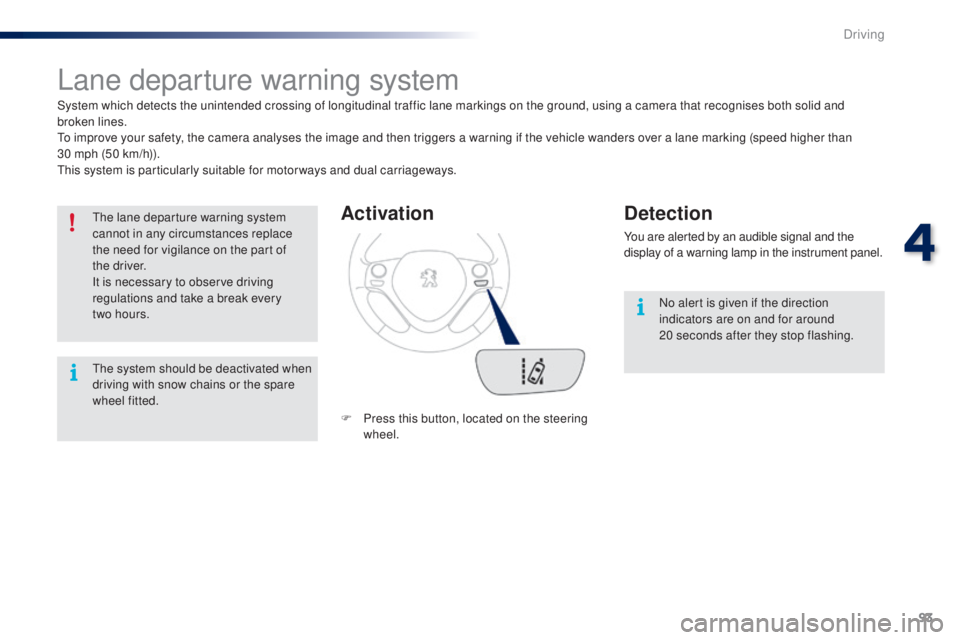
Activation
F Press this button, located on the steering wheel.
Detection
You are alerted by an audible signal and the
display of a warning lamp in the instrument panel.
No alert is given if the direction
indicators are on and for around
20
seconds after they stop flashing.
th
e system should be deactivated when
driving with snow chains or the spare
wheel fitted.
4
Driving
Page 97 of 268
95
108_en_Chap04_conduite_ed01-2016
Under-inflation detection
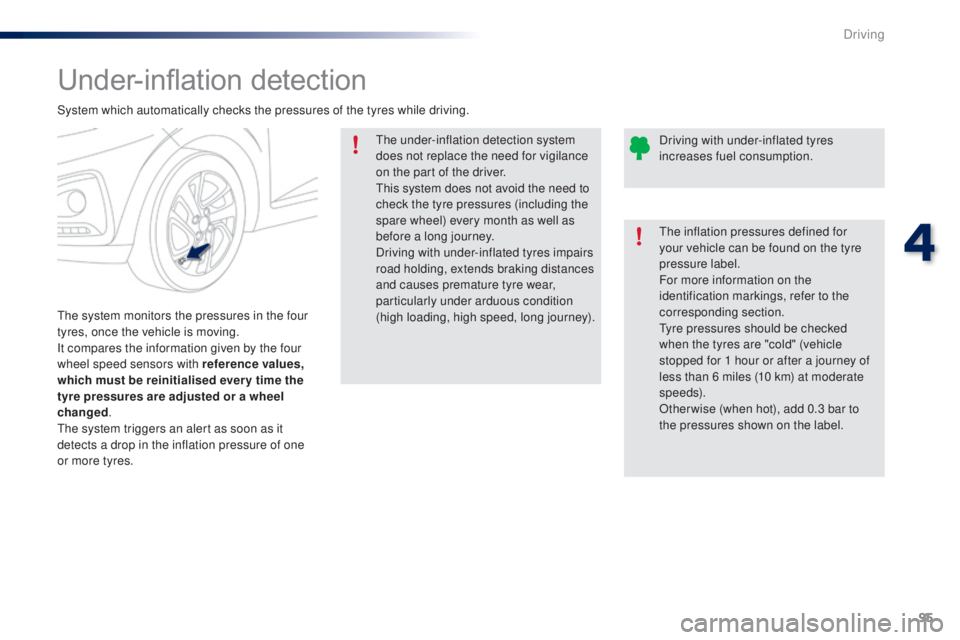
the system monitors the pressures in the four
tyres, once the vehicle is moving.
It compares the information given by the four
wheel speed sensors with reference values,
which must be reinitialised ever y time the
tyre pressures are adjusted or a wheel
changed.
th
e system triggers an alert as soon as it
detects a drop in the inflation pressure of one
or more tyres.
th
e under-inflation detection system
does not replace the need for vigilance
on the part of the driver.
th
is system does not avoid the need to
check the tyre pressures (including the
spare wheel) every month as well as
before a long journey.
Driving with under-inflated tyres impairs
road holding, extends braking distances
and causes premature tyre wear,
particularly under arduous condition
(high loading, high speed, long journey).
System which automatically checks the pressures of the tyres while driving.
th
e inflation pressures defined for
your vehicle can be found on the tyre
pressure label.
For more information on the
identification markings, refer to the
corresponding section.ty re pressures should be checked
when the tyres are "cold" (vehicle
stopped for 1 hour or after a journey of
less than 6 miles (10 km) at moderate
speeds).
Other wise (when hot), add 0.3 bar to
the pressures shown on the label. Driving with under-inflated tyres
increases fuel consumption.
4
Driving
Page 98 of 268
96
108_en_Chap04_conduite_ed01-2016
under-inflation alert
this is given by fixed illumination of
this warning lamp, accompanied by
an audible signal.
F
R
educe speed immediately, avoid
excessive steering movements and sudden
braking.
F
S
top the vehicle as soon as it is safe to
do
so.
th
e loss of pressure detected does not
always cause visible bulging of the tyre.
Do not satisfy yourself with just a visual
check.
F
I
f you have a compressor (such as the one
in the temporary puncture repair kit) check
the pressures of the four tyres when cold.
I
f it is not possible to carry out this check
straight away, drive carefully at reduced
speed.
or
F
I
n the event of a puncture, use the
temporary puncture repair kit or the spare
wheel (depending on equipment).
th
e alert is maintained until the system
is reinitialised.
Reinitialisation
Before reinitialising the system, ensure
that the pressures of the four tyres are
correct for the use of the vehicle and in
line with the recommendations on the
tyre pressure label.
th
e under-inflation alert can only be
relied on if the reinitialisation of the
system has done with the pressures in
the four tyres correctly adjusted.
th
e under-inflation detection system
does not give a warning if a pressure is
incorrect at the time of reinitialisation.
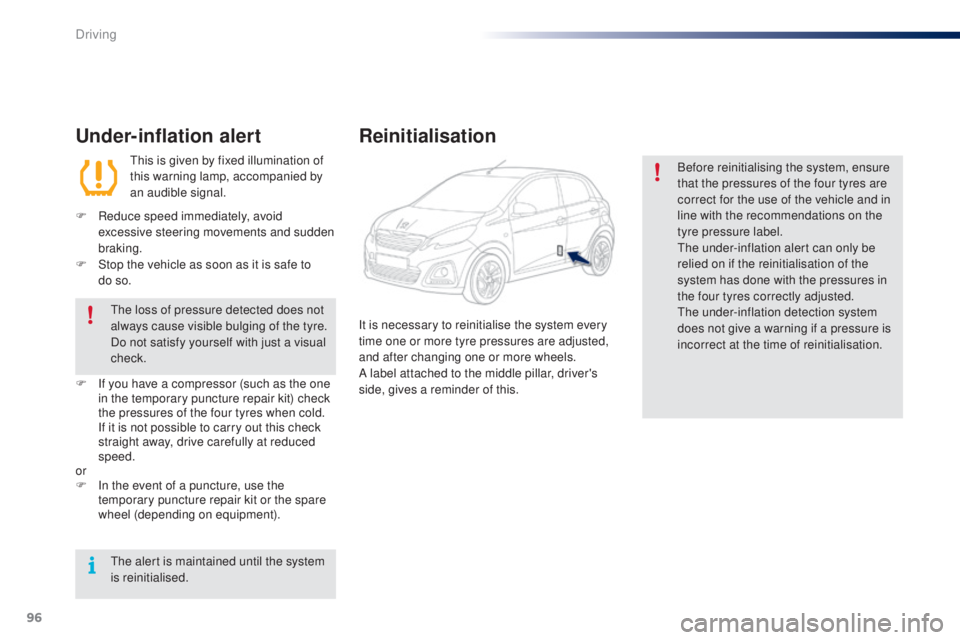
It is necessary to reinitialise the system every
time one or more tyre pressures are adjusted,
and after changing one or more wheels.
A label attached to the middle pillar, driver's
side, gives a reminder of this.
Driving
Page 108 of 268
106
108_en_Chap06_securite_ed01-2016
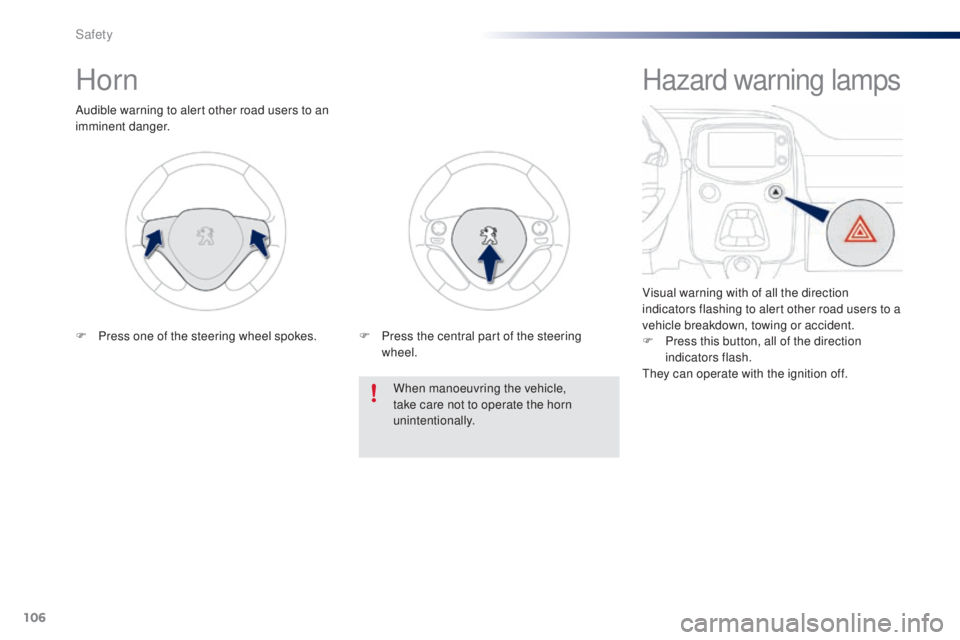
Horn
Audible warning to alert other road users to an
imminent danger.When manoeuvring the vehicle,
take care not to operate the horn
unintentionally.
F
P
ress one of the steering wheel spokes. F
P
ress the central part of the steering
wheel.
Hazard warning lamps
Visual warning with of all the direction
indicators flashing to alert other road users to a
vehicle breakdown, towing or accident.
F
P
ress this button, all of the direction
indicators flash.
th
ey can operate with the ignition off.
Safety
Page 109 of 268
107
108_en_Chap06_securite_ed01-2016
electronic Stability Control (eSC) incorporating
the following systems:
-
a
nti-lock braking system (ABS) and the
electronic brake force distribution (
eB
FD),
-
em
ergency braking assistance,
-
t
raction control (
tR
C),
-
d
ynamic stability control (DSC).
electronic stability control (eS C)
Definitions
Anti-lock braking system (ABS)
and electronic brake force
distribution (
e
BFD)
these systems improve the stability and
manoeuvrability of your vehicle when braking
and contribute towards better control in
corners, in particular on poor or slippery road
surfaces.
th
e ABS prevents wheel lock in the event of
emergency braking.
th
e electronic brake force distribution system
manages the braking pressure wheel by wheel.
emergency braking assistance
In an emergency, this system enables you to
reach the optimum braking pressure more
quickly and therefore reduce the stopping
distance.
It is triggered according to the speed at which
the brake pedal is pressed.
t
h
is is felt by a
reduction in the resistance of the pedal and an
increase in the effectiveness of the braking.
traction control (tR C)
this system optimises traction in order to limit
wheel slip by acting on the brakes of the driving
wheels and on the engine. It also improves
the directional stability of the vehicle on
acceleration.
Dynamic stability control (DSC)
If there is a difference between the path
followed by the vehicle and that required by the
driver, this system monitors each wheel and
automatically acts on the brake of one or more
wheels and on the engine to return the vehicle
to the required path, within the limits of the laws
of physics.
6
Safety