warning light PEUGEOT 2008 2013 User Guide
[x] Cancel search | Manufacturer: PEUGEOT, Model Year: 2013, Model line: 2008, Model: PEUGEOT 2008 2013Pages: 324, PDF Size: 8.39 MB
Page 84 of 324
82
Driving
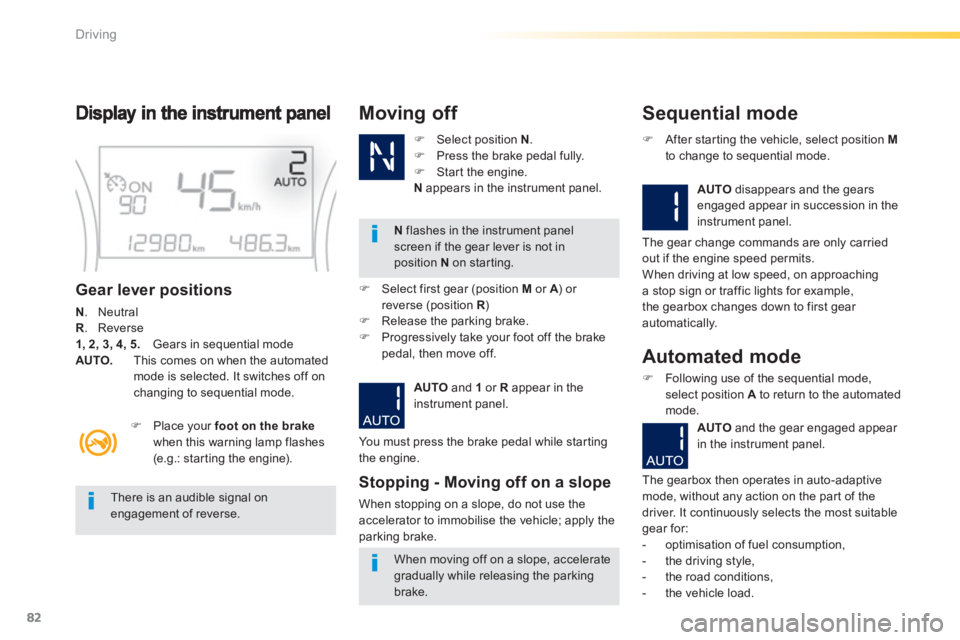
Gear lever positions
N
. Neutral R
. Reverse 1, 2, 3, 4, 5.
Gears in sequential mode AUTO.
This comes on when the automatedmode is selected. It switches off on changing to sequential mode.
)Select position N.)Press the brake pedal fully.)Star t the engine.
Nappears in the instrument panel.
Moving off
N
flashes in the instrument panelscreen if the gear lever is not inposition N
on starting.
)
Place your foot on the brakewhen this warning lamp flashes(e.g.: star ting the engine).
There is an audible signal on engagement of reverse.
When moving off on a slope, accelerate gradually while releasing the parking brake.
)
Select first gear (position Mor A
) or Areverse (position R)R)
Release the parking brake.)
Progressively take your foot off the brakepedal, then move off.
AUTO
and 1
or R
appear in the
instrument panel.
Stopping - Moving off on a slope
When stopping on a slope, do not use the
accelerator to immobilise the vehicle; apply the
parkin
g brake.
Sequential mode
AUTOdisappears and the gearsengaged appear in succession in the
instrument panel.
)After star ting the vehicle, select position Mto change to sequential mode.
The
gear change commands are only carried
out if the engine speed permits.
When driving at low speed, on approachinga stop sign or traffic lights for example,
the gearbox changes down to first gear
automatically.
You must press the brake pedal while star ting
the en
gine.
Automated mode
)Following use of the sequential mode, select position A
to return to the automated mode.
AUT
Oand the gear engaged appear in the instrument panel.
The gearbox then operates in auto-adaptive mode, without any action on the par t of the
driver. It continuously selects the most suitable
gear for:
- optimisation of fuel consumption,
- the drivin
g style,
- the road conditions,
- th
e vehicle load.
Page 92 of 324
90
Driving
Manual operation
)Select position M for sequentialchanging
o
f the four gears.)Push the lever towards the + sign tochange up a gear. )Pull the lever towards the -
sign to change
down a gear.
It is only possible to change from one gear to another if the vehicle speed and engine speedpermit; otherwise, the gearbox will operate
temporarily in automatic mode.
D disappears and the gears engaged appear in succession in the
instrument panel.
Invalid value during manual operation
This symbol is displayed if a gear
is not engaged correctly (selector
between two positions).
Stopping the vehicle
Before switching off the engine, you can engage
position Por N
to place the gearbox in neutral.
In both cases, apply the parking brake to
immobilise the vehicle.
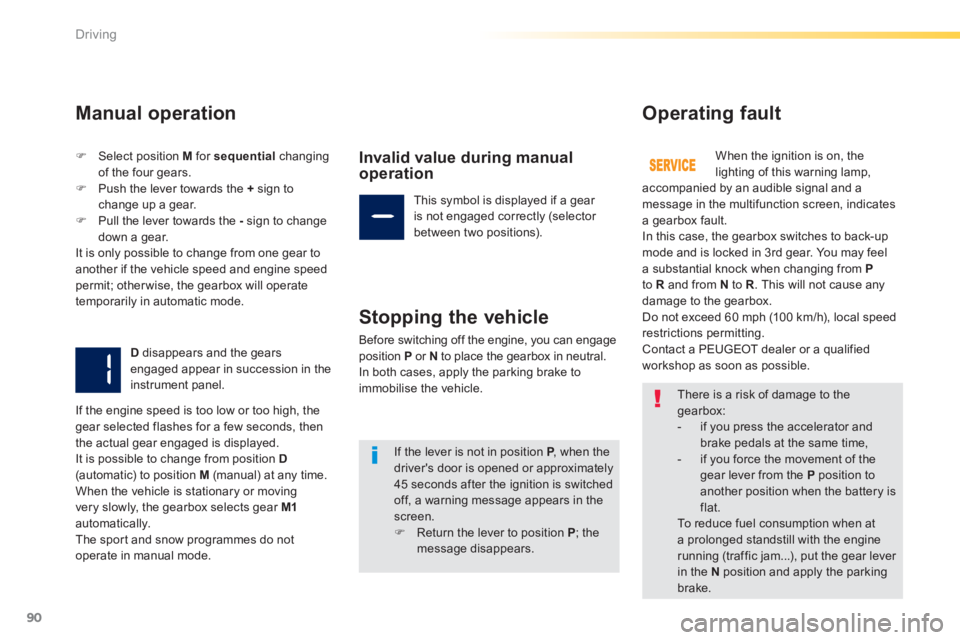
Operating fault
When the ignition is on, thelighting of this warning lamp,
accompanied by an audible signal and a
message in the multifunction screen, indicates
a gearbox fault.
In this case, the gearbox switches to back-up mode and is locked in 3rd gear. You may feel
a substantial knock when changing from Pto Rand from N to R
. This will not cause any damage to the gearbox.
Do not exceed 60 mph (10 0 km/h), local speed
restrictions permitting.
Contact a PEUGEOT dealer or a qualified
workshop as soon as possible.
I
f the engine speed is too low or too high, the
gear selected flashes for a few seconds, then
the actual gear engaged is displayed.
It is possible to change from position D(automatic) to position M (manual) at any time.
When the vehicle is stationary or movingvery slowly, the gearbox selects gear M1automatically. The spor t and snow programmes do not
operate in manual mode.
There is a risk of damage to thegearbox:
- if you press the accelerator and brake pedals at the same time,
- if you force the movement of the gear lever from the Pposition toanother position when the battery isflat.
To reduce fuel consumption when at
a prolonged standstill with the enginerunning (traffic jam...), put the gear lever in the Nposition and apply the parkingbrake.
If the lever is not in position P
, when the Pdriver's door is opened or approximately 45 seconds after the ignition is switchedoff, a warning message appears in the screen.)Return the lever to position P; the
message disappears.
Page 94 of 324
92
Driving
Stop & Start The Stop & Star t system puts the engine temporarily into standby - STOP mode - during stops in the traffic (red lights, traffic jams, or other...). The engine restar ts automatically - START mode - as soon as you want to move off. The restar t takes place instantly, quickly and silently.
Per fect for urban use, the Stop & Star t system reduces fuel consumption and exhaust emissions as well as the noise level when stationary.
Operation
Going into engine STOP mode
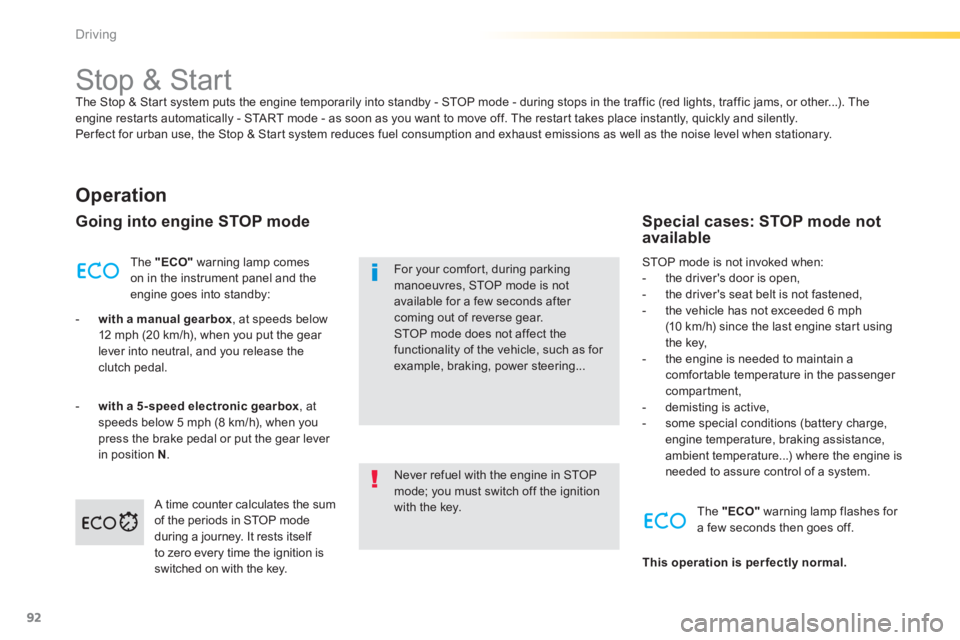
The "ECO"warning lamp comes
on in the instrument panel and the engine goes into standby:
- with a manual gearbox
, at speeds below
12 mph (20 km/h), when you put the gear lever into neutral, and you release theclutch pedal.
-with a 5-speed electronic gearbox , at
speeds below 5 mph (8 km/h), when you
press the brake pedal or put the gear lever in position N.
Never refuel with the engine in STOPmode; you must switch off the ignition with the key.
For your comfort, during parkingmanoeuvres, STOP mode is not available for a few seconds after coming out of reverse gear.STOP mode does not affect the functionality of the vehicle, such as for example, braking, power steering...
Special cases: STOP mode not available
STOP mode is not invoked when:
- the driver's door is open,
- the driver's seat belt is not fastened,
- the vehicle has not exceeded 6 mph(10 km/h) since the last engine start usingthe key,
- the engine is needed to maintain acomfortable temperature in the passenger compartment,
- demisting is active,
- some special conditions (battery charge, engine temperature, braking assistance,ambient temperature...) where the engine isneeded to assure control of a system.
A tim
e counter calculates the sum
of the periods in STOP mode
during a journey. It rests itself
to zero every time the ignition is
switched on with the key.
The "ECO"warning lamp flashes for
a few seconds then goes off.
This operation is per fectly normal.
Page 114 of 324
112
Visibility
Temporarily keeping the dipped beam
headlamps on after the vehicle's ignition has been switched off makes the driver's exit easier
when the light is poor.
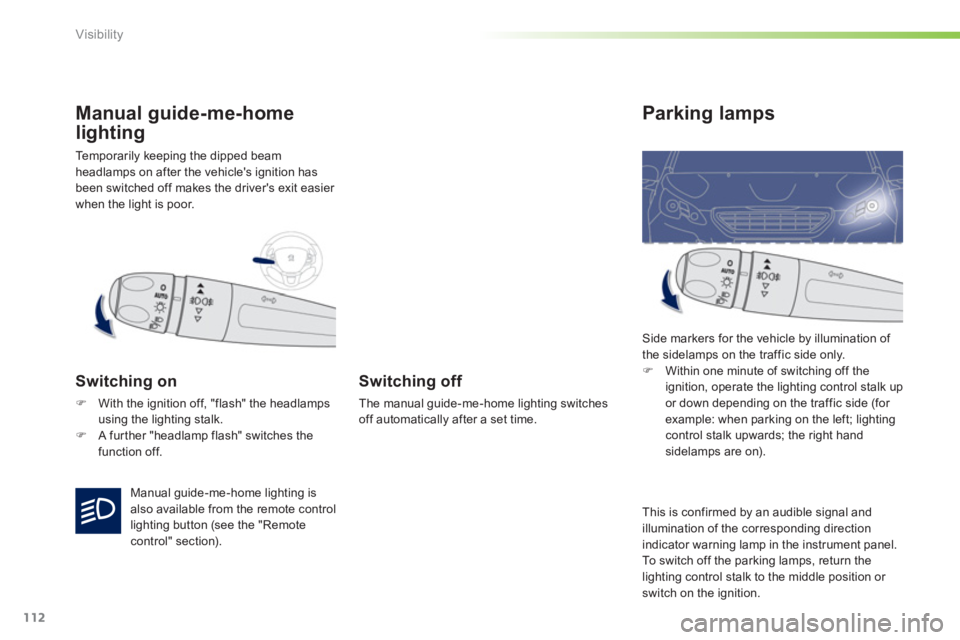
Manual guide-me-home
lighting
Switching on
)With the ignition off, "flash" the headlampsusing the lighting stalk.
)A fur ther "headlamp flash" switches the
function off.
Switching off
The manual guide-me-home lighting switches
off automatically after a set time.
Parking lamps
Side markers for the vehicle by illumination of
the sidelamps on the traffic side only.)Within one minute of switching off the
ignition, operate the lighting control stalk up
or down depending on the traffic side (for example: when parking on the left; lighting
control stalk upwards; the right handsidelamps are on).
Manual
guide-me-home lighting isalso available from the remote controllighting button (see the "Remotecontrol" section). This is con
firmed by an audible signal and
illumination of the corresponding direction
indicator warning lamp in the instrument panel.
To switch o
ff the parking lamps, return the
lighting control stalk to the middle position or switch on the ignition.
Page 115 of 324
113
5
Visibility
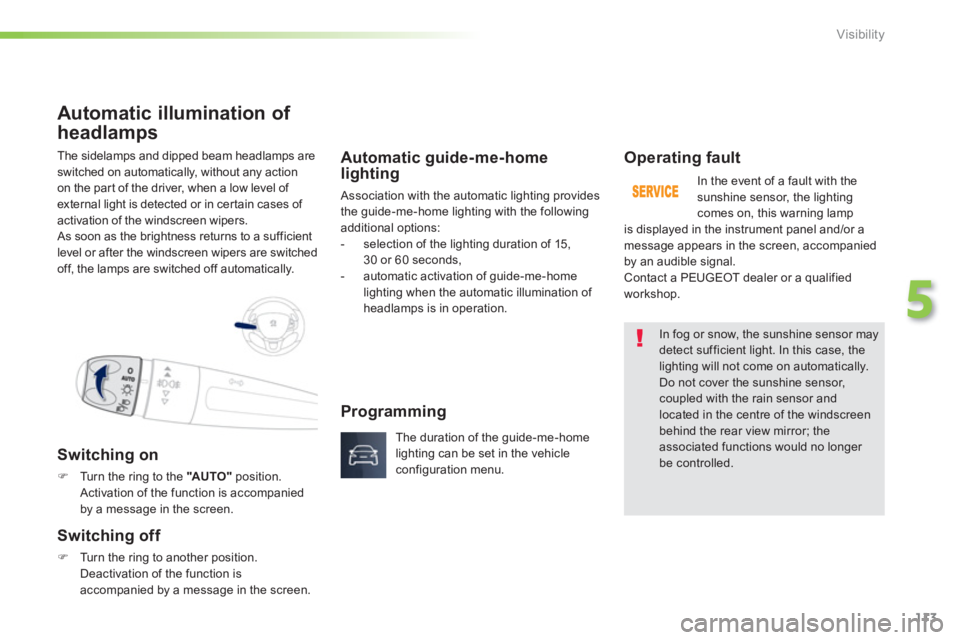
The sidelamps and dipped beam headlamps are
switched on automatically, without any action
on the part of the driver, when a low level of external light is detected or in certain cases of
activation of the windscreen wipers.
As soon as the brightness returns to a sufficient
level or after the windscreen wipers are switched
o
ff, the lamps are switched off automatically.
Automatic illumination of
headlam
ps
Switching on
)Turn the ring to the "AUTO"position. Activation of the function is accompanied
by a message in the screen.
Switching off
)Turn the ring to another position.
Deactivation of the function is accompanied by a message in the screen.
Automatic guide-me-home lighting
Association with the automatic lighting provides
the guide-me-home lighting with the followingadditional options:
- selection of the lighting duration of 15,
30 or 60 seconds,
- automatic activation o
f guide-me-home lighting when the automatic illumination of
headlamps is in operation.
Operating fault
In the event of a fault with the
sunshine sensor, the lighting comes on, this warning lamp
is displayed in the instrument panel and/or a
message appears in the screen, accompaniedby an audible signal.
Contact a PEUGEOT dealer or a qualified
workshop.
In fog or snow, the sunshine sensor maydetect sufficient light. In this case, the lighting will not come on automatically. Do not cover the sunshine sensor,coupled with the rain sensor and located in the centre of the windscreenbehind the rear view mirror; theassociated functions would no longer be controlled.
Programming
The duration of the guide-me-home
lighting can be set in the vehicleconfiguration menu.
Page 124 of 324
122
Safety
Direction indicators
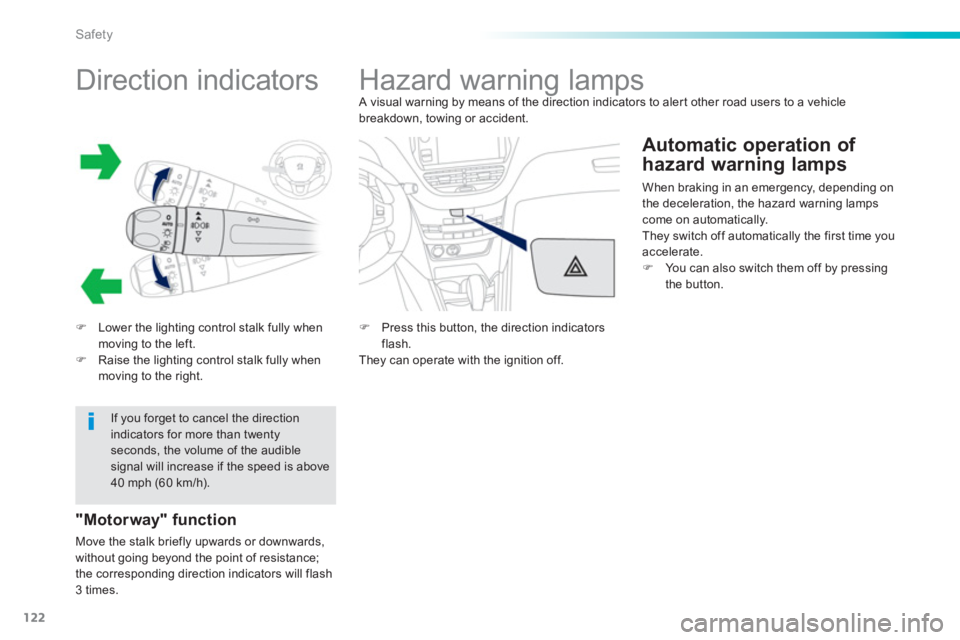
)Lower the lighting control stalk fully when moving to the left.)Raise the lighting control stalk fully when moving to the right.
"Motorway" function
Move the stalk briefly upwards or downwards,
without going beyond the point of resistance;
the corresponding direction indicators will flash 3 times.
If you forget to cancel the directionindicators for more than twenty seconds, the volume of the audible signal will increase if the speed is above40 mph (60 km/h).
Hazard warning lamps
A visual warning by means of the direction indicators to aler t other road users to a vehiclebreakdown, towing or accident.
Automatic operation of
hazard warnin
g lamps
When braking in an emergency, depending on
the deceleration, the hazard warning lamps come on automatically.
They switch off automatically the first time you accelerate.)You can also switch them off by pressingthe button.
)
Press this button, the direction indicatorsflash.
They can operate with the ignition off.
Page 127 of 324
125
6
Safety
Operation
Anti-lock braking system (ABS) and electronic brake force distribution (EBFD)
In emergency braking, pressvery firmly without releasing thepressure.
When changing wheels (tyres and rims), make sure that these are approved for your vehicle. Normal operation of the ABS may makeitself felt by slight vibrations of the brakepedal. When this warnin
g lamp comes on, accompanied by an audible signal and a message, it indicates that
there is a fault with the ABS, whichcould cause loss of control of the vehicle when braking.
When this warnin
g lamp comes on, coupled with the STOP
warning lamp, accompanied by an audible signal and a message, it indicates that
there is a fault with the electronic brake force
distribution (EBFD), which could cause loss of control of the vehicle when braking.You must stop as soon as it is safe to do so. In both cases, contact a PEUGEOT dealer or aqualified workshop.
Page 133 of 324
131
6
Safety
The driver must ensure that passengers usethe seat belts correctly and that they are allrestrained securely before setting off.
Wherever you are seated in the vehicle, always fasten your seat belt, even for short journeys.
Do not interchange the seat belt buckles asthey will not fulfil their role fully.
The seat belts are fitted with an inertia reel permitting automatic adjustment of the length of the strap to your size. The seat belt isstowed automatically when not in use.
Before and after use, ensure that the seatbelt is reeled in correctly.
The lower par t of the strap must bepositioned as low as possible on the pelvis.
The upper par t must be positioned in the hollow of the shoulder.
The inertia reels are fitted with an automatic locking device which comes into operation inthe event of a collision, emergency braking or if the vehicle rolls over. You can releasethe device by pulling firmly on the strap and releasing it so that it reels in slightly.
Recommendations for children
Use a suitable child seat if the passenger isless than 12 years old or shor ter than one
and a half metres. Never use the same seat belt to secure morethan one person. Never allow a child to travel on your lap.
In order to be effective, a seat belt must:
- be tightened as close to the body as possible,
- be pulled in front of you with a smooth movement, checking that it does nottwist,
- be used to restrain only one person,
- not bear any trace of cuts or fraying,
- not be converted or modified to avoid affecting its per formance.
In accordance with current safety regulations, for all repairs on your vehicle, go to a qualified workshop with the skills and equipment needed, which a PEUGEOT dealer is able to provide.
Have your seat belts checked regularly by a PEUGEOT dealer or a qualified workshop, particularly if the straps show signs of damage.
Clean the seat belt straps with soapywater or a textile cleaning product, sold by PEUGEOT dealers.
After folding or moving a seat or rear bench seat, ensure that the seat belt is positioned and reeled in correctly.
In the event of an impact
Depending on the nature and seriousness of the impact
, thepretensioning device may be deployedbefore and independently of the airbags.Deployment of the pretensioners isaccompanied by a slight discharge of harmless smoke and a noise, due to theactivation of the pyrotechnic cartridgeincorporated in the system.In all cases, the airbag warning lamp comes on.Following an impact, have the seat belts system checked, and if necessary replaced,by a PEUGEOT dealer or a qualified workshop.
Page 182 of 324
180
Practical information
Driving advice
Distribution of loads
)Distribute the load in the trailer so that theheaviest items are as close as possible to
the axle and the nose weight approaches the maximum permitted without exceeding it.
Air density decreases with altitude, thus reducing engine performance. Above1 000 metres, the maximum towed load must
be reduced by 10 % for every 1 000 metres of altitude.
Side wind
)Take into account the increased sensitivity
to side wind.
Cooling
To w i ng a trailer on a slope increases the
temperature of the coolant.
As the fan is electricall
y controlled, its cooling capacity is not dependent on the engine speed.)
To lower the engine speed, reduce your speed.
The maximum towed load on a long incline
depends on the gradient and the ambient
tem
perature.
In all cases, keep a check on the coolant
temperature.
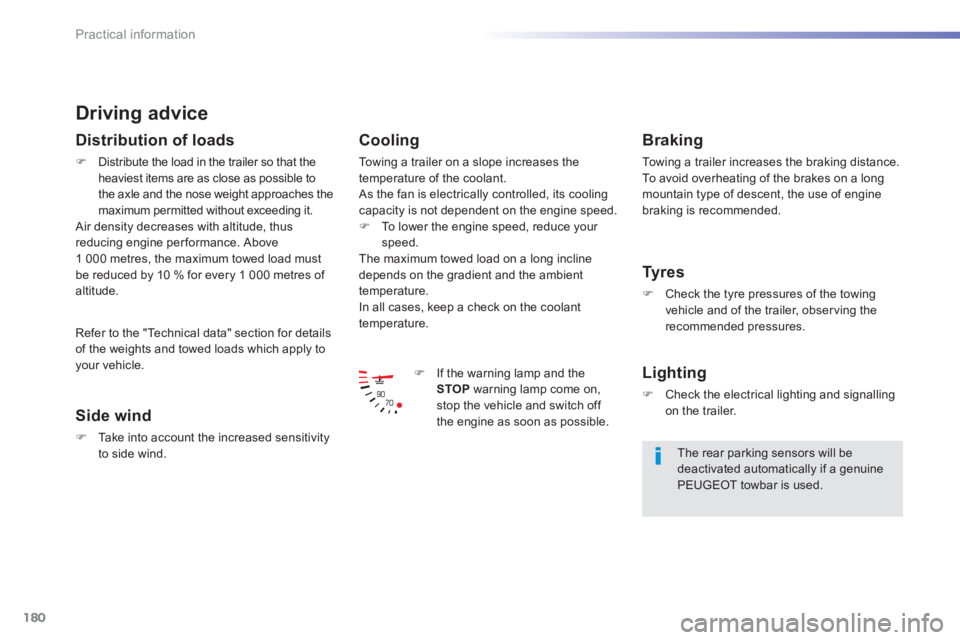
)If the warning lamp and the
STOP warning lamp come on, stop the vehicle and switch off
the engine as soon as possible.
Braking
To w i ng a trailer increases the braking distance.
To avoid overheating of the brakes on a longmountain type of descent, the use of engine braking is recommended.
Tyres
)Check the tyre pressures of the towingvehicle and of the trailer, obser ving the recommended pressures.
Lighting
)Check the electrical lighting and signalling on the trailer.
The rear parking sensors will be deactivated automatically if a genuine PEUGEOT towbar is used.
R
efer to the "Technical data" section for details
of the weights and towed loads which apply to your vehicle.
Page 184 of 324
182
Practical information
Accessories
A wide range of accessories and genuine par ts is available from the PEUGEOT dealer network.
These accessories and par ts have been tested and approved for reliability and safety.
They are all adapted to your vehicle and benefit from PEUGEOT's recommendation and warranty.
Conversion kits
You can obtain an "Enterprise" kit to conver t a
private car into a trade vehicle.
"Comfort":
door deflectors, side blinds and rear blind,
cigarette lighter, boot dividers, coat hanger
fixed to head restraint, front and rear parkingsensors...
"Transport solutions":
boot liner, luggage net, roof bars, bicycle carrier
on roo
f bars, ski carrier, roof box, towbars....
* To avoid an
y risk of jamming of the pedals:
- ensure that the mat is positioned and
secured correctl
y,
- never fit one mat on top of another.
"Styling":
gear lever knob, spoiler, styling strips, alloy
wheels, trims, chromed mirror shells...
"Security":
anti-theft alarm, window engraving, wheel
security bolts, child seats and booster cushions, breathalyzer, first aid kit, warning
triangle, high visibility jacket, stolen vehicle
tracking system, temporary puncture repair kit,snow chains, non-slip covers, front foglamps
kit, dog guard...
"Protection":
mats * , seat covers compatible with lateral
airba
gs, mud flaps, door sill protectors,stainless steel boot sill protector, bumper protection strips, aluminium foot rest...
Tow bar, which mst be fitted byPEUGEOT dealer or a qualified workshop.