instrument panel PEUGEOT 2008 2015 Owner's Manual
[x] Cancel search | Manufacturer: PEUGEOT, Model Year: 2015, Model line: 2008, Model: PEUGEOT 2008 2015Pages: 340, PDF Size: 8.4 MB
Page 92 of 340
90
2008_en_Chap05_conduite_ed01-2015
Four-speed automatic gearbox which offers a
choice between the comfort of fully automatic
operation, enhanced by sport and snow
programmes, or manual gear changing.
There are therefore four driving modes:
-
a
utomatic operation for electronic
management of the gears by the gearbox,
-
sp
ort programme for a more dynamic style
of driving,
-
s
now programme to improve driving when
traction is poor,
-
s
equential operation for manual changing
of the gears by the driver.
Automatic gearbox
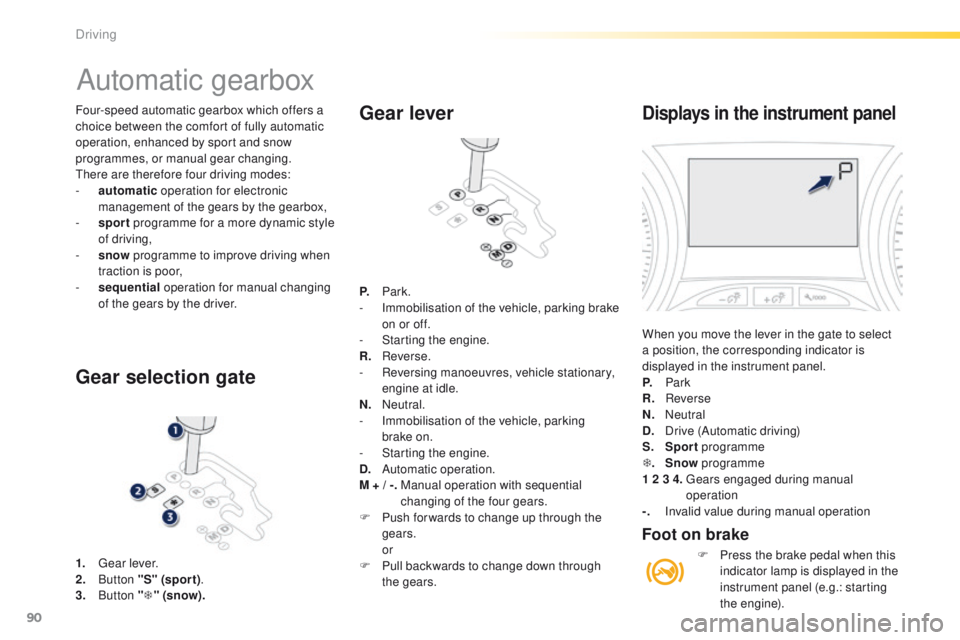
1. Gear lever.
2. B utton "S" (spor t) .
3.
Button "T " (snow).
Gear selection gate Gear lever
P.
Park.
- I mmobilisation of the vehicle, parking brake
on or off.
-
S
tarting the engine.
R.
R
everse.
-
R
eversing manoeuvres, vehicle stationary,
engine at idle.
N.
N
eutral.
-
I
mmobilisation of the vehicle, parking
brake on.
-
S
tarting the engine.
D.
A
utomatic operation.
M + / -.
M
anual operation with sequential
changing of the four gears.
F
P
ush for wards to change up through the
gears.
or
F
P
ull backwards to change down through
the gears.
Displays in the instrument panel
When you move the lever in the gate to select
a position, the corresponding indicator is
displayed in the instrument panel.
P.
Park
R.
Reverse
N.
N
eutral
D.
D
rive (Automatic driving)
S.
Sport programme
T .
Snow programme
1 2 3 4.
G
ears engaged during manual
operation
-.
I
nvalid value during manual operation
Foot on brake
F Press the brake pedal when this indicator lamp is displayed in the
instrument panel (e.g.: starting
the engine).
Driving
Page 94 of 340
92
2008_en_Chap05_conduite_ed01-2015
Sport and snow programmes
Sport programme "S"
F Press button "S", after starting the engine.
The gearbox automatically favours a dynamic
style of driving.
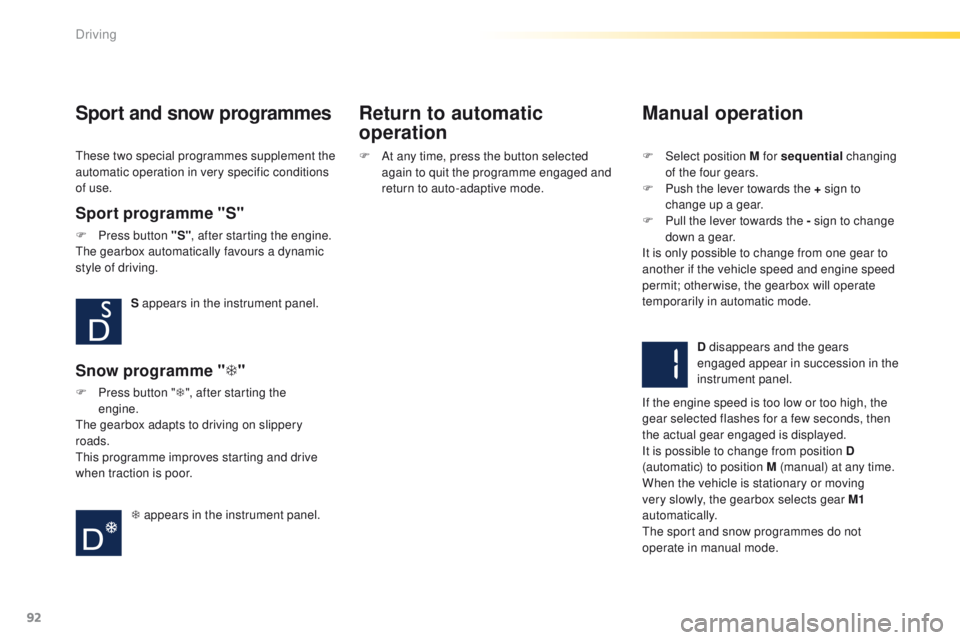
S appears in the instrument panel.
Snow programme " T"
F Press button " T", after starting the
engine.
The gearbox adapts to driving on slippery
roads.
This programme improves starting and drive
when traction is poor.
T appears in the instrument panel.
These two special programmes supplement the
automatic operation in very specific conditions
of use.
Return to automatic
operation
Manual operation
F Select position M for sequential
changing
of the four gears.
F
P
ush the lever towards the + sign to
change up a gear.
F
P
ull the lever towards the - sign to change
down a gear.
It is only possible to change from one gear to
another if the vehicle speed and engine speed
permit; otherwise, the gearbox will operate
temporarily in automatic mode.
D disappears and the gears
engaged appear in succession in the
instrument panel.
If the engine speed is too low or too high, the
gear selected flashes for a few seconds, then
the actual gear engaged is displayed.
It is possible to change from position D
(automatic) to position M (manual) at any time.
When the vehicle is stationary or moving
very slowly, the gearbox selects gear M1
automatically.
The sport and snow programmes do not
operate in manual mode.
F
A
t any time, press the button selected
again to quit the programme engaged and
return to auto-adaptive mode.
Driving
Page 96 of 340
94
2008_en_Chap05_conduite_ed01-2015
Gear shift indicator
Operation
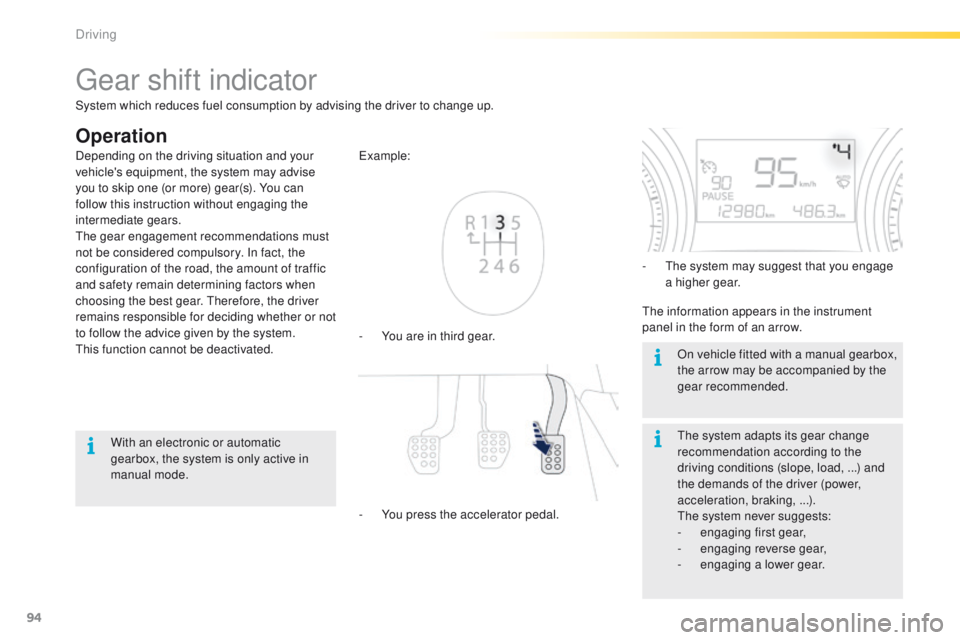
- You are in third gear. Example:
-
Y
ou press the accelerator pedal. -
T
he system may suggest that you engage
a higher gear.
The information appears in the instrument
panel in the form of an arrow.
The system adapts its gear change
recommendation according to the
driving conditions (slope, load, ...) and
the demands of the driver (power,
acceleration, braking, ...).
The system never suggests:
-
e
ngaging first gear,
-
enga
ging reverse gear,
-
enga
ging a lower gear.
Depending on the driving situation and your
vehicle's equipment, the system may advise
you to skip one (or more) gear(s). You can
follow this instruction without engaging the
intermediate gears.
The gear engagement recommendations must
not be considered compulsory. In fact, the
configuration of the road, the amount of traffic
and safety remain determining factors when
choosing the best gear. Therefore, the driver
remains responsible for deciding whether or not
to follow the advice given by the system.
This function cannot be deactivated.
With an electronic or automatic
gearbox, the system is only active in
manual mode. On vehicle fitted with a manual gearbox,
the arrow may be accompanied by the
gear recommended.
System which reduces fuel consumption by advising the driver to change up.
Driving
Page 97 of 340
95
2008_en_Chap05_conduite_ed01-2015
Stop & Start
Operation
Going into engine STOP mode
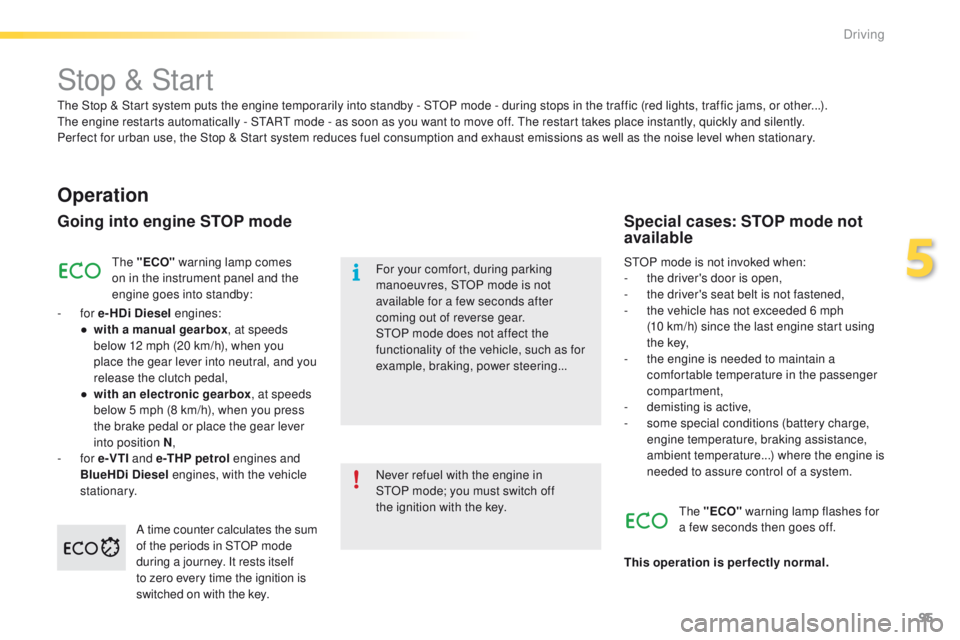
The "ECO" warning lamp comes
on in the instrument panel and the
engine goes into standby:
-
for e-HDi Diesel engines:
●
w
ith a manual gearbox , at speeds
below 12 mph (20 km/h), when you
place the gear lever into neutral, and you
release the clutch pedal,
●
w
ith an electronic gearbox , at speeds
below 5 mph (8 km/h), when you press
the brake pedal or place the gear lever
into position N ,
-
for e-VTI and e -THP petrol engines and
BlueHDi Diesel engines, with the vehicle
stationary. Never refuel with the engine in
STOP
mode; you must switch off
the
ignition with the key.
For your comfort, during parking
manoeuvres, STOP mode is not
available for a few seconds after
coming out of reverse gear.
STOP mode does not affect the
functionality of the vehicle, such as for
example, braking, power steering...
Special cases: STOP mode not
available
STOP mode is not invoked when:
- t
he driver's door is open,
-
t
he driver's seat belt is not fastened,
-
t
he vehicle has not exceeded 6 mph
(10
km/h) since the last engine start using
t h e key,
-
t
he engine is needed to maintain a
comfortable temperature in the passenger
compartment,
-
d
emisting is active,
-
s
ome special conditions (battery charge,
engine temperature, braking assistance,
ambient temperature...) where the engine is
needed to assure control of a system.
A time counter calculates the sum
of the periods in STOP mode
during a journey. It rests itself
to zero every time the ignition is
switched on with the key. The "ECO"
warning lamp flashes for
a few seconds then goes off.
This operation is perfectly normal.
The Stop & Start
system puts the engine temporarily into standby - STOP mode - during stops in the traffic (red lights, traffic jams, or other...).
The
engine restarts automatically - START mode - as soon as you want to move off. The restart takes place instantly, quickly and silently.
Per fect for urban use, the Stop & Start system reduces fuel consumption and exhaust emissions as well as the noise level when stationary.
5
Driving
Page 100 of 340
98
2008_en_Chap05_conduite_ed01-2015
Hill start assist
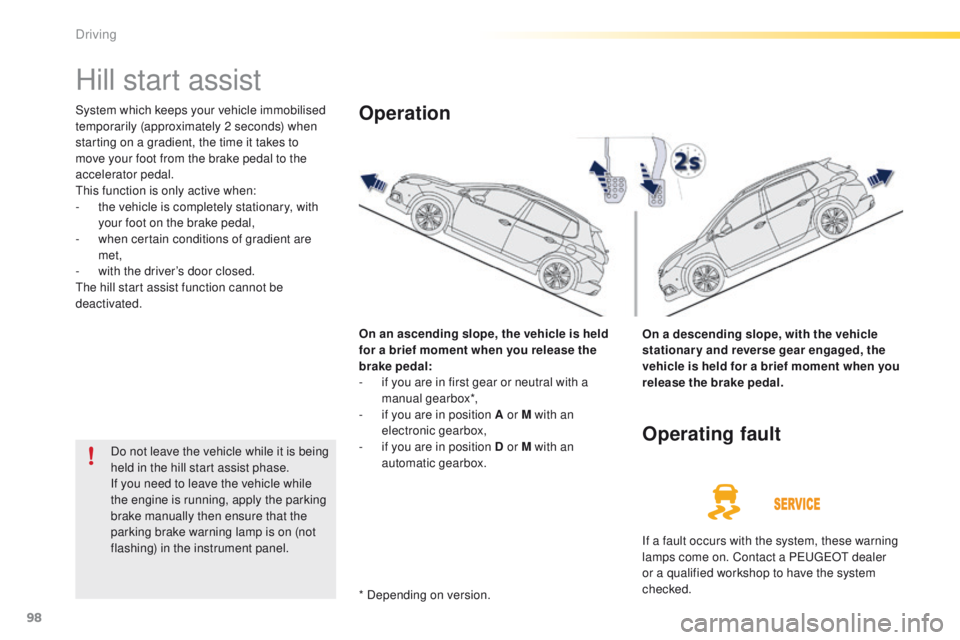
System which keeps your vehicle immobilised
temporarily (approximately 2 seconds) when
starting on a gradient, the time it takes to
move your foot from the brake pedal to the
accelerator pedal.
This function is only active when:
-
t
he vehicle is completely stationary, with
your foot on the brake pedal,
-
w
hen certain conditions of gradient are
met,
-
w
ith the driver’s door closed.
The hill start assist function cannot be
deactivated.
On an ascending slope, the vehicle is held
for a brief moment when you release the
brake pedal:
-
i
f you are in first gear or neutral with a
manual gearbox*,
-
i
f you are in position A or M with an
electronic gearbox,
-
i
f you are in position D or M with an
automatic gearbox.Operation
On a descending slope, with the vehicle
stationary and reverse gear engaged, the
vehicle is held for a brief moment when you
release the brake pedal.
Do not leave the vehicle while it is being
held in the hill start assist phase.
If you need to leave the vehicle while
the engine is running, apply the parking
brake manually then ensure that the
parking brake warning lamp is on (not
flashing) in the instrument panel.
Operating fault
If a fault occurs with the system, these warning
lamps come on. Contact a PEUGEOT dealer
or a qualified workshop to have the system
checked.
* Depending on version.
Driving
Page 101 of 340
99
2008_en_Chap05_conduite_ed01-2015
Speed limiter
System which prevents the vehicle from
exceeding the speed programmed by the driver.
When the programmed speed limit is reached,
pressing the accelerator pedal in the normal
manner no longer has any effect.
The speed limiter is switched on manually: the
programmed speed must be at least 20 mph
(30 km/h).
The speed limiter is switched off by manual
operation of the control.
The programmed speed can be exceeded
temporarily by pressing the accelerator firmly.
To return to the programmed speed, simply
slow down to a speed below the programmed
speed.
The speed limiter cannot, in any circumstances,
replace the need to respect speed limits, nor can it
replace the need for vigilance on the part of the driver.
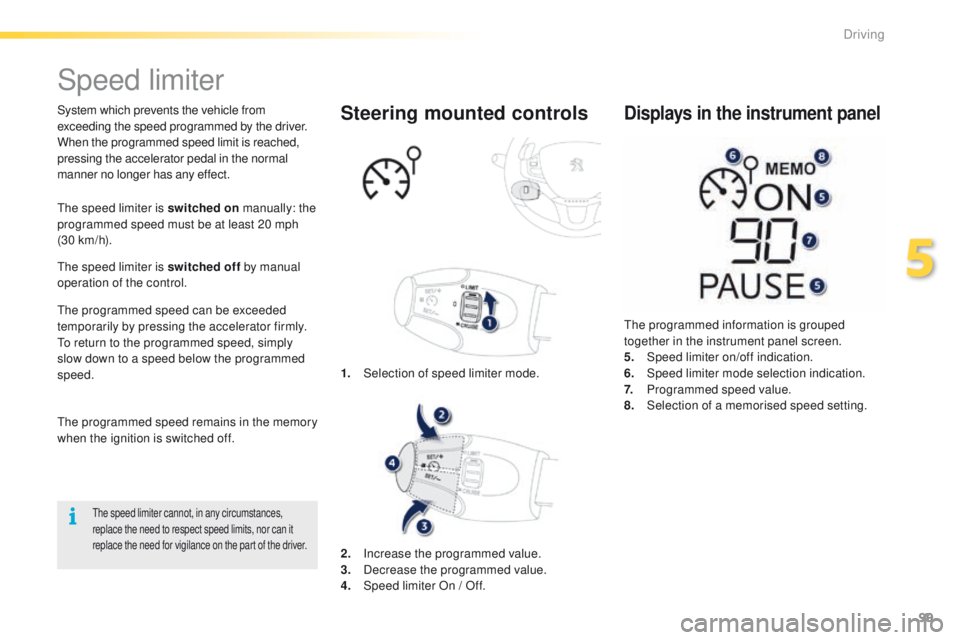
1. Selection of speed limiter mode.
Steering mounted controls
The programmed information is grouped
together in the instrument panel screen.
5.
Spe
ed limiter on/off indication.
6.
Spe
ed limiter mode selection indication.
7.
P
rogrammed speed value.
8.
Sel
ection of a memorised speed setting.
Displays in the instrument panel
The programmed speed remains in the memory
when the ignition is switched off.
2.
In
crease the programmed value.
3.
D
ecrease the programmed value.
4.
S
peed limiter On / Off.
5
Driving
Page 103 of 340
101
2008_en_Chap05_conduite_ed01-2015
Cruise control
System which automatically maintains the
speed of the vehicle at the value programmed
by the driver, without any action on the
accelerator pedal.
The cruise control is switched off manually
or by pressing the brake or clutch pedal or on
triggering of the electronic stability system for
safety reasons.
It is possible to exceed the programmed speed
temporarily by pressing the accelerator pedal.
To return to the programmed speed, simply
release the accelerator pedal.
Switching off the ignition cancels any
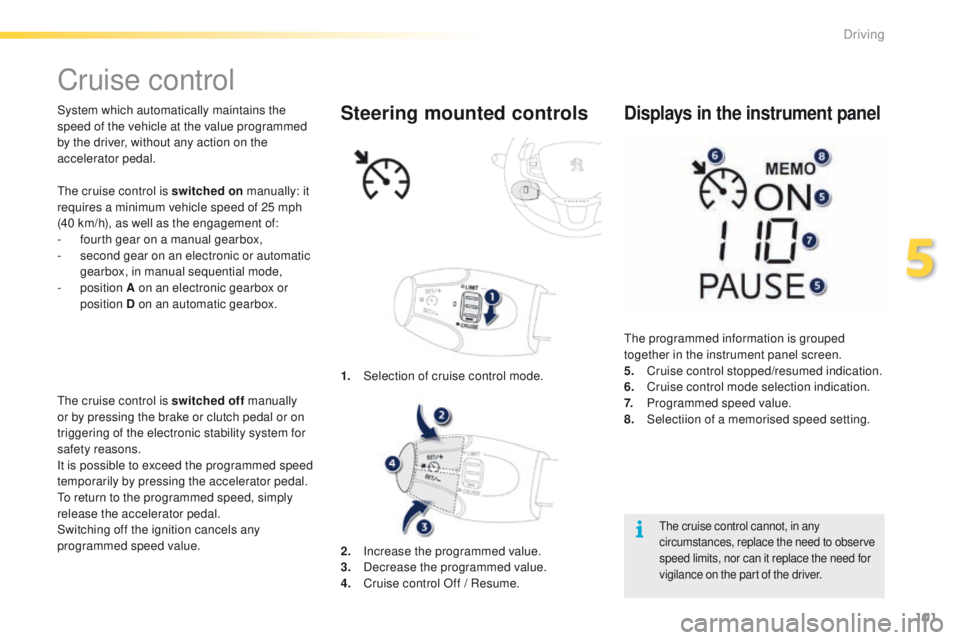
programmed speed value. 1.
Sel
ection of cruise control mode.Steering mounted controls
The cruise control cannot, in any
circumstances, replace the need to observe
speed limits, nor can it replace the need for
vigilance on the part of the driver.
The programmed information is grouped
together in the instrument panel screen.
5.
C
ruise control stopped/resumed indication.
6.
C
ruise control mode selection indication.
7.
P
rogrammed speed value.
8.
Sel
ectiion of a memorised speed setting.
Displays in the instrument panel
2. Increase the programmed value.
3. D ecrease the programmed value.
4.
C
ruise control Off / Resume.
The cruise control is switched on
manually: it
requires a minimum vehicle speed of 25 mph
(40 km/h), as well as the engagement of:
-
f
ourth gear on a manual gearbox,
-
s
econd gear on an electronic or automatic
gearbox, in manual sequential mode,
-
position
A on an electronic gearbox or
position D on an automatic gearbox.
5
Driving
Page 106 of 340
104
2008_en_Chap05_conduite_ed01-2015
Selection
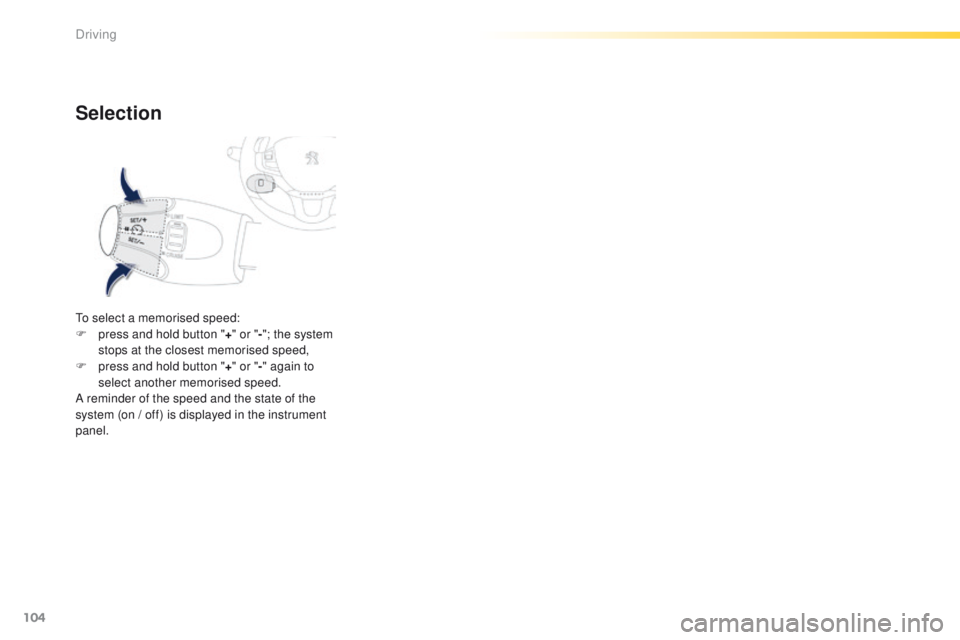
To select a memorised speed:
F p ress and hold button " +" or " -"; the system
stops at the closest memorised speed,
F
p
ress and hold button " +" or " -" again to
select another memorised speed.
A reminder of the speed and the state of the
system (on / off) is displayed in the instrument
panel.
Driving
Page 108 of 340
106
2008_en_Chap05_conduite_ed01-2015
In bad weather or in winter, ensure
that the sensors are not covered with
mud, ice or snow. When reverse gear is
engaged, an audible signal (long beep)
indicates that the sensors may be dirty.
Certain sound sources (motorcycle,
lorry, pneumatic drill, etc.) may trigger
the audible signals of the parking
sensor system.In the event of a malfunction of
the system, when reverse gear
is engaged this warning lamp
is displayed in the instrument panel and/or a
message appears in the screen, accompanied
by an audible signal (short beep).
Contact a PEUGEOT dealer or a qualified
workshop.
Operating fault
The function will be deactivated
automatically if a trailer is being towed
or a bicycle carrier is fitted (vehicle
fitted with a towbar or bicycle carrier
recommended by PEUGEOT).
Front parking
sensors*
In addition to the rear parking sensors, the
front parking sensors are triggered when an
obstacle is detected in front and the speed of
the vehicle is still below 6 mph (10 km/h).
The front parking sensors are interrupted if
the vehicle stops for more than three seconds
in for ward gear, if no further obstacles are
detected or when the speed of the vehicle
exceeds 6 mph (10 km/h).
* Available only with the Park Assist system. The sound emitted by the speaker (front or
rear) indicates whether the obstacle is in front
or behind.
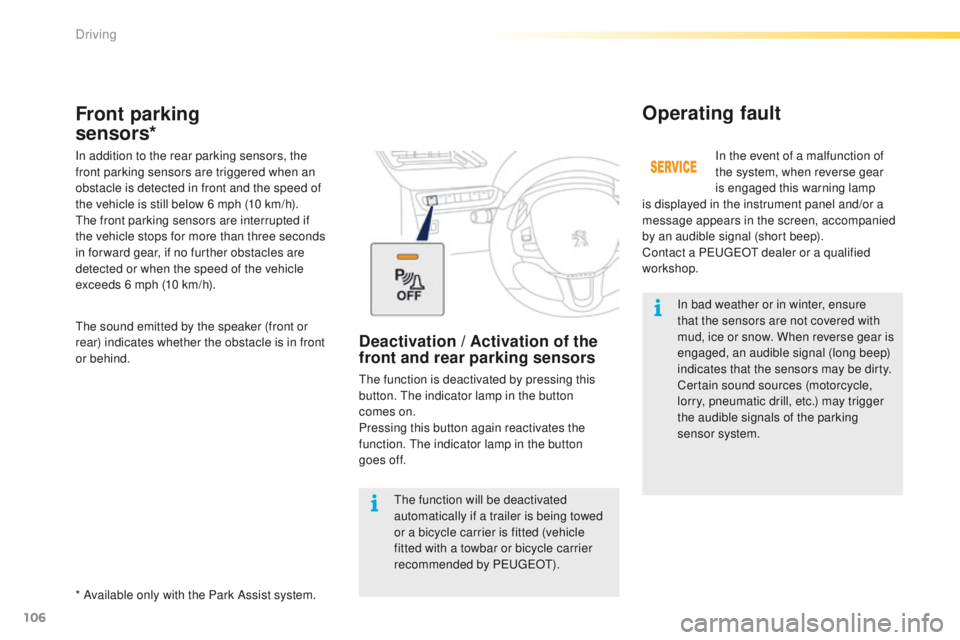
Deactivation / Activation of the
front and rear parking sensors
The function is deactivated by pressing this
button. The indicator lamp in the button
comes on.
Pressing this button again reactivates the
function. The indicator lamp in the button
goes off.
Driving
Page 111 of 340
109
2008_en_Chap05_conduite_ed01-2015
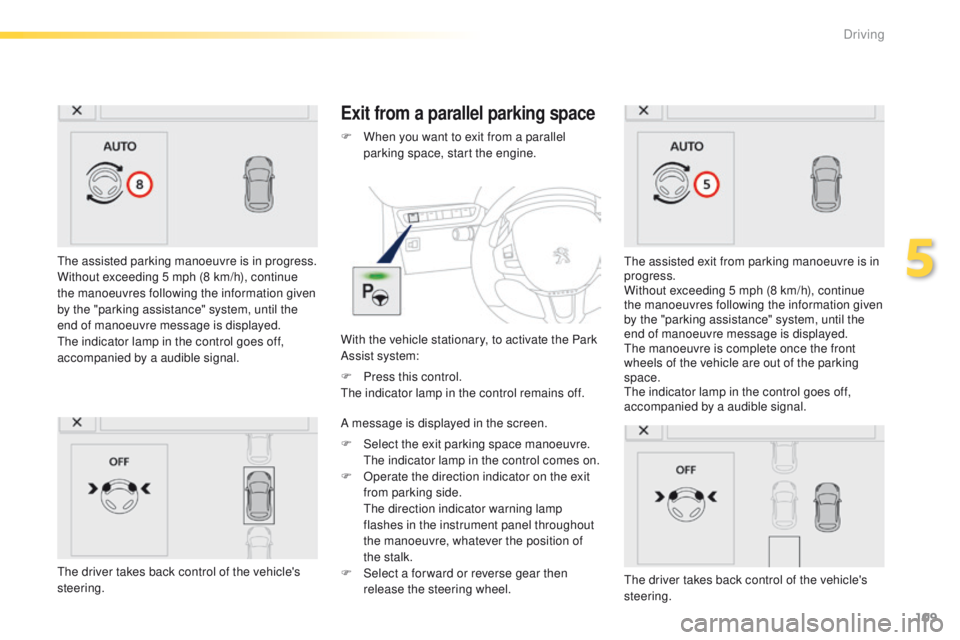
The assisted parking manoeuvre is in progress.
Without exceeding 5 mph (8 km/h), continue
the manoeuvres following the information given
by the "parking assistance" system, until the
end of manoeuvre message is displayed.
The indicator lamp in the control goes off,
accompanied by a audible signal.
Exit from a parallel parking space
With the vehicle stationary, to activate the Park
Assist system: F
W
hen you want to exit from a parallel
parking space, start the engine.
The assisted exit from parking manoeuvre is in
progress.
Without exceeding 5 mph (8 km/h), continue
the manoeuvres following the information given
by the "parking assistance" system, until the
end of manoeuvre message is displayed.
The manoeuvre is complete once the front
wheels of the vehicle are out of the parking
space.
The indicator lamp in the control goes off,
accompanied by a audible signal.
The driver takes back control of the vehicle's
steering.
F
P
ress this control.
The indicator lamp in the control remains off.
A message is displayed in the screen.
F
S
elect the exit parking space manoeuvre.
T
he indicator lamp in the control comes on.
F
O
perate the direction indicator on the exit
from parking side.
T
he direction indicator warning lamp
flashes in the instrument panel throughout
the manoeuvre, whatever the position of
the stalk.
F
S
elect a for ward or reverse gear then
release the steering wheel.
The driver takes back control of the vehicle's
steering.
5
Driving