audio PEUGEOT 2008 2015 Manual PDF
[x] Cancel search | Manufacturer: PEUGEOT, Model Year: 2015, Model line: 2008, Model: PEUGEOT 2008 2015Pages: 340, PDF Size: 8.4 MB
Page 296 of 340
294
2008_en_Chap12b_SMEGplus_ed01-2015
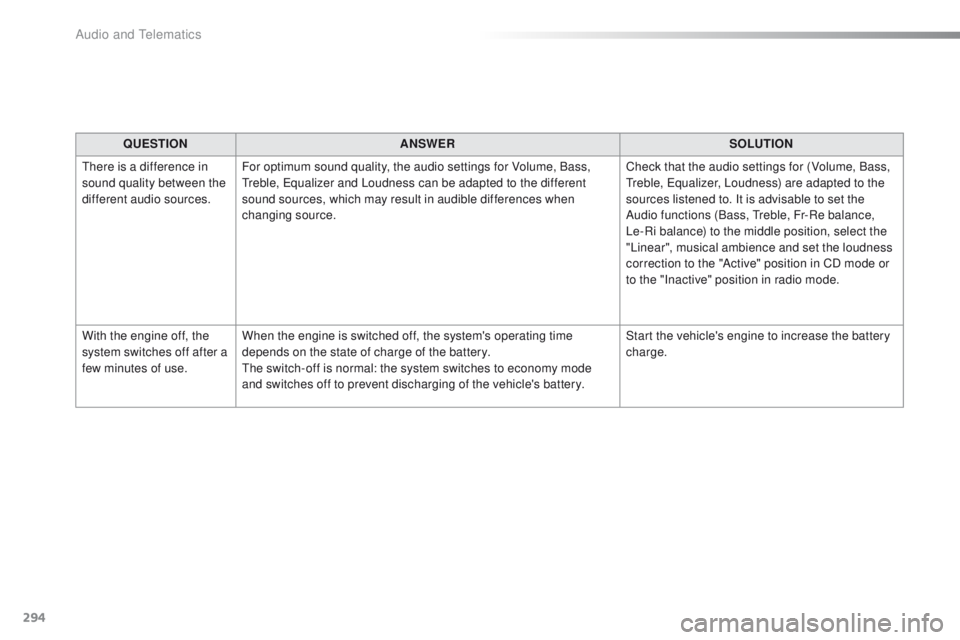
QUESTIONANSWER SOLUTION
There is a difference in
sound quality between the
different audio sources. For optimum sound quality, the audio settings for Volume, Bass,
Treble, Equalizer and Loudness can be adapted to the different
sound sources, which may result in audible differences when
changing source. Check that the audio settings for (Volume, Bass,
Treble, Equalizer, Loudness) are adapted to the
sources listened to. It is advisable to set the
Audio functions (Bass, Treble, Fr-Re balance,
Le-Ri balance) to the middle position, select the
"Linear", musical ambience and set the loudness
correction to the "Active" position in CD mode or
to the "Inactive" position in radio mode.
With the engine off, the
system switches off after a
few minutes of use. When the engine is switched off, the system's operating time
depends on the state of charge of the battery.
The switch-off is normal: the system switches to economy mode
and switches off to prevent discharging of the vehicle's battery. Start the vehicle's engine to increase the battery
charge.
Audio and Telematics
Page 297 of 340
295
2008_en_Chap12b_SMEGplus_ed01-2015
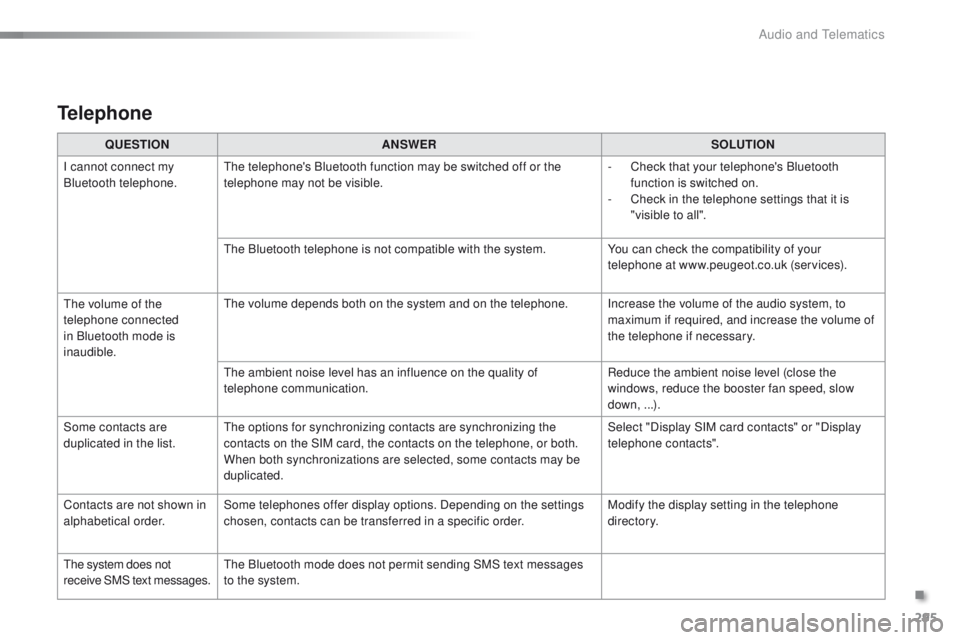
QUESTIONANSWER SOLUTION
I cannot connect my
Bluetooth telephone. The telephone's Bluetooth function may be switched off or the
telephone may not be visible. -
C
heck that your telephone's Bluetooth
function is switched on.
-
C
heck in the telephone settings that it is
"visible to all".
The Bluetooth telephone is not compatible with the system. You can check the compatibility of your
telephone at www.peugeot.co.uk (services).
The volume of the
telephone connected
in Bluetooth mode is
inaudible. The volume depends both on the system and on the telephone. Increase the volume of the audio system, to
maximum if required, and increase the volume of
the telephone if necessary.
The ambient noise level has an influence on the quality of
telephone communication. Reduce the ambient noise level (close the
windows, reduce the booster fan speed, slow
down, ...).
Some contacts are
duplicated in the list. The options for synchronizing contacts are synchronizing the
contacts on the SIM card, the contacts on the telephone, or both.
When both synchronizations are selected, some contacts may be
duplicated. Select "Display SIM card contacts" or "Display
telephone contacts".
Contacts are not shown in
alphabetical order. Some telephones offer display options. Depending on the settings
chosen, contacts can be transferred in a specific order. Modify the display setting in the telephone
di r e c to r y.
The system does not
receive SMS text messages. The Bluetooth mode does not permit sending SMS text messages
to the system.
Telephone
.
Audio and Telematics
Page 299 of 340
297
2008_en_Chap12c_RDE2_ed01-2015
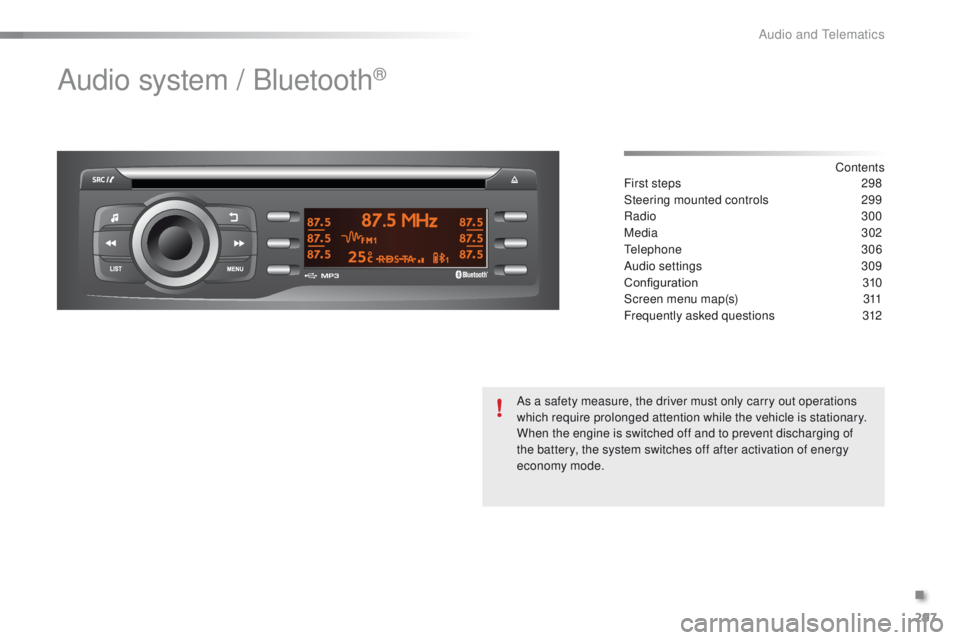
Audio system / Bluetooth®
Contents
First steps
2 98
Steering mounted controls
2
99
Radio
3
00
Media
302
Telephone
3
06
Audio settings
3
09
Configuration
3
10
Screen menu map(s)
3
11
Frequently asked questions
3
12
As a safety measure, the driver must only carry out operations
which require prolonged attention while the vehicle is stationary.
When the engine is switched off and to prevent discharging of
the battery, the system switches off after activation of energy
economy mode.
.
Audio and Telematics
Page 300 of 340
298
2008_en_Chap12c_RDE2_ed01-2015
First steps
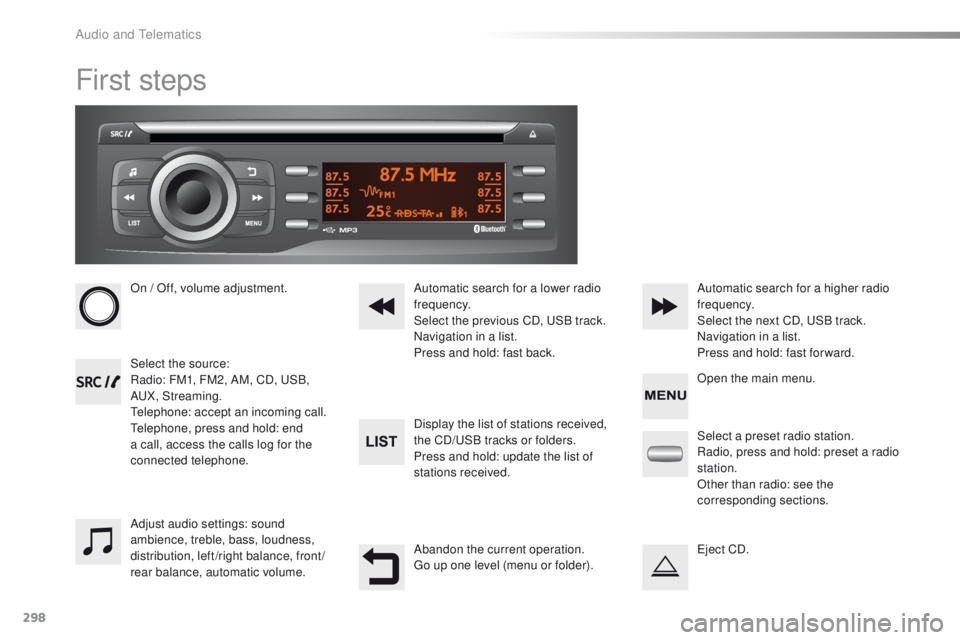
On / Off, volume adjustment.
Select the source:
Radio: FM1, FM2, AM, CD, USB,
AUX, Streaming.
Telephone: accept an incoming call.
Telephone, press and hold: end
a call, access the calls log for the
connected telephone.Display the list of stations received,
the CD/USB tracks or folders.
Press and hold: update the list of
stations received. Automatic search for a lower radio
frequency.
Select the previous CD, USB track.
Navigation in a list.
Press and hold: fast back.Automatic search for a higher radio
frequency.
Select the next CD, USB track.
Navigation in a list.
Press and hold: fast for ward.
Adjust audio settings: sound
ambience, treble, bass, loudness,
distribution, left/right balance, front/
rear balance, automatic volume. Abandon the current operation.
Go up one level (menu or folder).Select a preset radio station.
Radio, press and hold: preset a radio
station.
Other than radio: see the
corresponding sections.
Eject CD. Open the main menu.
Audio and Telematics
Page 301 of 340
299
2008_en_Chap12c_RDE2_ed01-2015
Steering mounted controls
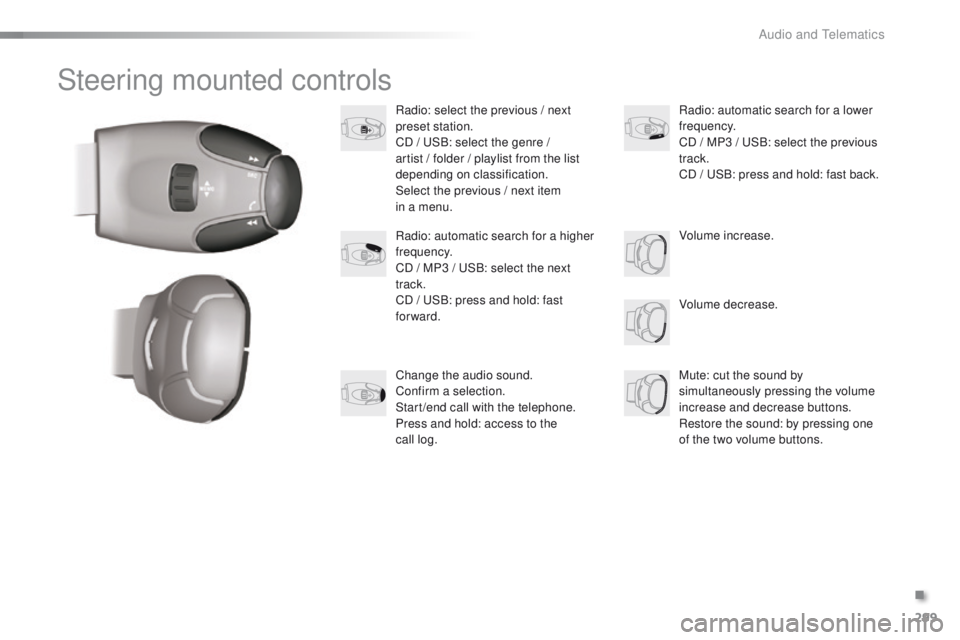
Radio: select the previous / next
preset station.
CD / USB: select the genre /
artist / folder / playlist from the list
depending on classification.
Select the previous / next item
in a menu.Volume decrease.
Radio: automatic search for a higher
frequency.
CD / MP3 / USB: select the next
track.
CD / USB: press and hold: fast
forward.
Mute: cut the sound by
simultaneously pressing the volume
increase and decrease buttons.
Restore the sound: by pressing one
of the two volume buttons. Radio: automatic search for a lower
frequency.
CD / MP3 / USB: select the previous
track.
CD / USB: press and hold: fast back.
Change the audio sound.
Confirm a selection.
Start /end call with the telephone.
Press and hold: access to the
call
log. Volume increase.
.
Audio and Telematics
Page 302 of 340
300
2008_en_Chap12c_RDE2_ed01-2015
Radio
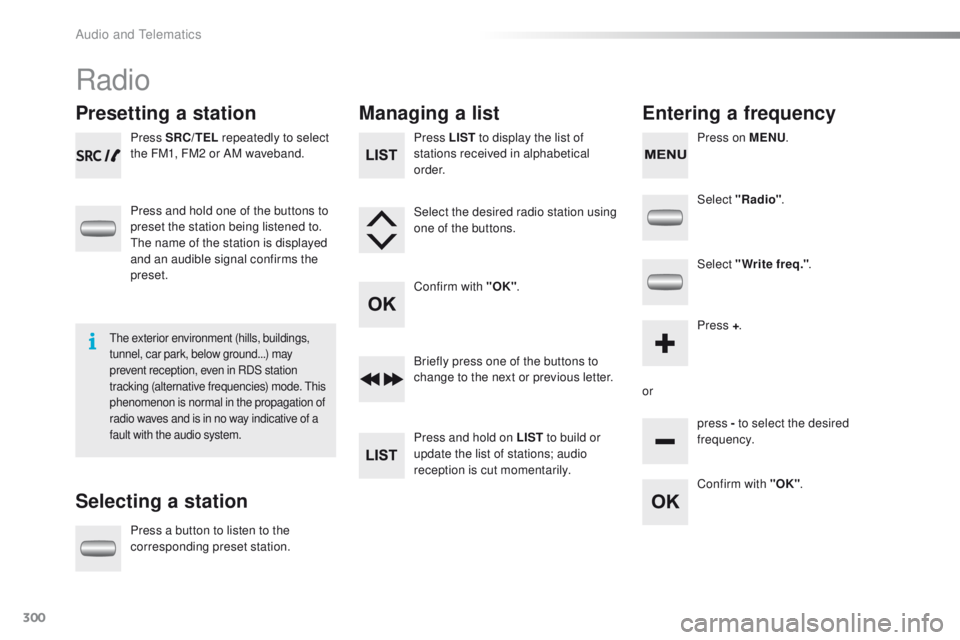
Presetting a station
Selecting a stationManaging a list
Entering a frequency
Press SRC/TEL repeatedly to select
the FM1, FM2 or AM waveband.
Press and hold one of the buttons to
preset the station being listened to.
The name of the station is displayed
and an audible signal confirms the
preset.
Press a button to listen to the
corresponding preset station. Select "Radio"
.
Select "Write freq." .
Press + .
or press - to select the desired
frequency.
Briefly press one of the buttons to
change to the next or previous letter.
Press and hold on LIST
to build or
update the list of stations; audio
reception is cut momentarily. Press LIST to display the list of
stations received in alphabetical
o r d e r.
Select the desired radio station using
one of the buttons.
Confirm with "OK" .
Confirm with "OK".
The exterior environment (hills, buildings,
tunnel, car park, below ground...) may
prevent reception, even in RDS station
tracking (alternative frequencies) mode. This
phenomenon is normal in the propagation of
radio waves and is in no way indicative of a
fault with the audio system.
Press on MENU.
Audio and Telematics
Page 303 of 340
301
2008_en_Chap12c_RDE2_ed01-2015
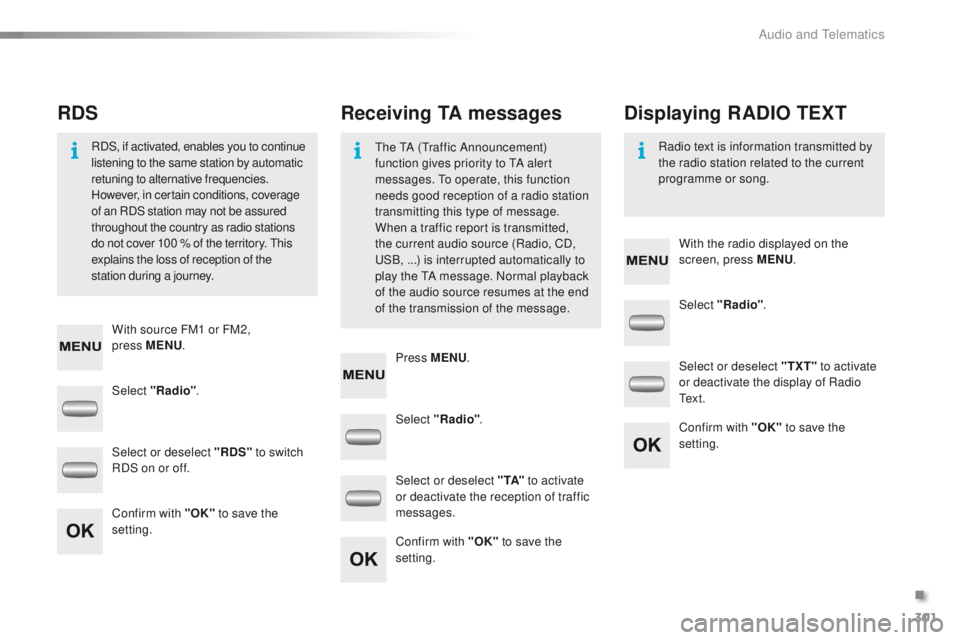
Select "Radio". Select "Radio"
.
Select "Radio" .
Select or deselect "RDS" to switch
RDS on or off. Select or deselect "
TXT" to activate
or deactivate the display of Radio
Te x t .
Select or deselect " TA" to activate
or deactivate the reception of traffic
messages.
Confirm with "OK" to save the
setting. Confirm with "OK"
to save the
setting.
Confirm with "OK" to save the
setting.
Receiving TA messages
RDS Displaying RADIO TEXT
The TA (Traffic Announcement)
function gives priority to TA alert
messages. To operate, this function
needs good reception of a radio station
transmitting this type of message.
When a traffic report is transmitted,
the current audio source (Radio, CD,
USB,
...) is interrupted automatically to
play the TA message. Normal playback
of the audio source resumes at the end
of the transmission of the message.
RDS, if activated, enables you to continue
listening to the same station by automatic
retuning to alternative frequencies.
However, in certain conditions, coverage
of an RDS station may not be assured
throughout the country as radio stations
do not cover 100
% of the territory. This
explains the loss of reception of the
station during a journey. Radio text is information transmitted by
the radio station related to the current
programme or song.
With source FM1 or FM2,
press
MENU . With the radio displayed on the
screen, press MENU
.
Press MENU .
.
Audio and Telematics
Page 304 of 340
302
2008_en_Chap12c_RDE2_ed01-2015
Media
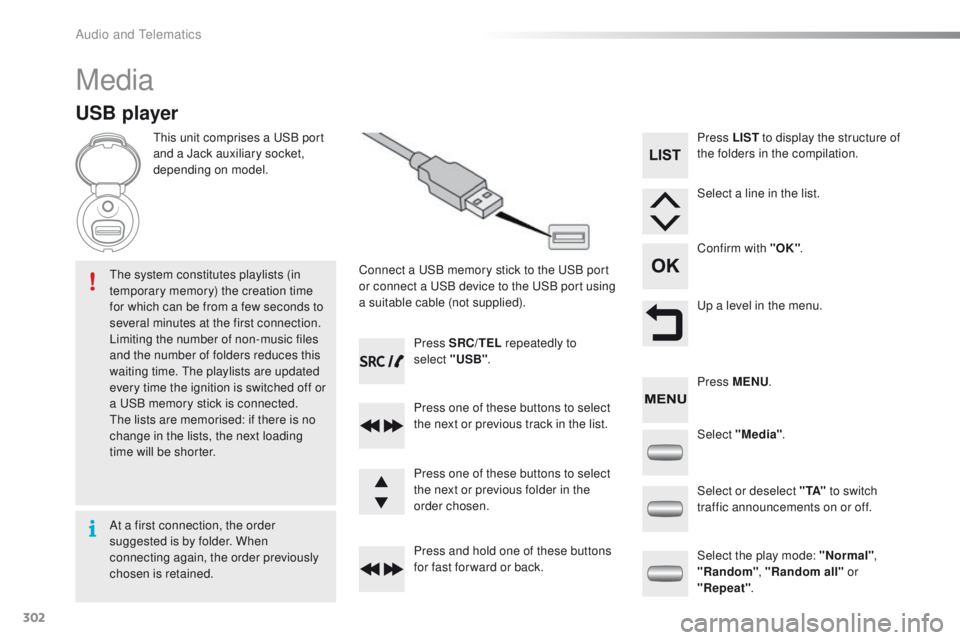
USB player
This unit comprises a USB port
and a Jack auxiliary socket,
depending on model.Connect a USB memory stick to the USB port
or connect a USB device to the USB port using
a suitable cable (not supplied).
The system constitutes playlists (in
temporary memory) the creation time
for which can be from a few seconds to
several minutes at the first connection.
Limiting the number of non-music files
and the number of folders reduces this
waiting time. The playlists are updated
every time the ignition is switched off or
a USB memory stick is connected.
The lists are memorised: if there is no
change in the lists, the next loading
time will be shorter. Press SRC/TEL
repeatedly to
select "USB" .
Press one of these buttons to select
the next or previous track in the list.
Press and hold one of these buttons
for fast for ward or back. Press one of these buttons to select
the next or previous folder in the
order chosen. Press LIST
to display the structure of
the folders in the compilation.
Select a line in the list.
Confirm with "OK" .
Up a level in the menu.
Select "Media" .
Select the play mode: "Normal" ,
"Random" , "Random all" or
"Repeat" .
Select or deselect " TA"
to switch
traffic announcements on or off. Press MENU .
At a first connection, the order
suggested is by folder. When
connecting again, the order previously
chosen is retained.
Audio and Telematics
Page 305 of 340
303
2008_en_Chap12c_RDE2_ed01-2015
Press the SRC/TEL button
repeatedly to select " CD".
Press one of these buttons to go the
the previous or next track in the list.
Press and hold one of these buttons
for fast for ward or back.
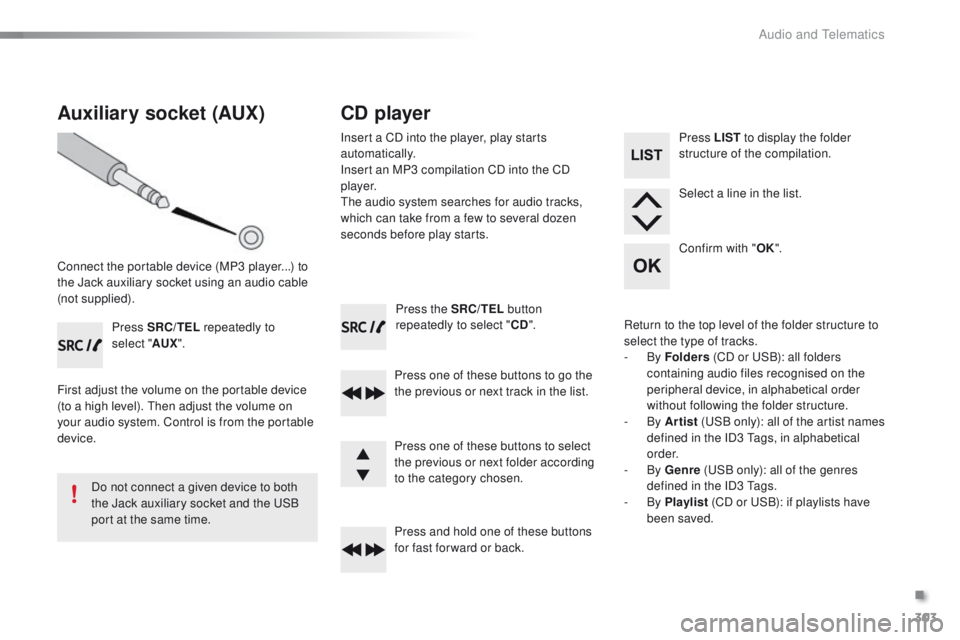
Auxiliary socket (AUX)
Connect the portable device (MP3 player...) to
the Jack auxiliary socket using an audio cable
(not supplied). Press SRC/TEL repeatedly to
select " AUX".
First adjust the volume on the portable device
(to a high level). Then adjust the volume on
your audio system. Control is from the portable
device.
Do not connect a given device to both
the Jack auxiliary socket and the USB
port at the same time.
CD player
Insert a CD into the player, play starts
automatically.
Insert an MP3 compilation CD into the CD
p l aye r.
The audio system searches for audio tracks,
which can take from a few to several dozen
seconds before play starts.
Press one of these buttons to select
the previous or next folder according
to the category chosen. Press LIST
to display the folder
structure of the compilation.
Select a line in the list.
Confirm with " OK".
Return to the top level of the folder structure to
select the type of tracks.
-
By Folders (CD or USB): all folders
containing audio files recognised on the
peripheral device, in alphabetical order
without following the folder structure.
-
By Artist (USB only): all of the artist names
defined in the ID3 Tags, in alphabetical
o r d e r.
-
By Genre (USB only): all of the genres
defined in the ID3 Tags.
-
By Playlist (CD or USB): if playlists have
been saved.
.
Audio and Telematics
Page 306 of 340
304
2008_en_Chap12c_RDE2_ed01-2015
The audio system will only play files with
".mp3", ".wma" and ".wav" on a CD and can
play files with ".ogg" extension only on USB.
It is recommended that file names be of no
more than 20 characters and avoiding special
characters (ex : " ? ; ù) so as to avoid any
problem reading or displaying the files.
In order to be able to play a recorded CDR or
CDRW, when recording it is preferable to select
standards ISO 9660 level 1.2 or Joliet.
If the disc is recorded in another format, it may
not be played correctly.
It is recommended that the same recording
standard is always used for an individual disc,
with as low a speed as possible (4x maximum)
for optimum sound quality.
In the particular case of a multi-session CD, the
Joliet standard is recommended.
Information and advice
Use only USB memory sticks formatted FAT32
(File Allocation Table).
The use of genuine Apple
® USB cables
is recommended to ensure correct
operation.
On a single disc, the CD player can read up
to 255 MP3 files spread over 8 folder levels
with a maximum of 192 folders. However, it is
recommended that this be kept to 2 levels so
as to limit the time taken to access and play
the CD.
During play, the folder structure is not
observed.
Do not connect a hard disk or USB device other
than audio players to the USB port. This may
cause damage to your installation. The playlists accepted on CD, MP3, iPod and
USB connection are types ".m3u" and ".wpl".
The number of files recognised is limited to
5
000 in 500 folders on a maximum of 8 levels.
Audio and Telematics