service indicator PEUGEOT 2008 2016 User Guide
[x] Cancel search | Manufacturer: PEUGEOT, Model Year: 2016, Model line: 2008, Model: PEUGEOT 2008 2016Pages: 450, PDF Size: 14.16 MB
Page 36 of 450
34
Touch screen
For reasons of safety, the driver
should only carr y out operations
that require close attention, with the
vehicle stationary.
Some functions are not accessible
when driving.
It gives access to:
-
m
enus for adjusting settings for vehicle
functions and systems,
-
a
udio and display configuration menus,
-
a
udio system and telephone controls and
the display of associated information.
And, depending on equipment, it allows:
-
t
he display of alert messages and the
visual parking sensors information,
-
a
ccess to the controls for the navigation
system and Internet services, and the
display of associated information.
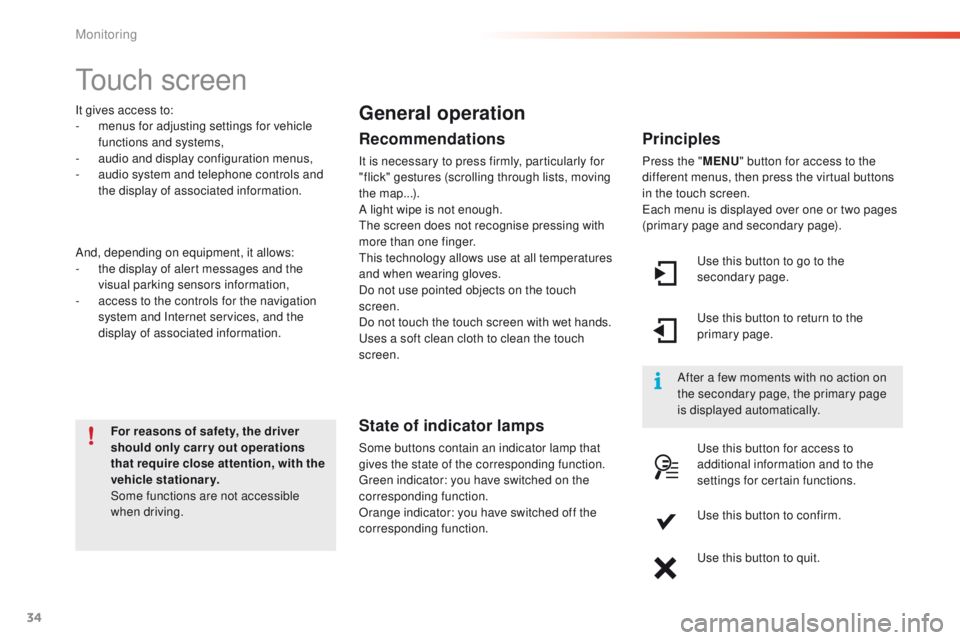
General operation
Recommendations
It is necessary to press firmly, particularly for
"flick" gestures (scrolling through lists, moving
the map...).
A light wipe is not enough.
The screen does not recognise pressing with
more than one finger.
This technology allows use at all temperatures
and when wearing gloves.
Do not use pointed objects on the touch
screen.
Do not touch the touch screen with wet hands.
Uses a soft clean cloth to clean the touch
screen.
State of indicator lamps
Some buttons contain an indicator lamp that
gives the state of the corresponding function.
Green indicator: you have switched on the
corresponding function.
Orange indicator: you have switched off the
corresponding function.
Principles
Press the " MENU" button for access to the
different menus, then press the virtual buttons
in the touch screen.
Each menu is displayed over one or two pages
(primary page and secondary page).
Use this button to go to the
secondary page.
After a few moments with no action on
the secondary page, the primary page
is displayed automatically. Use this button to return to the
primary page.
Use this button for access to
additional information and to the
settings for certain functions.
Use this button to confirm.
Use this button to quit.
Monitoring
Page 53 of 450
51
2008_en_Chap02_ouvertures_ed01-2016
Locking / unlocking from the inside
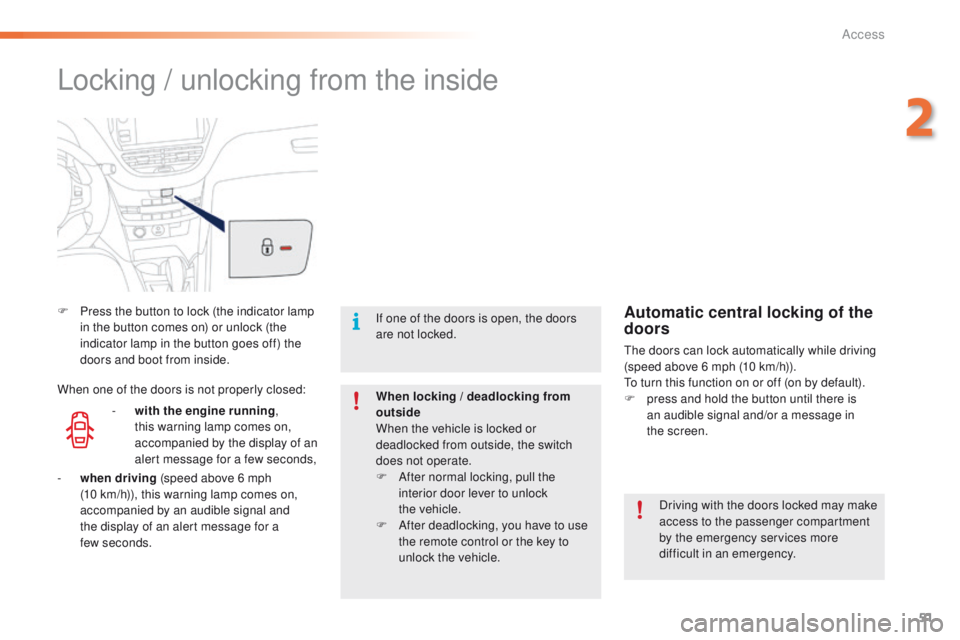
F Press the button to lock (the indicator lamp in the button comes on) or unlock (the
indicator lamp in the button goes off) the
doors and boot from inside.
Driving with the doors locked may make
access to the passenger compartment
by the emergency services more
difficult in an emergency.
If one of the doors is open, the doors
are not locked.
When locking / deadlocking from
outside
When the vehicle is locked or
deadlocked from outside, the switch
does not operate.
F
A
fter normal locking, pull the
interior door lever to unlock
the
vehicle.
F
A
fter deadlocking, you have to use
the remote control or the key to
unlock the vehicle.Automatic central locking of the
doors
The doors can lock automatically while driving
(speed above 6 mph (10 km/h)).
To turn this function on or off (on by default).
F
p
ress and hold the button until there is
an audible signal and/or a message in
the
screen.
-
w
ith the engine running ,
this warning lamp comes on,
accompanied by the display of an
alert message for a few seconds,
When one of the doors is not properly closed:
-
wh
en driving (speed above 6 mph
(10
km/h)), this warning lamp comes on,
accompanied by an audible signal and
the display of an alert message for a
few
seconds.
2
Access
Page 54 of 450
52
2008_en_Chap02_ouvertures_ed01-2016
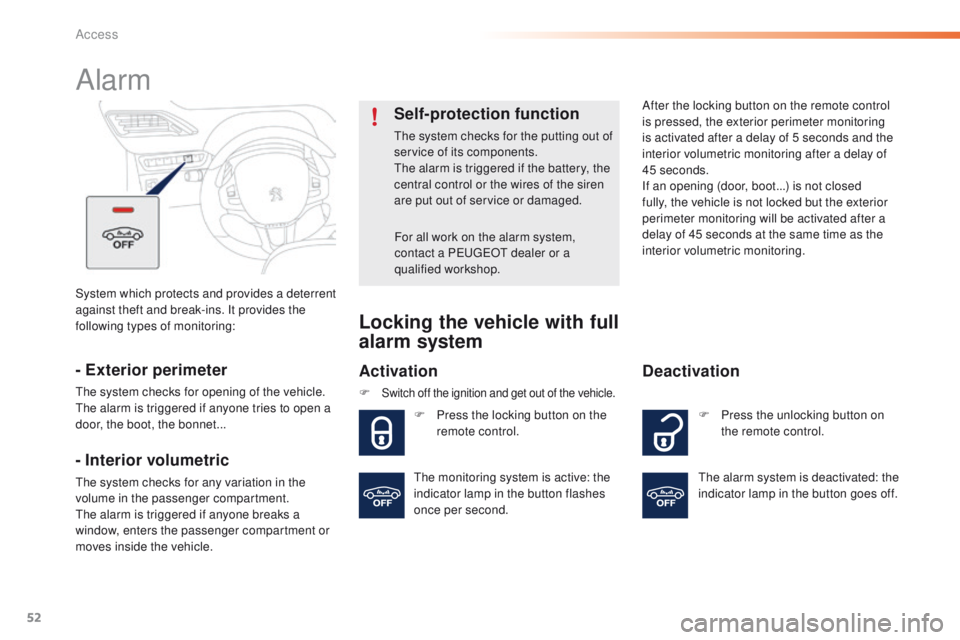
System which protects and provides a deterrent
against theft and break-ins. It provides the
following types of monitoring:
Alarm
- Exterior perimeter
The system checks for opening of the vehicle.
The alarm is triggered if anyone tries to open a
door, the boot, the bonnet...
- Interior volumetric
The system checks for any variation in the
volume in the passenger compartment.
The alarm is triggered if anyone breaks a
window, enters the passenger compartment or
moves inside the vehicle.
Self-protection function
The system checks for the putting out of
service of its components.
The alarm is triggered if the battery, the
central control or the wires of the siren
are put out of service or damaged.For all work on the alarm system,
contact a PEUGEOT dealer or a
qualified workshop.
Locking the vehicle with full
alarm system
Activation
F Switch off the ignition and get out of the vehicle.
F Press the locking button on the remote control. After the locking button on the remote control
is pressed, the exterior perimeter monitoring
is activated after a delay of 5 seconds and the
interior volumetric monitoring after a delay of
45 seconds.
If an opening (door, boot...) is not closed
fully, the vehicle is not locked but the exterior
perimeter monitoring will be activated after a
delay of 45 seconds at the same time as the
interior volumetric monitoring.
F P ress the unlocking button on
the remote control.
Deactivation
The alarm system is deactivated: the
indicator lamp in the button goes off.
The monitoring system is active: the
indicator lamp in the button flashes
once per second.
Access
Page 239 of 450
237
2008_en_Chap10_verifications_ed01-2016
Checking levels
Oil level
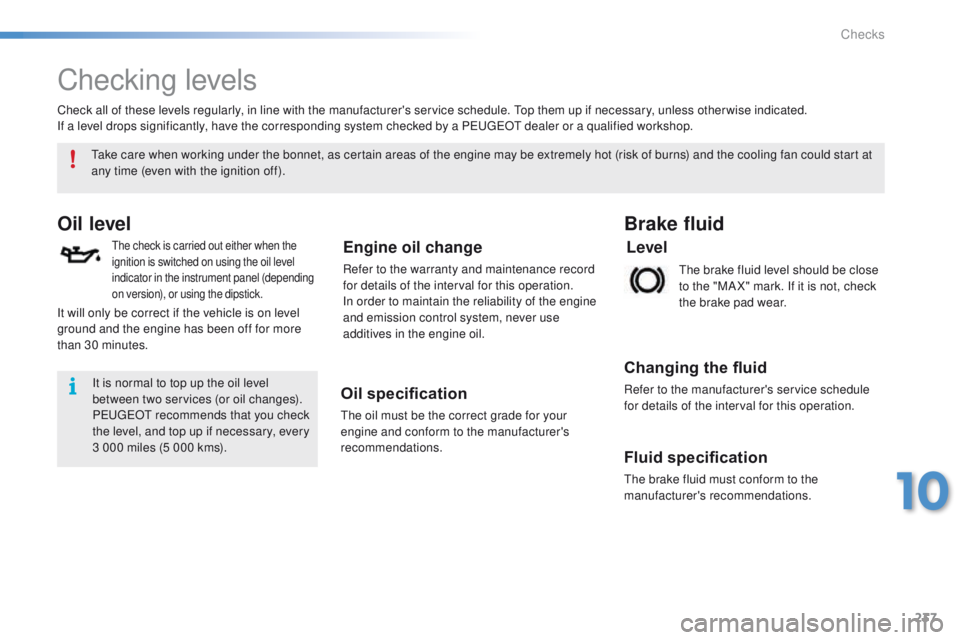
The check is carried out either when the
ignition is switched on using the oil level
indicator in the instrument panel (depending
on version), or using the dipstick.Engine oil change
Refer to the warranty and maintenance record
for details of the interval for this operation.
In order to maintain the reliability of the engine
and emission control system, never use
additives in the engine oil.
Oil specification
The oil must be the correct grade for your
engine and conform to the manufacturer's
recommendations.The brake fluid level should be close
to the "MA X" mark. If it is not, check
the brake pad wear.
Brake fluid
Changing the fluid
Refer to the manufacturer's service schedule
for details of the interval for this operation.
Take care when working under the bonnet, as certain areas of the engine may be extremely hot (risk of burns) and the cooling fan could start at
any time (even with the ignition off).
Check all of these levels regularly, in line with the manufacturer's service schedule. Top them up if necessary, unless other wise indicated.
If a level drops significantly, have the corresponding system checked by a PEUGEOT dealer or a qualified workshop.
It is normal to top up the oil level
between two services (or oil changes).
PEUGEOT recommends that you check
the level, and top up if necessary, every
3 000 miles (5 000 kms).
It will only be correct if the vehicle is on level
ground and the engine has been off for more
than 30 minutes.
Fluid specification
The brake fluid must conform to the
manufacturer's recommendations.
Level
10
Checks
Page 256 of 450
254
2008_en_Chap12a_BTA_ed01-2016
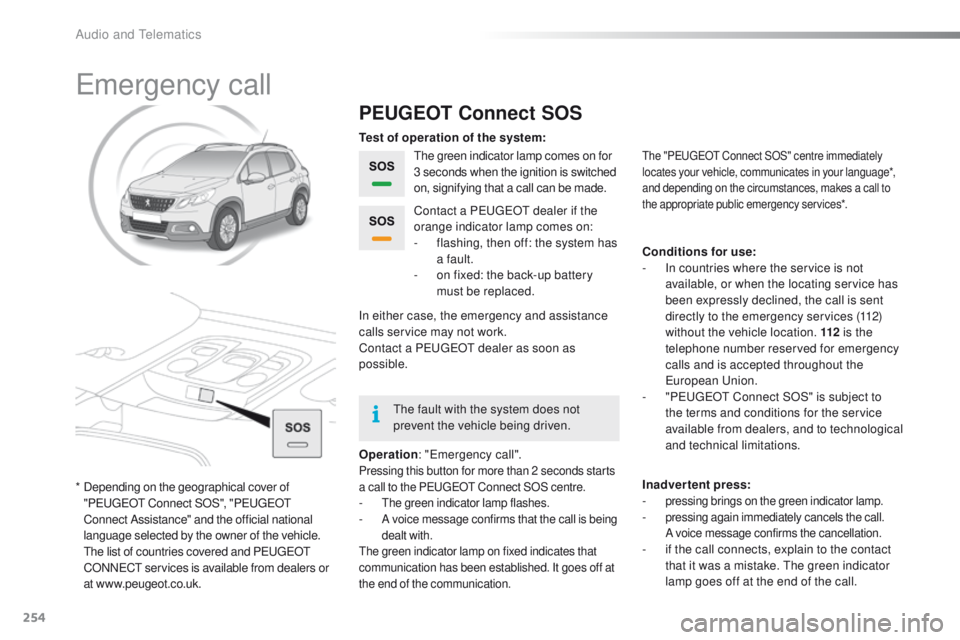
Emergency call
PEUGEOT Connect SOS
The green indicator lamp comes on for
3 seconds when the ignition is switched
on, signifying that a call can be made.
Operation : "Emergency call".
Pressing this button for more than 2 seconds starts
a call to the PEUGEOT Connect SOS centre.
- The green indicator lamp flashes.- A voice message confirms that the call is being
dealt with.
The green indicator lamp on fixed indicates that
communication has been established. It goes off at
the end of the communication.
Contact a PEUGEOT dealer if the
orange indicator lamp comes on:
-
f
lashing, then off: the system has
a fault.
-
o
n fixed: the back-up battery
must be replaced.
In either case, the emergency and assistance
calls service may not work.
Contact a PEUGEOT
dealer as soon as
possible. Test of operation of the system:
Conditions for use:
-
I
n countries where the service is not
available, or when the locating service has
been expressly declined, the call is sent
directly to the emergency services (112)
without the vehicle location. 112 is the
telephone number reserved for emergency
calls and is accepted throughout the
European Union.
-
"
PEUGEOT Connect SOS" is subject to
the terms and conditions for the service
available from dealers, and to technological
and technical limitations.
Inadvertent press:
-
pressing brings on the green indicator lamp.- pressing again immediately cancels the call.
A voice message confirms the cancellation.
- if the call connects, explain to the contact that it was a mistake. The green indicator
lamp goes off at the end of the call.
The "PEUGEOT Connect SOS" centre immediately
locates your vehicle, communicates in your language*,
and depending on the circumstances, makes a call to
the appropriate public emergency services*.
* Depending on the geographical cover of "PEUGEOT Connect SOS", "PEUGEOT
Connect Assistance" and the official national
language selected by the owner of the vehicle.
T
he list of countries covered and PEUGEOT
CONNECT services is available from dealers or
at www.peugeot.co.uk. The fault with the system does not
prevent the vehicle being driven.
Audio and Telematics
Page 364 of 450
362
2008_en_Chap13_index-alpha_ed01-2016
Table of weights ....................................24 5, 249
Tables of engines .................................. 243, 247
Tables of fuses
.............................................. 208
Ta n k , f u e l
............................................... 170, 172
Technical data
....................................... 243-249
Telephone
............................................. 310, 33 6
Temperature, coolant
...................................... 33
T
S
Selector, gear .......................... 83, 84, 87, 91, 95
Serial number, vehicle .................................. 25
3
Service indicator
............................................. 28
Servicing
...............................
..........................12
Settings
...............
.........................290, 339, 354
Sidelamps
..................... 117, 121, 122, 204, 206
Side repeater
..............................
..................205
Snow chains
.......................................... 13
9, 201
Socket, 12 V accessory
..................................72
So
ckets, audio
.......................73, 286, 333, 352
Speed limiter
......................................... 104, 108
Starting the engine
......................................... 80
Starting using another battery
...................... 2
15
Station, radio
................................ 2
82, 330, 350
Stay, bonnet
.................................................. 234
Steering mounted controls, audio
.......................................... 260, 329, 349
Steering wheel, adjustment
............................59
Stop & Start
........................ 19, 40, 70, 100, 113,
170, 214, 218, 234, 240
Storage
...................................................... 71, 72
Stowing rings
.................................................. 75
Switching off the engine
................................. 80
S
ynchronising the remote control
...................46
Reminder, lighting on
.................................... 120
Remote control .......................................... 4
3 - 47
Removing a wheel
........................................ 197
Removing the mat
........................................... 74
Replacing bulbs
............................................ 202
Replacing fuses
..............................
.............. 208
Replacing the air filter
................................... 240
Replacing the oil filter
................................... 24
0
Replacing the passenger compartment filter
.... 240
Resetting the service indicator
....................... 30
Resetting the trip recorder
.............................. 41
Reversing camera
......................................... 112
Reversing lamp
..................................... 2
06, 207
Risk areas (update)
....................................... 273
Roof bars
....................................................... 23
0
Routine checks
..................................... 240, 241
Running out of fuel (Diesel)
.......................... 1
74
Petrol
............................................................. 173
PE
UGEOT C
onnect Assistance
................... 255
P
E
UGEOT
C
onnect Packs
........................... 255
P
E
UGEOT
C
onnect SOS
............................. 25
4
Player, Apple
® .............................. ........288, 335
Player, MP3 CD ............................ 286, 332, 352
Port, USB
....................................... 7
3, 286, 332
Pre-heater, Diesel
........................................... 18
Pressures, tyres
............................................ 253
Pre-tensioning seat belts
.............................. 151
Priming the fuel system
................................ 174
Protecting children
................. 151, 153, 15 6 -16 0
Puncture
........................................................ 183
Radio
............................................ 282, 330, 350
Radio, digital (Digital Audio Broadcasting - DAB)
................................... 284
Range, AdBlue
.............................................. 176
Range, fuel
...................................................... 40
RDS
............................................... 283, 331, 350
Rear foglamp ................................. 119, 206, 207
Rear screen, demisting
................................... 70
Recharging the battery
................................. 2
16
Recirculation, air
....................................... 66, 69
Reduction of electrical load
.......................... 219
Regeneration of the particle filter
.................24
0
Reinitialisation of the under-inflation detection system
......................................... 13 8
Reinitialising the remote control
..................... 46
R
eminder, key in ignition ................................. 81Safety, children
......................
15
1, 153, 15 6 -16 0
Screen, instrument panel
....................14, 15, 38
Screen menu map
...............262, 264, 268, 276,
278, 280, 290, 292, 294, 310, 312, 341, 355
Screenwash
..................................................126
Screenwash fluid level
..................................238
Screenwash, rear
..........................................127
SCR (Selective Catalytic Reduction)
............175
Seat belts
....................................... 1
4 9 -151, 161
Seats, front
...............................
.......................56
Seats, heated
..................................................57
Seats, rear
.......................................................58
R
Alphabetical index
Page 375 of 450
26
Monitoring
2008-add_en_Chap01_controle-de-marche_ed01-2016
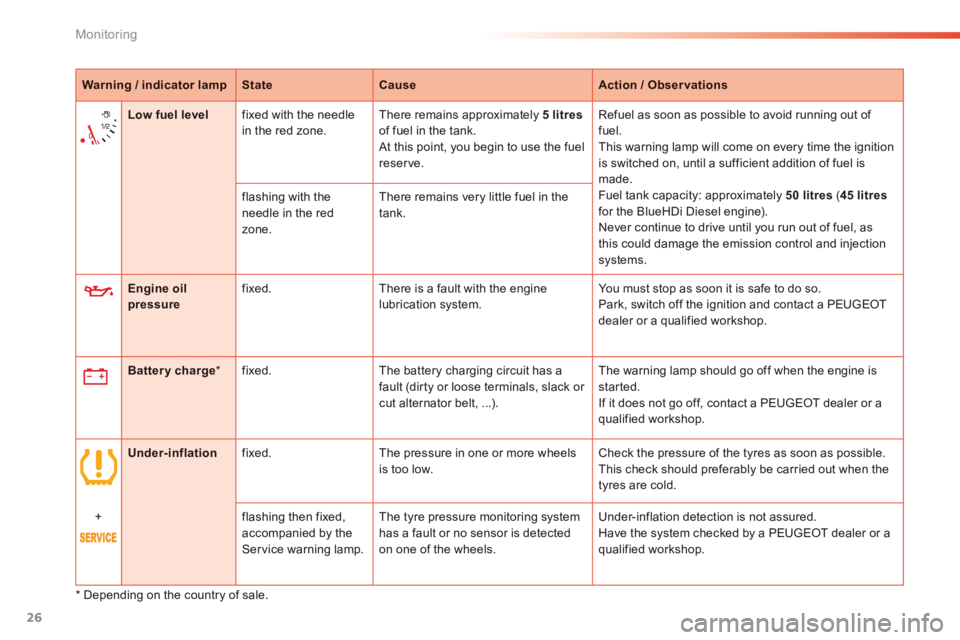
Warning / indicator lampStateCauseAction / Observations
Engine oil pressure fixed. There is a fault with the engine lubrication system. You must stop as soon it is safe to do so. Park, switch off the ignition and contact a PEUGEOT dealer or a qualified workshop.
Battery charge * fixed. The battery charging circuit has a fault (dirty or loose terminals, slack or cut alternator belt, ...).
The warning lamp should go off when the engine is started. If it does not go off, contact a PEUGEOT dealer or a qualified workshop.
Low fuel level fixed with the needle in the red zone. There remains approximately 5 litresof fuel in the tank. At this point, you begin to use the fuel reserve.
Refuel as soon as possible to avoid running out of fuel. This warning lamp will come on every time the ignition is switched on, until a sufficient addition of fuel is made. Fuel tank capacity: approximately 50 litres ( 45 litresfor the BlueHDi Diesel engine). Never continue to drive until you run out of fuel, as this could damage the emission control and injection systems.
flashing with the needle in the red zone.
There remains very little fuel in the tank.
Under-inflation fixed. The pressure in one or more wheels is too low. Check the pressure of the tyres as soon as possible. This check should preferably be carried out when the tyres are cold.
+ flashing then fixed,
accompanied by the Service warning lamp.
The tyre pressure monitoring system
has a fault or no sensor is detected on one of the wheels.
Under-inflation detection is not assured.
Have the system checked by a PEUGEOT dealer or a qualified workshop.
* Depending on the country of sale.
Page 376 of 450
1
1
Monitoring
2008-additif_en_Chap01_controle-de-marche_ed01-2016
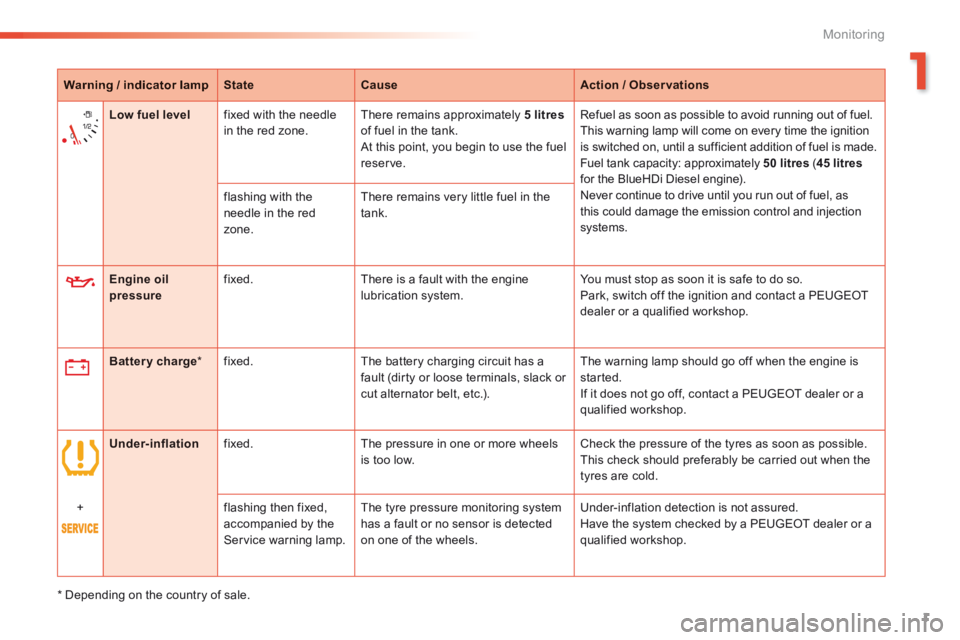
Warning / indicator lampStateCauseAction / Observations
Engine oil pressure fixed. There is a fault with the engine lubrication system. You must stop as soon it is safe to do so. Park, switch off the ignition and contact a PEUGEOT dealer or a qualified workshop.
Battery charge * fixed. The battery charging circuit has a fault (dirty or loose terminals, slack or cut alternator belt, etc.).
The warning lamp should go off when the engine is started. If it does not go off, contact a PEUGEOT dealer or a qualified workshop.
Low fuel level fixed with the needle in the red zone. There remains approximately 5 litresof fuel in the tank. At this point, you begin to use the fuel reserve.
Refuel as soon as possible to avoid running out of fuel. This warning lamp will come on every time the ignition is switched on, until a sufficient addition of fuel is made. Fuel tank capacity: approximately 50 litres ( 45 litres for the BlueHDi Diesel engine). Never continue to drive until you run out of fuel, as this could damage the emission control and injection systems.
flashing with the needle in the red zone.
There remains very little fuel in the tank.
Under-inflation fixed. The pressure in one or more wheels is too low. Check the pressure of the tyres as soon as possible. This check should preferably be carried out when the tyres are cold.
+ flashing then fixed, accompanied by the Service warning lamp.
The tyre pressure monitoring system has a fault or no sensor is detected on one of the wheels.
Under-inflation detection is not assured. Have the system checked by a PEUGEOT dealer or a qualified workshop.
* Depending on the country of sale.
Page 377 of 450
2
Monitoring
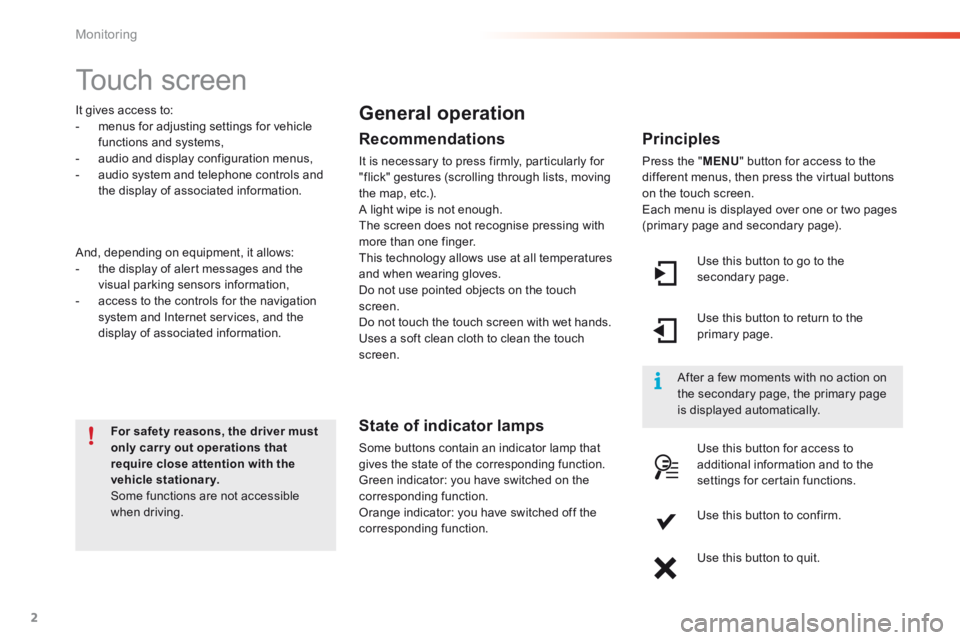
Touch screen
For For Forsafety reasons, the driver , the driver , the drivermustonly carry out operations that require close attention with the vehicle stationary. Some functions are not accessible when driving.
It gives access to: - menus for adjusting settings for vehicle functions and systems, - audio and display configuration menus, - audio system and telephone controls and the display of associated information.
And, depending on equipment, it allows: - the display of alert messages and the visual parking sensors information, - access to the controls for the navigation system and Internet services, and the display of associated information.
General operation
Recommendations
It is necessary to press firmly, particularly for "flick" gestures (scrolling through lists, moving the map, etc.). A light wipe is not enough. The screen does not recognise pressing with more than one finger. This technology allows use at all temperatures and when wearing gloves. Do not use pointed objects on the touch screen. Do not touch the touch screen with wet hands. Uses a soft clean cloth to clean the touch screen.
State of indicator lamps
Some buttons contain an indicator lamp that gives the state of the corresponding function. Green indicator: you have switched on the corresponding function. Orange indicator: you have switched off the corresponding function.
Principles
Press the " MENU " button for access to the different menus, then press the virtual buttons on the touch screen. Each menu is displayed over one or two pages (primary page and secondary page).
Use this button to go to the secondary page.
After a few moments with no action on the secondary page, the primary page is displayed automatically.
Use this button to return to the primary page.
Use this button for access to additional information and to the settings for certain functions.
Use this button to confirm.
Use this button to quit.
Page 378 of 450
1
3
Monitoring
2008-additif_en_Chap01_controle-de-marche_ed01-2016
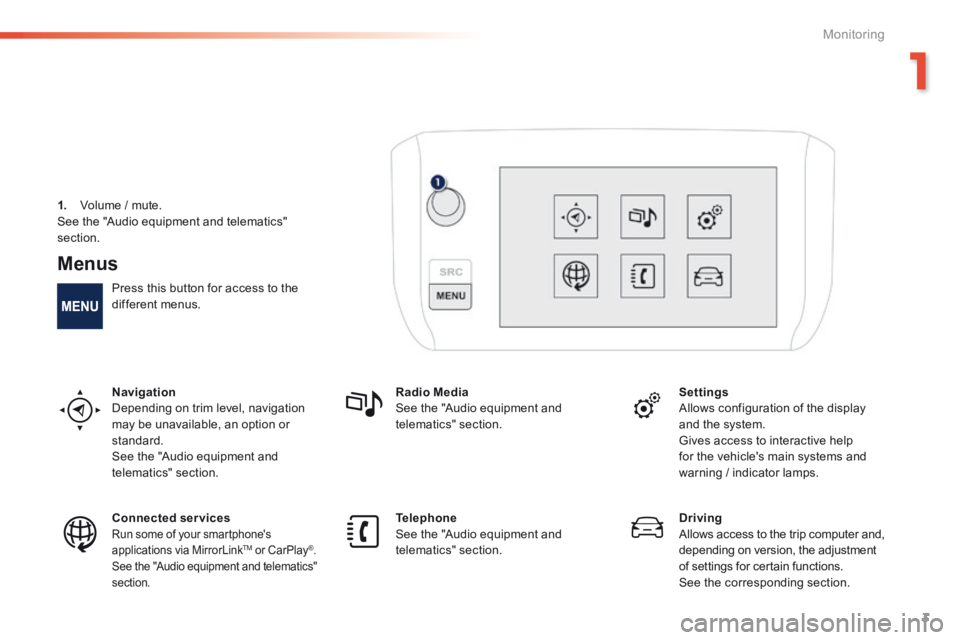
Menus
Press this button for access to the different menus.
Navigation Depending on trim level, navigation may be unavailable, an option or standard. See the "Audio equipment and telematics" section.
Radio Media See the "Audio equipment and telematics" section.
Settings Allows configuration of the display and the system.
Gives access to interactive help for the vehicle's main systems and warning / indicator lamps.
Connected services Run some of your smartphone's applications via MirrorLink TMapplications via MirrorLink TMapplications via MirrorLink or CarPlay®. See the "Audio equipment and telematics" section.
Telephone See the "Audio equipment and telematics" section.
Driving Allows access to the trip computer and, depending on version, the adjustment of settings for certain functions. See the corresponding section.
1. Volume / mute. See the "Audio equipment and telematics"
section.