USB PEUGEOT 2008 2016 Owner's Manual
[x] Cancel search | Manufacturer: PEUGEOT, Model Year: 2016, Model line: 2008, Model: PEUGEOT 2008 2016Pages: 450, PDF Size: 14.16 MB
Page 346 of 450
344
2008_en_Chap12c_RDE2_ed01-2016
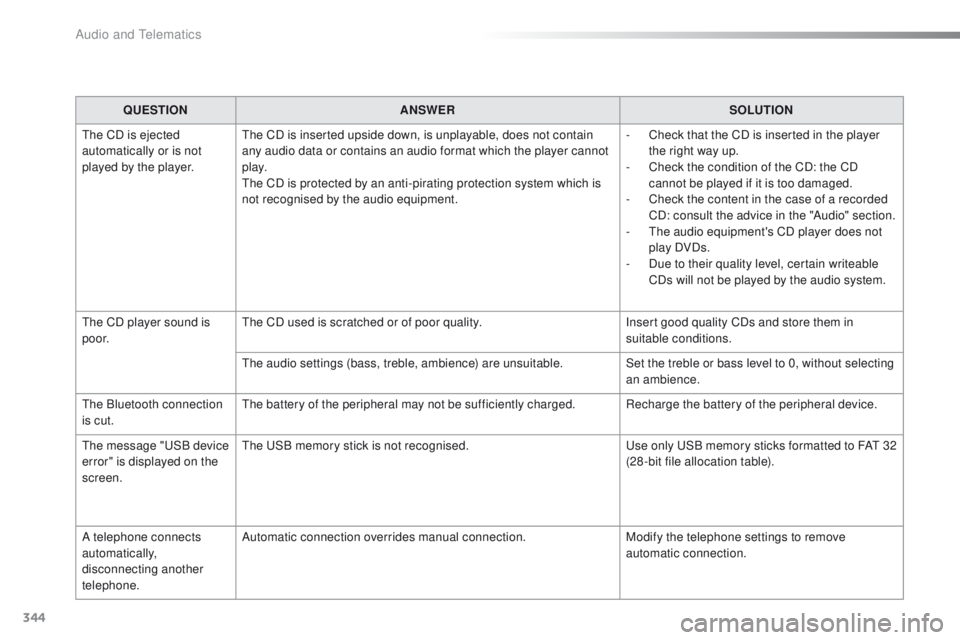
QUESTIONANSWER SOLUTION
The CD is ejected
automatically or is not
played by the player. The CD is inserted upside down, is unplayable, does not contain
any audio data or contains an audio format which the player cannot
p l ay.
The CD is protected by an anti-pirating protection system which is
not recognised by the audio equipment. -
C
heck that the CD is inserted in the player
the right way up.
-
C
heck the condition of the CD: the CD
cannot be played if it is too damaged.
-
C
heck the content in the case of a recorded
CD: consult the advice in the "Audio" section.
-
T
he audio equipment's CD player does not
play DVDs.
-
D
ue to their quality level, certain writeable
CDs will not be played by the audio system.
The CD player sound is
p o o r. The CD used is scratched or of poor quality.
Insert good quality CDs and store them in
suitable conditions.
The audio settings (bass, treble, ambience) are unsuitable. Set the treble or bass level to 0, without selecting
an ambience.
The Bluetooth connection
is cut. The battery of the peripheral may not be sufficiently charged. Recharge the battery of the peripheral device.
The message "USB device
error" is displayed on the
screen. The USB memory stick is not recognised.
Use only USB memory sticks formatted to FAT
3
2
(28 -bit file allocation table).
A telephone connects
automatically,
disconnecting another
telephone. Automatic connection overrides manual connection.
Modify the telephone settings to remove
automatic connection.
Audio and Telematics
Page 347 of 450
345
2008_en_Chap12c_RDE2_ed01-2016
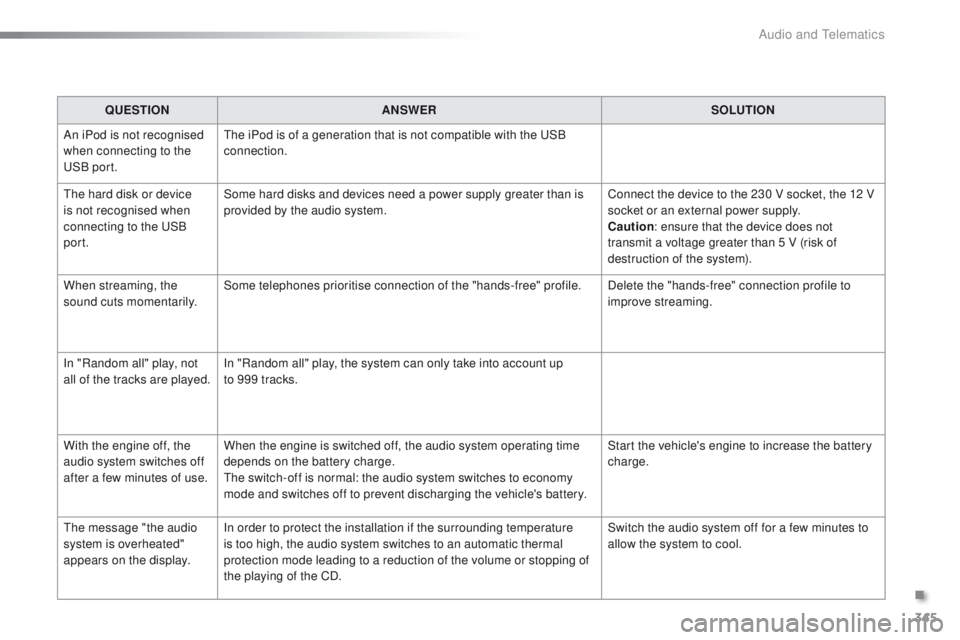
QUESTIONANSWER SOLUTION
An iPod is not recognised
when connecting to the
USB port. The iPod is of a generation that is not compatible with the USB
connection.
The hard disk or device
is not recognised when
connecting to the USB
port. Some hard disks and devices need a power supply greater than is
provided by the audio system.
Connect the device to the 230 V socket, the 12 V
socket or an external power supply.
Caution
: ensure that the device does not
transmit a voltage greater than 5 V (risk of
destruction of the system).
When streaming, the
sound cuts momentarily. Some telephones prioritise connection of the "hands-free" profile.
Delete the "hands-free" connection profile to
improve streaming.
In "Random all" play, not
all of the tracks are played. In "Random all" play, the system can only take into account up
to 999 tracks.
With the engine off, the
audio system switches off
after a few minutes of use. When the engine is switched off, the audio system operating time
depends on the battery charge.
The switch-off is normal: the audio system switches to economy
mode and switches off to prevent discharging the vehicle's battery. Start the vehicle's engine to increase the battery
charge.
The message "the audio
system is overheated"
appears on the display. In order to protect the installation if the surrounding temperature
is too high, the audio system switches to an automatic thermal
protection mode leading to a reduction of the volume or stopping of
the playing of the CD. Switch the audio system off for a few minutes to
allow the system to cool.
.
Audio and Telematics
Page 364 of 450
362
2008_en_Chap13_index-alpha_ed01-2016
Table of weights ....................................24 5, 249
Tables of engines .................................. 243, 247
Tables of fuses
.............................................. 208
Ta n k , f u e l
............................................... 170, 172
Technical data
....................................... 243-249
Telephone
............................................. 310, 33 6
Temperature, coolant
...................................... 33
T
S
Selector, gear .......................... 83, 84, 87, 91, 95
Serial number, vehicle .................................. 25
3
Service indicator
............................................. 28
Servicing
...............................
..........................12
Settings
...............
.........................290, 339, 354
Sidelamps
..................... 117, 121, 122, 204, 206
Side repeater
..............................
..................205
Snow chains
.......................................... 13
9, 201
Socket, 12 V accessory
..................................72
So
ckets, audio
.......................73, 286, 333, 352
Speed limiter
......................................... 104, 108
Starting the engine
......................................... 80
Starting using another battery
...................... 2
15
Station, radio
................................ 2
82, 330, 350
Stay, bonnet
.................................................. 234
Steering mounted controls, audio
.......................................... 260, 329, 349
Steering wheel, adjustment
............................59
Stop & Start
........................ 19, 40, 70, 100, 113,
170, 214, 218, 234, 240
Storage
...................................................... 71, 72
Stowing rings
.................................................. 75
Switching off the engine
................................. 80
S
ynchronising the remote control
...................46
Reminder, lighting on
.................................... 120
Remote control .......................................... 4
3 - 47
Removing a wheel
........................................ 197
Removing the mat
........................................... 74
Replacing bulbs
............................................ 202
Replacing fuses
..............................
.............. 208
Replacing the air filter
................................... 240
Replacing the oil filter
................................... 24
0
Replacing the passenger compartment filter
.... 240
Resetting the service indicator
....................... 30
Resetting the trip recorder
.............................. 41
Reversing camera
......................................... 112
Reversing lamp
..................................... 2
06, 207
Risk areas (update)
....................................... 273
Roof bars
....................................................... 23
0
Routine checks
..................................... 240, 241
Running out of fuel (Diesel)
.......................... 1
74
Petrol
............................................................. 173
PE
UGEOT C
onnect Assistance
................... 255
P
E
UGEOT
C
onnect Packs
........................... 255
P
E
UGEOT
C
onnect SOS
............................. 25
4
Player, Apple
® .............................. ........288, 335
Player, MP3 CD ............................ 286, 332, 352
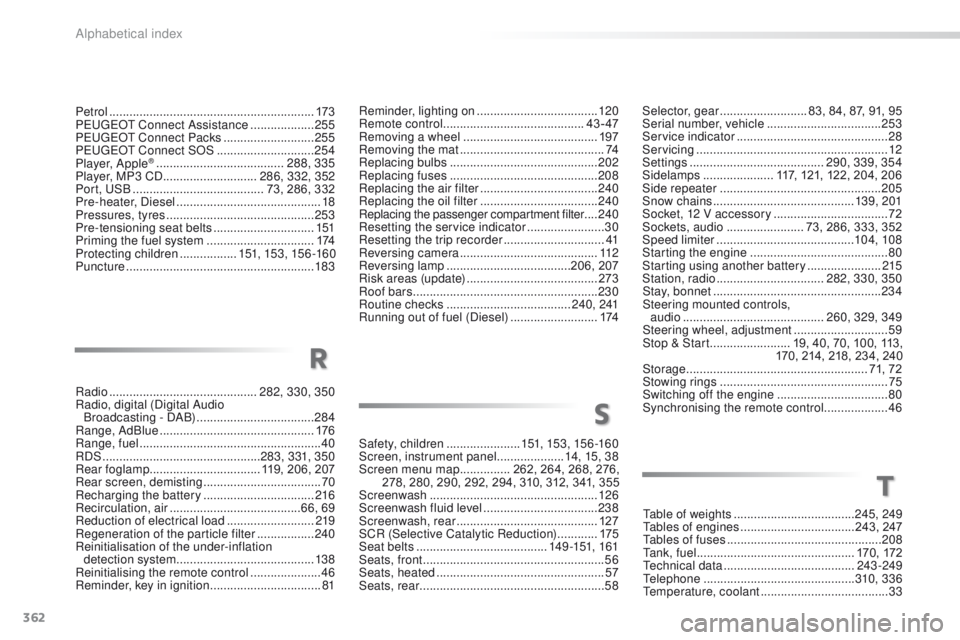
Port, USB
....................................... 7
3, 286, 332
Pre-heater, Diesel
........................................... 18
Pressures, tyres
............................................ 253
Pre-tensioning seat belts
.............................. 151
Priming the fuel system
................................ 174
Protecting children
................. 151, 153, 15 6 -16 0
Puncture
........................................................ 183
Radio
............................................ 282, 330, 350
Radio, digital (Digital Audio Broadcasting - DAB)
................................... 284
Range, AdBlue
.............................................. 176
Range, fuel
...................................................... 40
RDS
............................................... 283, 331, 350
Rear foglamp ................................. 119, 206, 207
Rear screen, demisting
................................... 70
Recharging the battery
................................. 2
16
Recirculation, air
....................................... 66, 69
Reduction of electrical load
.......................... 219
Regeneration of the particle filter
.................24
0
Reinitialisation of the under-inflation detection system
......................................... 13 8
Reinitialising the remote control
..................... 46
R
eminder, key in ignition ................................. 81Safety, children
......................
15
1, 153, 15 6 -16 0
Screen, instrument panel
....................14, 15, 38
Screen menu map
...............262, 264, 268, 276,
278, 280, 290, 292, 294, 310, 312, 341, 355
Screenwash
..................................................126
Screenwash fluid level
..................................238
Screenwash, rear
..........................................127
SCR (Selective Catalytic Reduction)
............175
Seat belts
....................................... 1
4 9 -151, 161
Seats, front
...............................
.......................56
Seats, heated
..................................................57
Seats, rear
.......................................................58
R
Alphabetical index
Page 365 of 450
363
2008_en_Chap13_index-alpha_ed01-2016
Under-inflation (detection) ....................1 37, 187
Unlocking .............................. ..........................43
Unlocking the boot
.......................................... 50
Updating risk areas
....................................... 2
73
Updating the date
............................................ 42
Updating the time
............................................ 42
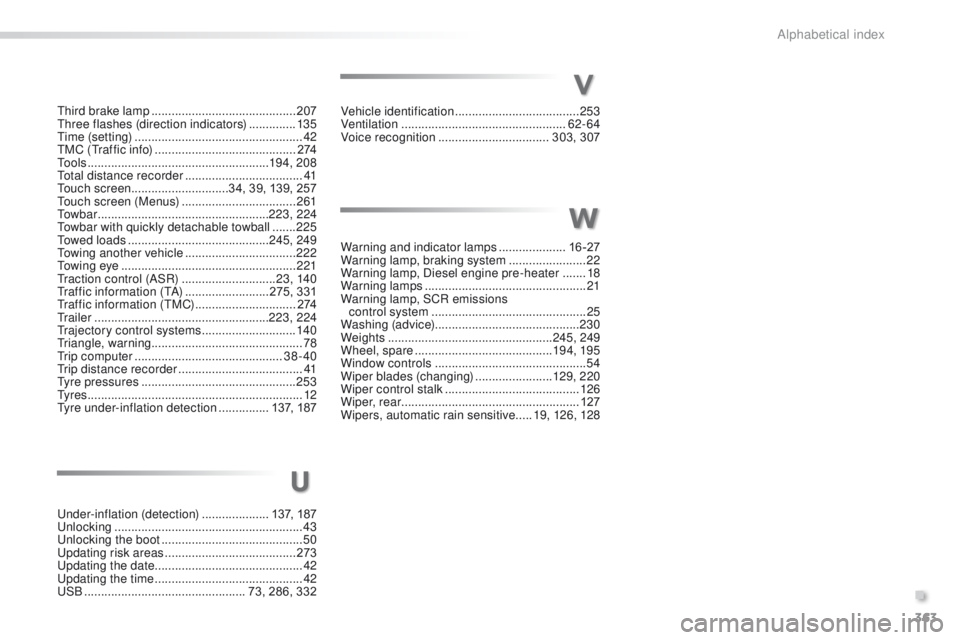
USB
................................................ 73, 286, 332Vehicle identification
.....................................
253
Ventilation
..............................
...................
62- 64
Voice recognition
.................................
303, 307
Warning and indicator lamps
....................
16 -27
Warning lamp, braking system
.......................
22
Warning lamp, Diesel engine pre-heater
.......
18
Warning lamps
................................................
21
Warning lamp, SCR emissions control system
..............................................
25
W
ashing (advice)
........................................... 230
Weights
.................................................
245, 249
Wheel, spare
.........................................
19 4, 195
Window controls
.............................................
54
Wiper blades (changing)
....................... 12
9, 2 20
Wiper control stalk ........................................
126
Wiper, rear ..................................................... 127
Wipers, automatic rain sensitive
.....
19, 126, 128
U
Third brake lamp ........................................... 207
Three flashes (direction indicators) ..............13 5
Time (setting)
..............................
....................42
TMC (Traffic info)
.......................................... 2
74
To o l s
......................................................19 4, 208
Total distance recorder
...................................41
Touch screen ............................. 34, 39, 139, 257
Touch screen (Menus)
..................................261
To w b a r
................................................... 223, 224
Towbar with quickly detachable towball
.......225
Towed loads
.......................................... 245, 249
Towing another vehicle
................................. 2
22
Towing eye
.................................................... 221
Traction control (ASR)
............................23, 140
Traffic information (TA)
.........................275, 331
Traffic information (TMC)
.............................. 2
74
Tr a i l e r
.................................................... 223, 224
Trajectory control systems
............................140
Triangle, warning ............................................. 78
Trip computer
............................................ 38-40
Trip distance recorder
..................................... 41
Tyre pressures
.............................................. 253
Ty r e s
................................................................ 12
Tyre under-inflation detection
...............137, 187
V
W
.
Alphabetical index
Page 391 of 450
17
2008-additif_en_Chap12b_SMEGplus_ed01-2016
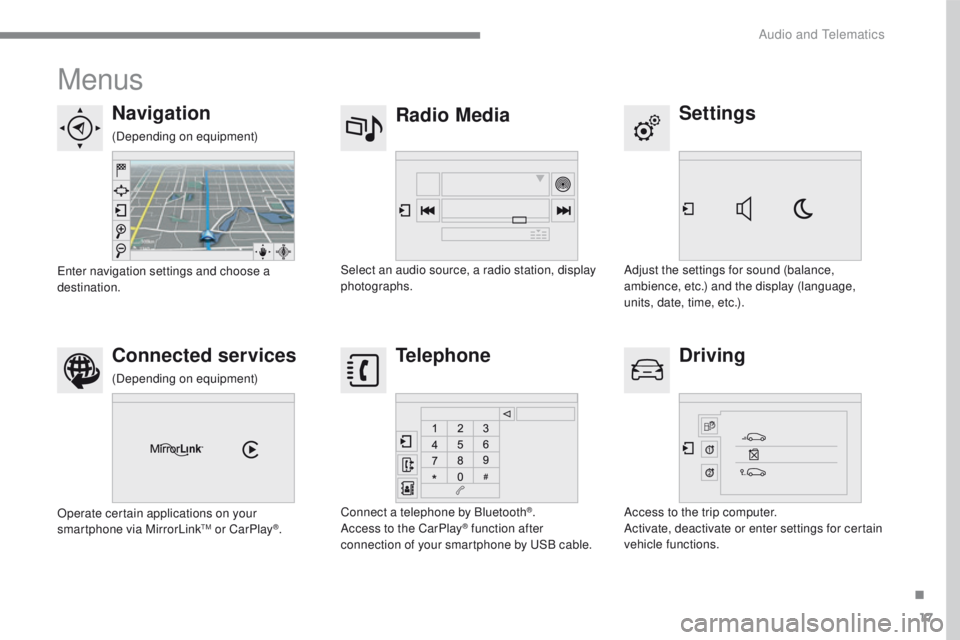
Menus
Settings
Radio Media
Navigation
Driving
Connected services Telephone
Adjust the settings for sound (balance,
ambience, etc.) and the display (language,
units, date, time, etc.).
Select an audio source, a radio station, display
photographs.
Enter navigation settings and choose a
destination.
Access to the trip computer.
Activate, deactivate or enter settings for certain
vehicle functions.
Operate certain applications on your
smartphone via MirrorLink
TM or CarPlay®.
Connect a telephone by Bluetooth
®.
Access to the CarPlay® function after
connection of your smartphone by USB cable.
(Depending on equipment)
(Depending on equipment)
.
Audio and Telematics
Page 407 of 450
33
2008-additif_en_Chap12b_SMEGplus_ed01-2016
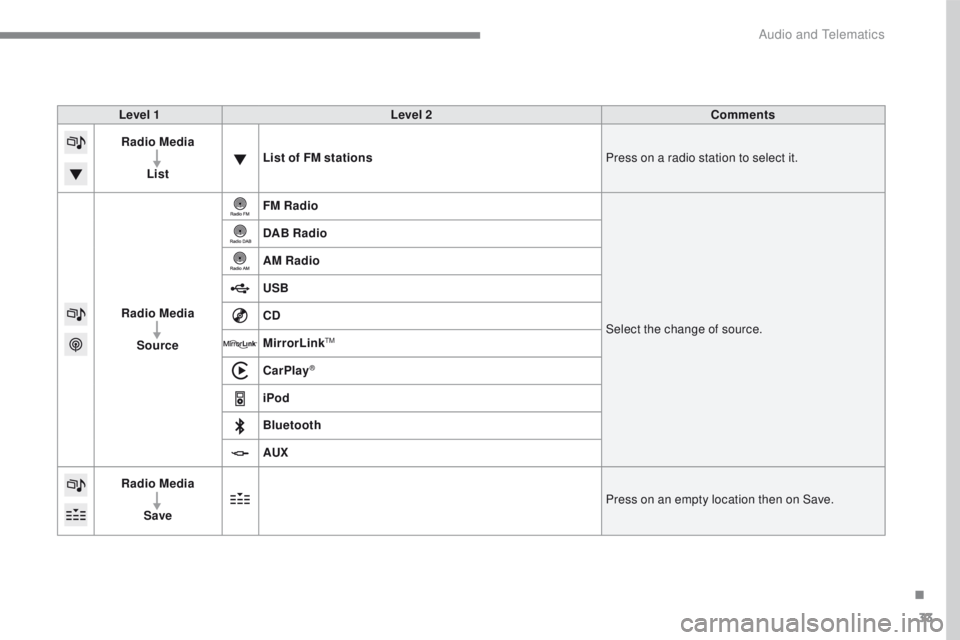
Level 1Level 2 Comments
Radio Media
List List of FM stations
Press on a radio station to select it.
Radio Media Source FM Radio
Select the change of source.
DAB Radio
AM Radio
USB
CD
MirrorLink
TM
CarPlay®
iPod
Bluetooth
AUX
Radio Media
Save Press on an empty location then on Save.
.
Audio and Telematics
Page 412 of 450
38
2008-additif_en_Chap12b_SMEGplus_ed01-2016
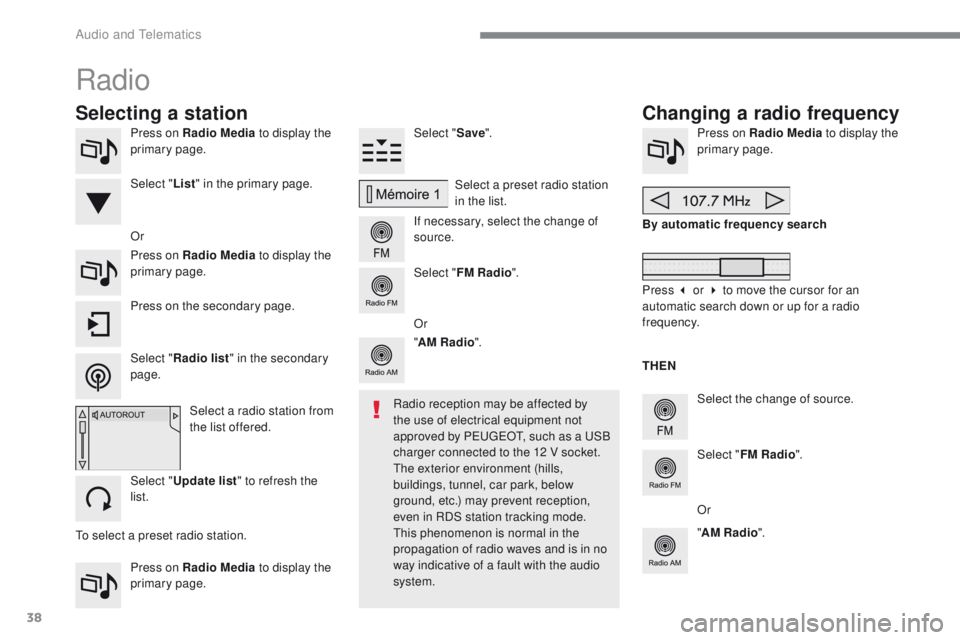
Press on Radio Media to display the
primary page.
Press on Radio Media to display the
primary page. Select "
Save".
If necessary, select the change of
source. Press on Radio Media
to display the
primary page.
Select the change of source.
"
AM Radio ". By automatic frequency search
Select "FM Radio ".
" AM Radio ".
Press on the secondary page. Or
Select a preset radio station
in the list.
Select " FM Radio ".
Select a radio station from
the list offered.
Select " Update list " to refresh the
list. Select " List" in the primary page.
Press on Radio Media to display the
primary page.
Radio
Changing a radio frequency
Selecting a station
THEN
Radio reception may be affected by
the use of electrical equipment not
approved by PEUGEOT, such as a USB
charger connected to the 12 V socket.
The exterior environment (hills,
buildings, tunnel, car park, below
ground, etc.) may prevent reception,
even in RDS station tracking mode.
This phenomenon is normal in the
propagation of radio waves and is in no
way indicative of a fault with the audio
system.
Select "
Radio list " in the secondary
page. Or
Press 3 or 4 to move the cursor for an
automatic search down or up for a radio
frequency.
Or
To select a preset radio station.
Audio and Telematics
Page 416 of 450
42
2008-additif_en_Chap12b_SMEGplus_ed01-2016
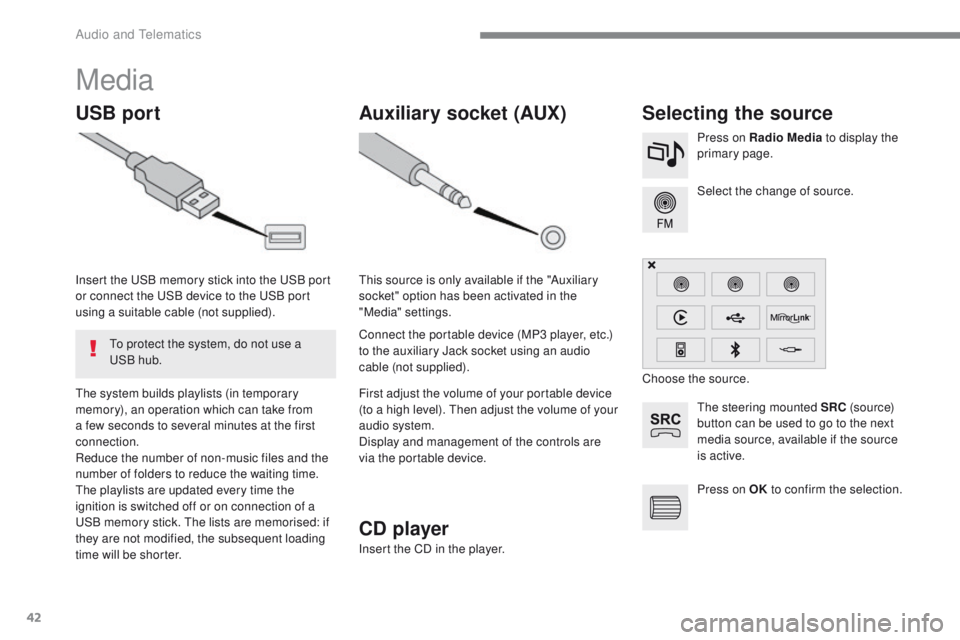
Media
USB portSelecting the source
The steering mounted SRC (s o u r c e)
button can be used to go to the next
media source, available if the source
is active. Select the change of source. Press on Radio Media to display the
primary page.
The system builds playlists (in temporary
memory), an operation which can take from
a few seconds to several minutes at the first
connection.
Reduce the number of non-music files and the
number of folders to reduce the waiting time.
The playlists are updated every time the
ignition is switched off or on connection of a
USB memory stick. The lists are memorised: if
they are not modified, the subsequent loading
time will be shorter. Insert the USB memory stick into the USB port
or connect the USB device to the USB port
using a suitable cable (not supplied).
Auxiliary socket (AUX)
Connect the portable device (MP3 player, etc.)
to the auxiliary Jack socket using an audio
cable (not supplied). This source is only available if the "Auxiliary
socket" option has been activated in the
"Media" settings.
First adjust the volume of your portable device
(to a high level). Then adjust the volume of your
audio system.
Display and management of the controls are
via the portable device. Choose the source.
To protect the system, do not use a
USB hub.
CD player
Insert the CD in the player. Press on OK
to confirm the selection.
Audio and Telematics
Page 417 of 450
43
2008-additif_en_Chap12b_SMEGplus_ed01-2016
The audio system will only play audio files
with" .wma, .aac, .flac, .ogg and .mp3" file
extensions and with a bit rate of between
32
K
bps and 320 Kbps.
It also supports VBR (Variable Bit Rate) mode.
No other type of file (.mp4, etc.) can be played.
".wma" files must be of the standard wma 9
t
ype.
The sampling rates supported are 32, 44 and
48 KHz.
It is advisable to restrict file names to
20
c
haracters, without using of special
characters (e.g. " " ? ; ù) to avoid any playing
and displaying problems.
Information and advice
Use only USB memory sticks formatted to
FAT32 (file allocation table).
The system supports USB mass
storage devices, BlackBerry
® devices
or Apple® players via USB ports. The
adaptor cable is not supplied.
Control of the peripheral device is with
the audio system controls.
Other peripherals, not recognised on
connection, must be connected to the
auxiliary socket using a Jack cable (not
supplied). It is recommended that the USB cable
for the portable device is used. To protect the system, do not use a
USB hub.
In order to be able to play a recorded CDR or
CDRW, when recording it is preferable to select
the ISO 9660 level 1, 2 or Joliet standard.
If the disc is recorded in another format it may
not be played correctly.
It is recommended that the same recording
standard is always used for an individual disc,
with as low a speed as possible (4x maximum)
for optimum sound quality.
In the particular case of a multi-session CD, the
Joliet standard is recommended.
.
Audio and Telematics
Page 419 of 450
45
2008-additif_en_Chap12b_SMEGplus_ed01-2016
Bluetooth® audio streaming
Streaming allows audio files on your telephone
to be played through the vehicle's speakers.
Connect the telephone: see the "Telephone"
section, then " Bluetooth".
Choose the " Audio" or "All" profile.
If play does not start automatically, it may be
necessary to start the audio playback from the
telephone.
Control is from the peripheral device or by
using the audio system buttons.
Once connected in streaming mode,
the telephone is considered to be a
media source.
It is recommended that you activate
"Repeat " on the Bluetooth
® peripheral.
Connecting Apple® players
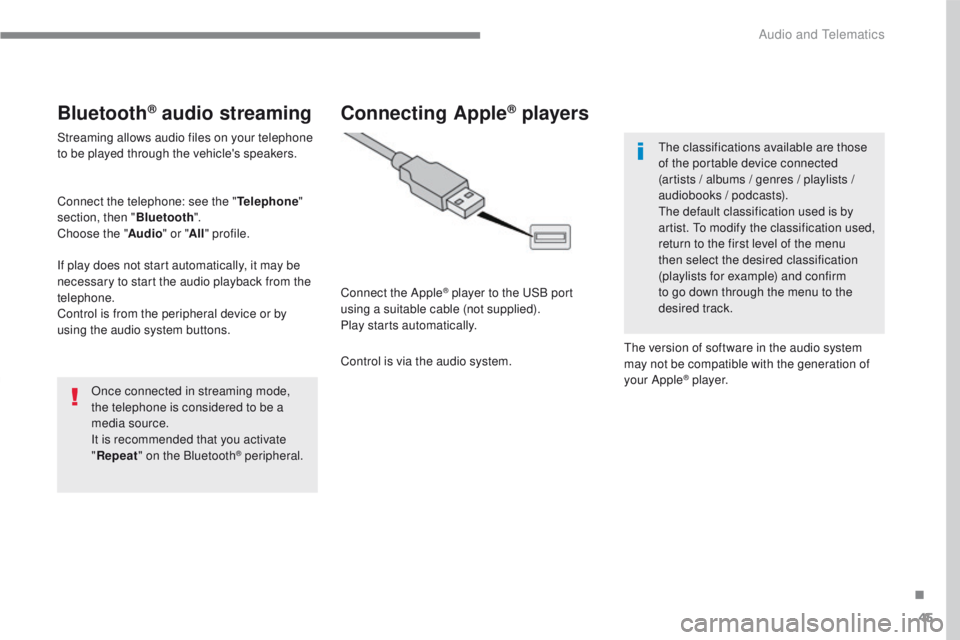
Connect the Apple® player to the USB port
using a suitable cable (not supplied).
Play starts automatically.
Control is via the audio system. The classifications available are those
of the portable device connected
(artists / albums / genres / playlists /
audiobooks / podcasts).
The default classification used is by
artist. To modify the classification used,
return to the first level of the menu
then select the desired classification
(playlists for example) and confirm
to go down through the menu to the
desired track.
The version of software in the audio system
may not be compatible with the generation of
your Apple
® p l aye r.
.
Audio and Telematics