glove box PEUGEOT 2008 2016 Owners Manual
[x] Cancel search | Manufacturer: PEUGEOT, Model Year: 2016, Model line: 2008, Model: PEUGEOT 2008 2016Pages: 450, PDF Size: 14.16 MB
Page 8 of 450
6
2008_en_Chap00b_vue-ensemble_ed01-2016
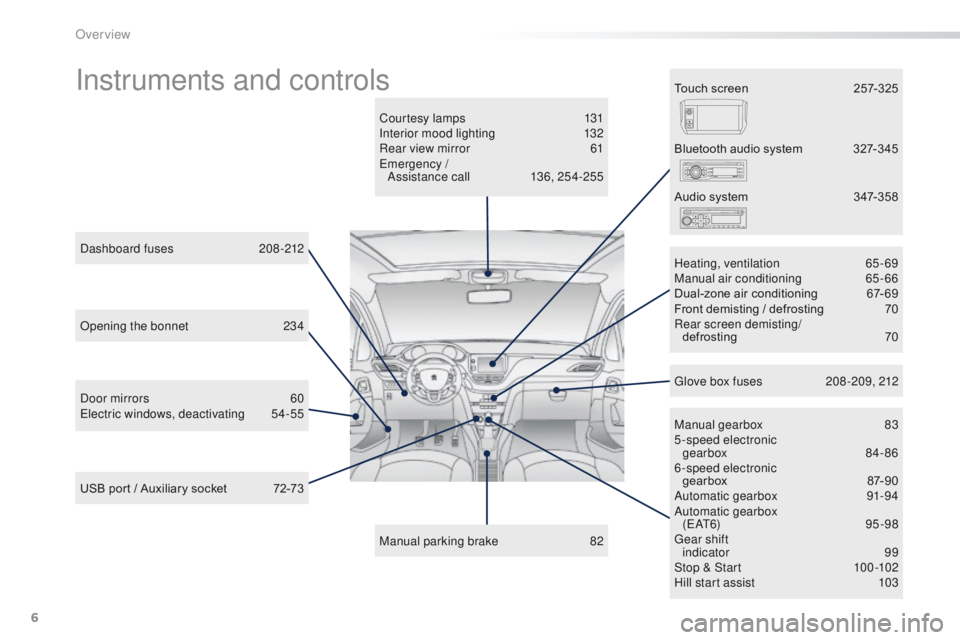
Instruments and controls
Courtesy lamps 131
Interior mood lighting 1 32
Rear view mirror
6
1
Emergency / Assistance call
1
36, 254-255
Manual parking brake
8
2Manual gearbox
8
3
5-speed electronic gearbox
8
4- 86
6-speed electronic gearbox
87
-90
Automatic gearbox
9
1-94
Automatic gearbox ( E AT 6)
9 5 - 9 8
Gear shift indicator
99
Stop & Start
1
00 -102
Hill start assist
1
03
Dashboard fuses
2
08-212
USB port / Auxiliary socket
7
2-73 Heating, ventilation
6
5-69
Manual air conditioning
6
5-66
Dual-zone air conditioning
6
7- 69
Front demisting / defrosting
7
0
Rear screen demisting/
defrosting
70
B
luetooth audio system
3
27-345
Door mirrors
6
0
Electric windows, deactivating
5
4-55 Audio system
3
47-358
Glove box fuses
2
08 -209, 212
Touch screen
2
57-325
Opening the bonnet
2
34
Over view
Page 22 of 450
20
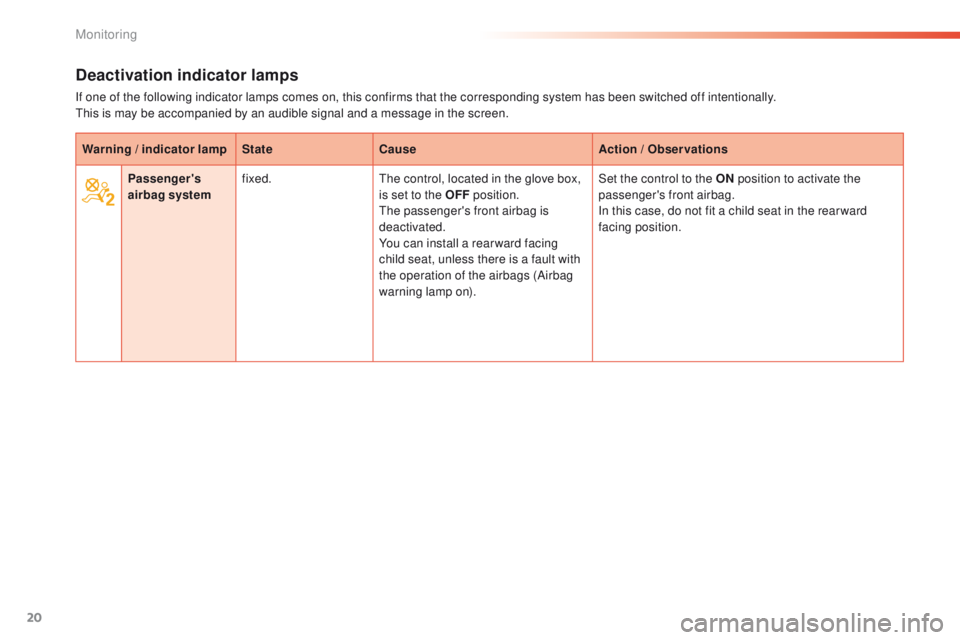
Deactivation indicator lamps
If one of the following indicator lamps comes on, this confirms that the corresponding system has been switched off intentionally.
This is may be accompanied by an audible signal and a message in the screen.Warning / indicator lamp StateCause Action / Observations
Passenger's
airbag system fixed.
The control, located in the glove box,
is set to the OFF position.
The passenger's front airbag is
deactivated.
You can install a rear ward facing
child seat, unless there is a fault with
the operation of the airbags (Airbag
warning lamp on). Set the control to the ON
position to activate the
passenger's front airbag.
In this case, do not fit a child seat in the rear ward
facing position.
Monitoring
Page 73 of 450
71
2008_en_Chap04_amenagements_ed01-2016
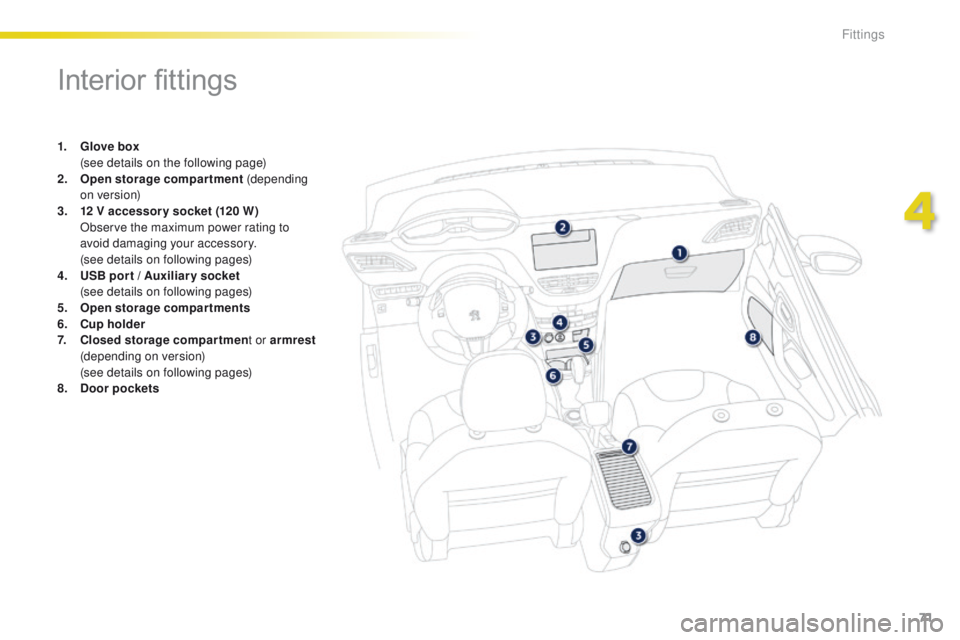
Interior fittings
1. Glove box (
see details on the following page)
2.
O
pen storage compartment (depending
on version)
3.
1
2 V accessory socket (120 W )
O
bserve the maximum power rating to
avoid damaging your accessory.
(
see details on following pages)
4.
U
SB por t / Auxiliar y socket
(
see details on following pages)
5.
O
pen storage compartments
6.
C
up holder
7.
C
losed storage compartmen t or armrest
(depending on version)
(
see details on following pages)
8.
Doo
r pockets
4
Fittings
Page 74 of 450
72
2008_en_Chap04_amenagements_ed01-2016
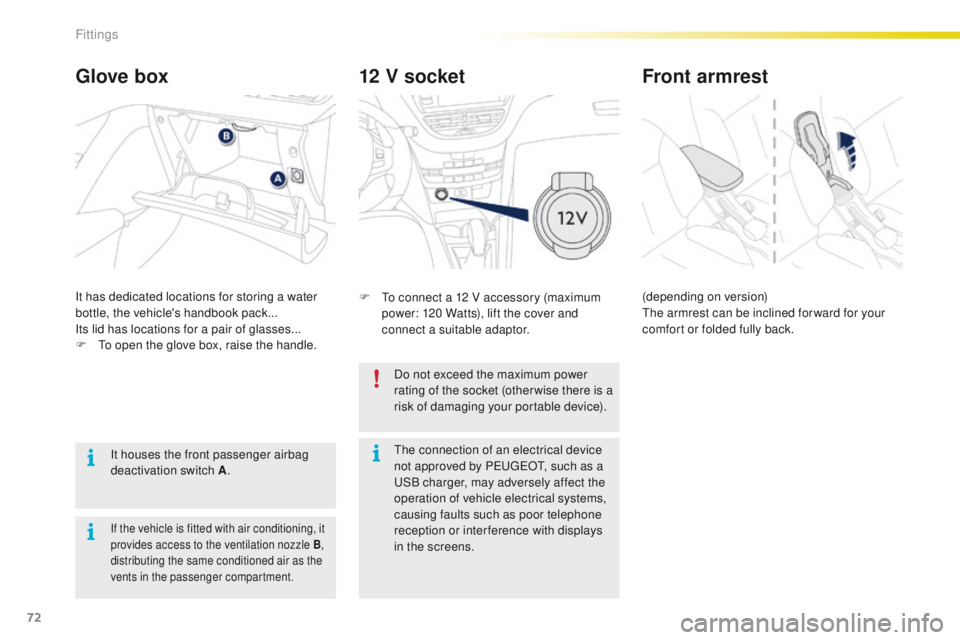
12 V socket
F To connect a 12 V accessory (maximum power: 120 Watts), lift the cover and
connect a suitable adaptor.
Glove box
It has dedicated locations for storing a water
bottle, the vehicle's handbook pack...
Its lid has locations for a pair of glasses...
F
T
o open the glove box, raise the handle.
It houses the front passenger airbag
deactivation switch A .
If the vehicle is fitted with air conditioning, it
provides access to the ventilation nozzle
B,
distributing the same conditioned air as the
vents in the passenger compartment.
Do not exceed the maximum power
rating of the socket (otherwise there is a
risk of damaging your portable device).
Front armrest
(depending on version)
The armrest can be inclined for ward for your
comfort or folded fully back.
The connection of an electrical device
not approved by PEUGEOT, such as a
USB charger, may adversely affect the
operation of vehicle electrical systems,
causing faults such as poor telephone
reception or inter ference with displays
in the screens.
Fittings
Page 154 of 450
152
2008_en_Chap07_securite_ed01-2016
Airbags
General information
System designed to contribute towards
improving the safety of the occupants (with
the exception of the rear centre passenger)
in the event of violent collisions. The airbags
supplement the action of the seat belts fitted
with force limiters (all except the centre rear
passenger belt).
If a collision occurs, the electronic detectors
record and analyse the front and side impacts
sustained in the impact detection zones:
-
i
n the case of a serious impact, the airbags
are deployed instantly and contribute
towards better protection of the occupants
of the vehicle (with the exception of the
rear centre passenger); immediately after
the impact, the airbags deflate rapidly so
that they do not hinder visibility or the exit
of the occupants,
-
i
n the case of a minor or rear impact or in
certain roll-over conditions, the airbags
may not be deployed; the seat belt
alone contributes towards ensuring your
protection in these situations.
The airbags do not operate when the
ignition is switched off. Deployment of one or more of the
airbags is accompanied by a slight
emission of smoke and a noise, due
to the activation of the pyrotechnic
cartridge incorporated in the system.
This smoke is not harmful, but sensitive
individuals may experience slight
irritation.
The noise of detonation associated with
the deployment of one or more airbags
may result in a slight loss of hearing for
a short time.
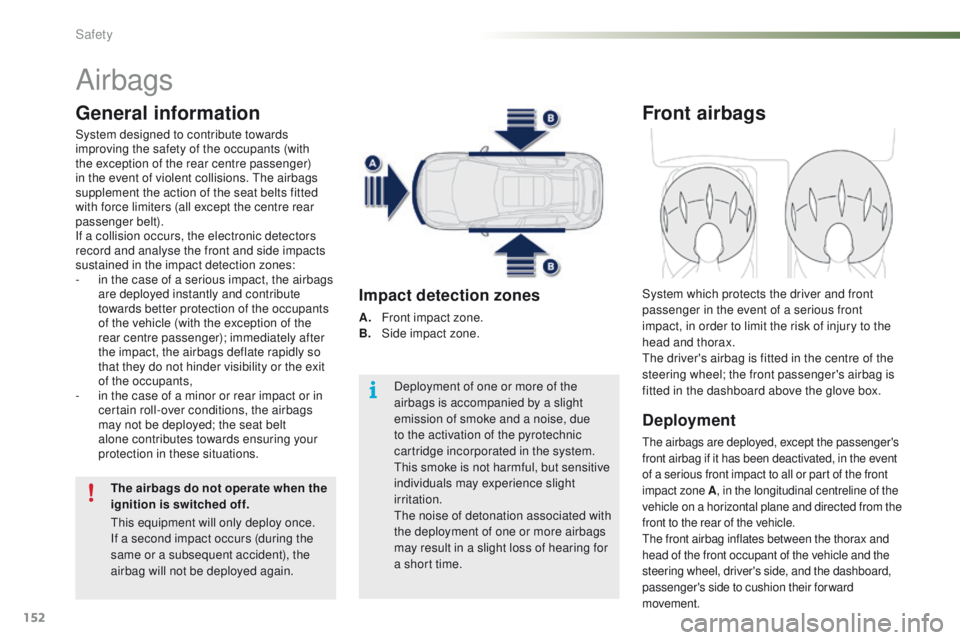
Impact detection zones
A. Front impact zone.
B. S
ide impact zone.
Front airbags
Deployment
The airbags are deployed, except the passenger's
front airbag if it has been deactivated, in the event
of a serious front impact to all or part of the front
impact zone A , in the longitudinal centreline of the
vehicle on a horizontal plane and directed from the
front to the rear of the vehicle.
The front airbag inflates between the thorax and
head of the front occupant of the vehicle and the
steering wheel, driver's side, and the dashboard,
passenger's side to cushion their forward
movement.
System which protects the driver and front
passenger in the event of a serious front
impact, in order to limit the risk of injury to the
head and thorax.
The driver's airbag is fitted in the centre of the
steering wheel; the front passenger's airbag is
fitted in the dashboard above the glove box.
This equipment will only deploy once.
If a second impact occurs (during the
same or a subsequent accident), the
airbag will not be deployed again.
Safety
Page 196 of 450
194
2008_en_Chap09_info-pratiques_ed01-2016
Changing a wheel
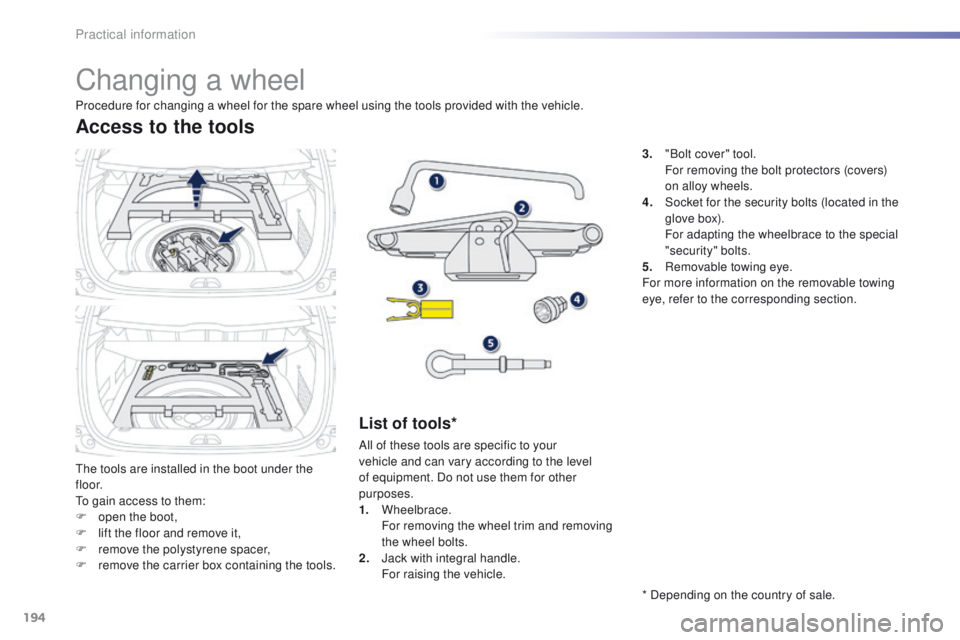
The tools are installed in the boot under the
f l o o r.
To gain access to them:
F
o
pen the boot,
F
l
ift the floor and remove it,
F
r
emove the polystyrene spacer,
F
r
emove the carrier box containing the tools.
Access to the tools
List of tools*
All of these tools are specific to your
vehicle and can vary according to the level
of equipment. Do not use them for other
purposes.
1.
Wheelbrace.
F
or removing the wheel trim and removing
the wheel bolts.
2.
J
ack with integral handle.
F
or raising the vehicle.
Procedure for changing a wheel for the spare wheel using the tools provided with the vehicle.
* Depending on the country of sale. 3.
"
Bolt cover" tool.
F
or removing the bolt protectors (covers)
on alloy wheels.
4.
S
ocket for the security bolts (located in the
glove box).
F
or adapting the wheelbrace to the special
"security" bolts.
5.
R
emovable towing eye.
For more information on the removable towing
eye, refer to the corresponding section.
Practical information
Page 210 of 450
208
2008_en_Chap09_info-pratiques_ed01-2016
Changing a fuse
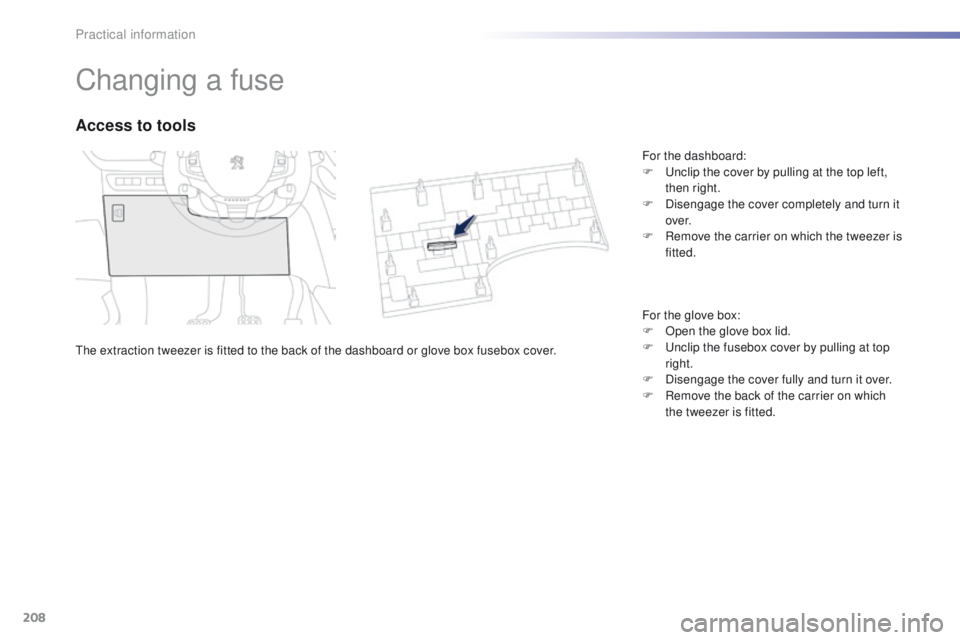
The extraction tweezer is fitted to the back of the dashboard or glove box fusebox cover.
Access to tools
For the dashboard:
F U nclip the cover by pulling at the top left,
then right.
F
D
isengage the cover completely and turn it
ove r.
F
R
emove the carrier on which the tweezer is
fitted.
For the glove box:
F
O
pen the glove box lid.
F
U
nclip the fusebox cover by pulling at top
right.
F
D
isengage the cover fully and turn it over.
F
R
emove the back of the carrier on which
the tweezer is fitted.
Practical information
Page 261 of 450
259
2008_en_Chap12b_SMEGplus_ed01-2016
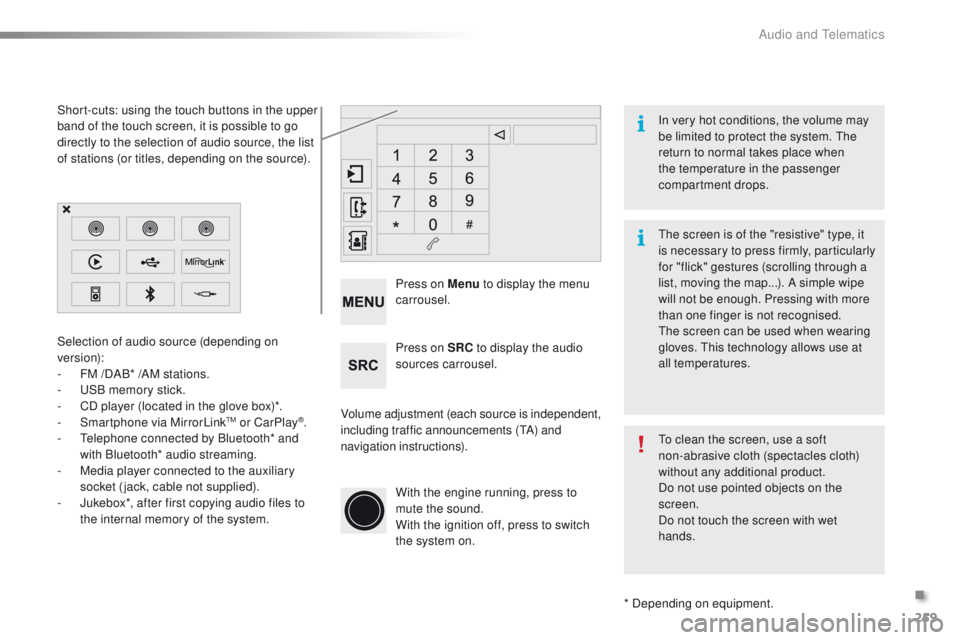
Volume adjustment (each source is independent,
including traffic announcements (TA) and
navigation instructions). Press on Menu
to display the menu
carrousel.
Press on SRC to display the audio
sources carrousel.
With the engine running, press to
mute the sound.
With the ignition off, press to switch
the system on.
Selection of audio source (depending on
version):
-
F
M /DAB* /AM stations.
-
U
SB memory stick.
-
C
D player (located in the glove box)*.
- S
martphone via MirrorLinkTM or CarPlay®.
-
T
elephone connected by Bluetooth* and
with Bluetooth* audio streaming.
-
M
edia player connected to the auxiliary
socket (jack, cable not supplied).
-
J
ukebox*, after first copying audio files to
the internal memory of the system.
* Depending on equipment.
Short-cuts: using the touch buttons in the upper
band of the touch screen, it is possible to go
directly to the selection of audio source, the list
of stations (or titles, depending on the source).
The screen is of the "resistive" type, it
is necessary to press firmly, particularly
for "flick" gestures (scrolling through a
list, moving the map...). A simple wipe
will not be enough. Pressing with more
than one finger is not recognised.
The screen can be used when wearing
gloves. This technology allows use at
all temperatures. In very hot conditions, the volume may
be limited to protect the system. The
return to normal takes place when
the temperature in the passenger
compartment drops.
To clean the screen, use a soft
non-abrasive cloth (spectacles cloth)
without any additional product.
Do not use pointed objects on the
screen.
Do not touch the screen with wet
hands.
.
Audio and Telematics
Page 362 of 450
360
2008_en_Chap13_index-alpha_ed01-2016
Emergency warning lamps .....................7 8, 135
Emissions control system, SCR .............25, 175
Energy economy mode
.................................219
Engine compartment
...........................235, 236
Engine, Diesel
......... 1
8, 173, 174, 236, 247, 249
Engine oil level indicator
...............................237
Engine, petrol
....................... 173, 235, 243, 245
Environment
.......... 1
2, 46, 70, 98, 181, 214, 239
Filling the fuel tank
........................1
70, 172, 173
Filter, particle
........................................239, 240
Fitting a wheel
...............................
................19 9
Fitting roof bars
............................................. 230
Fittings, boot
................................................... 75
F
ittings, interior
......................................... 71, 72
Flap, fuel filler
...............................
.........170, 172
Flashing indicators
........................122, 135, 203
Foglamp, rear
...............................
.119, 206, 207
Foglamps, front
............................. 119, 125, 205
Folding/unfolding the door mirrors
.................60
Frequency (radio)
.........................282, 330, 350
Fuel .......................................................... 12, 173
Fuel consumption
...................................... 12
, 4 0
Fuel tank ................................................ 170, 172
Fusebox, dashboard
.............................210, 212
Fusebox, engine compartment
.....................213
Fuses
............................................................. 208Gauge, fuel
........................................ 14, 15, 170
Gearbox, automatic
............12, 91, 95, 214, 241
Gearbox, electronic ....12, 72, 84, 87, 100, 214, 241
Gearbox, manual ...................... 12, 83, 100, 241
Gear lever, automatic gearbox
....................... 91
G
ear lever, electronic gearbox
.................84, 87
Gear lever, manual gearbox
........................... 83
Gear shift indicator
......................................... 99
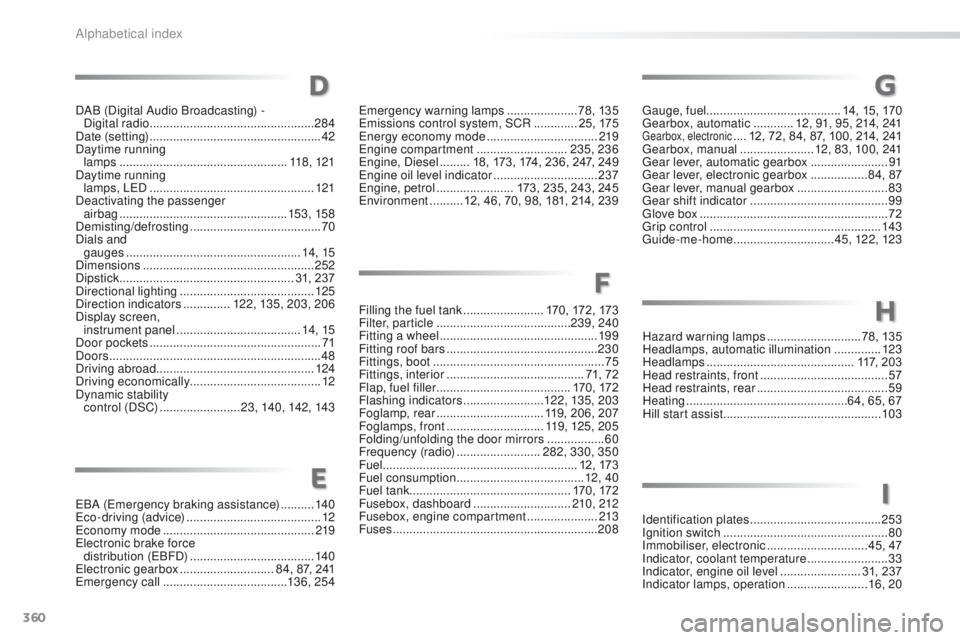
Glove box
........................................................ 72
Grip control
................................................... 143
Guide-me-home
.............................. 4 5, 12 2, 123
Identification plates
....................................... 25
3
Ignition switch
................................................. 80
Imm
obiliser, electronic
.............................. 45, 47
Indicator, coolant temperature
........................ 33
I
ndicator, engine oil level ........................ 31, 237
Indicator lamps, operation
........................ 16, 20
F
G
I
DAB (Digital Audio Broadcasting) -
Digital radio ................................................. 284
Date (setting)
...............................
....................42
Daytime running lamps
..............................
....................118 , 12 1
Daytime running lamps, LED
................................................. 121
Deactivating the passenger airbag
.................................................. 15
3, 15 8
Demisting/defrosting
....................................... 70
Dials and gauges
...............
..................................... 14, 15
Dimensions
................................................... 252
Dipstick
................
.................................... 31, 237
Directional lighting
........................................ 125
Direction indicators
..............122, 135, 203, 206
Display screen, instrument panel
...............................
......14, 15
Door pockets
................................................... 71
D
oors
............................................................... 48
Driving abroad ............................................... 124
Driving economically ....................................... 12
Dynamic stability c ontrol (DSC)
........................23, 140, 142, 143
D
EBA (Emergency braking assistance) ..........140
Eco-driving (advice) ........................................ 12
Economy mode
............................................. 219
Electronic brake force distribution (EBFD)
..................................... 140
Electronic gearbox
............................84, 87, 241
Emergency call
..................................... 13
6, 25 4 Hazard warning lamps
............................
78, 135
Headlamps, automatic illumination
..............
123
Headlamps
............................................
117, 203
Head restraints, front ......................................
57
Head restraints, rear .......................................
59
Heating
................................................
64, 65, 67
Hill start assist
...............................................
10
3
H
E
Alphabetical index
Page 389 of 450
15
2008-additif_en_Chap12b_SMEGplus_ed01-2016
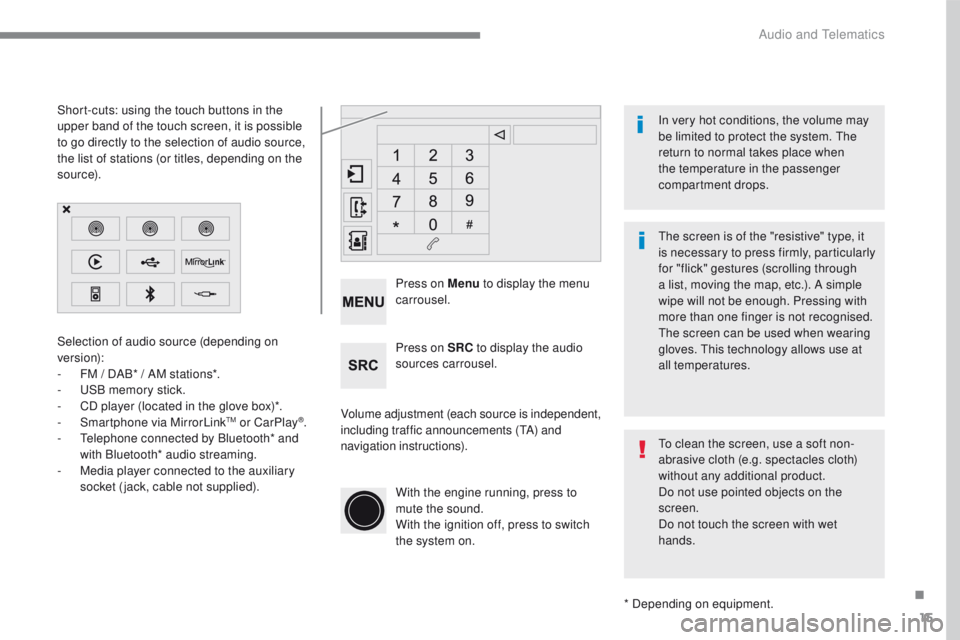
Selection of audio source (depending on
version):
-
FM / D
AB* / AM stations*.
-
US
B memory stick.
-
CD p
layer (located in the glove box)*.
-
Sm
artphone via MirrorLink
TM or CarPlay®.
- Te
lephone connected by Bluetooth* and
with Bluetooth* audio streaming.
-
Me
dia player connected to the auxiliary
socket (jack, cable not supplied).
* Depending on equipment.
Short-cuts: using the touch buttons in the
upper
b
and of the touch screen, it is possible
to go directly to the selection of audio source,
the list of stations (or titles, depending on the
s o u r c e).
The screen is of the "resistive" type, it
is necessary to press firmly, particularly
for "flick" gestures (scrolling through
a list, moving the map, etc.). A simple
wipe will not be enough. Pressing with
more than one finger is not recognised.
The screen can be used when wearing
gloves. This technology allows use at
all temperatures. In very hot conditions, the volume may
be limited to protect the system. The
return to normal takes place when
the temperature in the passenger
compartment drops.
To clean the screen, use a soft non-
abrasive cloth (e.g. spectacles cloth)
without any additional product.
Do not use pointed objects on the
screen.
Do not touch the screen with wet
hands.
Volume adjustment (each source is independent,
including traffic announcements (
TA) and
navigation instructions). Press on Menu
to display the menu
carrousel.
Press on SRC to display the audio
sources carrousel.
With the engine running, press to
mute the sound.
With the ignition off, press to switch
the system on.
.
Audio and Telematics