key Peugeot 208 2015 Owner's Manual - RHD (UK, Australia)
[x] Cancel search | Manufacturer: PEUGEOT, Model Year: 2015, Model line: 208, Model: Peugeot 208 2015Pages: 341, PDF Size: 38.75 MB
Page 4 of 341
2
208_en_Chap00a_sommaire_ed01-2015
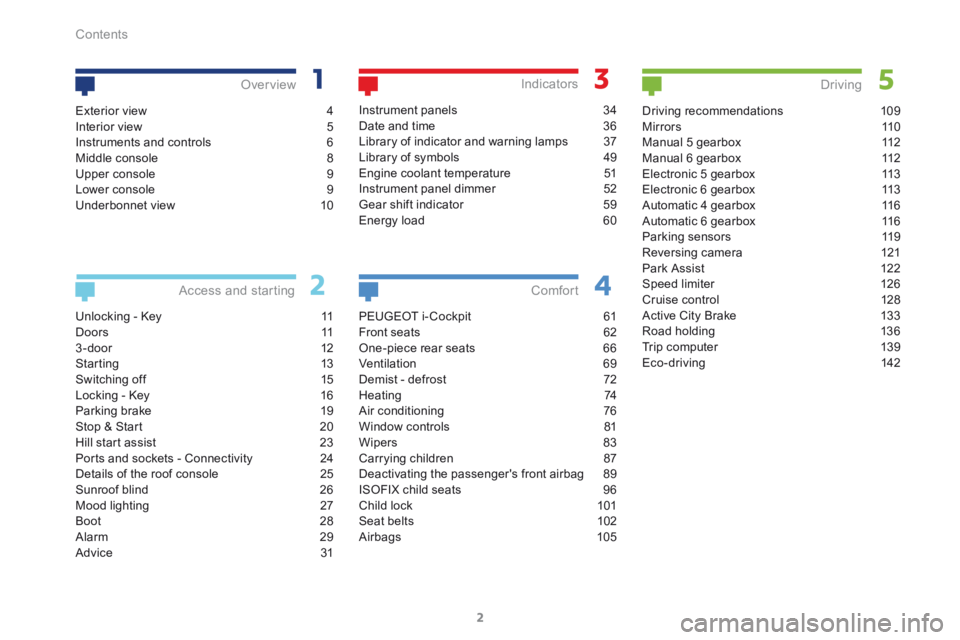
Unlocking - Key 11
D o o r s 11
3 - door 12
Starting 13
Switching off 15
Locking - Key 16
Parking brake 19
Stop & Start 20
Hill start assist 23
Ports and sockets - Connectivity 24
Details of the roof console 25
Sunroof blind 26
Mood lighting 27
Boot 28
Alarm 29
Advice 31
Access and starting Over view
Instrument panels
34
Date and time 36
Library of indicator and warning lamps 37
Library of symbols 49
Engine coolant temperature 51
Instrument panel dimmer 52
Gear shift indicator 59
Energy load 60
Indicators
PEUGEOT i- Cockpit 61
Front seats 62
One-piece rear seats 66
Ventilation 69
Demist - defrost 72
Heating 74
Air conditioning 76
Window controls 81
Wipers 83
Carrying children 87
Deactivating the passenger's front airbag 89
ISOFIX child seats 96
Child lock 101
Seat belts 102
Airbags 105
Comfort
Driving recommendations 109
M i r r o r s 11 0
Manual 5 gearbox 112
Manual 6 gearbox 112
Electronic 5 gearbox 113
Electronic 6 gearbox 113
Automatic 4 gearbox 116
Automatic 6 gearbox 116
Parking sensors 119
Reversing camera 121
Park Assist 122
Speed limiter 126
Cruise control 128
Active City Brake 133
Road holding 136
Trip computer 139
Eco-driving 142
Driving
Exterior view 4
Interior view 5
Instruments and controls 6
Middle console 8
Upper console 9
Lower console 9
Underbonnet view 10
Contents
Page 5 of 341
3
208_en_Chap00a_sommaire_ed01-2015
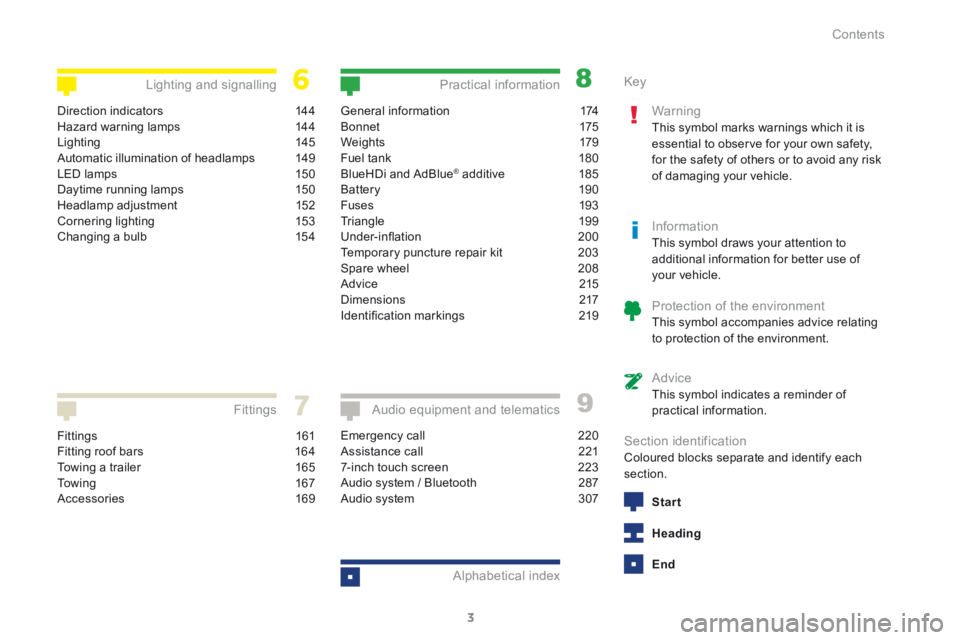
Fittings 161
Fitting roof bars 164
Towing a trailer 165
To w i n g 16 7
Accessories 169
Fittings
General information 174
B o n n et 175
We i g ht s 179
Fuel tank 180
BlueHDi and AdBlue
® additive 185
Battery 190
Fuses 193
Triangle 199
Under-inflation 200
Temporary puncture repair kit 203
Spare wheel 208
Advice 215
Dimensions 217
Identification markings 219
Practical information
Emergency call 220
Assistance call 221
7-inch touch screen 223
Audio system / Bluetooth 287
Audio system 307
Audio equipment and telematics
Alphabetical index
Direction indicators 144
Hazard warning lamps 144
Lighting 145
Automatic illumination of headlamps 149
LED lamps 150
Daytime running lamps 150
Headlamp adjustment 152
Cornering lighting 153
Changing a bulb 154
Lighting and signalling Key
Warning
This symbol marks warnings which it is
essential to observe for your own safety,
for the safety of others or to avoid any risk
of damaging your vehicle.
InformationThis symbol draws your attention to
additional information for better use of
your vehicle.
Protection of the environmentThis symbol accompanies advice relating
to protection of the environment.
AdviceThis symbol indicates a reminder of
practical information.
Section identificationColoured blocks separate and identify each
section.
Start
Heading
End
Contents
Page 6 of 341
4
208_en_Chap01_vue-ensemble_ed01-2015
Exterior view
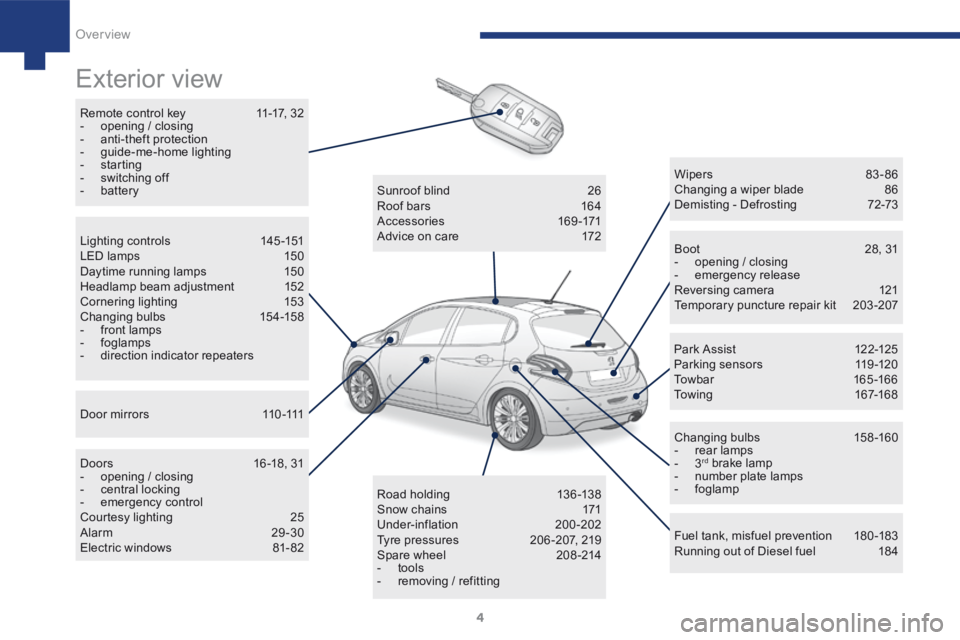
Remote control key 11-17, 32
- opening / closing
- anti-theft protection
- guide-me-home lighting
- starting
- switching off
- battery
Boot 28, 31
- opening / closing
- emergency release
Reversing camera 121
Temporary puncture repair kit 203-207
Wipers 83 - 86
Changing a wiper blade
86
Demisting - Defrosting 72-73
Changing bulbs 158-160
- rear lamps
- 3
rd brake lamp
- number plate lamps
- foglamp
Fuel tank, misfuel prevention 180-183
Running out of Diesel fuel 184
Sunroof blind
26
Roof bars 164
Accessories 169-171
Advice on care 172
Road holding 13 6 -13 8
Snow chains 171
Under-inflation 200-202
Tyre pressures 206 -207, 219
Spare wheel 208-214
- tools
- removing / refitting
Lighting controls
145-151
LED lamps 150
Daytime running lamps 150
Headlamp beam adjustment 152
Cornering lighting 153
Changing bulbs 154-158
- front lamps
- foglamps
- direction indicator repeaters
D o o r m i r r o r s 11 0 -111
Doors 16 -18, 31
- opening / closing
- central locking
- emergency control
Courtesy lighting 25
Alarm 29-30
Electric windows 81- 82 Par k A ssist
12 2-125
Parking sensors 119-120
Towbar 165 -166
Towing 167-168
Over view
Page 13 of 341
11
208_en_Chap02_ Acces-Demarrage_ed01-2015
Remote control
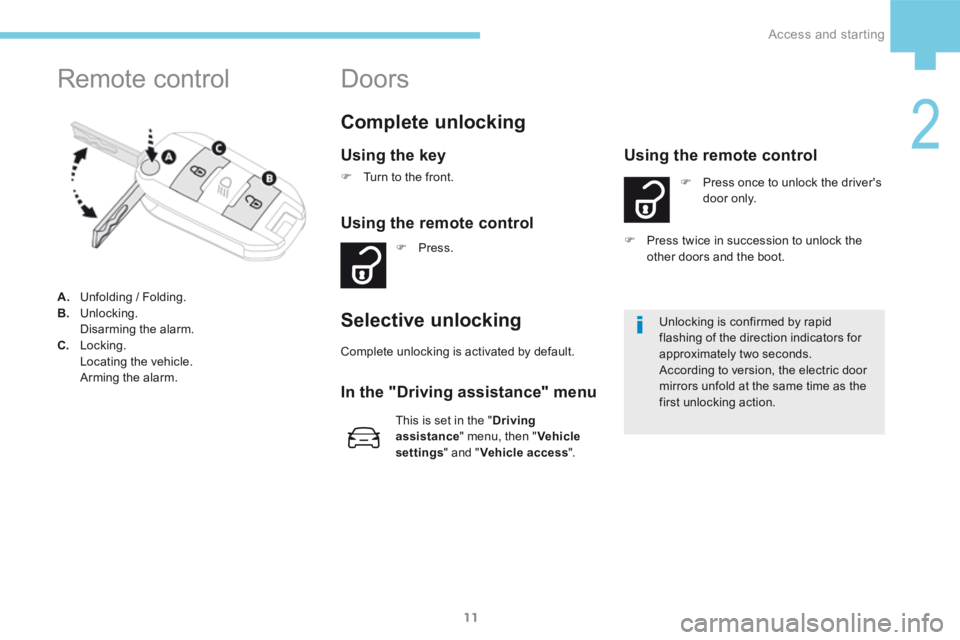
A. Unfolding / Folding.
B. Unlocking.
Disarming the alarm.
C. Locking.
Locating the vehicle.
Arming the alarm.
Complete unlocking
Using the key
F Turn to the front.
Using the remote control
F Press.
Selective unlocking
F Press once to unlock the driver's
d o o r o n l y.
Using the remote control
This is set in the " Driving
assistance " menu, then " Vehicle
settings " and "Vehicle access ". Unlocking is confirmed by rapid
flashing of the direction indicators for
approximately two seconds.
According to version, the electric door
mirrors unfold at the same time as the
first unlocking action.
F
Press twice in succession to unlock the
other doors and the boot.
Complete unlocking is activated by default.
In the "Driving assistance" menu
Doors
2
Access and starting
Page 15 of 341
13
208_en_Chap02_ Acces-Demarrage_ed01-2015
Starting
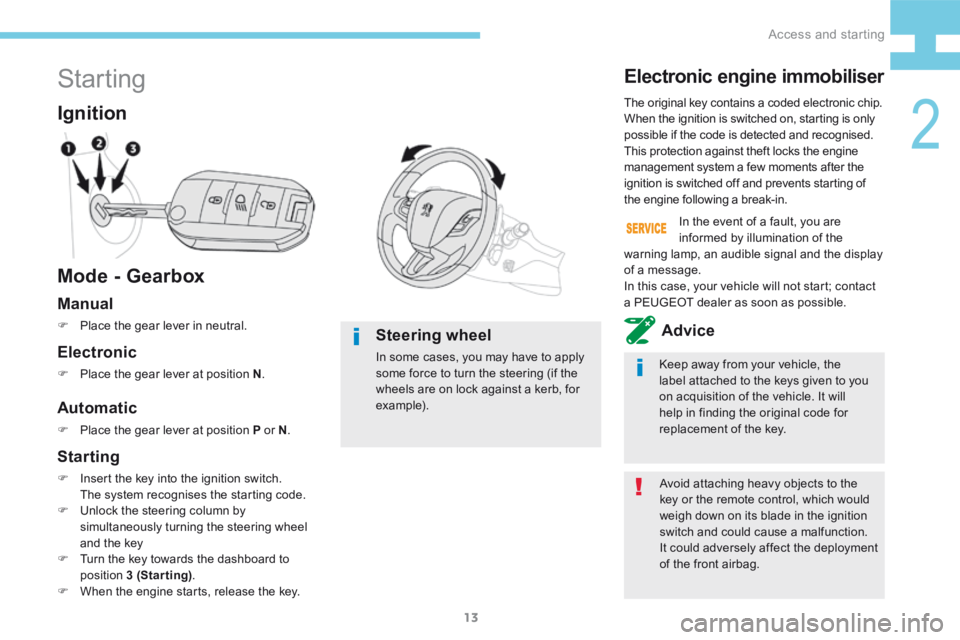
Mode - Gearbox Ignition
Avoid attaching heavy objects to the
key or the remote control, which would
weigh down on its blade in the ignition
switch and could cause a malfunction.
It could adversely affect the deployment
of the front airbag.
The original key contains a coded electronic chip.
When the ignition is switched on, starting is only
possible if the code is detected and recognised.
This protection against theft locks the engine
management system a few moments after the
ignition is switched off and prevents starting of
the engine following a break-in.
Electronic engine immobiliser
Keep away from your vehicle, the
label attached to the keys given to you
on acquisition of the vehicle. It will
help in finding the original code for
replacement of the key.
In the event of a fault, you are
informed by illumination of the
warning lamp, an audible signal and the display
of a message.
In this case, your vehicle will not start; contact
a PEUGEOT dealer as soon as possible.
Manual
F Place the gear lever in neutral.Advice
Automatic
F Place the gear lever at position P or N .
Electronic
F Place the gear lever at position N .
Steering wheel
In some cases, you may have to apply
some force to turn the steering (if the
wheels are on lock against a kerb, for
example).
Starting
F Insert the key into the ignition switch.
The system recognises the starting code.
F Unlock the steering column by
simultaneously turning the steering wheel
and the key
F Turn the key towards the dashboard to
position 3 (Starting) .
F When the engine starts, release the key.
2
Access and starting
Page 17 of 341
15
208_en_Chap02_ Acces-Demarrage_ed01-2015
Switching off
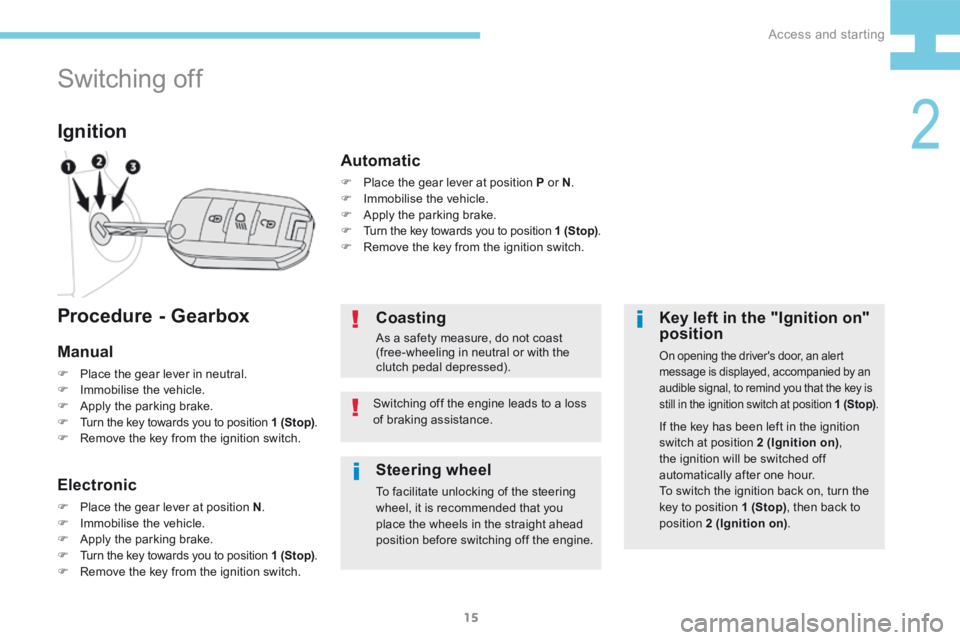
Ignition
Key left in the "Ignition on"
position
On opening the driver's door, an alert
message is displayed, accompanied by an
audible signal, to remind you that the key is
still in the ignition switch at position 1 (Stop).
If the key has been left in the ignition
switch at position 2 (Ignition on),
the ignition will be switched off
automatically after one hour.
To switch the ignition back on, turn the
key to position 1 (Stop) , then back to
position 2 (Ignition on) .
Coasting
As a safety measure, do not coast
(free-wheeling in neutral or with the
clutch pedal depressed).
Switching off the engine leads to a loss
of braking assistance.
Procedure - Gearbox
Manual
F Place the gear lever in neutral.
F Immobilise the vehicle.
F Apply the parking brake.
F Turn the key towards you to position 1 (Stop) .
F Remove the key from the ignition switch.
Electronic
F Place the gear lever at position N .
F Immobilise the vehicle.
F Apply the parking brake.
F Turn the key towards you to position 1 (Stop) .
F Remove the key from the ignition switch.
Automatic
F Place the gear lever at position P or N .
F Immobilise the vehicle.
F Apply the parking brake.
F Turn the key towards you to position 1 (Stop) .
F Remove the key from the ignition switch.
Steering wheel
To facilitate unlocking of the steering
wheel, it is recommended that you
place the wheels in the straight ahead
position before switching off the engine.
2
Access and starting
Page 18 of 341
16
208_en_Chap02_ Acces-Demarrage_ed01-2015
F Press.
Using the remote control
Maintaining the locking action (key or remote
control) automatically closes the windows.
Locking - Key
Locking
Using the key
F Turn the key towards the rear of the
vehicle.
As a safety measure (passengers on
board), never leave the vehicle, even for
a short period, without taking your key
with you.
Locking is confirmed by fixed
illumination of the direction indicators
for approximately two seconds.
According to version, the electric door
mirrors fold at the same time.
The folding and unfolding of the electric
door mirrors can be deactivated by
a PEUGEOT dealer or a qualified
workshop. If one of the doors or the boot is still
open or if an electronic key has been left
inside the vehicle, the locking does not
take place.
When the vehicle is locked, if it
is unlocked inadvertently, it will
automatically lock itself again after about
thirty seconds, unless a door is opened.
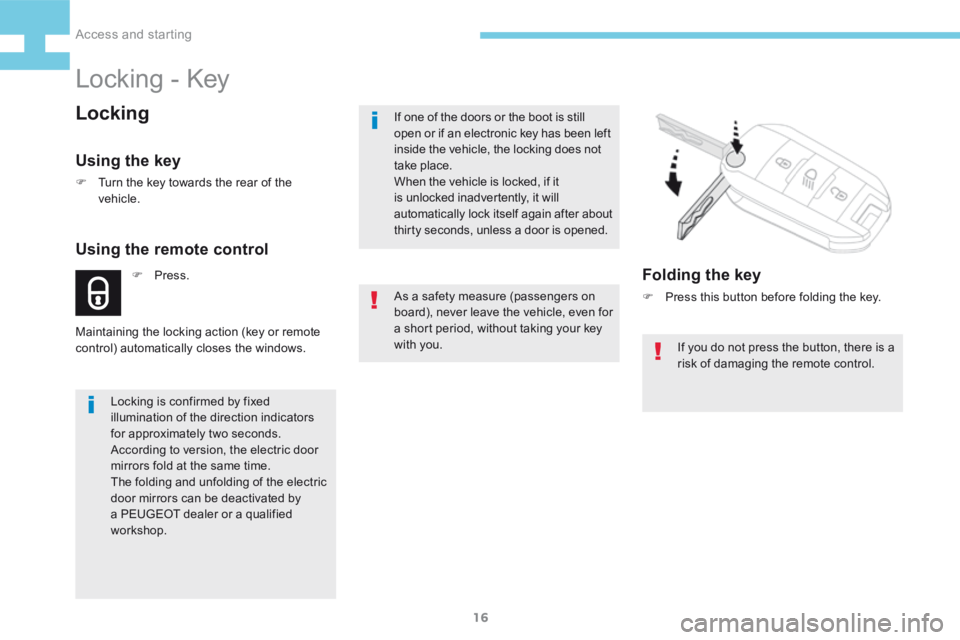
Folding the key
F
Press this button before folding the key.
If you do not press the button, there is a
risk of damaging the remote control.
Access and starting
Page 19 of 341
17
208_en_Chap02_ Acces-Demarrage_ed01-2015
Deadlocking
(depending on version)
Deadlocking renders the exterior and
interior door controls inoperative.
It also deactivates the manual central
control button.
Therefore, never leave anyone inside
the vehicle when it is deadlocked.
Using the key
F Turn the key to the rear in the driver's door
lock.
F Turn the key to the rear again within five
seconds to deadlock the vehicle.
Using the remote control
Deadlocking is confirmed by fixed
illumination of the direction indicators
for approximately two seconds.
Depending on version, the electric door
mirrors fold at the same time.F Press.
F
Press again within five seconds
to deadlock the vehicle.
2
Access and starting
Page 20 of 341
18
208_en_Chap02_ Acces-Demarrage_ed01-2015
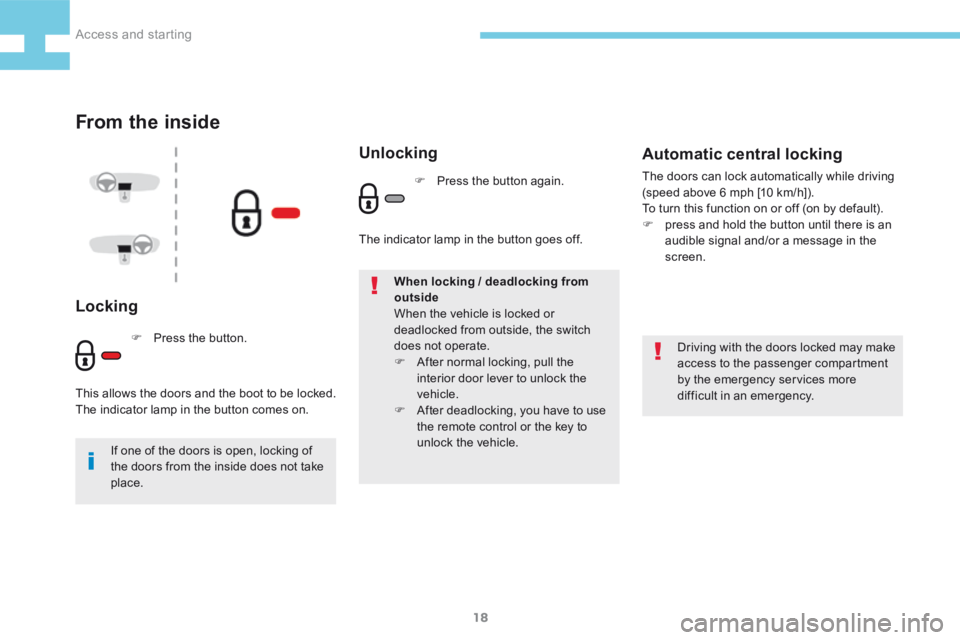
From the inside
Locking
Driving with the doors locked may make
access to the passenger compartment
by the emergency services more
difficult in an emergency.
If one of the doors is open, locking of
the doors from the inside does not take
place. When locking / deadlocking from
outside
When the vehicle is locked or
deadlocked from outside, the switch
does not operate.
F
After normal locking, pull the
interior door lever to unlock the
vehicle.
F After deadlocking, you have to use
the remote control or the key to
unlock the vehicle.
Automatic central locking
The doors can lock automatically while driving
(speed above 6 mph [10 km/h]).
To turn this function on or off (on by default).
F press and hold the button until there is an
audible signal and/or a message in the
screen.
F Press the button.
This allows the doors and the boot to be locked.
The indicator lamp in the button comes on.
Unlocking
F Press the button again.
The indicator lamp in the button goes off.
Access and starting
Page 22 of 341
20
208_en_Chap02_ Acces-Demarrage_ed01-2015
Stop & Start
Principle
The "ECO" lamp comes on in the
instrument panel and the engine goes
into standby.
The system puts the engine temporarily into
standby - STOP mode - during stops in the
traffic (red lights, traffic jams, or other...). The
engine restarts automatically - START mode -
as soon as you want to move off. The restart
takes place instantly, quickly and silently.
Per fect for urban use, the Stop & Start system
reduces fuel consumption and exhaust
emissions as well as the noise level when
stationary.
Operation
STOP mode
Operation
With e- HDi Diesel and a manual gearbox
:
- Speed lower below 12 mph (20 km/h).
- Gear lever in neutral.
- Clutch pedal released.
Operation
With e- HDi Diesel and an electronic
gearbox :
- Speed below 40 mph (6 km/h).
- Gear lever in position N
Or
- Brake pedal pressed.
Operation
With e-VTi, e-THP petrol :
- As soon as the vehicle stops.
With BlueHDi Diesel :
- As soon as the vehicle stops.
Special cases
STOP mode is not invoked when:
- the driver's door is open,
- the driver's seat belt is not fastened,
- the vehicle has not exceeded 6 mph
(10 km/h) since the last engine start using
t h e key,
- the engine is needed to maintain a
comfortable temperature in the passenger
compartment,
- demisting is active,
- some special conditions (battery charge,
engine temperature, braking assistance,
ambient temperature...) where the engine is
needed to assure control of a system.
The "ECO" lamp flashes for a few
seconds then goes off.
This operation is perfectly normal.
Access and starting