reset Peugeot 208 2015 Owner's Manual - RHD (UK, Australia)
[x] Cancel search | Manufacturer: PEUGEOT, Model Year: 2015, Model line: 208, Model: Peugeot 208 2015Pages: 341, PDF Size: 38.75 MB
Page 36 of 341
34
208_en_Chap03_Indicateurs_ed01-2015
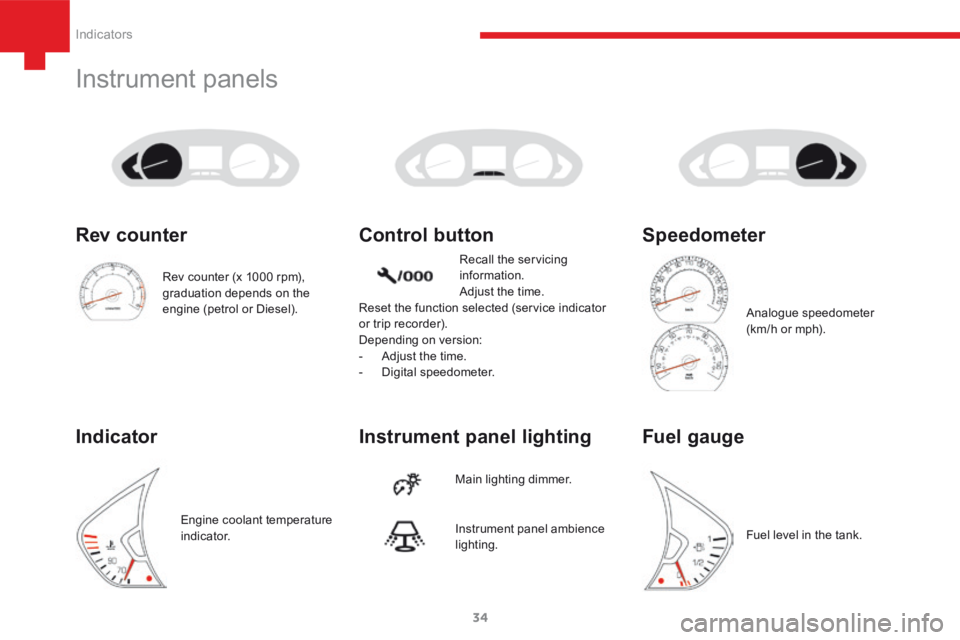
Instrument panels
Instrument panel lighting Control button
Main lighting dimmer.Recall the servicing
information.
Adjust the time.
Reset the function selected (service indicator
or trip recorder).
Depending on version:
- Adjust the time.
- Digital speedometer.
Instrument panel ambience
lighting.
Rev counter (x 1000 rpm),
graduation depends on the
engine (petrol or Diesel).
Rev counter
Indicator
Engine coolant temperature
i n d i c a t o r.
Speedometer
Analogue speedometer
(km/h or mph).
Fuel gauge
Fuel level in the tank.
Indicators
Page 52 of 341
50
208_en_Chap03_Indicateurs_ed01-2015
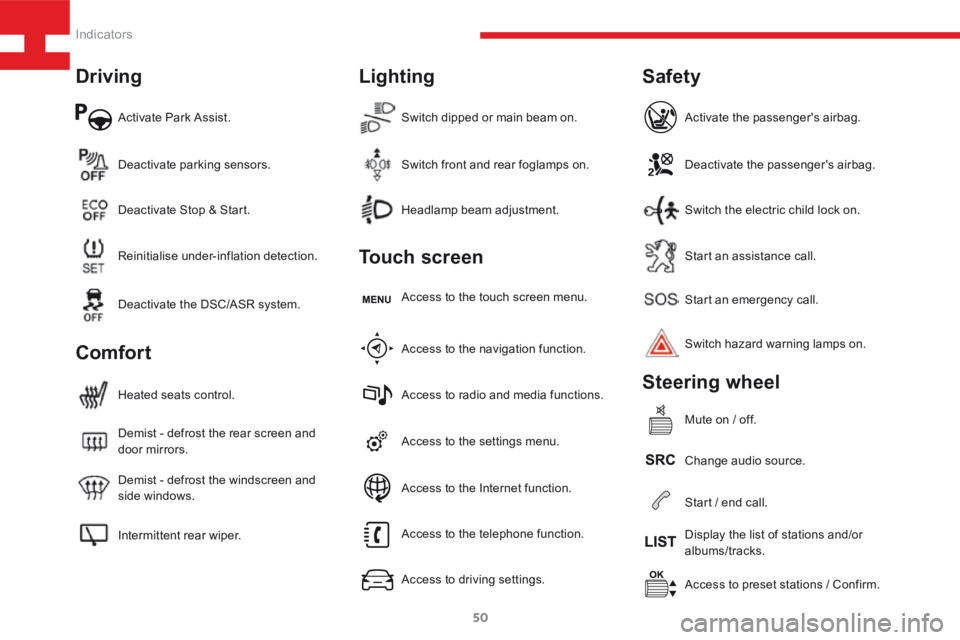
Activate Park Assist.
Intermittent rear wiper. Demist - defrost the windscreen and
side windows. Demist - defrost the rear screen and
door mirrors. Heated seats control.Access to the settings menu.Start an emergency call.
Access to preset stations / Confirm.
Headlamp beam adjustment.
Deactivate parking sensors.
Access to the navigation function. Access to the touch screen menu.Deactivate the passenger's airbag.
Change audio source. Switch hazard warning lamps on. Activate the passenger's airbag.
Mute on / off.
Switch dipped or main beam on.
Reinitialise under-inflation detection. Deactivate Stop & Start.
Access to radio and media functions.Start an assistance call.
Display the list of stations and/or
albums/tracks.
Switch front and rear foglamps on.
Deactivate the DSC/ASR system.
Access to the telephone function.
Access to driving settings.Switch the electric child lock on.
Start / end call.
Access to the Internet function.
Driving
Comfort Lighting
Touch screen
Safety
Steering wheel
Indicators
Page 56 of 341
54
208_en_Chap03_Indicateurs_ed01-2015
Servicing
Principle
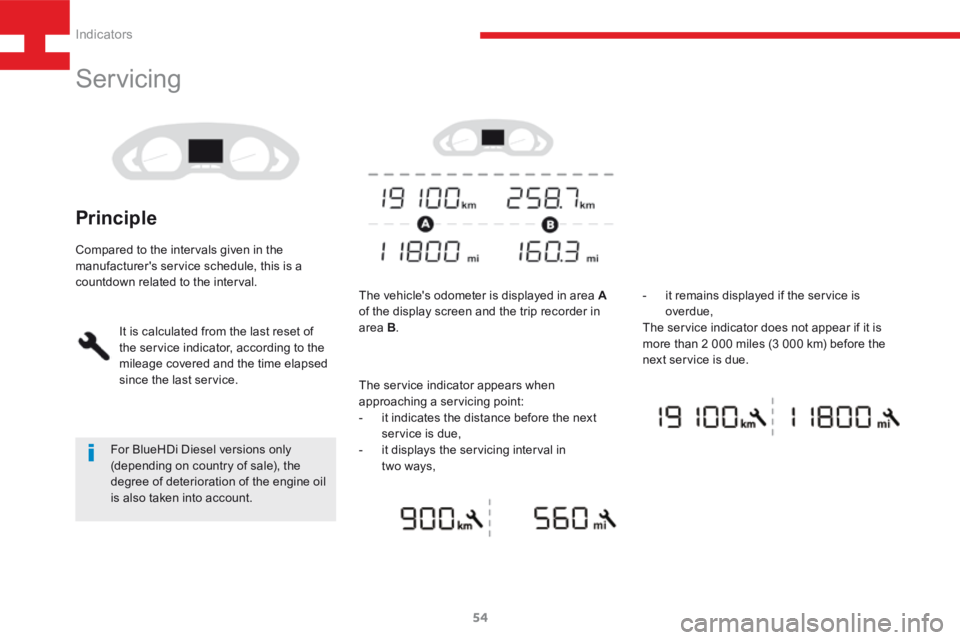
The vehicle's odometer is displayed in area A
of the display screen and the trip recorder in
area B. -
it remains displayed if the service is
overdue,
The service indicator does not appear if it is
more than 2 000 miles (3 000 km) before the
next service is due.
For BlueHDi Diesel versions only
(depending on country of sale), the
degree of deterioration of the engine oil
is also taken into account.
Compared to the intervals given in the
manufacturer's service schedule, this is a
countdown related to the interval.
It is calculated from the last reset of
the service indicator, according to the
mileage covered and the time elapsed
since the last service. The service indicator appears when
approaching a servicing point:
- it indicates the distance before the next
service is due,
- it displays the servicing interval in
two ways,
Indicators
Page 58 of 341
56
208_en_Chap03_Indicateurs_ed01-2015
Retrieving the service
information
You can access the service information at any
time.
F Press the trip distance recorder zero reset
button.
The service information is displayed for a
few seconds, then disappears.
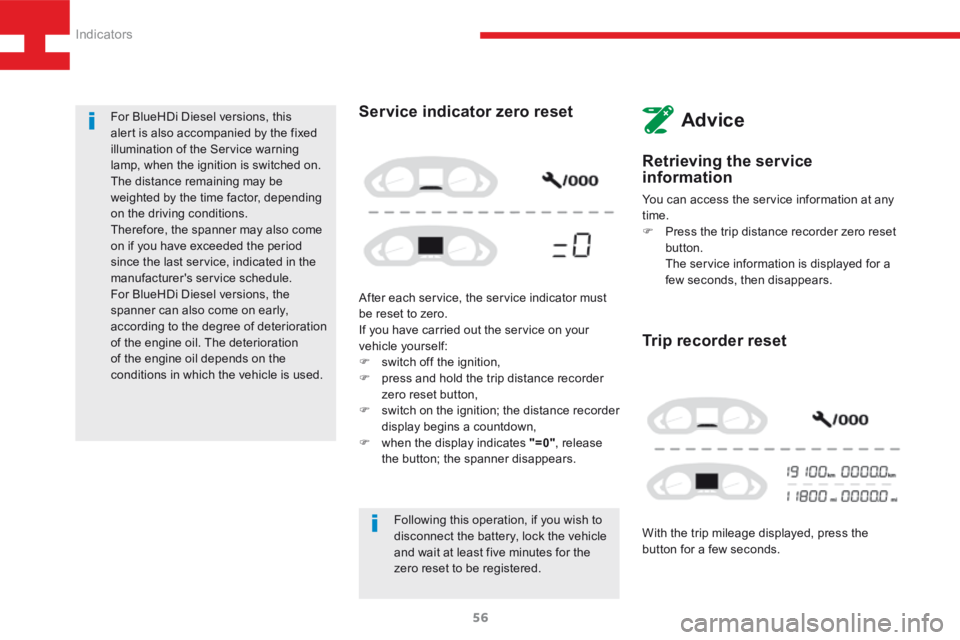
With the trip mileage displayed, press the
button for a few seconds.
Trip recorder reset
Following this operation, if you wish to
disconnect the battery, lock the vehicle
and wait at least five minutes for the
zero reset to be registered.
Service indicator zero reset
After each service, the service indicator must
be reset to zero.
If you have carried out the service on your
vehicle yourself:
F switch off the ignition,
F press and hold the trip distance recorder
zero reset button,
F switch on the ignition; the distance recorder
display begins a countdown,
F when the display indicates "=0" , release
the button; the spanner disappears.
For BlueHDi Diesel versions, this
alert is also accompanied by the fixed
illumination of the Service warning
lamp, when the ignition is switched on.
The distance remaining may be
weighted by the time factor, depending
on the driving conditions.
Therefore, the spanner may also come
on if you have exceeded the period
since the last service, indicated in the
manufacturer's service schedule.
For BlueHDi Diesel versions, the
spanner can also come on early,
according to the degree of deterioration
of the engine oil. The deterioration
of the engine oil depends on the
conditions in which the vehicle is used.
Advice
Indicators
Page 141 of 341
139
208_en_Chap05_conduite_ed01-2015
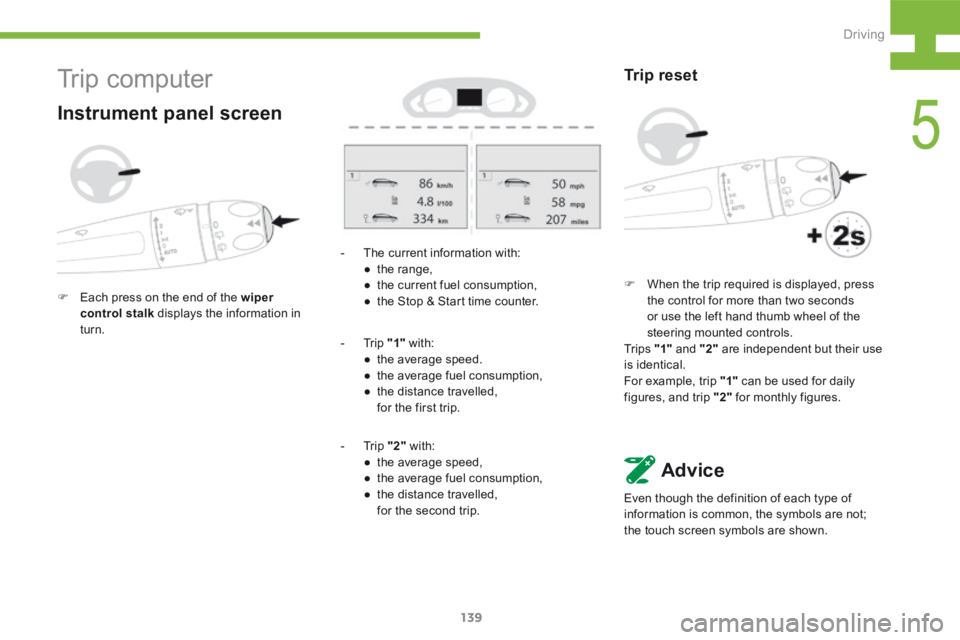
- The current information with:
● the range,
● the current fuel consumption,
● the Stop & Start time counter.
- Trip "1" with:
● the average speed.
● the average fuel consumption,
● the distance travelled,
for the first trip.
- Trip "2" with:
● the average speed,
● the average fuel consumption,
● the distance travelled,
for the second trip.
Trip reset
F When the trip required is displayed, press
the control for more than two seconds
or use the left hand thumb wheel of the
steering mounted controls.
Tr i p s "1" and "2" are independent but their use
is identical.
For example, trip "1" can be used for daily
figures, and trip "2" for monthly figures.
Advice
Even though the definition of each type of
information is common, the symbols are not;
the touch screen symbols are shown.
Tr i p c o m p u t e r
Instrument panel screen
F Each press on the end of the wiper
control stalk displays the information in
turn.
5
Driving
Page 142 of 341
140
208_en_Chap05_conduite_ed01-2015
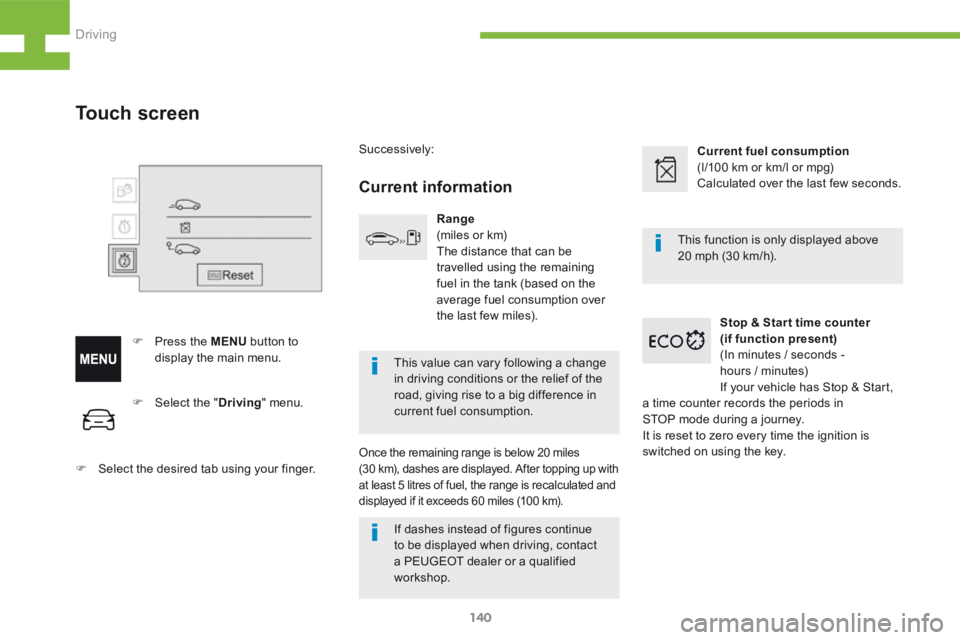
F Select the " Driving" menu.
F Select the desired tab using your finger.
Touch screen
F Press the MENU button to
display the main menu. Successively:
Current information
Range
(miles or km)
The distance that can be
travelled using the remaining
fuel in the tank (based on the
average fuel consumption over
the last few miles).
Once the remaining range is below 20 miles
(30 km), dashes are displayed. After topping up with
at least 5 litres of fuel, the range is recalculated and
displayed if it exceeds 60 miles (100 km).
Current fuel consumption
(l/100 km or km/l or mpg)
Calculated over the last few seconds.
Stop & Star t time counter
(if function present)
(In minutes / seconds -
hours / minutes)
If your vehicle has Stop & Start,
a time counter records the periods in
STOP mode during a journey.
It is reset to zero every time the ignition is
switched on using the key. This function is only displayed above
20 mph (30 km/h).
This value can vary following a change
in driving conditions or the relief of the
road, giving rise to a big difference in
current fuel consumption.
If dashes instead of figures continue
to be displayed when driving, contact
a PEUGEOT dealer or a qualified
workshop.
Driving
Page 143 of 341
141
208_en_Chap05_conduite_ed01-2015
Trip reset
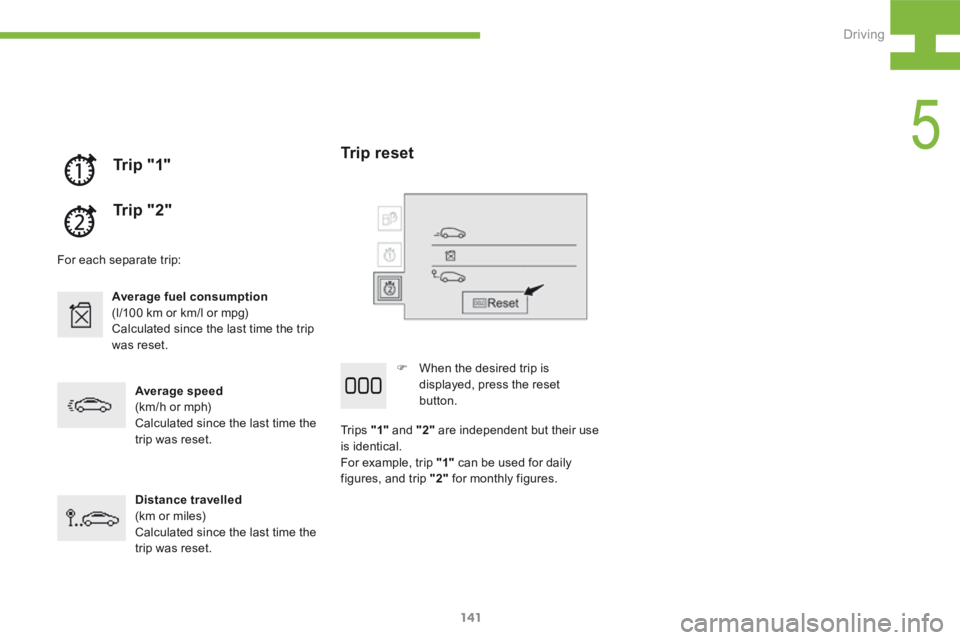
F When the desired trip is
displayed, press the reset
button.
Tr i p s "1" and "2" are independent but their use
is identical.
For example, trip "1" can be used for daily
figures, and trip "2" for monthly figures.
Tr i p " 1"
Tr i p " 2 "
For each separate trip:
Average fuel consumption
(l/100 km or km/l or mpg)
Calculated since the last time the trip
was reset.
Average speed
(km/h or mph)
Calculated since the last time the
trip was reset.
Distance travelled
(km or miles)
Calculated since the last time the
trip was reset.
5
Driving
Page 228 of 341
226
208_en_Chap9b_SMEGplus_ed01-2015
Steering mounted controls
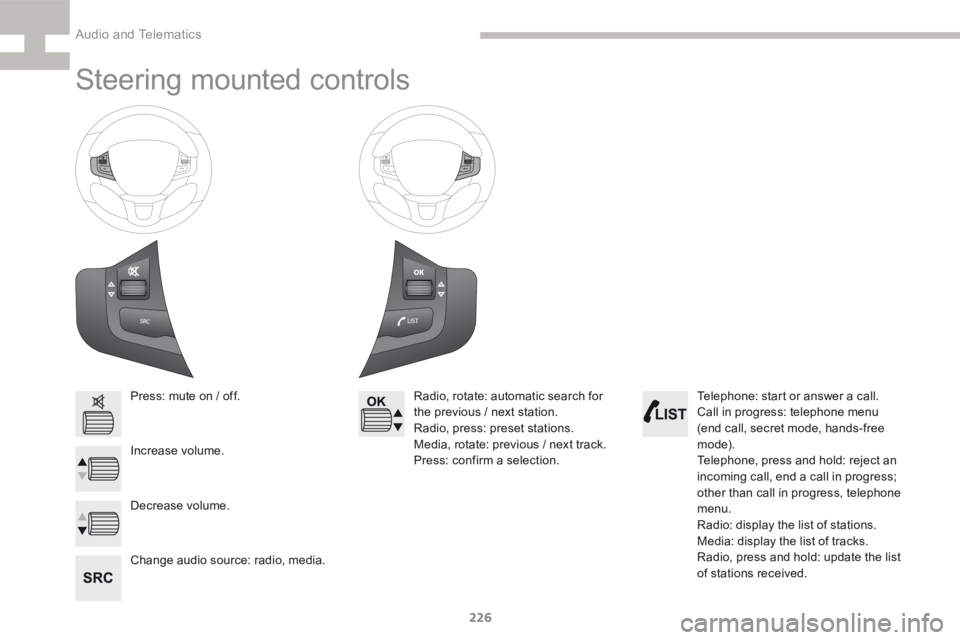
Press: mute on / off.
Increase volume.
Change audio source: radio, media.Radio, rotate: automatic search for
the previous / next station.
Radio, press: preset stations.
Media, rotate: previous / next track.
Press: confirm a selection.
Decrease volume. Telephone: start or answer a call.
Call in progress: telephone menu
(end call, secret mode, hands-free
m o d e).
Telephone, press and hold: reject an
incoming call, end a call in progress;
other than call in progress, telephone
menu.
Radio: display the list of stations.
Media: display the list of tracks.
Radio, press and hold: update the list
of stations received.
Audio and Telematics
Page 244 of 341
242
208_en_Chap9b_SMEGplus_ed01-2015
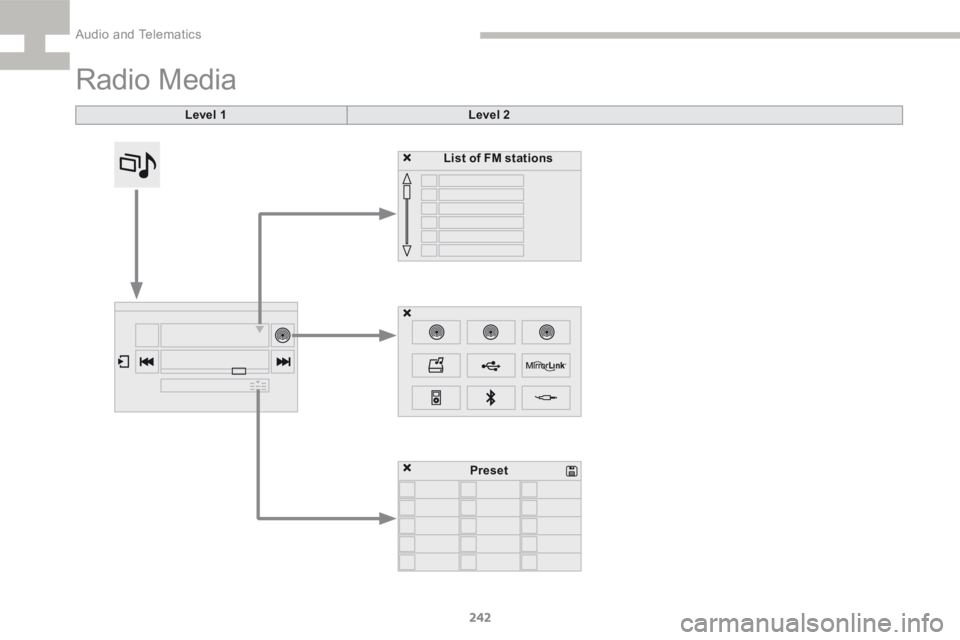
Radio Media
Level 1Level 2
List of FM stations
Preset
Audio and Telematics
Page 245 of 341
243
208_en_Chap9b_SMEGplus_ed01-2015
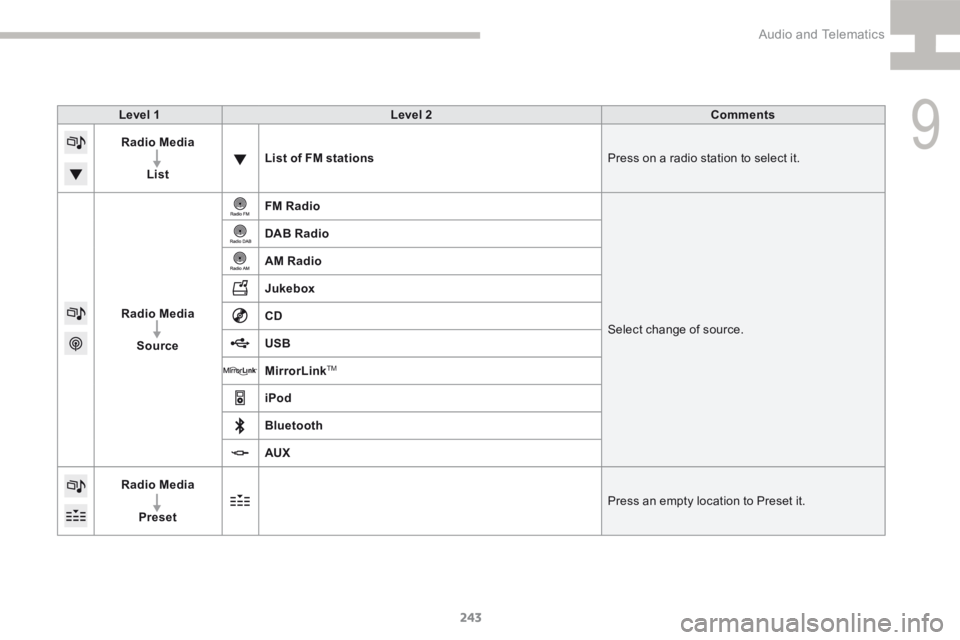
Level 1Level 2 Comments
Radio Media
List List of FM stations
Press on a radio station to select it.
Radio Media Source FM Radio
Select change of source.
DAB Radio
AM Radio
Jukebox
CD
USB
MirrorLink
TM
iPod
Bluetooth
AUX
Radio Media
Preset Press an empty location to Preset it.
9
Audio and Telematics