warning PEUGEOT 208 2021 Manual PDF
[x] Cancel search | Manufacturer: PEUGEOT, Model Year: 2021, Model line: 208, Model: PEUGEOT 208 2021Pages: 276, PDF Size: 8.02 MB
Page 221 of 276
219
PEUGEOT Connect Nav
12Activate or deactivate:
–
"No data sharing except for company
vehicles".
–
"Only data sharing "
–
"Sharing data and vehicle position "
Settings specific to
connected navigation
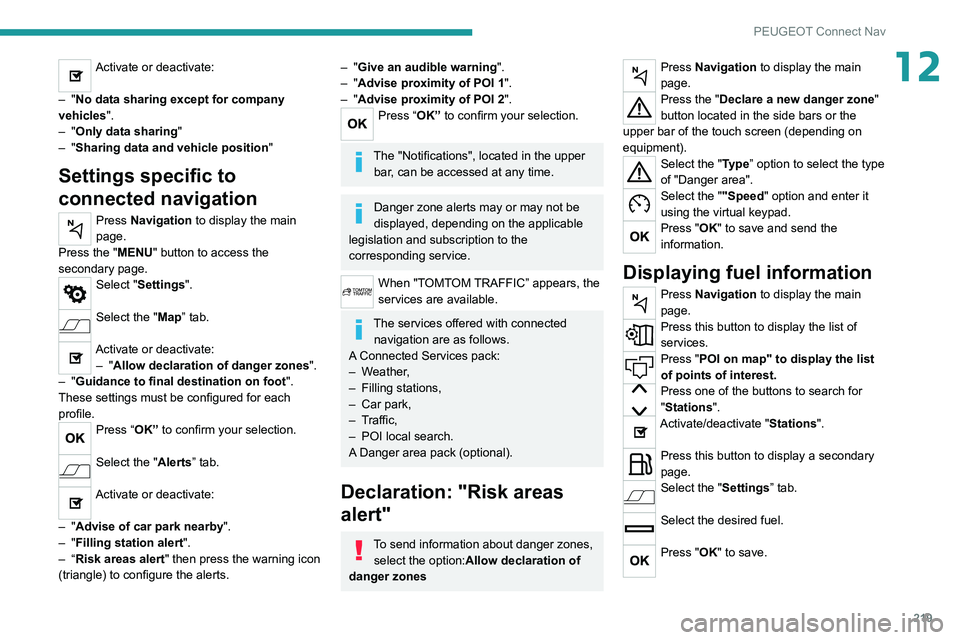
Press Navigation to display the main
page.
Press the "MENU" button to access the
secondary page.
Select "Settings".
Select the "Map” tab.
Activate or deactivate: – "Allow declaration of danger zones ".
–
"Guidance to final destination on foot ".
These settings must be configured for each
profile.
Press “OK” to confirm your selection.
Select the "Alerts” tab.
Activate or deactivate:
–
"Advise of car park nearby ".
–
"Filling station alert ".
–
“Risk areas alert " then press the warning icon
(triangle) to configure the alerts.
– "Give an audible warning ".
– "Advise proximity of POI 1 ".
–
"Advise proximity of POI 2 ".
Press “OK” to confirm your selection.
The "Notifications", located in the upper
bar, can be accessed at any time.
Danger zone alerts may or may not be
displayed, depending on the applicable
legislation and subscription to the
corresponding service.
When "TOMTOM TRAFFIC” appears, the
services are available.
The services offered with connected navigation are as follows.
A Connected Services pack:
–
Weather,
–
Filling stations,
–
Car park,
–
T
raffic,
–
POI local search.
A
Danger area pack (optional).
Declaration: "Risk areas
alert"
To send information about danger zones, select the option:Allow declaration of
danger zones
Press Navigation to display the main
page.
Press the "Declare a new danger zone"
button located in the side bars or the
upper bar of the touch screen (depending on
equipment).
Select the "Type” option to select the type
of "Danger area".
Select the ""Speed" option and enter it
using the virtual keypad.
Press "OK" to save and send the
information.
Displaying fuel information
Press Navigation to display the main
page.
Press this button to display the list of
services.
Press "POI on map" to display the list
of points of interest.
Press one of the buttons to search for
"Stations".
Activate/deactivate "Stations".
Press this button to display a secondary
page.
Select the "Settings” tab.
Select the desired fuel.
Press "OK" to save.
Page 232 of 276
230
PEUGEOT Connect Nav
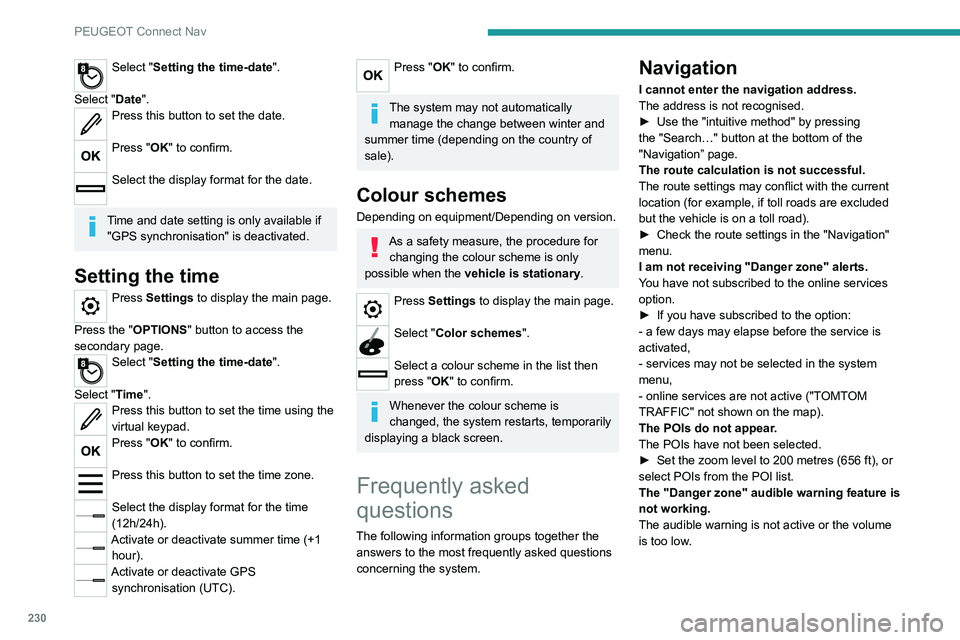
Select "Setting the time-date".
Select "Date".
Press this button to set the date.
Press "OK" to confirm.
Select the display format for the date.
Time and date setting is only available if "GPS synchronisation" is deactivated.
Setting the time
Press Settings to display the main page.
Press the "OPTIONS " button to access the
secondary page.
Select "Setting the time-date".
Select "Time".
Press this button to set the time using the
virtual keypad.
Press "OK" to confirm.
Press this button to set the time zone.
Select the display format for the time
(12h/24h).
Activate or deactivate summer time (+1 hour).
Activate or deactivate GPS synchronisation (UTC).
Press "OK" to confirm.
The system may not automatically manage the change between winter and
summer time (depending on the country of
sale).
Colour schemes
Depending on equipment/Depending on version.
As a safety measure, the procedure for changing the colour scheme is only
possible when the vehicle is stationary.
Press Settings to display the main page.
Select "Color schemes ".
Select a colour scheme in the list then
press "OK" to confirm.
Whenever the colour scheme is
changed, the system restarts, temporarily
displaying a black screen.
Frequently asked
questions
The following information groups together the answers to the most frequently asked questions
concerning the system.
Navigation
I cannot enter the navigation address.
The address is not recognised.
►
Use the "intuitive method" by pressing
the "Search…" button at the bottom of the
"Navigation” page.
The route calculation is not successful.
The route settings may conflict with the current
location (for example, if toll roads are excluded
but the vehicle is on a toll road).
►
Check the route settings in the "Navigation"
menu.
I am not receiving "Danger zone" alerts.
Y
ou have not subscribed to the online services
option.
►
If you have subscribed to the option:
- a few days may elapse before the service is
activated,
- services may not be selected in the system
menu,
- online services are not active ("T
OMTOM
TRAFFIC" not shown on the map).
The POIs do not appear.
The POIs have not been selected.
►
Set the zoom level to 200 metres (656 ft), or
select POIs from the POI list.
The "Danger zone" audible warning feature is
not working.
The audible warning is not active or the volume
is too low
.
Page 233 of 276
231
PEUGEOT Connect Nav
12► Activate the audible warning in the
"Navigation" menu and check the voice volume
in the sound settings.
The system does not suggest a detour
around an incident on the route.
The route settings do not take account of
TMC
messages.
►
Configure the "T
raffic info" function in the
route settings list (None, Manual or Automatic).
I am receiving a "Danger zone" alert which is
not on my route.
As well as providing guided navigation, the
system announces all "Danger areas" positioned
in a cone located in front of the vehicle. It may
provide an alert for "Danger areas" located on
nearby or parallel roads.
►
Zoom the map to show the exact location
of the "Danger area".
You can select "On the
route" to stop receiving warnings or decrease the
warning duration.
Certain traffic jams along the route are not
indicated in real time.
On starting, a few minutes may elapse before
the system begins to receive traffic information.
►
W
ait until traffic information is being received
correctly (traffic information icons shown on the
map).
In certain countries, only major routes
(motorways, etc.) are listed for the traffic
information.
This is perfectly normal. The system is
dependent on the traffic information available.
The altitude is not displayed. On starting, GPS initialisation may take up to
3 minutes to receive more than 4 satellites
correctly.
►
W
ait until the system has started up
completely so that there is GPS coverage by at
least 4
satellites.
Depending on the geographical environment
(tunnel, etc.) or the weather, the conditions of
reception of the GPS signal may vary.
This behaviour is normal. The system is
dependent on the GPS signal reception
conditions.
My navigation is no longer connected.
During start-up and in certain geographical
areas, the connection may be unavailable.
►
Check that the online services are activated
(settings, contract).
Radio
The reception quality of the radio station
being listened to gradually deteriorates or
the station presets are not working (e.g.
no
sound, "87.5" MHz is displayed).
The vehicle is too far from the selected station’s
transmitter, or no transmitter is present in the
geographical area.
►
Activate the "RDS" function by means of the
short-cut menu to enable the system to check
whether there is a more powerful transmitter in
the geographical area.
The aerial is missing or damaged (e.g.
when
going through a car wash or in an underground
car park). ►
Have the aerial checked by a dealer
.
The surrounding area (e.g. hill, building, tunnel,
underground car park, etc.) is blocking reception,
including in RDS tracking mode.
This is a perfectly normal phenomenon, and is
not indicative of an audio system malfunction.
I cannot find some radio stations in the list of
stations received.
The name of the radio station changes.
The station is no longer received or its name has
changed in the list.
Some radio stations send other information
in place of their name (the title of the song for
example).
The system interprets these details as the station
name.
►
Press "Update list" in the "Radio stations"
secondary menu.
Media
Playback of my USB memory stick starts only
after a very long wait (around 2 to 3 minutes).
Some files supplied with the memory stick may
greatly slow down access to reading the memory
stick (multiplication by 10 of the cataloguing
time).
►
Delete the files supplied with the memory
stick and limit the number of sub-folders in the
file structure on the memory stick.
There may be an extended pause after
inserting a USB stick.
Page 239 of 276
237
Alphabetical index
3D digital instrument panel 10
A
ABS 68
Accelerated charging unit (Wallbox)
139
Accessories
65
Active Safety Brake
123–126
AdBlue®
20, 159
AdBlue® tank
160
Additive, Diesel
157
Adjusting headlamps
59
Adjusting head restraints
41
Adjusting seat
41–42
Adjusting the air distribution
47–48
Adjusting the air flow
47–48
Adjusting the date
207, 229
Adjusting the height and reach of
the steering wheel
43
Adjusting the lumbar support
42
Adjusting the seat angle
42
Adjusting the temperature
47–48
Adjusting the time
194, 206, 230
Advice on care and maintenance
55, 138, 162
Advice on driving
7, 84–85
Airbags
72–75
Airbags, curtain
73–74
Airbags, front
72–73, 76
Airbags, lateral
73
Air conditioning
46, 49
Air conditioning, automatic
48, 50
Air conditioning, manual
47
Air intake 49
Air vents
46
Alarm
38–39
Android Auto connection
203, 221
Anti-lock braking system (ABS)
68
Antitheft / Immobiliser
31
Apple CarPlay connection
203, 220
Applications
221
Assistance call
66–67
Assistance, emergency braking
68, 125
Audible warning
66
Audio streaming (Bluetooth)
191, 202, 225
B
Battery, 12 V 152, 157, 175–177
Battery, ancillaries
175
Battery, charging
176–177
Battery, remote control
35–36
Blanking screen (snow shield)
151
Blind
54
Blind spot sensors
122
BlueHDi
20, 157, 164
Bluetooth (hands-free)
192–193, 204, 226
Bluetooth (telephone)
192–193, 204–205, 226–227
Bodywork
162
Bonnet
153–154
Boot
37, 55
Brake discs
158
Brake lamps
174
Brakes
158
Braking 98
Braking assistance system
68
Braking, automatic emergency
123–126
Braking, dynamic emergency
90–91
Brightness
194, 206
Bulbs
173
Bulbs (changing)
171–173
C
Cable, audio 224
Cable, Jack
224
Capacity, fuel tank
136
Cap, fuel filler
136
Care of the bodywork
162
Central locking
33–34
Changing a bulb
171–173
Changing a fuse
175
Changing a wheel
165, 168
Changing a wiper blade
63
Changing the remote control battery
35
Changing to free-wheeling
178
Charge level indicator (Electric)
22
Charger, induction
52
Charger, wireless
52
Charging cable
140
Charging cable (Electric)
139
Charging connector (Electric)
139, 143, 145–146
Charging flap (Electric)
139, 143, 145–146
Charging system (Electric)
5, 8, 28, 137, 155
Page 240 of 276
238
Alphabetical index
Charging the traction battery
(Electric)
22, 137, 140, 143, 145–146
CHECK
23
Checking the engine oil level
19
Checking the levels
155–156
Checking tyre pressures
(using the kit)
166, 168
Checks
154, 157–159
Checks, routine
157–158
Child lock
82
Children
71, 77–81
Children (safety)
82
Child seats
71, 74–77
Child seats, conventional
76–77
Child seats, i-Size
81
Child seats, ISOFIX
78–80
Cleaning (advice)
138, 162
Closing the boot
33, 37
Closing the doors
33, 37
Collision Risk Alert
123–125
Configuration, vehicle
27
Connected applications
221
Connection, Bluetooth
192–193, 204–205, 221–222, 226–227
Connection, Wi-Fi network
222
Connectivity
220
Consumption figures
28
Container, AdBlue®
159–160
Control, emergency boot release
37
Control, emergency door
34–35
Control, heated seats
43
Controls, steering mounted
94–96
Control stalk, lighting
57–58Control stalk, wipers 61–62, 64
Control unit
139–140
Courtesy lamp, front
54
Courtesy lamps
53–54
Cover, load space
55
Cruise control
107, 109–111
Cruise control, adaptive
111
Cruise control by speed limit recognition
107
Cruise control, dynamic with
Stop function
107
D
DAB (Digital Audio Broadcasting) -
Digital radio
190, 201, 224
Date (setting)
207, 229
Daytime running lamps
58, 172
Deactivating the passenger airbag
72, 75–76
Deadlocking
31, 33
Deferred charging
28
Deferred charging (Electric)
28, 139, 143, 145
Defrosting
44, 50
Defrosting, front
50
Demisting
44, 50
Demisting, front
50
Demisting, rear
50
Demisting, rear screen
50
Dials and gauges
9–10
Digital instrument panel
10–11
Dimensions
186
Dipstick
19, 155
Direction indicators
58, 172–174
Display screen, instrument panel 9–10
Domestic charging
(Electric)
140, 144–146, 185
Doors
37
Drive Assist Plus
111
Driver’s attention warning
126–127
Drive selector (Electric)
97
Driving
84–85
Driving aids camera (warnings)
104
Driving aids (recommendations)
103
Driving economically
7
Driving modes
98–99
Dynamic stability control (DSC)
68–69
E
EBFD 68
Eco-driving (advice)
7
ECO mode
99
Economy mode
152
Electric motor
5, 8, 28, 137, 147,
155, 175, 178, 185
Electric windows
40
Electronic brake force distribution (EBFD)
68
Emergency braking assistance (EBA)
68
Emergency call
66–67
Emergency switching off
88–89
Emergency warning lamps
65, 164
Emissions control system, SCR
21, 159
Energy economy mode
152
Energy flows
28
Energy recovery
22, 98
Page 241 of 276
239
Alphabetical index
Engine 159
Engine compartment
154
Engine, Diesel
136, 154, 164, 184
Engine, petrol
154, 182
Engines
181–182, 184
Environment
7, 36, 85
ESC (electronic stability control)
68
Expanded traffic sign recognition
107–108
Exterior lighting
60
F
Fatigue detection 126–127
Filling the AdBlue® tank
157, 160
Filling the fuel tank
136–137
Filter, air
157
Filter, oil
157
Filter, particle
157
Filter, passenger compartment
46, 157
Fitting a wheel
169–170
Fitting roof bars
150
Fittings, boot
55
Fittings, interior
51–52
Flap, fuel filler
136–137
Flashing indicators
58, 173
Fluid, brake
156
Fluid, engine coolant
156
Foglamp, rear
57, 174
Folding the rear seats
45–46
Frequency (radio)
223
Fuel
7, 136
Fuel consumption
7
Fuel tank 136–137
Fuses
175
G
Gauge, fuel 136
Gearbox, automatic
92, 94–97, 99, 158, 176
Gearbox, manual
92, 99, 158
Gear lever, manual gearbox
92
Gear shift indicator ~ Gear efficiency
indicator
100
Glove box
52
G.P.S.
217
H
Hazard warning lamps 65, 164
headlamp adjustment
59
Headlamp adjustment
59
Headlamps, automatic dipping
61
Headlamps, automatic illumination
59
Headlamps, dipped beam
172–173
Headlamps, halogen
59, 172–174
Headlamps, main beam
61, 172–173
Head restraints, front
41
Head restraints, rear
45–46
Heating
46
Heating, programmable
28, 51
High voltage
137
Hill start assist
99–100
Histogramme, fuel consumption
28
Horn 66
I
Ignition 88, 227
Ignition on
88
Ignition switch
86–87
Immobiliser, electronic
85
Indicator, AdBlue® range
20
Indicator, coolant temperature
20
Indicator, engine oil level
19
Indicators, direction
58, 173
Inflating tyres
158, 186
Inflating tyres and accessories
(using the kit)
166, 168
Infrared camera
104
Instrument panel
9–11, 23–24, 104
Instrument panel, LCD
9
Instrument panel, matrix
9
Internet browser
218, 221
ISOFIX mountings
78
J
Jack 165–166, 168, 224
Jump starting
176
K
Key 30–31, 34–35
Page 242 of 276
240
Alphabetical index
Key, electronic 32–33
Keyless Entry and Starting
32–33, 87–88
Key not recognised
88–89
Key with remote control
30, 85–86
Kit, hands-free
192–193, 204, 226
Kit, puncture repair
165
Kit, temporary puncture repair
164–166, 168
L
Labels 6
Labels, identification
186
Lamp, boot
55
Lamps, parking
58
Lamps, rear
173
Lams with Full LED technology
59
Lane assist
111, 115–117
Lane departure warning active
119
Leather (care)
162
LEDs - Light-emitting diodes
58, 172
Level, AdBlue®
157
Level, brake fluid
156
Level, Diesel additive
157
Level, engine coolant
20, 156
Level, engine oil
19, 155
Levels and checks
154–156
Level, screenwash fluid
62, 156
Light-emitting diodes - LEDs
58, 172
Lighting dimmer
23
Lighting, exterior
57, 60
Lighting, guide-me home
31, 60
Lighting, interior
53–54
Lighting, mood 54
Lighting, welcome
60
Loading
150
Load reduction mode
153
Locating your vehicle
31
Locking
31, 33
Locking from the inside
34
Locking the doors
34
Low fuel level
136
Lumbar
42
M
Mains socket (domestic network) 139
Maintenance (advice)
55, 138, 162
Maintenance, routine
104, 157–159
Manoeuvring aids (recommendations)
103
Map reading lamps
53
Markings, identification
186
Massage function
42
Mat
53, 104
Menu
203
Menu, main
27
Menus (audio)
188–189, 198–199, 210–211
Menu short cuts
27
Messages
228
Messages, quick
228
Minimum traction battery charge level
(Electric)
22
Mirror, rear view
44
Mirrors, door
43–44, 50, 122
Mirror, vanity
52
Misfuel prevention 137
Mobile application
28, 51, 145
Motor, electric
88, 155, 185
Mountings, ISOFIX
78
N
Navigation 215–217
Navigation, connected
218–220
O
Obstacle detection 127
Oil change
155
Oil consumption
155
OIl, engine
155
On-board tools
55, 164–166
Opening the bonnet
153–154
Opening the boot
32, 37
Opening the doors
32, 37
Opening the panoramic sunroof blind
54
Opening the windows
30
P
Pads, brake 158
Paint
162, 186
Paint colour code
186
Panoramic glass sunroof
54–55
Parcel shelf, rear
55
Page 243 of 276
241
Alphabetical index
Park Assist 131
Parking brake
89, 158
Parking brake, electric
89–91, 158
Parking sensors, audible and visual
127
Parking sensors, front
128
Parking sensors, rear
127
Passenger compartment temperature pre-
conditioning (Electric)
28, 51
Pedestrian horn (Electric)
66, 85
Personalisation
11
Plates, identification
186
Player, Apple®
191, 202, 225
Player, USB
191, 201, 224
Port, USB
52, 191, 201, 203, 220, 224
Power
22
Power indicator (Electric)
8, 22
Pressures, tyres
158, 166, 168, 186
Pre-tensioning seat belts
71
Priming pump
164
Priming the fuel system
164
Profiles
206, 229
Protecting children
72, 74–81
Proximity Keyless Entry & Start
32
Public fast charging station
139, 144
Puncture
166, 168
R
Radar (warnings) 103
Radio
189–191, 199–200, 223
Radio, digital (Digital Audio Broadcasting -
DAB)
190, 201, 224
Range, AdBlue® 20, 157
RDS
190, 200, 223
Reading lamps
53–54
Rear screen, demisting
50
Recharging the battery
176–177
Recharging the traction battery
(Electric)
137, 140, 143, 145–146
Recirculation, air
49
Recovery
178–180
Recovery of the vehicle
178–179
Reduction of electrical load
153
Regeneration of the particle filter
157
Regenerative braking (deceleration
by engine braking)
97–98
Reinitialisation of the under-inflation
detection system
103
Reinitialising the remote control
36
Reminder, key in ignition
87
Reminder, lighting on
57
Remote control
30–34
Remotely operable functions
(Electric)
28, 51, 145
Removing a wheel
169–170
Removing the mat
53
Replacing bulbs
171–173
Replacing fuses
175
Replacing the air filter
157
Replacing the oil filter
157
Replacing the passenger compartment
filter
157
Reservoir, screenwash
156
Reset trip
24
Rev counter
10Reversing camera 104, 129–130
Reversing lamps
174
Roof bars
150
Running out of fuel (Diesel)
164
S
Safety, children 72, 74–81
Saturation of the particle filter (Diesel)
157
Screen menu map
203
Screens, very cold conditions
151
Screenwash
62
Screenwash, front
62
Screenwash, rear
62
SCR (Selective Catalytic Reduction)
21, 159
Seat angle
42
Seat belts
70–71, 76
Seat belts, rear
70
Seat, rear bench
45
Seats, electric
42
Seats, front
41–42
Seats, heated
43
Seats, rear
45–46, 75
Selector, gear
94–97
Sensors (warnings)
104
Serial number, vehicle
186
Service indicator
19, 23
Servicing
19, 157–159
Settings, equipment
27
Settings, system
194, 206, 229
Shield, snow
151
Sidelamps
58, 172, 174
Page 244 of 276
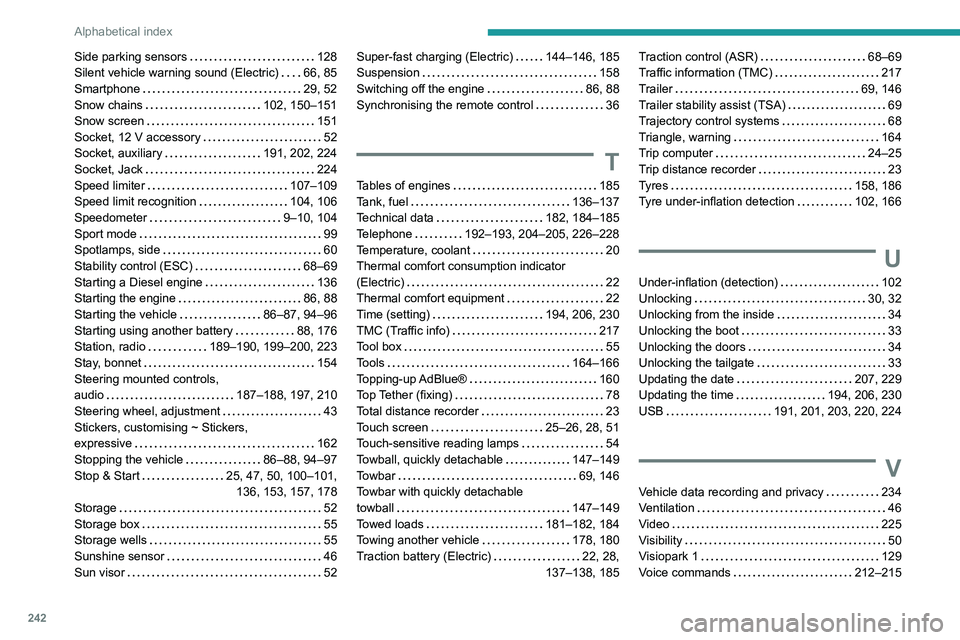
242
Alphabetical index
Side parking sensors 128
Silent vehicle warning sound (Electric)
66, 85
Smartphone
29, 52
Snow chains
102, 150–151
Snow screen
151
Socket, 12 V accessory
52
Socket, auxiliary
191, 202, 224
Socket, Jack
224
Speed limiter
107–109
Speed limit recognition
104, 106
Speedometer
9–10, 104
Sport mode
99
Spotlamps, side
60
Stability control (ESC)
68–69
Starting a Diesel engine
136
Starting the engine
86, 88
Starting the vehicle
86–87, 94–96
Starting using another battery
88, 176
Station, radio
189–190, 199–200, 223
Stay, bonnet
154
Steering mounted controls,
audio
187–188, 197, 210
Steering wheel, adjustment
43
Stickers, customising ~ Stickers,
expressive
162
Stopping the vehicle
86–88, 94–97
Stop & Start
25, 47, 50, 100–101, 136, 153, 157, 178
Storage
52
Storage box
55
Storage wells
55
Sunshine sensor
46
Sun visor
52Super-fast charging (Electric) 144–146, 185
Suspension
158
Switching off the engine
86, 88
Synchronising the remote control
36
T
Tables of engines 185
Tank, fuel
136–137
Technical data
182, 184–185
Telephone
192–193, 204–205, 226–228
Temperature, coolant
20
Thermal comfort consumption indicator
(Electric)
22
Thermal comfort equipment
22
Time (setting)
194, 206, 230
TMC (Traffic info)
217
Tool box
55
Tools
164–166
Topping-up AdBlue®
160
Top Tether (fixing)
78
Total distance recorder
23
Touch screen
25–26, 28, 51
Touch-sensitive reading lamps
54
Towball, quickly detachable
147–149
Towbar
69, 146
Towbar with quickly detachable
towball
147–149
Towed loads
181–182, 184
Towing another vehicle
178, 180
Traction battery (Electric)
22, 28,
137–138, 185
Traction control (ASR) 68–69
Traffic information (TMC)
217
Trailer
69, 146
Trailer stability assist (TSA)
69
Trajectory control systems
68
Triangle, warning
164
Trip computer
24–25
Trip distance recorder
23
Tyres
158, 186
Tyre under-inflation detection
102, 166
U
Under-inflation (detection) 102
Unlocking
30, 32
Unlocking from the inside
34
Unlocking the boot
33
Unlocking the doors
34
Unlocking the tailgate
33
Updating the date
207, 229
Updating the time
194, 206, 230
USB
191, 201, 203, 220, 224
V
Vehicle data recording and privacy 234
Ventilation
46
Video
225
Visibility
50
Visiopark 1
129
Voice commands
212–215
Page 245 of 276
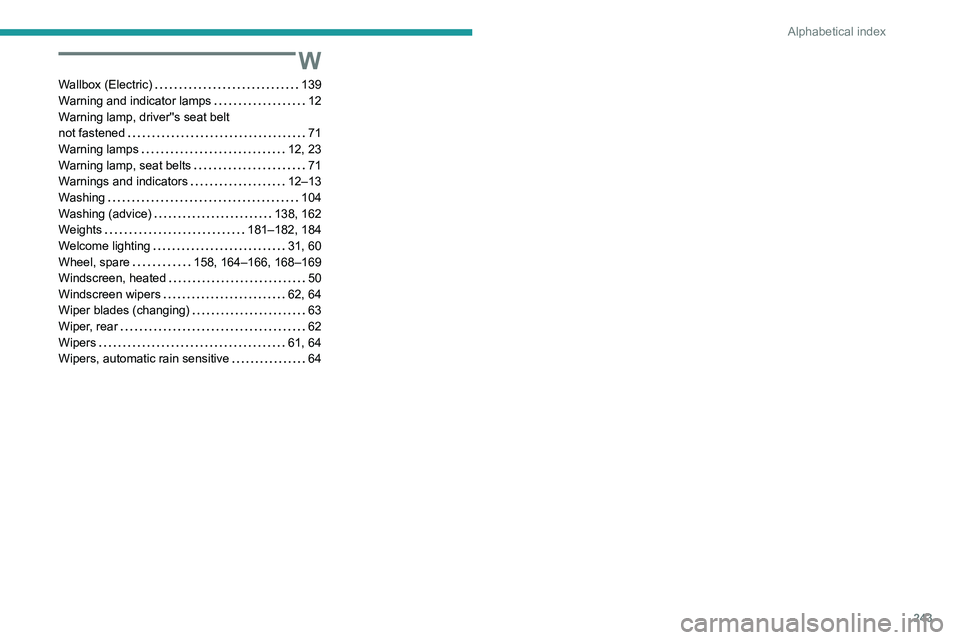
243
Alphabetical index
W
Wallbox (Electric) 139
Warning and indicator lamps
12
Warning lamp, driver''s seat belt
not fastened
71
Warning lamps
12, 23
Warning lamp, seat belts
71
Warnings and indicators
12–13
Washing
104
Washing (advice)
138, 162
Weights
181–182, 184
Welcome lighting
31, 60
Wheel, spare
158, 164–166, 168–169
Windscreen, heated
50
Windscreen wipers
62, 64
Wiper blades (changing)
63
Wiper, rear
62
Wipers
61, 64
Wipers, automatic rain sensitive
64