sunroof PEUGEOT 208 2021 Owners Manual
[x] Cancel search | Manufacturer: PEUGEOT, Model Year: 2021, Model line: 208, Model: PEUGEOT 208 2021Pages: 276, PDF Size: 8.02 MB
Page 4 of 276
2
Contents
■
Overview
■
Eco-driving
1InstrumentsInstrument panels 9
Warning and indicator lamps 12
Indicators 19
Manual test 23
Total distance recorder 23
Lighting dimmer 23
Trip computer 24
5-inch touch screen 25
7-inch or 10-inch touch screen 26
Additional remotely operable functions
(Electric)
28
2AccessRemote control / Key 30
Proximity Keyless Entry and Start 32
Central locking 34
Back-up procedures 34
Doors 37
Boot 37
Alarm 38
Electric windows 40
3Ease of use and comfortPEUGEOT i-Cockpit 41
Front seats 41
Steering wheel adjustment 43
Mirrors 43
Rear bench seat 45
Heating and Ventilation 46
Manual air conditioning 47
Automatic air conditioning 48
Front demisting - de-icing 50
Heated windscreen 50
Rear screen demisting/defrosting 50
Temperature pre-conditioning (Electric) 51
Interior fittings 51
Courtesy lamps 53
Interior ambient lighting 54
Panoramic glass sunroof 54
Boot fittings 55
Rear shelf (Van) 55
4Lighting and visibilityExterior lighting control stalk 57
Direction indicators 58
Headlamp beam height adjustment 59
Automatic illumination of headlamps 59
Guide-me-home and welcome lighting 60
Automatic lighting systems - General
recommendations
60
Automatic headlamp dipping 61
Wiper control stalk 61
Changing a wiper blade 63
Automatic wipers 64
5SafetyGeneral safety recommendations 65
Hazard warning lamps 65
Horn 66
Pedestrian horn (Electric) 66
Emergency or assistance 66
Electronic stability control (ESC) 68
Seat belts 70
Airbags 72
Child seats 74
Deactivating the front passenger airbag 76
ISOFIX child seats 78
i-Size child seats 81
Child lock 82
6DrivingDriving recommendations 84
Starting / Switching off the engine with
the key
86
Starting/Switching off the engine with
Keyless Entry and Starting
87
Manual parking brake 89
Electric parking brake 89
5-speed manual gearbox 92
6-speed manual gearbox 92
Automatic gearbox (EAT6) 92
Automatic gearbox (EAT8) 94
Drive selector (Electric) 97
Driving modes 98
Hill start assist 99
Gear shift indicator 100
Stop & Start 100
Tyre under-inflation detection 102
Driving and manoeuvring aids - General
recommendations
103
Road signs recognition 104
Speed limiter 108
Cruise control - Specific recommendations 109
Cruise control 11 0
Drive Assist Plus 111
Adaptive cruise control 111
Lane positioning assist 11 5
Active lane departure warning system 11 9
Blind spot sensors 122
Active Safety Brake with Collision Risk Alert
and Intelligent emergency braking assistance
123
Distraction detection 126
Page 9 of 276
7
Eco-driving
Eco-driving
Eco-driving refers to a range of everyday
practices that allow the motorist to optimise
the vehicle's energy consumption (fuel and/or
electricity) and CO
2 emissions.
Optimise your use of the gearbox
With a manual gearbox, move off gently and
change up promptly. While accelerating, change
up early.
With an automatic gearbox, favour automatic
mode. Do not depress the accelerator pedal
heavily or suddenly.
The gear shift indicator prompts you to engage
the most suitable gear. Whenever this indication
is displayed on the instrument panel, follow it
straight away.
With an automatic gearbox, this indicator
appears only in manual mode.
Drive smoothly
Maintain a safe distance between vehicles, use
engine braking rather than the brake pedal and
press the accelerator gradually. These practices
help to save on energy consumption, reduce
CO
2 emissions and decrease general traffic
noise.
Favour the use of the "Eco" driving mode by
selecting it using the "DRIVE MODE" control.
With an EAT8 gearbox, with the gear selector in
mode
D, and except in Sport mode, favour "free-
wheeling" by gradually and fully lifting your foot
off the accelerator pedal in order to save fuel. When the traffic is flowing smoothly, select the
cruise control.
Control the use of electrical equipment
Before moving off, if the passenger compartment
is too warm, ventilate it by opening the windows
and air vents before using the air conditioning.
At speeds above 31
mph (50 km/h), close the
windows and leave the air vents open.
Consider using equipment that can help keep
the temperature in the passenger compartment
down (e.g.
sunroof blind, window blinds).
Unless automatically regulated, switch off the air
conditioning as soon as the desired temperature
has been reached.
Switch off the demisting and defrosting functions,
if they are not managed automatically.
Switch off the heated seat as soon as possible.
Avoid running the engine before moving off,
particularly in winter (other than in severe wintry
conditions: temperature below -23°C). The
vehicle will warm up much faster while driving.
As a passenger, avoid connecting your
multimedia devices (e.g.
film, music, video
game) to help reduce the consumption of energy.
Disconnect all portable devices before leaving
the vehicle.
Limit the causes of excess consumption
Spread loads throughout the vehicle. Place the
heaviest items in the boot as close as possible to
the rear seats.
Limit the loads carried in the vehicle and
minimise wind resistance (e.g.
roof bars, roof rack, bicycle carrier, trailer). Preferably, use a
roof box.
Remove roof bars and roof racks after use.
At the end of winter, remove snow tyres and refit
summer tyres.
Avoid using
Sport mode for too long, in order to
limit your energy consumption.
Comply with the servicing instructions
Check tyre pressures regularly, with the tyres
cold, referring to the label in the door aperture on
the driver's side.
Carry out this check in particular:
–
before a long journey
.
–
at each change of season.
–
after a long period out of use.
Do not forget the spare wheel and, where
applicable, the tyres on your trailer or caravan.
Have your vehicle serviced regularly (e.g.
engine
oil, oil filter, air filter, passenger compartment
filter, etc.). Observe the schedule of operations in
the manufacturer's service schedule.
With a BlueHDi Diesel engine, if the SCR system
has a fault, your vehicle will emit pollution. Visit
a PEUGEOT dealer or a qualified workshop
as soon as possible to restore your vehicle's
nitrogen oxide emissions to legal levels.
When filling the fuel tank, do not continue after
the third cut-out of the nozzle, to avoid overflow.
You will only see the fuel consumption of your
new vehicle settle down to a consistent average
after the first 1,900 miles (3,000 kilometres).
Page 56 of 276
54
Ease of use and comfort
Advice on care
To preserve the properties of the glazed roof,
wipe and dry-clean the inner glass using a clean,
soft cloth.
For stubborn stains, clean the glass using
screenwash fluid, rinse with clean water, then dry
with a clean, soft cloth.
Never use soapy water, abrasive
products, petrol, solvents or detergents
(particularly ammonia-based or strongly
alcoholic products).
Boot fittings
1. Load space cover
2. Boot lamp
– 30 seconds after the last door is closed.Permanently off.
Permanent lighting.
In "Permanent lighting" mode, the lighting time
varies according to the circumstances:
–
With
the ignition off, approximately 10 minutes.
–
In energy saving mode, approximately 30
seconds.
–
With the engine running, unlimited.
Reading lamps
► With the ignition on, operate the
corresponding switch.
Do not place anything against the
courtesy lamps.
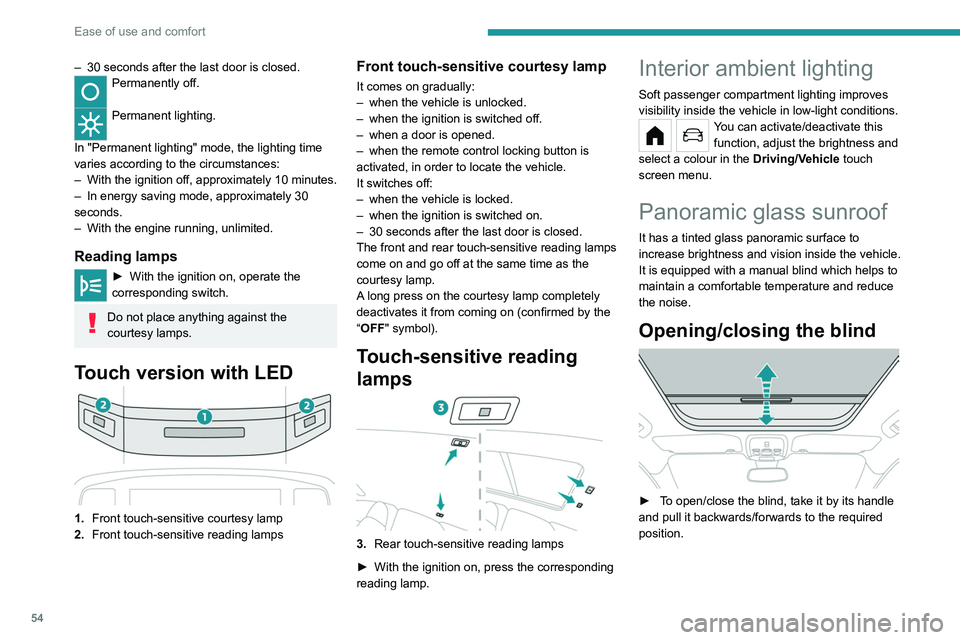
Touch version with LED
1. Front touch-sensitive courtesy lamp
2. Front touch-sensitive reading lamps
Front touch-sensitive courtesy lamp
It comes on gradually:
–
when the vehicle is unlocked.
–
when the ignition is switched off.
–
when a door is opened.
–
when the remote control locking button is
activated, in order to locate the vehicle.
It switches off:
–
when the vehicle is locked.
–
when the ignition is switched on.
–
30 seconds after the last door is closed.
The front and rear touch-sensitive reading lamps
come on and go off at the same time as the
courtesy lamp.
A
long press on the courtesy lamp completely
deactivates it from coming on (confirmed by the
“OFF" symbol).
Touch-sensitive reading
lamps
3. Rear touch-sensitive reading lamps
►
With the ignition on, press the corresponding
reading lamp.
Interior ambient lighting
Soft passenger compartment lighting improves
visibility inside the vehicle in low-light conditions.
You can activate/deactivate this function, adjust the brightness and
select a colour in the Driving/Vehicle touch
screen menu.
Panoramic glass sunroof
It has a tinted glass panoramic surface to
increase brightness and vision inside the vehicle.
It is equipped with a manual blind which helps to
maintain a comfortable temperature and reduce
the noise.
Opening/closing the blind
► To open/close the blind, take it by its handle
and pull it backwards/forwards to the required
position.
Page 214 of 276
212
PEUGEOT Connect Nav
step. There's more information available in
"novice" mode. You can set the dialogue mode to
"expert" when you feel comfortable.
Global voice commands
Voice commands
Set dialogue mode as novice - expert
Select user 1 / Select profile John
Increase temperature
Decrease temperature
Help messages
There are lots of topics I can help you with.
You can say: "help with phone", "help with
navigation", "help with media" or "help with
radio". For an overview on how to use voice
controls, you can say "help with voice controls".
Say "yes" if I got that right. Otherwise, say "no"
and we'll start that again.
"Navigation" voice
commands
Voice commands
Navigate home
Navigate to work
Navigate to preferred address, Tennis club
Navigate to contact, John Miller
Navigate to address 11 regent street, London
Help messages
Voice commands
Steering wheel-mounted
controls
Voice commands:
Voice commands can be issued from any
screen page after a short press on the "Voice
commands" button located on the steering
wheel or at the end of the lighting control stalk
(depending on equipment), as long as there is no
telephone call in progress.
To ensure that voice commands are always recognised by the system, please
follow these recommendations:
–
use natural language in a normal tone
without breaking up words or raising your
voice.
–
always wait for the "beep" (audible signal)
before speaking.
–
for best results, closing the windows and
sunroof is recommended, to avoid extraneous
interference (depending on version).
–
before issuing a voice command, ask any
other passengers to refrain from speaking.
First steps
Example of a "voice command" for
navigation:
"Navigate to address 11 regent street,
London"
Example of a "voice command" for the radio and
media:
"Play artist Madonna"
Example of a "voice command" for the
telephone:
"Call David Miller"
The voice commands, with a choice of 17 languages (Arabic, Brazilian, Czech,
Danish, Dutch, English, Farsi, French,
German, Italian, Norwegian, Polish,
Portuguese, Russian, Spanish, Swedish,
Turkish), are made using the language
previously chosen and set in the system.
For some voice commands, there are
alternative synonyms.
Example: Guide to / Navigate to / Go to / ...
The voice commands in Arabic for: "Navigate
to address" and "Display POI in the city", are
not available.
Information - Using the
system
When voice commands are activated, by
briefly pressing the button, help is
displayed on the touch screen, offering various
menus and enabling voice-based interaction with
the system.
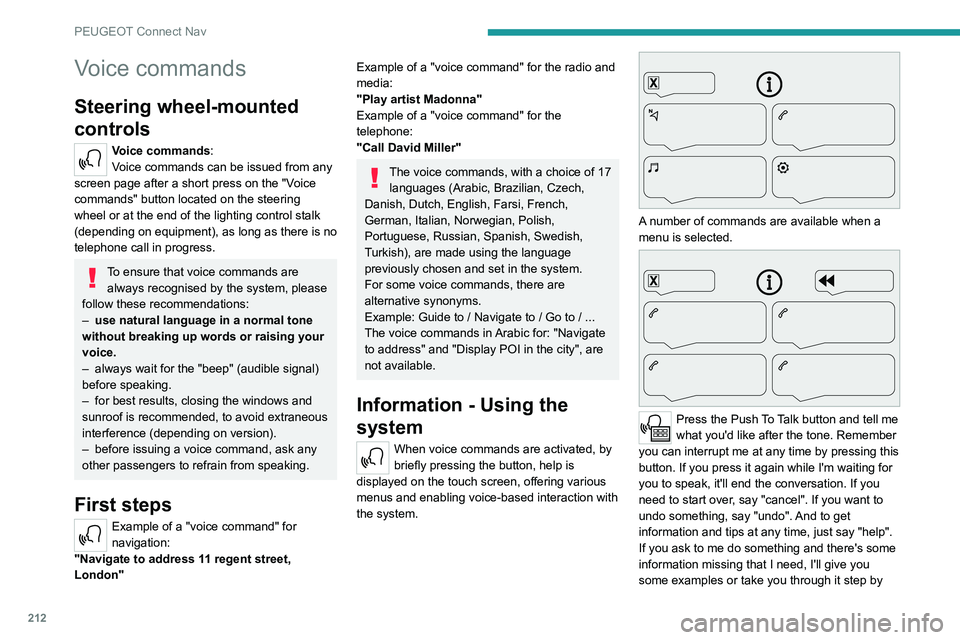
A number of commands are available when a
menu is selected.
Press the Push To Talk button and tell me
what you'd like after the tone. Remember
you can interrupt me at any time by pressing this
button. If you press it again while I'm waiting for
you to speak, it'll end the conversation. If you
need to start over, say "cancel". If you want to
undo something, say "undo". And to get
information and tips at any time, just say "help".
If you ask to me do something and there's some
information missing that I need, I'll give you
some examples or take you through it step by
Page 242 of 276
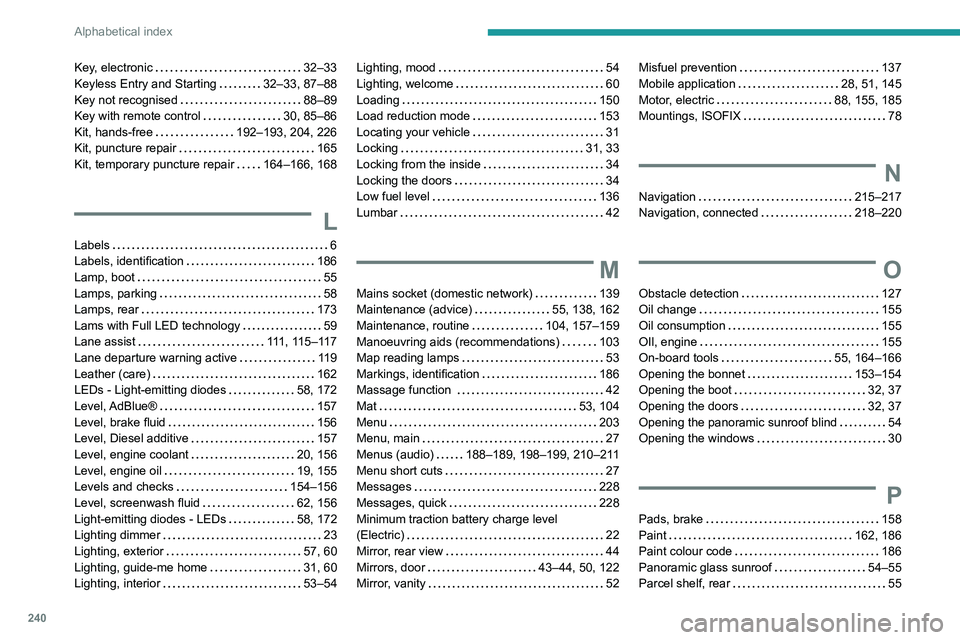
240
Alphabetical index
Key, electronic 32–33
Keyless Entry and Starting
32–33, 87–88
Key not recognised
88–89
Key with remote control
30, 85–86
Kit, hands-free
192–193, 204, 226
Kit, puncture repair
165
Kit, temporary puncture repair
164–166, 168
L
Labels 6
Labels, identification
186
Lamp, boot
55
Lamps, parking
58
Lamps, rear
173
Lams with Full LED technology
59
Lane assist
111, 115–117
Lane departure warning active
119
Leather (care)
162
LEDs - Light-emitting diodes
58, 172
Level, AdBlue®
157
Level, brake fluid
156
Level, Diesel additive
157
Level, engine coolant
20, 156
Level, engine oil
19, 155
Levels and checks
154–156
Level, screenwash fluid
62, 156
Light-emitting diodes - LEDs
58, 172
Lighting dimmer
23
Lighting, exterior
57, 60
Lighting, guide-me home
31, 60
Lighting, interior
53–54
Lighting, mood 54
Lighting, welcome
60
Loading
150
Load reduction mode
153
Locating your vehicle
31
Locking
31, 33
Locking from the inside
34
Locking the doors
34
Low fuel level
136
Lumbar
42
M
Mains socket (domestic network) 139
Maintenance (advice)
55, 138, 162
Maintenance, routine
104, 157–159
Manoeuvring aids (recommendations)
103
Map reading lamps
53
Markings, identification
186
Massage function
42
Mat
53, 104
Menu
203
Menu, main
27
Menus (audio)
188–189, 198–199, 210–211
Menu short cuts
27
Messages
228
Messages, quick
228
Minimum traction battery charge level
(Electric)
22
Mirror, rear view
44
Mirrors, door
43–44, 50, 122
Mirror, vanity
52
Misfuel prevention 137
Mobile application
28, 51, 145
Motor, electric
88, 155, 185
Mountings, ISOFIX
78
N
Navigation 215–217
Navigation, connected
218–220
O
Obstacle detection 127
Oil change
155
Oil consumption
155
OIl, engine
155
On-board tools
55, 164–166
Opening the bonnet
153–154
Opening the boot
32, 37
Opening the doors
32, 37
Opening the panoramic sunroof blind
54
Opening the windows
30
P
Pads, brake 158
Paint
162, 186
Paint colour code
186
Panoramic glass sunroof
54–55
Parcel shelf, rear
55