light PEUGEOT 3008 2015.5. User Guide
[x] Cancel search | Manufacturer: PEUGEOT, Model Year: 2015.5., Model line: 3008, Model: PEUGEOT 3008 2015.5.Pages: 344, PDF Size: 12.22 MB
Page 36 of 344
34
Date and timeLanguages
Once the "Languages" menu has been
selected, you can change the language used
by the display.
Units
Once the "Units" menu has been selected,
you can change the units of the following
parameters:
-
t
emperature (°C or °F),
-
f
uel consumption (l/100 km, mpg or km/l).
F
O
nce you have selected a setting, press
the " 7" or " 8" buttons to change its value.
F
P
ress the " 5" or " 6" buttons to switch
respectively to the previous or next setting.
F
P
ress the "OK" button to record the
change and return to the normal display or
press the "
<] arrow" button to cancel.
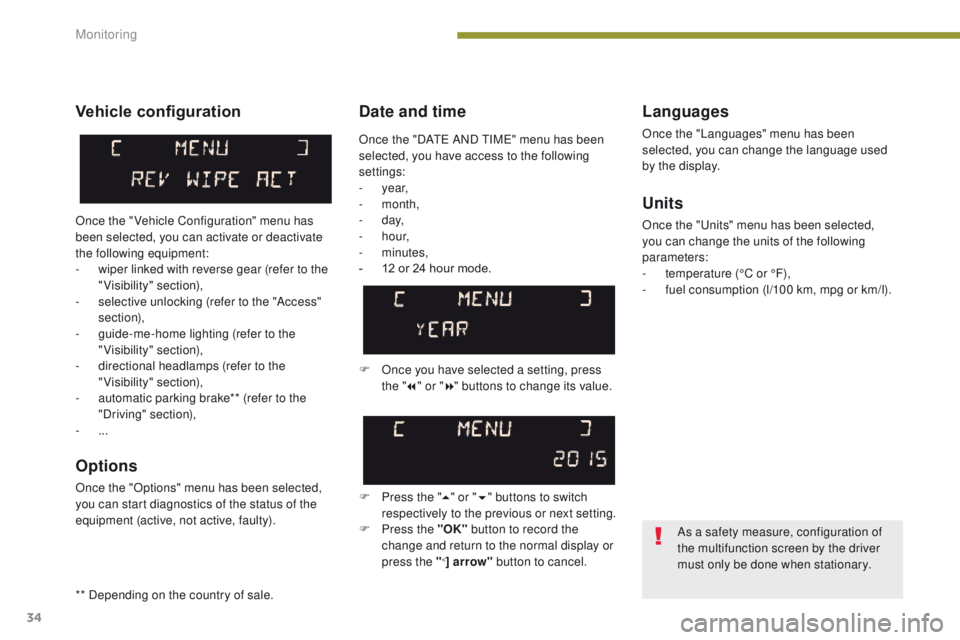
Vehicle configuration
Once the " Vehicle Configuration" menu has
been selected, you can activate or deactivate
the following equipment:
-
w
iper linked with reverse gear (refer to the
"Visibility" section),
-
s
elective unlocking (refer to the "Access"
section),
-
g
uide-me-home lighting (refer to the
"Visibility" section),
-
d
irectional headlamps (refer to the
"Visibility" section),
-
a
utomatic parking brake** (refer to the
"Driving" section),
-
...
Options
Once the "Options" menu has been selected,
you can start diagnostics of the status of the
equipment (active, not active, faulty).
As a safety measure, configuration of
the multifunction screen by the driver
must only be done when stationary.
Once the "DATE AND TIME" menu has been
selected, you have access to the following
settings:
-
year,
-
month,
-
d ay,
-
h o u r,
-
minutes,
-
1
2 or 24 hour mode.
** Depending on the country of sale.
Monitoring
Page 38 of 344
36
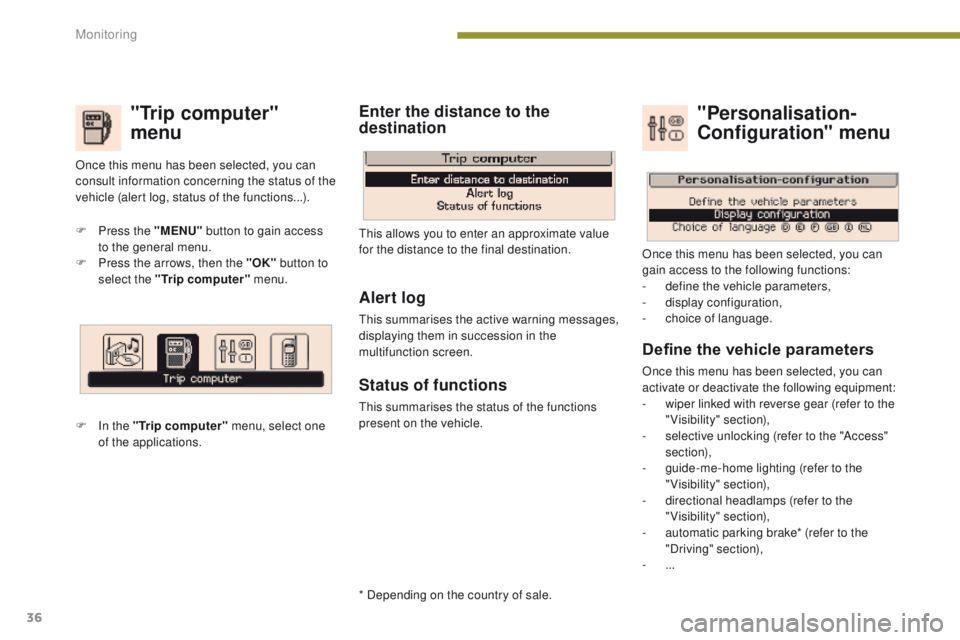
"Trip computer"
menu
F Press the "MENU" button to gain access
to the general menu.
F
P
ress the arrows, then the "OK" button to
select the "Trip computer" menu.
F
I
n the "Trip computer" menu, select one
of the applications. This allows you to enter an approximate value
for the distance to the final destination.
Once this menu has been selected, you can
consult information concerning the status of the
vehicle (alert log, status of the functions...).
Define the vehicle parameters
Once this menu has been selected, you can
activate or deactivate the following equipment:
-
w
iper linked with reverse gear (refer to the
"Visibility" section),
-
s
elective unlocking (refer to the "Access"
section),
-
g
uide-me-home lighting (refer to the
"Visibility" section),
-
d
irectional headlamps (refer to the
"Visibility" section),
-
a
utomatic parking brake* (refer to the
"Driving" section),
-
...
"Personalisation-
Configuration" menu
Once this menu has been selected, you can
gain access to the following functions:
-
d
efine the vehicle parameters,
-
d
isplay configuration,
-
c
hoice of language.
Alert log
This summarises the active warning messages,
displaying them in succession in the
multifunction screen.
Status of functions
This summarises the status of the functions
present on the vehicle.
Enter the distance to the
destination
* Depending on the country of sale.
Monitoring
Page 39 of 344
37
Display configuration
Once this menu has been selected, you have
access to the following settings:
-
b
rightness-video setting,
-
d
ate and time setting,
-
s
election of the units.
Adjusting the date and time
F
P
ress the " 7" or " 8" button to select the
"Display configuration" menu, then the
"OK" button.
F
P
ress the " 5" or " 6" button, to select the
"Adjust date and time" line, then on the
"OK" button.
F
P
ress the " 7" or " 8" button to select the
setting to modify. Confirm by pressing the
"OK"
button then adjust the setting and
confirm again to save the modification.
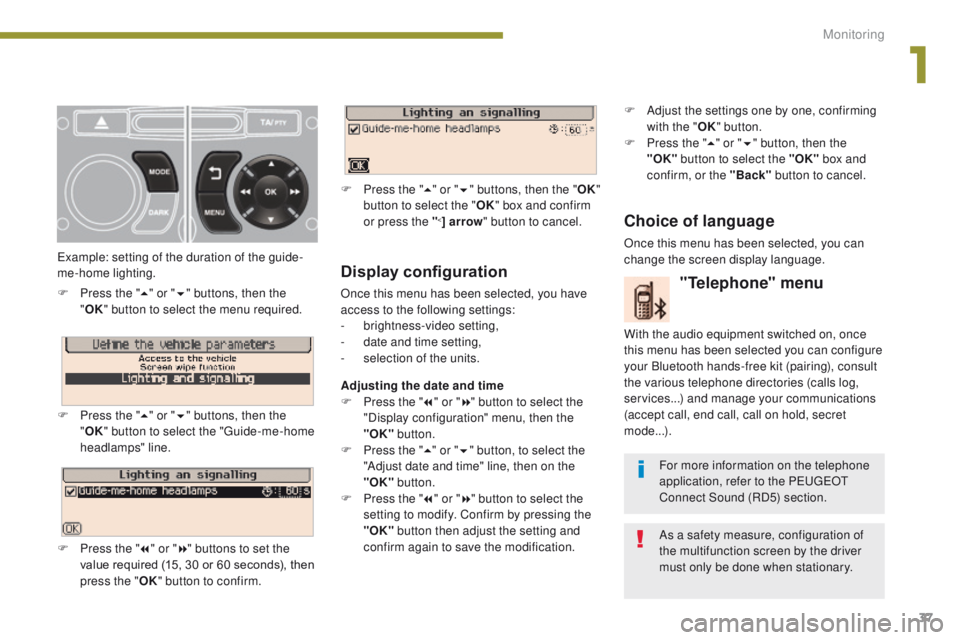
Example: setting of the duration of the guide-
me-home lighting.
F
P
ress the "
5" or " 6" buttons, then the
" OK "
button to select the menu required.
F
P
ress the " 5" or " 6" buttons, then the
" OK " button to select the "Guide-me-home
headlamps" line.
F
P
ress the " 7" or " 8" buttons to set the
value required (15, 30 or 60 seconds), then
press the " OK" button to confirm. F
P
ress the "
5" or " 6" buttons, then the " OK"
button to select the " OK" box and confirm
or press the "
<] arrow " button to cancel.
"Telephone" menu
With the audio equipment switched on, once
this menu has been selected you can configure
your Bluetooth hands-free kit (pairing), consult
the various telephone directories (calls log,
services...) and manage your communications
(accept call, end call, call on hold, secret
mode...).
For more information on the telephone
application, refer to the PEUGEOT
Connect Sound (RD5) section.
As a safety measure, configuration of
the multifunction screen by the driver
must only be done when stationary.
Choice of language
Once this menu has been selected, you can
change the screen display language. F
A
djust the settings one by one, confirming
with the " OK" button.
F
P
ress the "
5" or " 6" button, then the
"OK"
button to select the "OK"
box and
confirm, or the "Back" button to cancel.
1
Monitoring
Page 41 of 344
39
Display configuration
This menu is used to select the colour scheme
for the screen, adjust the brightness, set
the date and time and to choose the units
for distance (km or miles), fuel consumption
(l/100 km, mpg or km/l) and temperature
(°Celsius or °Fahrenheit).
Adjusting the voice synthesiser
This menu is used to adjust the volume setting
for navigation instructions and to choose the
type of voice (male or female).
Choice of language
This menu is used to choose the language
used by the screen from a defined list.
Vehicle parameters
This menu is used to activate or deactivate
certain driving and comfort systems, classified
by category:
-
"
Driver aid":
●
"
Electric brake*" (Automatic electric
parking brake; refer to the "Driving"
section),
-
"
Wiper operation":
●
"R
ear wiper operates in reverse: ON /
OFF " (rear wiper coupled to reverse
gear; refer to the " Visibility" section), -
"
Vehicle access" (refer to the "Access"
section):
●
"
P
lip action: all doors, driver only
"
(Selective unlocking of the driver's door),
- "
Lighting configuration " (refer to the
"Visibility" section):
●
"
D
uration of guide me home lighting:
OFF / 15 s / 30 s / 60 s
" (Automatic
guide me home lighting),
●
"
Directional headlights: ON / OFF
"
(Main / additional directional lighting).
Alert log
This lists the active alerts by displaying in turn
the different messages associated with them.
* Depending on the country of sale.
Adjusting the date and time
-
P
ress on SETUP
.
-
Sel
ect "Display configuration" and confirm.
-
S
elect "Set date and time" and confirm.
Select "Minute adjustment via GPS" so that
the
minutes are adjusted automatically by
satellite reception.
-
S
elect the setting to modify. Confirm by
pressing on OK , then modify the setting
and confirm again to save the modification.
-
A
djust the settings one by one.
-
Sel
ect " OK" in the screen then confirm to
save the setting.
1
Monitoring
Page 47 of 344
45
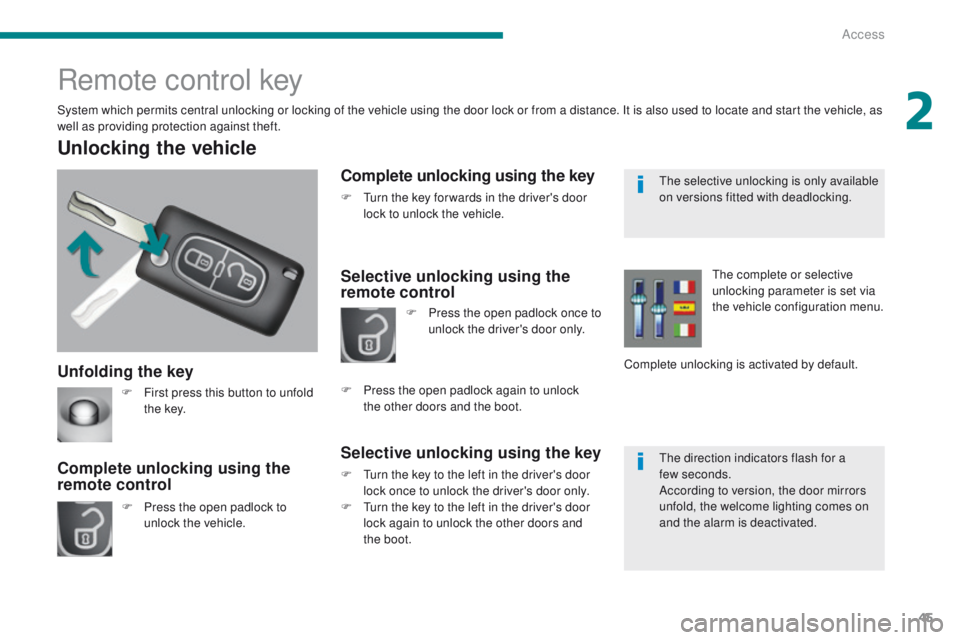
Unfolding the key
Unlocking the vehicle
F Press the open padlock to unlock the vehicle.
Complete unlocking using the
remote control
Remote control key
System which permits central unlocking or locking of the vehicle using the door lock or from a distance. It is also used to locate and start the vehicle, as
well as providing protection against theft.
Complete unlocking using the key
F Turn the key for wards in the driver's door lock to unlock the vehicle.
Selective unlocking using the
remote control
Selective unlocking using the key
F Turn the key to the left in the driver's door lock once to unlock the driver's door only.
F
T
urn the key to the left in the driver's door
lock again to unlock the other doors and
the boot. F
P
ress the open padlock once to
unlock the driver's door only.
F
P
ress the open padlock again to unlock
the
other doors and the boot. The complete or selective
unlocking parameter is set via
the vehicle configuration menu.
Complete unlocking is activated by default.
F
F
irst press this button to unfold
t h e key. The selective unlocking is only available
on versions fitted with deadlocking.
The direction indicators flash for a
few
seconds.
According to version, the door mirrors
unfold, the welcome lighting comes on
and the alarm is deactivated.
2
Access
Page 49 of 344
47
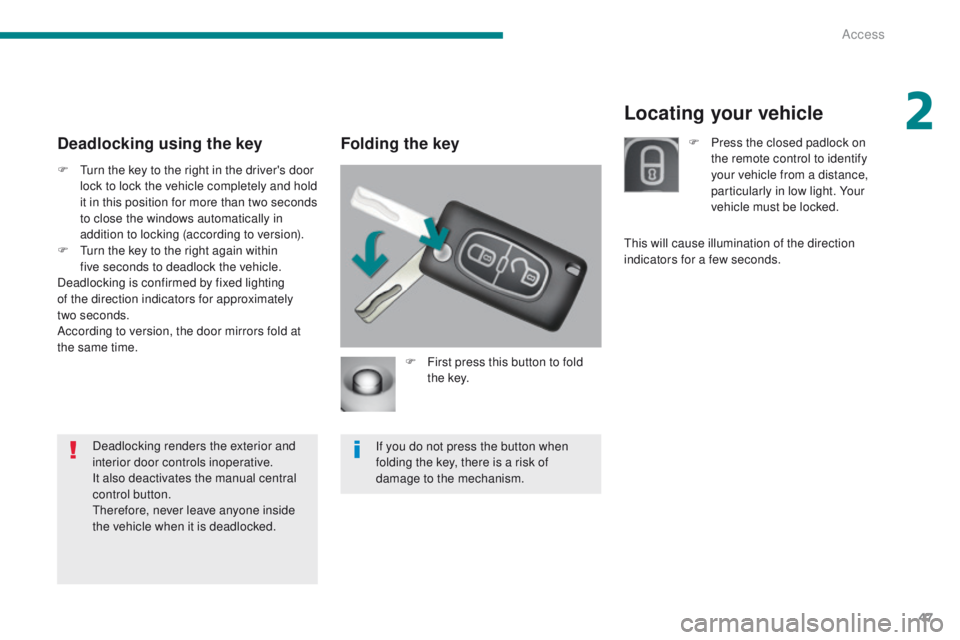
Locating your vehicle
Folding the key
F First press this button to fold t h e key.
If you do not press the button when
folding the key, there is a risk of
damage to the mechanism.
Deadlocking using the key
F Turn the key to the right in the driver's door lock to lock the vehicle completely and hold
it in this position for more than two seconds
to close the windows automatically in
addition to locking (according to version).
F
T
urn the key to the right again within
five
seconds to deadlock the vehicle.
Deadlocking is confirmed by fixed lighting
of the direction indicators for approximately
two
seconds.
According to version, the door mirrors fold at
the same time.
Deadlocking renders the exterior and
interior door controls inoperative.
It also deactivates the manual central
control button.
Therefore, never leave anyone inside
the vehicle when it is deadlocked. F
P
ress the closed padlock on
the remote control to identify
your vehicle from a distance,
particularly in low light. Your
vehicle must be locked.
This will cause illumination of the direction
indicators for a few seconds.
2
Access
Page 63 of 344
61
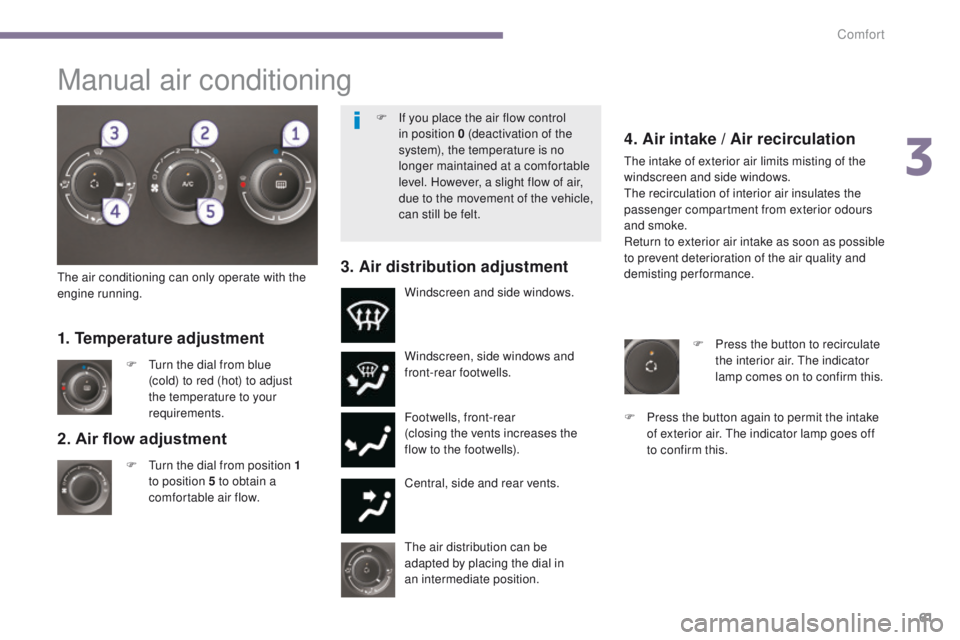
2. Air flow adjustment
F Turn the dial from position 1
to position 5 to obtain a
comfortable air flow. Windscreen, side windows and
front-rear footwells.
Footwells, front-rear
(closing the vents increases the
flow to the footwells).
Central, side and rear vents.
F
T
urn the dial from blue
(cold) to red (hot) to adjust
the temperature to your
requirements. Windscreen and side windows.
1. Temperature adjustment
The air distribution can be
adapted by placing the dial in
an
intermediate position.
The air conditioning can only operate with the
engine running.
4. Air intake / Air recirculation
The intake of exterior air limits misting of the
windscreen and side windows.
The recirculation of interior air insulates the
passenger compartment from exterior odours
and smoke.
Return to exterior air intake as soon as possible
to prevent deterioration of the air quality and
demisting performance.
3. Air distribution adjustment
F Press the button to recirculate
the interior air. The indicator
lamp comes on to confirm this.
F
P
ress the button again to permit the intake
of exterior air. The indicator lamp goes off
to confirm this.
Manual air conditioning
F If you place the air flow control in position 0 (deactivation of the
system), the temperature is no
longer maintained at a comfortable
level. However, a slight flow of air,
due to the movement of the vehicle,
can still be felt.
3
Comfort
Page 68 of 344
66
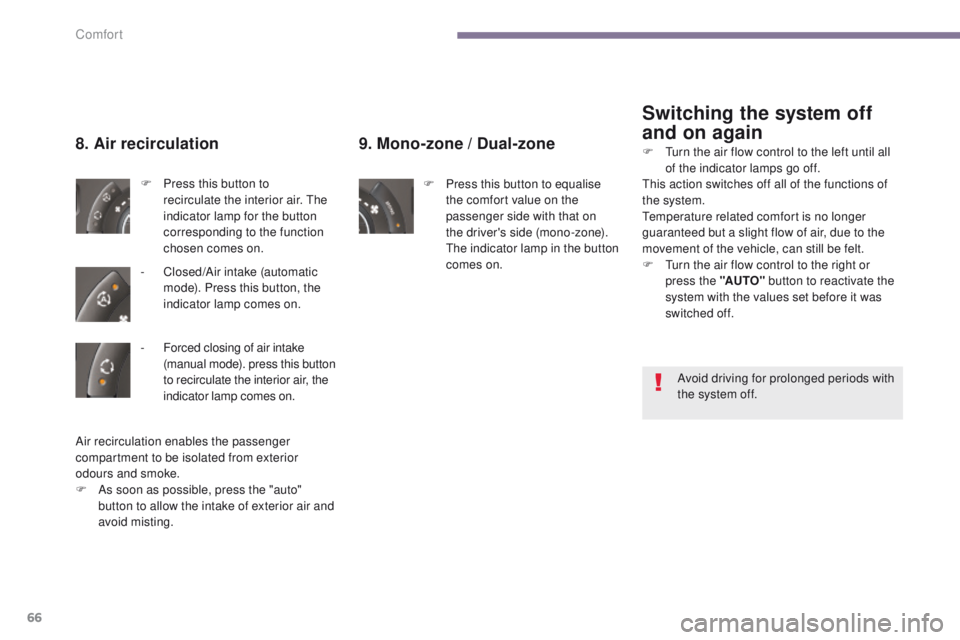
9. Mono-zone / Dual-zone
F Press this button to equalise
the comfort value on the
passenger side with that on
the driver's side (mono-zone).
The indicator lamp in the button
comes on.
8. Air recirculation
F Press this button to recirculate the interior air. The
indicator lamp for the button
corresponding to the function
chosen comes on.
-
C
losed/Air intake (automatic
mode). Press this button, the
indicator lamp comes on.
Switching the system off
and on again
Air recirculation enables the passenger
compartment to be isolated from exterior
odours and smoke.
F
A
s soon as possible, press the "auto"
button to allow the intake of exterior air and
avoid misting. Avoid driving for prolonged periods with
the system off.
F
T
urn the air flow control to the left until all
of the indicator lamps go off.
This action switches off all of the functions of
the system.
Temperature related comfort is no longer
guaranteed but a slight flow of air, due to the
movement of the vehicle, can still be felt.
F
T
urn the air flow control to the right or
press the "AUTO" button to reactivate the
system with the values set before it was
switched off.
-
F
orced closing of air intake
(manual mode). press this button
to recirculate the interior air, the
indicator lamp comes on.
Comfort
Page 77 of 344
75
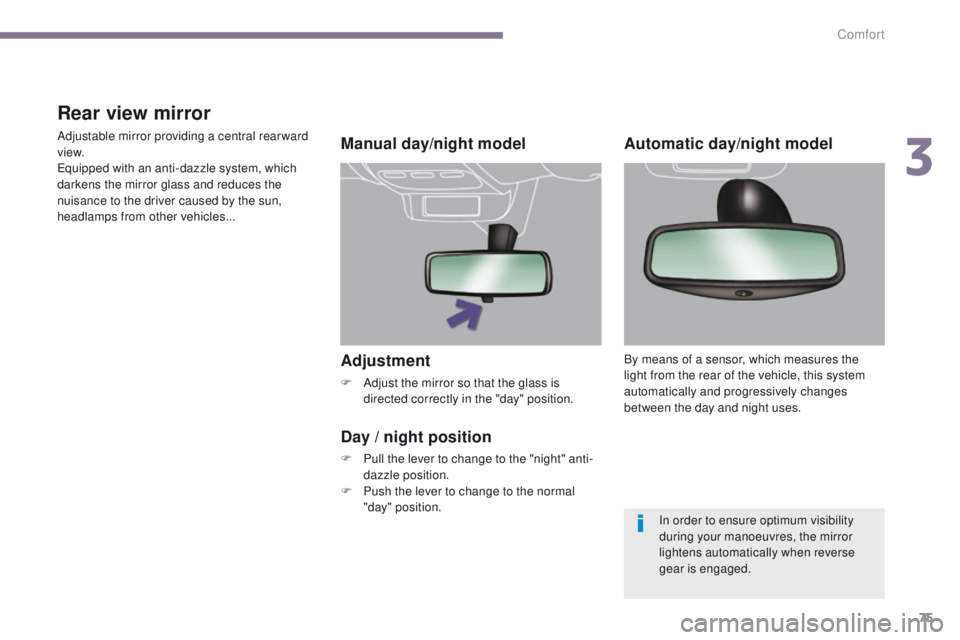
Adjustment
F Adjust the mirror so that the glass is directed correctly in the "day" position.
Manual day/night model
Day
/ night position
F Pull the lever to change to the "night" anti-dazzle position.
F
P
ush the lever to change to the normal
"day" position.
Rear view mirror
Adjustable mirror providing a central rearward
view.
Equipped with an anti-dazzle system, which
darkens the mirror glass and reduces the
nuisance to the driver caused by the sun,
headlamps from other vehicles...Automatic day/night model
By means of a sensor, which measures the
light from the rear of the vehicle, this system
automatically and progressively changes
between the day and night uses.
In order to ensure optimum visibility
during your manoeuvres, the mirror
lightens automatically when reverse
gear is engaged.
3
Comfort
Page 79 of 344
77
Lighting controls
Main lighting
The various front and rear lamps of the vehicle
are designed to adapt the lighting progressively
in relation to the climatic conditions and so
improve the driver's visibility:
-
s
idelamps, to be seen,
-
d
ipped beam headlamps to see without
dazzling other drivers,
-
m
ain beam headlamps to see clearly when
the road is clear,
-
d
irectional headlamps for improved
visibility when cornering.
Additional lighting
Other lamps are installed to fulfil the
requirements of particular driving conditions:
-
a r
ear foglamp to be seen from a distance,
-
f
ront foglamps for even better visibility,
-
d
aytime running lamps to be seen during
t h e d ay.
Function settings
You can activate / deactivate the following
l ighting functions:
-
a
utomatic guide-me-home lighting,
-
a
utomatic illumination of headlamps,
-
d
irectional lighting.
Travelling abroad
If using your vehicle in a country that
drives on the other side of the road, the
headlamps must be adjusted to avoid
dazzling on-coming drivers.
Contact an official dealer or a qualified
workshop.
In some weather conditions (e.g. low
temperature or humidity), the presence
of misting on the internal sur face of the
glass of the headlamps and rear lamps
is normal; it disappears after the lamps
have been on for a few minutes.
4
Visibility