ad blue PEUGEOT 3008 2017 User Guide
[x] Cancel search | Manufacturer: PEUGEOT, Model Year: 2017, Model line: 3008, Model: PEUGEOT 3008 2017Pages: 566, PDF Size: 16.05 MB
Page 39 of 566
37
3008-2_en_Chap01_instruments-de-bord_ed01-2016
AdBlue® range indicators
These range indicators are present only on
BlueHDi Diesel versions.
Once the AdBlue
® tank is on reserve or after
detection of a fault with the SCR emissions
control system, when the ignition is switched
on, an indicator displays an estimate of the
distance that can be covered, the range, before
engine starting is prevented.
In the event of the risk of non-starting related to a lack of AdBlue®
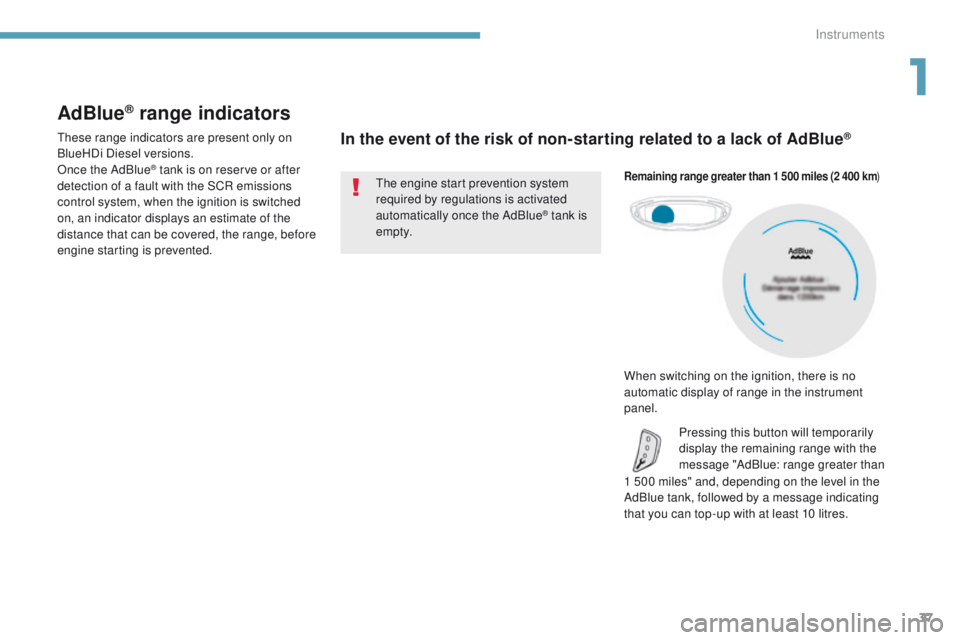
1 500 miles" and, depending on the level in the
AdBlue tank, followed by a message indicating
that you can top-up with at least 10 litres.
Remaining range greater than 1 500 miles (2 400 km )
Pressing this button will temporarily
display the remaining range with the
message "AdBlue: range greater than
The engine start prevention system
required by regulations is activated
automatically once the AdBlue
® tank is
e m pt y.
When switching on the ignition, there is no
automatic display of range in the instrument
panel.
1
Instruments
Page 40 of 566
38
3008-2_en_Chap01_instruments-de-bord_ed01-2016
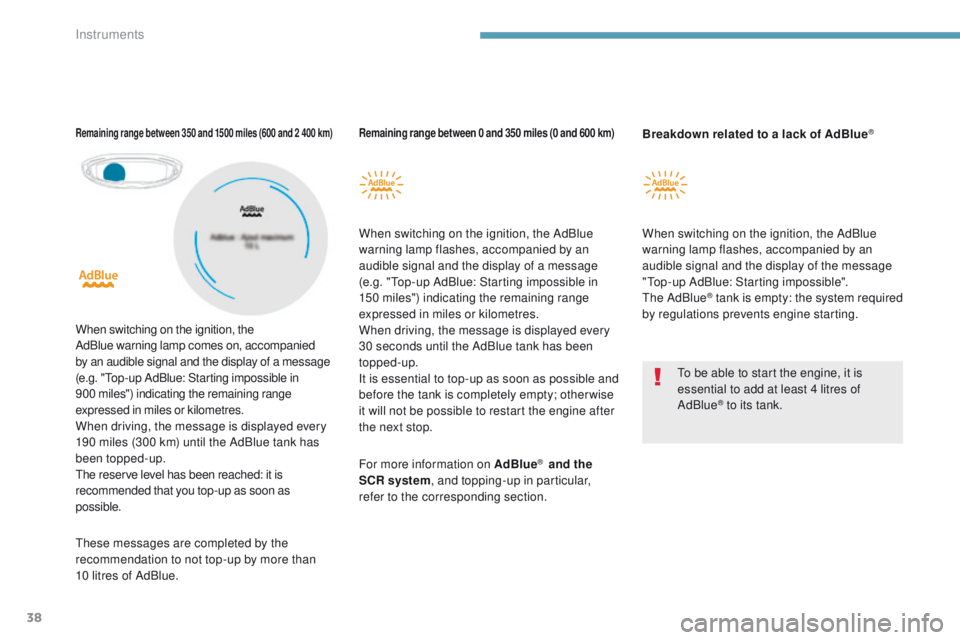
Remaining range between 0 and 350 miles (0 and 600 km)
When switching on the ignition, the AdBlue
warning lamp flashes, accompanied by an
audible signal and the display of a message
(e.g. "Top-up AdBlue: Starting impossible in
150 miles") indicating the remaining range
expressed in miles or kilometres.
When driving, the message is displayed every
30 seconds until the AdBlue tank has been
topped-up.
It is essential to top-up as soon as possible and
before the tank is completely empty; other wise
it will not be possible to restart the engine after
the next stop.
Remaining range between 350 and 1500 miles (600 and 2 400 km)
When switching on the ignition, the
AdBlue warning lamp comes on, accompanied
by an audible signal and the display of a message
(e.g. "Top-up AdBlue: Starting impossible in
900
miles") indicating the remaining range
expressed in miles or kilometres.
When driving, the message is displayed every
190 miles (300 km) until the AdBlue tank has
been topped-up.
The reserve level has been reached: it is
recommended that you top-up as soon as
possible. To be able to start the engine, it is
essential to add at least 4 litres of
AdBlue
® to its tank.
For more information on AdBlue
® and the
SCR system , and topping-up in particular,
refer to the corresponding section. When switching on the ignition, the AdBlue
warning lamp flashes, accompanied by an
audible signal and the display of the message
"Top-up AdBlue: Starting impossible".
The AdBlue
® tank is empty: the system required
by regulations prevents engine starting. Breakdown related to a lack of AdBlue
®
These messages are completed by the
recommendation to not top-up by more than
10 litres of AdBlue.
Instruments
Page 41 of 566
39
3008-2_en_Chap01_instruments-de-bord_ed01-2016
In the event of a fault with the SCR emissions control system
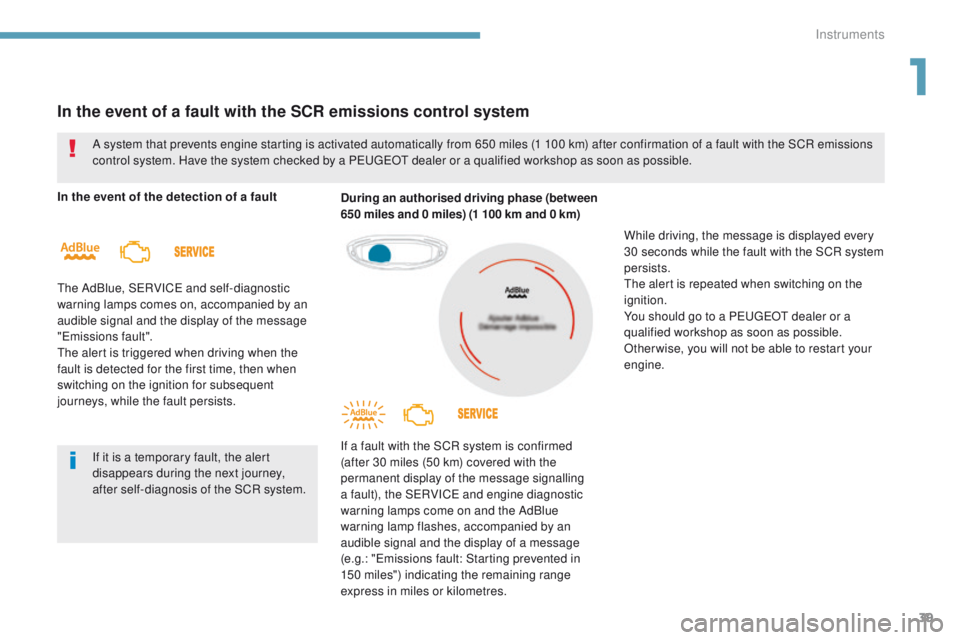
In the event of the detection of a fault
The AdBlue, SERVICE and self-diagnostic
warning lamps comes on, accompanied by an
audible signal and the display of the message
"Emissions fault".
The alert is triggered when driving when the
fault is detected for the first time, then when
switching on the ignition for subsequent
journeys, while the fault persists.During an authorised driving phase (between
650 miles and 0 miles) (1 100 km and 0 km)
If a fault with the SCR system is confirmed
(after 30 miles (50 km) covered with the
permanent display of the message signalling
a fault), the SERVICE and engine diagnostic
warning lamps come on and the AdBlue
warning lamp flashes, accompanied by an
audible signal and the display of a message
(e.g.: "Emissions fault: Starting prevented in
150 miles") indicating the remaining range
express in miles or kilometres.
A system that prevents engine starting is activated automatically from 650 miles (1 100 km) after confirmation of a fault with the SCR emissions
control system. Have the system checked by a PEUGEOT dealer or a qualified workshop as soon as possible.
If it is a temporary fault, the alert
disappears during the next journey,
after self-diagnosis of the SCR system.
While driving, the message is displayed every
30 seconds while the fault with the SCR system
persists.
The alert is repeated when switching on the
ignition.
You should go to a PEUGEOT dealer or a
qualified workshop as soon as possible.
Other wise, you will not be able to restart your
engine.
1
Instruments
Page 42 of 566
40
3008-2_en_Chap01_instruments-de-bord_ed01-2016
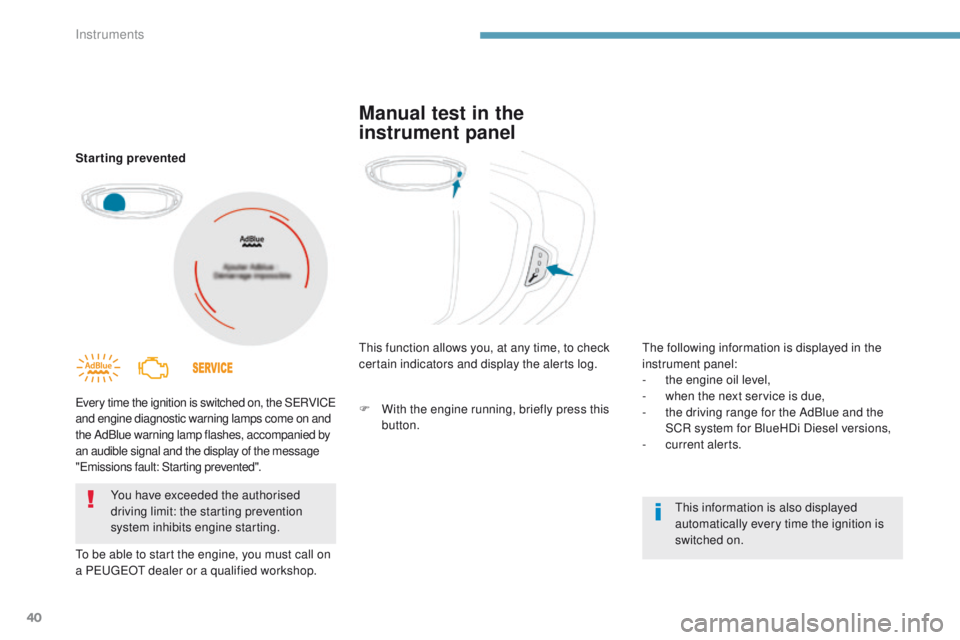
Starting prevented
Every time the ignition is switched on, the SERVICE
and engine diagnostic warning lamps come on and
the AdBlue warning lamp flashes, accompanied by
an audible signal and the display of the message
"Emissions fault: Starting prevented".
To be able to start the engine, you must call on
a PEUGEOT dealer or a qualified workshop.You have exceeded the authorised
driving limit: the starting prevention
system inhibits engine starting. This function allows you, at any time, to check
certain indicators and display the alerts log.
This information is also displayed
automatically every time the ignition is
switched on.
Manual test in the
instrument panel
The following information is displayed in the
instrument panel:
-
t
he engine oil level,
-
w
hen the next service is due,
-
t
he driving range for the AdBlue and the
SCR system for BlueHDi Diesel versions,
-
c
urrent alerts.
F
W
ith the engine running, briefly press this
button.
Instruments
Page 47 of 566
45
3008-2_en_Chap01_instruments-de-bord_ed01-2016
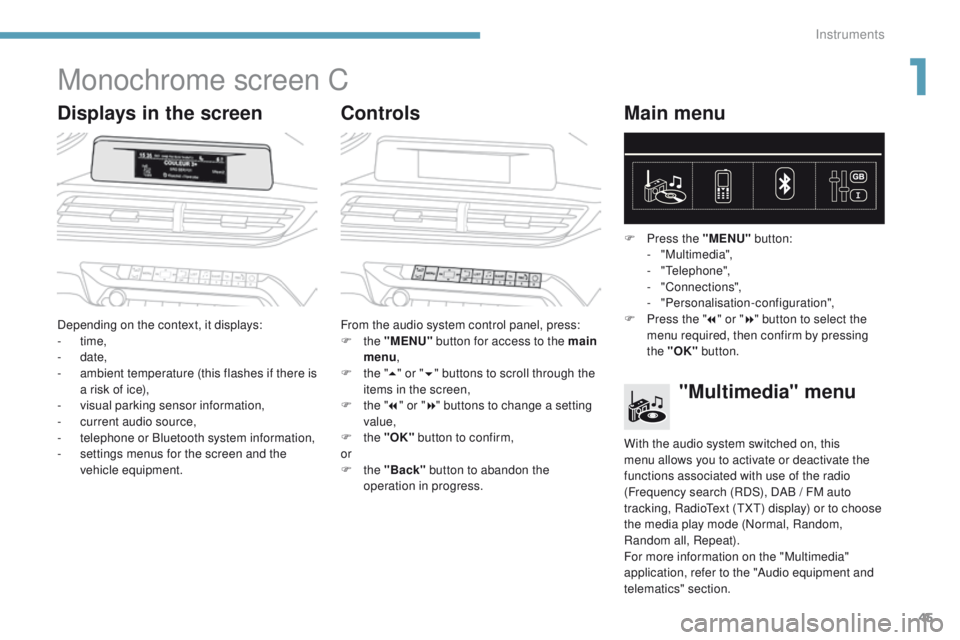
Monochrome screen C
Displays in the screenControlsMain menu
Depending on the context, it displays:
-
time,
-
date,
-
a
mbient temperature (this flashes if there is
a risk of ice),
-
v
isual parking sensor information,
-
c
urrent audio source,
-
t
elephone or Bluetooth system information,
-
s
ettings menus for the screen and the
vehicle equipment. From the audio system control panel, press:
F
the "MENU" button for access to the main
menu ,
F
t
he "5" or " 6" buttons to scroll through the
items in the screen,
F
t
he "7" or " 8" buttons to change a setting
value,
F
the "OK" button to confirm,
or
F
the "Back" button to abandon the
operation in progress. F
P
ress the "MENU"
button:
- "Multimedia",
-
"Telephone",
-
"Connections",
-
"Personalisation-configuration",
F P ress the "
7" or " 8" button to select the
menu required, then confirm by pressing
the "OK" button.
"Multimedia" menu
With the audio system switched on, this
menu allows you to activate or deactivate the
functions associated with use of the radio
(Frequency search (RDS), DAB
/ FM auto
tracking, RadioText (TXT) display) or to choose
the media play mode (Normal, Random,
Random all, Repeat).
For more information on the "Multimedia"
application, refer to the "Audio equipment and
telematics" section.
1
Instruments
Page 48 of 566
46
3008-2_en_Chap01_instruments-de-bord_ed01-2016
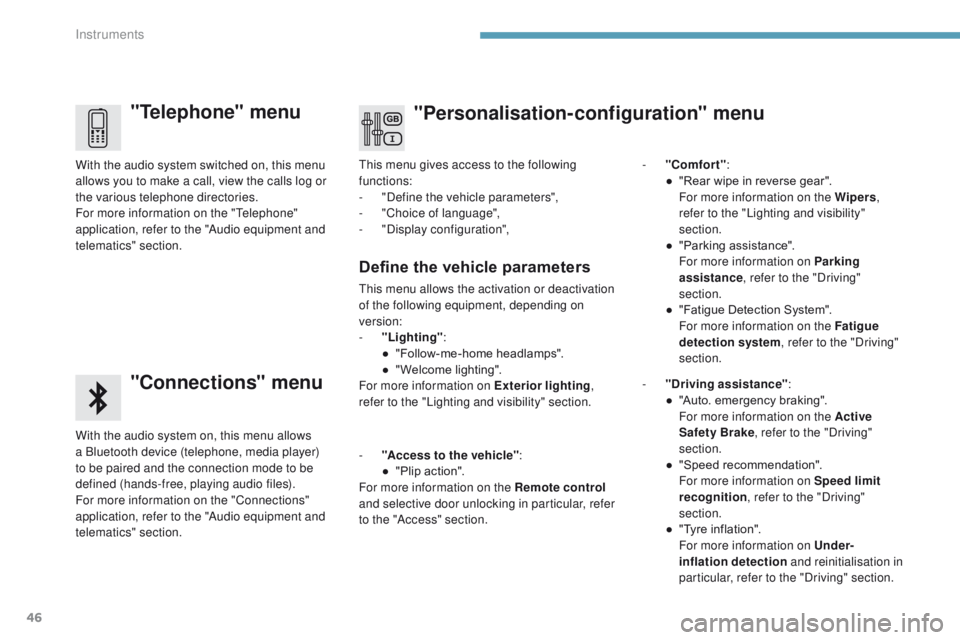
"Telephone" menu
"Connections" menu
With the audio system on, this menu allows
a Bluetooth device (telephone, media player)
to be paired and the connection mode to be
defined (hands-free, playing audio files).
For more information on the "Connections"
application, refer to the "Audio equipment and
telematics" section. With the audio system switched on, this menu
allows you to make a call, view the calls log or
the various telephone directories.
For more information on the "Telephone"
application, refer to the "Audio equipment and
telematics" section.This menu gives access to the following
functions:
-
"
Define the vehicle parameters",
-
"
Choice of language",
-
"
Display configuration",
-
"
Comfort"
:
●
"
Rear wipe in reverse gear".
F
or more information on the Wipers
,
refer to the "Lighting and visibility"
section.
●
"
Parking assistance".
F
or more information on Parking
assistance , refer to the "Driving"
section.
●
"
Fatigue Detection System".
F
or more information on the Fatigue
detection system , refer to the "Driving"
section.
Define the vehicle parameters
This menu allows the activation or deactivation
of the following equipment, depending on
version:
-
"
Lighting" :
●
"
Follow-me-home headlamps".
●
"
Welcome lighting".
For more information on Exterior lighting ,
refer to the "Lighting and visibility" section.
"Personalisation-configuration" menu
- "Access to the vehicle" :
● " Plip action".
For more information on the Remote control
and selective door unlocking in particular, refer
to the "Access" section. -
"
Driving assistance"
:
●
"
Auto. emergency braking".
F
or more information on the Active
Safety Brake , refer to the "Driving"
section.
● " Speed recommendation".
F
or more information on Speed limit
recognition , refer to the "Driving"
section.
●
"
Tyre inflation".
F
or more information on Under-
inflation detection and reinitialisation in
particular, refer to the "Driving" section.
Instruments
Page 50 of 566
48
3008-2_en_Chap01_instruments-de-bord_ed01-2016
Touch screen
This system gives access to:
- t he permanent display of the time and
the ambient temperature (a blue symbol
appears when there is a risk of ice),
-
t
he heating/air conditioning controls,
-
m
enus for adjusting settings for vehicle
functions and systems,
-
a
udio system and telephone controls and
the display of associated information,
-
t
he display of visual parking aids (visual
parking sensor information, Park Assist, ...),
-
I
nternet services, and the display of
associated information.General operation
and, depending on equipment, allows:
- a ccess to the navigation system controls
and the display of associated information. As a safety measure, the driver
should only carr y out operations
that require close attention with the
vehicle stationary.
Some functions are not accessible
when driving.
Recommendations
This screen is of the capacitive type.
Use is possible in all temperatures.
Do not use pointed objects on the touch
screen.
Do not touch the touch screen with wet hands.
Uses a soft clean cloth to clean the touch
screen.
Principles
Use the buttons below the touch screen for
access to the menus, then press the virtual
buttons in the touch screen.
Certain menus may be displayed over two
pages. Press the "
OPTIONS" button to go to
the second page.
To deactivate or activate a function,
select
"OFF " or " ON".
To modify a setting or access additional
information, press the symbol for the function.
Use this button to confirm.
Use this button to return to the
previous page.
After a few moments with no action
on the second page, the first page is
displayed automatically.
For the audio and telematic systems,
refer to the supplement to the handbook
or go to the following internet address:
http://public.servicebox.peugeot.com/ddb/
Instruments
Page 108 of 566
106
3008-2_en_Chap03_ergonomie-et-confort_ed01-2016
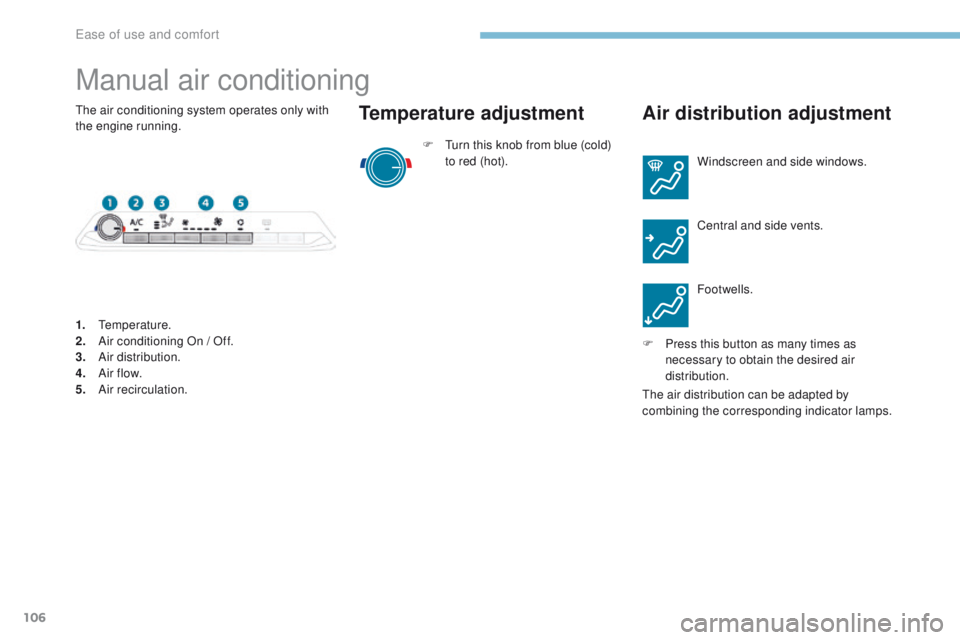
Manual air conditioning
F Turn this knob from blue (cold) to red (hot).
Temperature adjustment Air distribution adjustment
Windscreen and side windows.
Central and side vents.
Footwells.
F
P
ress this button as many times as
necessary to obtain the desired air
distribution.
1.
Temperature.
2.
A
ir conditioning On / Off.
3.
A
ir distribution.
4.
A
ir f low.
5.
A
ir recirculation.
The air conditioning system operates only with
the engine running.
The air distribution can be adapted by
combining the corresponding indicator lamps.
Ease of use and comfort
Page 110 of 566
108
3008-2_en_Chap03_ergonomie-et-confort_ed01-2016
Semi-automatic mono-zone air conditioning
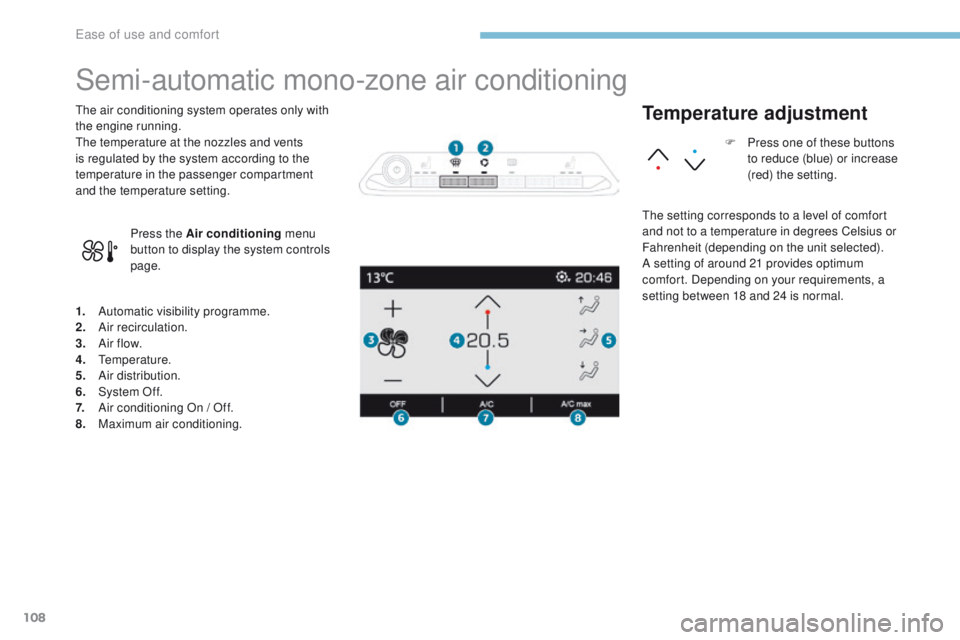
1. Automatic visibility programme.
2. Air recirculation.
3.
A
ir f low.
4.
T
emperature.
5.
A
ir distribution.
6.
S
ystem Of f.
7.
A
ir conditioning On / Off.
8.
M
aximum air conditioning.
The air conditioning system operates only with
the engine running.
The temperature at the nozzles and vents
is regulated by the system according to the
temperature in the passenger compartment
and the temperature setting.
Press the Air conditioning menu
button to display the system controls
page.
Temperature adjustment
The setting corresponds to a level of comfort
and not to a temperature in degrees Celsius or
Fahrenheit (depending on the unit selected).
A setting of around 21 provides optimum
comfort. Depending on your requirements, a
setting between 18 and 24 is normal. F
P
ress one of these buttons
to reduce (blue) or increase
(red) the setting.
Ease of use and comfort
Page 214 of 566
SPORT
SPORT
212
3008-2_en_Chap06_conduite_ed01-2016
Steering mounted control paddles
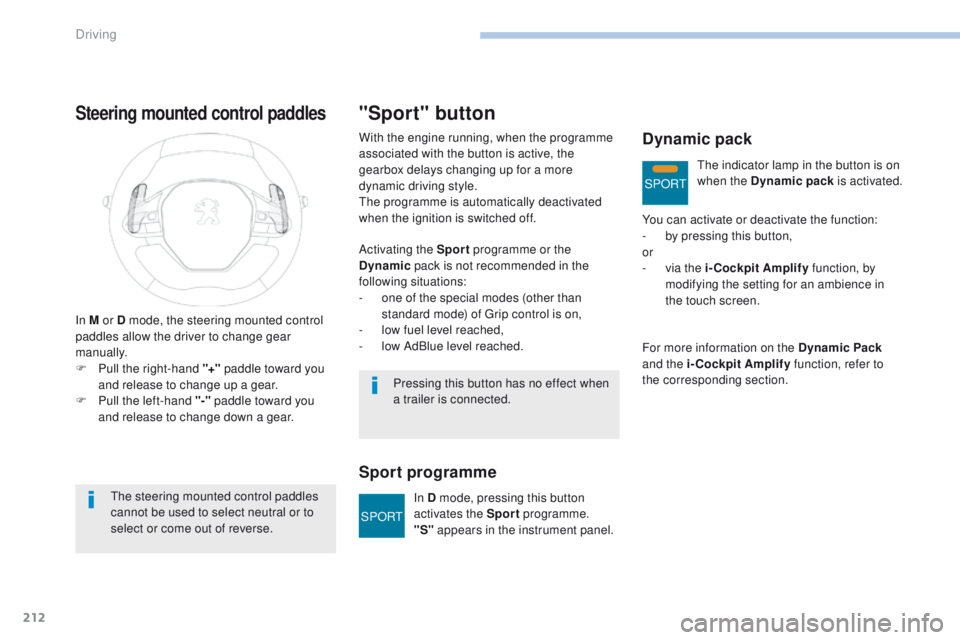
In M or D mode, the steering mounted control
paddles allow the driver to change gear
manually.
F
P
ull the right-hand "+" paddle toward you
and release to change up a gear.
F
P
ull the left-hand "-"
paddle toward you
and release to change down a gear.
The steering mounted control paddles
cannot be used to select neutral or to
select or come out of reverse.
"Sport" button
Activating the Sport programme or the
Dynamic pack is not recommended in the
following situations:
-
o
ne of the special modes (other than
standard mode) of Grip control is on,
-
l
ow fuel level reached,
-
l
ow AdBlue level reached.
Sport programme
With the engine running, when the programme
associated with the button is active, the
gearbox delays changing up for a more
dynamic driving style.
The programme is automatically deactivated
when the ignition is switched off.
Pressing this button has no effect when
a trailer is connected.In D mode, pressing this button
activates the Sport programme.
"S" appears in the instrument panel.Dynamic pack
You can activate or deactivate the function:
-
b y pressing this button,
or
-
v
ia the i-Cockpit Amplify function, by
modifying the setting for an ambience in
the touch screen.
For more information on the Dynamic Pack
and the i-Cockpit Amplify function, refer to
the corresponding section. The indicator lamp in the button is on
when the Dynamic pack
is activated.
Driving