ESP PEUGEOT 3008 2018 User Guide
[x] Cancel search | Manufacturer: PEUGEOT, Model Year: 2018, Model line: 3008, Model: PEUGEOT 3008 2018Pages: 360, PDF Size: 12.38 MB
Page 30 of 360
28
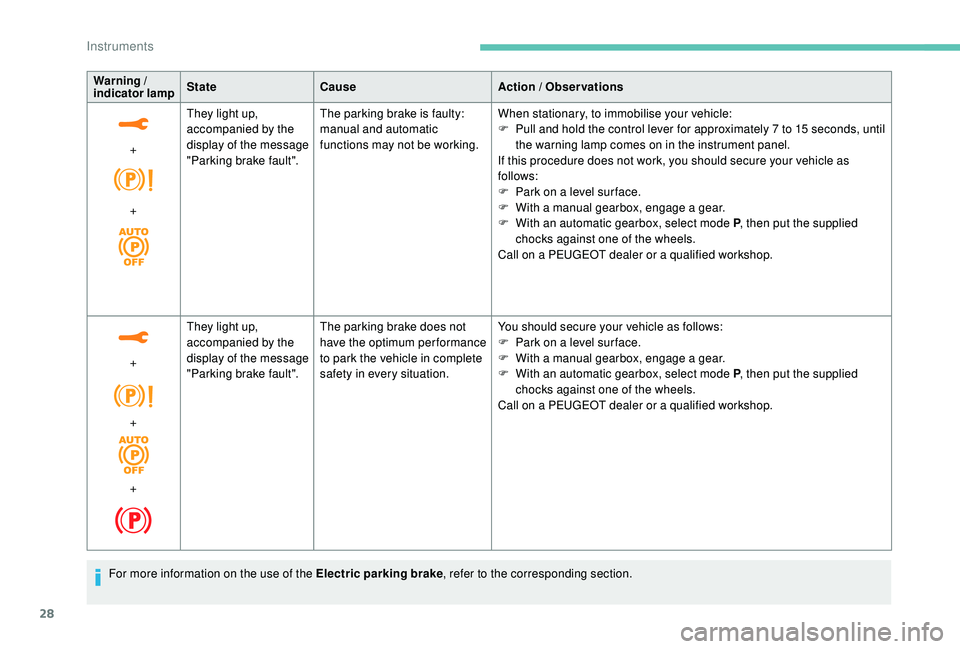
Warning /
indicator lamp State
Cause Action / Observations
+
+ They light up,
accompanied by the
display of the message
"Parking brake fault".
The parking brake is faulty:
manual and automatic
functions may not be working.
When stationary, to immobilise your vehicle:
F
P
ull and hold the control lever for approximately 7 to 15 seconds, until
the warning lamp comes on in the instrument panel.
If this procedure does not work, you should secure your vehicle as
follows:
F
P
ark on a level sur face.
F
W
ith a manual gearbox, engage a gear.
F
W
ith an automatic gearbox, select mode P, then put the supplied
chocks against one of the wheels.
Call on a PEUGEOT dealer or a qualified workshop.
+
+
+ They light up,
accompanied by the
display of the message
"Parking brake fault".
The parking brake does not
have the optimum performance
to park the vehicle in complete
safety in every situation. You should secure your vehicle as follows:
F
P
ark on a level sur face.
F
W
ith a manual gearbox, engage a gear.
F
W
ith an automatic gearbox, select mode P, then put the supplied
chocks against one of the wheels.
Call on a PEUGEOT dealer or a qualified workshop.
For more information on the use of the Electric parking brake , refer to the corresponding section.
Instruments
Page 34 of 360
32
If the low oil level is confirmed by a check using
the dipstick, the level must be topped up to
avoid damage to the engine.
For more information on Checking levels,
refer to the corresponding section.
Oil level indicator fault
This is signalled by the display of the message
"Oil level measurement invalid" in the
instrument panel.
Contact a PEUGEOT dealer or a qualified
workshop.
In the event of a fault with the electric
indicator, the oil level is no longer
monitored.
If the system is faulty, you must check
the engine oil level using the manual
dipstick located under the bonnet.
For more information on Checking
levels , refer to the corresponding
section.
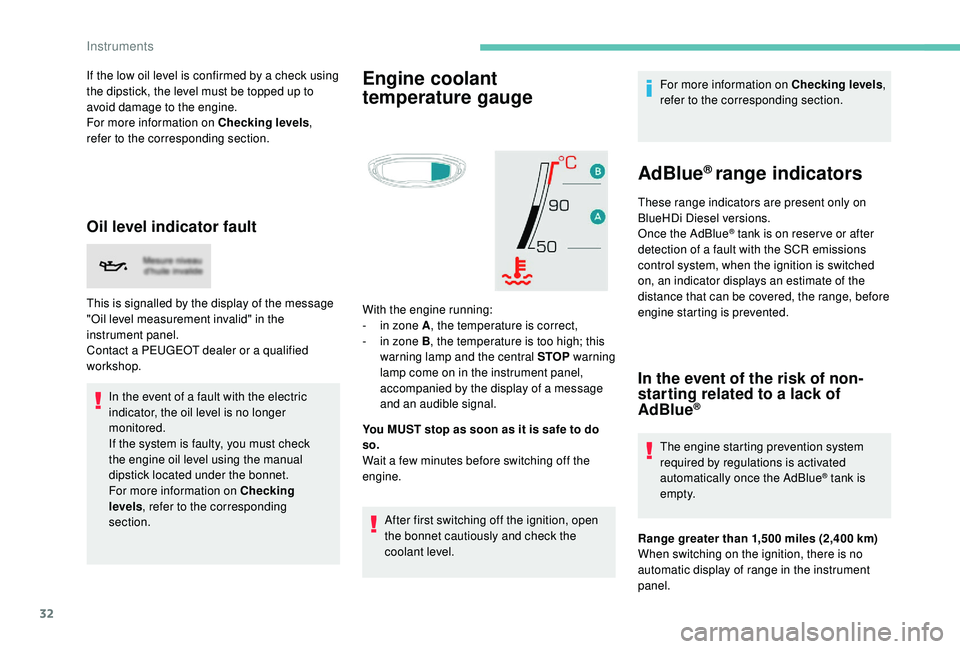
Engine coolant
temperature gauge
With the engine running:
- i n zone A , the temperature is correct,
-
i
n zone B , the temperature is too high; this
warning lamp and the central STOP warning
lamp come on in the instrument panel,
accompanied by the display of a message
and an audible signal.
You MUST stop as soon as it is safe to do
so.
Wait a few minutes before switching off the
engine.
After first switching off the ignition, open
the bonnet cautiously and check the
coolant level. For more information on Checking levels
,
refer to the corresponding section.
AdBlue® range indicators
These range indicators are present only on
BlueHDi Diesel versions.
Once the AdBlue
® tank is on reser ve or after
detection of a fault with the SCR emissions
control system, when the ignition is switched
on, an indicator displays an estimate of the
distance that can be covered, the range, before
engine starting is prevented.
In the event of the risk of non-
starting related to a lack of
AdBlue
®
The engine starting prevention system
required by regulations is activated
automatically once the AdBlue
® tank is
e m pt y.
Range greater than 1,500
miles (2,400 km)
When switching on the ignition, there is no
automatic display of range in the instrument
panel.
Instruments
Page 36 of 360
34
up AdBlue: Starting impossible in x miles")
indicating the remaining range expressed in
miles or kilometres.
When driving, this message is displayed every
30 seconds until the AdBlue level has been
topped up.
It is essential to top up as soon as possible and
before the tank is completely empty; other wise
it will not be possible to restart the engine after
the next stop.
Remaining range less than 60
miles (100 km)
(with 1.5
BlueHDi 130 S&S and 2.0 BlueHDi
180
S&S engines)
When driving, the audible signal and the
message display are triggered every 6
miles
(10
km) until the AdBlue tank is topped up.
It is essential to top up as soon as possible and
before the tank is completely empty; other wise
it will not be possible to restart the engine after
the next stop. Breakdown due to a lack of AdBlue®
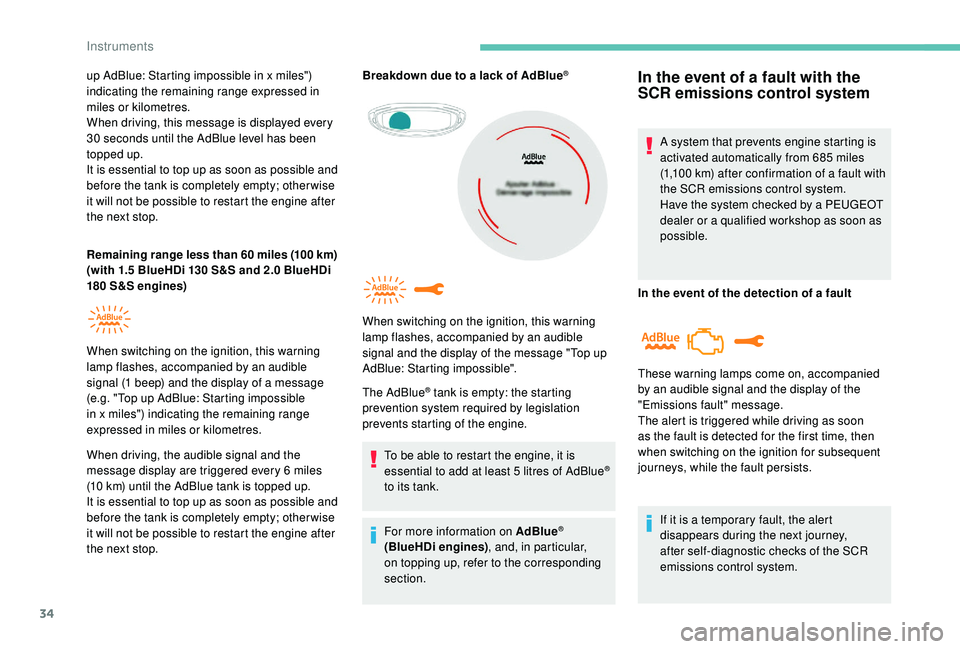
The AdBlue® tank is empty: the starting
prevention system required by legislation
prevents starting of the engine.
To be able to restart the engine, it is
essential to add at least 5
litres of AdBlue
®
to its tank.
For more information on AdBlue
®
(BlueHDi engines) , and, in particular,
on topping up, refer to the corresponding
section.
When switching on the ignition, this warning
lamp flashes, accompanied by an audible
signal and the display of the message "Top up
AdBlue: Starting impossible".
In the event of a fault with the
SCR emissions control system
A system that prevents engine starting is
activated automatically from 685
miles
(1,100
km) after confirmation of a fault with
the SCR emissions control system.
Have the system checked by a PEUGEOT
dealer or a qualified workshop as soon as
possible.
In the event of the detection of a fault
If it is a temporary fault, the alert
disappears during the next journey,
after self-diagnostic checks of the SCR
emissions control system.
These warning lamps come on, accompanied
by an audible signal and the display of the
"Emissions fault" message.
The alert is triggered while driving as soon
as the fault is detected for the first time, then
when switching on the ignition for subsequent
journeys, while the fault persists.
When switching on the ignition, this
warning
lamp flashes, accompanied by an audible
signal (1
beep) and the display of a message
(e.g. "Top up AdBlue: Starting impossible
in x miles") indicating the remaining range
expressed in miles or kilometres.
Instruments
Page 43 of 360
41
General operation
Recommendations
This screen is of the capacitive type.
Use is possible in all temperatures.
Do not use pointed objects on the touch
screen.
Do not touch the touch screen with wet hands.
Use a soft clean cloth to clean the touch
screen.
Principles
Use the buttons below the touch screen for
access to the menus, then press the virtual
buttons in the touch screen.
Some menus may display across two pages:
press the "OPTIONS" button to access the
second page.
After a few moments with no action on the
second page, the first page is displayed
automatically. To deactivate or activate a function, select
"
OFF " or " ON".
Use this button to adjust the settings
for a function.
Use this button for access to
additional information on the
function.
Use this button to confirm.
Use this button to return to the
previous page.
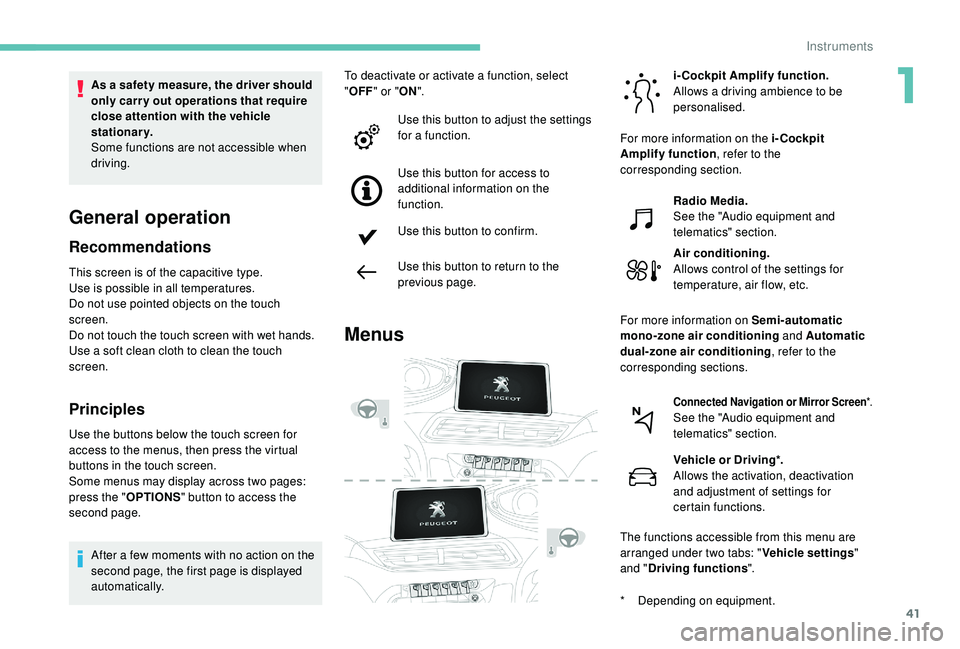
Menus
i-Cockpit Amplify function.
Allows a driving ambience to be
personalised.
Radio Media.
See the "Audio equipment and
telematics" section.
Air conditioning.
Allows control of the settings for
temperature, air flow, etc.
Connected Navigation or Mirror Screen *.See the "Audio equipment and
telematics" section.
Vehicle or Driving*.
Allows the activation, deactivation
and adjustment of settings for
certain functions.
The functions accessible from this menu are
arranged under two tabs: " Vehicle settings"
and " Driving functions ".
As a safety measure, the driver should
only carry out operations that require
close attention with the vehicle
stationary.
Some functions are not accessible when
driving.
For more information on the i-Cockpit
Amplify function
, refer to the
corresponding section.
For more information on Semi-automatic
mono-zone air conditioning and Automatic
dual-zone air conditioning , refer to the
corresponding sections.
*
D
epending on equipment.
1
Instruments
Page 44 of 360
42
Upper bar
Certain information is always displayed in the
upper bar of the touch screen:
-
T
ime and exterior temperature (a blue
warning lamp appears when there is a risk
of i c e).
-
R
epeat of the air conditioning information,
and direct access to the corresponding
menu.
-
S
ummary of information from the Radio
Media , Telephone menus and navigation
instructions*.
-
Notifications.
-
A
ccess to the Settings for the touch screen
and the digital instrument panel (date/time,
languages, units, etc.).
*
D
epending on equipment
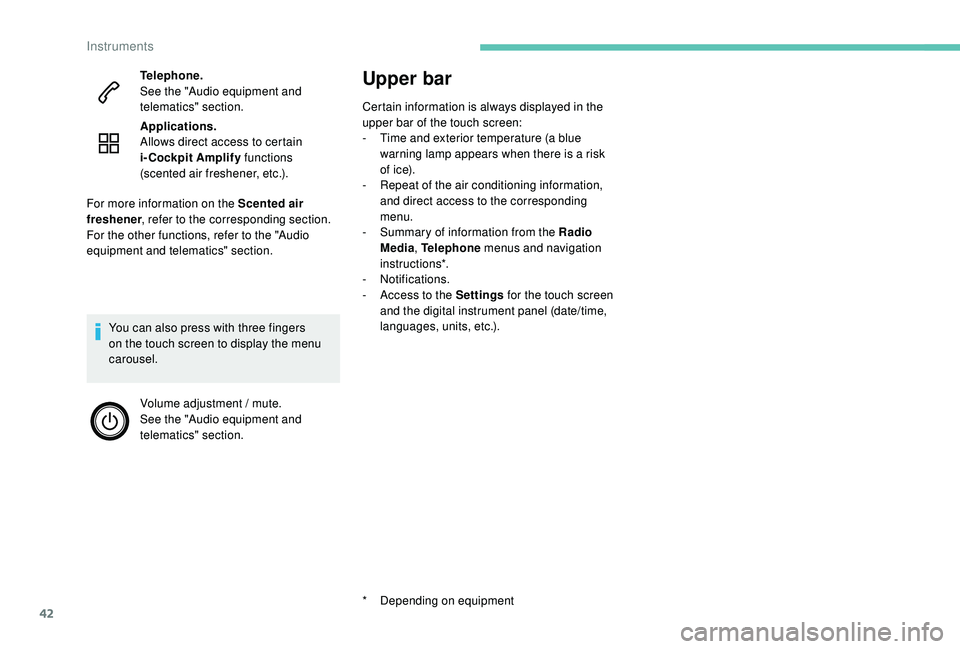
Telephone.
See the "Audio equipment and
telematics" section.
Applications.
Allows direct access to certain
i-Cockpit Amplify
functions
(scented air freshener, etc.).
You can also press with three fingers
on the touch screen to display the menu
carousel. Volume adjustment / mute.
See the "Audio equipment and
telematics" section.
For more information on the Scented air
freshener
, refer to the corresponding section.
For the other functions, refer to the "Audio
equipment and telematics" section.
Instruments
Page 46 of 360
44
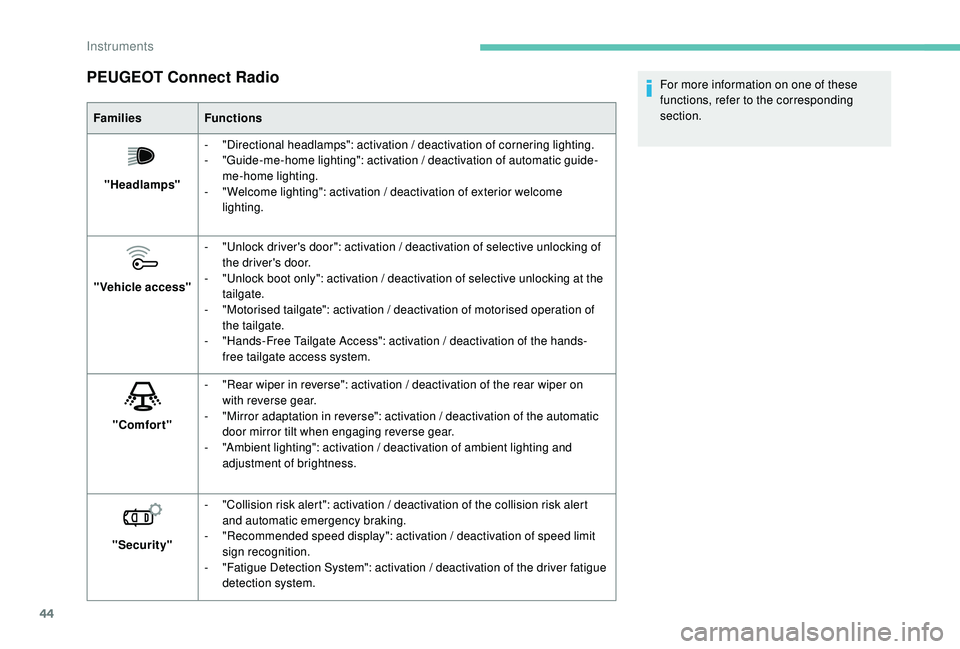
PEUGEOT Connect Radio
FamiliesFunctions
"Headlamps" -
"
Directional headlamps": activation / deactivation of cornering lighting.
-
"
Guide-me-home lighting": activation / deactivation of automatic guide-
me-home lighting.
-
"
Welcome lighting": activation / deactivation of exterior welcome
lighting.
"Vehicle access" -
"
Unlock driver's door": activation / deactivation of selective unlocking of
the driver's door.
-
"
Unlock boot only": activation / deactivation of selective unlocking at the
tailgate.
-
"
Motorised tailgate": activation / deactivation of motorised operation of
the tailgate.
-
"
Hands-Free Tailgate Access": activation / deactivation of the hands-
free tailgate access system.
"Comfort" -
"
Rear wiper in reverse": activation / deactivation of the rear wiper on
with reverse gear.
-
"
Mirror adaptation in reverse": activation / deactivation of the automatic
door mirror tilt when engaging reverse gear.
-
"
Ambient lighting": activation / deactivation of ambient lighting and
adjustment of brightness.
"Security" -
"
Collision risk alert": activation / deactivation of the collision risk alert
and automatic emergency braking.
-
"
Recommended speed display": activation / deactivation of speed limit
sign recognition.
-
"
Fatigue Detection System": activation / deactivation of the driver fatigue
detection system. For more information on one of these
functions, refer to the corresponding
section.
Instruments
Page 47 of 360
45
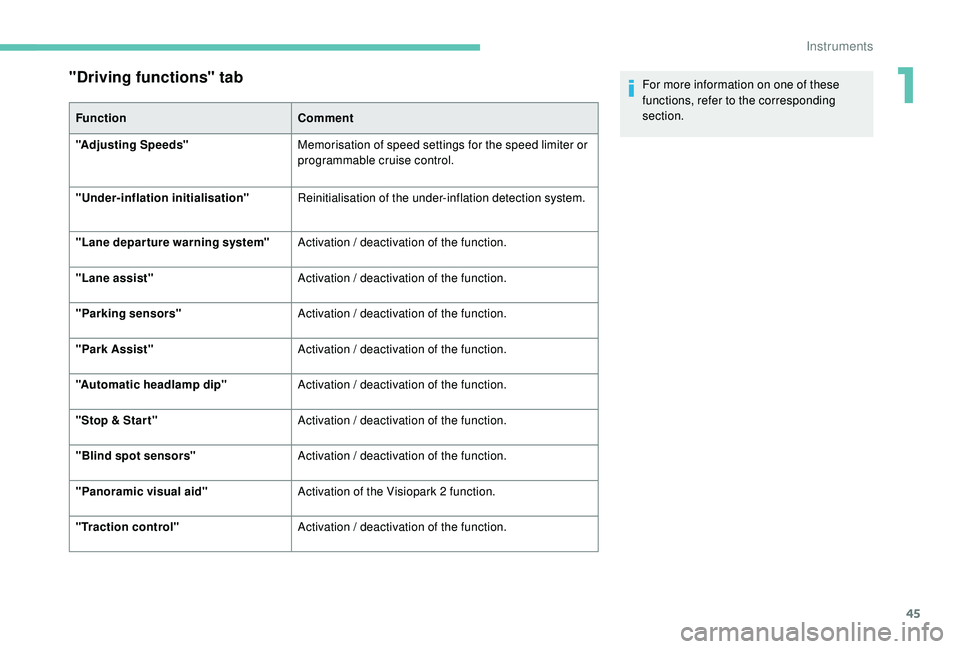
"Driving functions" tab
FunctionComment
"Adjusting Speeds" Memorisation of speed settings for the speed limiter or
programmable cruise control.
"
Under-inflation initialisation" Reinitialisation of the under-inflation detection system.
"Lane departure warning system" Activation / deactivation of the function.
"Lane assist" Activation / deactivation of the function.
"Parking sensors" Activation / deactivation of the function.
"Park Assist" Activation / deactivation of the function.
"Automatic headlamp dip" Activation / deactivation of the function.
"Stop & Star t" Activation / deactivation of the function.
"Blind spot sensors" Activation / deactivation of the function.
"Panoramic visual aid" Activation of the Visiopark 2 function.
"Traction control" Activation / deactivation of the function. For more information on one of these
functions, refer to the corresponding
section.
1
Instruments
Page 51 of 360
49
Opening the windows
Locking the vehicle
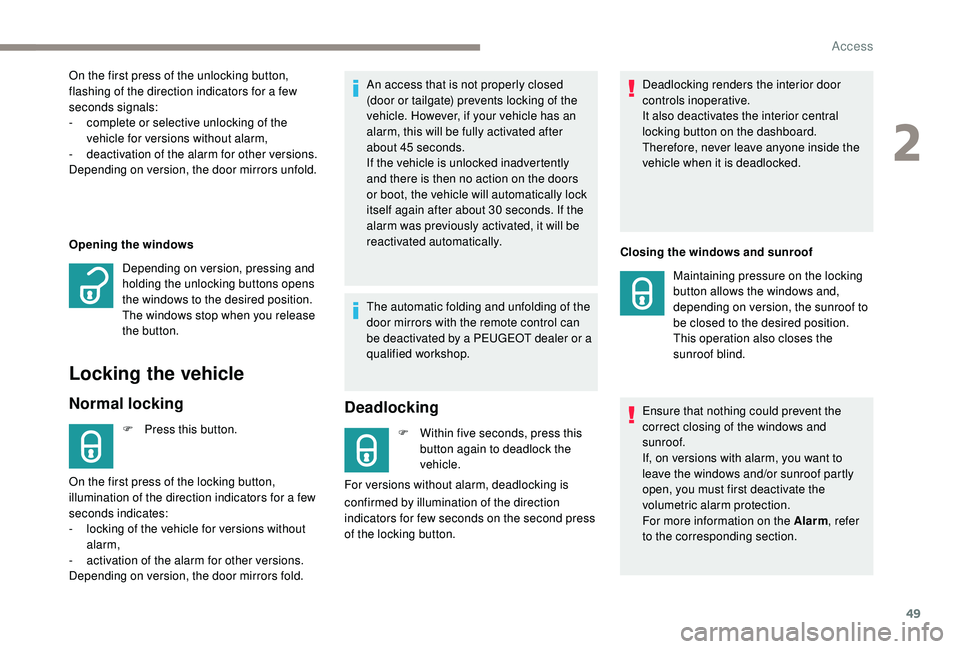
Normal locking
F Press this button.An access that is not properly closed
(door or tailgate) prevents locking of the
vehicle. However, if your vehicle has an
alarm, this will be fully activated after
about 45
seconds.
If the vehicle is unlocked inadvertently
and there is then no action on the doors
or boot, the vehicle will automatically lock
itself again after about 30 seconds. If the
alarm was previously activated, it will be
reactivated automatically.
On the first press of the unlocking button,
flashing of the direction indicators for a few
seconds signals:
-
c
omplete or selective unlocking of the
vehicle for versions without alarm,
-
d
eactivation of the alarm for other versions.
Depending on version, the door mirrors unfold.
Depending on version, pressing and
holding the unlocking buttons opens
the windows to the desired position.
The windows stop when you release
the button.
On the first press of the locking button,
illumination of the direction indicators for a few
seconds indicates:
-
l
ocking of the vehicle for versions without
alarm,
-
a
ctivation of the alarm for other versions.
Depending on version, the door mirrors fold. The automatic folding and unfolding of the
door mirrors with the remote control can
be deactivated by a PEUGEOT dealer or a
qualified workshop.
Deadlocking
F Within five seconds, press this
button again to deadlock the
vehicle.
For versions without alarm, deadlocking is Deadlocking renders the interior door
controls inoperative.
It also deactivates the interior central
locking button on the dashboard.
Therefore, never leave anyone inside the
vehicle when it is deadlocked.
Maintaining pressure on the locking
button allows the windows and,
depending on version, the sunroof to
be closed to the desired position.
This operation also closes the
sunroof blind.
Ensure that nothing could prevent the
correct closing of the windows and
sunroof.
If, on versions with alarm, you want to
leave the windows and/or sunroof partly
open, you must first deactivate the
volumetric alarm protection.
For more information on the Alarm , refer
to the corresponding section.
confirmed by illumination of the direction
indicators for few seconds on the second press
of the locking button. Closing the windows and sunroof
2
Access
Page 52 of 360
50
This function allows you to identify your vehicle
from a distance, particularly in poor light. Your
vehicle must be locked.
Welcome lightingSelective unlocking and
opening of the tailgate
The settings for the selective tailgate unlocking
and motorised operation are made in the
vehicle configuration menu.
By default, selective tailgate unlocking is
activated and the motorised function is
deactivated.
F
M
ake a long press on the button
to unlock the boot and trigger the
motorised opening of the tailgate.
If selective unlocking of the tailgate is
deactivated, pressing the unlocking button
unlocks the whole vehicle.
If motorised operation of the tailgate
is deactivated, pressing the unlocking
button releases the tailgate.
To lock the vehicle, it is necessary to
close the tailgate again.
Locating your vehicle
F Press this button.
This will switch on the courtesy lamps and door
mirror spot lamps and the direction indicators
will flash for around ten seconds.
Keyless Entry and
Starting
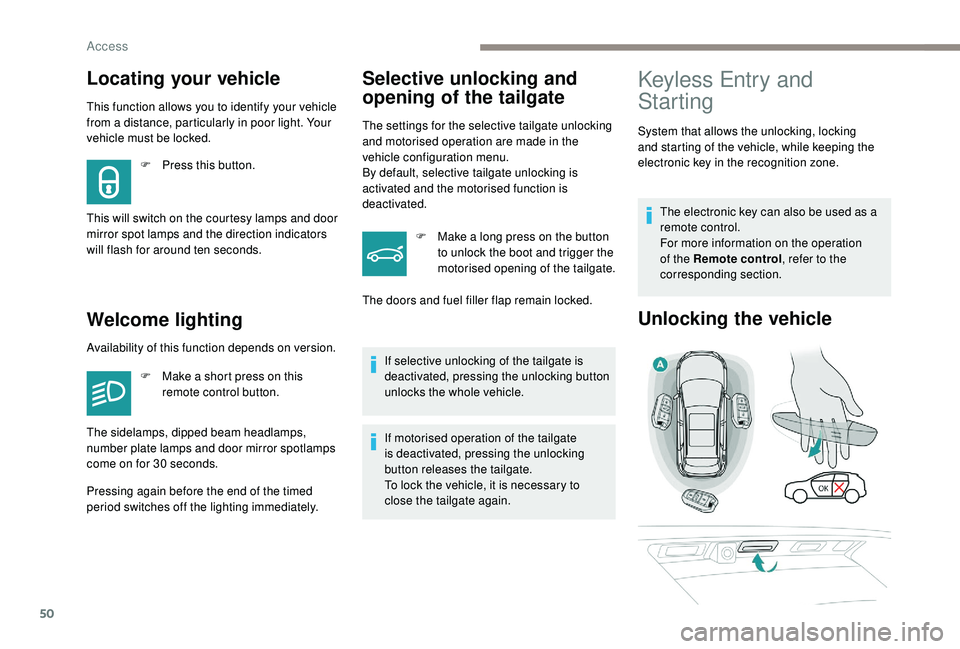
System that allows the unlocking, locking
and starting of the vehicle, while keeping the
electronic key in the recognition zone. The electronic key can also be used as a
remote control.
For more information on the operation
of the Remote control , refer to the
corresponding section.
Unlocking the vehicle
The doors and fuel filler flap remain locked.
Availability of this function depends on version. F
M
ake a short press on this
remote control button.
The sidelamps, dipped beam headlamps,
number plate lamps and door mirror spotlamps
come on for 30
seconds.
Pressing again before the end of the timed
period switches off the lighting immediately.
Access
Page 54 of 360
52
In order to preser ve the battery in the
electronic key and the vehicle's battery,
the "hands-free" functions are put into
long-term standby after 21 days without
use. To restore these functions, press
one of the remote control buttons or start
the engine with the electronic key in the
reader.
For more information on starting with
K
eyless Entr y and Star ting , refer to the
corresponding section.
Locking the vehicle
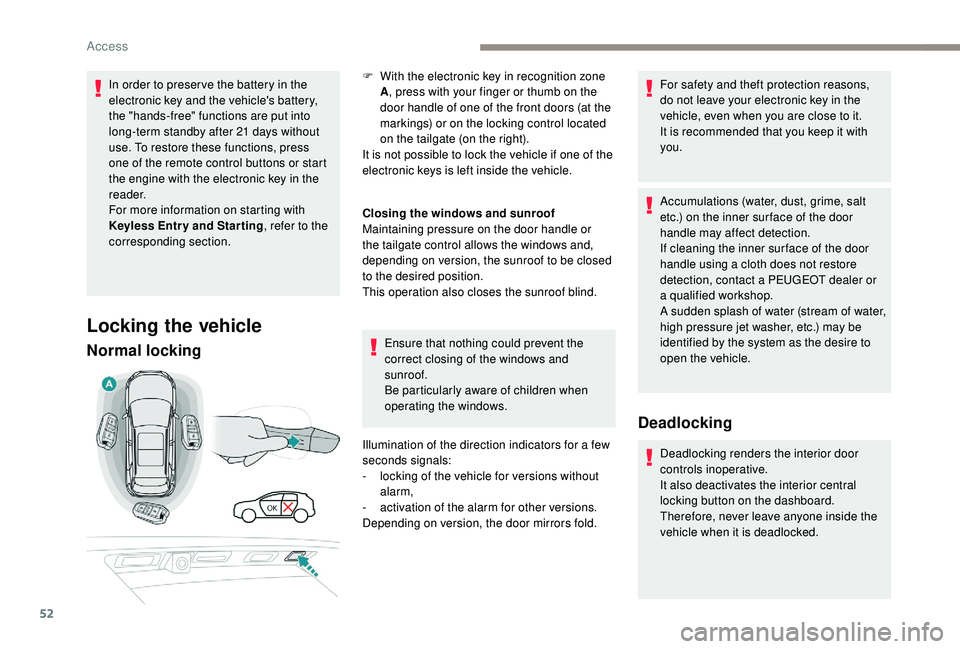
Normal locking
Closing the windows and sunroof
Maintaining pressure on the door handle or
the tailgate control allows the windows and,
depending on version, the sunroof to be closed
to the desired position.
This operation also closes the sunroof blind.
Ensure that nothing could prevent the
correct closing of the windows and
sunroof.
Be particularly aware of children when
operating the windows.
Illumination of the direction indicators for a few
seconds signals:
-
l
ocking of the vehicle for versions without
alarm,
-
a
ctivation of the alarm for other versions.
Depending on version, the door mirrors fold. For safety and theft protection reasons,
do not leave your electronic key in the
vehicle, even when you are close to it.
It is recommended that you keep it with
you.
Accumulations (water, dust, grime, salt
etc.) on the inner sur face of the door
handle may affect detection.
If cleaning the inner sur face of the door
handle using a cloth does not restore
detection, contact a PEUGEOT dealer or
a qualified workshop.
A sudden splash of water (stream of water,
high pressure jet washer, etc.) may be
identified by the system as the desire to
open the vehicle.
Deadlocking
Deadlocking renders the interior door
controls inoperative.
It also deactivates the interior central
locking button on the dashboard.
Therefore, never leave anyone inside the
vehicle when it is deadlocked.
F
W
ith the electronic key in recognition zone
A , press with your finger or thumb on the
door handle of one of the front doors (at the
markings) or on the locking control located
on the tailgate (on the right).
It is not possible to lock the vehicle if one of the
electronic keys is left inside the vehicle.
Access