android auto PEUGEOT 3008 2020 User Guide
[x] Cancel search | Manufacturer: PEUGEOT, Model Year: 2020, Model line: 3008, Model: PEUGEOT 3008 2020Pages: 308, PDF Size: 10.1 MB
Page 257 of 308
255
PEUGEOT Connect Nav
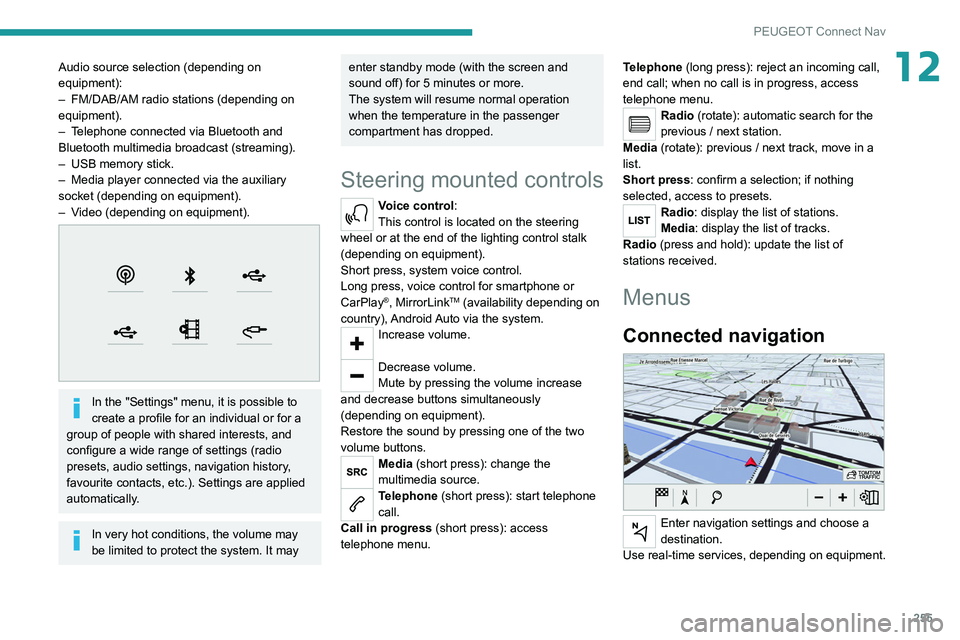
12Audio source selection (depending on
equipment):
–
FM/DAB/AM radio stations (depending on
equipment).
–
T
elephone connected via Bluetooth and
Bluetooth multimedia broadcast (streaming).
–
USB memory stick.
–
Media player connected via the auxiliary
socket (depending on equipment).
–
V
ideo (depending on equipment).
In the "Settings" menu, it is possible to
create a profile for an individual or for a
group of people with shared interests, and
configure a wide range of settings (radio
presets, audio settings, navigation history,
favourite contacts, etc.). Settings are applied
automatically.
In very hot conditions, the volume may
be limited to protect the system. It may
enter standby mode (with the screen and
sound off) for 5 minutes or more.
The system will resume normal operation
when the temperature in the passenger
compartment has dropped.
Steering mounted controls
Voice control:
This control is located on the steering
wheel or at the end of the lighting control stalk
(depending on equipment).
Short press, system voice control.
Long press, voice control for smartphone or
CarPlay
®, MirrorLinkTM (availability depending on
country), Android Auto via the system.
Increase volume.
Decrease volume.
Mute by pressing the volume increase
and decrease buttons simultaneously
(depending on equipment).
Restore the sound by pressing one of the two
volume buttons.
Media (short press): change the
multimedia source.
Telephone (short press): start telephone
call.
Call in progress (short press): access
telephone menu. Telephone (long press): reject an incoming call,
end call; when no call is in progress, access
telephone menu.
Radio (rotate): automatic search for the
previous / next station.
Media (rotate): previous / next track, move in a
list.
Short press: confirm a selection; if nothing
selected, access to presets.
Radio: display the list of stations.
Media: display the list of tracks.
Radio (press and hold): update the list of
stations received.
Menus
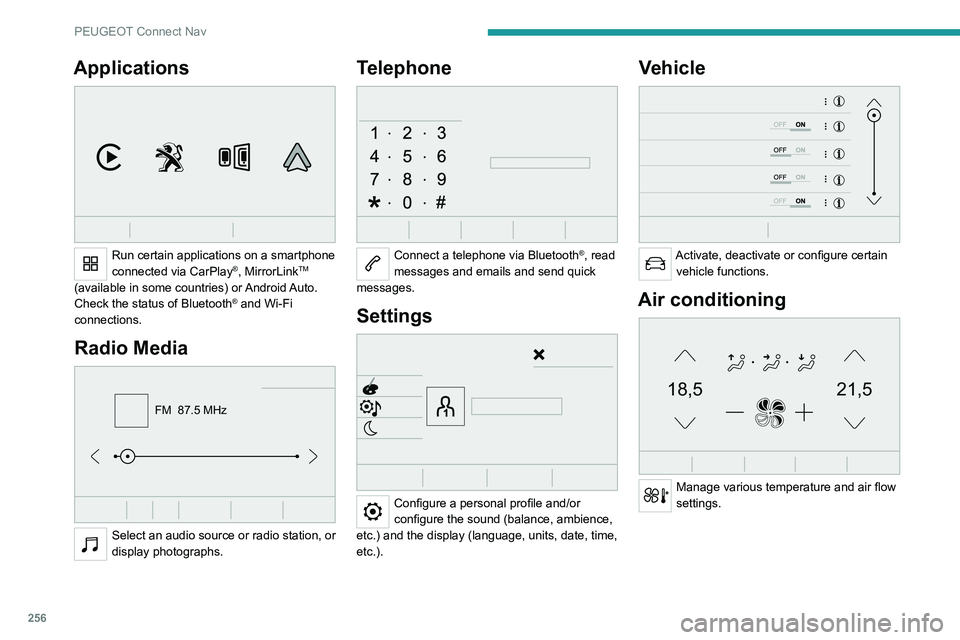
Connected navigation
Enter navigation settings and choose a
destination.
Use real-time services, depending on equipment.
Page 258 of 308
256
PEUGEOT Connect Nav
Applications
Run certain applications on a smartphone
connected via CarPlay®, MirrorLinkTM
(available in some countries) or Android Auto.
Check the status of Bluetooth
® and Wi-Fi
connections.
Radio Media
FM 87.5 MHz
Select an audio source or radio station, or
display photographs.
Telephone
Connect a telephone via Bluetooth®, read
messages and emails and send quick
messages.
Settings
Configure a personal profile and/or
configure the sound (balance, ambience,
etc.) and the display (language, units, date, time,
etc.).
Vehicle
Activate, deactivate or configure certain vehicle functions.
Air conditioning
21,518,5
Manage various temperature and air flow
settings.
Voice commands
Steering wheel-mounted
controls
Voice commands:
Voice commands can be issued from any
screen page after a short press on the "Voice
commands" button located on the steering
wheel or at the end of the lighting control stalk
(depending on equipment), as long as there is no
telephone call in progress.
To ensure that voice commands are always recognised by the system, please
follow these recommendations:
– use natural language in a normal tone
without breaking up words or raising your
voice.
– always wait for the "beep" (audible signal)
before speaking.
– for best results, closing the windows and
sunroof is recommended, to avoid extraneous
interference (depending on version).
– before issuing a voice command, ask any
other passengers to refrain from speaking.
First steps
Example of a "voice command" for
navigation:
"Navigate to address 11 regent street,
London"
Page 267 of 308
265
PEUGEOT Connect Nav
12Select the "Settings” tab.
Select the desired fuel.
Press "OK" to save.
Displaying charging station
details
Press Navigation to display the main
page.
Press this button to display the list of
services.
Press "POI on map" to display the list
of points of interest.
Press one of the buttons to search for
"Stations".
Activate/deactivate "Stations".
Press this button to display a secondary
page.
Select the "Settings” tab.
Select the desired connector type.
Press "OK" to save.
Displaying weather
information
Press Navigation to display the main
page.
Press this button to display the list of
services.
Select "View map".
Select "Weather".
Press this button to display basic
information.
Press this button to display detailed
weather information.
The temperature displayed at 6 a.m. will be the maximum temperature for the day.
The temperature displayed at 6 p.m. will be
the minimum temperature for the night.
Applications
USB ports
Depending on equipment, for more information
on the USB ports compatible with CarPlay®,
MirrorLinkTM or Android Auto applications, refer
to the "Ease of use and comfort" section.
For the list of suitable smartphones, visit
the Brand's national website.
Synchronising a smartphone enables
users to display applications that support
the smartphone’s MirrorLinkCarPlay
®, TM or
Android Auto
technology on the vehicle’s
screen. For CarPlay
® technology, the
CarPlay® function must first be activated on
the smartphone.
In all cases, the smartphone must be
unlocked, to enable the communication
process between the smartphone and the
system to function.
As principles and standards are constantly
changing, we recommend keeping the
smartphone's operating system up-to-
date, together with the date and time on
the smartphone and the system.
Connectivity
Press Applications to display the main
page.
Press "Connectivity" to access the CarPlay
®,
MirrorLinkTM or Android Auto functions.
CarPlay® smartphone
connection
Connect a USB cable. The smartphone
charges when connected by a USB cable.
Press "Telephone" to display the
CarPlay® interface.
Or
Connect a USB cable. The smartphone
charges when connected by a USB cable.
From the system, press "Applications " to
display the main page.
Press "Connectivity" to access the "CarPlay
®”
function.
Page 268 of 308
266
PEUGEOT Connect Nav
Press "CarPlay" to display the CarPlay®
interface.
On connecting the USB cable, the
CarPlay® function deactivates the
system's Bluetooth® mode.
When the USB cable is disconnected
and the ignition is switched off then back
on, the system will not automatically switch to
Radio Media mode; the source must be
changed manually.
MirrorLinkTM smartphone
connection
The "MirrorLinkTM" function requires a
compatible smartphone and compatible
applications.
You can check that your telephone is
compatible on the Brand's website (services).
When connecting a smartphone to the
system, we recommend enabling
Bluetooth
® on the smartphone.Connect a USB cable. The smartphone
charges when connected by a USB cable.
From the system, press "Applications " to
display the main page.
Press "Connectivity" to access the
"MirrorLink
TM” function.Press "MirrorLinkTM" to start the
application in the system.
Depending on the smartphone, it may be
necessary to activate the "MirrorLinkTM"
function.
During the procedure, several screen
pages relating to certain features are
displayed.
Accept to start and complete the connection.
Once the connection is established, a page is
displayed, showing the applications already
downloaded to the smartphone that are
compatible with MirrorLink
TM technology.
Access to the different audio sources remains
available in the margin of the MirrorLink
TM
display, using the touch buttons located in the
upper bar.
Access to the menus for the system is possible
at any time using the dedicated buttons.
There may be a pause before applications become available,
depending on the quality of the network.
Android Auto smartphone connection
Install the "Android Auto" application on
the smartphone via "Google Play".
The "Android Auto" function requires the use
of a compatible smartphone and applications.
Connect a USB cable. The smartphone
charges when connected by a USB cable.
From the system, press "Applications " to
display the main page.
Press "Connectivity" to access the "Android
Auto” function.
Press "Android Auto" to start the
application in the system.
During the procedure, several screen
pages relating to certain features are
displayed.
Accept to start and complete the connection.
Access to the different audio sources remains
available in the margin of the Android Auto
display, using the touch buttons located in the
upper bar.
Access to the menus for the system is possible
at any time using the dedicated buttons.
In Android Auto mode, the function that
displays rolling menus by briefly pressing
the screen with three fingers is disabled.
There may be a pause before applications become available,
depending on the quality of the network.
Car Apps
Press Applications to display the main
page.
Press "Car Apps" to display the applications
home page.
Internet Browser
Press Applications to display the main
page.
Press "Connectivity" to access the "Connected
Apps” function.
Press "Connected Apps" to display the browser
home page.
Select the country of residence.
Press "OK" to save and start the browser.
Connection to the internet is via one of
the network connections provided by the
vehicle or the user.
Bluetooth connection®
The services available depend on the network, the SIM card and the
compatibility of the Bluetooth devices used.
Consult the smartphone user guide and the
service provider to check which services are
available.
The Bluetooth function must be activated and the smartphone configured as
"Visible to all".
To complete the pairing, whichever procedure is
used (from the smartphone or from the system),
ensure that the code is the same in the system
and in the smartphone.
Page 281 of 308
279
Alphabetical index
180° rear vision 159
A
ABS 90
Accelerated charging unit (Wallbox)
169
Accessories
87
Active Safety Brake
146–148
AdBlue®
18, 185
AdBlue® tank
186
Additive, Diesel
182–183
Adjusting headlamps
80
Adjusting head restraints
46
Adjusting seat
45, 47, 52–54
Adjusting the air distribution
60, 62–63
Adjusting the air flow
62–63
Adjusting the date
23–24, 251, 275
Adjusting the height and reach of
the steering wheel
49
Adjusting the lumbar support
45, 47
Adjusting the seat belt height
95
Adjusting the temperature
60–61
Adjusting the time
23–24, 251, 275
Advanced Grip Control
92
Advice on care and maintenance
168, 187
Advice on driving
7, 113
Airbags
97–101
Airbags, curtain
99–100
Airbags, front
98–99, 102
Airbags, lateral
98–99
Air conditioning
58–60, 63
Air conditioning, automatic 64
Air conditioning, digital
61, 64
Air conditioning, dual-zone automatic
61, 64
Air conditioning, manual
59, 64
Air conditioning, mono-zone
59, 64
Air intake
62, 64
Air vents
58
Alarm
34–35
Amplifier, audio
67
Android Auto connection
266
Anti-lock braking system (ABS)
90
Antitheft / Immobiliser
29
Apple CarPlay connection
247, 265
Applications
266
Armrest, front
68
Armrest, rear
71
Assistance call
88
Assistance, emergency braking
90, 148
Audible warning
88
Audio streaming (Bluetooth)
234, 246, 270
B
Backrest, folding 46
Battery
179
Battery, 12 V
183, 210–214
Battery, ancillaries
213
Battery, charging
167, 171, 211, 214
Battery (Hybrid)
168, 171
Battery, remote control
33–34
Blanking screen (snow shield)
178
Blind 42–43
Blind spot monitoring system, active
155
Blind spot sensors
154–155
Blinds, side
72
BlueHDi
18, 20, 182, 190
Bluetooth (hands-free)
234–235,
248–249, 271–272
Bluetooth (telephone)
248–249, 271–272
Bodywork
188
Bonnet
179–180
Boot
36–37, 40, 77
Boot (fittings)
73
Brake discs
184
Brake lamps
204
Brakes
184
Braking
125
Braking assistance system
90
Braking, automatic emergency
146–148
Braking, dynamic emergency
119–120
Brightness
250
Bulbs
203
Bulbs (changing)
201–202, 204–205
C
Cable, audio 270
Cable, Jack
270
Capacity, fuel tank
166
Cap, fuel filler
166
Care of the bodywork
188
CD
233, 246