fuel consumption PEUGEOT 3008 2020 User Guide
[x] Cancel search | Manufacturer: PEUGEOT, Model Year: 2020, Model line: 3008, Model: PEUGEOT 3008 2020Pages: 308, PDF Size: 10.1 MB
Page 227 of 308
225
Technical data
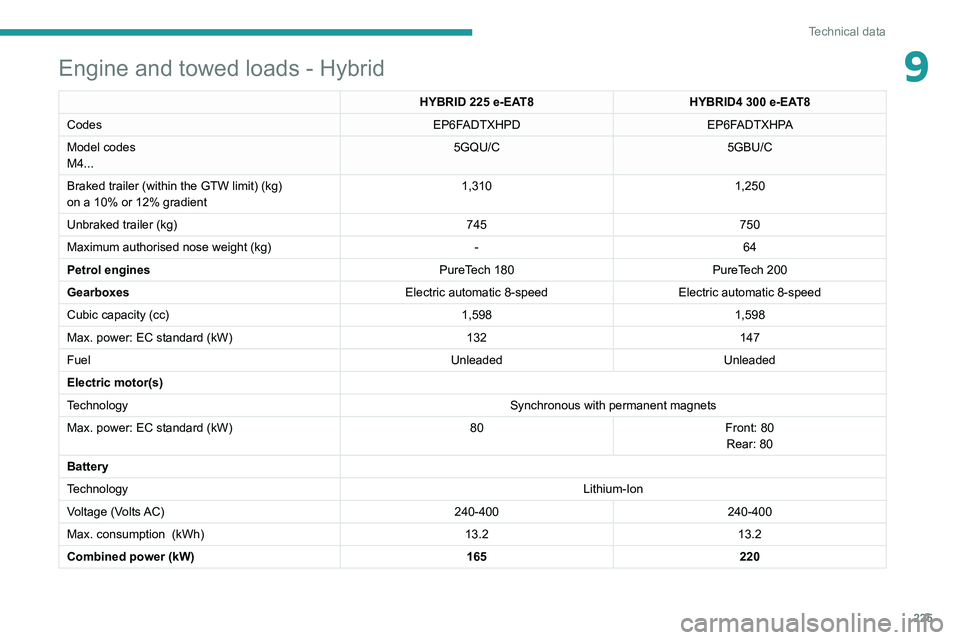
9Engine and towed loads - Hybrid
HYBRID 225 e-EAT8HYBRID4 300 e-EAT8
Codes EP6FADTXHPDEP6FADTXHPA
Model codes
M4... 5GQU/C
5GBU/C
Braked trailer (within the GTW limit) (kg)
on a 10% or 12% gradient 1,310
1,250
Unbraked trailer (kg) 745750
Maximum authorised nose weight (kg) -64
Petrol engines PureTech 180PureTech 200
Gearboxes Electric automatic 8-speedElectric automatic 8-speed
Cubic capacity (cc) 1,5981,598
Max. power: EC standard (kW) 132147
Fuel UnleadedUnleaded
Electric motor(s)
Technology Synchronous with permanent magnets
Max. power: EC standard (kW) 80Front: 80
Rear: 80
Battery
Technology Lithium-Ion
Voltage (Volts AC) 240-400240-400
Max. consumption
(kWh) 13.213.2
Combined power (kW) 165220
Page 252 of 308
250
PEUGEOT Connect Radio
Calling a new number
Press Telephone to display the main
page.
Enter the phone number using the digital
keypad.
Press "Call" to start the call.
Calling a contact
Press Telephone to display the main
page.
Or press and hold
the steering mounted PHONE button.
Press "Contacts".
Select the desired contact from the displayed list.
Press "Call".
Calling a recently used
number
Press Telephone to display the main
page.
Or
Press and hold
the steering mounted button.
Press "Recent calls".
Select the desired contact from the displayed list.
It is always possible to make a call
directly from the telephone; as a safety
measure, first park the vehicle.
Setting the ringtone
Press Telephone to display the main
page.
Press the "OPTIONS " button to access the
secondary page.
Press "Ring volume" to display the
volume bar.
Press the arrows or move the slider to set
the ring volume.
Settings
Configuring profiles
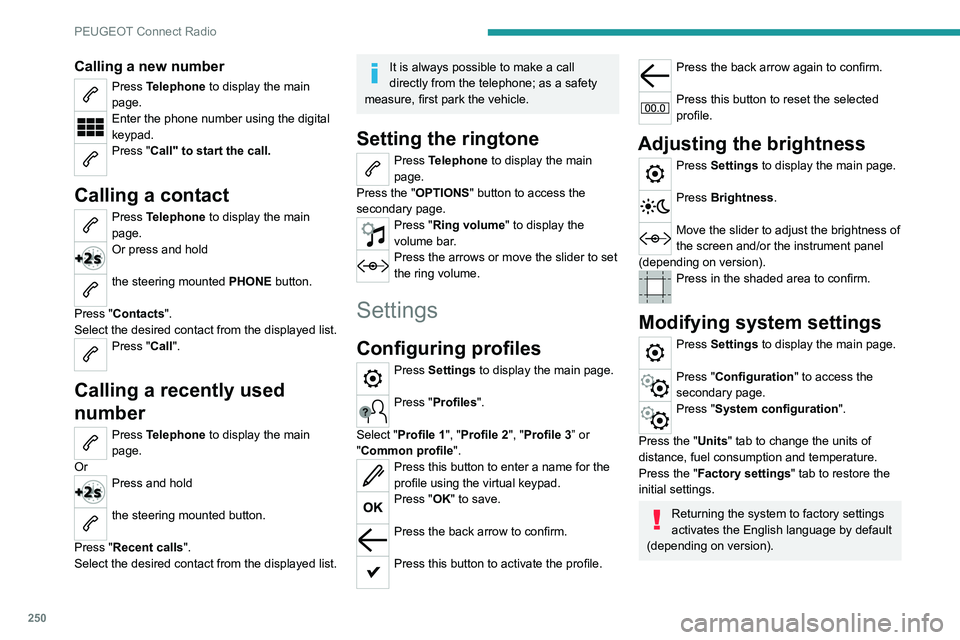
Press Settings to display the main page.
Press "Profiles".
Select "Profile 1", "Profile 2", "Profile 3” or
"Common profile ".
Press this button to enter a name for the
profile using the virtual keypad.
Press "OK" to save.
Press the back arrow to confirm.
Press this button to activate the profile.
Press the back arrow again to confirm.
Press this button to reset the selected
profile.
Adjusting the brightness
Press Settings to display the main page.
Press Brightness.
Move the slider to adjust the brightness of
the screen and/or the instrument panel
(depending on version).
Press in the shaded area to confirm.
Modifying system settings
Press Settings to display the main page.
Press "Configuration" to access the
secondary page.
Press "System configuration".
Press the "Units" tab to change the units of
distance, fuel consumption and temperature.
Press the "Factory settings" tab to restore the
initial settings.
Returning the system to factory settings
activates the English language by default
(depending on version).
Page 276 of 308
274
PEUGEOT Connect Nav
Access to email messages depends on the compatibility between the
smartphone and the onboard system.
Settings
Audio settings
Press Settings to display the main page.
Select "Audio settings".
Then select "Ambience", "Position"; "Sound ",
"Voice" or "Ringtone ".
Press "OK" to save the settings.
The balance/distribution (or spatialisation
with the Arkamys© system) uses audio
processing to adjust the sound quality
according to the number of passengers in the
vehicle.
Available only with the front and rear speaker
configuration.
The Ambience setting (choice of 6 ambiences) and the Bass, Medium and
Treble sound settings are different and
independent for each audio source.
Activate or deactivate "Loudness".
The "Position ” settings (All passengers,
Driver and Front only) are common to all
sources.
Activate or deactivate "Touch tones ",
"Volume linked to speed " and "Auxiliary
input ".
Onboard audio: Arkamys Sound Staging©
optimises the sound distribution inside
the passenger compartment.
Configuring profiles
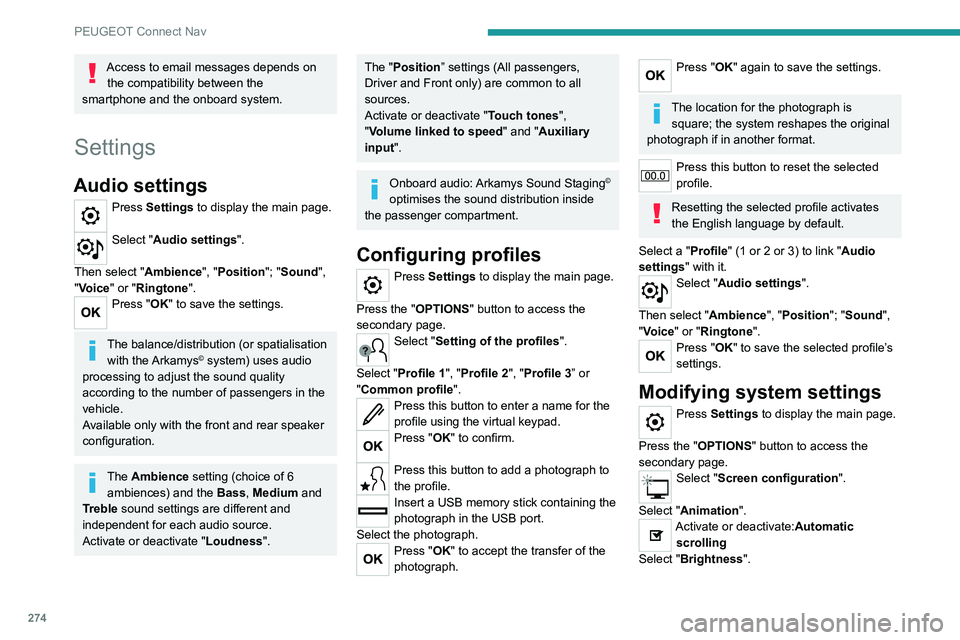
Press Settings to display the main page.
Press the "OPTIONS " button to access the
secondary page.
Select "Setting of the profiles".
Select "Profile 1", "Profile 2", "Profile 3” or
"Common profile ".
Press this button to enter a name for the
profile using the virtual keypad.
Press "OK" to confirm.
Press this button to add a photograph to
the profile.
Insert a USB memory stick containing the
photograph in the USB port.
Select the photograph.
Press "OK" to accept the transfer of the
photograph.
Press "OK" again to save the settings.
The location for the photograph is square; the system reshapes the original
photograph if in another format.
Press this button to reset the selected
profile.
Resetting the selected profile activates
the English language by default.
Select a "Profile" (1 or 2 or 3) to link "Audio
settings" with it.
Select "Audio settings".
Then select "Ambience", "Position"; "Sound ",
"Voice" or "Ringtone ".
Press "OK" to save the selected profile’s
settings.
Modifying system settings
Press Settings to display the main page.
Press the "OPTIONS " button to access the
secondary page.
Select "Screen configuration".
Select "Animation".
Activate or deactivate:Automatic scrolling
Select "Brightness".
Move the slider to adjust the brightness of
the screen and/or the instrument panel.
Press Settings to display the main page.
Press the "OPTIONS " button to access the
secondary page.
Select "System settings".
Select "Units" to change the units of distance,
fuel consumption and temperature.
Select "Factory settings" to restore the initial
settings.
Resetting the system to "Factory
settings" activates English and degrees
Fahrenheit and deactivates summer time.
Select "System info" to display the versions of
the various modules installed in the system.
Selecting the language
Press Settings to display the main page.
Press the "OPTIONS " button to access the
secondary page.
Select "Languages" to change the
language.
Setting the date
Press Settings to display the main page.
Press the "OPTIONS " button to access the
secondary page.
Page 277 of 308
275
PEUGEOT Connect Nav
12Move the slider to adjust the brightness of
the screen and/or the instrument panel.
Press Settings to display the main page.
Press the "OPTIONS " button to access the
secondary page.
Select "System settings".
Select "Units" to change the units of distance,
fuel consumption and temperature.
Select "Factory settings" to restore the initial
settings.
Resetting the system to "Factory
settings" activates English and degrees
Fahrenheit and deactivates summer time.
Select "System info" to display the versions of
the various modules installed in the system.
Selecting the language
Press Settings to display the main page.
Press the "OPTIONS " button to access the
secondary page.
Select "Languages" to change the
language.
Setting the date
Press Settings to display the main page.
Press the "OPTIONS " button to access the
secondary page.
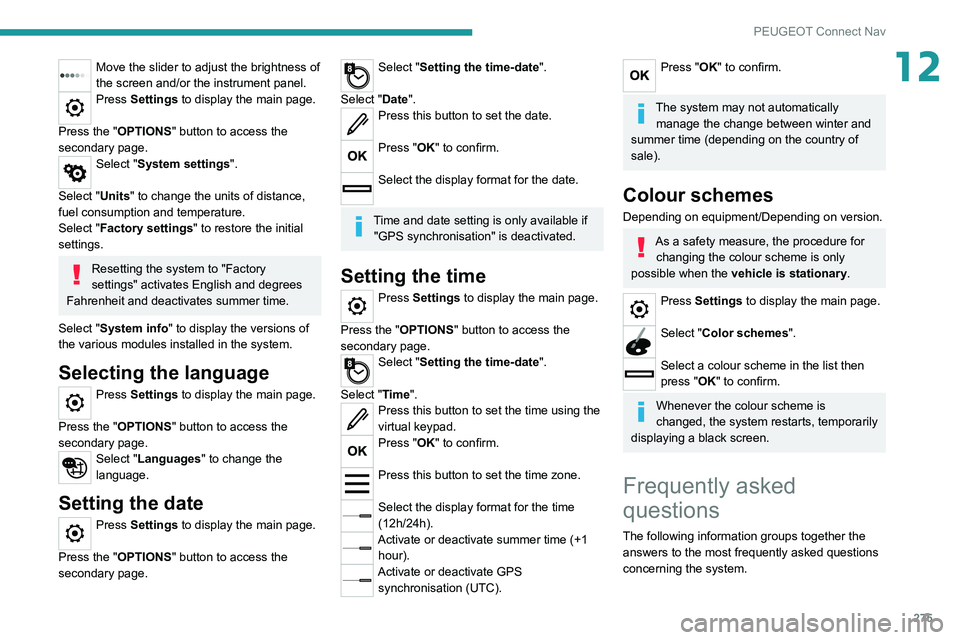
Select "Setting the time-date".
Select "Date".
Press this button to set the date.
Press "OK" to confirm.
Select the display format for the date.
Time and date setting is only available if "GPS synchronisation" is deactivated.
Setting the time
Press Settings to display the main page.
Press the "OPTIONS " button to access the
secondary page.
Select "Setting the time-date".
Select "Time".
Press this button to set the time using the
virtual keypad.
Press "OK" to confirm.
Press this button to set the time zone.
Select the display format for the time
(12h/24h).
Activate or deactivate summer time (+1 hour).
Activate or deactivate GPS synchronisation (UTC).
Press "OK" to confirm.
The system may not automatically manage the change between winter and
summer time (depending on the country of
sale).
Colour schemes
Depending on equipment/Depending on version.
As a safety measure, the procedure for changing the colour scheme is only
possible when the vehicle is stationary.
Press Settings to display the main page.
Select "Color schemes ".
Select a colour scheme in the list then
press "OK" to confirm.
Whenever the colour scheme is
changed, the system restarts, temporarily
displaying a black screen.
Frequently asked
questions
The following information groups together the answers to the most frequently asked questions
concerning the system.
Page 283 of 308
281
Alphabetical index
Electric windows 41
Electronic brake force distribution (EBFD)
90
Emergency braking assistance (EBA)
90
Emergency call
88
Emergency switching off
117–118
Emergency warning lamps
87, 190
Emissions control system, SCR
19, 185
Energy economy mode
179
Energy flows
26
Energy recovery
20, 125
Engine
184
Engine compartment
179–180
Engine, Diesel
166, 180, 190, 222
Engine, petrol
126, 180, 220
Engines
219–220, 222
Environment
7, 34
e-Save function (energy reserve)
26
ESC (electronic stability control)
90
F
Fatigue detection 149
Filling the AdBlue® tank
182, 186
Filling the fuel tank
166–167
Filter, air
183
Filter, oil
183
Filter, particle
182–183
Filter, passenger compartment
58, 183
Fitting a wheel
199–200
Fitting roof bars
176–177
Fittings, boot
73
Fittings, front 66
Fittings, interior
66
Fittings, rear
70
Flap, charging
168, 171–173
Flap, fuel filler
166–167
Flashing indicators
79, 203
Flat bed (recovery)
216
Floor, boot, adjustable
76
Floor, concertina
55
Fluid, brake
182
Fluid, engine coolant
182
Foglamps, front
78, 82, 202–203
Foglamps, rear
78, 205
Folding the rear seats
51–54
Four-wheel drive (4WD)
127, 178
Frequency (radio)
268–269
Fuel
7, 166
Fuel consumption
7, 20
Fuel tank
166–167
Fusebox, dashboard
206
Fusebox, engine compartment
206, 208–209
Fuses
205–206, 208–209
G
Gauge, fuel 166
Gearbox, automatic
121–126, 128, 184, 211
Gearbox, manual
120, 125–126, 128, 184
Gear lever, automatic gearbox
122
Gear lever, manual gearbox
120
Gear shift indicator ~ Gear efficiency
indicator
127
Glove box
66
G.P.S.
262
Grab handles
66
H
Hands-free access 39
Hands-free tailgate
37, 39–40
Hazard warning lamps
87, 190
headlamp adjustment
80
Headlamp adjustment
80
Headlamps, automatic dipping
81–82
Headlamps, automatic illumination
80
Headlamps, dipped beam
202–203
Headlamps, halogen
80, 202–203
Headlamps, main beam
202–203
Head restraints, front
46–47
Head restraints, rear
50–52
Heating
58–59
Heating, programmable
27, 65
Hi-Fi system
67
Hill Assist Descent Control (HADC)
93
Hill start assist
125
Histogramme, fuel consumption
26–27
Horn
88
Horn for pedestrians
88
Hybrid
26, 116, 167, 225
Hybrid engine
225
Page 285 of 308
283
Alphabetical index
Mirrors, door 49–50, 65, 154
Mirror, vanity
66
Misfuel prevention
167
Modularity, seats
57
Motor, electric
126, 167, 225
Motorised tailgate
37–38, 40
Mountings, ISOFIX
105
MP3 CD
233
N
Navigation 260–262
Navigation, connected
263–265
Net
73–74
Net, high load retaining
75–76
Number plate lamps
205
O
Obstacle detection 155
Oil change
181
Oil consumption
181
OIl, engine
181
On-board tools
76, 191–193
Opening the bonnet
179–180
Opening the boot
30, 36
Opening the doors
30, 36
Opening the windows
28
P
Pads, brake 184
Paint
188, 227
Paint colour code
227
Paint, matt
188
Parcel shelf, rear
71, 73
Park Assist
161–162
Parking brake, electric
118–120, 184
Parking sensors, audible and visual
155
Parking sensors, front
156
Parking sensors, rear
155
Personalisation
10
Plates, identification
227
Player, Apple®
234, 246, 270
Player, MP3 CD
233
Player, USB
232, 245, 270
Port, USB
67, 232, 245, 265, 270
Power
20
Power indicator
20
Pressures, tyres
184, 196, 227
Pre-tensioning seat belts
97
Priming pump
191
Priming the fuel system
190
Profiles
250, 274
Protecting children
98, 100–103,
105, 107, 110–111
Puncture
193–194, 196
Q
Quiet vehicle warning sound 88
R
Radar (warnings) 131
Radio
230–231, 243–244, 246, 268
Radio, digital (Digital Audio
Broadcasting - DAB)
231, 245, 269
Range, AdBlue®
18, 182
RDS
244, 268–269
READY lamp
179
Rear air blower
63
Rear screen, demisting
65
Rechargeable hybrid system
5, 26, 116, 126,
167
Recharging the battery
211, 214
Recirculation, air
62, 64
Recorder, total distance
20
Recovery
215–218
Recovery of the vehicle
216
Reduction of electrical load
179
Regeneration of the particle filter
183
Regenerative braking (deceleration
by engine braking)
125
Reinitialisation of the under-inflation
detection system
130
Reinitialising the remote control
34
Reminder, key in ignition
11 6
Reminder, lighting on
79