check engine PEUGEOT 3008 2020 Workshop Manual
[x] Cancel search | Manufacturer: PEUGEOT, Model Year: 2020, Model line: 3008, Model: PEUGEOT 3008 2020Pages: 308, PDF Size: 10.1 MB
Page 239 of 308
237
Bluetooth® audio system
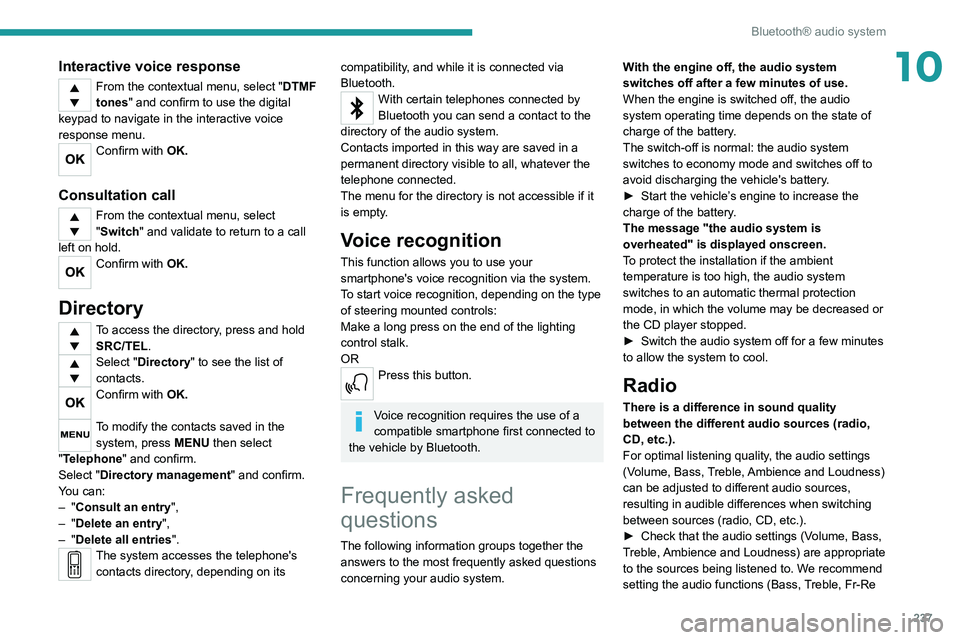
10Interactive voice response
From the contextual menu, select "DTMF
tones" and confirm to use the digital
keypad to navigate in the interactive voice
response menu.
Confirm with OK.
Consultation call
From the contextual menu, select
"Switch" and validate to return to a call
left on hold.
Confirm with OK.
Directory
To access the directory, press and hold SRC/TEL.
Select "Directory" to see the list of
contacts.
Confirm with OK.
To modify the contacts saved in the system, press MENU then select
"Telephone" and confirm.
Select "Directory management " and confirm.
You can:
–
"Consult an entry",
–
"Delete an entry",
–
"Delete all entries".
The system accesses the telephone's contacts directory, depending on its
compatibility, and while it is connected via
Bluetooth.
With certain telephones connected by
Bluetooth you can send a contact to the
directory of the audio system.
Contacts imported in this way are saved in a
permanent directory visible to all, whatever the
telephone connected.
The menu for the directory is not accessible if it
is empty.
Voice recognition
This function allows you to use your
smartphone's voice recognition via the system.
To start voice recognition, depending on the type
of steering mounted controls:
Make a long press on the end of the lighting
control stalk.
OR
Press this button.
Voice recognition requires the use of a
compatible smartphone first connected to
the vehicle by Bluetooth.
Frequently asked
questions
The following information groups together the answers to the most frequently asked questions
concerning your audio system. With the engine off, the audio system
switches off after a few minutes of use.
When the engine is switched off, the audio
system operating time depends on the state of
charge of the battery.
The switch-off is normal: the audio system
switches to economy mode and switches off to
avoid discharging the vehicle's battery.
►
Start the vehicle’
s engine to increase the
charge of the battery.
The message "the audio system is
overheated" is displayed onscreen.
To protect the installation if the ambient
temperature is too high, the audio system
switches to an automatic thermal protection
mode, in which the volume may be decreased or
the CD player stopped.
►
Switch the audio system off for a few minutes
to allow the system to cool.
Radio
There is a difference in sound quality
between the different audio sources (radio,
CD, etc.).
For optimal listening quality, the audio settings
(Volume, Bass, Treble, Ambience and Loudness)
can be adjusted to different audio sources,
resulting in audible differences when switching
between sources (radio, CD, etc.).
►
Check that the audio settings (V
olume, Bass,
Treble, Ambience and Loudness) are appropriate
to the sources being listened to. We recommend
setting the audio functions (Bass, Treble, Fr-Re
Page 255 of 308
253
PEUGEOT Connect Radio
11Some telephones offer display options.
Depending on the settings chosen, contacts can
be transferred in a specific order.
►
Modify the telephone directory display
settings.
Settings
When the treble and bass settings are
changed, the ambience is deselected.
When the ambience is changed, the treble
and bass settings are reset.
Selecting an ambience imposes the treble and
bass settings, and vice versa.
►
Modify the treble and bass or ambience
settings to obtain the desired musical ambience.
When the balance settings are changed, the
distribution is deselected.
When the distribution setting is changed, the
balance settings are deselected.
Selecting a distribution setting imposes the
balance settings, and vice versa.
►
Modify the balance setting or the distribution
setting to obtain the desired sound quality
.
There is a difference in sound quality
between audio sources.
To allow for optimal listening quality, the sound
settings can be tailored to different audio
sources, which can generate audible differences
when changing source.
►
Check that the sound settings are appropriate
to the sources listened to.
Adjust the sound
functions to the middle position. When the engine is off, the system switches
off after several minutes of use.
When the engine is switched off, the system's
operating time depends on the state of charge of
the battery.
The switch-off is normal: the system
automatically goes into energy economy mode
and switches off to maintain an adequate charge
in the battery.
►
Start the vehicle’
s engine to increase the
charge of the battery.
Page 280 of 308
278
PEUGEOT Connect Nav
Settings
When the treble and bass settings are
changed, the ambience is deselected.
When the ambience is changed, the treble
and bass settings are reset.
Selecting an ambience imposes the treble and
bass settings, and vice versa.
►
Modify the treble and bass or ambience
settings to obtain the desired musical ambience.
When the balance settings are changed, the
distribution is deselected.
When the distribution setting is changed, the
balance settings are deselected.
Selecting a distribution setting imposes the
balance settings, and vice versa.
►
Modify the balance setting or the distribution
setting to obtain the desired sound quality
.
There is a difference in sound quality
between audio sources.
To allow for optimal listening quality, the sound
settings can be tailored to different audio
sources, which can generate audible differences
when changing source.
►
Check that the sound settings are appropriate
to the sources listened to. W
e recommend
setting the sound functions (Bass:, Treble:,
Balance) to the middle position, setting the
musical ambience to "None", setting loudness
correction to "Active" in USB mode and "Inactive"
in Radio mode.
►
In all cases, after applying sound settings,
adjust the volume level on the portable device (to a high level) first.
Then adjust the volume level
on the audio system.
When the engine is off, the system switches
off after several minutes of use.
When the engine is switched off, the system's
operating time depends on the state of charge of
the battery.
The switch-off is normal: the system
automatically goes into energy economy mode
and switches off to maintain an adequate charge
in the battery.
►
Start the vehicle’
s engine to increase the
charge of the battery.
The date and time cannot be set.
Setting of the date and time is only available
if the synchronisation with the satellites is
deactivated.
►
Settings menu / Options /
Time-Date setting.
Select the "Time" tab and deactivate the "GPS
synchronisation" (UTC).
Page 282 of 308
280
Alphabetical index
CD, MP3 233, 246
Central locking
31–32
Changing a bulb
201–202, 204–205
Changing a fuse
205–206, 208–209
Changing a wheel
191–192, 196–198
Changing a wiper blade
84–85
Changing the remote control battery
33
Charge level indicator
20
Charger, induction
67
Charger, wireless
67
Charging cable
169–170, 172
Charging connector
168, 171–172
CHECK
20
Checking the engine oil level
17
Checking the levels
181–182
Checking tyre pressures (using the kit)
193, 195
Checks
180, 183–184
Checks, routine
183–184
Child lock
11 2
Children
97, 103, 105, 107, 110–111
Children (safety)
11 2
Child seats
97, 100–103, 107, 110–111
Child seats, conventional
102–103
Child seats, i-Size
11 0
Child seats, ISOFIX
105, 107, 110
Cleaning (advice)
168, 187–189
Closing the boot
31, 37
Closing the doors
31, 36
Collision Risk Alert
146–147
Configurations, seats
57
Configuration, vehicle
23–25, 27
Connected applications
266–267Connection, Bluetooth 235, 248–249,
267, 271–272
Connection, MirrorLink
247–248, 266
Connection, Wi-Fi network
267–268
Connectivity
265
Consumption figures
26
Container, AdBlue®
185–186
Control, emergency boot release
37
Control, emergency door
32–33
Control, heated seats
48
Controls, steering mounted
121–124
Control stalk, lighting
78–79
Control stalk, wipers
83–86
Control unit
169–170, 172
Courtesy lamps
69
Cover, load space
73
Cruise control
132, 134, 136–138
Cruise control, adaptive
139
Cruise control by speed limit recognition
134
Cruise control, dynamic with Stop function
134
Cup holder
66
D
DAB (Digital Audio Broadcasting) -
Digital radio
231–232, 245, 269
Date (setting)
23–24, 251, 275
Daytime running lamps
79, 202
Deactivating the passenger
airbag
98, 101–102
Deadlocking
29, 31
Deferred charging 27, 168, 171, 173
Defrosting
64
Defrosting, front
64
Demisting
64
Demisting, front
64
Demisting, rear
65
Demisting, rear screen
65
Dials and gauges
9
Digital instrument panel
9–10
Dimensions
226
Dipstick
17, 181
Direction indicators
79, 202–204
Domestic charging
170, 173
Door pockets
66
Doors
36
Drive Assist Plus
139
Driver’s attention warning
149
Driving
44–45, 113
Driving aids camera (warnings)
131
Driving aids (recommendations)
130
Driving economically
7
Driving positions (storing)
47–48
Dynamic pack
125–126
Dynamic stability control (DSC)
90–92
E
EBFD 90
Eco-driving (advice)
7
Economy mode
179
Electric automatic gearbox (Hybrid)
124
Page 284 of 308
282
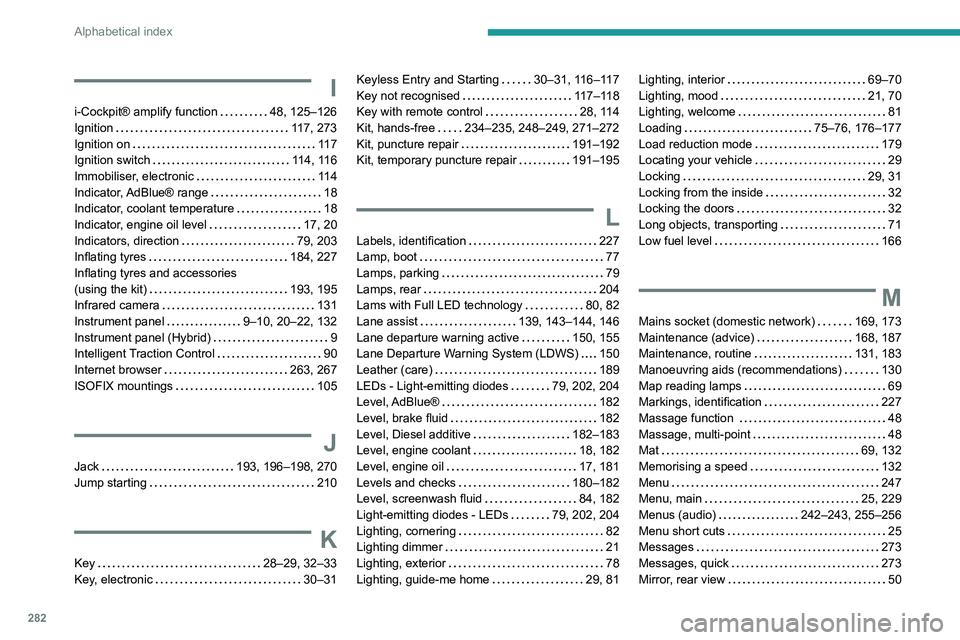
Alphabetical index
I
i-Cockpit® amplify function 48, 125–126
Ignition
117, 273
Ignition on
11 7
Ignition switch
114, 116
Immobiliser, electronic
11 4
Indicator, AdBlue® range
18
Indicator, coolant temperature
18
Indicator, engine oil level
17, 20
Indicators, direction
79, 203
Inflating tyres
184, 227
Inflating tyres and accessories
(using the kit)
193, 195
Infrared camera
131
Instrument panel
9–10, 20–22, 132
Instrument panel (Hybrid)
9
Intelligent Traction Control
90
Internet browser
263, 267
ISOFIX mountings
105
J
Jack 193, 196–198, 270
Jump starting
210
K
Key 28–29, 32–33
Key, electronic
30–31
Keyless Entry and Starting 30–31, 116–117
Key not recognised
117–118
Key with remote control
28, 114
Kit, hands-free
234–235, 248–249, 271–272
Kit, puncture repair
191–192
Kit, temporary puncture repair
191–195
L
Labels, identification 227
Lamp, boot
77
Lamps, parking
79
Lamps, rear
204
Lams with Full LED technology
80, 82
Lane assist
139, 143–144, 146
Lane departure warning active
150, 155
Lane Departure Warning System (LDWS)
150
Leather (care)
189
LEDs - Light-emitting diodes
79, 202, 204
Level, AdBlue®
182
Level, brake fluid
182
Level, Diesel additive
182–183
Level, engine coolant
18, 182
Level, engine oil
17, 181
Levels and checks
180–182
Level, screenwash fluid
84, 182
Light-emitting diodes - LEDs
79, 202, 204
Lighting, cornering
82
Lighting dimmer
21
Lighting, exterior
78
Lighting, guide-me home
29, 81
Lighting, interior 69–70
Lighting, mood
21, 70
Lighting, welcome
81
Loading
75–76, 176–177
Load reduction mode
179
Locating your vehicle
29
Locking
29, 31
Locking from the inside
32
Locking the doors
32
Long objects, transporting
71
Low fuel level
166
M
Mains socket (domestic network) 169, 173
Maintenance (advice)
168, 187
Maintenance, routine
131, 183
Manoeuvring aids (recommendations)
130
Map reading lamps
69
Markings, identification
227
Massage function
48
Massage, multi-point
48
Mat
69, 132
Memorising a speed
132
Menu
247
Menu, main
25, 229
Menus (audio)
242–243, 255–256
Menu short cuts
25
Messages
273
Messages, quick
273
Mirror, rear view
50