rolling Peugeot 3008 Hybrid 4 2013 Owner's Manual
[x] Cancel search | Manufacturer: PEUGEOT, Model Year: 2013, Model line: 3008 Hybrid 4, Model: Peugeot 3008 Hybrid 4 2013Pages: 340, PDF Size: 16.54 MB
Page 50 of 340
48
IN
S
The main menu and its asso-
ciated functions can only be
accessed when stationary, via
buttons 1
to 4
.
A message appears on the screen,
above a certain speed threshold, in-
dicating that the main menu cannot
be displayed.
The trip computer displays can only
be accessed while driving, via but-
tons 2
and 3
(refer to the "Trip com-
puter" paragraph).
Main menu
)
Press button 1
for access to the
main menu and select one of the fol-
lowing functions:
- "Vehicle parameters",
- "Choice of language",
- "Choice of units".
)
Press button 2
or 3
to move in the
screen.
)
Press button 1
again to confi rm the
selection.
Instrument panel navigator associated
with the Peugeot Connect Media
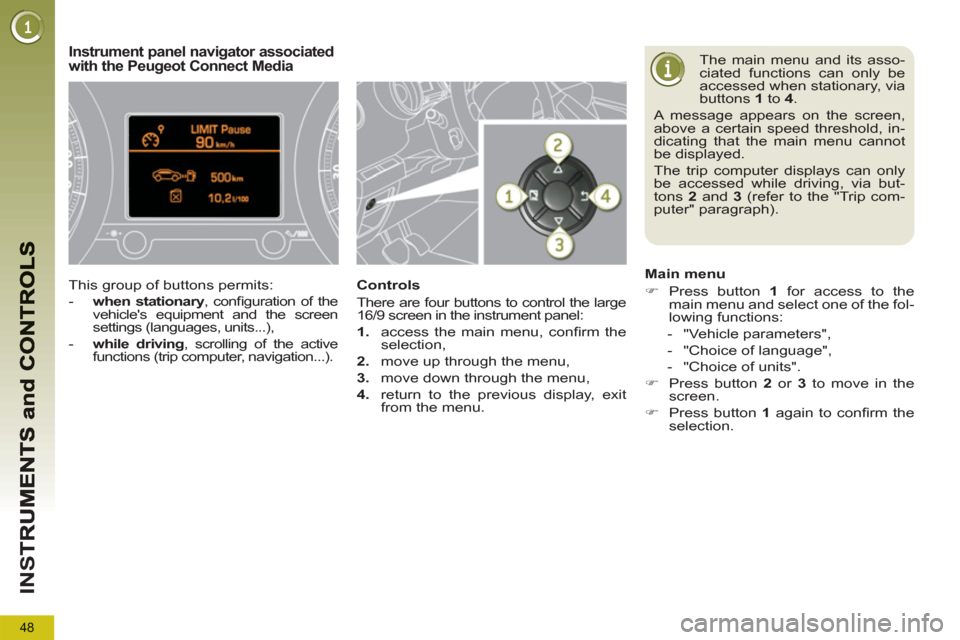
This group of buttons permits:
- when stationary
, confi guration of the
vehicle's equipment and the screen
settings (languages, units...),
- while driving
, scrolling of the active
functions (trip computer, navigation...).
Controls
There are four buttons to control the large
16/9 screen in the instrument panel:
1.
access the main menu, confi rm the
selection,
2.
move up through the menu,
3.
move down through the menu,
4.
return to the previous display, exit
from the menu.
Page 68 of 340
M
U
66
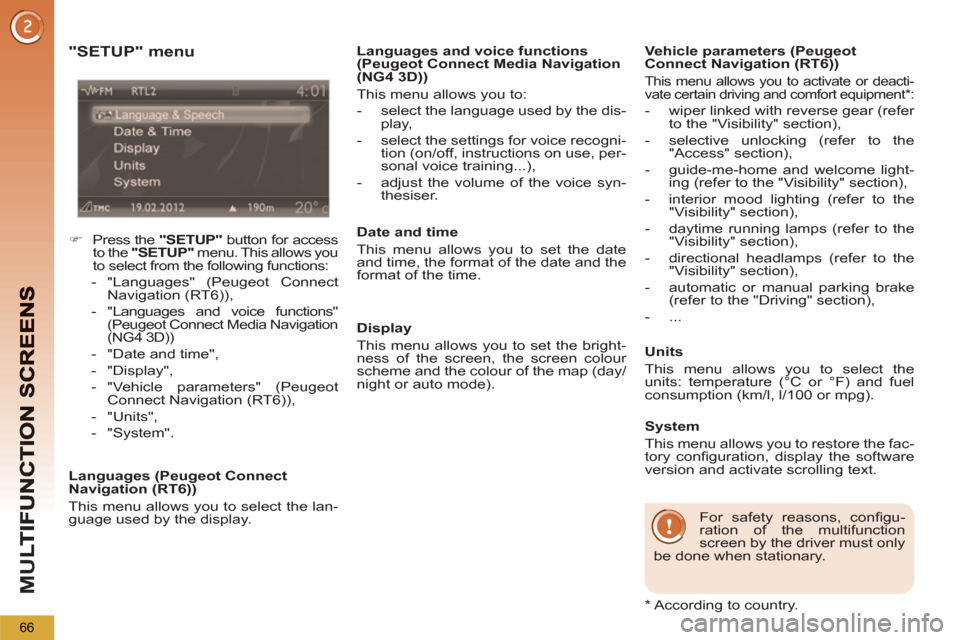
"SETUP" menu
)
Press the "SETUP"
button for access
to the "SETUP"
menu. This allows you
to select from the following functions:
- "Languages" (Peugeot Connect
Navigation (RT6)),
- "Languages and voice functions"
(Peugeot Connect Media Navigation
(NG4 3D))
- "Date and time",
- "Display",
- "Vehicle parameters" (Peugeot
Connect Navigation (RT6)),
- "Units",
- "System".
Languages (Peugeot Connect
Navigation (RT6))
This menu allows you to select the lan-
guage used by the display.
Date and time
This menu allows you to set the date
and time, the format of the date and the
format of the time.
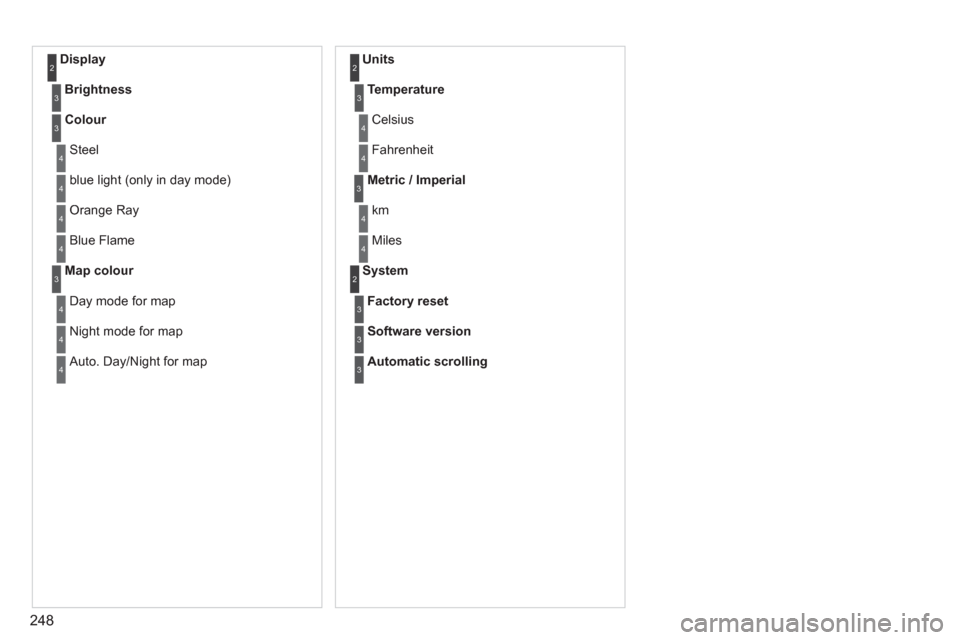
Display
This menu allows you to set the bright-
ness of the screen, the screen colour
scheme and the colour of the map (day/
night or auto mode).
Vehicle parameters (Peugeot
Connect Navigation (RT6))
This menu allows you to activate or deacti-
vate certain driving and comfort equipment * :
- wiper linked with reverse gear (refer
to the "Visibility" section),
- selective unlocking (refer to the
"Access" section),
- guide-me-home and welcome light-
ing (refer to the "Visibility" section),
- interior mood lighting (refer to the
"Visibility" section),
- daytime running lamps (refer to the
"Visibility" section),
- directional headlamps (refer to the
"Visibility" section),
- automatic or manual parking brake
(refer to the "Driving" section),
- ...
Units
This menu allows you to select the
units: temperature (°C or °F) and fuel
consumption (km/l, l/100 or mpg).
For safety reasons, confi gu-
ration of the multifunction
screen by the driver must only
be done when stationary.
System
This menu allows you to restore the fac-
tory confi guration, display the software
version and activate scrolling text.
Languages and voice functions
(Peugeot Connect Media Navigation
(NG4 3D))
This menu allows you to:
- select the language used by the dis-
play,
- select the settings for voice recogni-
tion (on/off, instructions on use, per-
sonal voice training...),
- adjust the volume of the voice syn-
thesiser.
*
According to country.
Page 250 of 340
248
Display 2
Brightness3
Colour3
Steel4
blue light (only in day mode) 4
Orange Ray 4
Blue Flame4
Map colour3
Day mode for map4
Night mode for map4
Auto. Day/Night for map4
Units 2
Temperature3
Celsius 4
Fahrenheit 4
Metric / Imperial3
km4
Miles4
System 2
Factory reset3
Software version3
Automatic scrolling3