ECO mode Peugeot 301 2017 Owner's Guide
[x] Cancel search | Manufacturer: PEUGEOT, Model Year: 2017, Model line: 301, Model: Peugeot 301 2017Pages: 306, PDF Size: 9.87 MB
Page 187 of 306
185
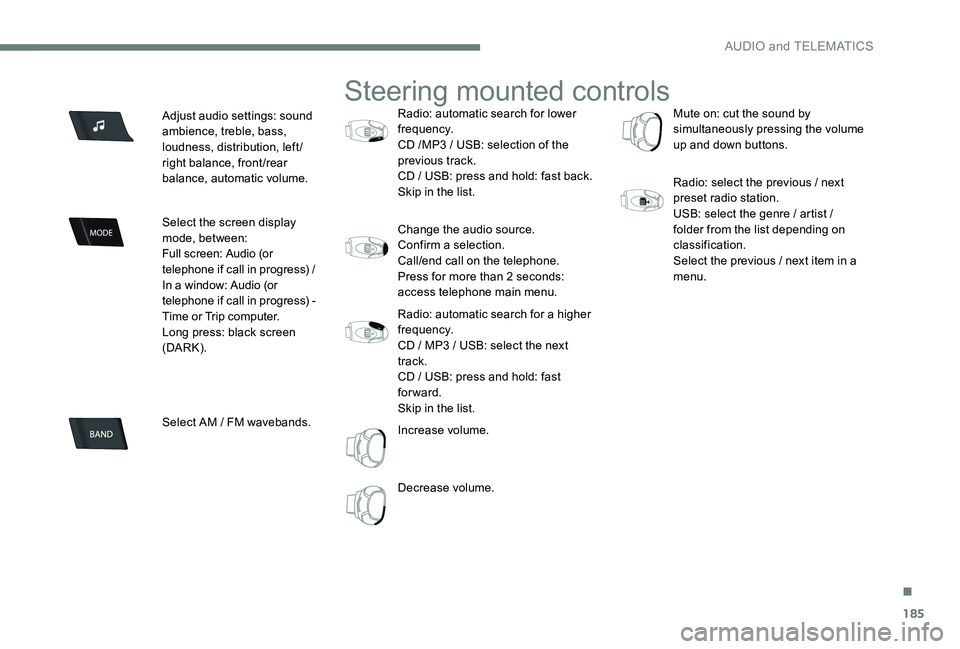
Adjust audio settings: sound
ambience, treble, bass,
loudness, distribution, left/
right balance, front/rear
balance, automatic volume.
Select the screen display
mode, between:
Full screen: Audio (or
telephone if call in progress) /
In a window: Audio (or
telephone if call in progress) -
Time or Trip computer.
Long press: black screen
(DARK).
Select AM / FM wavebands.
Steering mounted controls
Radio: automatic search for lower
frequency.
CD /MP3 / USB: selection of the
previous track.
CD / USB: press and hold: fast back.
Skip in the list.
Change the audio source.
Confirm a selection.
Call/end call on the telephone.
Press for more than 2 seconds:
access telephone main menu.
Radio: automatic search for a higher
frequency.
CD / MP3 / USB: select the next
track.
CD / USB: press and hold: fast
forward.
Skip in the list.
Increase volume.
Decrease volume. Mute on: cut the sound by
simultaneously pressing the volume
up and down buttons.
Radio: select the previous / next
preset radio station.
USB: select the genre / artist /
folder from the list depending on
classification.
Select the previous / next item in a
menu.
.
AUDIO and TELEMATICS
Page 202 of 306
200
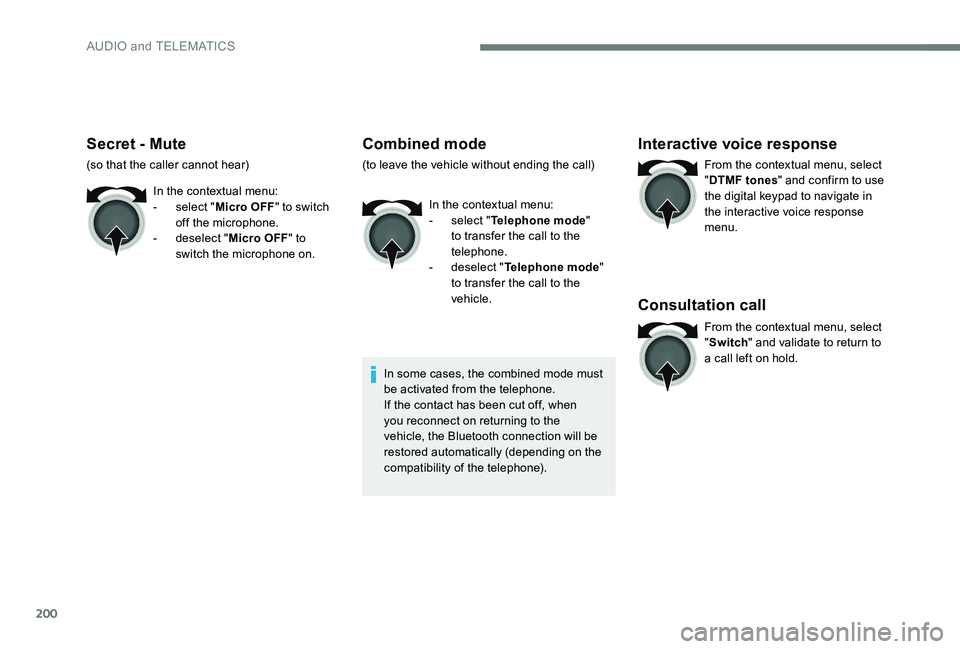
Secret - Mute
(so that the caller cannot hear)In the contextual menu:
-
s
elect "Micro OFF " to switch
off the microphone.
-
d
eselect "Micro OFF " to
switch the microphone on.
Combined mode
(to leave the vehicle without ending the call)
In the contextual menu:
-
s
elect "Telephone mode "
to transfer the call to the
telephone.
-
d
eselect "Telephone mode "
to transfer the call to the
vehicle.
In some cases, the combined mode must
be activated from the telephone.
If the contact has been cut off, when
you reconnect on returning to the
vehicle, the Bluetooth connection will be
restored automatically (depending on the
compatibility of the telephone).
Interactive voice response
From the contextual menu, select
" DTMF tones " and confirm to use
the digital keypad to navigate in
the interactive voice response
menu.
Consultation call
From the contextual menu, select
" Switch " and validate to return to
a call left on hold.
AUDIO and TELEMATICS
Page 206 of 306
204
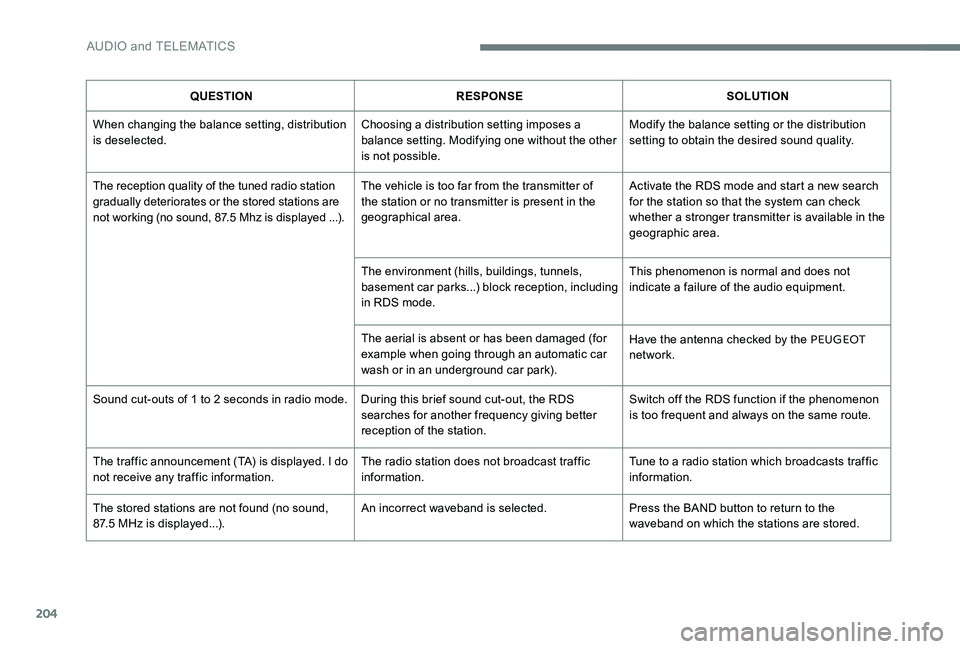
QUESTIONRESPONSE SOLUTION
When changing the balance setting, distribution
is deselected. Choosing a distribution setting imposes a
balance setting. Modifying one without the other
is not possible.Modify the balance setting or the distribution
setting to obtain the desired sound quality.
The reception quality of the tuned radio station
gradually deteriorates or the stored stations are
not working (no sound, 87.5 Mhz is displayed ...). The vehicle is too far from the transmitter of
the station or no transmitter is present in the
geographical area.Activate the RDS mode and start a new search
for the station so that the system can check
whether a stronger transmitter is available in the
geographic area.
The environment (hills, buildings, tunnels,
basement car parks...) block reception, including
in RDS mode. This phenomenon is normal and does not
indicate a failure of the audio equipment.
The aerial is absent or has been damaged (for
example when going through an automatic car
wash or in an underground car park). Have the antenna checked by the PEUGEOT
network.
Sound cut-outs of 1 to 2 seconds in radio mode. During this brief sound cut-out, the RDS searches for another frequency giving better
reception of the station.Switch off the RDS function if the phenomenon
is too frequent and always on the same route.
The traffic announcement (TA) is displayed. I do
not receive any traffic information. The radio station does not broadcast traffic
information.Tune to a radio station which broadcasts traffic
information.
The stored stations are not found (no sound,
87.5 MHz is displayed...). An incorrect waveband is selected.
Press the BAND button to return to the
waveband on which the stations are stored.
AUDIO and TELEMATICS
Page 208 of 306
206
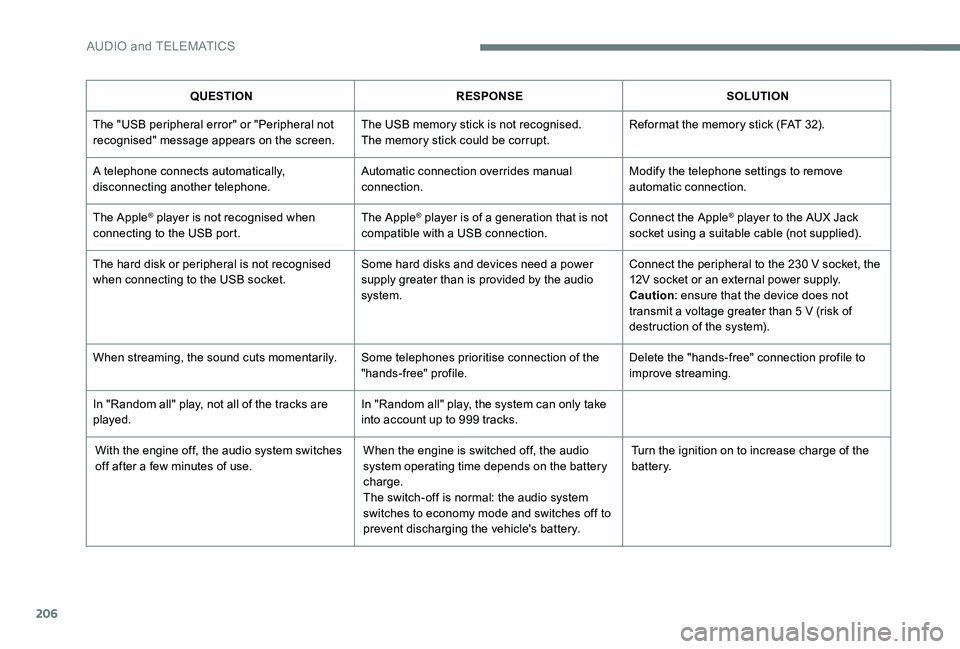
QUESTIONRESPONSE SOLUTION
The "USB peripheral error" or "Peripheral not
recognised" message appears on the screen. The USB memory stick is not recognised.
The memory stick could be corrupt.Reformat the memory stick (FAT 32).
A telephone connects automatically,
disconnecting another telephone. Automatic connection overrides manual
connection.Modify the telephone settings to remove
automatic connection.
The Apple
® player is not recognised when
connecting to the USB port. The Apple® player is of a generation that is not
compatible with a USB connection. Connect the Apple® player to the AUX Jack
socket using a suitable cable (not supplied).
The hard disk or peripheral is not recognised
when connecting to the USB socket. Some hard disks and devices need a power
supply greater than is provided by the audio
system.Connect the peripheral to the 230 V socket, the
12V socket or an external power supply.
Caution
: ensure that the device does not
transmit a voltage greater than 5 V (risk of
destruction of the system).
When streaming, the sound cuts momentarily. Some telephones prioritise connection of the
"hands-free" profile.Delete the "hands-free" connection profile to
improve streaming.
In "Random all" play, not all of the tracks are
played. In "Random all" play, the system can only take
into account up to 999 tracks.
With the engine off, the audio system switches
off after a few minutes of use. When the engine is switched off, the audio
system operating time depends on the battery
charge.
The switch-off is normal: the audio system
switches to economy mode and switches off to
prevent discharging the vehicle's battery.Turn the ignition on to increase charge of the
battery.
AUDIO and TELEMATICS
Page 210 of 306
208
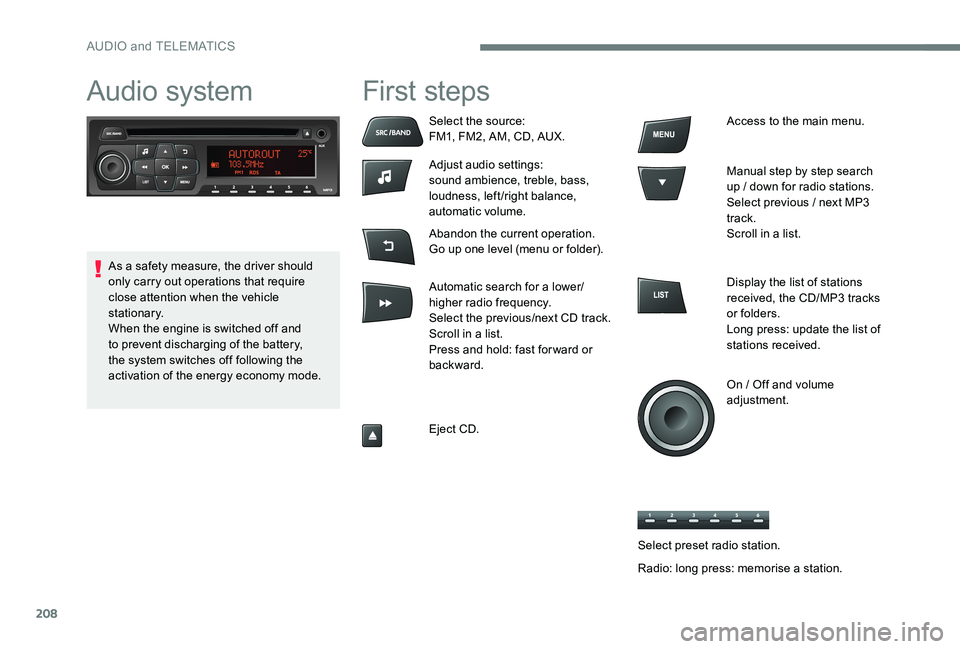
Audio system First steps
Select the source:
FM1, FM2, AM, CD, AUX.
Adjust audio settings:
sound ambience, treble, bass,
loudness, left/right balance,
automatic volume.
Abandon the current operation.
Go up one level (menu or folder).
Automatic search for a lower/
higher radio frequency.
Select the previous/next CD track.
Scroll in a list.
Press and hold: fast for ward or
backward.
Eject CD.Access to the main menu.
Manual step by step search
up / down for radio stations.
Select previous / next MP3
track.
Scroll in a list.
Display the list of stations
received, the CD/MP3 tracks
or folders.
Long press: update the list of
stations received.
On / Off and volume
adjustment.
As a safety measure, the driver should
only carry out operations that require
close attention when the vehicle
stationary.
When the engine is switched off and
to prevent discharging of the battery,
the system switches off following the
activation of the energy economy mode.
Select preset radio station.
Radio: long press: memorise a station.
AUDIO and TELEMATICS
Page 218 of 306
216
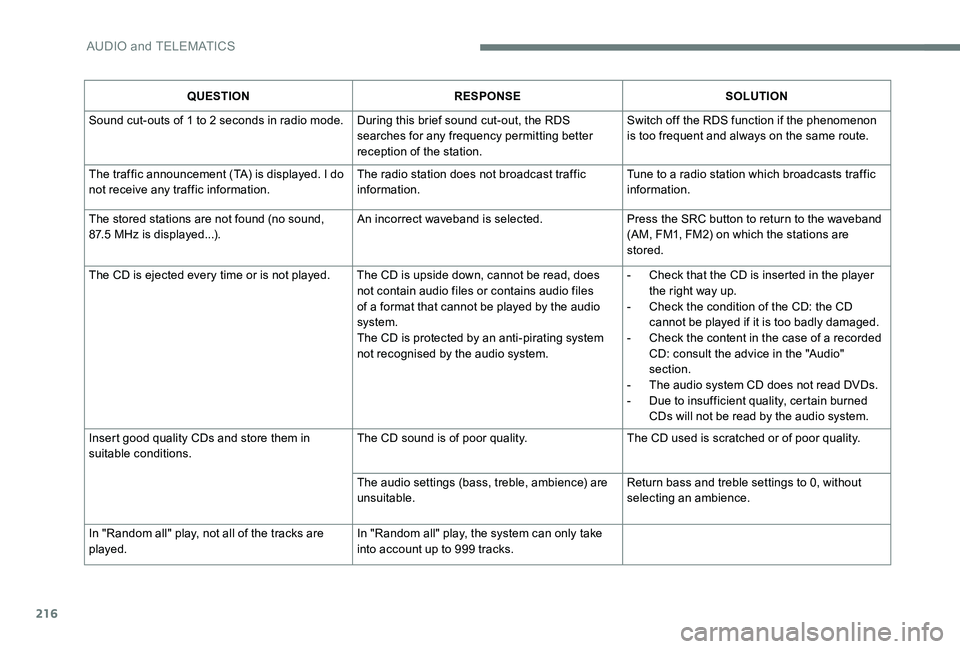
QUESTIONRESPONSE SOLUTION
Sound cut-outs of 1 to 2 seconds in radio mode. During this brief sound cut-out, the RDS searches for any frequency permitting better
reception of the station. Switch off the RDS function if the phenomenon
is too frequent and always on the same route.
The traffic announcement (TA) is displayed. I do
not receive any traffic information. The radio station does not broadcast traffic
information. Tune to a radio station which broadcasts traffic
information.
The stored stations are not found (no sound,
87.5 MHz is displayed...). An incorrect waveband is selected.
Press the SRC button to return to the waveband
(AM, FM1, FM2) on which the stations are
stored.
The CD is ejected every time or is not played. The CD is upside down, cannot be read, does not contain audio files or contains audio files
of a format that cannot be played by the audio
system.
The CD is protected by an anti-pirating system
not recognised by the audio system. -
C
heck that the CD is inserted in the player
the right way up.
-
C
heck the condition of the CD: the CD
cannot be played if it is too badly damaged.
-
C
heck the content in the case of a recorded
CD: consult the advice in the "Audio"
section.
-
T
he audio system CD does not read DVDs.
-
D
ue to insufficient quality, certain burned
CDs will not be read by the audio system.
Insert good quality CDs and store them in
suitable conditions. The CD sound is of poor quality.
The CD used is scratched or of poor quality.
The audio settings (bass, treble, ambience) are
unsuitable. Return bass and treble settings to 0, without
selecting an ambience.
In "Random all" play, not all of the tracks are
played. In "Random all" play, the system can only take
into account up to 999 tracks.
AUDIO and TELEMATICS
Page 219 of 306
217
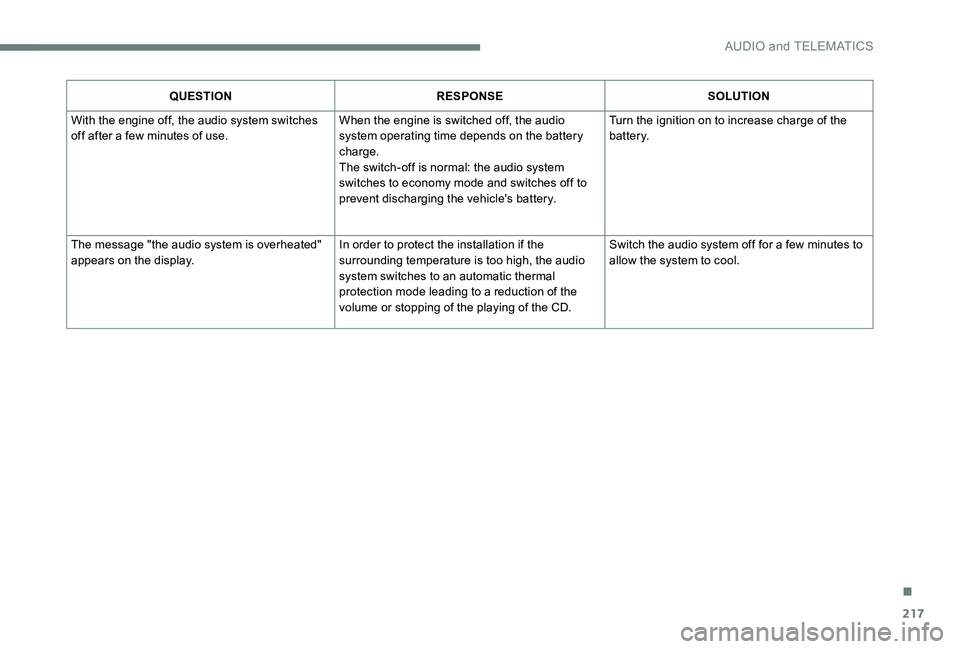
QUESTIONRESPONSE SOLUTION
With the engine off, the audio system switches
off after a few minutes of use. When the engine is switched off, the audio
system operating time depends on the battery
charge.
The switch-off is normal: the audio system
switches to economy mode and switches off to
prevent discharging the vehicle's battery. Turn the ignition on to increase charge of the
battery.
The message "the audio system is overheated"
appears on the display. In order to protect the installation if the
surrounding temperature is too high, the audio
system switches to an automatic thermal
protection mode leading to a reduction of the
volume or stopping of the playing of the CD. Switch the audio system off for a few minutes to
allow the system to cool.
.
AUDIO and TELEMATICS
Page 221 of 306
219
Economy mode .............................................13 7
Electronic brake force distribution (EBFD) .....77
Emergency braking assistance (EBA)
............77
Emergency call
.......................................... 72-73
Emergency warning lamps
.............................71
Emissions control system, SCR
...............21, 29
Energy economy mode
................................. 13
7
Engine
................................................ 15 -16, 179
Engine compartment
.................................... 14
2
Engine, Diesel
......................... 16, 131 , 148 , 181
Engine, petrol
...............................
.131 , 142 , 18 0
Engines
.................................................. 179 -181
Environment
.................................................... 38E
F
G
H
I
Filling the AdBlue tank ..................................13 4
Filling the fuel tank ................................. 12 9 -131
Filter, air
........................................................ 146
Filter, oil
................
......................................... 146
Filter, particle
......................................... 145 -146
Filter, passenger compartment
.....................146
Fitting a wheel
................................ 157, 15 9 -16 0
Fitting roof bars
............................................. 140
Fittings, interior
............................................... 60
F
lap, fuel filler
......................................... 12 9 -13 0
Flashing indicators
............................23, 71 , 162
Fluid, engine coolant
....................................... 15
Foglamp, rear
.............................. 22, 64-65 , 165
Foglamps, front
........................... 23, 64-65 , 163
Fuel ................................................................ 131
Fuel tank ........................................................ 13 0
Fusebox, dashboard
......................167-169, 171
Fusebox, engine compartment
......167-169 , 171
Fuses
.............................................. 16
7-169, 171
Gauge, fuel .................................................... 129
Gearbox, automatic
................11 0 -114, 147, 172
Gearbox, electronic
10
6 -109, 11 6 -118 , 147, 172
Gearbox, manual
.................................. 105, 147
Gear lever, automatic gearbox
...............111 -114
Gear lever, electronic gearbox
.....................147
Gear lever, manual gearbox
.........................105
Gear shift indicator ~ Gear efficiency indicator
..................................... 115
Glove box
........................................................ 60Hazard warning lamps
....................................
71
Hazard warning lamps, automatic operation
...................................... 71
h
eadlamp adjustment
.....................................67
Headlamps, dipped beam
.......................23, 163
Headlamps, halogen
.....................................161
Headlamps, main beam
..........................23, 162
Head restraints, front
......................................47
Head restraints, rear
.......................................49
Heating
................................................ 5
2-56, 59
Horn ................................................................. 71
Ignition
................
...........................................104
Immobiliser, electronic
............................38, 102
Indicator lamps, operation
.............................. 12
I
ndicators, direction
................................71, 162
Inflating tyres
................................................183
Inflating tyres and accessories (using the kit)
...............................14 9 -15 0, 152
Input, auxiliary
.......................................192, 213
ISOFIX
............................................................98
Isofix mountings
........................................97, 99
Defrosting, lower windscreen
.........................
58
Demisting
.................................................. 52-53
Demisting, front
............................................... 57
D
emisting, rear screen
................................... 58
Dimensions
..............................
..................... 182
Dipstick
................
................................... 143 -14 4
Direction indicators
................... 23, 71 , 162 , 165
Display screen, instrument panel
................. 115
Door pockets
...............................
.................... 60
Doors
......................................................... 15, 41
DSC
............................................................ 18 -19
Dynamic stability control (DSC)
........... 19, 7 7-79
.
Alphabetical index
Page 233 of 306
1
PEUGEOT Connect Nav
GPS satellite navigation -
Applications - Multimedia
audio system - Bluetooth
®
telephone
Contents
First steps
2
S
teering mounted controls
3
M
enus
4
V
oice commands
5
N
avigation
1
1
Connected navigation
1
5
Applications
1
8
Radio
2
3
DAB radio (Digital Audio Broadcasting)
2
5
Media
26
T
elephone
2
8
Configuration
3
3
Frequently asked questions
3
7The different functions and settings
described vary according to the version
and configuration of your vehicle.
As a safety measure and because it
requires sustained attention by the
driver, the pairing of a Bluetooth mobile
telephone with the Bluetooth hands-free
system of your audio system must be
done with the vehicle stationary
and the
ignition on.
The system is protected in such a way that
it will only operate in your vehicle.
The display of the Energy Economy
Mode message signals that a change to
standby is imminent.
The link below gives access to OSS (Open
Source Software) codes for the system.
https://www.groupe-psa.com/fr/oss/
https://www.groupe-psa.com/en/oss/
.
PEUGEOT Connect Nav
Page 251 of 306
19
or Press on "
Telephone " to display the
CarPlay
® inter face.
Or Connect a USB cable. The
smartphone charges when
connected by a USB cable.
or From the system, press
"
Applications " to display the
primary page.
Press " Connectivity " to go to the CarPlay
®
function.
Press on " CarPlay" to display the
CarPlay
® inter face.
On connecting the USB cable, the
CarPlay
® function deactivates the
system's Bluetooth® mode.
MirrorLinkTM smartphone
connection
As a safety measure and because it
requires sustained attention by the driver,
using a smartphone when driving is
prohibited.
All operations must be done with the
vehicle stationary .
The synchronisation of a personal
smartphone allows users to display
applications adapted for the smartphone's
MirrorLink
TM technology on the vehicle
screen.
The principles and standards
are constantly changing, for the
communication process between the
smartphone and the system to operate,
it is essential that the smartphone is
unlocked; update the operating system
of the smar tphone as well as the date
and time of the smar tphone and the
system.
For the list of eligible smartphones, go
to the Brand's internet website in your
c o unt r y. As a safety measure, applications can
only be viewed with the vehicle stationary;
display is interrupted once the vehicle is
moving.
The "
MirrorLink
TM" function requires
the use of a compatible smartphone and
applications.
When connecting a smartphone
to the system, it is recommended
that "Bluetooth"
® be started on the
smartphone
Connect a USB cable. The
smartphone charges when
connected by a USB cable.
or From the system, press
"
Applications " to display the
primary page.
Press " Connectivity " to go to the MirrorLink
TM
function.
Press "MirrorLink
TM" to start the
application in the system.
.
PEUGEOT Connect Nav