reset PEUGEOT 301 2022 Owners Manual
[x] Cancel search | Manufacturer: PEUGEOT, Model Year: 2022, Model line: 301, Model: PEUGEOT 301 2022Pages: 148, PDF Size: 4.74 MB
Page 9 of 148
7
Dashboard instruments
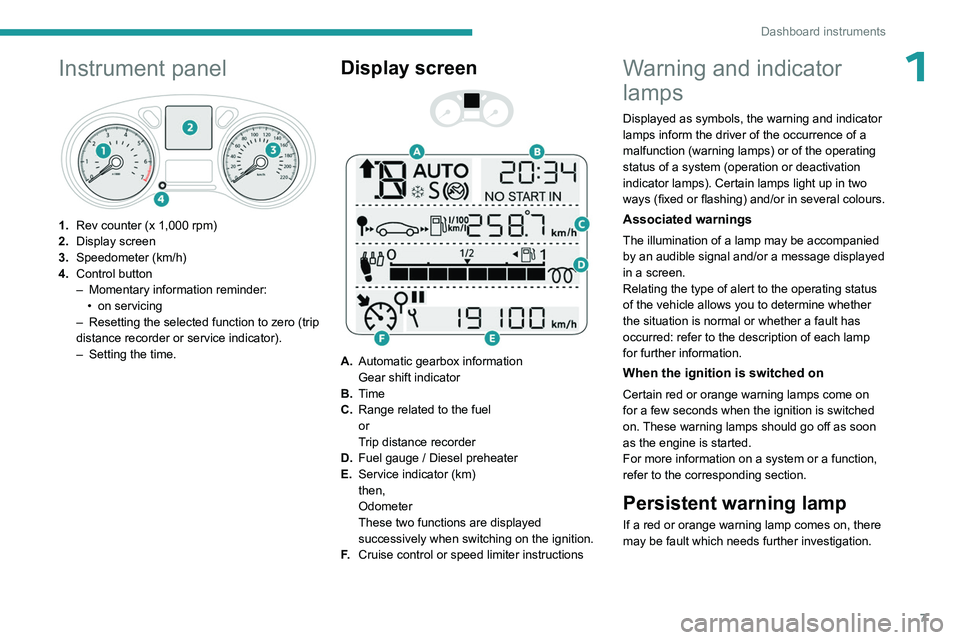
1Instrument panel
1.Rev counter (x 1,000 rpm)
2. Display screen
3. Speedometer (km/h)
4. Control button
–
Momentary information reminder:
•
on servicing
–
Resetting the selected function to zero (trip
distance recorder or service indicator).
–
Setting the time.
Display screen
A. Automatic gearbox information
Gear shift indicator
B. Time
C. Range related to the fuel
or
Trip distance recorder
D. Fuel gauge / Diesel preheater
E. Service indicator (km)
then,
Odometer
These two functions are displayed
successively when switching on the ignition.
F. Cruise control or speed limiter instructions
Warning and indicator
lamps
Displayed as symbols, the warning and indicator
lamps inform the driver of the occurrence of a
malfunction (warning lamps) or of the operating
status of a system (operation or deactivation
indicator lamps). Certain lamps light up in two
ways (fixed or flashing) and/or in several colours.
Associated warnings
The illumination of a lamp may be accompanied
by an audible signal and/or a message displayed
in a screen.
Relating the type of alert to the operating status
of the vehicle allows you to determine whether
the situation is normal or whether a fault has
occurred: refer to the description of each lamp
for further information.
When the ignition is switched on
Certain red or orange warning lamps come on
for a few seconds when the ignition is switched
on. These warning lamps should go off as soon
as the engine is started.
For more information on a system or a function,
refer to the corresponding section.
Persistent warning lamp
If a red or orange warning lamp comes on, there
may be fault which needs further investigation.
Page 13 of 148
11
Dashboard instruments
1Service spannerOn temporarily when the ignition is
switched on.
Between 620 and 1,860 miles (1,000 and 3,000
km) remain before the next service is due.
Fixed, when the ignition is switched on.
The next service is due in less than 620
miles (1,000 km).
Have your vehicle serviced very soon.
Service spanner flashingFlashing then fixed, when the
ignition is switched on.
(With
BlueHDi Diesel engines, associated with
the Service warning lamp.)
The servicing interval has been exceeded.
Have your vehicle serviced as soon as possible.
Resetting the service indicator
After each service, the service indicator must be
reset to zero.
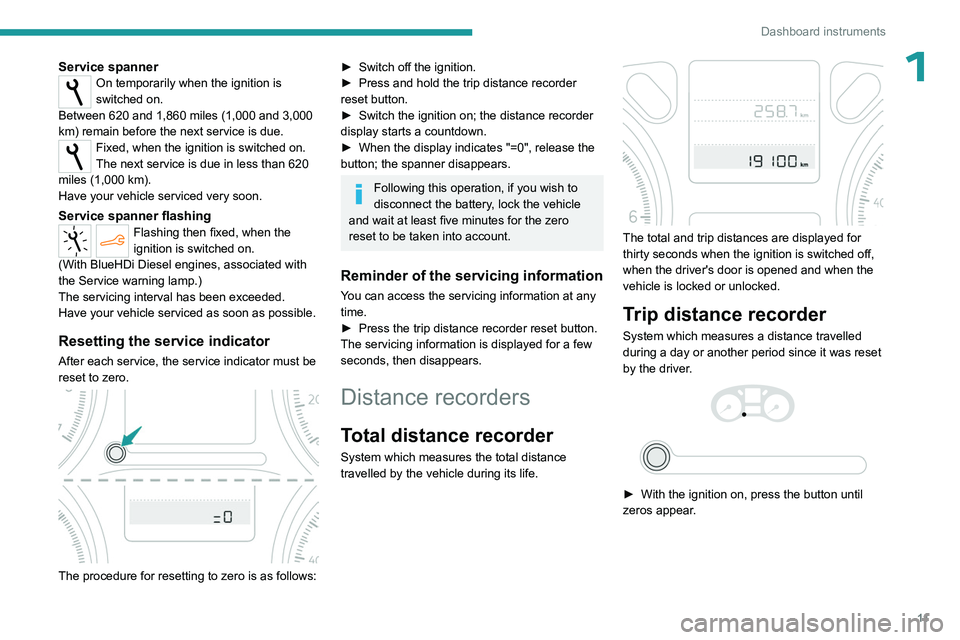
The procedure for resetting to zero is as follows:
► Switch off the ignition.
► Press and hold the trip distance recorder
reset button.
►
Switch the ignition on; the distance recorder
display starts a countdown.
►
When the display indicates "=0", release the
button; the spanner disappears.
Following this operation, if you wish to
disconnect the battery, lock the vehicle
and wait at least five minutes for the zero
reset to be taken into account.
Reminder of the servicing information
You can access the servicing information at any
time.
►
Press the trip distance recorder reset button.
The servicing
information is displayed for a few
seconds, then disappears.
Distance recorders
Total distance recorder
System which measures the total distance
travelled by the vehicle during its life.
The total and trip distances are displayed for
thirty seconds when the ignition is switched off,
when the driver's door is opened and when the
vehicle is locked or unlocked.
Trip distance recorder
System which measures a distance travelled
during a day or another period since it was reset
by the driver.
► With the ignition on, press the button until
zeros appear .
Page 15 of 148
13
Dashboard instruments
1Reset
► Hold the control down for more than two
seconds to reset the distance travelled, the
average fuel consumption and the average
speed.
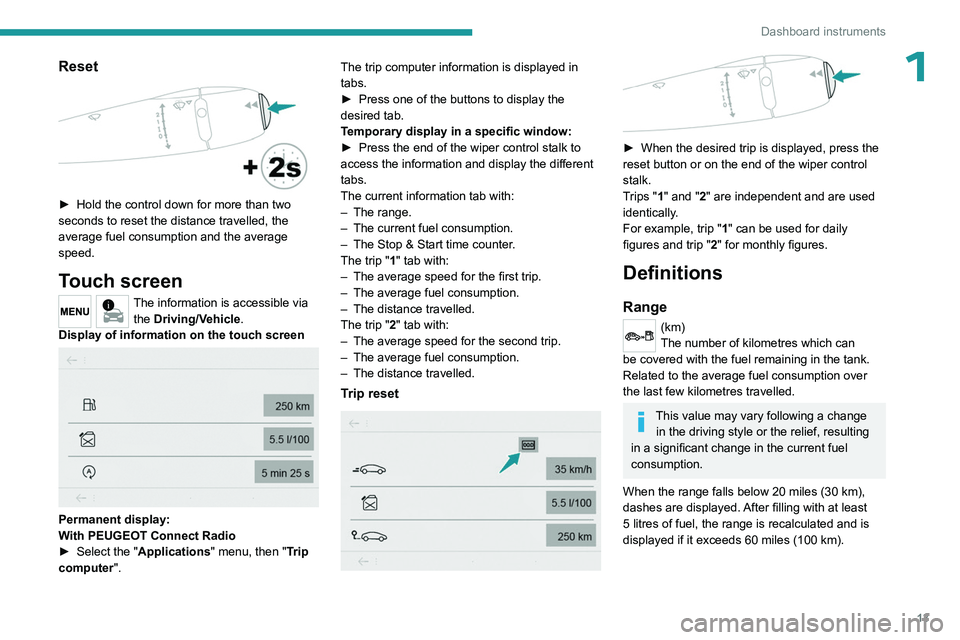
Touch screen
The information is accessible via the Driving/Vehicle.
Display of information on the touch screen
Permanent display:
With PEUGEOT Connect Radio
►
Select the "
Applications" menu, then "Trip
computer". The trip computer information is displayed in
tabs.
►
Press one of the buttons to display the
desired tab.
T
emporary display in a specific window:
►
Press the end of the wiper control stalk to
access the information and display the different
tabs.
The current information tab with:
–
The range.
–
The current fuel consumption.
–
The Stop & Start time counter
.
The trip "1" tab with:
–
The average speed for the first trip.
–
The average fuel consumption.
–
The distance travelled.
The trip "
2" tab with:
–
The average speed for the second trip.
–
The average fuel consumption.
–
The distance travelled.
Trip reset
► When the desired trip is displayed, press the
reset button or on the end of the wiper control
stalk.
T
rips "1" and "2" are independent and are used
identically.
For example, trip "1" can be used for daily
figures and trip " 2" for monthly figures.
Definitions
Range
(km)
The number of kilometres which can
be covered with the fuel remaining in the tank.
Related to the average fuel consumption over
the last few kilometres travelled.
This value may vary following a change in the driving style or the relief, resulting
in a significant change in the current fuel
consumption.
When the range falls below 20 miles (30 km),
dashes are displayed. After filling with at least
5 litres of fuel, the range is recalculated and is
displayed if it exceeds 60 miles (100 km).
Page 16 of 148
14
Dashboard instruments
If dashes are displayed continuously
while driving instead of the digits, contact
a PEUGEOT dealer or a qualified workshop.
Current fuel consumption
(l/100 km or km/l)
Calculated over the last few seconds.
This function is only displayed from 18 mph (30 km/h).
Average fuel consumption
(l/100 km or km/l)
Calculated since the last time the trip was
reset.
Average speed
(km/h)
Calculated since the last time the trip was
reset.
Distance travelled
(km)
Calculated since the last time the trip was
reset.
Stop & Start time counter
(minutes/seconds or hours/minutes)
If your vehicle is fitted with Stop & Start, a time
counter calculates the time spent in STOP mode
during a journey. It resets to zero every time the ignition is
switched on.
Page 18 of 148
16
Access
Locking the vehicle
Normal locking
► Press the locking button.
The locking, and the activation of the alarm
depending on version, is confirmed by the
lighting of the direction indicators.
An access (door or boot) that is not properly closed prevents locking of the
vehicle. However, if the vehicle is fitted with
an alarm, it will be activated after 45
seconds.
If the vehicle is unlocked but the doors or boot
are not subsequently opened, the vehicle
will automatically lock itself again after about
30
seconds. If the vehicle is fitted with an
alarm, it will be reactivated automatically.
Locating your vehicle
This function allows you to identify your vehicle
from a distance, particularly in poor light. Your
vehicle must be locked.
► Press the closed padlock button on
the remote control.
This will switch on the courtesy lights and the
direction indicators will flash for a few seconds.
Advice
Remote control
The remote control is a sensitive, high-
frequency device; avoid handling it in your
pocket, due to the risk of unintentionally
unlocking the vehicle.
Avoid pressing the remote control buttons
while out of range of the vehicle, due to
the risk of rendering the remote control
inoperative. It would then be necessary to
reset it.
The remote control does not work
when the
key is in the ignition switch, even when the
ignition is switched off.
Anti-theft protection
Do not modify the electronic vehicle
immobiliser, as this might result in
malfunctions.
Locking the vehicle
Driving with the doors locked could make
it more difficult for the emergency services
to enter the passenger compartment in an
emergency.
As a safety precaution, remove the key from
the ignition when leaving the vehicle, even for
a short time.
Purchasing a second-hand vehicle
Have the key codes memorised by a
PEUGEOT dealer, to ensure that the keys
in your possession are the only ones able to
start the vehicle.
Central locking
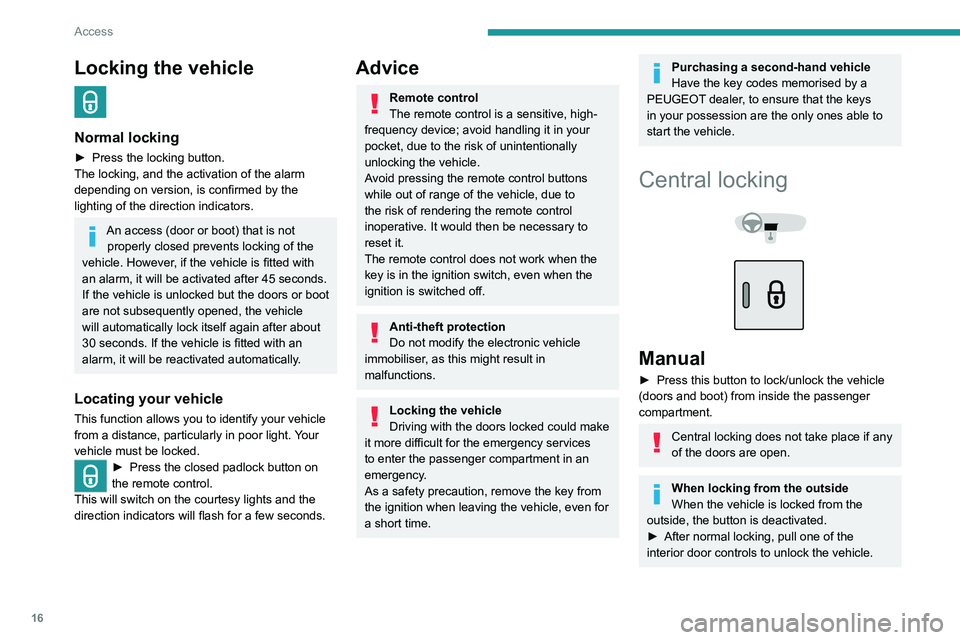
Manual
► Press this button to lock/unlock the vehicle
(doors and boot) from inside the passenger
compartment.
Central locking does not take place if any
of the doors are open.
When locking from the outside
When the vehicle is locked from the
outside, the button is deactivated.
►
After normal locking, pull one of the
interior door controls to unlock the vehicle.
Page 59 of 148
57
Driving
6Deactivation/Reactivation
The function is activated by default when the
ignition is switched on.
To deactivate/reactivate the function:
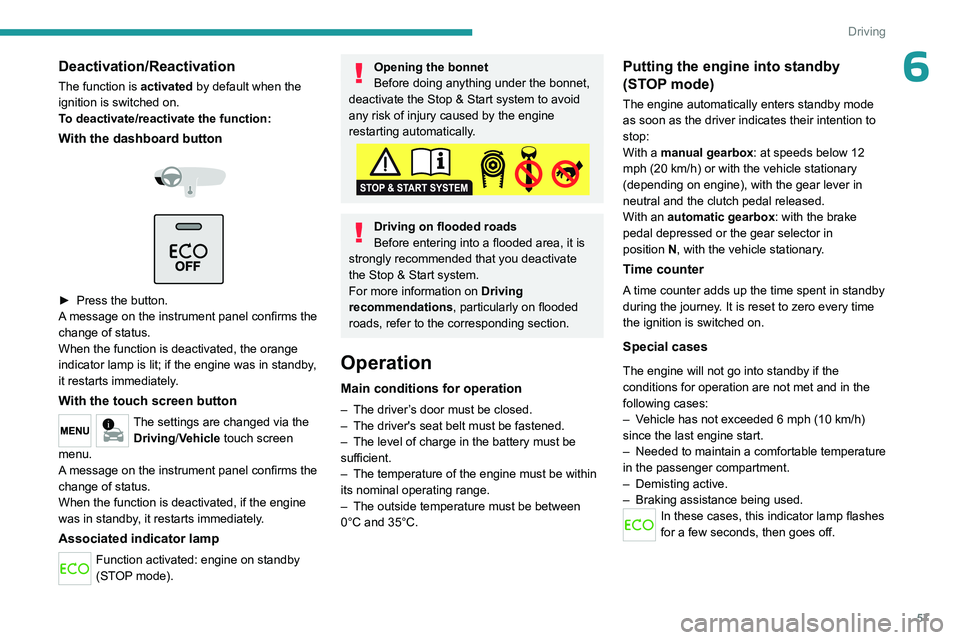
With the dashboard button
► Press the button.
A message on the instrument panel confirms the
change of status.
When the function is deactivated, the orange
indicator lamp is lit; if the engine was in standby,
it restarts immediately.
With the touch screen button
The settings are changed via the Driving/Vehicle touch screen
menu.
A message on the instrument panel confirms the
change of status.
When the function is deactivated, if the engine
was in standby, it restarts immediately.
Associated indicator lamp
Function activated: engine on standby
(STOP mode).
Opening the bonnet
Before doing anything under the bonnet,
deactivate the Stop & Start system to avoid
any risk of injury caused by the engine
restarting automatically.
Driving on flooded roads
Before entering into a flooded area, it is
strongly recommended that you deactivate
the Stop & Start system.
For more information on Driving
recommendations, particularly on flooded
roads, refer to the corresponding section.
Operation
Main conditions for operation
– The driver ’s door must be closed.
– The driver's seat belt must be fastened.
–
The level of charge in the battery must be
sufficient.
–
The temperature of the engine must be within
its nominal operating range.
–
The outside temperature must be between
0°C and 35°C.
Putting the engine into standby
(STOP mode)
The engine automatically enters standby mode
as soon as the driver indicates their intention to
stop:
With a manual gearbox: at speeds below 12
mph (20
km/h) or with the vehicle stationary
(depending on engine), with the gear lever in
neutral and the clutch pedal released.
With an automatic gearbox: with the brake
pedal depressed or the gear selector in
position
N
, with the vehicle stationary.
Time counter
A time counter adds up the time spent in standby
during the journey. It is reset to zero every time
the ignition is switched on.
Special cases
The engine will not go into standby if the
conditions for operation are not met and in the
following cases:
–
V
ehicle has not exceeded 6 mph (10 km/h)
since the last engine start.
–
Needed
to maintain a comfortable temperature
in the passenger compartment.
–
Demisting active.
–
Braking assistance being used.
In these cases, this indicator lamp flashes
for a few seconds, then goes off.
Page 93 of 148
91
In the event of a breakdown
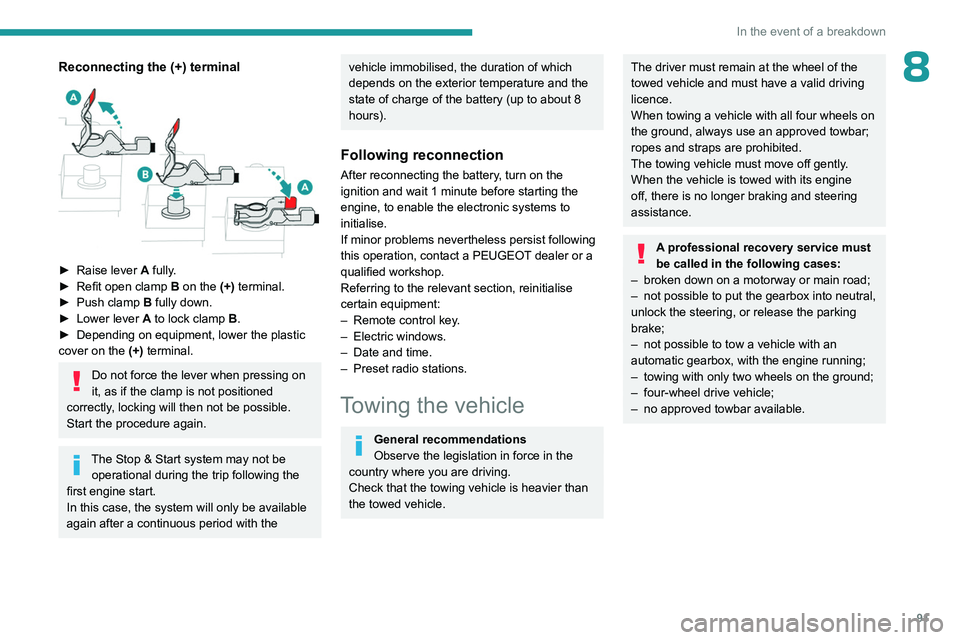
8Reconnecting the (+) terminal
► Raise lever A fully.
► Refit open clamp B on the (+) terminal.
►
Push clamp
B fully down.
►
Lower lever
A
to lock clamp B.
►
Depending on equipment, lower the plastic
cover on the
(+) terminal.
Do not force the lever when pressing on
it, as if the clamp is not positioned
correctly, locking will then not be possible.
Start the procedure again.
The Stop & Start system may not be operational during the trip following the
first engine start.
In this case, the system will only be available
again after a continuous period with the
vehicle immobilised, the duration of which
depends on the exterior temperature and the
state of charge of the battery (up to about 8
hours).
Following reconnection
After reconnecting the battery, turn on the
ignition and wait 1 minute before starting the
engine, to enable the electronic systems to
initialise.
If minor problems nevertheless persist following
this operation, contact a PEUGEOT dealer or a
qualified workshop.
Referring to the relevant section, reinitialise
certain equipment:
–
Remote control key
.
–
Electric windows.
–
Date and time.
–
Preset radio stations.
Towing the vehicle
General recommendations
Observe the legislation in force in the
country where you are driving.
Check that the towing vehicle is heavier than
the towed vehicle.
The driver must remain at the wheel of the
towed vehicle and must have a valid driving
licence.
When towing a vehicle with all four wheels on
the ground, always use an approved towbar;
ropes and straps are prohibited.
The towing vehicle must move off gently.
When the vehicle is towed with its engine
off, there is no longer braking and steering
assistance.
A professional recovery service must
be called in the following cases:
–
broken down on a motorway or main road;
–
not possible to put the gearbox into neutral,
unlock the steering, or release the parking
brake;
–
not possible to tow a vehicle with an
automatic gearbox, with the engine running;
–
towing with only two wheels on the ground;
–
four-wheel drive vehicle;
–
no approved towbar available.
Page 100 of 148
98
Bluetooth® audio system
Bluetooth® audio system
As a safety measure and because it requires sustained attention by the driver,
the pairing of a Bluetooth mobile telephone
with the Bluetooth hands-free system of your
audio system must be done with the vehicle
stationary and the ignition on.
Your audio system is coded in such a way that it will only operate in your
vehicle.
All work on the system must be carried out
exclusively by a dealer or qualified workshop,
to avoid any risk of electrocution, fire or
mechanical faults.
To avoid discharging the battery, the audio system may switch off after a few
minutes if the engine is not running.
First steps
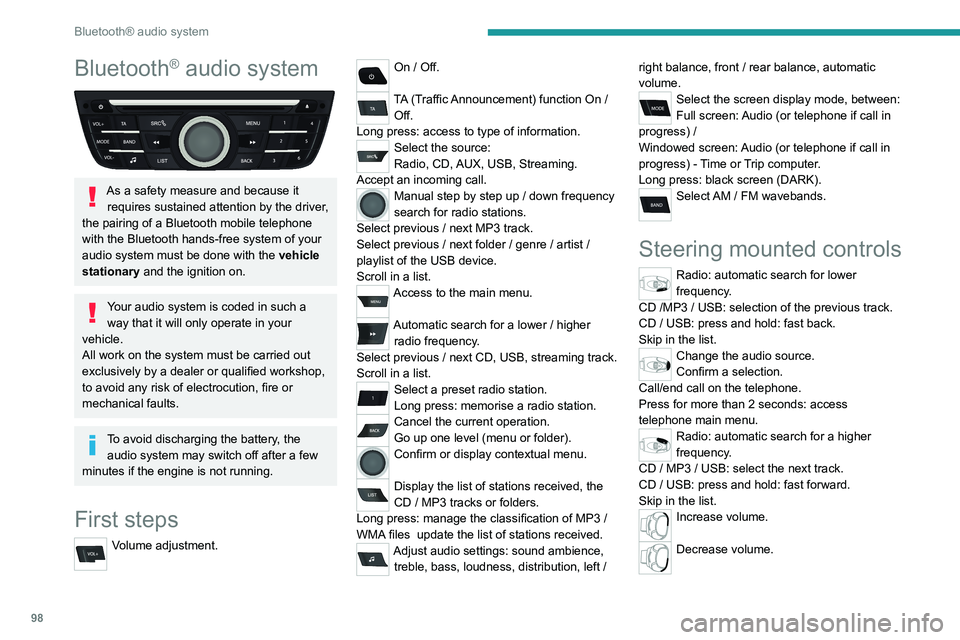
Volume adjustment.
On / Off.
TA (Traffic Announcement) function On /
Off.
Long press: access to type of information.
Select the source:
Radio, CD, AUX, USB, Streaming.
Accept an incoming call.
Manual step by step up / down frequency
search for radio stations.
Select previous
/ next MP3 track.
Select previous
/ next folder / genre / artist /
playlist of the USB device.
Scroll in a list.
Access to the main menu.
Automatic search for a lower / higher
radio frequency .
Select previous
/ next CD, USB, streaming track.
Scroll in a list.
Select a preset radio station.
Long press: memorise a radio station.
Cancel the current operation.
Go up one level (menu or folder).
Confirm or display contextual menu.
Display the list of stations received, the
CD
/ MP3 tracks or folders.
Long press: manage the classification of MP3
/
WMA files
update the list of stations received.
Adjust audio settings: sound ambience, treble, bass, loudness, distribution, left / right balance, front
/ rear balance, automatic
volume.
Select the screen display mode, between:
Full screen: Audio (or telephone if call in
progress)
/
Windowed screen: Audio (or telephone if call in
progress)
- Time or Trip computer.
Long press: black screen (DARK).
Select AM / FM wavebands.
Steering mounted controls
Radio: automatic search for lower
frequency.
CD /MP3 / USB: selection of the previous track.
CD / USB: press and hold: fast back.
Skip in the list.
Change the audio source.
Confirm a selection.
Call/end call on the telephone.
Press for more than 2 seconds: access
telephone main menu.
Radio: automatic search for a higher
frequency.
CD / MP3 / USB: select the next track.
CD / USB: press and hold: fast forward.
Skip in the list.
Increase volume.
Decrease volume.
Page 101 of 148
99
Bluetooth® audio system
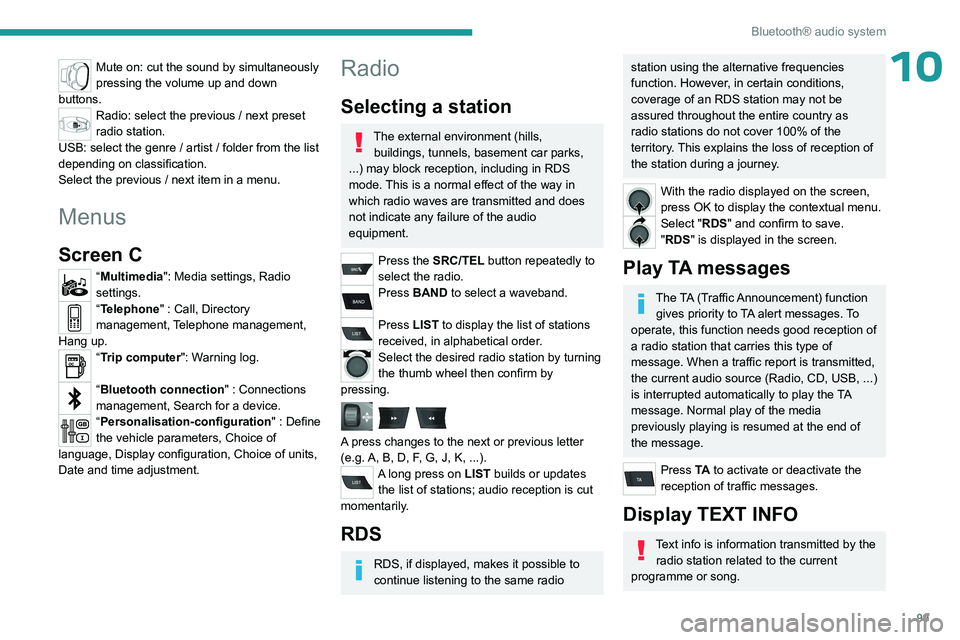
10Mute on: cut the sound by simultaneously
pressing the volume up and down
buttons.
Radio: select the previous / next preset
radio station.
USB: select the genre / artist / folder from the list
depending on classification.
Select the previous / next item in a menu.
Menus
Screen C
“Multimedia": Media settings, Radio
settings.
“Telephone" : Call, Directory
management, Telephone management,
Hang up.
“Trip computer": Warning log.
“Bluetooth connection " : Connections
management, Search for a device.
“Personalisation-configuration " : Define
the vehicle parameters, Choice of
language, Display configuration, Choice of units,
Date and time adjustment.
Radio
Selecting a station
The external environment (hills, buildings, tunnels, basement car parks,
...) may block reception, including in RDS
mode. This is a normal effect of the way in
which radio waves are transmitted and does
not indicate any failure of the audio
equipment.
Press the SRC/TEL button repeatedly to
select the radio.
Press BAND to select a waveband.
Press LIST to display the list of stations
received, in alphabetical order.
Select the desired radio station by turning
the thumb wheel then confirm by
pressing.
A press changes to the next or previous letter
(e.g. A, B, D, F, G, J, K, ...).
A long press on LIST builds or updates the list of stations; audio reception is cut
momentarily.
RDS
RDS, if displayed, makes it possible to
continue listening to the same radio
station using the alternative frequencies
function. However, in certain conditions,
coverage of an RDS station may not be
assured throughout the entire country as
radio stations do not cover 100% of the
territory. This explains the loss of reception of
the station during a journey.
With the radio displayed on the screen,
press OK to display the contextual menu.
Select "RDS" and confirm to save.
"RDS" is displayed in the screen.
Play TA messages
The TA (Traffic Announcement) function gives priority to TA alert messages. To
operate, this function needs good reception of
a radio station that carries this type of
message. When a traffic report is transmitted,
the current audio source (Radio, CD, USB, ...)
is interrupted automatically to play the TA
message. Normal play of the media
previously playing is resumed at the end of
the message.
Press TA to activate or deactivate the
reception of traffic messages.
Display TEXT INFO
Text info is information transmitted by the radio station related to the current
programme or song.
Page 108 of 148
106
Bluetooth® audio system
the passenger compartment for optimum
performance.
The Arkamys
© software installed in your audio
system processes the digital signals of all
the media players (radio, CD, MP3...) and
makes it possible to recreate a natural sound
setting, with a harmonious placement of the
instruments and voices in space, facing the
passengers, positioned at the height of the
windscreen.
Frequently asked
questions
The following information groups together the answers to the most frequently asked questions
concerning your audio system.
There is a difference in sound quality
between the different audio sources (radio,
CD, etc.).
To allow for optimal listening quality, the audio
settings (Volume, Bass, Treble, Ambience,
Loudness) can be tailored to different sound
sources, which can generate audible differences
when changing source (radio, CD, etc.).
Check that the audio settings (Volume, Bass,
Treble, Ambience, Loudness) are adapted to
the sources listened to. It is advisable to set
the AUDIO functions (Bass, Treble, Front-Rear
Fader, Left-Right Balance) to the middle position,
select the musical ambience "None" and set the loudness correction to the "Active" position in CD
mode or to the "Inactive" position in radio mode.
When changing the settings for treble and
bass, the ambience setting is deselected.
When changing the ambience setting, treble
and bass are reset to zero.
Choosing an ambience imposes settings for
treble and bass. Modifying one without the other
is not possible.
Modify the treble and bass settings or the
ambience setting to obtain the desired sound
quality.
When changing the balance setting,
distribution is deselected.
Choosing a distribution setting imposes a
balance setting. Modifying one without the other
is not possible.
Modify the balance or distribution settings to
obtain the desired sound quality.
The reception quality of the tuned radio
station gradually deteriorates or the stored
stations are not working (no sound, 87.5 Mhz
is displayed, etc.).
1.The vehicle is too far from the transmitter of
the station or no transmitter is present in the
geographical area.
Activate the RDS mode and start a new search
for the station so that the system can check
whether a stronger transmitter is available in the
geographic area.
2.The environment (hills, buildings, tunnels,
basement car parks, etc.) block reception,
including in RDS tracking mode.This phenomenon is normal and does not
indicate a failure of the audio equipment.
3.The aerial is absent or has been damaged (for
example when going through an automatic car
wash or in an underground car park).
Have the antenna checked by the network
PEUGEOT.
Sound cut-outs of 1 to 2
seconds in radio
mode.
During this brief sound cut-out, the RDS
searches for another frequency giving better
reception of the station.
Switch off the RDS function if the phenomenon is
too frequent and always on the same route.
The traffic announcement (TA) is displayed. I
do not receive any traffic information.
The radio station does not broadcast traffic
information.
Tune to a radio station which broadcasts traffic
information.
The stored stations are not found (no sound,
87.5 MHz is displayed, etc.).
An incorrect waveband is selected.
Press the BAND button to return to the
waveband on which the stations are stored.
The CD is ejected every time or is not played.
The CD is upside down, cannot be read, does
not contain audio files or contains audio files
of a format that cannot be played by the audio
system.
The CD is protected by an anti-pirating system
not recognised by the audio system.